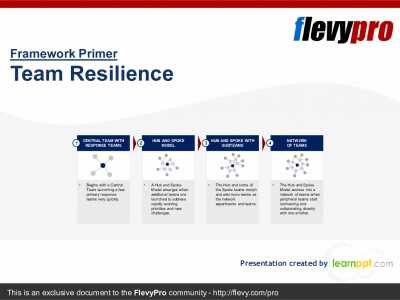
Editor's Note: Take a look at our featured best practice, Building Effective Teams (111-slide PowerPoint presentation). In today's flexible working model where employees work from home and the office, the ongoing challenges of creating the magical bond between team members can be elusive.
Moreover, it has become increasingly challenging, since we have been moving from the emphasis on social skills to technical [read more]
* * * *
A client asks whether your team can take on a new piece of work next week. You check the calendar, think through who’s busy, and say yes. Then the week arrives, two people are on leave, reviews pile up behind one specialist, and the deadline slips.
Recorded hours can help you spot that risk before you commit, when you combine them with upcoming availability and skill requirements. Use past records to estimate effort, then check who can do the work and when.
Build a Realistic Picture of Available Time
Scrum.org describes team capacity planning as working out how much a team can effectively complete in its next iteration. You don’t need to run sprints to use that approach. For a weekly plan, ask how much work the team can finish by Friday.
Recorded hours tell you how long past work took, which can improve estimates. Planning also needs a separate view of who’s available for the work ahead. Use both before accepting another request.
Practical guidance on scaling remote teams recommends short discussions grounded in data. Review existing workloads with the team before adding commitments, rather than assuming you know who’s busy.
Count the whole working week. Start with contracted hours, then subtract meetings, administration, leave, and a reserve for unexpected work. Check planned training and onboarding too. Use the team’s records to estimate these demands, and avoid counting the same time in more than one deduction.
Keep categories useful. Start with project work, internal work, and absence. Add a billable label if you invoice by the hour, but keep it separate from judgments about usefulness. An unbillable hour spent fixing a proposal template may still be valuable work. Some time tracking software for teams, such as Insightful, logs billable and non-billable hours separately, a capability worth checking against your team’s own records during evaluation.
Agree on the purpose. Explain how the records will support realistic commitments, better estimates, and fairer workloads. Time records show duration; judging the quality or value of work needs more context. Discuss how managers will use the records before tracking begins.
Turn Recorded Hours into Next Week’s Plan
Smartsheet’s template guidance organizes the exercise into estimating demand, determining capacity, and deciding whether resources are under, at, or over capacity. The numbers below are a hypothetical example to show the arithmetic, not benchmarks.
Calculate usable hours. Picture five people on 40 contracted hours each, giving 200 hours. Subtract 16 hours of booked leave and 44 hours of recurring meetings and administration, based on recent records. Then hold back a reserve for unexpected work. This team chooses 20 hours, leaving 120 project hours.
The 20-hour reserve is a team choice, not a standard percentage. If your historical project-hour totals already exclude meetings, don’t subtract them a second time.
Check the right skills. Atlassian’s capacity-planning exercise groups people by role before adding their available hours. Here is the same hypothetical team split by role.
Role
Available hours
Requested hours
Difference
Research
50
44
+6
Delivery
50
58
-8
Review
20
30
-10
Total
120
132
-12
The total shortfall is 12 hours. Research has 6 spare hours, but that time cannot clear the review queue unless the researchers have the required skills. Asana’s capacity-planning guidance treats the right skills, not just free hours, as part of a team’s capacity. If review sits with one senior person, that person’s availability limits what the team can finish.
Change the commitment. Defer the lowest-priority request and tell the client when it will land, or narrow the scope so delivery and review both fit. Reassign work only where the skills exist, and account for handoff time. Someone who needs a day of context may not reduce the shortfall.
Each week, compare estimates with reviewed actuals, note where they differed, and record the adjustment you’ll make to the next plan. A worksheet can help you model available working hours alongside those estimates.
Choose Useful Tools Without Undermining Trust
A spreadsheet can support this process. Consider software when manual entries become difficult to maintain or you need more detail about time spent on projects.
Match features to decisions. Check tools against the work you need to do each week:
Capture hours automatically, manually, or both, including work done offline.
Report project and task time using the categories you agreed.
Keep billable labels separate from judgments about usefulness.
Review corrections and approvals, including what happens after approval.
Control who sees individual records and who sees team totals.
Connect with existing tools, checking availability for each connector.
Make the rules visible. Before installation, write down what is collected, who can see it, how meetings and other non-computer work get recorded, and when entries are reviewed. Some tools let managers approve manual entries, or auto-approve certain entry types, and then lock those entries once approved. Review entries before approval and agree how later corrections will be documented.
Pilot the process. Run a short pilot with one team. Check how complete the records are, how much effort review takes, and whether the records help the team discuss next week’s assignments. Ask people to flag work the system missed or categorized incorrectly before using the records for estimates.
The goal is not to fill every hour. It is to make commitments that reflect available skills, expected effort, and room for unexpected work. Review the plan with your team, then adjust it as the work changes.
FAQs
Can a spreadsheet be enough?
Yes, if someone keeps it current. Smartsheet offers spreadsheet templates for comparing demand with capacity. A shared worksheet can hold estimated effort, available hours by role, and the resulting gaps. Consider software when keeping those records current takes too much manual work.
How often should we review assignments?
Use a weekly review as a starting point, then revisit the plan after a material change, such as a new project or a specialist’s leave. Choose a review schedule that lets you adjust commitments before deadlines are at risk.
How should we record meetings and other offline work?
Use the agreed categories and let people add manual entries for work a timer cannot capture. Assign a reviewer to check them. Confirm how corrections work before approving entries, especially if approval locks the record.
What should we do when one specialist is overloaded?
Defer or narrow the work that needs their skill. Reassign it only to someone qualified, allowing for handoff time. If the shortage keeps recurring, plan time to train a second reviewer.
This presentation is a collection of PowerPoint diagrams and templates used to convey 26 different Team Management models and frameworks.
INCLUDED MODELS/FRAMEWORKS:
1. Mintzberg's Management Roles Model
2. Butler & Waldroop's Four Dimensions of Relational Work Model
3. Lencioni's [read more]
Do You Want to Implement Business Best Practices?
You can download in-depth presentations on Team Management and 100s of management topics from the FlevyPro Library. FlevyPro is trusted and utilized by 1000s of management consultants and corporate executives.
For even more best practices available on Flevy, have a look at our top 100 lists:
These best practices are of the same as those leveraged by top-tier management consulting firms, like McKinsey, BCG, Bain, and Accenture. Improve the growth and efficiency of your organization by utilizing these best practice frameworks, templates, and tools. Most were developed by seasoned executives and consultants with over 20+ years of experience.
Readers of This Article Are Interested in These Resources
Leadership at the top is a team sport. The CEO must rely on his or her senior level teams to accomplish important goals, manage change, and help spread the company's priorities and values throughout the organization.
But, in a volatile and uncertain business environment, companies are finding [read more]
Pressure from growing digital natives is not allowing traditional businesses the time to reconsider their strategies and restructure with the abruptly changing business ecosystem. To foster Agility, many organizations are opting for small teams as their basic organizational unit to implement [read more]
Uncertain times spur leaders to reflect on what kind of organization, culture, and operating model they need to put in place. This is to avoid returning to previous patterns of behavior and, instead, be able to embrace the next normal.
In this rapidly changing environment, people in [read more]
Value Stream Mapping (VSM) is a lean management technique used to analyze the flow of materials and information currently required to bring a product or service to a Customer. The goal of value stream mapping is to reduce the end-to-end lead time of a process by highlighting and eliminating sources [read more]
 A client asks whether your team can take on a new piece of work next week. You check the calendar, think through who’s busy, and say yes. Then the week arrives, two people are on leave, reviews pile up behind one specialist, and the deadline slips.
 Smartsheet’s template guidance organizes the exercise into estimating demand, determining capacity, and deciding whether resources are under, at, or over capacity. The numbers below are a hypothetical example to show the arithmetic, not benchmarks.