Editor's Note: Take a look at our featured best practice, CX Improvement Program: Delivering Service Excellence (136-slide PowerPoint presentation). Enhance your organization's CX with our Delivering Service Excellence PPT. Equip your staff with the skills to create quality customer experiences, differentiate from the competition, and build trust and long-term relationships. Learn to manage emotions, deliver personalized service, and apply the [read more]
* * * *
If you’ve ever sat in a weekly ops meeting and heard “support volume is up again,” you know the conversation usually goes in circles: hire more agents, add another helpdesk rule, rewrite the FAQ. None of those are wrong, but they treat the symptom, not the system.
The more useful framing is simpler: customer support is a workflow problem. Requests arrive in different formats, they vary in urgency, and they often require context scattered across tools. The teams that improve service without ballooning headcount tend to design better workflows—then use automation to keep those workflows consistent.
A Practical Way to Think About “Connection” (Not Just “Tickets”)
Most support environments still behave like ticket factories: intake, assign, respond, close. That model breaks down when customers expect real-time answers, when product complexity rises, or when issues need multiple handoffs (billing, technical, success).
A “customer connection” approach starts with the idea that every interaction should land in the right place quickly, with the right context. It’s less about deflecting tickets and more about building reliable paths for common needs.
Routing: Make sure questions go to the right team (or self-serve flow) with minimal back-and-forth.
Context capture: Gather the details an agent will ask anyway (order ID, environment, account tier, error messages).
Consistency: Ensure customers get the same answer for the same question, even across channels.
Escalation: Set predictable “handoff rules” so edge cases reach a human fast.
Platforms like Lorka AI sit in this layer: connecting customer questions to answers, workflows, and human support when needed. The interesting part isn’t “AI in support” as a headline—it’s the operational discipline it can enforce when implemented thoughtfully.
Where AI Helps Most: Repeatable Work with High Context Switching
Not every support task should be automated. But there’s a clear pattern in what drains teams: repeatable issues that still require a lot of context gathering, tool switching, and careful wording.
Three High-Impact Use cases
Smart intake: Ask the right clarifying questions upfront based on what the customer selects or types. This reduces the “can you share more details?” loop.
Guided troubleshooting: Walk customers through diagnostic steps with decision points (e.g., “If you see X, do Y; if not, try Z”).
Drafting responses for agents: Provide an agent with a well-structured first draft plus the sources used, so the agent can confirm and personalize quickly.
These are less controversial than fully autonomous support because they keep humans in control while reducing the grind. They also align well with how service teams actually work: standardize the routine, reserve human time for the messy and sensitive.
The Operational Side: Policies, Guardrails, and Metrics That Matter
AI support workflows succeed or fail based on governance. Without guardrails, teams get inconsistent answers, risky promises, or automation that frustrates customers. The fix is not “turn it off,” but define what the system is allowed to do.
Guardrails Worth Writing Down
What it can answer: “Product how-to,” “status and timelines,” “account changes,” etc.
What it must escalate: Payments, security, outages, legal requests, high-value accounts, emotional situations.
Source of truth: Which documents count as authoritative (help center articles, internal runbooks, release notes).
Language rules: No commitments on refunds, deadlines, or capabilities unless explicitly documented.
On measurement, it’s tempting to fixate on deflection rate. It’s not useless, but it can push teams toward the wrong behavior. Better metrics tend to balance efficiency with customer outcomes.
Metrics That Are Harder to Game
First-contact resolution (FCR): Did the customer leave with a resolved issue, not just an answer?
Time to first meaningful response: Not “any reply,” but a response that moves the issue forward.
Escalation quality: When the case reaches an agent, does it include the right context and a clear summary?
Repeat contact rate: Are customers coming back for the same issue within a week?
Trust and Safety: The Real Constraint Is Not Technology
Most leaders are not worried that AI can’t answer questions. They’re worried it will answer confidently when it shouldn’t. That’s a trust problem, and it’s solvable with transparent design.
Make uncertainty visible: If the system isn’t sure, it should say so and offer escalation.
Cite internal sources where possible: Agents and customers trust responses more when they can see the underlying policy or article.
Log decisions: Keep auditable records of what was asked, what was answered, and what sources were used.
It’s also worth aligning internal expectations with emerging guidance on safe AI deployment. NIST’s AI Risk Management Framework is a practical reference for thinking through risk, accountability, and controls without turning the project into a research effort.
Implementation That Doesn’t Disrupt the Team: Start Narrow, Then Expand
The fastest way to create resistance is to “roll out AI” as a blanket initiative. The better approach is to pick a narrow lane where outcomes are measurable and risk is manageable, then use the results to guide expansion.
A Rollout Sequence That Tends to Work
Map your top 10 contact reasons: Use actual ticket tags and conversation logs, not assumptions.
Choose one channel first: Often chat or web, where you can guide users and capture context.
Instrument everything: Track FCR, repeat contact rate, and agent edit distance on drafts.
Run a tight review loop: Weekly audits of misroutes, confusing flows, and policy gaps.
One simple technique: treat your AI workflow like a product feature with an owner, backlog, and release notes. That keeps it from becoming a “set-and-forget” widget that slowly drifts away from reality.
“Support quality improves when we design the path to resolution—automation just makes that path easier to follow at scale.”
Closing: What to Do Next (Even If You’re Not Ready for Full Automation)
If you take one thing from this: don’t start by asking, “How do we add AI to support?” Start by asking, “Where do customers get stuck, and what does a clean path look like?” Once the workflow is clear, automation becomes a practical tool instead of a risky bet.
A good next step is to document your escalation rules and your sources of truth, then pilot AI-assisted intake or agent drafting for a single high-volume issue type. You’ll learn quickly what needs tightening—and you’ll be improving the system, not just adding another layer to it.
Boost your CX strategy with our core CX skills PPT. Train employees to deliver excellent service to both external and internal customers, manage interactions effectively, and enhance overall satisfaction. Understand key elements of customer service and learn effective techniques and [read more]
Do You Want to Implement Business Best Practices?
You can download in-depth presentations on Customer Service and 100s of management topics from the FlevyPro Library. FlevyPro is trusted and utilized by 1000s of management consultants and corporate executives.
For even more best practices available on Flevy, have a look at our top 100 lists:
These best practices are of the same as those leveraged by top-tier management consulting firms, like McKinsey, BCG, Bain, and Accenture. Improve the growth and efficiency of your organization by utilizing these best practice frameworks, templates, and tools. Most were developed by seasoned executives and consultants with over 20+ years of experience.
Readers of This Article Are Interested in These Resources
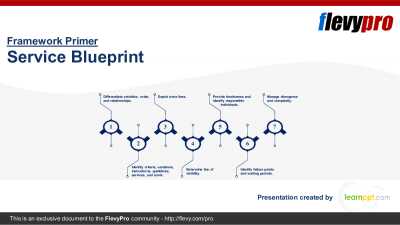
Service Blueprints serve as an extremely effective approach to Service Design. They enable organizations to visualize, analyze, and optimize their Customer Experiences systematically.
Service Blueprints provide a holistic view of a service by depicting not only the customer-facing elements, [read more]
This document is a collection of best practices in delivering world-class customer care. The document is organized across the four performance dimensions: cost, revenue, customer satisfaction infrastructure, and frontline performance. It includes example performance of top performers , as well as [read more]
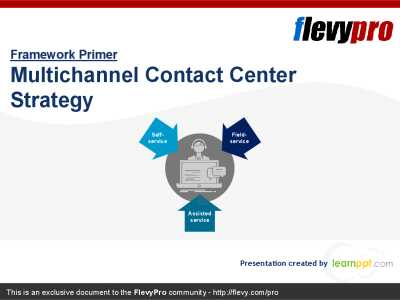
In the increasingly competitive business scenario, the end-to-end customer experience and delight has become a new area, which no one can afford to neglect. It is of paramount importance to deliver superior services with differentiated experience, while aligning with the ever-changing customer [read more]
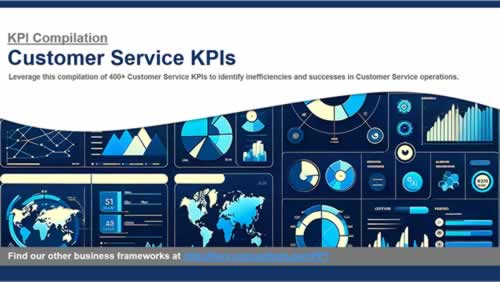
This presentation is a comprehensive collection of Key Performance Indicators (KPI) related to Customer Service. A KPI is a quantifiable measure used to evaluate the success of an organization, employee, or process in meeting objectives for performance.
KPIs are typically implemented at [read more]
 If you’ve ever sat in a weekly ops meeting and heard “support volume is up again,” you know the conversation usually goes in circles: hire more agents, add another helpdesk rule, rewrite the FAQ. None of those are wrong, but they treat the symptom, not the system.