Editor's Note: Take a look at our featured best practice, Incident Management Process PPT (IT Service Management, ITSM) (34-slide PowerPoint presentation). Incident Management Process is essential Process in Service Support.
Document describes the process in detail including very detailed description of Process flow steps. Other than that, document contains Incident Management key definitions, process roles, CSFs, KPIs, Risks and [read more]
* * * *
The Changing Landscape of IT Helpdesk Operations
In today’s rapidly evolving business environment, IT helpdesk operations have transcended their traditional role of merely troubleshooting and answering user queries. As organizations grow and their IT ecosystems become increasingly complex, there is a pressing need to adopt a more strategic and automated approach to help desk management. This shift is not just about keeping up with technology trends; it is about fundamentally enhancing operational efficiency, minimizing downtime, and elevating user satisfaction across the board.
According to a recent Gartner report, by 2025, 75% of IT organizations will have implemented some form of automation to streamline helpdesk operations, a significant increase from 30% in 2021. This rapid adoption of automation is driven by the growing demand for faster incident response times and the imperative to reduce escalating operational costs.
With the escalating volume of IT support requests and the increasing complexity of issues, traditional manual helpdesk processes are no longer sustainable. Organizations must rethink their helpdesk operations to meet the expectations of modern users who demand quick, seamless, and effective support. This article explores how the integration of automation and strategic planning is reshaping IT helpdesk operations and enabling businesses to thrive in an increasingly digital world.
The Role of Automation in Modern IT Helpdesk Services
Automation has become a cornerstone of modern IT helpdesk operations, enabling the efficient handling of repetitive and routine tasks without the need for human intervention. Tasks such as ticket routing, password resets, and system monitoring can now be automated, freeing up help desk personnel to focus on more complex and critical issues that require human judgment and expertise.
For example, artificial intelligence (AI)-powered chatbots and automated ticketing systems have revolutionized how helpdesk teams interact with users. These technologies can instantly respond to common queries, guide users through troubleshooting steps, and escalate issues when necessary. One study found that organizations using automation in their helpdesk operations experienced a 40% reduction in average resolution time. This reduction not only improves the user experience by speeding up solutions but also allows IT staff to allocate their time and resources more strategically.
Moreover, automation enhances consistency and accuracy in helpdesk operations. Automated systems follow predefined workflows, reducing the risk of human error and ensuring that tickets are handled according to best practices. This leads to improved service quality and higher user satisfaction.
Partnering with providers like the tech helpdesk from Power Consulting can offer businesses access to advanced automation tools and experienced personnel who understand how to integrate technology seamlessly into existing workflows. Such partnerships are essential for organizations aiming to modernize their IT support without disrupting daily operations. By leveraging external expertise, companies can accelerate their automation initiatives and ensure they are aligned with industry standards and emerging best practices.
Strategic Planning: Beyond Automation
While automation is a powerful enabler of efficiency, it is only one piece of the puzzle. Strategic planning is crucial to ensure that IT helpdesk operations are not just efficient but also aligned with the broader business objectives. Strategic planning involves a comprehensive assessment of existing processes, identification of pain points, and the establishment of clear, measurable goals for service delivery improvement.
A key element of strategic planning is shifting from a reactive to a proactive support model. Instead of waiting for issues to arise, helpdesk teams equipped with predictive analytics and monitoring tools can forecast potential system failures or security threats before they impact users. This proactive approach reduces downtime and enhances business continuity, which is critical in today’s always-on digital economy.
Investing in cybersecurity measures is another vital aspect of strategic planning. Integrating Managed Cloud Security solutions into helpdesk operations helps safeguard sensitive data and ensures compliance with industry regulations. As cyber threats become more sophisticated and frequent, embedding security into the helpdesk framework is no longer optional but a necessity. Recent data shows that 68% of IT decision-makers consider cybersecurity a top priority when updating helpdesk systems. This underscores the importance of a strategic approach that balances operational efficiency with robust security.
Moreover, strategic planning helps organizations prepare for scalability and future growth. By anticipating changing business needs and technological advancements, companies can design helpdesk operations that are flexible and adaptable. This foresight prevents costly overhauls and ensures that IT support services can evolve alongside the organization.
Benefits of Combining Automation with Strategic Planning
When automation is combined with strategic planning, organizations unlock a range of substantial benefits that go beyond mere operational improvements:
Improved Incident Management: Automated ticketing systems ensure that incoming support requests are categorized and prioritized efficiently. When coupled with strategic prioritization frameworks, this ensures that critical issues receive immediate attention, reducing the risk of prolonged outages.
Enhanced User Experience: Faster response times enabled by automation, along with proactive support driven by strategic planning, contribute to increased end-user satisfaction and productivity. Users benefit from timely resolutions and fewer disruptions.
Cost Efficiency: Automating routine tasks reduces the need for manual labor, freeing up IT staff to focus on higher-value activities. Coupled with strategies that prevent outages and security breaches, this lowers operational expenses and protects revenue.
Scalability: Automated and strategically planned helpdesk operations are inherently more scalable. As organizations grow or adopt new technologies, their helpdesk systems can adapt without requiring complete redesigns or significant additional resources.
Data-Driven Decision Making: Combining automation tools that collect and analyze helpdesk data with strategic planning processes enables organizations to make informed decisions. This data-driven approach helps continuously refine support services and align them with evolving business goals.
Implementing a Modern IT Helpdesk: Best Practices
Transforming IT helpdesk operations requires a thoughtful approach that balances technology, people, and processes. Organizations should consider the following best practices to ensure successful implementation:
Assess Current Capabilities: Begin with a comprehensive review of existing helpdesk processes, technologies, and performance metrics. Identify bottlenecks, repetitive tasks, and areas for improvement.
Define Clear Objectives: Establish measurable goals such as reducing average resolution time, increasing first-contact resolution rates, or improving customer satisfaction scores. Clear objectives provide direction and enable progress tracking.
Choose the Right Technology: Select automation tools and platforms that integrate seamlessly with existing IT infrastructure and support future scalability. Ensure these technologies offer flexibility to adapt to changing needs.
Train and Empower Staff: Equip helpdesk personnel with the skills and knowledge needed to leverage new technologies effectively. Training fosters user adoption and maximizes the benefits of automation.
Monitor and Optimize Continuously: Implement performance monitoring systems to track key metrics and gather user feedback. Use this data to refine workflows, update automation rules, and adjust strategic priorities.
Foster a Culture of Collaboration: Encourage collaboration between IT helpdesk teams, cybersecurity experts, and business units. This holistic approach ensures that support services align with organizational priorities and security requirements.
Conclusion: Preparing for the Future of IT Support
The future of IT helpdesk operations lies in the intelligent fusion of automation and strategic planning. Organizations that embrace this integrated approach will not only enhance operational efficiency but also drive greater business value through improved service delivery, heightened security, and scalability.
By collaborating with specialized partners such as the , businesses can confidently navigate the complexities of modern IT environments. Additionally, adopting comprehensive solutions like provides access to cutting-edge technologies and expertise that are critical for successful transformation.
Ultimately, rethinking IT helpdesk operations is a strategic imperative. As digital transformation accelerates and user expectations rise, companies that proactively modernize their IT support will be better positioned to stay competitive, responsive, and resilient in a rapidly changing digital landscape. Embracing automation and strategic planning today is an investment in tomorrow’s business continuity and success.
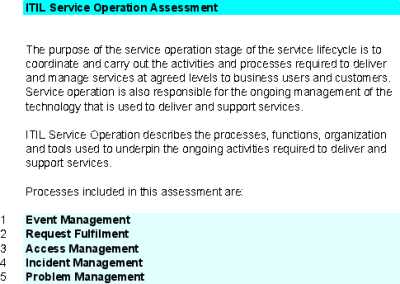
This Excel spreadsheet system with approx. 300 Questions allows you to conduct a Assessment of ITSM Service Operation processes:
1. Event Management
2. Request Fulfilment
3. Access Management
4. Incident Management
5. Problem Management
Assessment highlights areas that require [read more]
Do You Want to Implement Business Best Practices?
You can download in-depth presentations on ITSM and 100s of management topics from the FlevyPro Library. FlevyPro is trusted and utilized by 1000s of management consultants and corporate executives.
For even more best practices available on Flevy, have a look at our top 100 lists:
These best practices are of the same as those leveraged by top-tier management consulting firms, like McKinsey, BCG, Bain, and Accenture. Improve the growth and efficiency of your organization by utilizing these best practice frameworks, templates, and tools. Most were developed by seasoned executives and consultants with over 20+ years of experience.
Readers of This Article Are Interested in These Resources
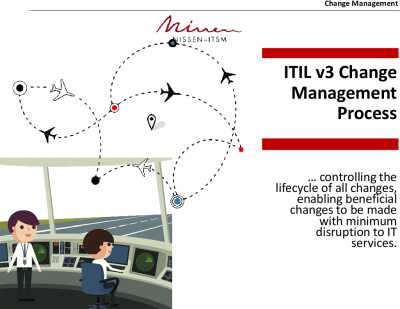
Change Management Process is essential Process in Service Transition. Process is contained in ITSM best practices.
Document describes the process in detail including Process flow, key definitions, process roles, CSFs, KPIs, Risks and Challenges.
This comprehensive PPT on Change Management [read more]
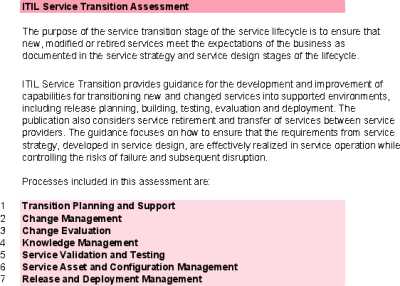
This Excel spreadsheet system with approx. 300 Questions allows you to conduct a Assessment of ITSM Service Transition processes:
1. Transition Planning and Support
2. Change Management
3. Change Evaluation
4. Knowledge Management
5. Service Validation and Testing
6. Service Asset and [read more]
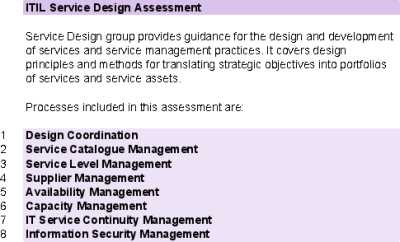
This Excel spreadsheet system with approx. 400 Questions allows you to conduct a Assessment of IT Service Design processes:
1. Design Coordination
2. Service Catalogue Management
3. Service Level Management
4. Supplier Management
5. Availability Management
6. Capacity [read more]
Problem Management Process is a part of Service Operation.
This PowerPoint presentation contains detailed description of the Problem Management Process, including process steps, roles, KPIs, CSFs, interfaces with other processes.
This presentation provides a comprehensive overview of key [read more]
 The Changing Landscape of IT Helpdesk Operations