Editor's Note: Take a look at our featured best practice, Effective Communication with Virtual Teams (23-slide PowerPoint presentation). The number of people working remotely has been increasing progressively across the globe. An employee benefits report narrates that around 60% companies in the US offer telecommuting opportunities. According to Upwork, freelancers and contractors have increased by 81% from 2014 to 2017. [read more]
* * * *
A reliable home internet connection is essential for modern professionals. It supports video conferences, remote collaboration, client deliverables, and always-on devices. When multiple high-demand activities overlap, a weak connection can disrupt critical business tasks. A suitable plan helps, but the router and home layout also matter. Choosing a plan starts with a clear picture of which devices connect and how household members use them at the same time.
Count Devices and Overlapping Activities
A home connection supports more than the devices professionals use actively. A thermostat or security camera also depends on network access, even when no one is watching a screen. When comparing Alaska home internet options, households should consider both the number of connected devices and the tasks they perform together. A device count alone does not show how much capacity a home needs.
A phone checking messages places less demand on a connection than a computer uploading a large file. Several streams or calls at once add to the load.
Households can write down their busiest periods and note which activities overlap. The list gives them a practical starting point for comparing plans.
Compare Download and Upload Speeds
Download speed affects how quickly a connection receives data. Video conferencing, cloud file access, and large transfers all use it. When several professionals receive data at once, they share the available capacity.
Upload speed matters when devices send data out. Video calls, cloud backups, and shared work files all rely on it. A plan with ample download capacity can still frustrate a household if its upload capacity cannot support simultaneous calls.
When comparing plans, households should check both speeds and ask how performance varies during busy periods. They should also check whether advertised speeds are estimates rather than guaranteed results.
Place the Router For Coverage
A plan cannot fix a weak wireless signal inside the home. Walls, floors, and the router’s position affect how well devices connect. A router near the center of the home, in an open location, gives the signal fewer immediate obstacles.
Households should test the connection in rooms where people work or stream. If a device works near the router but struggles farther away, address coverage before upgrading your plan.
A wired connection can bypass wireless problems for a stationary computer or television. For distant rooms, a compatible wireless access point or mesh system is another option.
Account for Delays and Interruptions
Speed does not describe every part of a connection. Latency is the delay between sending a request and receiving a response. A high delay can disrupt a video conversation or make an online game feel slow, even when downloads work well.
Connection stability also matters. Repeated interruptions can end calls or stop a security camera from reporting events. A household should note when interruptions happen and whether they affect all devices or one room.
Those details help separate a possible service problem from a wireless coverage problem. Households can also ask providers how they handle outages and report service updates.
Read Data and Equipment Terms
A plan’s monthly terms deserve the same attention as its speed. Some plans limit data use or change how service works after a household reaches a threshold. Streaming, downloads, and cloud backups all count toward data use when a plan has a limit.
Households should check for equipment charges, installation costs, and contract conditions before agreeing to service. They should also ask whether the provider supplies a router and who handles repairs or replacement.
If a household uses its own equipment, compatibility matters. Checking requirements before installation reduces the chance of buying a device that does not work with the service.
Test Problems before Changing Plans
A slow connection does not always mean a household needs more capacity. Testing at different times and in different rooms helps identify the source. A device connected by cable provides a thoughtful comparison with one using wireless service.
If every device has trouble, household members can restart the equipment according to its instructions. If the issue continues, they should record the time, affected devices, and symptoms before contacting the provider.
Security is part of maintenance. A unique wireless password and current router software help protect the network. The router’s instructions explain how to change settings and install updates.
Conclusion
The right plan begins with the professional household’s busiest period, not the total number of devices it owns. A remote professional or team that streams while someone conducts a video conference needs to account for simultaneous use and upload capacity. Before changing plans, it should test coverage in the rooms where problems occur and review the current service terms. If a wired device also struggles, those notes give the provider a clearer starting point for diagnosing the connection.
To quote, Richard Branson, a British business and philanthropist, "One day, offices will be a thing of the past."
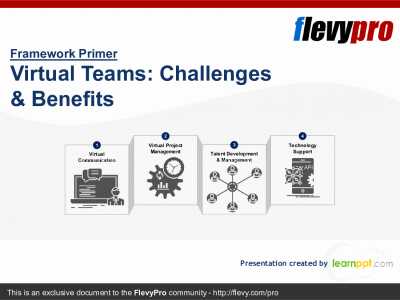
While organizations still need to travel to reach their physical offices, the rapid changes in the world is requiring businesses to form Virtual Teams. A Virtual Team refers to a [read more]
Do You Want to Implement Business Best Practices?
You can download in-depth presentations on Virtual Teams and 100s of management topics from the FlevyPro Library. FlevyPro is trusted and utilized by 1000s of management consultants and corporate executives.
For even more best practices available on Flevy, have a look at our top 100 lists:
These best practices are of the same as those leveraged by top-tier management consulting firms, like McKinsey, BCG, Bain, and Accenture. Improve the growth and efficiency of your organization by utilizing these best practice frameworks, templates, and tools. Most were developed by seasoned executives and consultants with over 20+ years of experience.
Readers of This Article Are Interested in These Resources
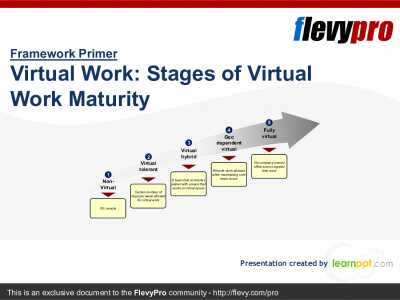
Virtual Work has become the trend of the future. In fact, 37% of the offices globally are working on hybrid-remote arrangements while 26% are 100% remote with people working in their own time. There is also about 25% of the companies that allow or tolerate virtual work with 12% that is 100% [read more]
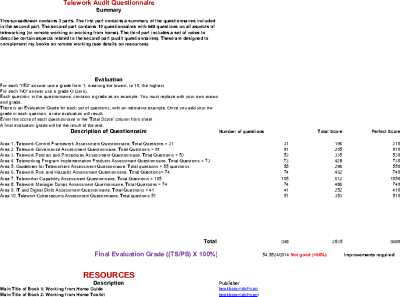
The purpose of this tool (spreadsheet) is to review, audit, assess and improve all teleworking aspects of companies, organizations and remote workers.
This spreadsheet contains 3 parts. The first part contains a summary of the questionnaires included in the second part. The second part [read more]
The global COVID-19 pandemic has forced organizations to rapidly adopt virtual work environments, making it the new norm. Digital Collaboration Platforms have been pivotal in the current scenario and have forever changed future work environment. Digital Collaboration Platforms is the new wave in [read more]
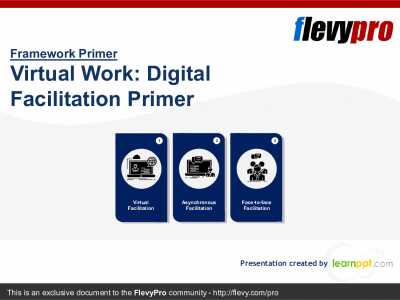
The global COVID-19 pandemic has forced organizations to rapidly adopt virtual work environments, making it the new norm. Digital Collaboration Platforms have been pivotal in the current scenario and have forever changed future work environment.
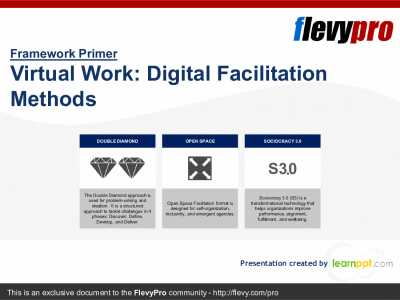
Digital Facilitation has its own set of [read more]
 A reliable home internet connection is essential for modern professionals. It supports video conferences, remote collaboration, client deliverables, and always-on devices. When multiple high-demand activities overlap, a weak connection can disrupt critical business tasks. A suitable plan helps, but the router and home layout also matter. Choosing a plan starts with a clear picture of which devices connect and how household members use them at the same time.