Editor's Note: Take a look at our featured best practice, Business Performance Improvement Models (184-slide PowerPoint presentation). This presentation is a collection of PowerPoint diagrams and templates used to convey 40 different business performance improvement models/frameworks. (Please note that these are diagrams and charts that are to be used in your own business or classroom presentations. These are not instructional [read more]
* * * *
 If an SOP requires someone to remember where the SOP is, you have already introduced a problem. Companies invest heavily in documenting how work should happen. Consultants map processes, teams build playbooks, subject-matter experts create decision trees, and executives approve the final version. Then the document lands in a shared folder, while the business carries on through email, spreadsheets, ticketing systems, ERP screens, Slack messages, and tribal knowledge.
The gap is not really a lack of information, but the distance between information and action. “Escalate high-risk customers quickly” is useful guidance, right up until someone asks what qualifies as high risk, which system provides the score, who owns the escalation, what “quickly” means, what happens when the account owner is unavailable, and where the decision gets recorded. That is where SOP design needs to change, because operational rules need to meet the event itself.
Turn the Playbook into a Small Machine
A practical conversion starts with every sentence containing a judgment call. Take “escalate high-risk accounts promptly.” That sounds sensible until someone asks five irritating questions: What counts as high risk? Which event triggers escalation? Who owns it? How fast is promptly? What happens after hours? Rewrite the sentence as operational logic: “When account risk score exceeds X, create an escalation case, assign it to the regional risk owner, notify the account lead, and require a disposition within four business hours.” Now the SOP has a trigger, threshold, action, owner, notification, and clock. Add exception rules, required data, approval rights, and an audit record, and the document starts behaving like an operating system. If they still need to ask what to do next, the SOP is unfinished.
From Written Rules to Executable Processes
Finance gives us a particularly tangible example of what it means to make a process executable. MetaTrader 4, for instance, allows Expert Advisors to take a trading strategy and turn it into software, which means the system continuously watches market conditions, evaluates predefined rules, and executes the relevant action when those rules are triggered. A trading playbook might set out when to enter, how much exposure to take, how to protect the position, and when to exit. The important part is that these instructions can be made precise enough for MT4 to apply them consistently, without someone having to interpret the playbook from scratch every time. The same idea carries across to operations. An SOP might tell a team to review a request, check the relevant conditions, assign the work, escalate anything unusual, and record the outcome. An executable workflow takes those instructions one step further, turning them into defined triggers, rules, actions, alerts, records, and clear points where a person needs to step in.
Build for the Messy 20 Percent
Most SOPs work reasonably well until the standard case ends. In real operations, that is usually where things get complex, because information is missing, approvals conflict, a customer falls outside the usual pattern, a system goes down, a regulatory hold appears, or two deadlines suddenly collide. These situations should not be treated as afterthoughts. Design the exception path alongside the main path, and be clear about what happens when the process can no longer continue as normal. Define which conditions should stop automation, who gets the alert, what context and information they need to make a decision, and what happens once the issue has been resolved. Without that structure, people tend to improvise under pressure, and before long you have several different versions of the “standard” procedure being followed across the team. The goal is not to automate every decision. Keep the human involved where judgement, context, or accountability genuinely matter, and automate the repetitive checks and handoffs around that decision so people can focus on the parts of the process that actually need them.
Measure Whether the SOP Actually Runs
A document sitting in SharePoint can tell you what the process is supposed to look like, but almost nothing about what actually happens once people start using it. That means you need to track the execution itself—how long things take, where exceptions occur, how often SLAs are missed, how much rework is needed, how often people have to step in manually, and whether the final output is actually meeting the required standard. Then, importantly, look at the exceptions rather than just treating them as failures. They can be some of the most useful operational data you have. If the same exception keeps showing up, it is usually telling you something about the process: maybe a rule is missing, an input is too weak, two systems are not talking to each other properly, or an assumption that once made sense is no longer true. Over time, reviewing those patterns gives you a practical way to keep improving the workflow instead of letting the SOP sit unchanged while the operation around it evolves.
157-slide PowerPoint presentation
In this Business Process Reengineering (BPR) presentation, we delve into the dynamic landscape of modern business, influenced by the three Cs: customers, competition, and change. Traditional organizations, originally designed for stability and mass production, now face challenges in a world
[read more]
Do You Want to Implement Business Best Practices?
You can download in-depth presentations on Business Process Re-engineering and 100s of management topics from the FlevyPro Library. FlevyPro is trusted and utilized by 1000s of management consultants and corporate executives.
For even more best practices available on Flevy, have a look at our top 100 lists:
These best practices are of the same as those leveraged by top-tier management consulting firms, like McKinsey, BCG, Bain, and Accenture. Improve the growth and efficiency of your organization by utilizing these best practice frameworks, templates, and tools. Most were developed by seasoned executives and consultants with over 20+ years of experience.
Readers of This Article Are Interested in These Resources
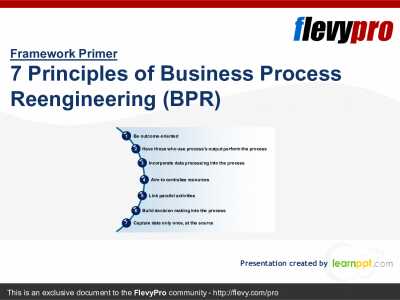
22-slide PowerPoint presentation
With the advancement in technology, the usual emphasis on cost, growth, and control has been replaced by a laser focus on innovation, customer service, quality, and employee empowerment. Obsolete business processes, disjointed organizations, fragmented work routines, and complex performance
[read more]
16-slide PowerPoint presentation
A document that describes the key steps in Process Modelling including What is a Process, What is a Customer, What is a Process Model, Modelling Style, Modelling Tips, Why Bother, Software Tools
This document provides a comprehensive guide to understanding the fundamental elements of process
[read more]
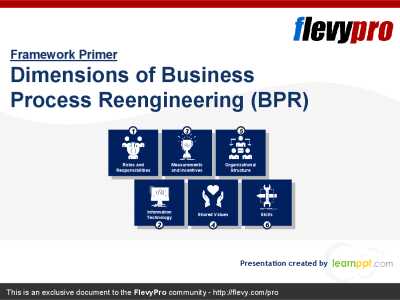
22-slide PowerPoint presentation
In all too many organizations, Business Process Reengineering (BPR) has been not only a great success, but -- ironically -- also a great failure. After months, even years, of careful process redesign, these companies achieve dramatic improvements in individual processes only to watch overall
[read more]
39-slide PowerPoint presentation
A document describing the key stages involved in Process Analysis and Design including What is a Process, What is Analysis, What is Design, the Relationship between Analysis and Design, Characteristics of Analysis and Design, Process for Analysis and Design, Specify and Agree the Need, Purpose of
[read more]