Editor's Note: Take a look at our featured best practice, 1000+ Consulting Diagrams, Templates, Graphics & Icons (1150-slide PowerPoint presentation). This presentation is a comprehensive collection of over 1100 fully editable consulting diagrams, templates, graphics and icons to enhance your PowerPoint presentations, increase productivity and create visual impact. Simply copy and paste, resize or change the color according to your preference. [read more]
* * * *
A corporate presentation is not merely a pile of slides. It’s an organized argument told graphically – to clients, investors, leadership or a room full of people with limited time and even less patience for ambiguous information. The question “How do you make slides look better?” is more usefully reframed as “How do you make slides that actually communicate?”
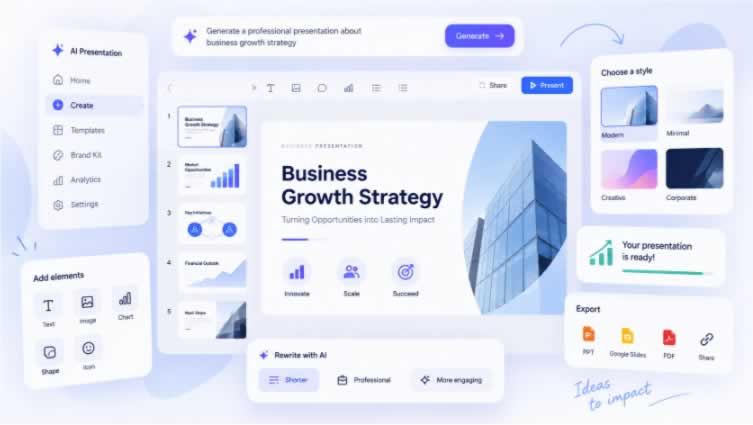
AI presentation makers have changed the game here. These programs can take a topic, outline or paper and return a structured deck in minutes. The fundamental question is not whether artificial intelligence can help – it can certainly aid – but which technology is suitable for the specific setting you are working in.
What a Business Presentation Should Have
Before we get to technologies, it’s crucial being clear on what a strong AI presentation has to generate for a commercial setting. First, organization and clarity. The visual layer is important, but it is the argument, not the other way around.
The benefits of AI-powered presentation software go beyond speed. With a well-structured input, you get a deck with content arranged logically across slides, visual hierarchy that is the same throughout, and formatting decisions that most people would have to slow down to make are done for you automatically. That starting point is a lot closer to presentation-ready than a blank template.
Often the teams that present prefer to settle on one AI tool to make presentations and base their workflow around it. It is worth the time spent comparing up front to get to that choice swiftly. Most people go for a program that balances how fast it generates, the quality of the output and how much modifying they want to perform afterwards.
The Right Tool for Your Situation
The market for AI for presentation building has grown to the point where the different solutions have genuine and substantial differences—not just cosmetic ones. Some are designed for speed and simplicity. Others in design control. Others for periodic reports high in data. If you know what category your work comes within, then the selection is easy.
For basic business use – client pitches, internal updates, stakeholder decks – the goal is fast, clear output that looks professional without a lot of modification. Professionals turn to Decksy AI slideshow builder, for its straightforward workflow: simply enter a topic or upload a document, and the tool automatically creates a complete, structured deck with layouts and graphic design applied. Works across industries and audience types. Requires no extensive post-generation labor. Free tier available, premium tiers for larger volume.
Tools with dynamic slide elements, where charts and tables update automatically when the underlying numbers change, save a lot of rework for teams who present the same format frequently with new data. For teams with tight brand guidelines, platforms that enforce native brand kit ensure that all created decks are visually consistent with company guidelines. Tools created for a specific persuasion format yield more from sales teams with decks structured for that than general-purpose generators.
In truth, there is no one tool that is optimal for everyone. The best PowerPoint AI solution is the one that matches the input you have and the result you want to achieve.
Create a Multimedia Presentation That Keeps Attention
Presentation visuals are more important than most people think – not as decoration, as a communication tool. A data point in a table is more time-consuming to analyze than the same data in a bar chart. The same idea in a simple diagram is quicker to absorb than that same idea told in prose. The visual layer is taken care of automatically by AI algorithms. But the choice of what to display is still the presenter’s.
Here are several concepts that always make business slides better, whichever technology they are created with:
Start with the insight, not the statistics. Until the viewer sees the chart, a chart named ‘Q3 Revenue’ is meaningless to them. A chart labelled ‘Q3 sales 22% higher than forecast’ makes its case before you’ve even read the axes. One of the highest-leverage changes accessible is to turn chart titles into takeaways, rather than labels.
One argument per slide. Any slide that has two points is a badly done slide. Audiences listen and read concurrently; a cluttered slide causes them to choose between listening to the presenter and reading the screen.
Consistent visual hierarchy throughout the deck. Headings, subpoints, and captions should all be the same size and weight on each slide. Inconsistency is distracting even if viewers can’t describe why. Some firms build their storylines using pre-designed presentation design templates with a clear graphic discipline.
The Time-Saving PPT AI Workflow
Most people are doing AI presentations in a way that doesn’t really make use of the time savings. They create a deck. They see it need a lot of modification. They decide AI did not assist much. It’s not the tool, it’s the input. Usually.
A vague prompt gets a vague deck. A well-structured document or a detailed outline gets you considerably closer to presentation-ready. The workflow that always works:
First, write the argument out as ordinary sentences. What do you want the audience to know or do at the end? Don’t write the important points in a slide builder, write them in a paper. Next, upload the document to the AI tool. Your output will be based on the logic of your input, not on the topic outline of the generic topic.
First, go check out the headline sequence. Read the slide titles, in order. Ignore all body information. They should make a logical argument of their own. If a headline requires context from the prior slide, it should be rewritten. You can also apply 4 recommended practices for the presentation making process. This one round of evaluation consistently results in a better final deck for any PowerPoint presentation AI output.
What AI Can Do & Still Can’t Do Without You
Ppt AI tools are accurate in terms of determining the number of slides and layout depending on the quantity of material, pulling out headlines from body text, visual layout and spacing, color palette and font selection, and design consistency throughout the whole deck.
The human input needed is correctness of acquired information, applicability of examples to the audience, tone and nuance in delicate or technical conditions, and final sequencing of the argument. AI generated frame. The tool cannot offer information and judgement that the presenter contributes.
Key Takeaways
Well, a blank slide is not the secret to a good AI presentation procedure, but clear material is. The best tool depends depend on the type of deck you’re designing and how much modification you want to do after the posts are generated. The best AI for making presentations removes the friction of formatting, freeing you up to make the decisions that really need human judgement: what to say, and in what sequence, and why it matters to this particular audience.
The PPT Library : more than 600 fully editable diagrams, maps and graphics to be used in Powerpoint in order to enhance visual quality of your presentations and increase productivity.
The above preview only displays about 10% of the slides.
This document is broken down into the following [read more]
Do You Want to Implement Business Best Practices?
You can download in-depth presentations on PowerPoint Diagrams Compilation and 100s of management topics from the FlevyPro Library. FlevyPro is trusted and utilized by 1000s of management consultants and corporate executives.
For even more best practices available on Flevy, have a look at our top 100 lists:
These best practices are of the same as those leveraged by top-tier management consulting firms, like McKinsey, BCG, Bain, and Accenture. Improve the growth and efficiency of your organization by utilizing these best practice frameworks, templates, and tools. Most were developed by seasoned executives and consultants with over 20+ years of experience.
Readers of This Article Are Interested in These Resources
This document provides you with a comprehensive collection of over 700 high quality PowerPoint templates collected from our consulting engagements. Do you need a ready to use high quality agenda template? Or may be you are looking for ideas for a data driven or conceptual chart? You will have all [read more]
Now only 45 Dollars for Decemeber
NEW UPDATE - NOW 900 SLIDES!!!
Consultasaurus PowerPoint Templates - 900+ unique editable slides with no duplication for Project Management, Reporting, Benchmarking, Analytics, Data Analysis, HR, Product Presentations, Status updates etc.
Inspiration from [read more]
A vast resource of over 360 pages of consulting frameworks and design templates commonly used by consultants. These frameworks and designs will enable sharper and clearer analysis of business issues, along with more powerful and impacting presentations.
Content includes:
1. Agenda & Table of [read more]
Elevate Your Presentation Game!
Every Project Manager knows the value of clear communication. Whether you're updating stakeholders, briefing your team, or making the case for new resources, the difference between a 'good' and 'great' presentation can be a project's lifeline. Present with [read more]