Editor's Note: Take a look at our featured best practice, Effective Communication with Virtual Teams (23-slide PowerPoint presentation). The number of people working remotely has been increasing progressively across the globe. An employee benefits report narrates that around 60% companies in the US offer telecommuting opportunities. According to Upwork, freelancers and contractors have increased by 81% from 2014 to 2017. [read more]
* * * *
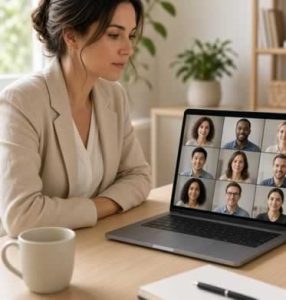 Virtual conferencing has transformed modern workplace dynamics, enabling seamless communication across distributed teams and remote setups. However, conducting productive digital calls remains a challenge when ambient background noise, software glitches, and sudden office walk-ins interrupt speakers. Establishing tight control over your meeting hardware and environment is critical to maintaining a clear professional workflow. Installing dedicated physical devices like an on a call light signals your live meeting status to nearby co-workers instantly, protecting your focus and ensuring smooth, uninterrupted online interactions.
The Role of Audio in Effective Virtual Meetings
High-quality audio management forms the foundation of clear digital communication. When participants experience delayed sound controls or background noise interference, meeting velocity drops and participant engagement diminishes rapidly.
Common Sound Issues That Interrupt Online Calls
Audio disruptions during remote video conferences usually stem from unmanaged local environments and multi-tasking delays:
- Unfiltered background environmental noise. Household chatter, street traffic, and open-office conversations easily bleed through sensitive microphone setups.
- Accidental open-microphone chatter. Forgetting that an active line is unmuted during side conversations causes embarrassing slips and disrupts ongoing presentations.
- Audio feedback and echo loops. Speaker sound reflecting directly back into unmuted microphones creates distracting audio loops for all attendees.
Resolving these routine audio issues requires dedicated hardware controls and disciplined meeting practices.
Why Fast Mute Access Matters
Managing microphone input speeds directly determines how effectively team members mitigate sudden noise disruptions:
| Mute Control Mechanism |
Speed of Execution |
Operational Reliability |
Workflow Impact |
| Physical Hardware Mute Button |
Instantaneous (Sub-Second) |
High (Operates Outside Application Windows) |
Prevents distraction immediately |
| Software Interface Click |
Slow (3 to 6 Seconds) |
Moderate (Requires App Window Focus) |
Causes awkward speech pauses |
| Keyboard Shortcut Sequence |
Moderate (1 to 3 Seconds) |
High (Requires Correct Hotkey Binding) |
May conflict with open active apps |
Gaining immediate control over microphone states prevents sound intrusions before they derail meeting discussions. Adding 1 to 2 introductory sentences immediately following a data table provides a smooth transition back into detailed explanatory prose.
Practical Tools for Smoother Virtual Collaboration
Integrating tactile physical controllers into your desk configuration provides an intuitive layer of management over complex video call software.
Using a Dedicated Mute Button during Online Meetings
Dedicated mute hardware simplifies online meeting management by giving users immediate physical feedback and visual status visibility:
- tactile Mute Toggle. Silences active audio input with a single physical press without navigating away from primary task screens;
- vivid Status Indicator. Features bright LED lights that confirm live or muted states clearly to the user and surrounding colleagues;
- universal Application Support. Connects seamlessly across leading video tools like Zoom, Microsoft Teams, and Google Meet.
Employing physical controllers eliminates the stress of searching for software icons while presenting critical project information.
Simple Habits for More Professional Virtual Calls
Adopting deliberate call practices maximizes the benefits of hardware controllers and ensures productive meeting interactions:
- Join Calls Pre-Muted. Always enter virtual rooms with the line silenced to avoid broadcasting setup noise to meeting participants.
- Maintain Visual Awareness. Check your hardware mute status light routinely before beginning to speak on camera.
- Keep Lines Silent when Inactive. Mute microphone feeds immediately after finishing speaking contributions to prevent background hum accumulation.
Establishing proactive call management habits creates a polished, professional presentation during every virtual conference.
Tips for Better Online Meeting Etiquette
Maintaining professional standards during virtual calls relies on team-wide adherence to clean communication etiquette and spatial awareness.
Adopting these core virtual meeting practices elevates overall call clarity and protects team efficiency:
- Inform local occupants before calls. Use visual status lights or physical availability signals to inform nearby peers or family members of live calls.
- Position microphones appropriately. Adjust microphone gain and distance to ensure clear voice capture without breathing pop interference.
- Minimize digital multi-tasking. Close unnecessary background applications and email tabs to preserve focus and system processing speed.
- Verify connection stability prior to calls. Perform quick hardware test checks to confirm camera and audio feeds function properly before joining client sessions.
Following structured meeting protocols ensures virtual interactions remain respectful, concise, and focused on core project objectives.
Conclusion: Creating More Focused and Productive Virtual Meetings
Optimizing online meeting efficiency requires a balance between intuitive physical hardware tools and disciplined team habits. By incorporating visual status lights, dedicated mute buttons, and structured call etiquette, organizations drastically reduce unwanted noise disruptions and focus fatigue. Investing in accessible audio control solutions empowers professionals to communicate clearly, protect deep-work momentum, and run consistently effective virtual calls.
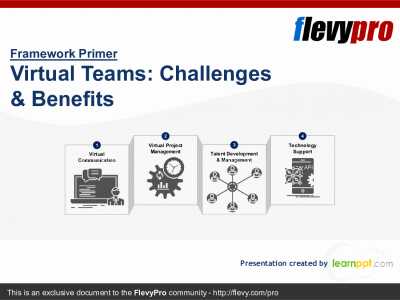
26-slide PowerPoint presentation
To quote, Richard Branson, a British business and philanthropist, "One day, offices will be a thing of the past."
While organizations still need to travel to reach their physical offices, the rapid changes in the world is requiring businesses to form Virtual Teams. A Virtual Team refers to a
[read more]
Do You Want to Implement Business Best Practices?
You can download in-depth presentations on Remote Work and 100s of management topics from the FlevyPro Library. FlevyPro is trusted and utilized by 1000s of management consultants and corporate executives.
For even more best practices available on Flevy, have a look at our top 100 lists:
These best practices are of the same as those leveraged by top-tier management consulting firms, like McKinsey, BCG, Bain, and Accenture. Improve the growth and efficiency of your organization by utilizing these best practice frameworks, templates, and tools. Most were developed by seasoned executives and consultants with over 20+ years of experience.
Readers of This Article Are Interested in These Resources
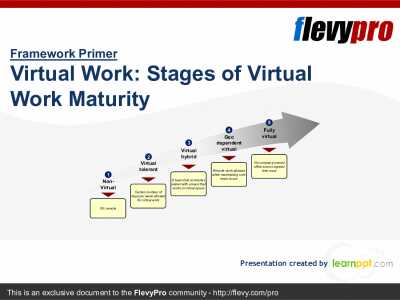
20-slide PowerPoint presentation
Virtual Work has become the trend of the future. In fact, 37% of the offices globally are working on hybrid-remote arrangements while 26% are 100% remote with people working in their own time. There is also about 25% of the companies that allow or tolerate virtual work with 12% that is 100%
[read more]
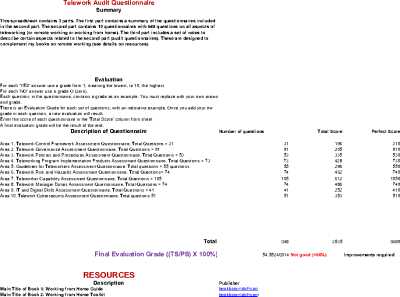
Excel workbook
The purpose of this tool (spreadsheet) is to review, audit, assess and improve all teleworking aspects of companies, organizations and remote workers.
This spreadsheet contains 3 parts. The first part contains a summary of the questionnaires included in the second part. The second part
[read more]
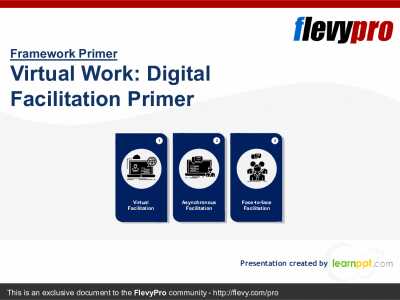
23-slide PowerPoint presentation
The global COVID-19 pandemic has forced organizations to rapidly adopt virtual work environments, making it the new norm. Digital Collaboration Platforms have been pivotal in the current scenario and have forever changed future work environment. Digital Collaboration Platforms is the new wave in
[read more]
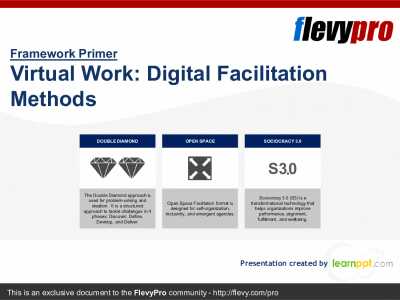
25-slide PowerPoint presentation
The global COVID-19 pandemic has forced organizations to rapidly adopt virtual work environments, making it the new norm. Digital Collaboration Platforms have been pivotal in the current scenario and have forever changed future work environment.
Digital Facilitation has its own set of
[read more]