Editor's Note: Take a look at our featured best practice, Digital Marketing Plan (34-slide PowerPoint presentation). Introducing our new and improved digital marketing template plan designed to capture your audience's attention, generate interest, create desire, and prompt action (AIDA model).
This template is not just for a one-time campaign but for ongoing business activity. It's perfect for [read more]
* * * *
As your business expands, your digital presence must scale with it. For many organizations, a website isn’t just a marketing tool—it’s a critical asset for driving revenue, engaging customers, and delivering services. But with growth comes complexity: more visitors, more transactions, more content. If your website infrastructure doesn’t evolve in tandem, you risk slowdowns, outages, and poor user experiences that directly impact your brand and bottom line.
Scaling your website isn’t just a technical concern—it’s a strategic investment. Whether you’re operating an e-commerce platform, a content hub, or a lead-generation engine, your website must be built to grow reliably and securely. That’s why WordPress hosting performance optimization should be a strategic priority, not just a technical afterthought.
The 7 features outlined below are essential for future-proofing your site—helping you deliver a consistently high-performing experience while minimizing risk.
1. Reliable Hosting with Room to Grow
Your hosting plan is the base of your website. If you’re using shared hosting, you’re sharing space with many other websites. This can work for small sites, but when traffic increases, shared hosting may slow down or crash. To fix this, switch to a scalable WordPress hosting plan that offers easy upgrades, expert support, and good server uptime. That way, you don’t have to move your site every time you grow, but it can grow with you.
2. Content Delivery Network (CDN)
A CDN is a group of servers placed around the world. When anybody visits your site, the CDN loads content from the server closest to them. This helps your site load faster, especially for visitors from other countries. A CDN also reduces the pressure on your main server, making it easier to handle more people at once. You may choose one of the two popular options based on your requirements: Cloudflare and BunnyCDN. These also bring big speed and performance benefits.
3. Scalable Database and File Storage
As your site grows, your database holds more content and settings. If it isn’t managed well, your site can become slow or show errors. That’s why you need a database system that can grow as well.
You can also use external or cloud storage to store large files, such as videos, PDFs, or backup files. Amazon S3 or Google Cloud Storage are good choices. Also, regularly optimize your database using the WP-Optimize plugin to keep it clean and fast.
4. Caching for Speed
When scaling a website, caching helps your site load faster by storing copies of your content so it doesn’t load everything from scratch every time. There are different types of caching:
Browser caching stores website data in your visitors’ browsers.
Page caching saves complete pages so they load faster next time.
Object caching stores database queries to reduce server load.
You can use caching plugins to make it easy to set up caching without needing to know any code.
5. Load Balancing for High Traffic
If your site gets a big traffic spike, one server might not be enough. Load balancing is a method that spreads visitors across more than one server. This stops the servers from getting overloaded and keeps your site running smoothly.
Many cloud hosts offer built-in load balancing, or you can use AWS Elastic Load Balancing. It’s a smart way to prepare for scaling a website, especially if you expect high traffic from events, ads, or viral content.
6. Automated Backups and Easy Recovery
As your site grows, it’s even more important to protect your data. A backup is a copy of your website that you can restore if something goes wrong. Don’t rely on manual backups; you might forget. Instead, use automated backups that run daily or weekly. Store your website backups in a safe, off-site location, not just on your server. That way, if your server has a problem, your backup is still safe. Always test your backup to make sure it works when needed.
7. Security That Grows with You
A bigger site is a bigger target for hackers. That’s why your security also needs to grow. Start by using HTTPS with an SSL certificate. Then, add a firewall to block threats, malware scanners to detect harmful code, and limit login attempts to prevent brute-force attacks. Furthermore, use security plugins (e.g., Wordfence). Also, turn on two-factor authentication for admin logins. The more you upscale a website, the more important these protections become.
Conclusion
Scaling a website means preparing it to handle more visitors, more content, and more pressure. If you ignore key features like hosting upgrades, CDN, caching, or security, your site might slow down or crash. But when you add these seven features, you make sure your site is fast, safe, and ready for whatever comes next. Review your current setup today, and start planning for smart, smooth growth.
The process of implementing digital marketing strategies can be overwhelming as there are many different components that must interact with one another.
The purpose of this guide is to provide an approach on how to evaluate your current digital presence, identify areas where you need to improve [read more]
Do You Want to Implement Business Best Practices?
You can download in-depth presentations on Digital Marketing Strategy and 100s of management topics from the FlevyPro Library. FlevyPro is trusted and utilized by 1000s of management consultants and corporate executives.
For even more best practices available on Flevy, have a look at our top 100 lists:
These best practices are of the same as those leveraged by top-tier management consulting firms, like McKinsey, BCG, Bain, and Accenture. Improve the growth and efficiency of your organization by utilizing these best practice frameworks, templates, and tools. Most were developed by seasoned executives and consultants with over 20+ years of experience.
Readers of This Article Are Interested in These Resources
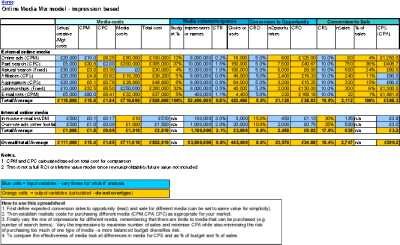
The document will assist in creating a budget model for campaigns or annual planning. It provides a platform for conducting a "what-if" analysis, which enables you to simulate the impact of different levels of investment in digital media on leads, sales, and return on investment. By inputting [read more]
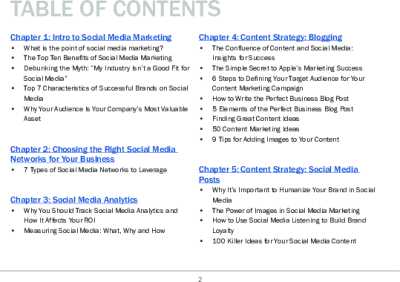
This Guide to Social Media Marketing is designed to help you understand what it takes to create an effective social media campaign. Whether you're starting from scratch or looking to improve your existing campaign, this guide will provide you with the knowledge and tools you need to attract [read more]
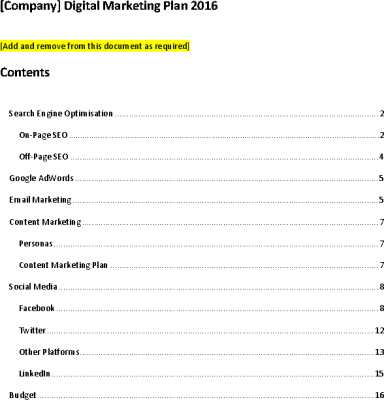
This is a Smart Insights template on taking steps to improve your digital strategy! Very useful when creating or refining your plans to make more better use of the fantastic opportunities available from digital marketing. It\'s a sample of our actionable advice for marketers including key Steps [read more]
Business owners dedicate a significant amount of time and effort to attracting new customers. A well-executed digital marketing plan is the key to achieving this goal.
To ensure success, one successful company developed a comprehensive quarterly and yearly marketing plan to track its progress [read more]
 As your business expands, your digital presence must scale with it. For many organizations, a website isn’t just a marketing tool—it’s a critical asset for driving revenue, engaging customers, and delivering services. But with growth comes complexity: more visitors, more transactions, more content. If your website infrastructure doesn’t evolve in tandem, you risk slowdowns, outages, and poor user experiences that directly impact your brand and bottom line.