Editor's Note: Take a look at our featured best practice, Consulting AI Prompt Package Toolkit (846-slide PowerPoint presentation). Curated by McKinsey-trained Executives
The Complete Consulting AI Prompt Package – 800+ Slides & 100+ Prompts for Next-Level Consulting Productivity
Are you a consultant, advisor, or independent practitioner looking to unlock the full power of AI in consulting work? The Complete [read more]
* * * *
The first time I used an AI image generator for real client work, I made about forty versions of the same hero image and shipped none of them. They all looked fine. And fine is the problem. Fine does not go on a landing page you are getting paid for.
Here is what I wish someone had told me back then. The distance between a throwaway picture and one you can actually publish has almost nothing to do with the tool being some kind of magic box. It comes down to three unglamorous habits: how you write the prompt, which model you point it at, and what you do with the image after it lands. Get those right and the results stop looking like a demo and start looking like work.
If you want to try this in a tool that keeps everything in one place, you can test an AI image generator for free as you read. Nothing below is platform-specific, so it will carry over wherever you end up.
The short version, for anyone skimming: write specific prompts that name the subject, setting, style, lighting, and mood, choose a model that fits the goal, clean up the result with editing tools like inpainting and upscaling, and confirm the license before you publish. Now the longer version.
What an AI Image Generator Is Good At and Where It Still Trips
Half the frustration people feel comes from pointing the tool at the wrong job, so let me set expectations first.
It is very good at a lot: concept art, marketing visuals, portraits and headshots, product mockups, social graphics, backgrounds, illustrations, stickers, and logo ideas. It can hand you a dozen directions in the time it would take to write a design brief, which changes how you explore ideas.
It still stumbles in a few places, and they are predictable. Long paragraphs of text inside an image can fall apart, though short headings and labels now hold up well. Exact brand colors need guidance rather than a hopeful one-liner. Specific real people and places are hit or miss, and they raise licensing questions you would rather avoid. None of this makes a capable ImagineArt any less worth using. It just means you work with its strengths instead of wishing away its limits.
Step 1: Write Prompts Like You Are Briefing a Photographer
A lazy prompt gives you a lazy image. The fix is a small structure you can reuse forever. Name five things every time:
Subject: who or what is in the frame.
Setting: the background or environment.
Style: photorealistic, cinematic, anime, watercolor, 3D render, flat illustration.
Lighting: golden hour, soft studio light, hard shadows, neon.
Mood: warm, moody, calm, high energy.
Watch what that does. “A coffee cup” becomes “a ceramic coffee cup on a worn wooden cafe table, warm morning light coming through a window, shallow depth of field, cozy and a little nostalgic, photorealistic.” Same idea, completely different result. When you want realism, talk like a photographer: lens, angle, depth of field. Set your aspect ratio to match where the image will actually live so you are not cropping in a panic later. And treat the first output as a rough draft, not a final answer. If prompt-writing feels like a chore, most tools now include a prompt enhancer that takes a plain idea and fills in the detail for you.
Step 2: Stop Marrying a Single Model
There is no best model. There is only the best model for the thing in front of you. Some are tuned for photorealism and clean product shots, others for painterly and editorial work, and a few are built to render crisp text. Commit to one and every job gets squeezed through one personality, whether it suits the brief or not.
This is where having several models in one place quietly pays off. You can generate a photoreal product image with one model, then switch to a stylized illustration with another for the blog header, without paying for two subscriptions or learning two dashboards. Pick the model to match the job, not the other way around.
Step 3: Edit the Last Ten Percent Instead of Rerolling Everything
The biggest time sink I see is people mashing generate over and over, praying the whole image fixes itself. Do not do that. When ninety percent of a shot is right, repair the last ten. Use inpainting to fix or swap one area, like an odd hand or a distracting object. Use outpainting to widen the frame when you need breathing room for text. Knock out the background for clean product images. Then upscale to 4K so the file survives print and big screens. Keeping the good parts and fixing the rest gives you far more control, and it is a lot faster than rolling the dice again.
Step 4: Make a Set Actually Look Like a Set
One good image is easy. Ten that clearly belong together is the real test, and it matters the moment you are doing a brand mascot, a campaign, or any kind of series. Feed the tool a reference image so it carries the look forward. Keep a short style description saved and paste it into every prompt for that project. Where seeds are supported, reuse them to hold the style steady. A saved template is the simplest trick there is for making ten images feel like one coherent campaign rather than ten separate experiments.
Step 5: Sort out Licensing before Anyone Sees It
Before an image goes anywhere near a client or a product page, know what you are allowed to do with it. Licensing changes by tool and by plan, so read the terms for the plan you are actually on, not the one on the marketing page. For paid work, lean toward tools that offer commercially cleared output, and keep a simple note of what you made and where you used it. Two minutes now saves a very uncomfortable email later.
The Mistakes That Scream “This Was Made by AI”
A handful of habits separate amateur output from work that holds up:
Prompts that are either too vague or so stuffed the tool ignores half of them.
Rerolling from scratch when a quick edit would have fixed it.
Ignoring aspect ratio, then hacking the crop afterward.
Skipping the upscale before print.
Forgetting the license on commercial work.
Expecting flawless long-form text inside the image.
A Workflow You Can Steal
Put it together and it turns into something you can repeat without thinking:
Decide the goal and where the image will be used.
Write a structured prompt covering subject, setting, style, lighting, and mood.
Generate a few variations, not one.
Pick the strongest and edit it with inpainting, outpainting, or background removal.
Upscale to the resolution you need.
Confirm the license.
Export at the right size and format.
Run this five or six times and it becomes muscle memory. That consistency, more than any single feature, is what makes AI images look professional.
Frequently Asked Questions
How do I write a good AI image prompt?
Name five things: subject, setting, style, lighting, and mood. Be specific, add photography terms when you want realism, and refine across a few tries instead of expecting the first result to be perfect.
Which AI image generator is best for beginners?
Look for a free tier, a built-in prompt enhancer, and more than one model in the same place, so you can learn without spending money or juggling tools. All-in-one suites make that first week a lot smoother.
Can I use AI-generated images commercially?
Usually, but it depends on the tool and the plan. Pick platforms that provide commercially cleared output for client and product work, and always read the license for your specific plan before you publish.
Why do my AI images look fake?
Most of the time it is a vague prompt, the wrong model for the job, or skipping the edit and upscale steps. Add detail, switch to a model built for your goal, and refine the result rather than starting over.
Can AI image generators add text to images now?
Yes, and it has come a long way. Short headings and labels render reliably across the major tools, some specialize in typography, and upscaling keeps that text sharp for print.
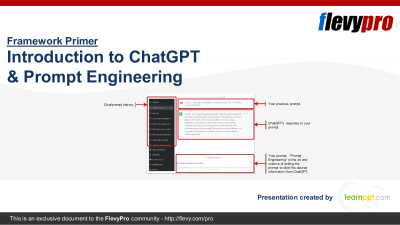
This is a primer to ChatGPT and includes foundational concepts to understanding the application, including GPT (Generative Pre-trained Transformer) and Prompt Engineering.
First, what is ChatGPT?
ChatGPT is a pre-trained language generation model developed by OpenAI. It uses deep learning [read more]
Do You Want to Implement Business Best Practices?
You can download in-depth presentations on Prompt Engineering and 100s of management topics from the FlevyPro Library. FlevyPro is trusted and utilized by 1000s of management consultants and corporate executives.
For even more best practices available on Flevy, have a look at our top 100 lists:
These best practices are of the same as those leveraged by top-tier management consulting firms, like McKinsey, BCG, Bain, and Accenture. Improve the growth and efficiency of your organization by utilizing these best practice frameworks, templates, and tools. Most were developed by seasoned executives and consultants with over 20+ years of experience.
Readers of This Article Are Interested in These Resources
Everyone has heard of ChatGPT. Immediately after launch, it gained both fame and infamy, and grew to become the fastest growing application of all time. But, have you used it? And, more importantly, do you understand how to maximize its usage to derive the greatest value for your work or [read more]
"Prompt Engineering" is the art and science of writing the prompt to elicit the desirable or useful results from the Artificial Intelligence (AI) tool you are using. In Prompt Engineering, the description of the task is embedded in the input, e.g., as a question instead of it being implicitly [read more]
Curated by McKinsey-trained Executives
Unlock the Future with Your Complete Prompt Engineering Business Toolkit
In the ever-advancing world of technology, Artificial Intelligence (AI) is your key to unlocking a bright future for your business. From understanding the foundations of AI to [read more]
AI Prompting Mastery Handbook – 46 Techniques, 5 Levels, 300+ Examples
Unlock the full power of AI with the AI Prompting Mastery Handbook - a step-by-step framework designed to help professionals, teams, and businesses master the art and science of prompting.
The results you get from any AI [read more]
 The first time I used an AI image generator for real client work, I made about forty versions of the same hero image and shipped none of them. They all looked fine. And fine is the problem. Fine does not go on a landing page you are getting paid for.