Editor's Note: Take a look at our featured best practice, Business Continuity Planning (BCP) & Disaster Recovery (DR) Templates (Excel workbook). This Excel document provides a set of templates to capture data and analysis when conducting a Business Continuity Planning (BCP) and Disaster Recovery (DR) project for any size organization. These templates were originally developed for a large, international enterprise with locations in [read more]
* * * *
Business operations often depend on identity systems that users rarely notice until access fails. Active Directory (AD) is one such system that centrally manages sign-in, permissions, device trust, and application access across many departments. When the AD is compromised, a recovery plan gives technical teams a tested route back from corruption, deletion, or attack. That preparation limits idle time, protects revenue, and helps leaders make clear decisions during pressure. It also turns recovery from improvised work into an accountable business process with measurable targets and assigned owners.
A practical plan begins with a clear view of dependencies. Teams should record which services require directory authentication, which sites host domain controllers, and which people approve emergency changes. Reliable Active Directory recovery depends on clean backups, protected credentials, documented priorities, and rehearsed tasks. Those details help staff restore essential access first, while broader systems remain isolated until evidence supports reconnection.
Why Outages Spread
Active Directory or AD is an organization’s security directory and access-control system. When directory services stop, sign-in requests fail. Employees lose access to email, file shares, finance tools, production consoles, and customer records. Automated jobs may halt because service accounts cannot validate. Security controls can weaken as teams search for workarounds. A documented dependency map shows which functions must return first. It also reveals single points of failure before an incident exposes them.
Set Recovery Targets
Recovery planning should set two measurable targets: recovery time objective and recovery point objective. The first defines how quickly each service must return. The second states how much recent data the organization can afford to lose. Critical payroll, manufacturing, and customer support may need different thresholds. Written targets prevent arguments during an outage. They give staff a clear order of work and leaders a basis for decisions.
Protect Trusted Backups
Backups are useful only when they remain clean, available, and tested. Copies should use restricted access, separate administration, and protected storage. Retention rules must preserve several recovery points, including one created before suspicious changes appeared. Each copy needs validation, so teams know that directory objects, policies, and group memberships can return intact. Testing also exposes expired passwords, missing permissions, or undocumented dependencies before pressure rises.
Restore the Core
A staged restoration keeps resources focused. Teams can first restore authentication for essential offices, emergency communications, and applications. Later waves can add secondary sites, development systems, and less urgent workloads. This order creates a minimum operating capability without waiting for every server. Leaders should define that minimum state in advance, with acceptance checks for identity, connectivity, and application access. That approach reduces confusion when recovery begins.
Assign Responsibilities
Successful recovery needs named owners for tasks. Directory specialists rebuild controllers and verify replication. Security staff inspect suspected persistence and confirm that hostile access has been removed. Network engineers restore routing, firewalls, and name resolution. Application owners test sign-in and data access. One incident lead should coordinate decisions, record evidence, and communicate status. Clear roles stop duplicated effort and reduce delays caused by uncertainty.
Rehearse under Pressure
Exercises turn written plans into usable habits. A recovery drill should test backup selection, isolated restoration, administrator access, and application validation. Staff should record elapsed time, failed steps, and decisions that required escalation. Short tabletop sessions can expose gaps before technical simulations begin. After each exercise, owners should update procedures, contact lists, and target times. Repeated practice builds confidence without disrupting routine operations.
Contain the Incident
Recovery should occur in a controlled environment, separated from suspected threats. Clean infrastructure gives investigators room to examine evidence without risking restored services. Teams should change privileged credentials, review delegation, and check unusual group membership before reconnecting users. Monitoring must continue after service returns, because attackers may retain hidden access. This checkpoint links restoration with security review, reducing the chance of a second outage.
Measure Results
Recovery metrics should show more than elapsed hours. Leaders can track time to restore authentication, percentage of critical applications tested, number of failed recovery steps, and time spent isolating threats. Comparing results across drills reveals whether changes improve performance. Financial teams can estimate lost productivity, delayed transactions, and support costs. These figures help justify training, protected storage, and specialist support.
Conclusion
An effective recovery plan turns a severe identity outage into a managed business response. It connects clean backups, staged priorities, skilled owners, and tested decisions. Organizations that rehearse these steps can restore essential access sooner, limit lost productivity, and reduce repeated disruption.
Regular reviews keep procedures accurate as services and responsibilities change. For your teams, preparation provides a measurable path from crisis to controlled recovery, with evidence, communication, and security checks supporting every critical restoration decision.
Over the past couple decades, Business Continuity Planning (BCP) and Disaster Recovery (DR) have become crucial for organizations. In recent years, with global crises and disruptions seemingly becoming more prevalent, the BCP and DR functions have become increasingly critical and important [read more]
Do You Want to Implement Business Best Practices?
You can download in-depth presentations on Disaster Recovery and 100s of management topics from the FlevyPro Library. FlevyPro is trusted and utilized by 1000s of management consultants and corporate executives.
For even more best practices available on Flevy, have a look at our top 100 lists:
These best practices are of the same as those leveraged by top-tier management consulting firms, like McKinsey, BCG, Bain, and Accenture. Improve the growth and efficiency of your organization by utilizing these best practice frameworks, templates, and tools. Most were developed by seasoned executives and consultants with over 20+ years of experience.
Readers of This Article Are Interested in These Resources
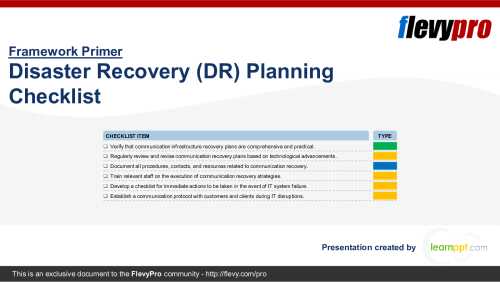
Over the last few decades, Disaster Recovery (DR) Planning has emerged as an indispensable component for organizations' resilience strategies. With the ubiquity of Digital Transformation, data usage, and the increasing reliance on IT infrastructure, the importance of DR has escalated, [read more]
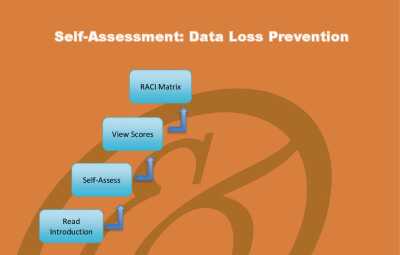
Here are several sample Data Loss Prevention requirements:
You don't want to be informed of a data loss incident from the users themselves or from the data protection authority. Do you have technology that can detect breaches that have taken place; forensics available to investigate how the [read more]
Business Continuity and Disaster Recovery Planning Playbook
Regulators are asking for evidence of operational resilience and you cannot produce it. Your business impact analysis is outdated, your recovery plans are untested, and your third-party dependencies are not mapped.
Operational [read more]
 Business operations often depend on identity systems that users rarely notice until access fails. Active Directory (AD) is one such system that centrally manages sign-in, permissions, device trust, and application access across many departments. When the AD is compromised, a recovery plan gives technical teams a tested route back from corruption, deletion, or attack. That preparation limits idle time, protects revenue, and helps leaders make clear decisions during pressure. It also turns recovery from improvised work into an accountable business process with measurable targets and assigned owners.