Editor's Note: Take a look at our featured best practice, GenAI Roadmap Design (30-slide PowerPoint presentation). Organizations worldwide are embracing GenAI for its ability to generate actionable insights, predict outcomes, personalize at scale, and process natural language with human-like fluency.
Leading organizations already deploy GenAI in AI-assisted software development, workflow automation, [read more]
* * * *
AI readiness is your organization’s ability to give AI systems content they can trust and act on. For most enterprises, the biggest gap is decades of unstructured documents, such as scanned claims files and supplier contracts nobody has opened since they were signed.
That makes AI readiness a content project before it becomes a technology project. A newer model will still treat a contract filed under the wrong supplier name as that supplier’s contract, so the fix has to happen in the documents themselves.
The problem grows as AI projects move from pilot to production. A pilot can run on a hand-picked set of clean documents, but production runs on everything you have, including the claims archive from a 2009 acquisition and the maintenance logs your plants still scan as images.
Why AI readiness Starts with Content
Documents hold the reasoning behind most business decisions, yet few of them carry the information an AI system needs to use them correctly.
The knowledge AI needs lives in documents
Your ERP records the transaction, and the reasoning behind it sits in documents. A purchase order shows the price you paid; the framework agreement with the supplier explains why that price applies and when it expires.
When an AI assistant answers a question about a supplier or a wind turbine, it draws on those documents. If the contract it finds is mislabeled, or a newer version is stored somewhere else, the answer is wrong and still sounds confident.
Searchable content still lacks context
Many enterprises have already scanned their archives and added full-text search. That helps people, because an employee can open a result and judge whether it’s current.
An AI assistant uses what it retrieves without that judgment, so it has to know which customer or asset a document belongs to and whether it’s the latest version. If the archive can’t tell it, the answer is unreliable, however easy the document was to find.
What Document Chaos Looks Like in a Large Enterprise
Document chaos builds up over years of reasonable decisions, each made for one department or one system at a time.
Repositories built one system at a time
Each new system brought its own place to store documents. Finance attaches invoices to records in your ERP, while engineering keeps drawings on a file share older than the ERP itself.
For an insurer, a single customer’s history can sit in a policy system, a claims archive and an email folder. An AI assistant that reaches only the policy system answers without the claims or the correspondence.
Metadata nobody trusts
Metadata is the set of labels that describe a file, such as its document type or supplier, and it tells AI what it’s looking at. In older repositories, employees typed these labels by hand, under naming rules that changed with every reorganization.
Anyone who has searched a legacy archive knows the result: the same contract filed under three supplier names, or thousands of scans labeled only with a date. Employees learn to work around these gaps, while AI takes every label at face value.
Documents cut off from the processes they belong to
A delivery note proves that a shipment arrived, and that proof is what allows finance to pay the matching invoice. Stored on its own, the note loses that connection.
When documents sit apart from the workflows they support, AI can read each one but can’t see how they relate. In manufacturing, that means an AI can summarize a maintenance report but can’t tell you which machine it describes or which spare parts were ordered afterward.
Why Legacy Repositories Widen the Gap
Many large enterprises still run enterprise content management (ECM) platforms implemented 15 or 20 years ago, such as IBM FileNet or OpenText Documentum, with years of custom code layered on top. These systems were built to store and retrieve documents reliably, and many still do that job well.
AI needs to see content across departments and connect it to other systems. In a heavily customized platform, each department’s labels follow their own model, and every new connection to another system needs specialist development.
That’s why AI readiness has become a main driver of legacy ECM modernization. AIIM, an industry association for information management, found that 78% of organizations already use AI-driven document processing in daily operations, which means the platform holding their documents now has to feed AI as well as store files.
Enterprises that modernize in stages start with one high-value process, such as accounts payable or claims intake, and move that process’s documents to the new platform first. That keeps the risk contained while the first AI use case takes shape.
What AI-ready Content Has in Common
AI-ready content shares three properties, and you can build each one into the way documents enter and move through your organization.
Classified and labeled the moment it arrives
The cheapest time to label a document is when it arrives, before anyone has to find it again. At that point, intelligent document processing, software that uses AI to read documents, can recognize the document type and pull out key data such as an invoice number.
The labels are then added as part of daily work, with no separate tagging step. A logistics provider that labels every bill of lading this way ends up with an archive AI can search by shipment or carrier, without a cleanup project years later.
This is the idea behind document intelligence: using AI to turn documents into structured, trusted data as they move through the process.
Connected to the business context in your ERP and core systems
AI-ready content is linked to the records it supports. An invoice points to the purchase order and supplier record in your ERP, and a policy document points to the customer and the claims filed against it.
With those links in place, AI can answer questions that span systems, such as which open claims relate to policies up for renewal this quarter. The links can also reach across repositories, so you don’t have to move every archive into one system before AI can use it.
Governed, so AI respects permissions and retention
An AI assistant that can read every document could show an employee a colleague’s salary file or a customer’s medical records. AI-ready content carries its access rights and retention rules with it, so the assistant answers each employee only from documents that employee is allowed to see.
For US enterprises, those rules already exist, such as SOX controls over financial records and state privacy laws like the CCPA. When each document carries its own permissions and retention date, AI follows the same rules as your employees, and you don’t need to write a separate set for it.
Platforms such as Doxis bring these properties together: AI classifies documents and extracts business data as they arrive, and the platform connects each document to the matching records in your ERP and CRM under the same governance rules.
Final Thoughts
Whether your AI gives answers people can rely on depends on the documents it reads, and in most enterprises those documents need work first.
Start with one process where documents drive decisions and a wrong answer is expensive. For an insurer, that might be claims intake; for a manufacturer, supplier invoices.
Once the documents behind that process meet the three properties above, you have a working AI use case. You also have a tested way to prepare the rest of your archive.
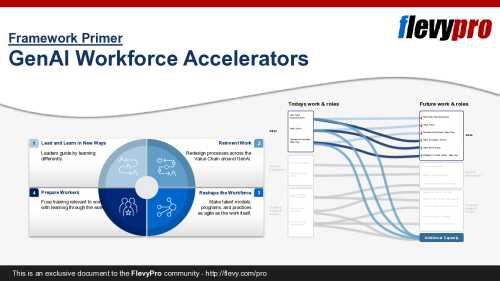
Generative AI (GenAI) is the most significant shift to work since the industrial revolution--and the Trifecta of Opportunities it unlocks (the economic, business, and people upsides) is the strategic objective. This presentation moves from the opportunity to the path: how leaders capture [read more]
Do You Want to Implement Business Best Practices?
You can download in-depth presentations on GenAI and 100s of management topics from the FlevyPro Library. FlevyPro is trusted and utilized by 1000s of management consultants and corporate executives.
For even more best practices available on Flevy, have a look at our top 100 lists:
These best practices are of the same as those leveraged by top-tier management consulting firms, like McKinsey, BCG, Bain, and Accenture. Improve the growth and efficiency of your organization by utilizing these best practice frameworks, templates, and tools. Most were developed by seasoned executives and consultants with over 20+ years of experience.
Readers of This Article Are Interested in These Resources
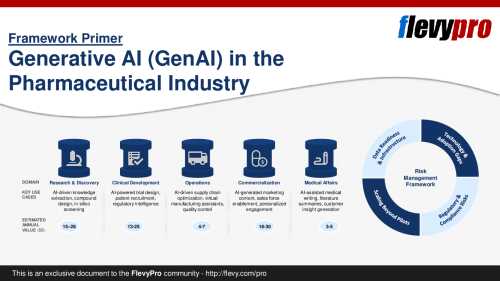
Pharmaceutical companies recognize the immense potential of Generative AI (GenAI) to accelerate drug discovery, improve clinical trials, and optimize commercial operations. Yet, capturing real value requires moving beyond hype to structured implementation strategies.
The McKinsey Global [read more]
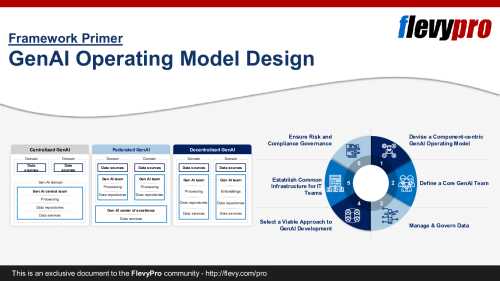
GenAI use is rising globally. Many organizations set GenAI strategies and launch pilots across functions. Yet most stall at the proof-of-concept stage and never show measurable financial or operational results.
This PPT presentation outlines the missing piece: an effective GenAI Operating [read more]
Curated by McKinsey-trained Executives
🚀 The GenAI Corporate Strategy Transformation Playbook
The Definitive Blueprint for Winning in the AI-First Economy
⚠️ If Your Strategy Isn't AI-Native, It's Already Obsolete
The rules of competition have changed. [read more]
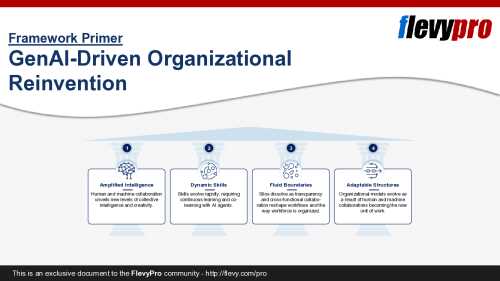
Generative AI (GenAI) marks a turning point in how organizations function and compete today. Similar to how the industrial revolution reshaped production, this wave of GenAI forces leaders to reimagine operating models, workforce design, and decision‑making at unprecedented speed.
This [read more]
 AI readiness is your organization’s ability to give AI systems content they can trust and act on. For most enterprises, the biggest gap is decades of unstructured documents, such as scanned claims files and supplier contracts nobody has opened since they were signed.