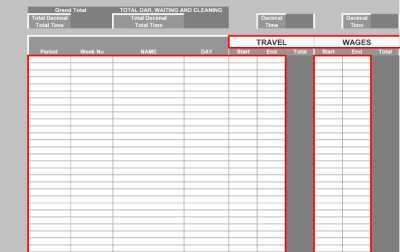
Editor's Note: Take a look at our featured best practice, Working Hours Diary with Lunch (Excel workbook). WORKING HOURS 7 DAY DIARY WITH LUNCH
With this revolutionary Working Hours Diary with Lunch and Wage Wizard keep an up to date log of ALL the Hours/Minutes your employees are working in the MORNING and then the AFTERNOON and calculate the correct wage that all employees should be getting for each [read more]
* * * *
Timesheets are the necessary evil of the business world. They’re supposed to be good for business. And yet, companies worldwide dread them, avoid them, and occasionally pretend they don’t exist until payroll day comes. And manual timesheets? They are the epitome of mayhem. They cause inaccurate billing, painful invoice disputes, frustrated clients, and questionable payroll math. Using them feels like sending a fax from a flip phone.
So, let’s talk about what manual timesheets really are, why they cause so much trouble, and—most importantly—how to fix this timesheet mess with proper solutions (like smart invoicing and automation).
What Are Manual Timesheets?
Manual timesheets are exactly what they sound like: humans recording their time manually, usually in spreadsheets, paper forms, notes apps, or whatever digital tool happens to be convenient.
People jot down start times, end times, tasks, billable hours, project codes, and any other details required for payroll or invoicing. And they do it:
At the end of the day.
At the end of the week.
Right before invoices go out.
When their manager chases them for the 3rd time.
In theory, manual timesheets work well. In practice, not so much; they are technically possible but fail miserably. All because such time tracking is based on guesses and wishful thinking.
Why Manual Timesheets Cause Trouble
Manual timesheets are like ticking time bombs for your billing accuracy. Here’s why they often cause chaos and confusion.
1. Humans Tend to Forget Things
Would you trust yourself to remember what you had for lunch last Tuesday? If the answer is “No”, then maybe you shouldn’t rely on your memory when filling out manual timesheets.
Manual timesheets suggest you should remember everything you did each day, including:
How long each client call lasted.
How many revisions you made.
Whether the research for that presentation took 25 minutes or 2.5 hours.
All the context switches and 2-minute tasks.
But you can’t.
Your brain isn’t built to store that much information. So, when you’re reconstructing your days and time at the end of the week, you’re not really filling out a timesheet but writing a fictionsheet.
2. Manual Timesheets Are Full of Inaccurate Data
Manual data entry equals manual errors.
A single misplaced digit can make you under- or overbill a client, or make a project look less profitable than it really is.
According to a Tribes.AI survey, companies in professional services report that missing or inaccurate timesheets result in an estimated loss of 21.5% of billable hours. This means that, generally speaking, close to 1 in every 5 billable hours is not recorded.
3. Manual Timesheets Steal Time (Ironically)
It takes time to write down time. Not only is manual time tracking philosophically exhausting, but it’s operationally inefficient.
Teams can spend 2-5 hours every month filling out timesheets, and managers spend even more time chasing people to submit them.
Filling out manual timesheets is time wasting disguised as time tracking.
4. Manual Timesheets Often Cause Invoice Disputes
Incorrect timesheets lead to incorrect invoices.
Incorrect invoices lead to unhappy clients.
And unhappy clients are a direct threat to trust, loyalty, and long-term business.
If you have ever had issues with invoices, you know that nothing induces anxiety faster than a client’s email subject line that says “Invoice question”.
When you don’t track time in the moment, you guess. When you guess, you often round up or down based on your intuition and (partial) memory.
And when you write your guesses down, the system becomes a mess of approximations, emotional estimates, and optimistic rounding.
It’s not fraud per se, it’s just improv. You’re not being malicious; you just can’t remember every minute of your day (or week).
6. Manual Timesheets Ruin Project Planning and Forecasting
When your foundational data is incomplete, inaccurate, or generously embellished, your project estimates are anything but reliable.
If your business relies on estimating labor costs, planning capacity, or forecasting profitability, manual timesheets won’t give you the accurate data you can rely on.
The 3-Step Solution for the Manual Timesheets Mess
Thankfully, fixing the manual timesheet disaster can be done in just 3 steps. Here’s how to reclaim accuracy and profitability.
Step 1: Standardize Your Time Tracking Process
If your team logs time through a spreadsheet, a Notion document, a shared inbox, or a sticky notepad, you will never get accurate or consistent data.
You need to establish a time tracking system. And be clear about the expectations for your team. Standardization removes the guesswork, reduces errors, and makes sure every hour actually lands where it’s supposed to.
To support this step, the PC05 Time & Cost Tracking framework offers an approach to implementing standardized time and cost tracking across teams. It outlines best practices for setting up consistent processes, defining clear ownership, and ensuring accurate reporting from the start. You can use this framework to avoid common setup mistakes and speed up time tracking system adoption across departments.
Step 2: Build a Better Invoicing Workflow
Even with slightly messy time data, you can avoid invoice disasters by using smart invoicing software. Such a tool can eliminate the most painful parts of billing that manual timesheets love to ruin, and it does so with a simple, clear interface.
Your invoicing software of choice should:
Generate professional invoices in minutes. Instead of building invoices from scratch or wrestling with Excel, the tool should give you clean, customizable templates so you can create personalized invoices. Add your logo, choose a layout, hit send, and you’re done.
Add itemized billable hours easily. The app should let you organize your time entries into clear line items and automatically calculate totals, taxes, and discounts.
Track payments and overdue invoices. Your software’s dashboard should show you what’s been paid, what’s overdue, and who needs a polite but firm nudge. No more digging through emails questioning if your clients paid their invoices; your invoicing software gives you data and clarity.
Store client information and project details in one place. Every client should get their own profile with contact details, rates, notes, and past invoices. Everything stays tidy, accessible, and ready whenever you need it.
Automate recurring invoices. If you work with retainer clients or monthly subscriptions, your invoicing software should send invoices for you. All of this means fewer mistakes, faster billing, easier follow-ups, and no stress.
Step 3: Encourage Real-Time Entry
The closer someone logs their time to the moment they actually worked, the more accurate the data.
And to ensure real-time entry is doable, you’ll want one more tool in your arsenal—Memtime. Automatic time tracking tools like Memtime quietly record what you work on throughout the day so you don’t rely on memory. When you use it alongside fully automated invoicing software, it drastically reduces billing errors, since the time data becomes accurate, precise, and easy to review.
With an invoicing tool and Memtime, your invoices will reflect reality instead of creative guesswork. And your workflow becomes:
You create time entries (ideally automated or real-time).
You review them and categorize.
You send them to invoicing software.
You generate an accurate invoice.
You get paid faster.
You celebrate with coffee, snacks, or a little dance.
Manual Timesheets Should Retire
Manual timesheets had their moment, sometime around 1998.
In 2025, they slow your team down, give you incorrect invoices, confuse clients, and create disputes.
And the fix is simple: automate the parts humans are bad at and simplify the invoicing workflow. With the right tools, your invoicing becomes accurate, professional, and fast.
Set your manual timesheets free; release them back into the wild where they belong.
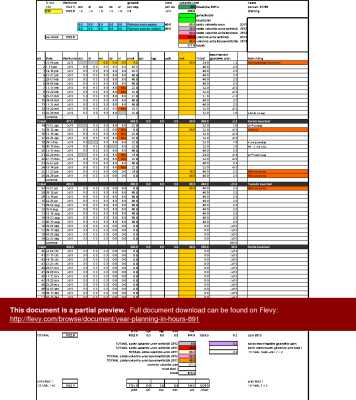
Personal Wages Calculator With Travel Diary and Activity Diary – Are You Getting Paid Enough For All Your Hard Work
Keep an upto date record of the hours and minutes you have worked so that you can charge the correct amount which you are owed on one large sheet with up to 1000 entries. Remember [read more]
Do You Want to Implement Business Best Practices?
You can download in-depth presentations on Hours Tracker and 100s of management topics from the FlevyPro Library. FlevyPro is trusted and utilized by 1000s of management consultants and corporate executives.
For even more best practices available on Flevy, have a look at our top 100 lists:
These best practices are of the same as those leveraged by top-tier management consulting firms, like McKinsey, BCG, Bain, and Accenture. Improve the growth and efficiency of your organization by utilizing these best practice frameworks, templates, and tools. Most were developed by seasoned executives and consultants with over 20+ years of experience.
Readers of This Article Are Interested in These Resources
Keep an up to date log of ALL the Hours/Minutes your employees are working then calculate the correct wage that all employees should be getting for each week, month and year. No more guess work. Pay everybody what they should be getting. Use the information correctly and workout an up to the minute [read more]
Never undercharge your client again!
Use the monthly labor diary to calculate the wage based on time worked. Simply enter your start time (eg. 9:32) and then enter finish time (eg. 13:23). The spreadsheet will calculate that you have worked 3:51. You then enter this figure into the wage [read more]
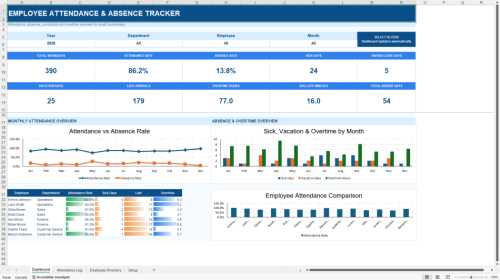
The Employee Attendance & Absence Tracker is a professional Excel-based workforce management solution designed to help HR departments, managers, and business leaders monitor employee attendance, track absences, and improve workforce planning through a centralized executive dashboard.
The [read more]
 Timesheets are the necessary evil of the business world. They’re supposed to be good for business. And yet, companies worldwide dread them, avoid them, and occasionally pretend they don’t exist until payroll day comes. And manual timesheets? They are the epitome of mayhem. They cause inaccurate billing, painful invoice disputes, frustrated clients, and questionable payroll math. Using them feels like sending a fax from a flip phone.
 Filling out manual timesheets is time wasting disguised as time tracking.