Editor's Note: Take a look at our featured best practice, Team Work as a Competitive Advantage (54-page PDF document). Team work is not only an effective tool within the organization, it is a competitive tool for those companies that grow it as an organizational skill!
What are the essentials for team building. What is the difference between a group and a real team?
How to address the issues of collaboration? [read more]
* * * *
 The right qualitative data analysis (QDA) software can completely change how a project develops. Data comes in many forms, such as interviews, surveys, focus groups, or even social media posts. And understanding and compiling data can be rather challenging. The tools picked affect speed and insight. Some programs are future-heavy but complicated, while others are simple but limited. Finding the balance is key. This is more so when your project depends on extracting meaningful patterns from large or messy data sets.
When looking for the best QDA software, think about how the platform fits your workflow. Will it handle multiple data types? Can it help in organizing code efficiently? Will it help your team collaborate? A solution must be able to accommodate diverse file formats and coding needs. The right software can save time and prevent frustration. Additionally, it can also help you focus on what really matters, which is interpreting data accurately and confidently.
Handling Different Data Types
Data isn’t all text; it may include PDFs, audio recordings, images, or even videos. Some QDA platforms only support text or simple documents, which require extra steps. Software that accepts various inputs can be quite beneficial. It results in a reduction of wasted efforts while keeping everything in one place.
Think about your sources and data types. Are you doing coding interviews? Are you analyzing survey responses or are you reviewing social media activity? Having a tool that handles all this without extra conversions can really make a huge difference in workflow efficiency. It brings about convenience and reliability. You don’t want to risk losing context because a file format was not compatible.
Coding: Manual, Automatic, or Both?
Coding is central to qualitative analysis, but not all software treats coding in the same way. Some platforms only allow manual coding, which can be slow but precise. While other platforms offer automatic coding based on keywords or patterns, which saves time but occasionally mislabels content.
Many researchers appreciate the flexibility to be able to combine both approaches. For instance, you might auto-code common themes and then manually refine complex sections. Furthermore, it is best to look for tools that let you organize code hierarchically.
Queries and Analytical Insights
Once your data is coded, the real work begins. Can the software answer complex questions? Can it cross-reference codes across participants or cases? What visual tools are used to explore patterns?
The ability to query your data efficiently can reveal trends that aren’t obvious at first glance. Some platforms provide charts or matrices. Some others offer network diagrams or word clouds. Visualization is about aesthetics, but it also makes insights easier to share with those stakeholders who aren’t familiar with raw data.
Collaboration Feature
Research is mostly a team effort, so QDA should support collaboration smoothly. Multi-user access, shared coding, and the ability to make notes or add comments without overwriting someone else’s work become essential. Additionally, version tracking is important. Mistakes tend to happen, but you want the ability to revert without panic.
Working remotely, some software offers cloud access, which keeps everyone synced. This eliminates the worry about sending files over email or even losing updates. These features make a significant difference for teams working on projects. They greatly contribute to preventing misunderstandings and reducing friction.
Learning Curve and Ease of Use
The most robust software is only productive if researchers can use it efficiently. It is essential to take into account the learning curve. Moreover, the availability of guides, tutorials, and support forums must be considered.
A user-friendly interface makes day-to-day tasks smoother. Some programs provide dashboards or drag-and-drop coding. Others rely on menus and buttons, which can be overwhelming. Thus, it is essential to consider who in your team will use the software. This is because ease of use is almost as important as advanced features, which may require a steeper learning curve.
Security and Compliance
Data often involves personal and sensitive information, and data security is absolutely essential. Therefore, it is critical to choose qualitative data analysis tools with encryption and access control. Depending on the research, compliance with regulations like GDPR or Institutional Review Board (IRB) standards becomes imperative.
Some platforms allow local storage or backup, whereas others rely completely on cloud storage. Think about what your project requires. Security isn’t a checkbox; it’s protecting participants and maintaining credibility.
Final Thoughts
Selecting the right qualitative data analysis software becomes easier when you maintain a balance. An ideal platform must handle your data types, support your style of coding, provide tools for analysis, and also work well with your team. Ultimately, focus on understanding your data and producing meaningful results.
Do You Want to Implement Business Best Practices?
You can download in-depth presentations on Teamwork and 100s of management topics from the FlevyPro Library. FlevyPro is trusted and utilized by 1000s of management consultants and corporate executives.
For even more best practices available on Flevy, have a look at our top 100 lists:
These best practices are of the same as those leveraged by top-tier management consulting firms, like McKinsey, BCG, Bain, and Accenture. Improve the growth and efficiency of your organization by utilizing these best practice frameworks, templates, and tools. Most were developed by seasoned executives and consultants with over 20+ years of experience.
Readers of This Article Are Interested in These Resources
24-slide PowerPoint presentation
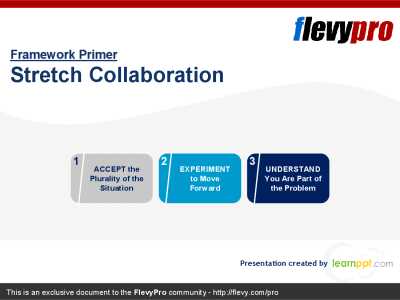
Forging collaboration among persons, teams, and organizations can sometimes be a perfect storm. Often, we expect that members who oppose each other will just blend in when working together on their most crucial and difficult mutual problems. Yet, situations like these can cause circumstances to
[read more]
4-page PDF document
TEACH YOUR PEOPLE TO WORK TOGETHER. Collaboration, teamwork is of strategical importance. As Patrick Lencioni said, "Not finance. Not strategy. Not technology. It is teamwork that remains the ultimate competitive advantage, both because it is so powerful and so rare." Maybe read this twice before
[read more]

62-slide PowerPoint presentation
🎯 Complete Training Kit: Teamwork Skills for Stronger, Smarter Collaboration
✅ What's Inside: 6 Essential Components
🖼️ Professional PowerPoint Slides
Visually clean and engaging slides covering every key concept of teamwork--from team stages to conflict resolution. Easy to
[read more]