 Running an e-commerce store can feel smooth one moment and chaotic the next. Orders pile up, carrier rates shift, customers ask for updates, and your team loses time on work that repeats all day. That pressure grows fast as sales increase. Many stores hit a point where manual shipping tasks start slowing growth, creating mistakes, and cutting into margins. In that stage, tools like UPS shipping integration can help reduce friction across the order-to-delivery process.
The goal is simple. Move routine shipping work out of inboxes, spreadsheets, and copy-paste steps, then place it inside a system that works faster and with fewer errors. Some merchants start with label creation. Others begin with rate shopping, tracking updates, or rules for packaging and delivery methods. A platform such as Shipduo – a smart shipping platform can support that shift by giving stores one place to manage shipping tasks that used to take hours each week.
What Shipping Automation Means in E-commerce
Shipping automation is the use of software to handle repeated shipping tasks with minimal manual work. Instead of typing order details into a carrier portal one by one, your store can send that data automatically, generate labels, choose services based on preset rules, and push tracking details back to the customer. The system follows the logic you define, then applies it at scale.
This can cover a wide range of tasks. A store may auto-select a carrier based on destination, package weight, item type, or shipping speed. It may print packing slips as soon as an order clears payment. It may split multi-warehouse orders without staff touching each shipment. It may also flag exceptions, such as missing address data or inventory issues, so your team only steps in when needed.
That is what makes automation useful. It does not remove human oversight. It removes repetitive work that does not need fresh judgment every time. Your staff can then spend more time fixing real problems, helping customers, and improving the operation.
Why More Online Stores Are Moving in This Direction
The biggest reason is time. Manual shipping processes drain hours from fulfillment teams, customer service staff, and store managers. Even a small business can waste a large part of the day printing labels, comparing carrier options, sending tracking emails, and fixing preventable mistakes. As order volume grows, those delays start affecting delivery speed and customer satisfaction.
Accuracy is another major reason. Small errors in shipping create expensive outcomes. A wrong service level, bad address format, duplicate label, or missed tracking email can lead to support tickets, reshipments, and refund requests. Automation helps reduce those issues by using the same rules every time. That consistency matters, especially during busy sales periods when teams work faster, and fatigue sets in.
Profit also plays a role. Shipping costs can quietly eat into margins. Automated rate selection, package rules, and order routing help stores avoid overpaying for delivery. When the process becomes more predictable, you can forecast costs better and spot weak points sooner.
Which Shipping Tasks Are Best to Automate First
Label creation is often the easiest place to start. It is repetitive, easy to standardize, and tied directly to order flow. Once an order meets your conditions, the system can create the label, assign the carrier service, and prepare documents for picking and packing. This saves time right away and reduces the need for staff to re-enter data.
Rate selection is another strong early win. Many stores still compare options by hand or default to the same carrier for every package. That can lead to unnecessary cost or slower delivery. With automation, you can set rules such as choosing the lowest-cost service for lightweight domestic orders, using faster options for premium customers, or sending fragile products through a preferred carrier.
Tracking notifications and shipment status updates also belong near the top of the list. Customers want clear communication after checkout. Automated emails or SMS messages can send tracking details as soon as the label is created, then follow up with delivery confirmations or delay alerts. That reduces “Where is my order?” messages and gives buyers more confidence after purchase.
How Shipping Automation Works Inside a Real Store
A typical setup starts when a customer places an order. The order enters your store system, then flows into your shipping software. From there, rules check details such as destination, product category, order value, package dimensions, shipping method selected at checkout, and stock location. The software then decides what should happen next.
For example, a store selling apparel may send domestic orders under a certain weight through one carrier and route higher-value packages through a faster, trackable service. A store with two warehouses may send East Coast orders from one location and West Coast orders from another. A brand shipping custom kits may trigger a different packing workflow if one order contains items with different handling needs. All of that can happen behind the scenes once the rules are in place.
The last step is communication. After the system generates the shipment, it can update the order status, send tracking info to the customer, sync data back to your sales channel, and store shipping records for reporting. The full process becomes faster, more consistent, and easier to review.
How to Set Up Shipping Automation without Creating New Problems
Start with your current process before you choose fancy features. Look at how orders move from checkout to delivery today. Write down every manual step, every tool involved, and every common error. You need a clear picture of the weak spots first. If your team already struggles with bad product data, inconsistent package sizes, or unclear carrier rules, software alone will not fix that.
Next, pick a small group of shipping actions to automate first. Do not try to automate the entire fulfillment operation in one push. Begin with tasks that happen often and follow simple logic, such as label generation, service selection for standard packages, or tracking emails. Test those rules on a limited set of orders before applying them storewide. That approach lowers risk and makes it easier to catch bad logic early.
Then review your exceptions. Every shipping setup has edge cases. Oversized products, P.O. boxes, international customs forms, split shipments, and address issues all need clear handling. Good automation does not ignore those cases. It routes them properly or flags them for review. That balance keeps the system useful instead of rigid.
What to Watch after You Turn It On
Once your automations are live, monitor speed, cost, and accuracy closely. Check how long it takes to process orders, how often staff must step in, and how many shipping errors still occur. Compare shipping spend before and after the change. If costs rise or orders get stuck in the workflow, your rules may need adjustment.
Customer feedback matters too. Faster shipping work in the back end should improve the customer experience in the front end. Watch support tickets tied to tracking, delays, lost packages, and delivery confusion. If those issues drop, your setup is likely moving in the right direction. If complaints stay high, review the messages customers receive and the carrier choices your system makes.
Shipping automation works best as an ongoing process, not a one-time project. Carriers change services, product lines expand, and peak season can expose flaws you did not notice during quieter months. Revisit your rules on a regular basis. Tight, practical updates will keep the system aligned with how your store actually ships today.
How to Get More Value from Shipping Automation over Time
Once the basics are working, you can build on that foundation in smart ways. Add rules for package grouping, warehouse routing, delivery promises by region, or insurance for high-value orders. Use shipping data to spot patterns, such as carrier delays on specific lanes or products that cost more to ship than expected. Those insights can guide pricing, packaging, and even product strategy.
This is also the stage where automation starts helping areas beyond fulfillment. Customer service teams get better shipment visibility. Finance teams get cleaner cost data. Marketing teams can promote faster delivery with more confidence. Operations leaders can plan staffing with fewer surprises. A stronger shipping process improves more than the warehouse floor.
For growing e-commerce brands, shipping automation can become a practical advantage. It helps stores move faster, reduce avoidable mistakes, control costs, and give buyers a smoother post-purchase experience. The best results usually come from a simple approach: start with repeated tasks, build clear rules, test carefully, and keep refining the process as the business grows.
Want to Achieve Excellence in Supply Chain Management (SCM)?
Gain the knowledge and develop the expertise to become an expert in Supply Chain Management (SCM). Our frameworks are based on the thought leadership of leading consulting firms, academics, and recognized subject matter experts. Click here for full details.
Supply Chain Management (SCM) is the design, planning, execution, control, and monitoring of Supply Chain activities. It also captures the management of the flow of goods and services.
In February of 2020, COVID-19 disrupted—and in many cases halted—global Supply Chains, revealing just how fragile they have become. By April, many countries experienced declines of over 40% in domestic and international trade.
COVID-19 has likewise changed how Supply Chain Executives approach and think about SCM. In the pre-COVID-19 era of globalization, the objective was to be Lean and Cost-effective. In the post-COVID-19 world, companies must now focus on making their Supply Chains Resilient, Agile, and Smart. Additional trends include Digitization, Sustainability, and Manufacturing Reshoring.
Learn about our Supply Chain Management (SCM) Best Practice Frameworks here.
Readers of This Article Are Interested in These Resources
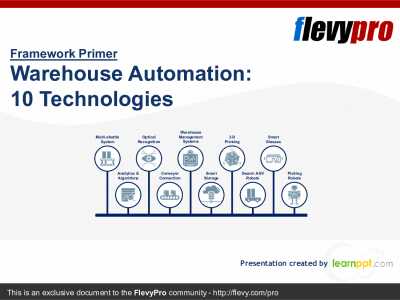
26-slide PowerPoint presentation
Shortage of labor, intensified demand from e-tailers (online retailers), and technological disruption is forcing many organizations in the Logistics and Warehousing sectors to embrace technology, particularly Automation.
Automation is facilitating Warehouse operations predominantly by
[read more]
904-slide PowerPoint presentation
Curated by McKinsey-trained Executives
Unlock the full potential of your supply chain and logistics operations with our comprehensive business toolkit. Designed for professionals who demand precision and efficiency, this complete toolkit features an exhaustive 900+ slide PowerPoint deck and a
[read more]
Excel workbook
Selecting a logistics service provider based on COST alone is a recipe for potential disaster.
Getting it wrong can be detrimental to your business in terms of both cost and time - especially if you need to exit the relationship as a result.
One of the most effective ways to ensure that you
[read more]
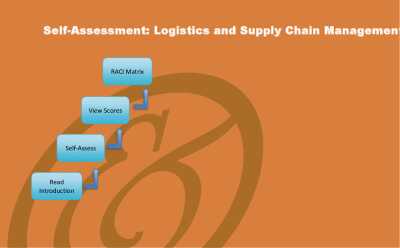
Excel workbook
Save time, empower your teams and effectively upgrade your processes with access to this practical Logistics and Supply Chain Management Toolkit and guide. Address common challenges with best-practice templates, step-by-step work plans and maturity diagnostics for any Logistics and Supply Chain
[read more]
