Editor's Note: Take a look at our featured best practice, Team Work as a Competitive Advantage (54-page PDF document). Team work is not only an effective tool within the organization, it is a competitive tool for those companies that grow it as an organizational skill!
What are the essentials for team building. What is the difference between a group and a real team?
How to address the issues of collaboration? [read more]
* * * *
 Custom filters serve multiple users simultaneously when properly shared and managed. Individual users creating filters for personal use miss opportunities for team alignment. Organizations that treat filters as collaborative resources rather than individual tools achieve consistent project visibility among team members.
Teams that implement collaborative Jira custom filters establish a shared understanding of project status. According to Atlassian’s filter-sharing guidance, filters create shared sources of truth for work that needs completion between now and the next milestone, with permissions that allow team members to see the same project view—ensuring teams maintain a consistent understanding of project state.
Design Filter Permission Models for Team Structures
Filter permissions determine who accesses saved searches. Permission models must align with organizational structures and information-sharing needs. Poorly designed permission strategies create either excessive access that overwhelms users or insufficient access that prevents necessary visibility.
Private filters serve individual needs without requiring team visibility. Personal work queue filters that show “assignee = currentUser()” remain private because they are automatically personalized for each viewer.
Experimental filters testing new query approaches stay private until proven useful. Draft filters under development should not appear in shared filter lists until validated. Private filters prevent clutter in organization-wide filter directories.
Project-based sharing makes filters available to all project members. Sprint planning filters shared at the project level ensure the entire team sees identical backlog views. Bug triage filters shared with the project give all developers access to defect lists. Project sharing works when all project members need the same information perspective, regardless of their specific role.
According to Unleash’s filter management research, sharing filters through groups, projects, or project roles helps ensure everyone on teams has access to the same filter sets, making collaboration and project management more streamlined. The “create shared filter” global permission in Jira settings enables organization-wide filter availability.
Group-based sharing targets specific user collections. Share QA-focused filters with testing groups. Share capacity planning filters with management groups. Share deployment-readiness filters with DevOps teams. Group sharing provides focused distribution without granting organization-wide access. This approach works when specific functions need particular views that do not apply broadly.
Establish Filter Ownership and Maintenance Responsibilities
Shared filters require ongoing maintenance as projects evolve. Without clear ownership, filters can deteriorate into outdated queries that return incorrect results. Ownership assignment ensures someone monitors filter accuracy and updates queries when necessary.
Individual ownership works for team-specific filters. The scrum master owns sprint-related filters. The QA lead owns test coverage filters. The release manager owns deployment filters. Individual owners understand their domain deeply and notice when filters need updates. This personal ownership creates accountability for filter quality.
Collective ownership through designated editors suits cross-functional filters. Multiple team leads share editing rights for project portfolio filters. Several managers maintain capacity planning filters together. Shared ownership distributes the maintenance burden and ensures filters reflect multiple perspectives. However, too many editors can create confusion about who actually maintains the filter.
Filter documentation communicates purpose and maintenance expectations. Descriptions should explain what questions the filter answers, which audiences use it, and how frequently it updates. Document ownership responsibilities: “Maintained by Platform Team Lead, reviewed monthly during sprint planning.” Clear documentation prevents duplicate filter creation and helps users select appropriate filters for their needs.
Create Role-Based Filter Libraries for Common Use Cases
Organizations benefit from standardized filter libraries addressing common scenarios. Pre-built filters reduce duplicate creation effort and ensure teams use proven queries. A role-based organization helps users quickly locate relevant filters.
Developer filters focus on the visibility of technical work. “My Code Reviews” shows pull requests awaiting review. “Blocked Issues – Platform” surfaces impediments needing resolution. “Technical Debt – High Priority” identifies refactoring candidates. “Production Bugs – Unassigned” highlights critical issues needing owners. These developer-focused filters address daily engineering workflows.
Manager filters emphasize team health and progress indicators. “Sprint Capacity – Backend Team” shows workload distribution. “Overdue Issues by Assignee” identifies deadline risks. “Velocity Trend – Last 5 Sprints” tracks delivery consistency. “Critical Issues – Escalated” monitors high-impact problems. Manager filters support oversight responsibilities and intervention decisions.
Stakeholder filters provide high-level summaries without operational details. “Release Readiness – Q2 Launch” shows completion status for major milestones. “Feature Progress by Epic” tracks the progress of initiatives. “Customer-Reported Issues – Critical” highlights user-facing problems. “Budget Impact – Engineering Changes” surfaces scope changes that affect resources. Stakeholder filters answer strategic questions without the technical depth required.
Implement Filter Subscription Strategies for Proactive Notifications
Filter subscriptions run queries automatically and email results on schedules. Subscriptions transform filters from pull-based mechanisms requiring manual checks into push-based mechanisms that deliver information proactively. Strategic subscription use keeps teams informed without constant dashboard monitoring.
High-frequency subscriptions monitor time-sensitive situations. Subscribe to critical bug filters with 15-minute intervals to ensure rapid response. Subscribe to production incident filters hourly during deployment windows. Subscribe to SLA breach filters continuously during business hours. These aggressive schedules suit situations requiring immediate awareness when conditions change.
Daily digest subscriptions provide routine updates without interruption. Morning emails showing yesterday’s completed work help teams plan daily activities. Evening summaries of newly created issues are prepared for next-day triage. Daily subscriptions balance awareness with inbox management—single emails consolidate information rather than generating constant notification streams.
Exception-based subscriptions trigger only when specific conditions occur. Subscribe to “Unassigned Critical Bugs” with conditional delivery—email only when results exist. Subscribe to “Issues Missing Required Fields” to catch data quality problems. Subscribe to “Sprint Scope Changes” to track unplanned additions. Exception subscriptions reduce noise by delivering information only when action is needed.
Collaborative Jira custom filters require permission strategies matching team structures. Role-based permission models provide appropriate access levels. Clear ownership assignments ensure ongoing maintenance responsibility. Standardized filter libraries reduce duplicate creation and promote the use of proven queries. Strategic subscription use transforms filters from passive tools into active notification systems.
Organizations implementing these collaborative approaches create shared visibility that aligns teams around a common understanding of project status and priorities.
Do You Want to Implement Business Best Practices?
You can download in-depth presentations on Teamwork and 100s of management topics from the FlevyPro Library. FlevyPro is trusted and utilized by 1000s of management consultants and corporate executives.
For even more best practices available on Flevy, have a look at our top 100 lists:
These best practices are of the same as those leveraged by top-tier management consulting firms, like McKinsey, BCG, Bain, and Accenture. Improve the growth and efficiency of your organization by utilizing these best practice frameworks, templates, and tools. Most were developed by seasoned executives and consultants with over 20+ years of experience.
Readers of This Article Are Interested in These Resources
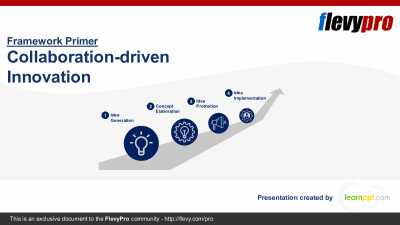
25-slide PowerPoint presentation
Idea Incubation to final Product Development is typically a lengthy, time-intensive process. The primary reason for this scenario is that even genuinely-innovative ideas, at the most-admired Innovation front-runners, often get delayed, robbed off their originality, or shelved in their stages of
[read more]
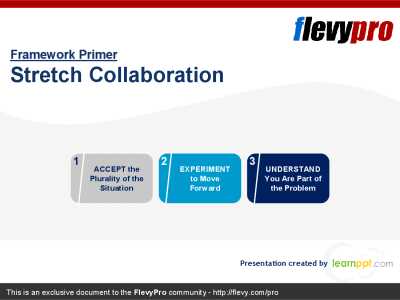
24-slide PowerPoint presentation
Forging collaboration among persons, teams, and organizations can sometimes be a perfect storm. Often, we expect that members who oppose each other will just blend in when working together on their most crucial and difficult mutual problems. Yet, situations like these can cause circumstances to
[read more]
4-page PDF document
TEACH YOUR PEOPLE TO WORK TOGETHER. Collaboration, teamwork is of strategical importance. As Patrick Lencioni said, "Not finance. Not strategy. Not technology. It is teamwork that remains the ultimate competitive advantage, both because it is so powerful and so rare." Maybe read this twice before
[read more]
62-slide PowerPoint presentation
🎯 Complete Training Kit: Teamwork Skills for Stronger, Smarter Collaboration
✅ What's Inside: 6 Essential Components
🖼️ Professional PowerPoint Slides
Visually clean and engaging slides covering every key concept of teamwork--from team stages to conflict resolution. Easy to
[read more]