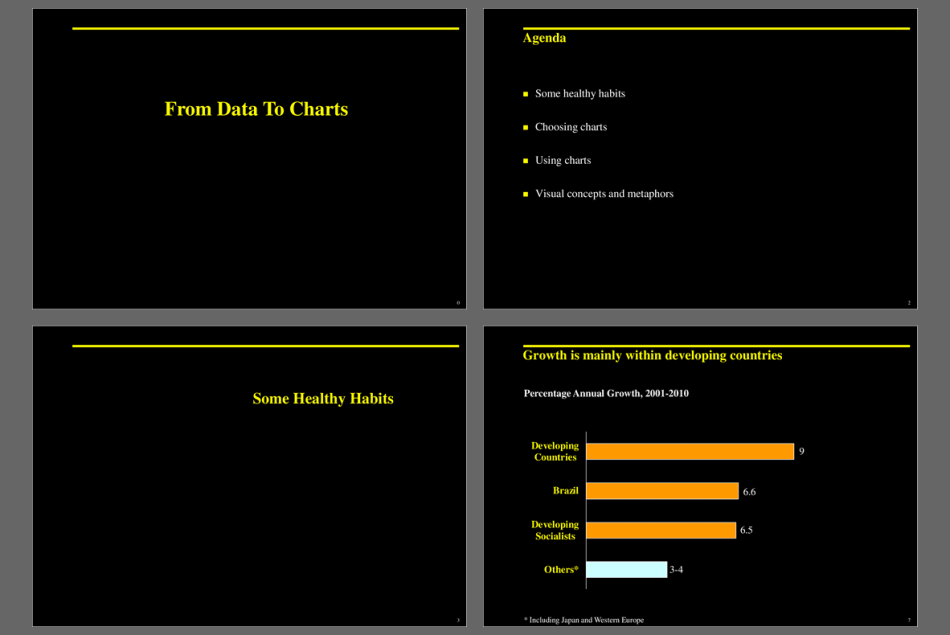

This presentation helps you define why you're giving the presentation and the audience you need to convince. This compelling, comprehensive presentation toolkit tells you when, why, and how to use humor, and, yes, silence to get your points to make the most of up facilities and rehearse to communicate your confidence, conviction and enthusiasm, and much, much more. This presentation also guru shows you how to combine those tips with today's hottest technologies for sharper, stronger visuals.
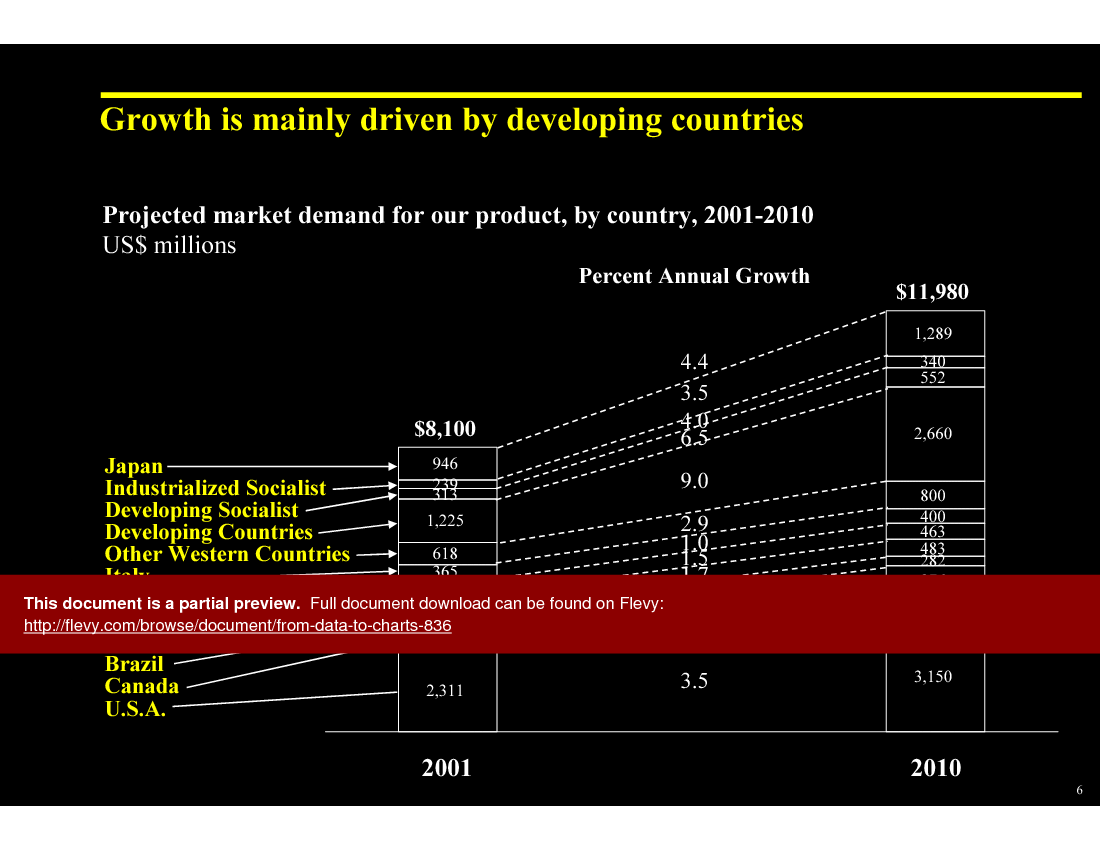
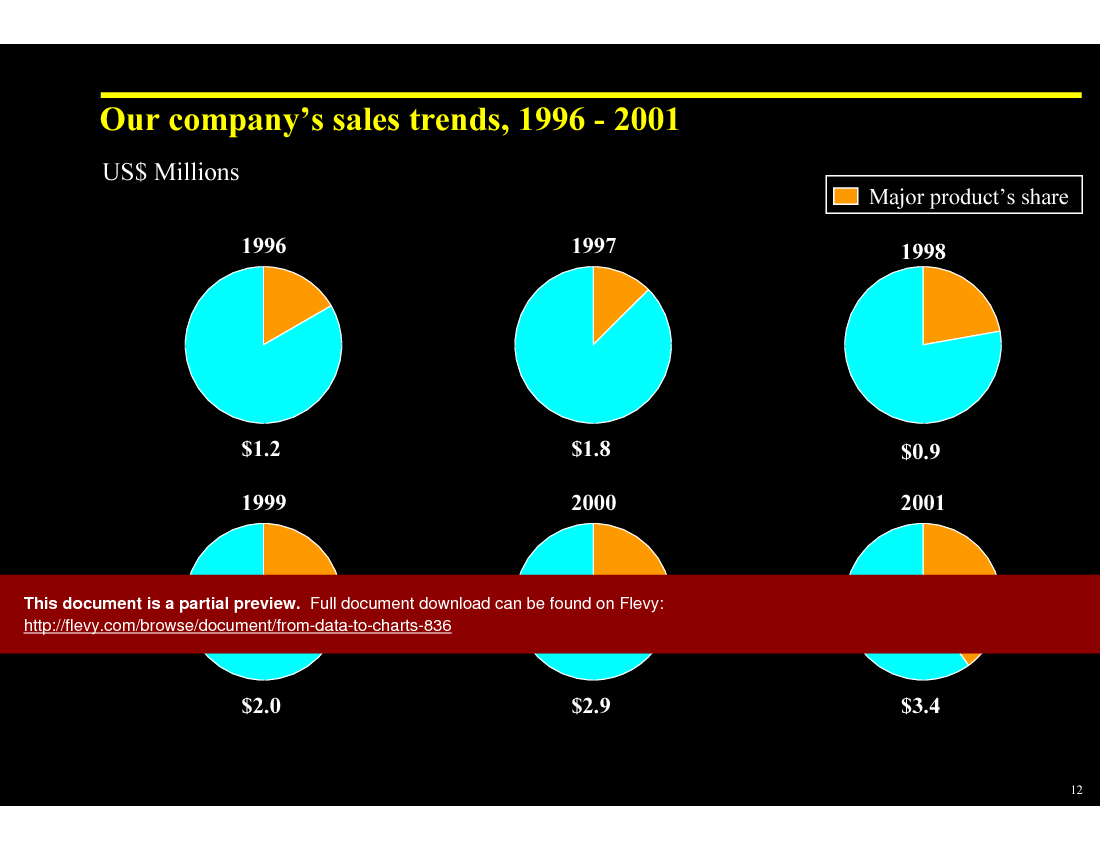
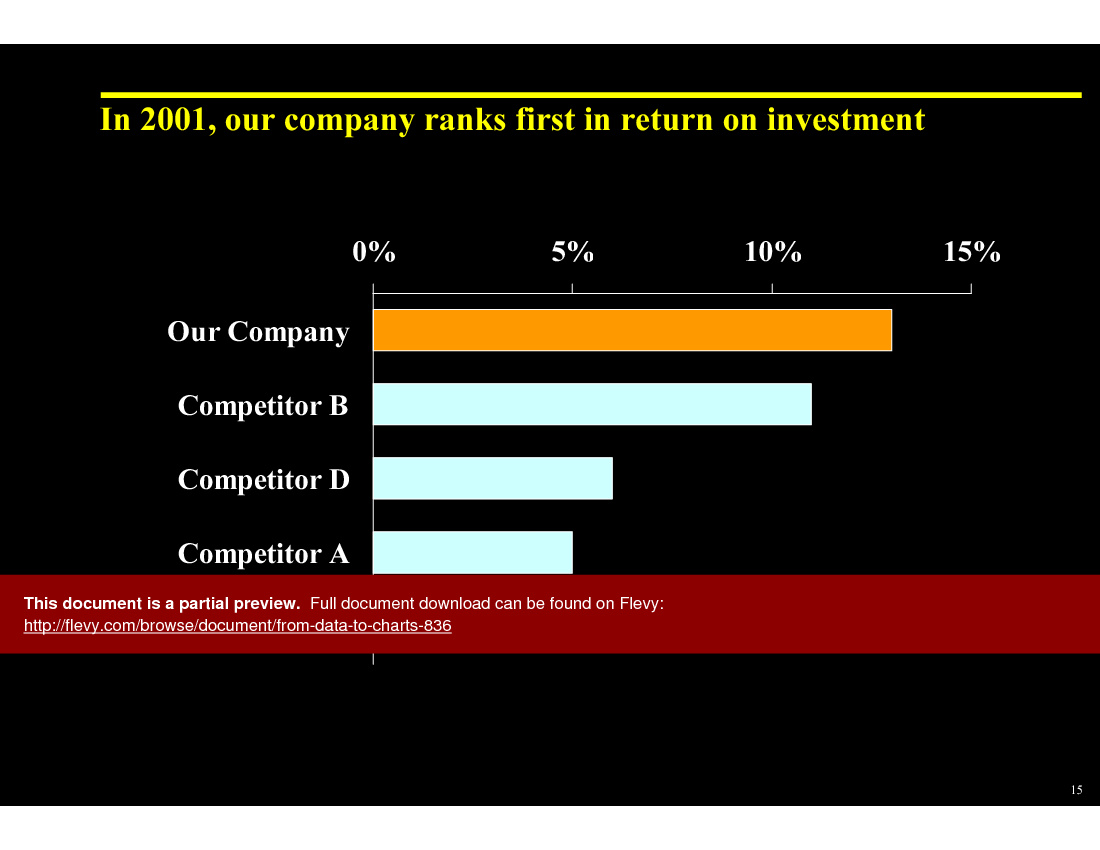
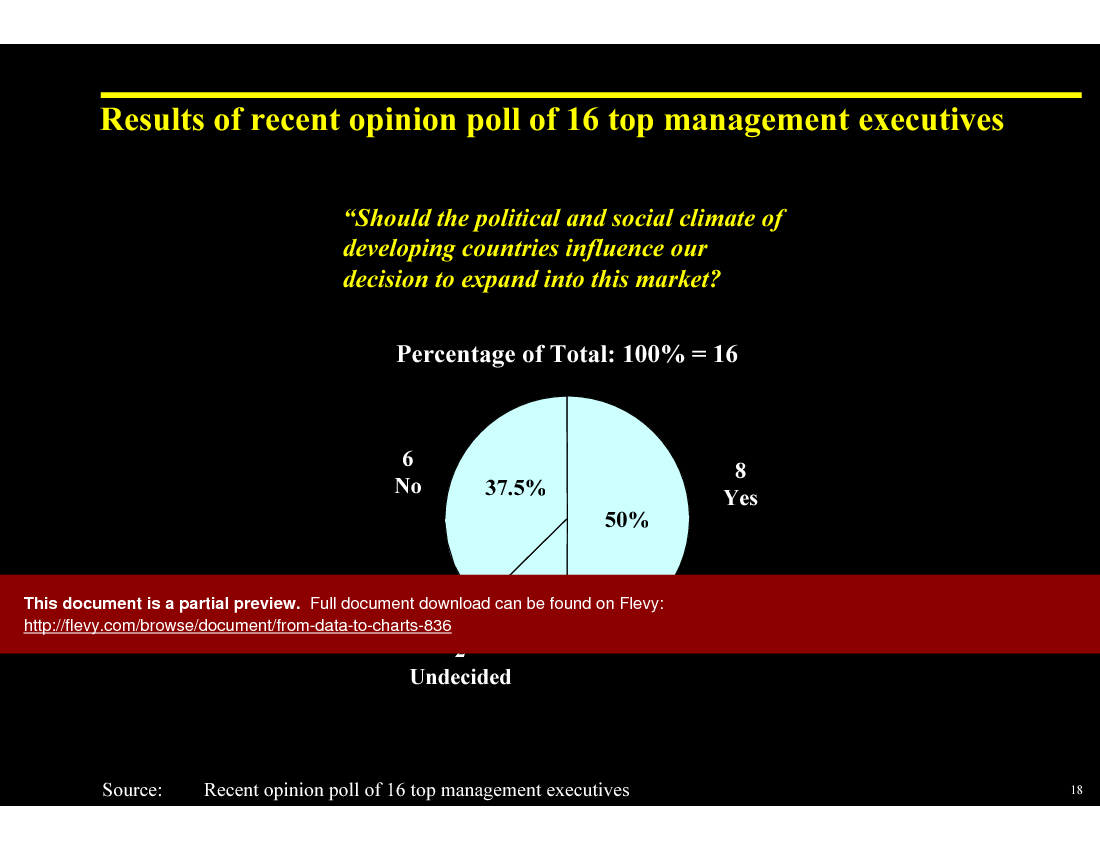
This presentation also dives into effective data visualization techniques, ensuring your message is not just heard, but seen clearly. It covers how to leverage different types of charts, from pie charts to histograms, to best represent your data. The document emphasizes the importance of selecting the right chart type based on the data and the message you want to convey. It’s not just about showing numbers; it’s about telling a story with your data.
You’ll find detailed explanations on how to avoid common pitfalls in data presentation, such as overusing pie charts or creating overly complex line charts. The presentation provides practical tips on using color and scale to highlight key points and make your charts more impactful. It’s about making your data work for you, not against you.
The toolkit also includes strategies for dealing with data from different sources and ensuring consistency in your visuals. It guides you through the process of combining various data sets into a cohesive presentation that supports your overall narrative. This is crucial for maintaining credibility and ensuring your audience stays engaged.
The presentation offers a variety of templates and examples to help you get started. Whether you’re presenting sales trends, market analysis, or operational metrics, this document provides the tools you need to create compelling visuals. It’s designed to save you time and help you deliver presentations that are both informative and visually appealing.
Got a question about the product? Email us at support@flevy.com or ask the author directly by using the "Ask the Author a Question" form. If you cannot view the preview above this document description, go here to view the large preview instead.
Executive Summary
This presentation, "From Data to Charts," is a consulting-grade toolkit designed to enhance data visualization skills, reflecting the quality expected from McKinsey, Bain, or BCG (not affiliated). It equips corporate executives, integration leaders, and consultants with the knowledge to effectively communicate complex data through visual storytelling. Users will learn to select appropriate chart types, simplify messages, and avoid common pitfalls in data presentation, ultimately leading to more impactful business communications.
Who This Is For and When to Use
• Corporate executives seeking to improve presentation effectiveness
• Integration leaders responsible for conveying complex data insights
• Consultants aiming to enhance client presentations with visual aids
• Marketing and sales teams needing to present data-driven strategies
Best-fit moments to use this deck:
• During strategic planning sessions to visualize market trends
• In client meetings to present data-driven recommendations
• For training workshops focused on improving presentation skills
• When developing reports that require clear data visualization
Learning Objectives
• Define key principles of effective data visualization
• Build impactful presentations using appropriate chart types
• Establish a clear message for each data chart
• Identify common pitfalls in data presentation and how to avoid them
• Create a checklist for maintaining simplicity in charts
• Develop skills to analyze data and derive meaningful insights for presentations
Table of Contents
• Healthy Habits (page 3)
• Choosing Charts (page 12)
• Using Charts (page 41)
• Visual Concepts and Metaphors (page 86)
Primary Topics Covered
• Healthy Habits - Guidelines for simplifying charts and avoiding information overload to enhance clarity and engagement.
• Choosing Charts - A structured approach to selecting the right chart based on the intended message and comparison type.
• Using Charts - Techniques for effectively presenting different types of comparisons, including components, items, and trends.
• Visual Concepts and Metaphors - Exploration of visual metaphors to enhance understanding and retention of data presentations.
Deliverables, Templates, and Tools
• Chart selection framework to guide users in choosing the appropriate chart type
• Healthy habits checklist for effective data presentation
• Templates for common chart forms, including pie, bar, and line charts
• Visual concept examples to inspire creative presentation designs
Slide Highlights
• "Healthy Habits" slide emphasizing the importance of simplicity in charts
• "Choosing Charts" slide outlining the 3 steps to effective chart selection
• "Using Charts" slide demonstrating various comparison types with visual examples
• "Visual Concepts and Metaphors" slide showcasing creative ways to represent data visually
Potential Workshop Agenda
Introduction to Data Visualization (30 minutes)
• Overview of key principles and importance of effective data presentation
• Discussion on common pitfalls and how to avoid them
Chart Selection Workshop (60 minutes)
• Hands-on activity to practice choosing the right chart type for different messages
• Group feedback on chart selections and improvements
Presentation Skills Enhancement (60 minutes)
• Techniques for simplifying messages and enhancing visual appeal
• Role-playing exercises to practice presenting data effectively
Customization Guidance
• Tailor the checklist for healthy habits to fit specific organizational needs
• Adapt chart selection frameworks to align with industry-specific data types
• Incorporate company branding into chart templates for consistency
Secondary Topics Covered
• Importance of audience engagement in presentations
• Techniques for storytelling with data
• The role of color and design in enhancing chart effectiveness
• Strategies for integrating visuals into written reports
FAQ
What are the key principles of effective data visualization?
Effective data visualization focuses on simplicity, clarity, and the appropriate use of chart types to convey a specific message without overwhelming the audience.
How do I choose the right chart for my data?
Start by determining the message you want to convey, identify the type of comparison needed, and then select the chart form that best represents that comparison.
What common mistakes should I avoid in data presentations?
Avoid cluttered charts, excessive text, and using too many chart types in one presentation. Focus on one key message per chart.
How can I simplify my charts?
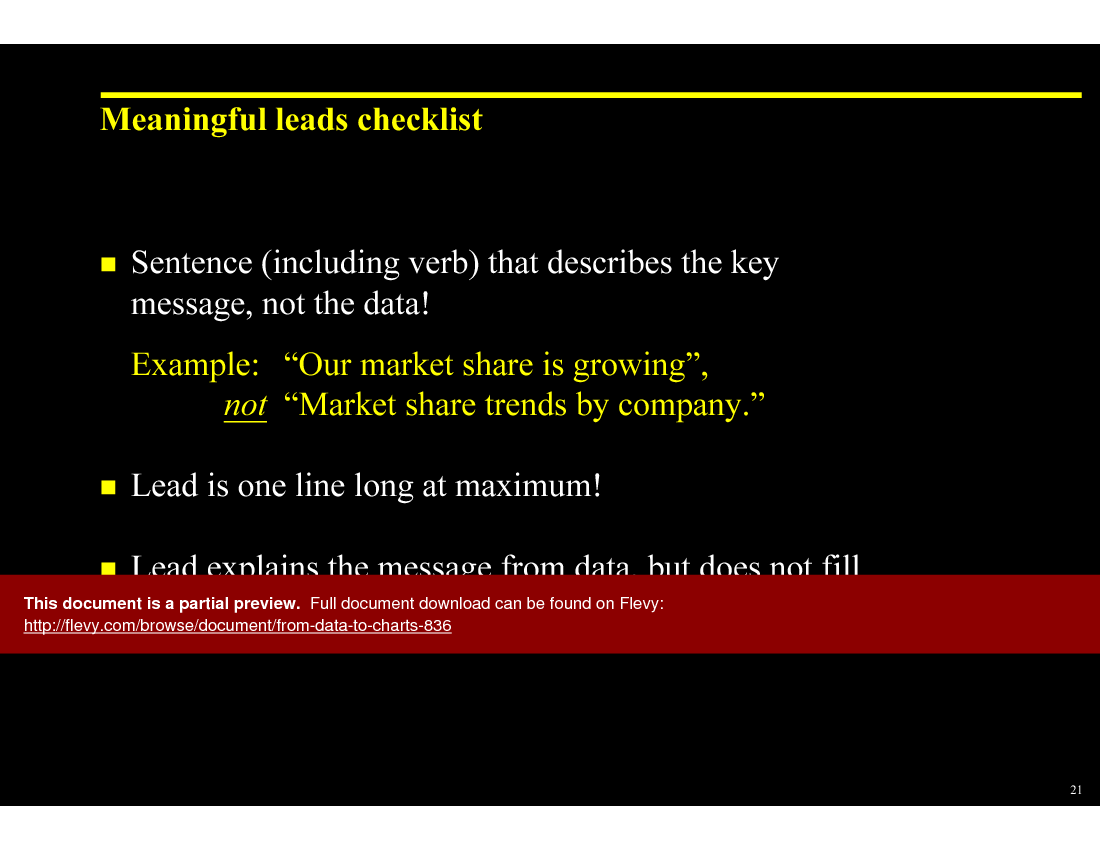
Use a checklist to ensure clarity: limit the number of data points, use larger font sizes, and highlight key messages.
What types of charts are best for different comparisons?
Use pie charts for components, bar charts for item comparisons, line charts for time series, and dot charts for correlation comparisons.
How can I enhance audience engagement during presentations?
Incorporate storytelling techniques, ask questions, and use visuals that resonate with the audience to maintain interest.
What is the significance of visual metaphors in presentations?
Visual metaphors help convey complex ideas in a relatable way, making data easier to understand and remember.
How can I ensure my charts are visually appealing?
Utilize color effectively, maintain consistent design elements, and ensure that charts are not overcrowded with information.
Glossary
• Data Visualization - The graphical representation of information and data.
• Chart Type - The format used to display data, such as bar, line, or pie charts.
• Comparison - The relationship between different data points or categories.
• Information Overload - A state where the amount of information exceeds an individual's ability to process it.
• Visual Metaphor - A visual representation that symbolizes a concept or idea.
• Audience Engagement - The level of interaction and involvement of the audience during a presentation.
• Simplicity - The quality of being easy to understand or do; essential in effective data presentation.
• Storytelling - The art of using narrative to convey information in a compelling way.
• Clarity - The quality of being clear and easy to understand, crucial in presentations.
• Color Theory - The study of how colors interact and the effects they have on viewers.
• Font Size - The size of text in a presentation, which should be large enough to be legible from a distance.
• Key Message - The main point or takeaway that a presenter wants the audience to remember.
• Data Point - An individual piece of data used in analysis and visualization.
• Engagement Techniques - Strategies used to capture and maintain audience interest.
• Design Elements - Components such as color, layout, and typography that contribute to the overall look of a presentation.
• Presentation Skills - The abilities required to effectively deliver information to an audience.
• Clutter - Excessive information or design elements that distract from the main message.
• Visual Appeal - The aesthetic quality of a presentation that attracts and holds audience attention.
• Chart Selection Framework - A guide to help determine the most effective chart type for specific data comparisons.
• Healthy Habits Checklist - A list of best practices for creating effective data visualizations.
• Template - A pre-designed format for charts or presentations that can be customized.
Source: Best Practices in Presentation Development PowerPoint Slides: From Data to Charts PowerPoint (PPT) Presentation Slide Deck, Documents & Files
This document is available as part of the following discounted bundle(s):
Save %!
Essential Consulting Skill Builder
This bundle contains 19 total documents. See all the documents to the right.
|
Receive our FREE whitepaper on the Top 101 Consulting Frameworks
Download our 200+ page guide summarizing the Top 101 Management Consulting Frameworks. Each framework provides a structured approach to analyzing and solving a common business problem. |










