
The 7 Quality Control (QC) Tools Presentation contain various tools , which originated in Japan, were primarily used for "Shop Floor" (factory) Quality improvements by workmen formed empowered groups, called Quality Circles.
This presentation covering the following topics:
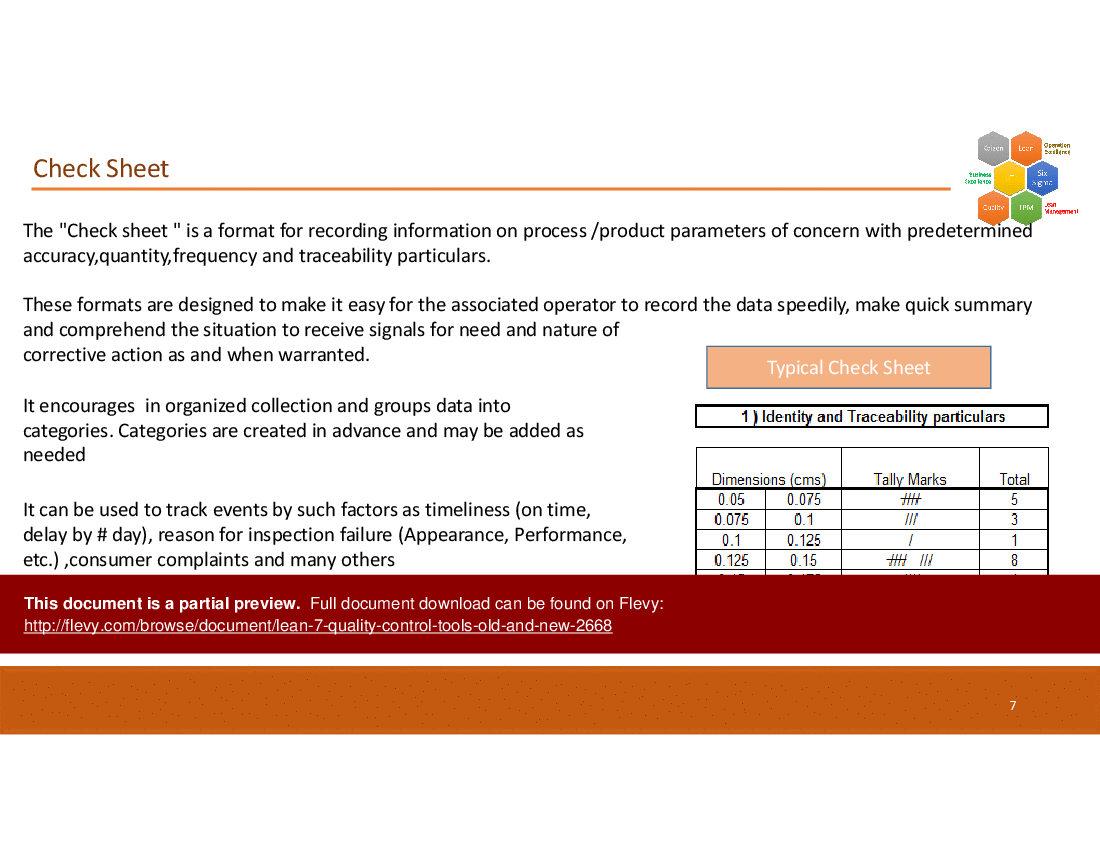
1. Check Sheets – To collected data in a structured manner.
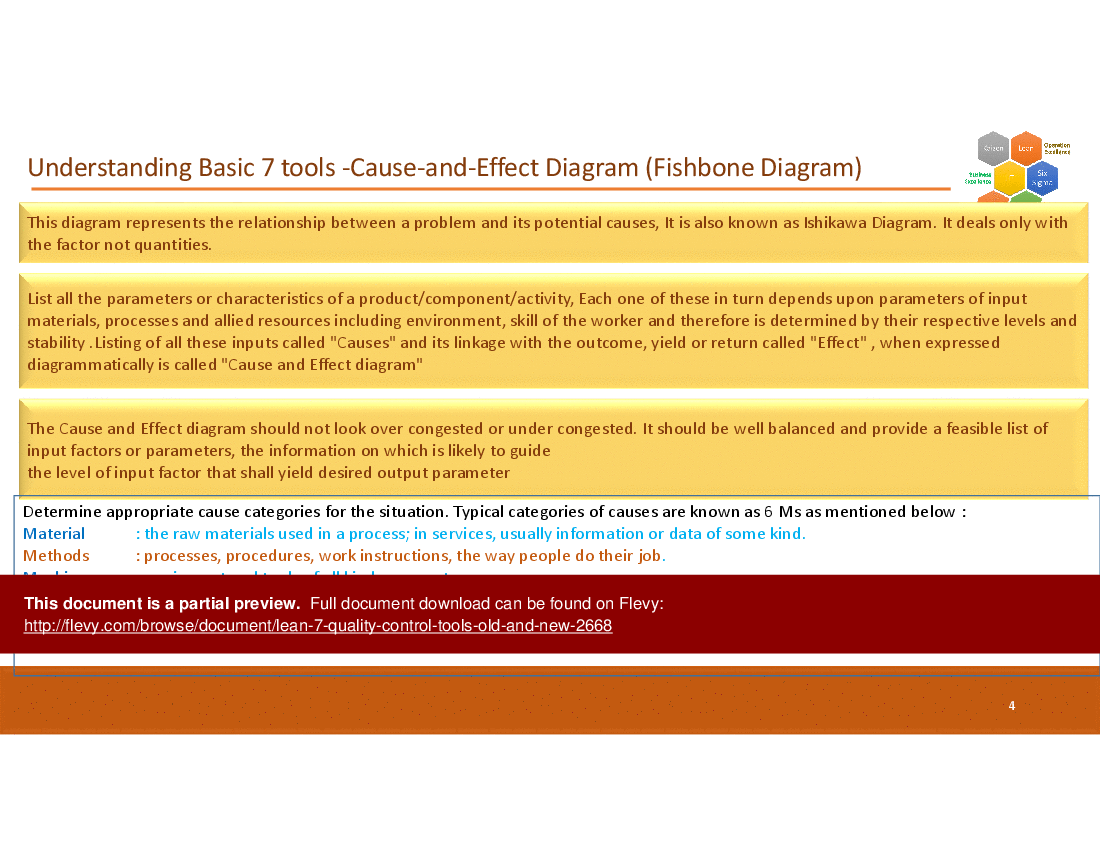
2. Cause and Effect Diagram – To organize probable causes (used along with 5 Why technique).
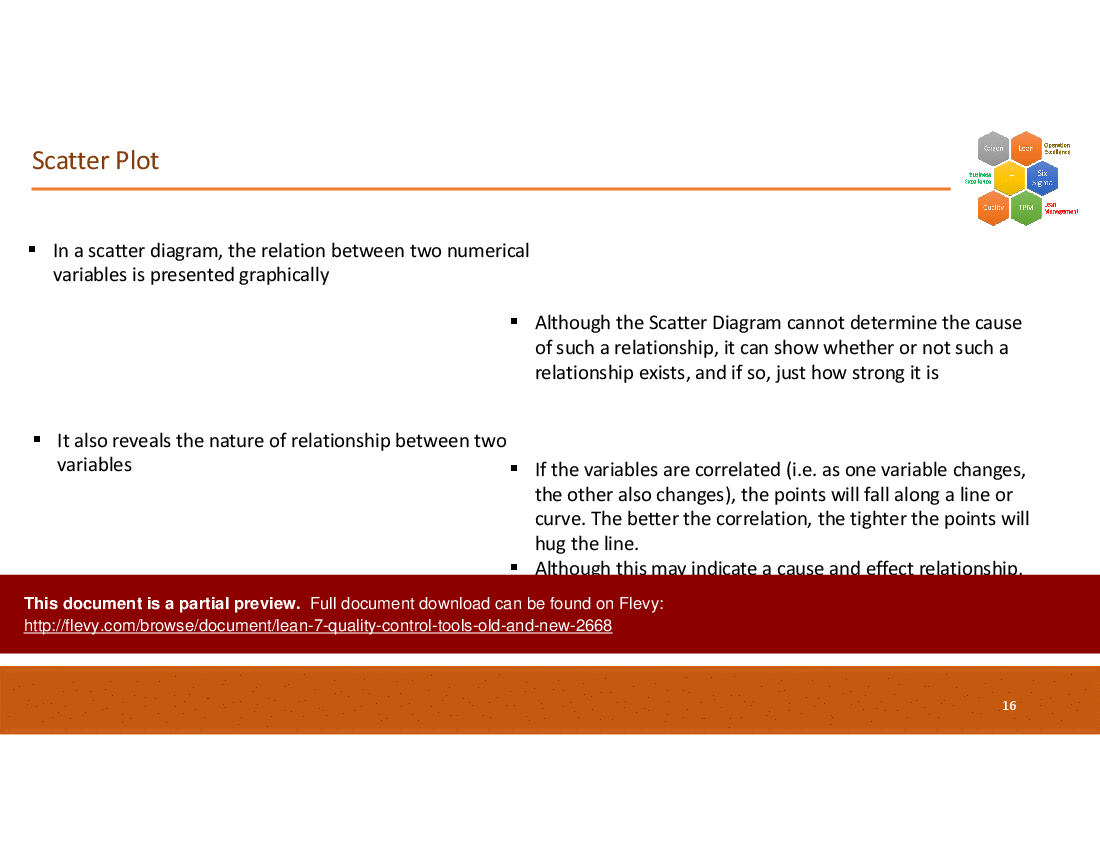
3. Scatter Diagram – To visually display cause / effect relationship with data (correlation).
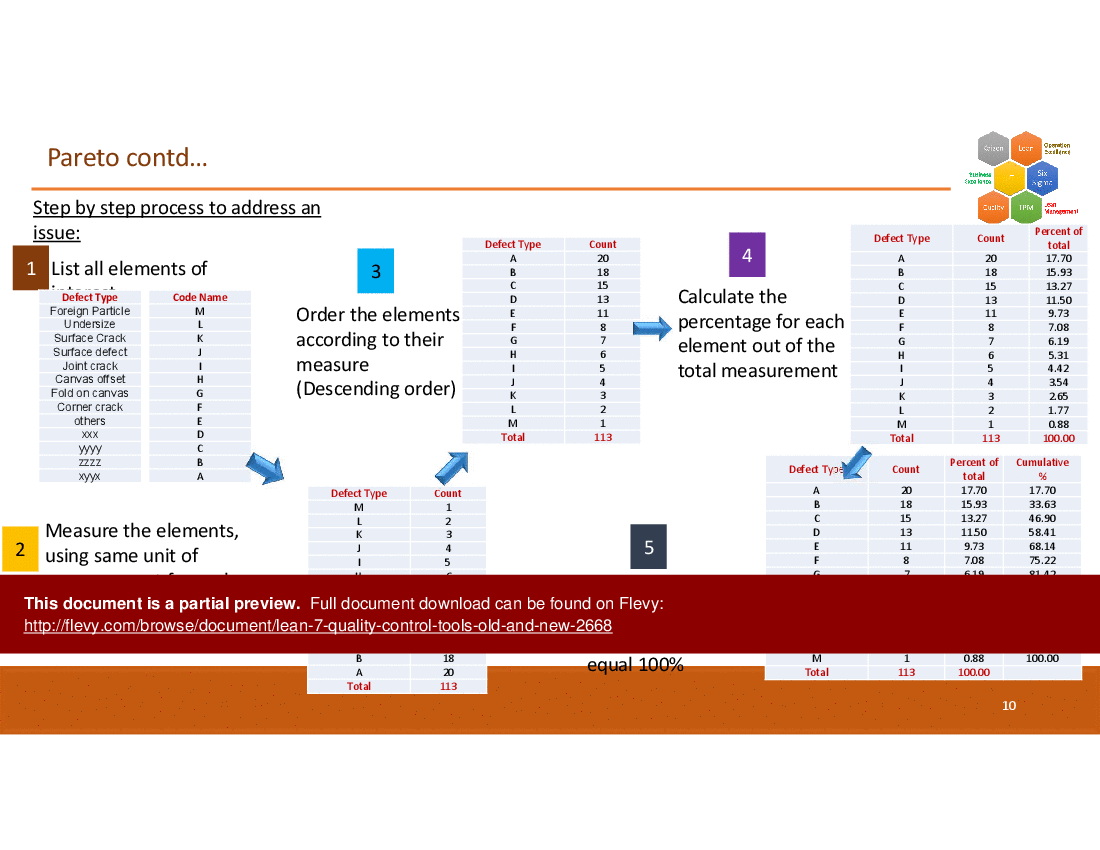
4. Pareto – Helps prioritize the key problems (based on problem/defect categories, in the Define phase) or Key Causes (out of a list of causes, in the Analyze phase).
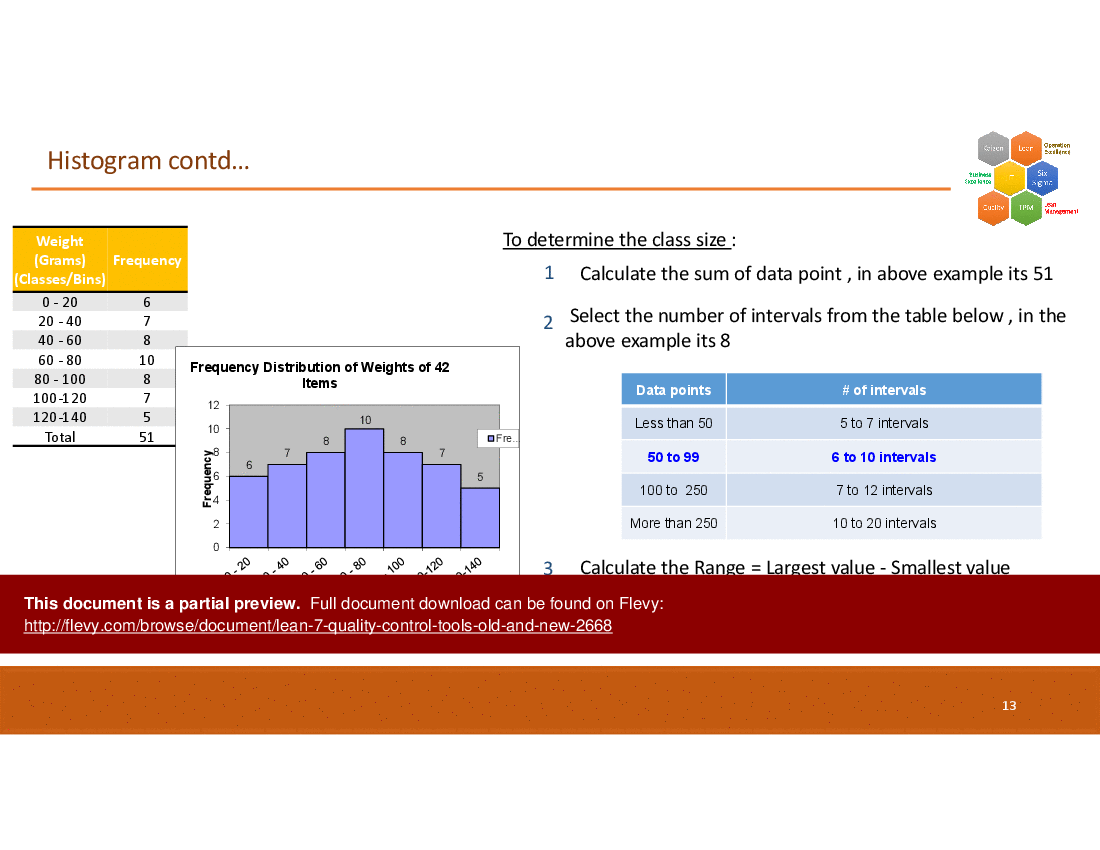
5. Histogram – To visually present distribution of data (displays process variation and can be compared with specification limits).
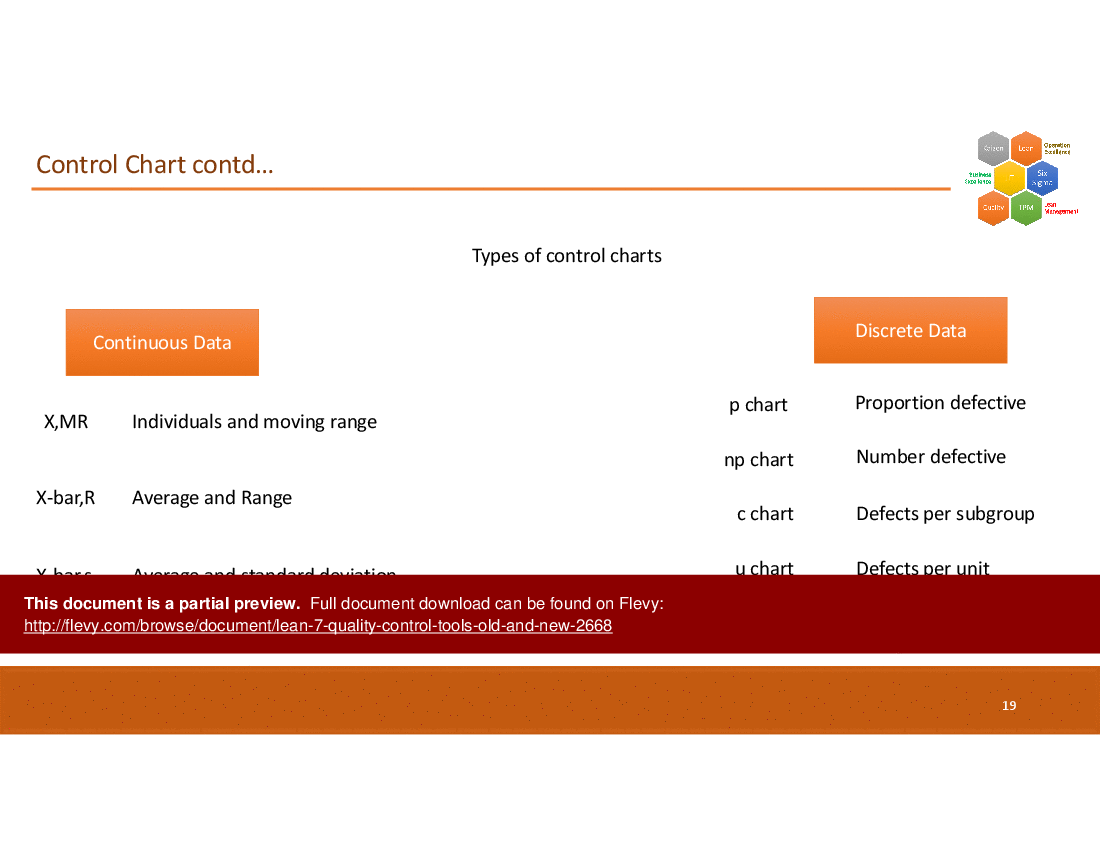
6. Control Chart – To monitor process performance through time (can be used before and/or after an improvement project) and highlight "out of control" situations needing action.
7. Stratification – Segment / segregate data based on input sources that may be contrbuting to it (for eg., vendor wise, equipment wise, team wise, etc.).
New 7 QC Tools, which are:
1. Affinity Diagram: organizes a large number of ideas into their natural relationships.
2. Relations Diagram: shows cause-and-effect relationships and helps analyze links between different aspects of a complex situation.
3. Tree Diagram: Breaks down broad categories into lower level detail, helping to get the thinking much more specific
4. Matrix Diagram: Helps to show relationship between multiple groups of information including strength of relationship.
5. Matrix Data Analysis: Technique for analyzing and prioritizing select options among many available defined criteria to arrive at prioritization.
6. Arrow diagram: A Project Planning tool (a la PERT/CPM)
7. Process Decision Program Chart (PDPC): To identify potential deviations w.r.t to identified plans.
This comprehensive guide includes step-by-step instructions and visual aids for each tool, ensuring practical application and understanding. Ideal for quality management professionals aiming to enhance process efficiency and problem-solving capabilities.
Got a question about the product? Email us at support@flevy.com or ask the author directly by using the "Ask the Author a Question" form. If you cannot view the preview above this document description, go here to view the large preview instead.
Executive Summary
The "7 Quality Control (QC) Tools Old and New" PowerPoint presentation provides a comprehensive overview of essential quality control tools that enhance product quality and streamline production processes. This resource equips professionals with the knowledge to analyze production issues, control quality fluctuations, and implement effective solutions to prevent defects. By mastering both traditional and contemporary QC tools, users can significantly improve their operational efficiency and quality assurance practices.
Who This Is For and When to Use
• Quality Assurance Managers seeking to enhance product quality
• Operations Managers focused on process improvement
• Team Leaders involved in quality control initiatives
• Consultants advising on quality management strategies
Best-fit moments to use this deck:
• During quality improvement workshops to introduce QC tools
• In training sessions for new team members on quality practices
• When analyzing production processes for quality enhancements
• For strategic planning sessions focused on quality management
Learning Objectives
• Define the 7 traditional QC tools and their applications
• Identify the new QC tools and their complementary role to traditional methods
• Analyze production processes using QC tools to identify issues
• Implement corrective actions based on data gathered from QC tools
• Create visual representations of data using flowcharts and diagrams
• Utilize the Pareto Principle to prioritize quality issues effectively
Table of Contents
• Introduction to QC Tools (page 1)
• Overview of Traditional QC Tools (page 2)
• Overview of New QC Tools (page 3)
• Cause and Effect Diagram (page 4)
• Check Sheet (page 7)
• Pareto Diagram (page 9)
• Histogram (page 12)
• Scatter Plot (page 16)
• Control Chart (page 18)
• Flow Chart (page 22)
• Affinity Diagram (page 24)
• Tree Diagram (page 27)
• Arrow Diagram (page 30)
• Relations Diagram (page 32)
• Matrix Diagram (page 34)
• Process Decision Program Charts (page 38)
Primary Topics Covered
• Traditional QC Tools - The 7 classic tools that form the foundation of quality control practices, including Cause and Effect Diagram, Check Sheet, and Control Charts.
• New QC Tools - The 7 additional tools that complement traditional methods, such as Affinity Diagram and Matrix Diagram, enhancing data analysis and problem-solving capabilities.
• Data Visualization Techniques - Methods for organizing and presenting data effectively through various diagrams and charts to facilitate understanding and decision-making.
• Quality Improvement Strategies - Utilizing the QC tools to identify root causes of quality issues and implement corrective actions to enhance overall product quality.
Deliverables, Templates, and Tools
• Template for Cause and Effect Diagram to identify potential causes of quality issues
• Check Sheet format for recording and tracking quality parameters
• Pareto Diagram template for prioritizing quality problems based on the 80/20 rule
• Histogram template for visualizing data distribution
• Scatter Plot template for analyzing relationships between variables
• Control Chart template for monitoring process stability over time
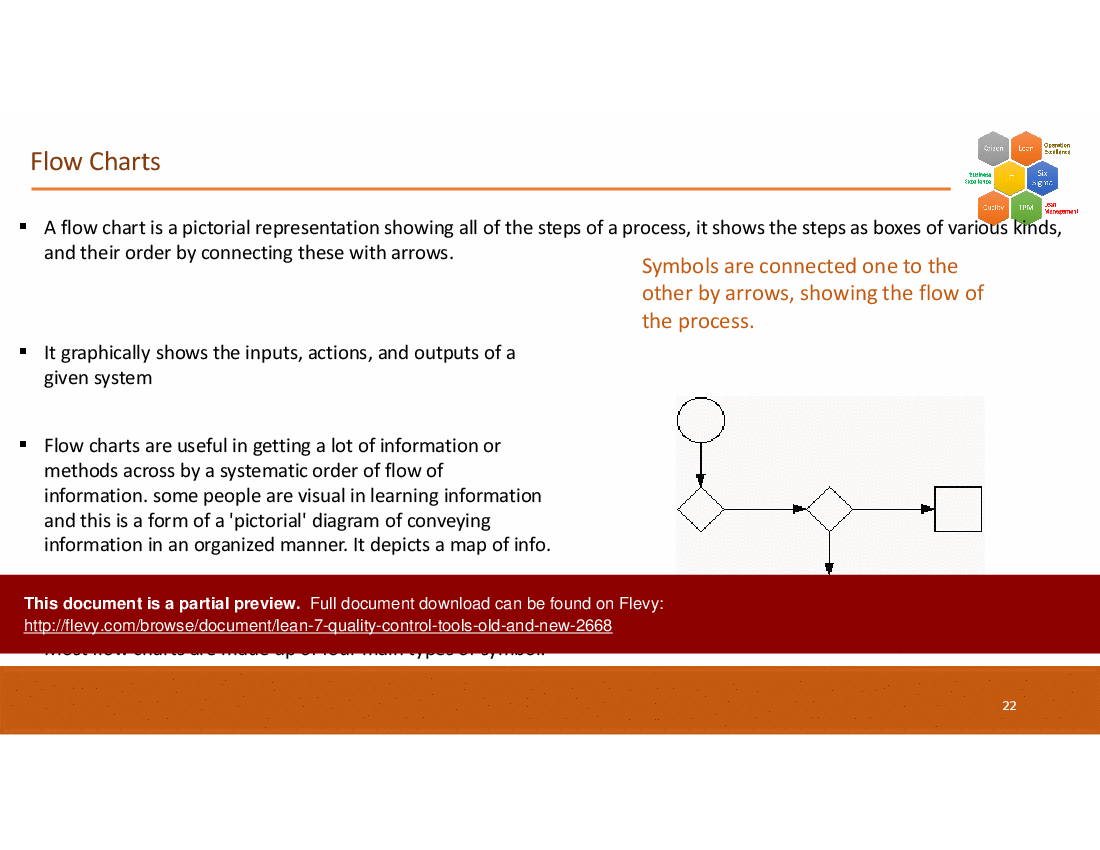
• Flow Chart template for mapping out processes and identifying inefficiencies
• Affinity Diagram template for organizing ideas and issues into logical categories
• Matrix Diagram template for comparing multiple options or features
• Process Decision Program Chart template for planning and risk management
Slide Highlights
• Introduction slide outlining the importance of QC tools
• Detailed slides on each traditional and new QC tool, including definitions and applications
• Visual examples of diagrams and charts to illustrate concepts
• Case studies demonstrating the application of QC tools in real-world scenarios
• Summary slide emphasizing the benefits of integrating QC tools into quality management practices
Potential Workshop Agenda
Introduction to Quality Control Tools (30 minutes)
• Overview of traditional and new QC tools
• Discussion on the importance of quality management
Hands-On Session with QC Tools (60 minutes)
• Breakout groups to practice using various QC tools
• Share findings and insights from group discussions
Implementing QC Tools in Your Organization (45 minutes)
• Strategies for integrating QC tools into existing processes
• Action planning for quality improvement initiatives
Customization Guidance
• Tailor the presentation to include specific case studies relevant to your industry
• Adjust the examples and templates to reflect your organization's quality metrics and goals
• Incorporate company-specific terminology and processes into the QC tools discussion
Secondary Topics Covered
• The role of data in quality management
• Techniques for effective team collaboration in quality initiatives
• The impact of quality control on customer satisfaction and business performance
• Continuous improvement methodologies in quality management
Topic FAQ
Document FAQ
These are questions addressed within this presentation.
What are the 7 traditional QC tools?
The 7 traditional QC tools include the Cause and Effect Diagram, Check Sheet, Pareto Analysis, Histogram, Flow Chart, Scatter Diagram, and Control Charts.
How do the new QC tools complement the traditional ones?
The new QC tools, such as Affinity Diagram and Matrix Diagram, enhance the ability to analyze complex data and relationships, providing a more comprehensive approach to quality management.
Can these tools be used in any industry?
Yes, the QC tools are versatile and can be applied across various industries to improve product quality and operational efficiency.
What is the Pareto Principle?
The Pareto Principle states that a small number of causes (20%) are responsible for a large majority (80%) of problems. Identifying these key causes allows for more effective quality improvement efforts.
How can I implement these tools in my organization?
Start by training your team on the QC tools, then integrate them into your quality management processes, using templates and examples from the presentation.
What is a Control Chart used for?
A Control Chart is used to monitor process stability over time, helping to identify variations and determine whether a process is in control or out of control.
How do I create a Check Sheet?
A Check Sheet can be created by defining the parameters to be tracked, organizing categories for data collection, and designing a format that allows for easy recording of information.
What is the purpose of a Flow Chart?
A Flow Chart visually represents the steps in a process, helping to identify inefficiencies and streamline operations.
Glossary
• QC Tools - Instruments used to analyze and improve product quality.
• Cause and Effect Diagram - A tool for identifying potential causes of a problem.
• Check Sheet - A format for recording data related to quality parameters.
• Pareto Principle - A principle stating that a small number of causes lead to the majority of problems.
• Histogram - A graphical representation of data distribution.
• Scatter Plot - A diagram showing the relationship between 2 numerical variables.
• Control Chart - A graph used to monitor process changes over time.
• Flow Chart - A visual representation of a process.
• Affinity Diagram - A tool for organizing ideas into logical categories.
• Tree Diagram - A diagram that breaks down a topic into its components.
• Arrow Diagram - A visual representation of the steps in a project with emphasis on time.
• Relations Diagram - A diagram clarifying relationships among causes.
• Matrix Diagram - A tool for comparing multiple options or features.
• Process Decision Program Chart - A chart for planning and managing risks.
Source: Best Practices in Quality Management, Quality Control PowerPoint Slides: 7 Quality Control (QC) Tools Old and New PowerPoint (PPTX) Presentation Slide Deck, Nishil Josh
This document is available as part of the following discounted bundle(s):
Save %!
Lean Management Training Course
This bundle contains 6 total documents. See all the documents to the right.
Save %!
Quality Management Tools
This bundle contains 6 total documents. See all the documents to the right.
|
Receive our FREE presentation on Operational Excellence
This 50-slide presentation provides a high-level introduction to the 4 Building Blocks of Operational Excellence. Achieving OpEx requires the implementation of a Business Execution System that integrates these 4 building blocks. |










