
 Click main image to view in full screen.
SAP OCM Business Process Impact Map and SOP Tracker Dashboard – Excel XLSX
Excel (XLSX)


CHANGE MANAGEMENT EXCEL DESCRIPTION
Change Realization, one of SAP's six OCM dimensions, depends on precisely
documenting what changes between a legacy process and its SAP-driven
replacement, not a vague sense that "things will be different." Without that
precision, training, communication, and go-live readiness all end up guessing at
what actually needs attention, and effort gets spread evenly across processes
instead of concentrated where the real risk sits.
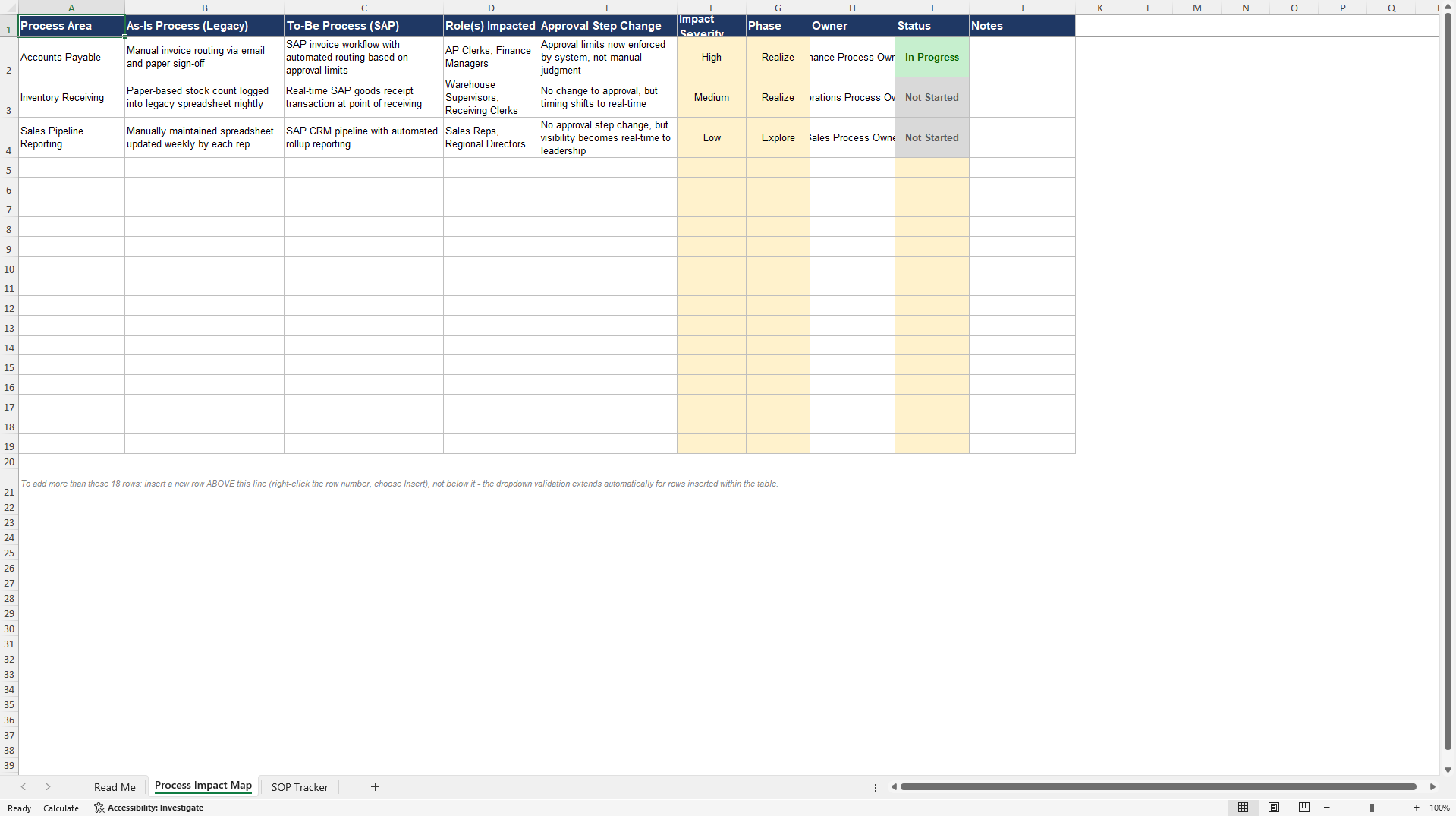
This Excel template addresses the practical execution questions: Which processes
carry the most risk and need attention first, rather than treating every process
as equally important? What actually changes in approval steps and role
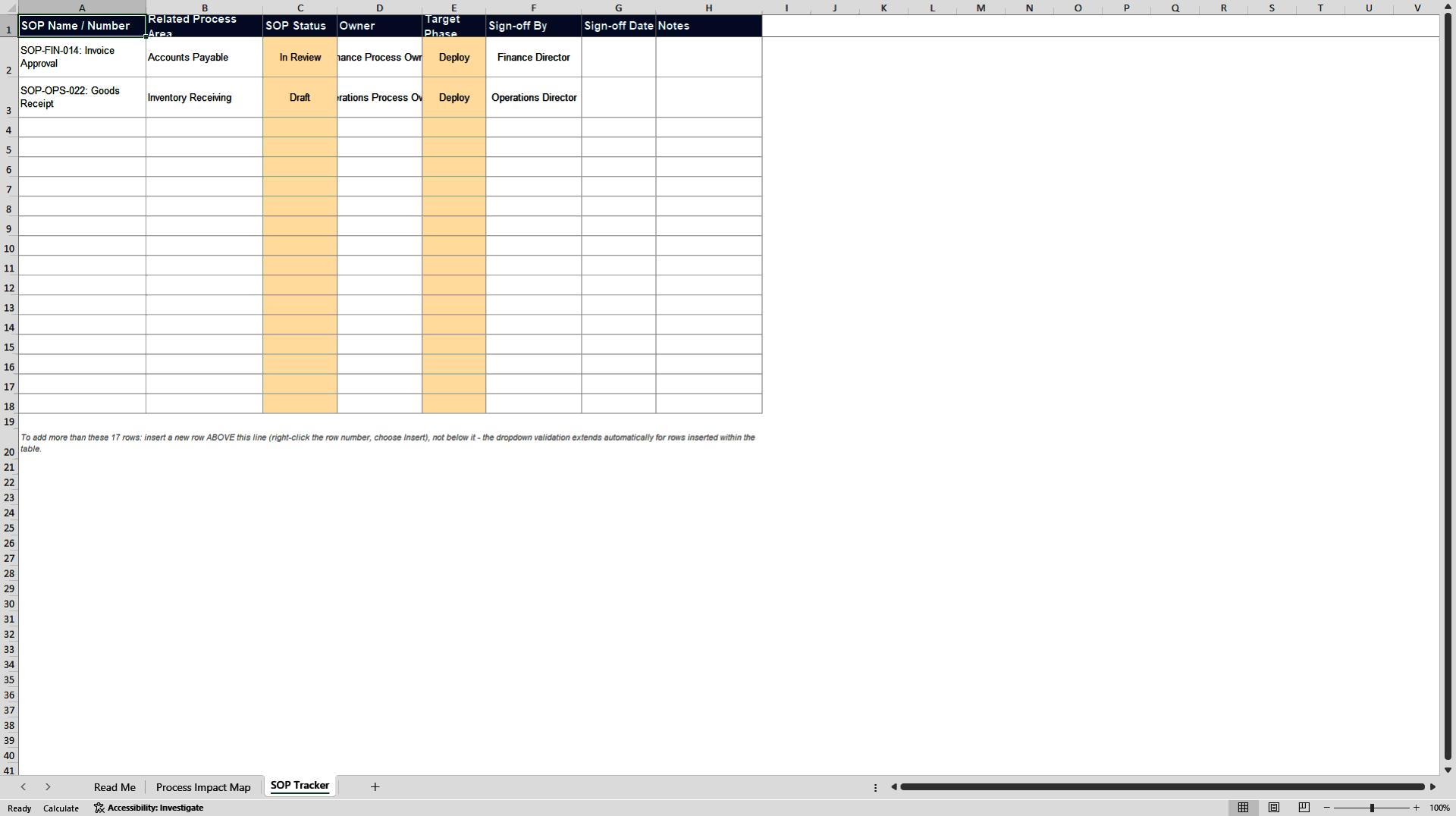
responsibilities, not just in the underlying system screens? Are our Standard
Operating Procedures actually rewritten and signed off before go-live, or still
sitting as drafts nobody has circled back to?
What's included in this Excel workbook:
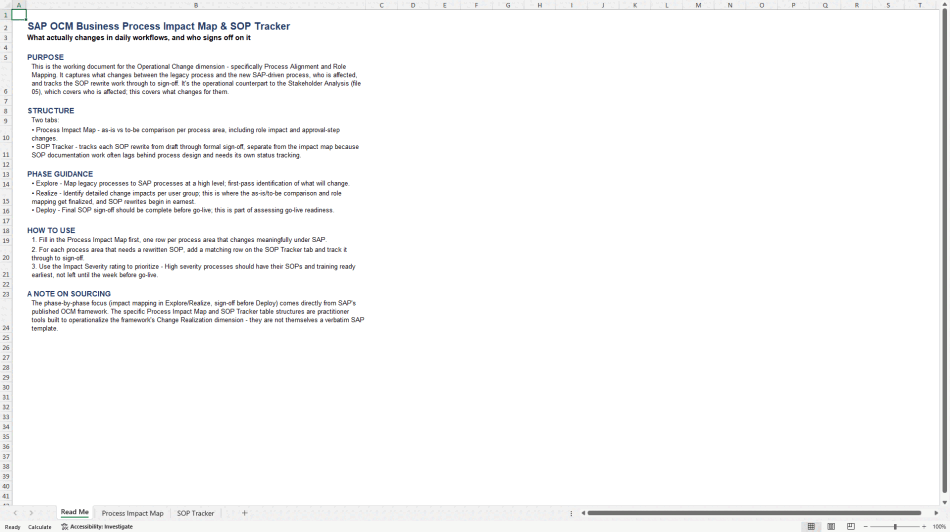
• Read Me tab with phase guidance for process and documentation work
• Process Impact Map tab: as-is versus to-be process comparison, roles impacted,
approval-step changes, an impact severity rating, phase, and owner
• SOP Tracker tab: tracks each affected process's SOP rewrite from Not Started
through Draft, In Review, Approved, and Published, kept separate from the
impact map since documentation typically lags process design and needs its own
visibility and ownership
The phase timing, impact mapping in Explore and Realize, SOP sign-off expected
before Deploy as part of go-live readiness, comes directly from SAP's OCM
framework. Delivered as a fully editable Excel spreadsheet (XLSX) with
dropdown-driven severity, phase, and status fields. An SAP business process
impact assessment and SOP tracking template suited to business process owners
and change managers on SAP implementations. Designed to be updated throughout
the project rather than filled in once and left untouched until go-live, since
process risk and documentation status both shift as a project moves forward,
which is exactly the kind of change that a static, one-time document review
would miss entirely.
Usage tip: use the Impact Severity rating to sequence effort deliberately, review
and sign off the High-severity processes first, rather than moving through the
list in whatever order it happens to be entered.
Got a question about the product? Email us at support@flevy.com or ask the author directly by using the "Ask the Author a Question" form. If you cannot view the preview above this document description, go here to view the large preview instead.
Source: Best Practices in Change Management, Process Maps Excel: SAP OCM Business Process Impact Map and SOP Tracker Excel (XLSX) Spreadsheet, SAP Planning Pro
ABOUT THE AUTHOR

With 30+ years of progressive experience leading enterprise SAP transformations, I specialize in the strategic planning and end-to-end execution of complex, multi-million-dollar global SAP programs.
My career bridges the gap between technical architecture, project governance, and human adoption. As a triple-certified SAP professional and PMP, I have engineered and overseen large-scale
... [read more]
Ask the Author a Question
You must be logged in to contact the author.




























