
 Click main image to view in full screen.
SAP OCM Training Needs Analysis and Curriculum Plan – Excel XLSX
Excel (XLSX)


ERP CHANGE MANAGEMENT EXCEL DESCRIPTION
Change Enablement, one of SAP's six OCM dimensions, calls for training built from
an actual needs analysis by role, not a one-size-fits-all curriculum handed to
every user regardless of what they actually do differently under the new
system. Generic training is a leading cause of low adoption after go-live,
because the users who needed the most support get the same session as everyone
else, and the ones who barely needed training at all sit through it anyway.
This Excel template addresses the planning questions that follow: Which roles
have the biggest gap between current and needed proficiency, and should be
prioritized first? Should specific training content be built in-house or bought
as standardized material? Who carries peer support forward after formal training
ends, since that's often the single biggest factor in whether training actually
sticks weeks after go-live?
What's included in this Excel workbook:
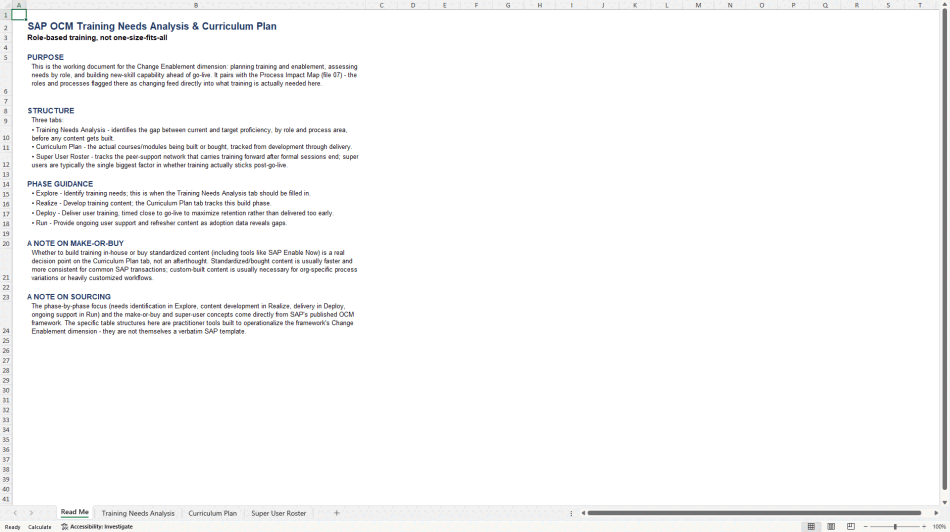
• Read Me tab with phase guidance and a note on the make-or-buy decision
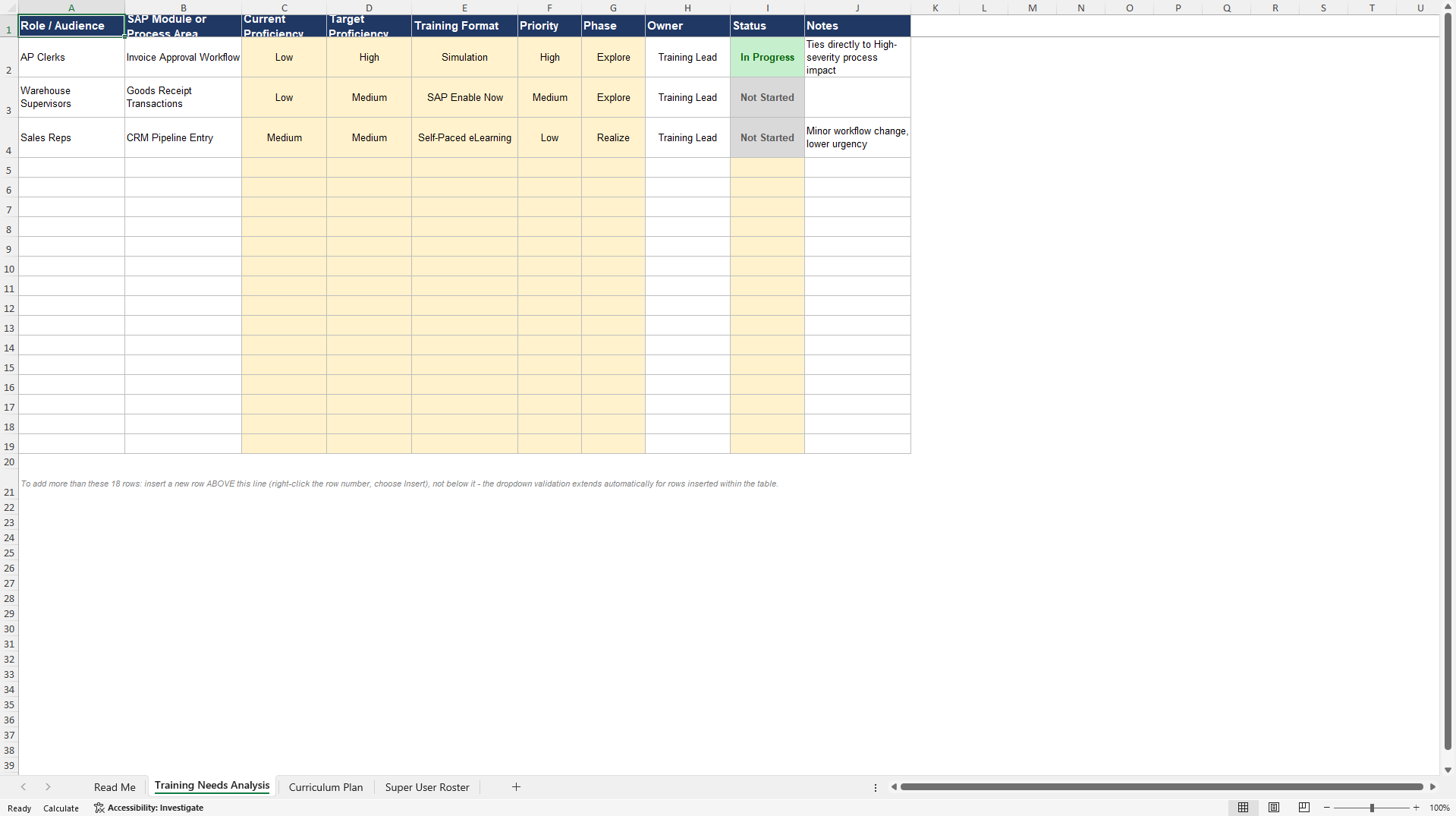
• Training Needs Analysis tab: current versus target proficiency by role and
process area, training format, priority, and phase
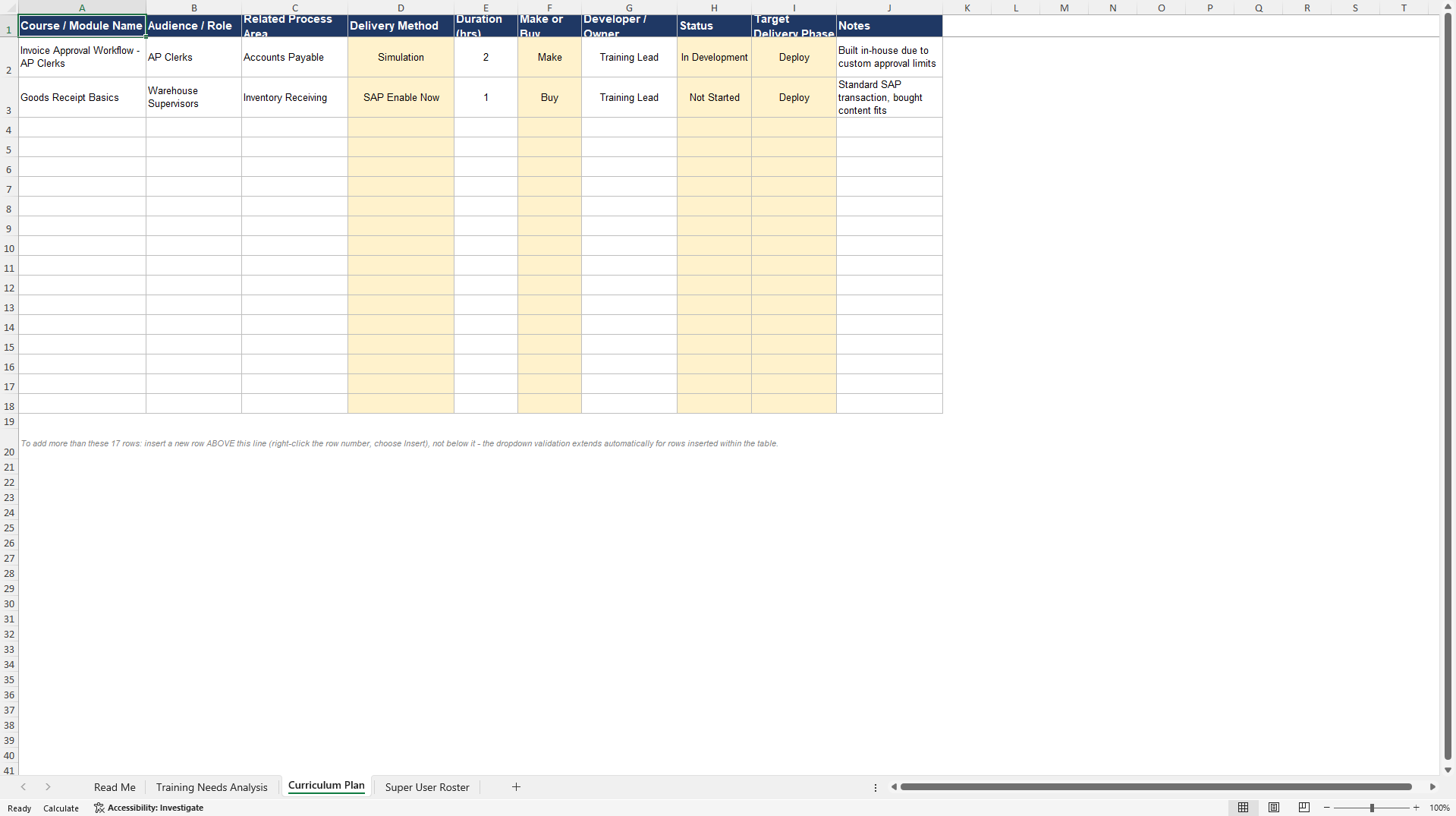
• Curriculum Plan tab: actual courses being built or bought, with an explicit
make-or-buy field (standardized content like SAP Enable Now versus
custom-built content for organization-specific processes), status, and target
delivery phase
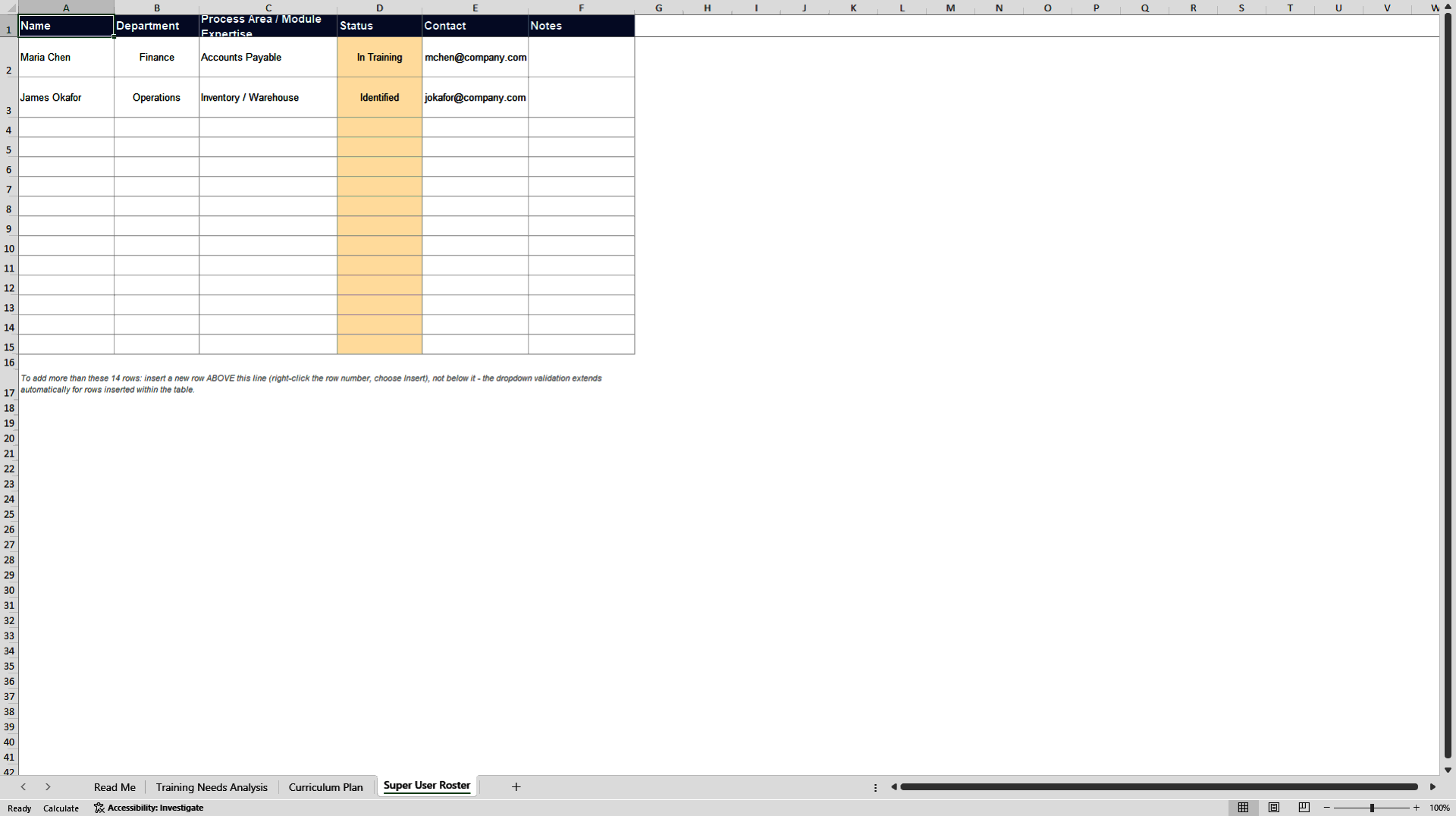
• Super User Roster tab: tracks the peer-support network separately from formal
training, including status and department
The phase guidance, needs identification in Explore, content development in
Realize, delivery in Deploy, ongoing support in Run, comes directly from SAP's
OCM framework. Delivered as a fully editable Excel spreadsheet (XLSX) with
dropdown-driven fields throughout. An SAP training needs analysis and curriculum
planning template suited to training leads and change managers on SAP
implementations, built to keep training decisions organized rather than tracked
informally across separate spreadsheets and email chains that are easy to lose
track of as a project moves through Realize and into Deploy.
Usage tip: fill in the Super User Roster early, even before formal training
content is finalized, identifying and engaging super users in advance gives them
time to build real familiarity with the system before they're relied on to
support their peers.
Got a question about the product? Email us at support@flevy.com or ask the author directly by using the "Ask the Author a Question" form. If you cannot view the preview above this document description, go here to view the large preview instead.
Source: Best Practices in ERP Change Management, TNA Excel: SAP OCM Training Needs Analysis and Curriculum Plan Excel (XLSX) Spreadsheet, SAP Planning Pro
ABOUT THE AUTHOR

With 30+ years of progressive experience leading enterprise SAP transformations, I specialize in the strategic planning and end-to-end execution of complex, multi-million-dollar global SAP programs.
My career bridges the gap between technical architecture, project governance, and human adoption. As a triple-certified SAP professional and PMP, I have engineered and overseen large-scale
... [read more]
Ask the Author a Question
You must be logged in to contact the author.




























