
 Click main image to view in full screen.
Waterfall Project Planner with Gantt View MS Excel Template – Excel XLSM
Excel (XLSM)


BENEFITS OF THIS DOWNLOADABLE EXCEL DOCUMENT
- Offers a portable alternative to MS Project for when both internal and external stakeholders don't have a license for that tool
- Great for constructing plans and looking at resource costings across a timeline to cost up bids and statements of work (SoW)
- Can be used as part of internal and client status reports as a show and tell of project position
PROJECT MANAGEMENT EXCEL DESCRIPTION
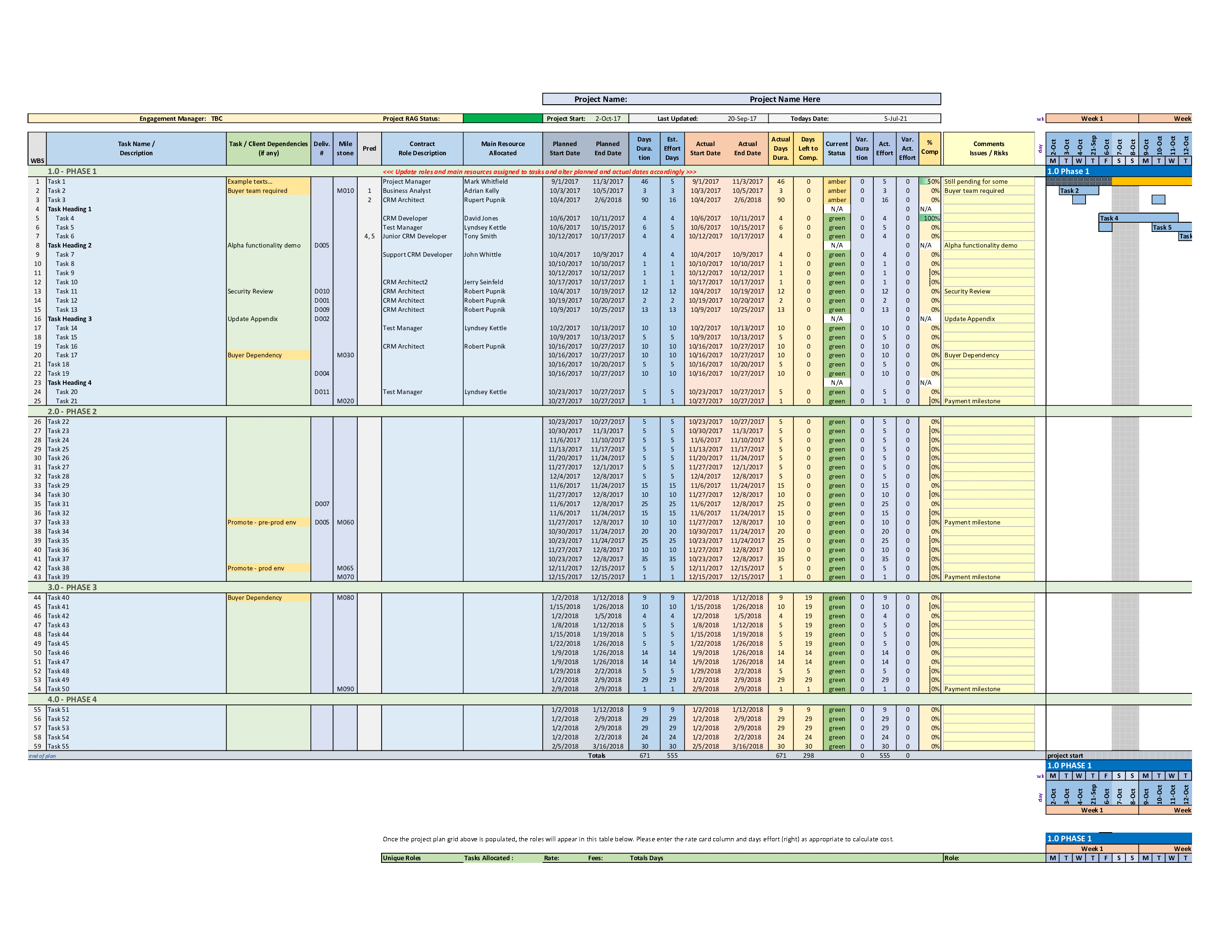
A project task tracker, planner and dashboard spreadsheet for checking task status and progress with the client and project team. Includes task, baseline start date, baseline finish date, forecast start date, forecast finish date, status, percent complete, allocated resource and comments.
This project planner effectively provides an alternative to MS Project for those who don't have that product installed due to license costs. As such, it provides a more portable plan that can be shown to both internal and external stakeholders for plan position. It can also be used for internal and external status reports as part of a show and tell on a weekly or monthly basis. There is also a PRINCE2 equivalent of this template under the iProPMTemplates user or search on PRINCE2.
This template is fully editable and can be tailored to suit your project needs as appropriate. It provides a quick start to planning without having to construct a spreadsheet plan from scratch.
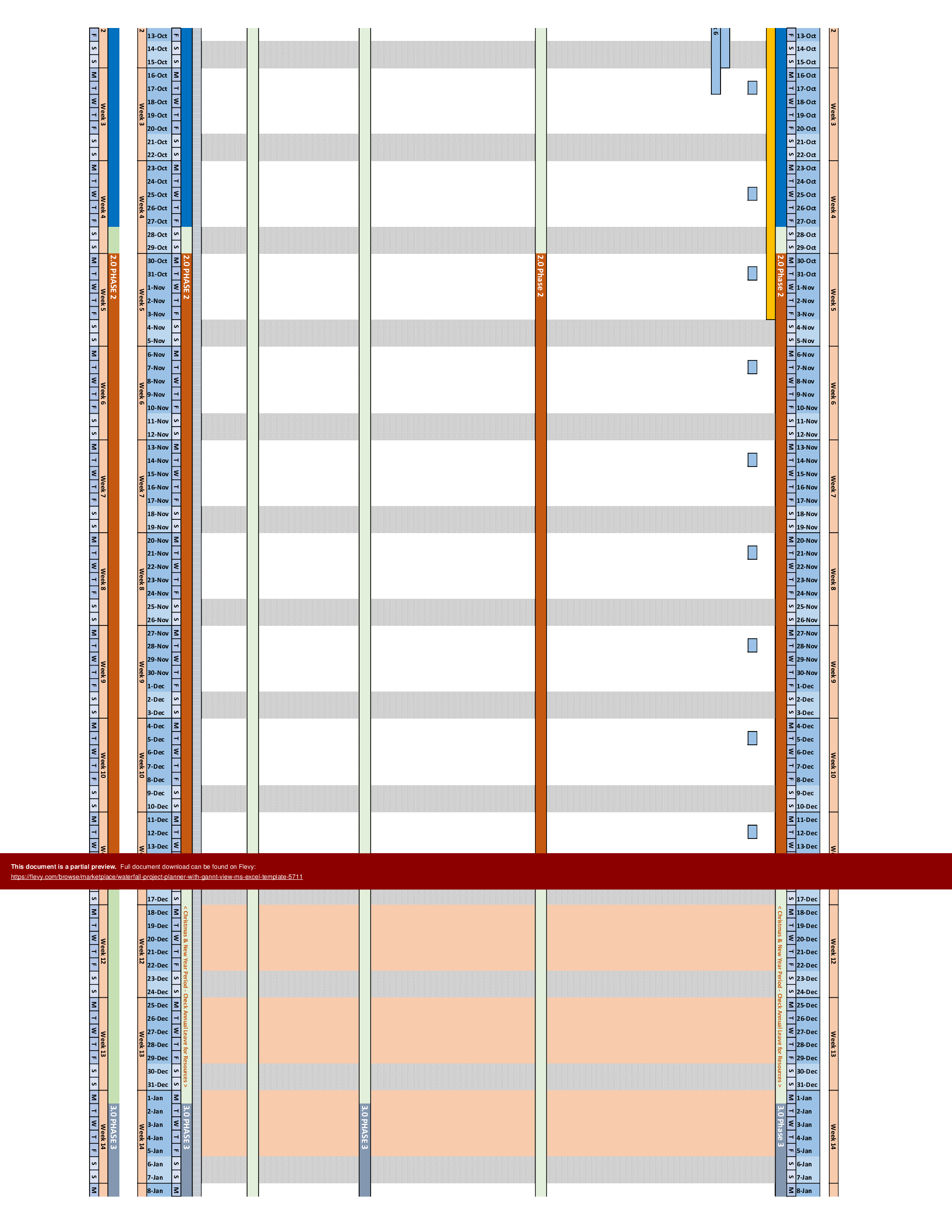
This template includes a comprehensive Gantt chart view, allowing for a visual representation of project timelines and task dependencies. The Gantt chart is color-coded to highlight critical paths and milestones, ensuring that project managers can easily identify and address potential bottlenecks. The visual layout aids in maintaining a clear overview of the project's progress, making it easier to communicate with stakeholders.
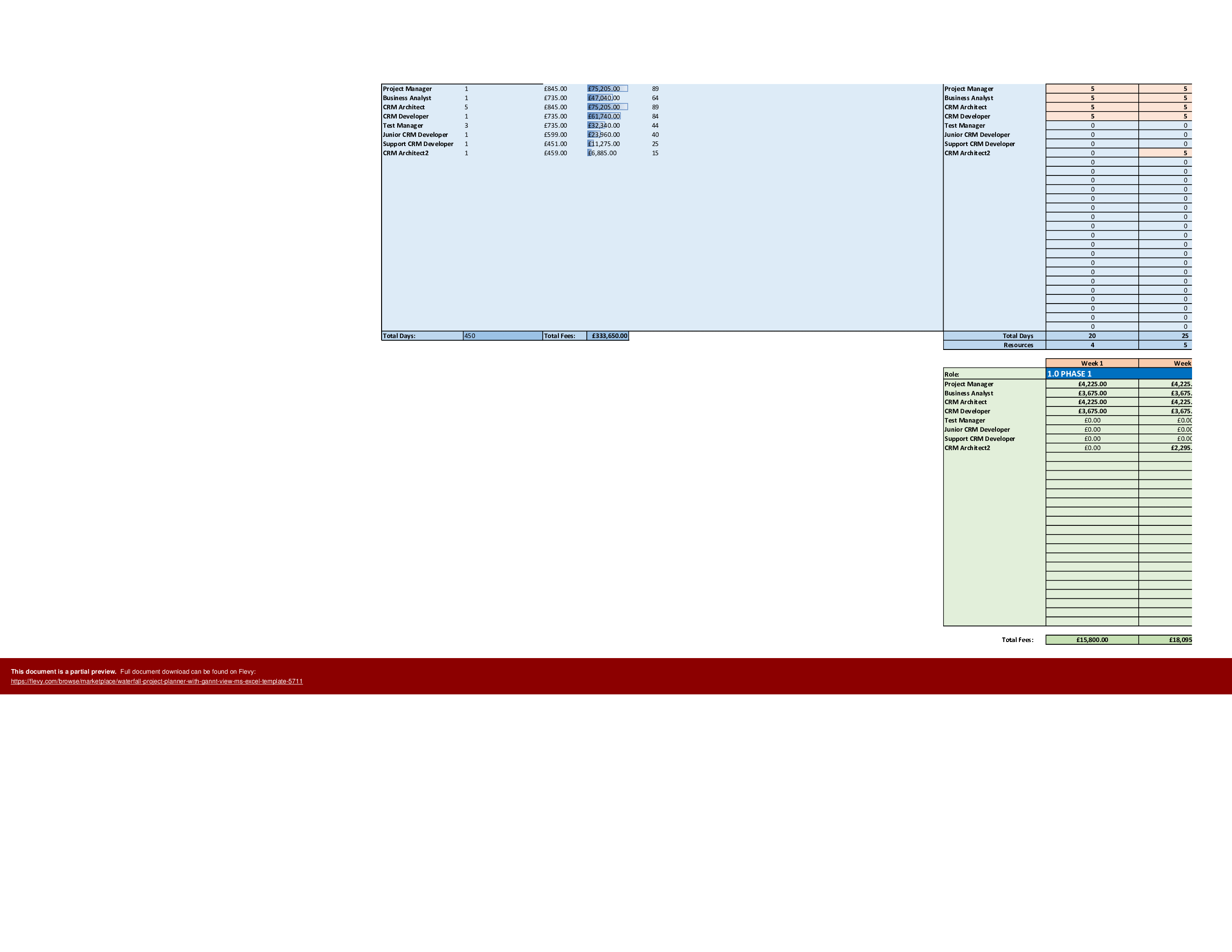
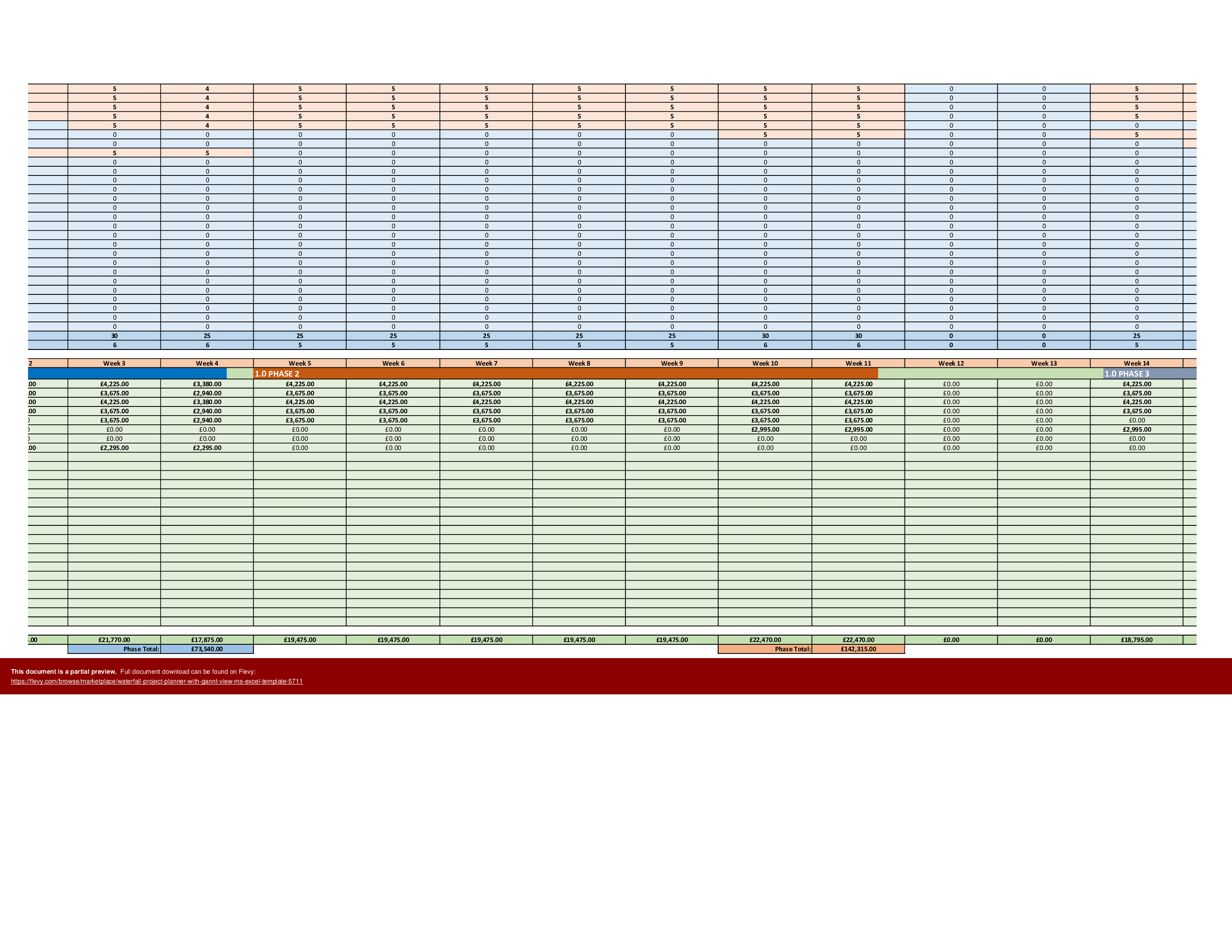
The resource allocation feature is robust, detailing the allocation of team members and their respective roles. This ensures that resources are optimally utilized and that any resource constraints are promptly identified. The template also includes detailed instructions for inputting project data, making it user-friendly and reducing the learning curve for new users. This level of detail and functionality makes it an indispensable tool for effective project management.
Got a question about the product? Email us at support@flevy.com or ask the author directly by using the "Ask the Author a Question" form. If you cannot view the preview above this document description, go here to view the large preview instead.
TOPIC FAQ
What key fields should a task-based project tracker include for basic schedule control?
A task-based tracker should capture task name, baseline start and finish, forecast start and finish, status, percent complete, allocated resource, and comments to monitor plan position and progress. The Waterfall Project Planner template provides these nine core fields for schedule control and reporting.How does a Gantt chart help identify critical paths and milestones?
A Gantt chart visually maps task timelines and dependencies so long-duration linked tasks form the critical path, while milestone markers show key delivery points. The template’s color-coded Gantt view makes it easier to spot bottlenecks and milestones using color differentiation.How are baseline and forecast dates used in schedule recovery and reporting?
Baseline dates represent the original plan and forecast dates show the current expected dates; comparing them reveals schedule variance and recovery needs. This template includes baseline and forecast start and finish fields to support variance analysis and status discussions.What does a resource allocation feature typically provide for project teams?
A resource allocation feature lists assigned team members and their roles alongside tasks, helping identify overloads or gaps and enabling reallocation. The Waterfall Project Planner includes resource allocation details that help surface role-based constraints.What should I look for when choosing an Excel project planner template?
Prioritize editable templates that include baseline vs forecast fields, percent-complete tracking, a visual Gantt, resource allocation, and user instructions for quick adoption. The Waterfall Project Planner matches these attributes and is delivered as an XLSM template.Can an Excel template be a practical alternative to MS Project for reporting?
Yes—Excel-based planners are a portable option when MS Project is unavailable due to licensing; they can be shown to internal and external stakeholders and used for weekly or monthly status reports as a practical alternative.I need to present a plan to external stakeholders who don’t have MS Project—what approach works?
Use a spreadsheet-based plan with a visual Gantt and clear baseline versus forecast dates so stakeholders can view plan position without specialized software. The Waterfall Project Planner is designed for portability and external-facing status show-and-tell.How can I run a quick-start project plan without building spreadsheets from scratch?
Start from an editable template that already includes tasks, baseline and forecast dates, percent complete, resource fields, and a Gantt; populate your project data following built-in instructions for a quick start to planning.Source: Best Practices in Project Management, Gantt Chart Templates Excel: Waterfall Project Planner with Gantt View MS Excel Template Excel (XLSM) Spreadsheet, i_Pro_PM_Templates
ABOUT THE AUTHOR

i_Pro_PM_Templates is an Flevy seller and an experienced Senior Project Manager, who has been working at ascending points in software development lifecycle projects for over 30 years.
The Flevy seller has impressive credentials in the delivery of highly complex projects in challenging conditions. The seller has held senior Project Management positions and helped to drive significant business
... [read more]
Ask the Author a Question
You must be logged in to contact the author.




























