
 Click main image to view in full screen. Unlock all 25 preview images:
Design Thinking Project Template – PowerPoint PPTX Template
PowerPoint (PPTX) 71 Slides


BENEFITS OF THIS DOWNLOADABLE POWERPOINT DOCUMENT
- Accelerates project initiation and planning with a structured framework.
- Enhances team collaboration and creativity in problem-solving.
- Provides a roadmap for user-centered design and innovation.
DESIGN THINKING PPT TEMPLATE DESCRIPTION
Design thinking is a human-centered, iterative problem-solving process of discovery, ideation, and experimentation that employs various design-based techniques to gain insight and yield innovative solutions for virtually any type of organizational or business challenge. This method combines both analytical and creative approaches to generate solutions.
This is a simple PowerPoint template which you can use to compile a product or service design project based on the Design Thinking process. The information can be presented to senior management, shared with other teams or serve as a reference for other design project teams.
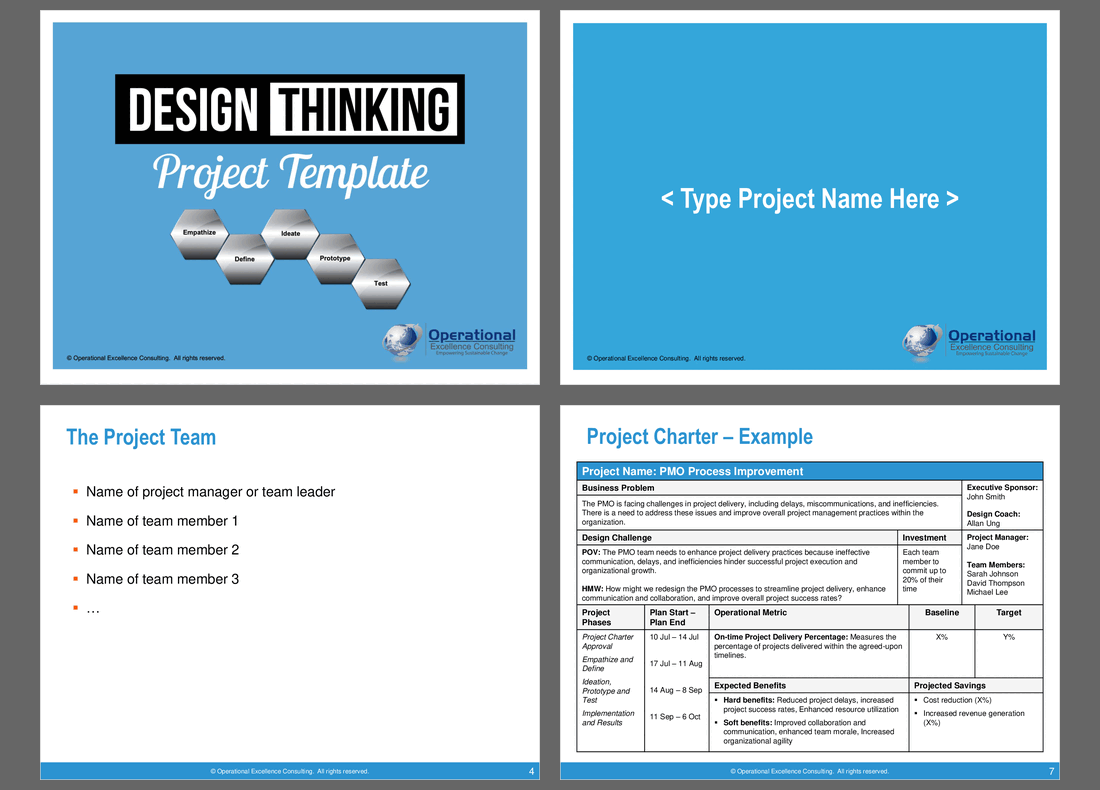
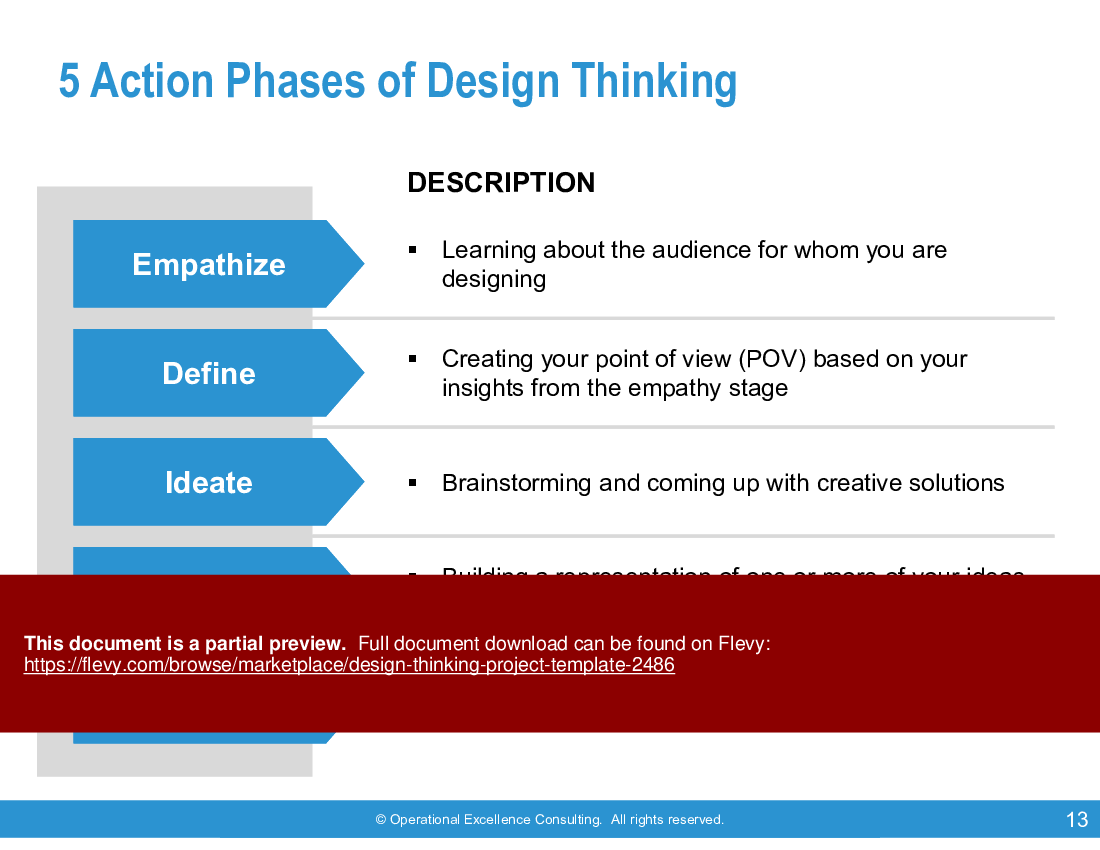
The five phases of Design Thinking are:
1. Empathize
2. Define
3. Ideate
4. Prototype
5. Test
Simply follow the tools under each design phase and insert your own content. Illustrations/Examples are provided for each tool (e.g. Persona, Empathy Map) so that you will quickly know at a glance what is required under each phase of the Design Thinking process.
NOTE: If you have already purchased the Design Thinking (Workshop Guide) (sold separately), all the project templates listed here have been incorporated into the slides and you need not purchase them again.
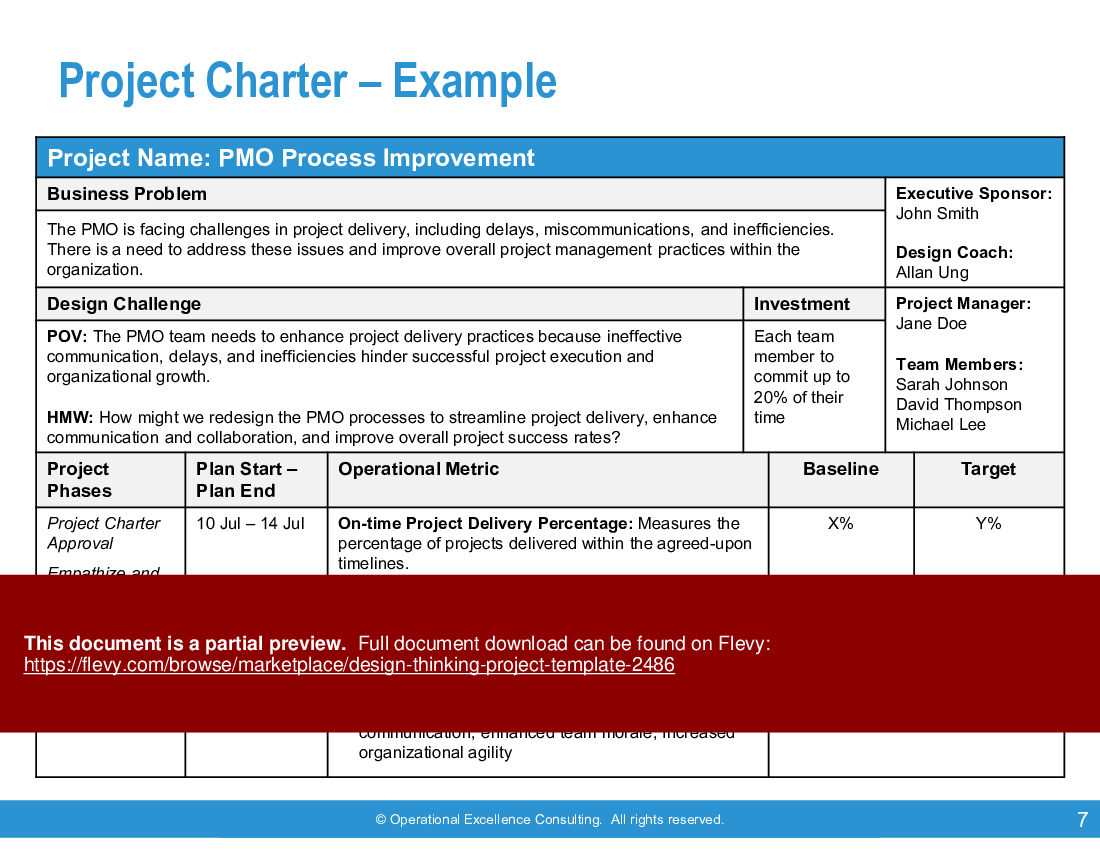
The template includes a comprehensive project charter example, detailing key elements such as business problems, design challenges, and operational metrics. This ensures that your team remains aligned with project goals and maintains a clear focus on delivering measurable outcomes. The project charter also outlines roles and responsibilities, facilitating accountability and efficient resource allocation.
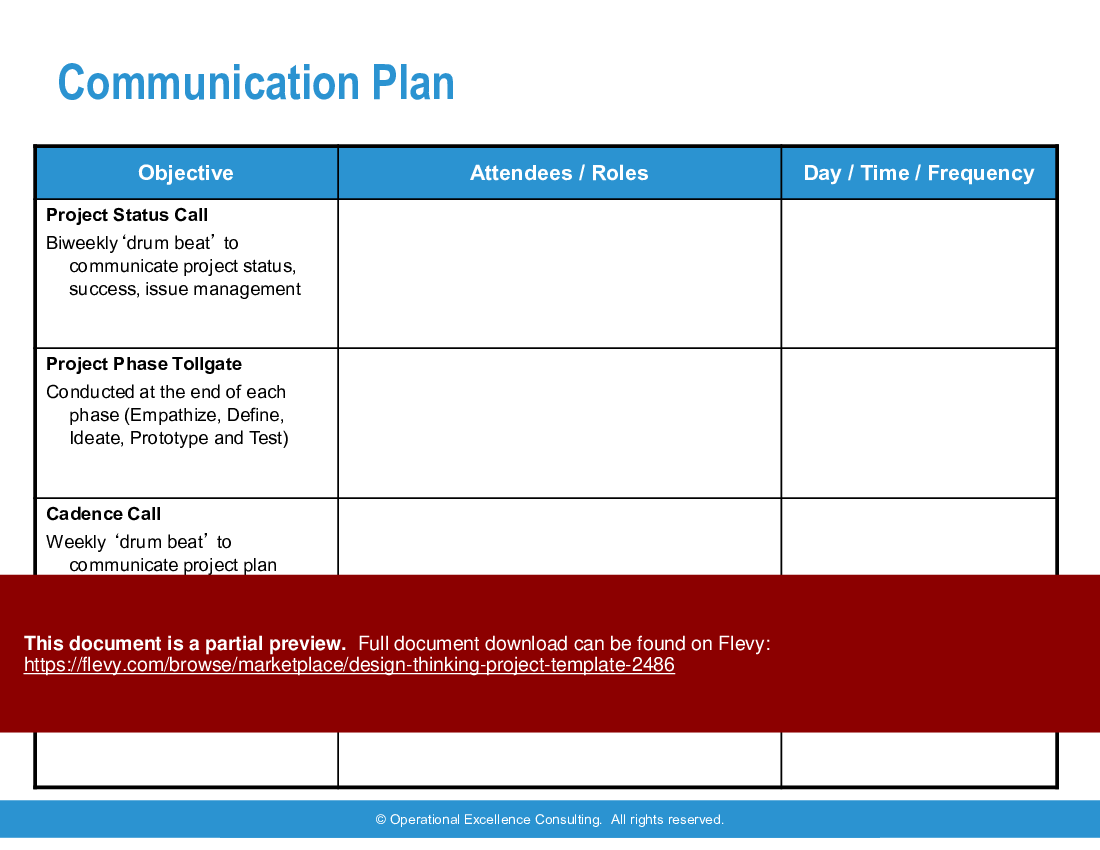
A robust communication plan is provided, featuring structured status calls, phase tollgates, and cadence calls. This plan is designed to keep all stakeholders informed and engaged throughout the project lifecycle. The template also includes various tools like empathy maps, persona templates, and opportunity maps, which are essential for capturing user insights and identifying potential opportunities.
Got a question about the product? Email us at support@flevy.com or ask the author directly by using the "Ask the Author a Question" form. If you cannot view the preview above this document description, go here to view the large preview instead.
PRESENTATION DEEP DIVE ANALYSIS
This deep-dive analysis was generated from the full 71-slide PowerPoint presentation.
Executive Summary
The Design Thinking Project Template is a comprehensive resource crafted for professionals seeking to implement Design Thinking methodologies in their projects. Developed by Operational Excellence Consulting, this template guides users through the essential phases of Design Thinking—Empathize, Define, Ideate, Prototype, and Test. Users will gain the ability to enhance customer experiences through structured frameworks, including project charters, empathy maps, personas, and user feedback tools. This template empowers teams to drive innovation and improve project outcomes effectively.
Who This Is For and When to Use
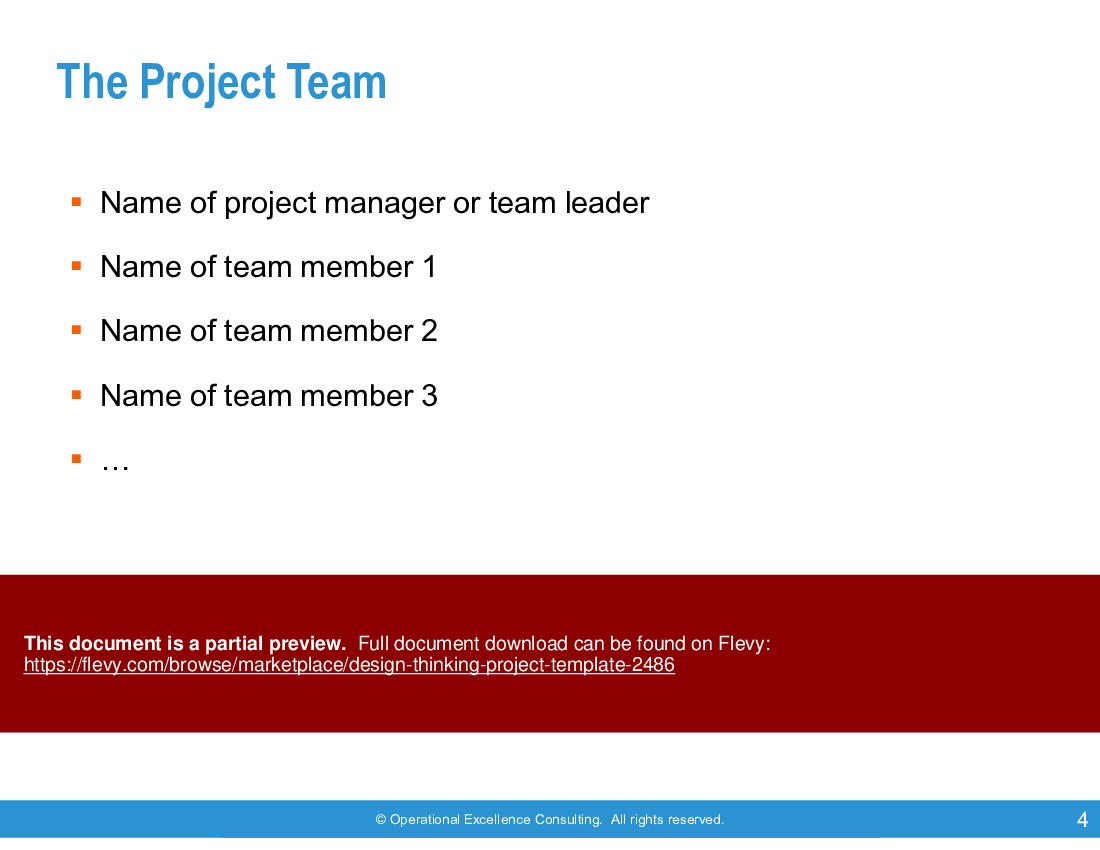
• Project managers overseeing design initiatives
• Teams focused on customer experience improvements
• Business analysts involved in process optimization
• Consultants implementing Design Thinking methodologies
Best-fit moments to use this deck:
• During project kickoff to establish objectives and scope
• In workshops aimed at enhancing team collaboration and creativity
• When conducting user research to gather insights and feedback
Learning Objectives
• Define the core principles of Design Thinking and its application in projects
• Build empathy maps and personas to understand user needs
• Establish a clear problem statement and design goals
• Generate and prioritize innovative ideas through collaborative brainstorming
• Create prototypes to visualize concepts and gather user feedback
• Test prototypes effectively to refine solutions based on real user insights
Table of Contents
• Project Charter (page 6)
• Empathize Phase (page 12)
• Define Phase (page 25)
• Ideate Phase (page 38)
• Prototype Phase (page 47)
• Test Phase (page 55)
• Project Summary (page 62)
Primary Topics Covered
• Project Charter - A structured approach for defining project objectives, scope, and stakeholder roles to align the team on the project’s vision.
• Empathize Phase - Techniques for understanding user needs through observation and interviews, leading to the creation of detailed personas.
• Define Phase - Establishing a clear problem statement and design goals based on user insights gathered during the Empathize phase.
• Ideate Phase - A collaborative brainstorming process to generate a wide range of ideas, followed by prioritization based on feasibility and impact.
• Prototype Phase - Developing tangible representations of ideas, such as wireframes and storyboards, to visualize concepts for user testing.
• Test Phase - Gathering user feedback on prototypes to identify strengths and weaknesses, facilitating iterative improvements.
Deliverables, Templates, and Tools
• Project charter template to outline objectives and scope
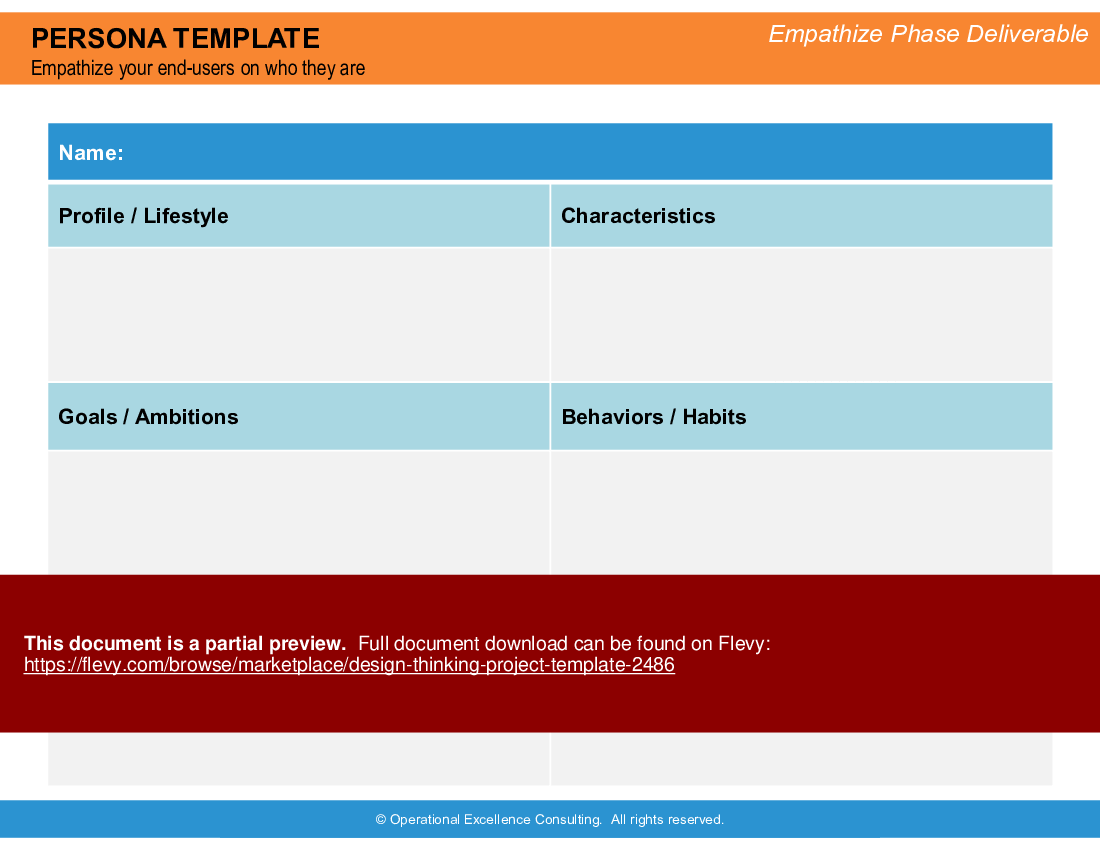
• Persona templates for capturing user profiles and characteristics
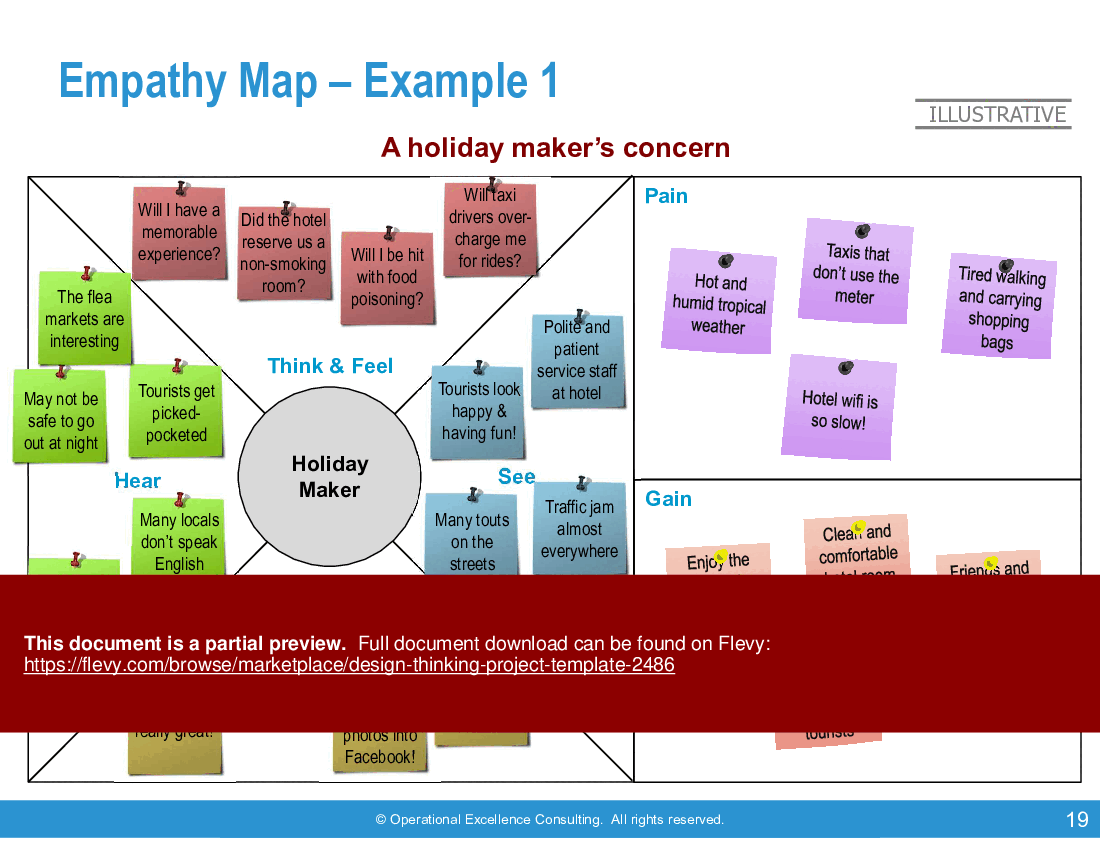
• Empathy map templates to visualize user thoughts, feelings, and behaviors
• Prioritization maps for evaluating ideas based on benefit and ease of implementation
• Storyboard templates for visualizing user interactions with the prototype
• User feedback templates to capture insights and observations during testing
Slide Highlights
• Overview of the Design Thinking framework illustrating the 5 action phases
• Example persona slide showcasing user characteristics and goals
• Empathy map slide detailing user insights and pain points
• Prioritization map slide for organizing ideas based on their potential impact
• User feedback capture grid for summarizing pros and cons of prototypes
Potential Workshop Agenda
Design Thinking Overview Session (60 minutes)
• Introduce the Design Thinking framework and its importance
• Discuss the roles of empathy and user insights in the design process
• Outline the workshop objectives and expected outcomes
Empathize and Define Workshop (90 minutes)
• Conduct user interviews and observations to gather insights
• Create empathy maps and personas based on user feedback
• Develop a problem statement and design goals for the project
Ideation and Prototyping Session (120 minutes)
• Brainstorm innovative solutions and prioritize ideas
• Create prototypes using wireframes or storyboards
• Prepare for user testing by defining evaluation criteria
Customization Guidance
• Tailor the project charter to reflect specific organizational goals and stakeholder roles
• Modify persona templates to include relevant demographic and psychographic details
• Adjust empathy maps to focus on specific user segments relevant to the project
• Customize the prioritization map criteria based on project objectives and constraints
Secondary Topics Covered
• Stakeholder mapping to identify key influencers and their roles
• Context mapping to understand external factors affecting the design
• Customer journey mapping to visualize user interactions with the service or product
• Opportunity mapping to identify areas for innovation and improvement
Topic FAQ
What are the core phases of Design Thinking and what does each phase focus on?
Design Thinking commonly follows 5 phases: Empathize (gather user insights), Define (frame the problem and design goals), Ideate (generate and prioritize ideas), Prototype (build tangible representations like wireframes or storyboards), and Test (collect user feedback to iterate). These 5 phases are Empathize, Define, Ideate, Prototype, Test.How should teams conduct user interviews to build useful empathy maps?
Teams should combine observation and semi-structured interviews to surface user needs, pain points, and behaviors, then synthesize findings into empathy maps and personas. Use the interview notes to populate thoughts, feelings, pain points, and gains, and transfer synthesized insights into an empathy map template.What prototyping approaches and tools are appropriate for early-stage testing?
Early prototyping can use low-fidelity wireframes, storyboards, simple clickable prototypes in wireframing software, or physical mock-ups depending on scope. Choose the medium that communicates the concept quickly for users; the approach can include wireframes and storyboard templates to visualize interactions and flows.How long should a typical Design Thinking workshop session last in a structured agenda?
The template supplies a sample agenda with discrete session lengths: a 60-minute overview session, a 90-minute Empathize/Define workshop, and a 120-minute Ideation/Prototyping session. Teams can combine or adapt these blocks based on available time, such as using the 90-minute block for focused research synthesis.What should I look for when choosing a Design Thinking template for running workshops?
Prioritize templates that include facilitator agendas, a project charter, empathy maps, persona templates, prioritization tools, prototyping/storyboard templates, and user feedback capture grids so you can run sessions and capture outcomes. The Design Thinking Project Template explicitly includes a project charter template and workshop agendas.How do paid Design Thinking templates differ from free resources in terms of deliverables?
Paid templates typically bundle slide-ready tools, example deliverables, workshop agendas, and communication plans to accelerate preparation. For example, the Design Thinking Project Template packages templates for charters, empathy maps, personas, prioritization, and user feedback into a single 71-slide PPTX.I ran a brainstorming session—what practical method helps prioritize ideas for prototyping?
Use a prioritization map that scores ideas on impact (benefit) and feasibility (ease of implementation) to focus on concepts likely to deliver value quickly. This visual evaluation helps narrow options for prototyping and is implemented via a prioritization map template.What is an effective way to capture and synthesize user feedback during prototype testing?
Use structured user feedback templates or a feedback capture grid to record observable reactions, explicit comments, usability issues, and suggested improvements; then aggregate themes to inform iterations. The approach relies on a user feedback template to summarize pros, cons, and recommended changes.Document FAQ
These are questions addressed within this presentation.
What is Design Thinking?
Design Thinking is a human-centered approach to innovation that emphasizes understanding user needs, ideating solutions, and iterating based on feedback.
How can I customize the templates?
Each template can be adapted to fit your organization’s specific needs, including project objectives, team roles, and user demographics.
What are the key phases of Design Thinking?
The key phases are Empathize, Define, Ideate, Prototype, and Test, each focusing on different aspects of the design process.
How do I gather user feedback effectively?
Use structured feedback templates to capture user insights during testing sessions, focusing on both positive aspects and areas for improvement.
Can this template be used for multiple projects?
Yes, the template is designed for flexibility and can be reused across various projects with appropriate customization.
What tools are recommended for prototyping?
Common tools include wireframing software, storyboarding applications, and physical prototyping materials, depending on the project's nature.
How do I prioritize ideas generated during brainstorming?
Utilize a prioritization map to evaluate ideas based on their potential impact and ease of implementation, facilitating focused decision-making.
What outcomes can I expect from using this template?
Expect improved project alignment, enhanced user understanding, and a structured approach to innovation that leads to better project outcomes.
Glossary
• Design Thinking - A methodology focused on understanding user needs and iterative problem-solving.
• Empathy Map - A visual tool to capture user thoughts, feelings, and behaviors.
• Persona - A fictional character representing a user segment, created to guide design decisions.
• Prototype - A tangible representation of an idea used for testing and feedback.
• User Feedback - Insights gathered from users regarding their experiences and perceptions of a prototype.
• Prioritization Map - A tool for evaluating and ranking ideas based on benefit and implementation feasibility.
• Stakeholder Map - A visual representation of the roles and relationships of individuals involved in a project.
• Customer Journey - A visualization of the steps a user takes while interacting with a product or service.
• Context Map - A tool for understanding external factors influencing the design process.
• Opportunity Map - A visual representation of potential areas for innovation within a market or service.
• Design Brief - A document outlining the project objectives, user needs, and design requirements.
• Feedback Capture Grid - A tool for organizing user feedback into actionable insights.
• Storyboard - A visual representation of user interactions with a service or product, often used in prototyping.
• Affinity Map - A tool for grouping ideas into categories based on common themes.
• Evaluation Criteria - Standards used to assess the effectiveness and feasibility of ideas or prototypes.
• Iterative Process - A cyclical approach to design that involves repeated testing and refinement.
• Problem Statement - A clear description of the issue being addressed in the design process.
• Design Goal - The desired outcome or objective of the design effort.
• HMW (How Might We) - A question format used to frame design challenges and opportunities.
• User Needs - The requirements and desires of users that inform the design process.
• Stakeholder - An individual or group with an interest in the outcome of a project.
Source: Best Practices in Design Thinking PowerPoint Slides: Design Thinking Project Template PowerPoint (PPTX) Presentation Slide Deck, Operational Excellence Consulting
ABOUT THE AUTHOR

Operational Excellence Consulting, founded in 2009 by Allan Ung, draws from extensive experience at Microsoft, IBM, and Underwriters Laboratories (UL). We specialize in strategy deployment, customer experience design, and operational excellence, applying Design Thinking, Lean, and Systems Thinking to maximize customer value and minimize waste.
Our
... [read more]
Ask the Author a Question
You must be logged in to contact the author.




























