
 Click main image to view in full screen. Unlock all 19 preview images:
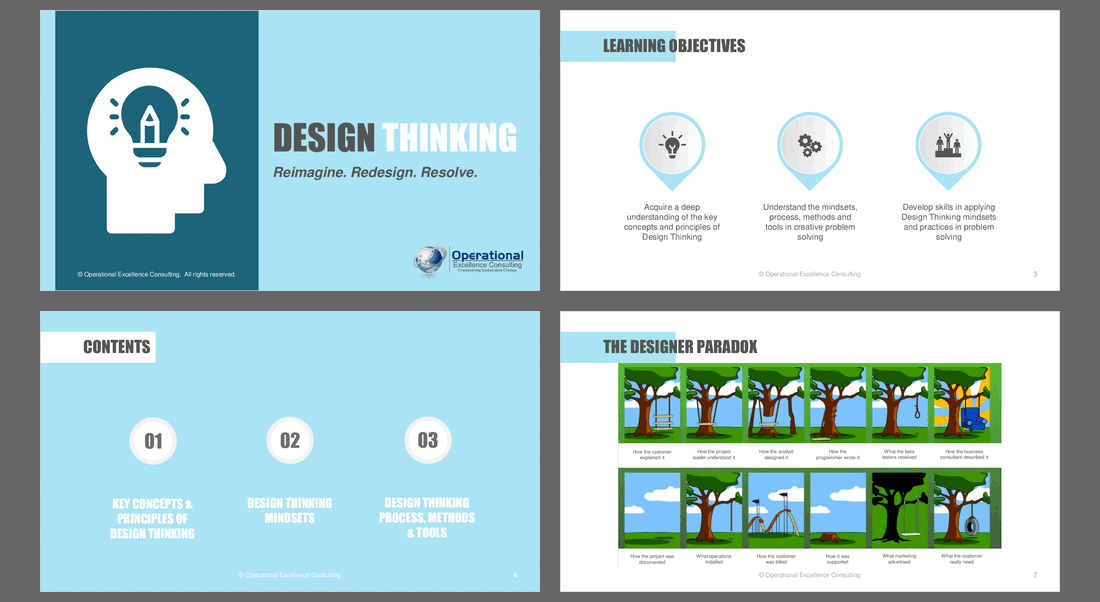
Design Thinking – PowerPoint PPTX Template
PowerPoint (PPTX) + supplemental PDF 225 Slides


BENEFITS OF THIS DOWNLOADABLE POWERPOINT DOCUMENT
- Drive Proven ROI: Master the strategic discipline that enables design-led companies to outperform the S&P 500 by 219% through human-centered transformation.
- Innovate Faster and Cheaper: Scale a repeatable habit of testing assumptions before committing resources, ensuring faster decisions with significantly less expensive rework.
- Unlock Expert Facilitation: Navigate the most complex "wicked problems" using advanced strategic mapping and specialized questioning strategies designed for master-level practitioners.
INNOVATION MANAGEMENT PPT TEMPLATE DESCRIPTION
DESIGN THINKING: MASTER FACILITATOR TOOLKIT (CERTIFICATION & TRAIN-THE-TRAINER)
Bridge the gap between strategic theory and frontline innovation. This exhaustive certification-level resource is a strategic discipline for solving the right problems in the right way. Designed for professional facilitators and innovation leads, this toolkit provides the advanced frameworks and pedagogical depth required to lead organizations through complex, human-centered transformations.
The Challenge of Modern Innovation
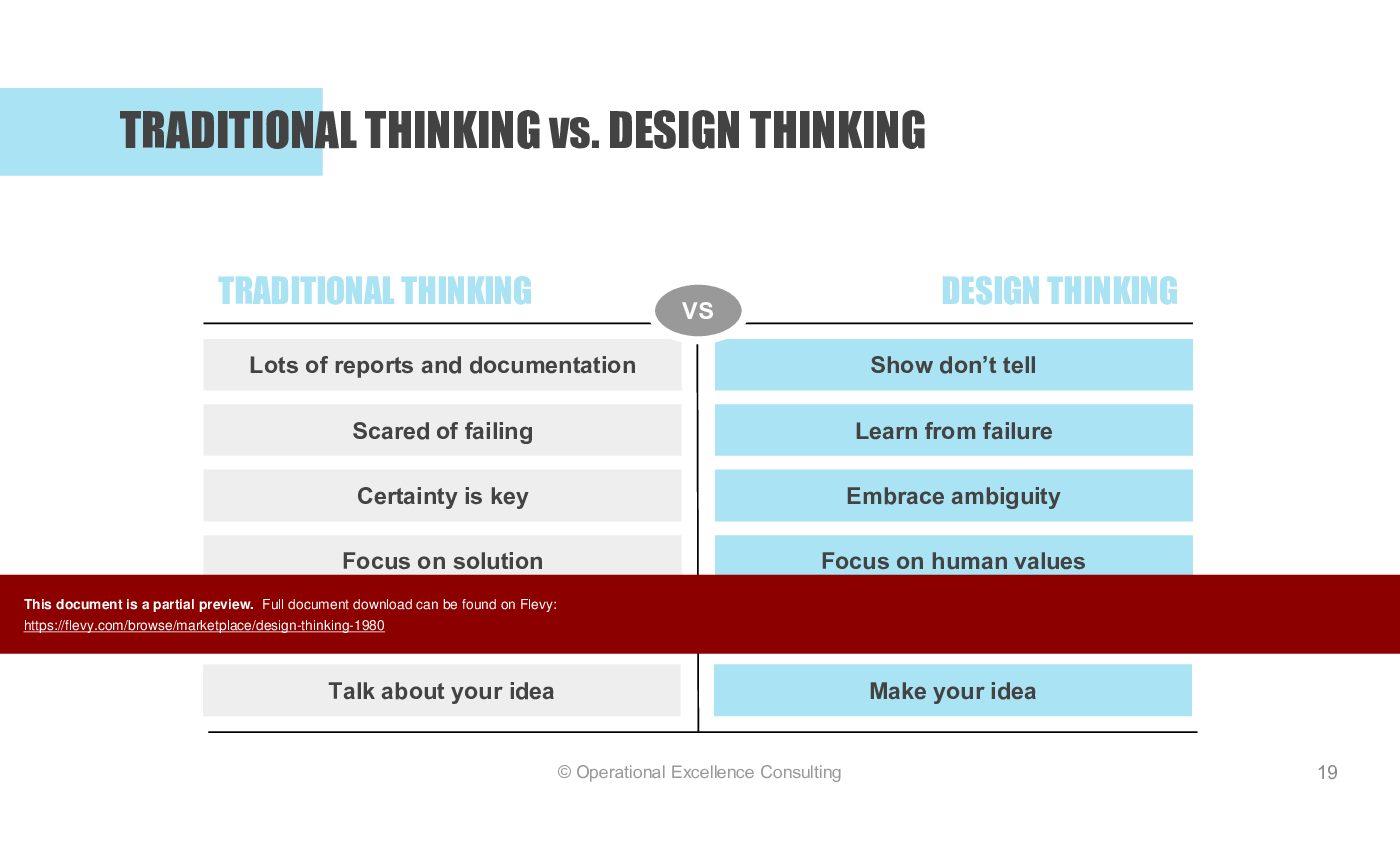
In an era of rising complexity, simple fixes rarely work and compounding frictions lead to lost talent and customers. Traditional thinking—characterized by a fear of failure and excessive documentation—often fails to address the "wicked problems" found in modern manufacturing and service environments. To drive sustainable change, facilitators must move teams from a mindset of certainty to one that embraces ambiguity and experimental learning.
What is Design Thinking?
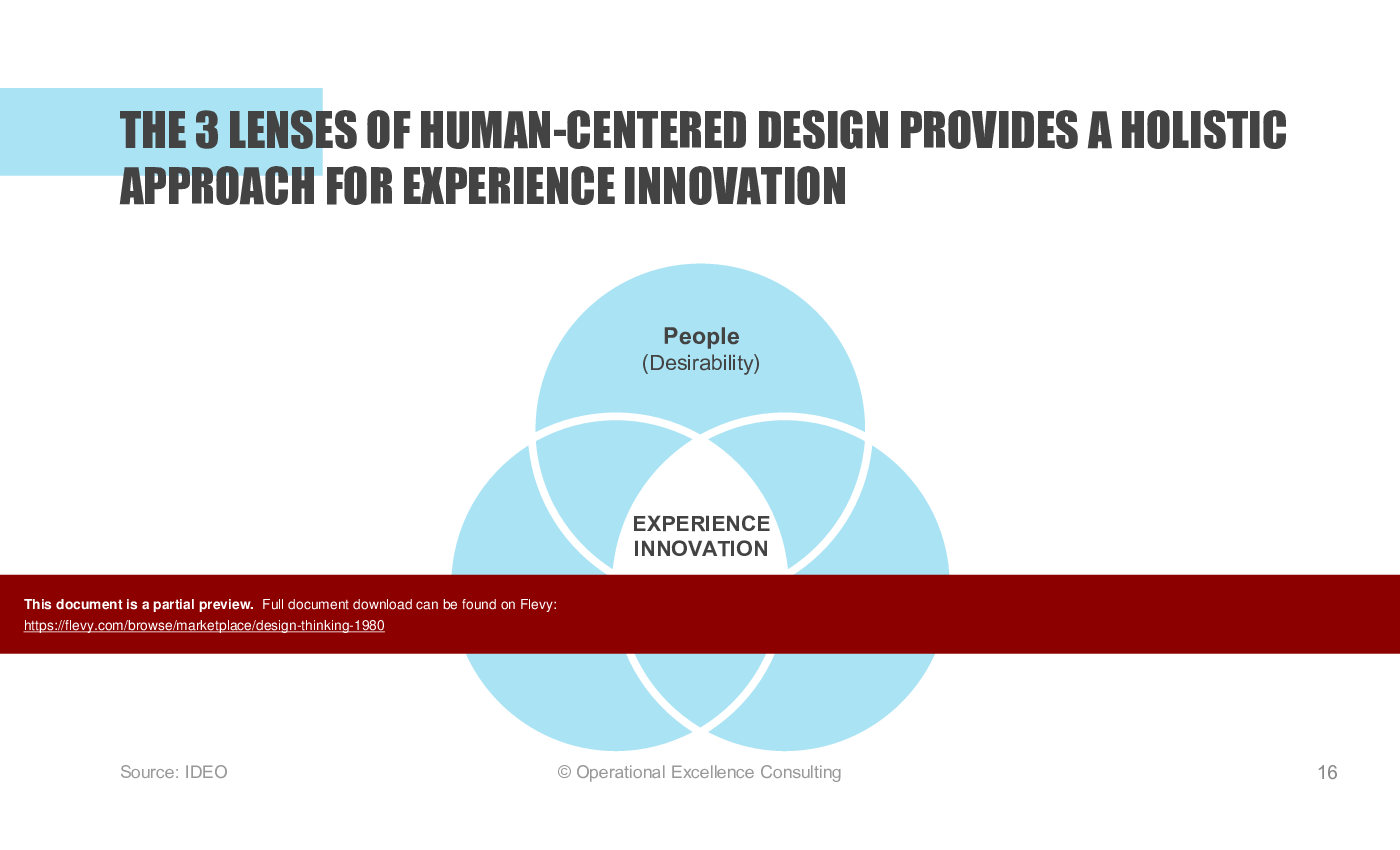
Design Thinking is a human-centered approach to innovation that draws from a designer's toolkit to integrate the needs of people, the possibilities of technology, and the requirements for business business success. This resource masters the 5-stage framework: Empathize, Define, Ideate, Prototype, and Test, turning it into a repeatable, strategic engine for organizational growth.
TARGET AUDIENCE
This resource is specifically engineered for Internal Innovation Leads, Professional Consultants, and Corporate Trainers who need to conduct a comprehensive training program or certify teams in human-centered design. It serves as an exhaustive guidebook for those tasked with scaling design thinking capability across departments or running high-stakes, multi-day innovation workshops.
LEARNING OBJECTIVES FOR TRAINERS
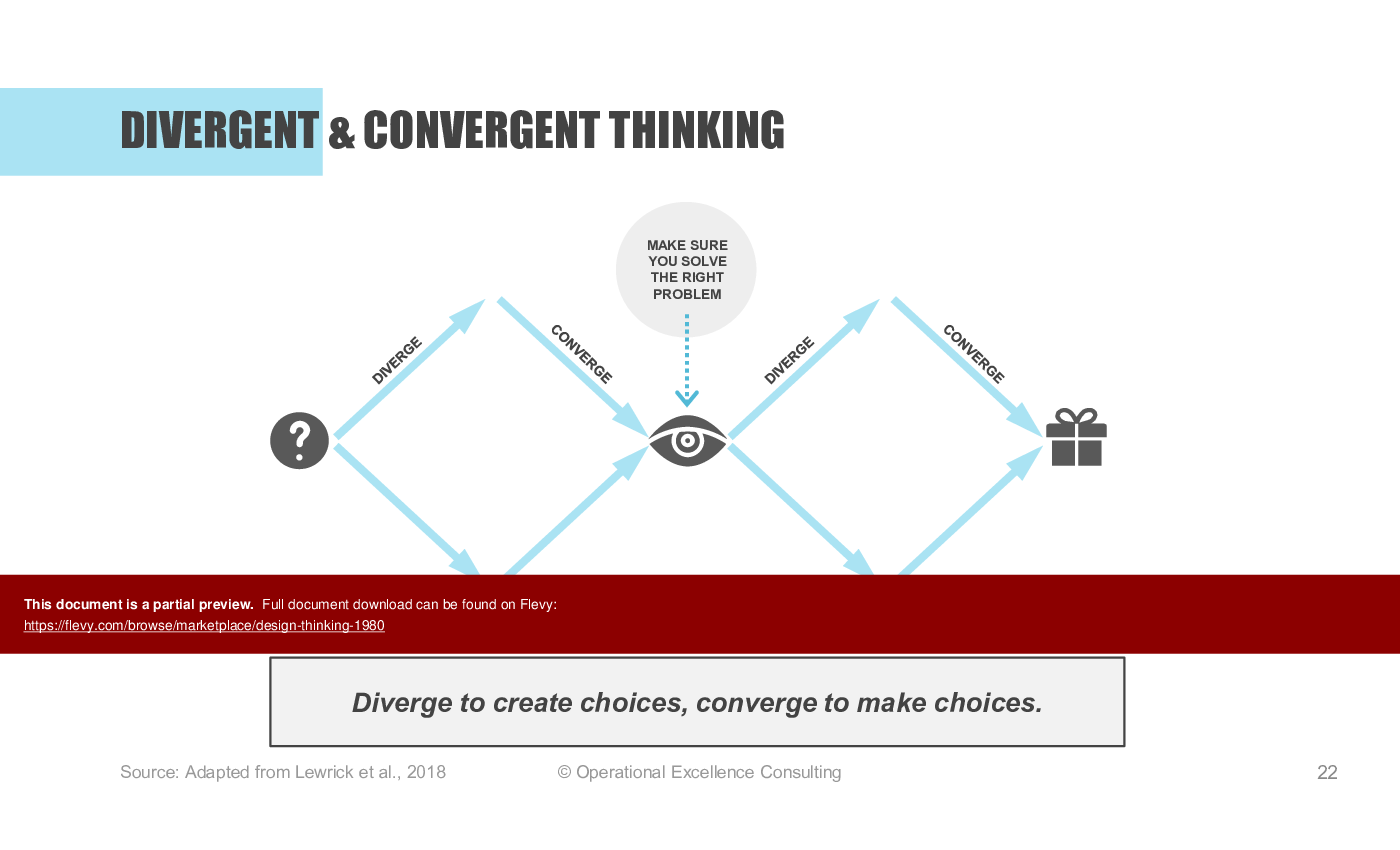
• Master Facilitation Techniques: Learn to guide teams through divergent and convergent thinking phases using advanced "opening" and "closing" question strategies.
• Cultivate Innovation Mindsets: Embed the five essential traits—Think Users First, Ask the Right Questions, Believe You Can Draw, Prototype to Test, and Commit to Explore.
• Drive Advanced Problem Framing: Learn to use Context and Opportunity Maps to identify market saturations and white-space opportunities.
• Execute Rapid Prototyping: Gain the confidence to teach teams how to "build to think" using paper models, storyboards, and role-play simulations.
COMPREHENSIVE TRAINING CURRICULUM
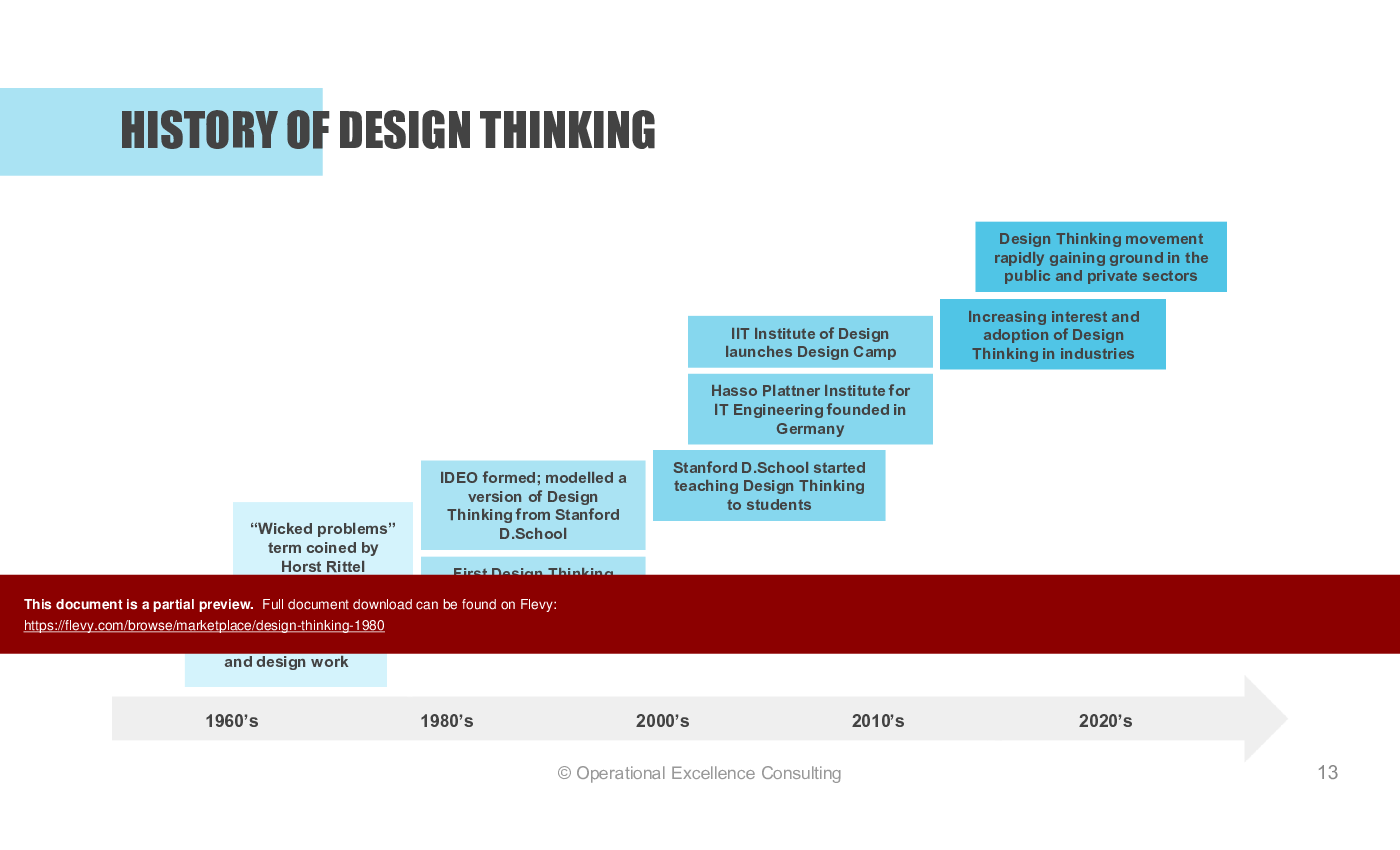
1. Key Concepts & History: Trace the impact of design-driven companies like Apple and Nike, which outperform the S&P 500 by 219%.
2. Facilitator Mindsets: Shift team paradigms through radical collaboration and a relentless focus on human values over business objectives.
3. The Empathy Phase: Move beyond surface-level interviews to stakeholder mapping and deep immersion into the user's daily reality.
4. The Define Phase: Master the "Madlib" POV formula and learn to calibrate "How Might We" questions to the "Just Right" scope for innovation.
5. Advanced Ideation: Facilitate inclusive, high-volume idea generation sessions using Brainwriting, SCAMPER, and "What If?" boundary-pushing techniques.
6. Selection & Evaluation: Teach teams to plot ideas on Impact vs. Feasibility matrices to identify high-value "Quick Wins".
7. The Prototyping Cycle: Utilize storyboard templates and wireframe sketches to make abstract ideas tangible enough for user testing.
8. Testing & Iteration Loops: Learn to use structured Feedback Capture Grids to turn user criticism into refined, viable solutions.
THE MASTER FACILITATOR TOOLKIT
This package includes 12+ facilitator-grade templates including:
• Strategic Mapping: Context Maps, Opportunity Maps, and Stakeholder Matrices.
• User Research: Comprehensive Persona Cards and 6-zone Empathy Maps.
• Workshop Planning: A "Workshop Planning Canvas" to architect 1-day to 5-day sessions.
• Capstone Projects: Two fully-vetted workshop projects—"Wallet Design" and "Grocery Shopping"—ready for immediate implementation.
BENEFITS OF CERTIFICATION-LEVEL TRAINING
By adopting this "Train-the-Trainer" resource, you empower your organization to scale innovation independently. You will graduate teams that no longer just "talk about ideas" but instead possess the "habit of testing assumptions" before committing significant resources, leading to faster, cheaper, and more impactful decisions.
Got a question about the product? Email us at support@flevy.com or ask the author directly by using the "Ask the Author a Question" form. If you cannot view the preview above this document description, go here to view the large preview instead.
PRESENTATION DEEP DIVE ANALYSIS
This deep-dive analysis was generated from the full 225-slide PowerPoint presentation.
Source: Best Practices in Innovation Management, Service Design, User Experience, Design Thinking PowerPoint Slides: Design Thinking PowerPoint (PPTX) Presentation Slide Deck, Operational Excellence Consulting
ABOUT THE AUTHOR

Operational Excellence Consulting, founded in 2009 by Allan Ung, draws from extensive experience at Microsoft, IBM, and Underwriters Laboratories (UL). We specialize in strategy deployment, customer experience design, and operational excellence, applying Design Thinking, Lean, and Systems Thinking to maximize customer value and minimize waste.
Our
... [read more]
Ask the Author a Question
You must be logged in to contact the author.




























This document is available as part of the following discounted bundle(s):
Save %!
Design Thinking Consultant Toolkit
This bundle contains 3 total documents. See all the documents to the right.
Save %!
Value Innovation Toolkit
This bundle contains 2 total documents. See all the documents to the right.
Save %!
Business Model Design & Innovation Toolkit
This bundle contains 3 total documents. See all the documents to the right.
Save %!
Innovation & Strategy Toolkit
This bundle contains 4 total documents. See all the documents to the right.
Save %!
Complete Service Design & Innovation Toolkit
This bundle contains 5 total documents. See all the documents to the right.


