
 Click main image to view in full screen.
Standard Work Toolkit – Excel XLSX
Excel (XLSX)


BENEFITS OF THIS DOWNLOADABLE EXCEL DOCUMENT
- Skip the formula-building -- start using it today. Every calculation (takt time, capacity, cycle time checks) is already built and tested.
- See exactly how it works before you touch your own data. A fully worked example walks through every sheet first.
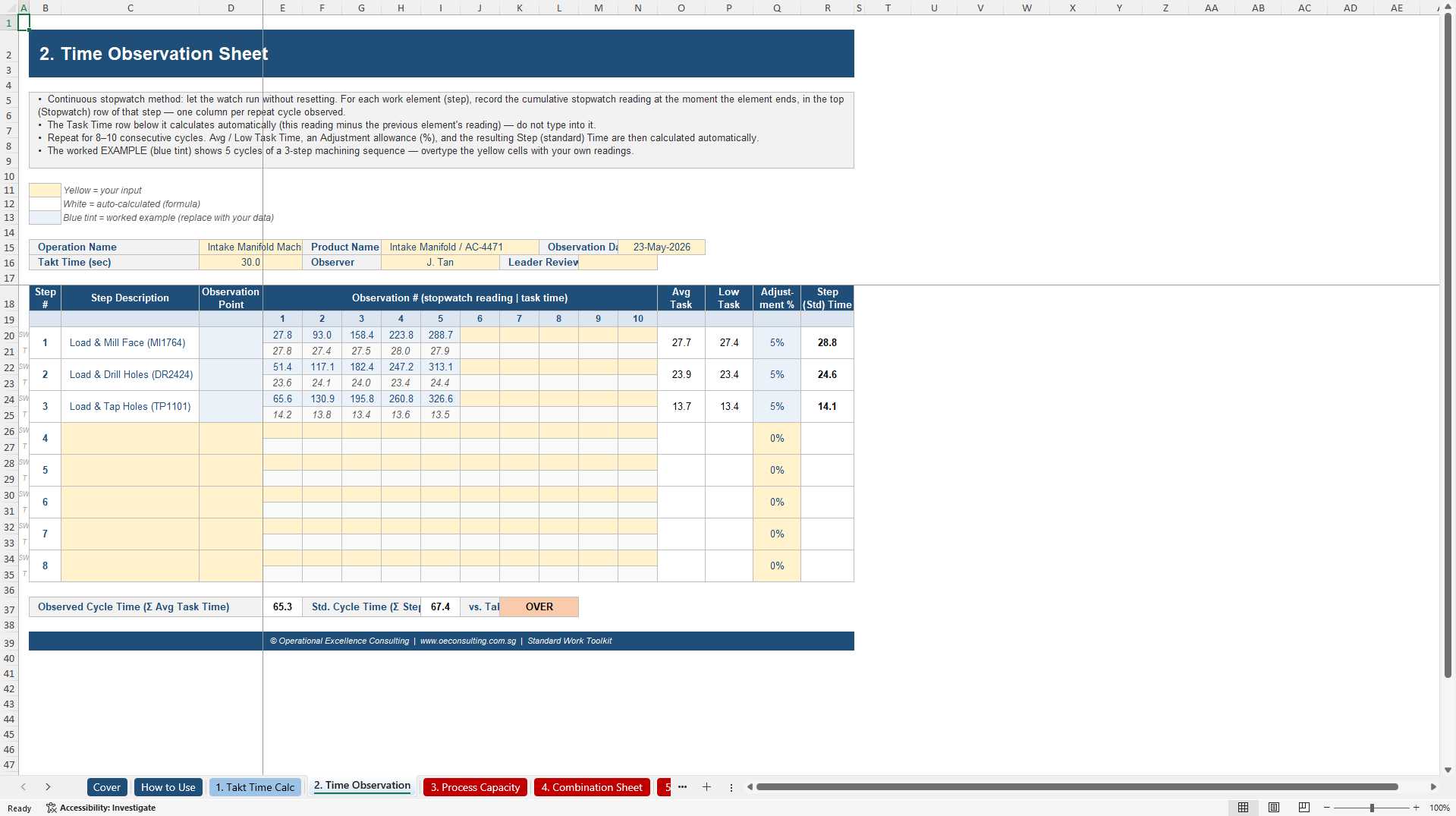
- Know instantly when you're off-target. Built-in red/green flags show the moment cycle time exceeds takt time -- no manual checking.
STANDARD WORK EXCEL DESCRIPTION
STANDARD WORK TOOLKIT
The 6 editable worksheets that turn "how we do it" into a standard everyone can follow.
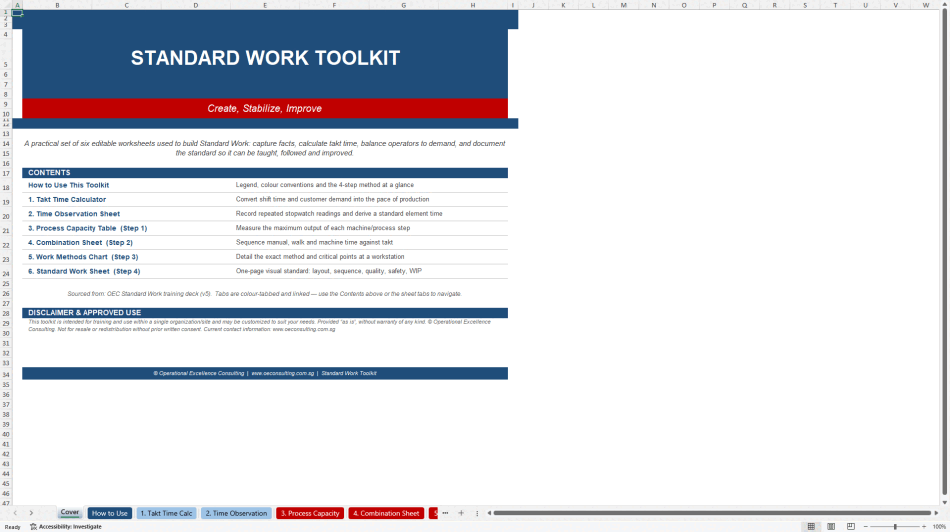
The Standard Work Toolkit is a comprehensive Excel-based resource designed to help organizations establish, stabilize, and refine their operational procedures through a structured four-step methodology. It features six primary worksheets that allow users to calculate takt time, assess process capacity, and document specific work methods to ensure consistency across teams. By utilizing automated formulas and visual indicators, the toolkit identifies production bottlenecks and aligns manual tasks with customer demand. The system is built for practical application, providing color-coded input cells and pre-filled examples to guide users from data collection to the creation of a final Standard Work Sheet. Ultimately, this professional suite serves as a functional engine for lean practitioners and managers to eliminate guesswork and foster continuous improvement in any repeatable environment.
Stop rewriting the same instruction sheet from scratch
Every plant, clinic and back office eventually asks the same question: "What's the right way to do this job, and how do we make sure everyone actually does it that way?"
Most teams answer it with a Word doc that drifts out of date, a laminated sheet nobody reads, or a template so generic it doesn't hold up past the first audit. None of them calculate anything. None of them tell you why the numbers matter. And none of them show a new team member what "good" actually looks like.
The Standard Work Toolkit is different. It's a single, fully-linked Excel workbook that walks you through the proven 4-step Standard Work method – Process Capacity, Work Combination, Work Methods, and the Standard Work Sheet itself – with every formula, chart and check built in. Type in your numbers. The toolkit calculates takt time, flags bottlenecks, builds your work-combination chart, and tells you the moment your cycle time creeps past takt. No macros to trust, no formulas to rebuild, no guessing whether you did it "right."
WHAT'S INSIDE
One workbook. Eight tabs. Zero blank-page anxiety.
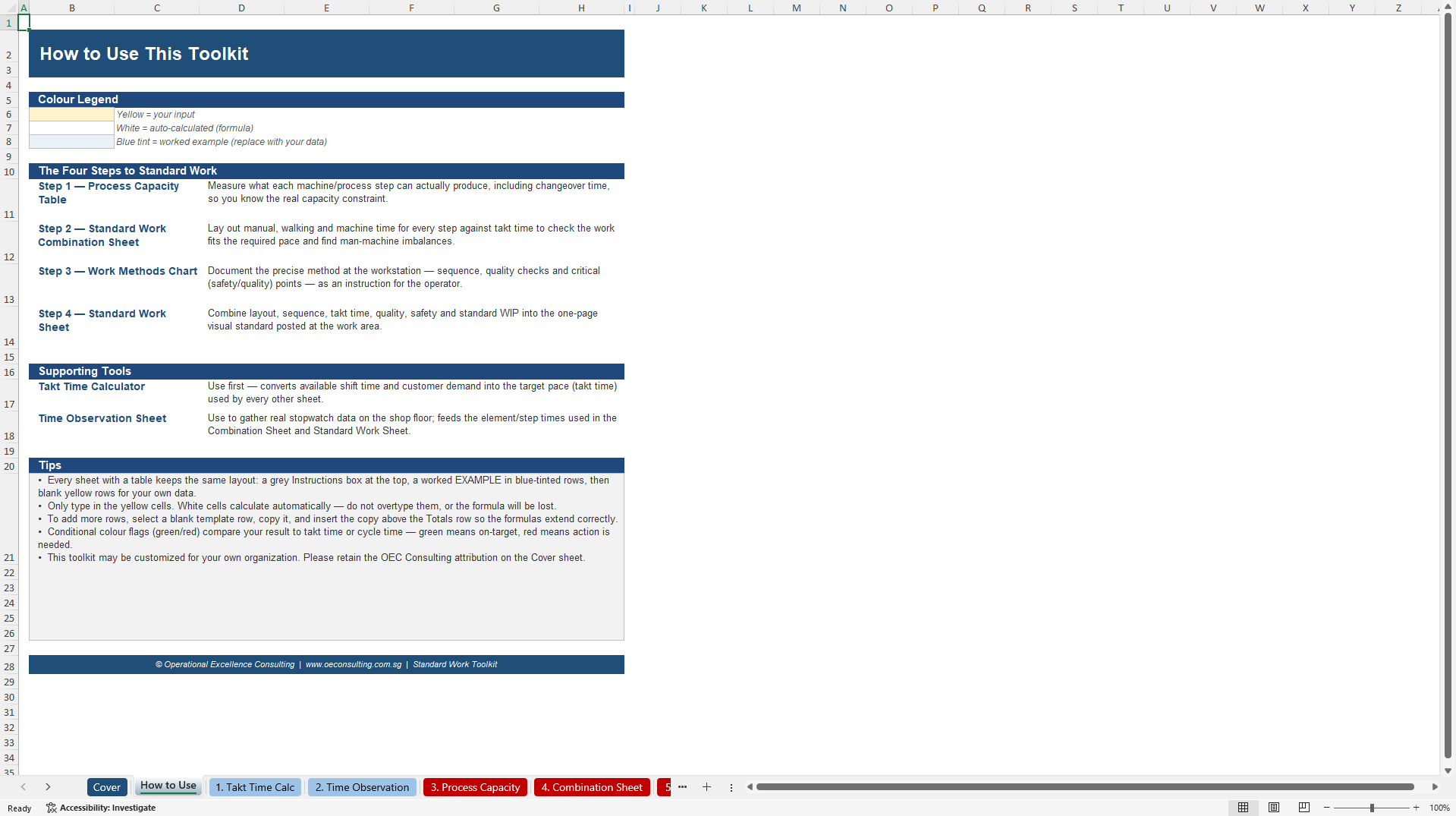
Tab 0 – Cover & How-to-Use: Orientation, colour-coding legend, and the 4-step method explained in plain language
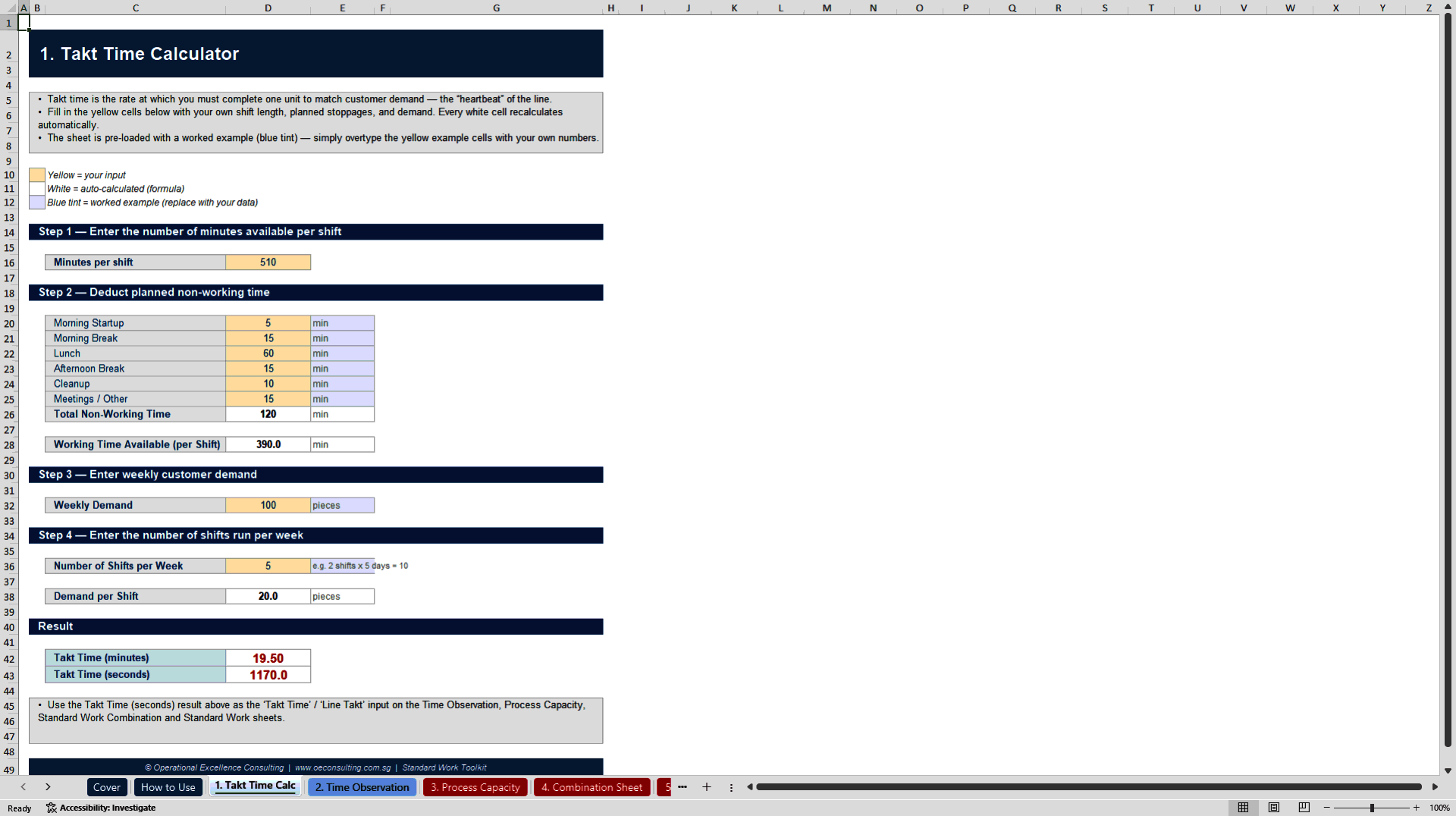
Tab 1 – Takt Time Calculator: Converts shift time and customer demand into the pace your line needs to run
Tab 2 – Time Observation Sheet: Continuous stopwatch method with auto-calculated task times, low/average time, and adjustment allowance
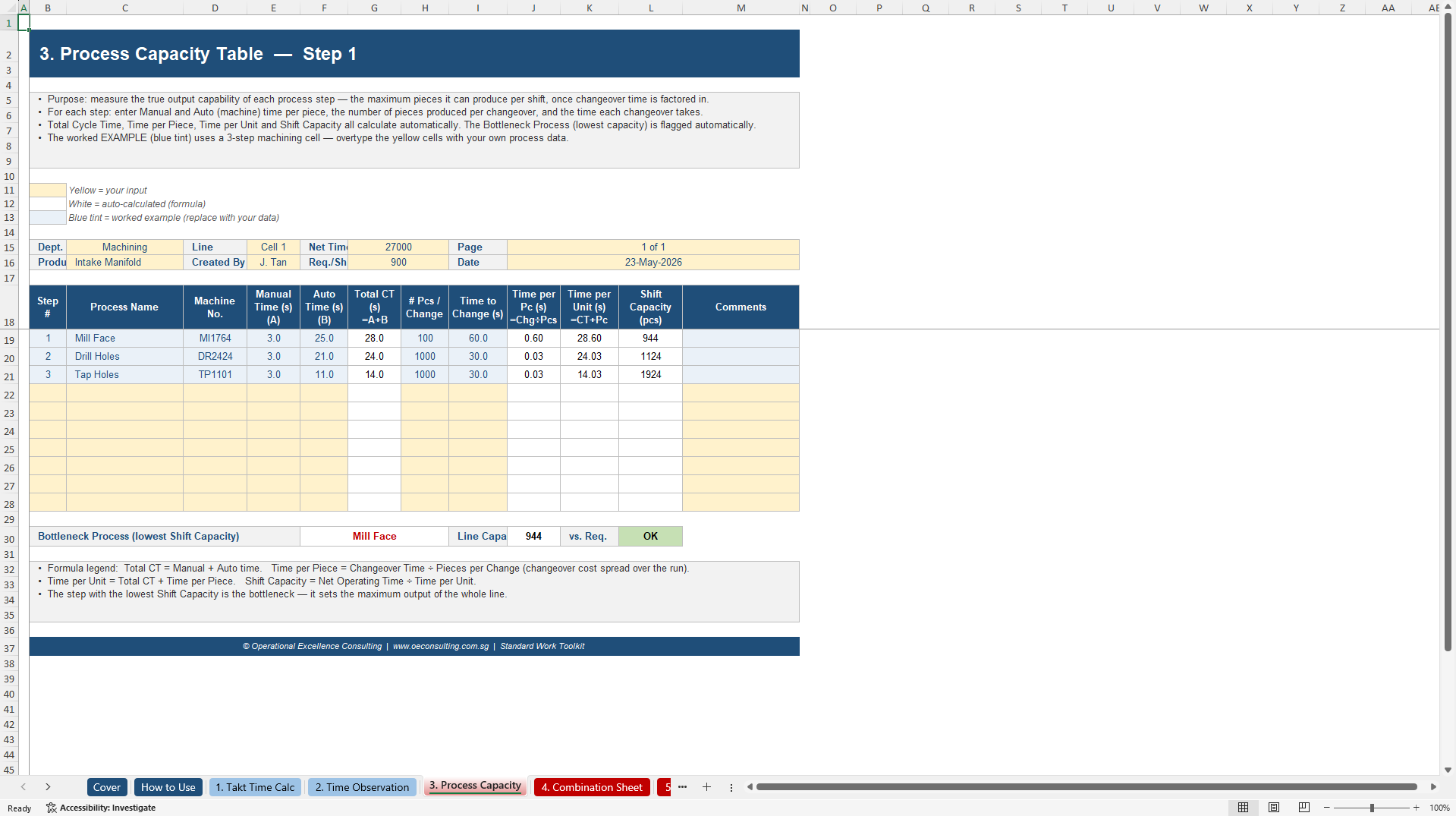
Tab 3 – Process Capacity Table (Step 1): Finds your true machine capacity after changeover time – and auto-flags the bottleneck
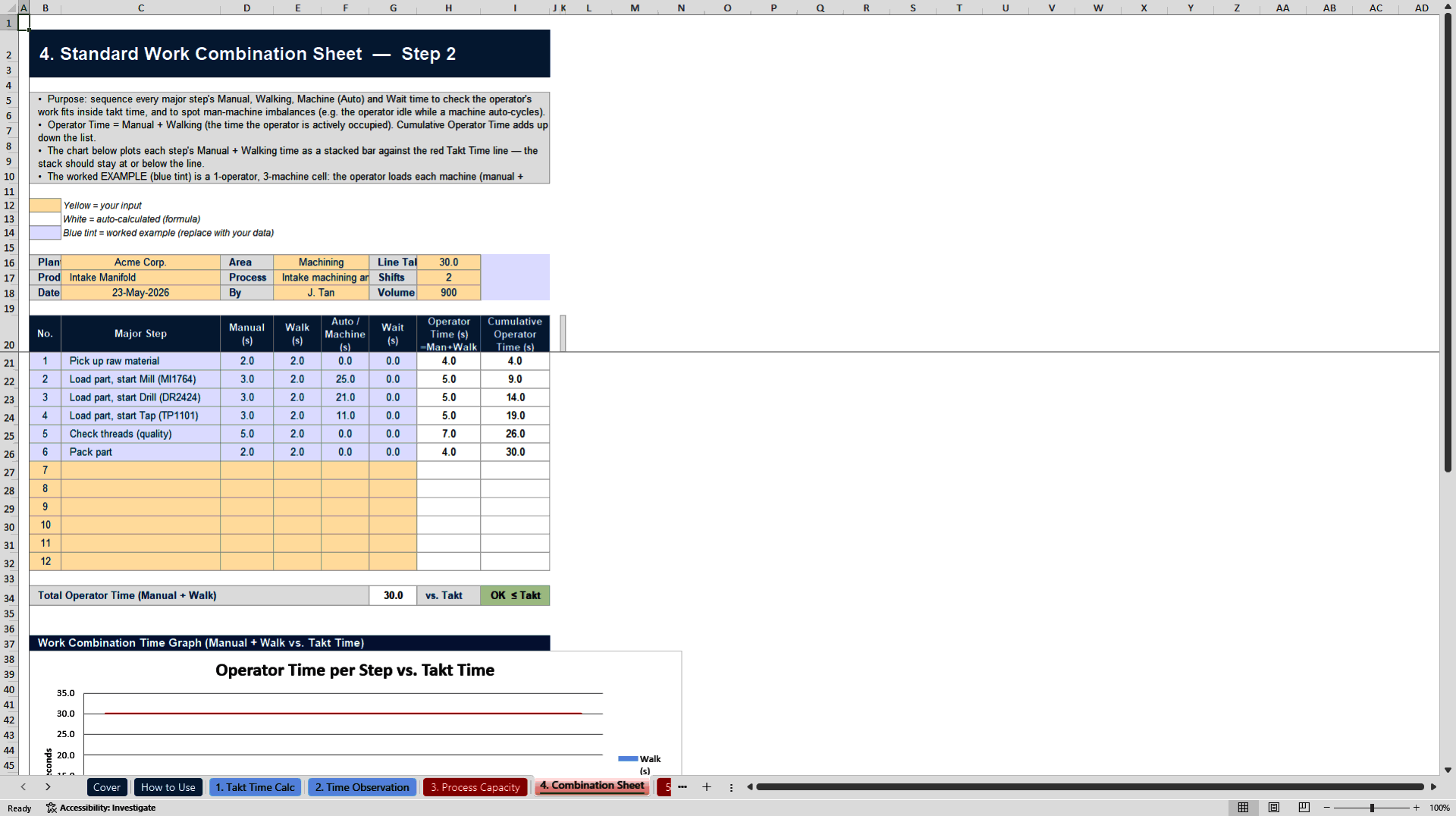
Tab 4 – Standard Work Combination Sheet (Step 2): Sequences manual, walk and machine time with a live chart plotted against your takt time line
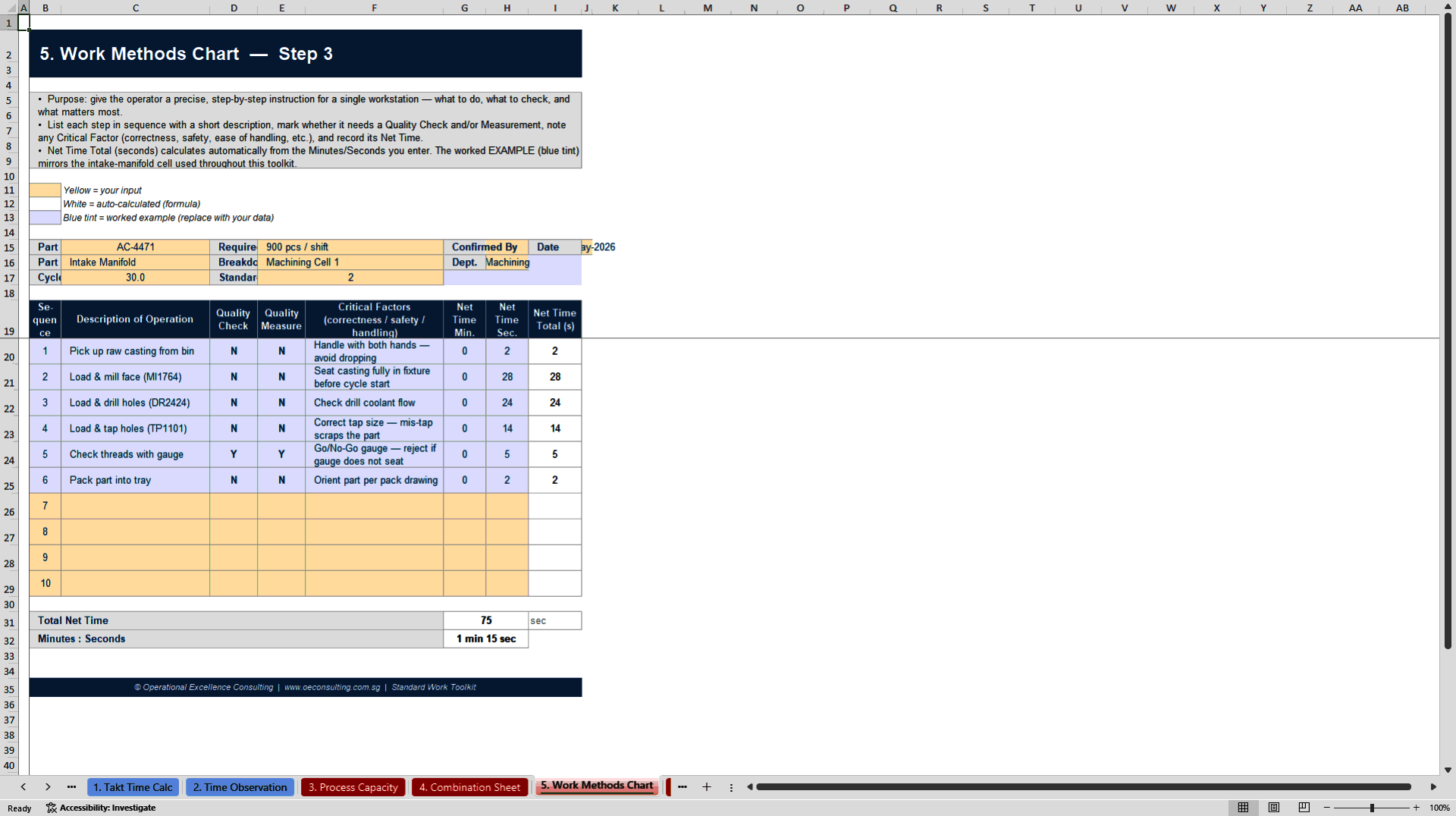
Tab 5 – Work Methods Chart (Step 3): Documents the exact method, quality checks and critical safety points at each workstation
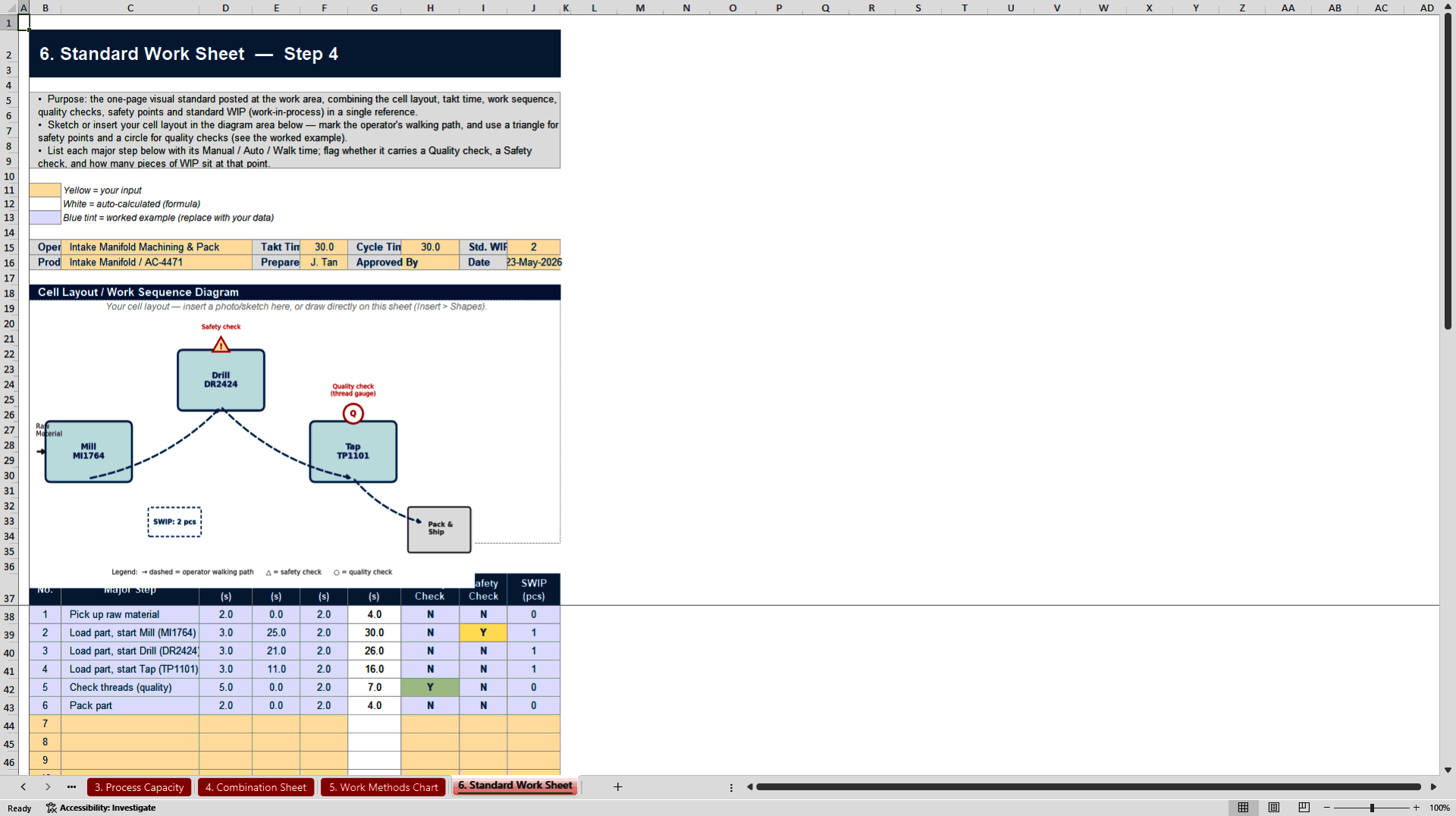
Tab 6 – Standard Work Sheet (Step 4): The one-page visual standard: cell layout, sequence, takt time, quality, safety and WIP in a single reference
Every tab follows the same logic, so once you've used one, you can use them all:
• Instructions box at the top of every sheet – no separate manual to lose
• A fully worked example (shown in blue) walking through a real machining-cell scenario, so you can see exactly how the numbers flow before you touch your own data
• Yellow input cells, white calculated cells – always know what to type and what to leave alone
• Built-in conditional flags – green when you're on target, red the moment you exceed takt time
• Native Excel charts and inserted example diagrams – not screenshots, not static images, fully editable
WHY IT'S WORTH USING INSTEAD OF BUILDING YOUR OWN
★ Because the formulas are the hard part – and they're already done. Shift capacity, changeover cost per piece, bottleneck detection, cumulative operator time, standard time from repeated observations – these aren't complicated ideas, but they're tedious and easy to get subtly wrong. This toolkit gets them right the first time, every time, on every sheet.
★ Because it teaches the method while you use it. Each tab doesn't just capture data – it shows you how the calculation supports the decision. Your engineers and supervisors learn Standard Work by working in the tool, not by reading a separate manual.
★ Because one bad Excel template costs you more than this one does. A broken formula that goes unnoticed for a quarter, a capacity number nobody double-checked, a "standard" that three different supervisors interpret three different ways – these cost real time and real output. This toolkit is built once, correctly, so your team doesn't have to debug it later.
★ Because it's yours to keep and customize. No subscription, no login, no software to install. Open it in Excel or Google Sheets, add your branding, extend the rows, and it's part of your operating system from day one.
WHO IS THIS FOR
• Manufacturing and operations leaders standardizing a new line or cell
• Lean / Six Sigma practitioners and Kaizen facilitators running a Standard Work workshop and needing a tool participants can use immediately
• Trainers and consultants who want a client-ready deliverable without building one from a blank sheet
• Quality and industrial engineers documenting work instructions that need to hold up to audit
• Healthcare, logistics and service operations applying Lean principles outside the factory floor – the method works anywhere a repeatable task needs a repeatable standard
FREQUENTLY ASKED QUESTIONS (FAQs)
Do I need any add-ins or special software? No. It's a standard .xlsx file. Open it in Excel (2016 or later recommended for full chart support) or Google Sheets.
Will the formulas break if I add more rows? Every table is built with clear formula patterns – copy a blank template row, insert it above the Totals row, and the formulas extend automatically. Instructions for this are included on the "How to Use" tab.
Can I use this with more than one product or line? Yes. Duplicate any tab for a second product family, machine cell, or work area – the workbook isn't licensed per-line.
Can I rebrand it for my own training or consulting work? The toolkit is licensed for use within a single organization or site. If you're a trainer or consultant and want to redistribute it under your own brand, contact us – we offer a separate license for that.
Does this replace the training presentation? No – they're designed as a pair. The presentation builds the why and the concepts; the toolkit is where your team does the how, calculation by calculation.
What if I get stuck? Every sheet has its own instructions box, and the "How to Use" tab explains the colour-coding and formula conventions used throughout. If you still have questions, reach out via .
About the Author: Operational Excellence Consulting (OEC)
Operational Excellence Consulting (OEC) is an premier Singapore-based management training and consulting firm specializing in Lean Thinking, Total Productive Maintenance (TPM), Total Quality Management, and Six Sigma. This identical toolkit represents the precise, battle-tested templates OEC's consultants deploy during formal corporate client engagements across Asia to build lasting continuous improvement capabilities.
Got a question about the product? Email us at support@flevy.com or ask the author directly by using the "Ask the Author a Question" form. If you cannot view the preview above this document description, go here to view the large preview instead.
Source: Best Practices in Standard Work Excel: Standard Work Toolkit Excel (XLSX) Spreadsheet, Operational Excellence Consulting
ABOUT THE AUTHOR

Operational Excellence Consulting, founded in 2009 by Allan Ung, draws from extensive experience at Microsoft, IBM, and Underwriters Laboratories (UL). We specialize in strategy deployment, customer experience design, and operational excellence, applying Design Thinking, Lean, and Systems Thinking to maximize customer value and minimize waste.
Our
... [read more]
Ask the Author a Question
You must be logged in to contact the author.




























