 Click main image to view in full screen.
SAMA ITGF Backup & Restore Test Log – Excel XLSX
Excel (XLSX) Arabic


BENEFITS OF THIS DOWNLOADABLE EXCEL DOCUMENT
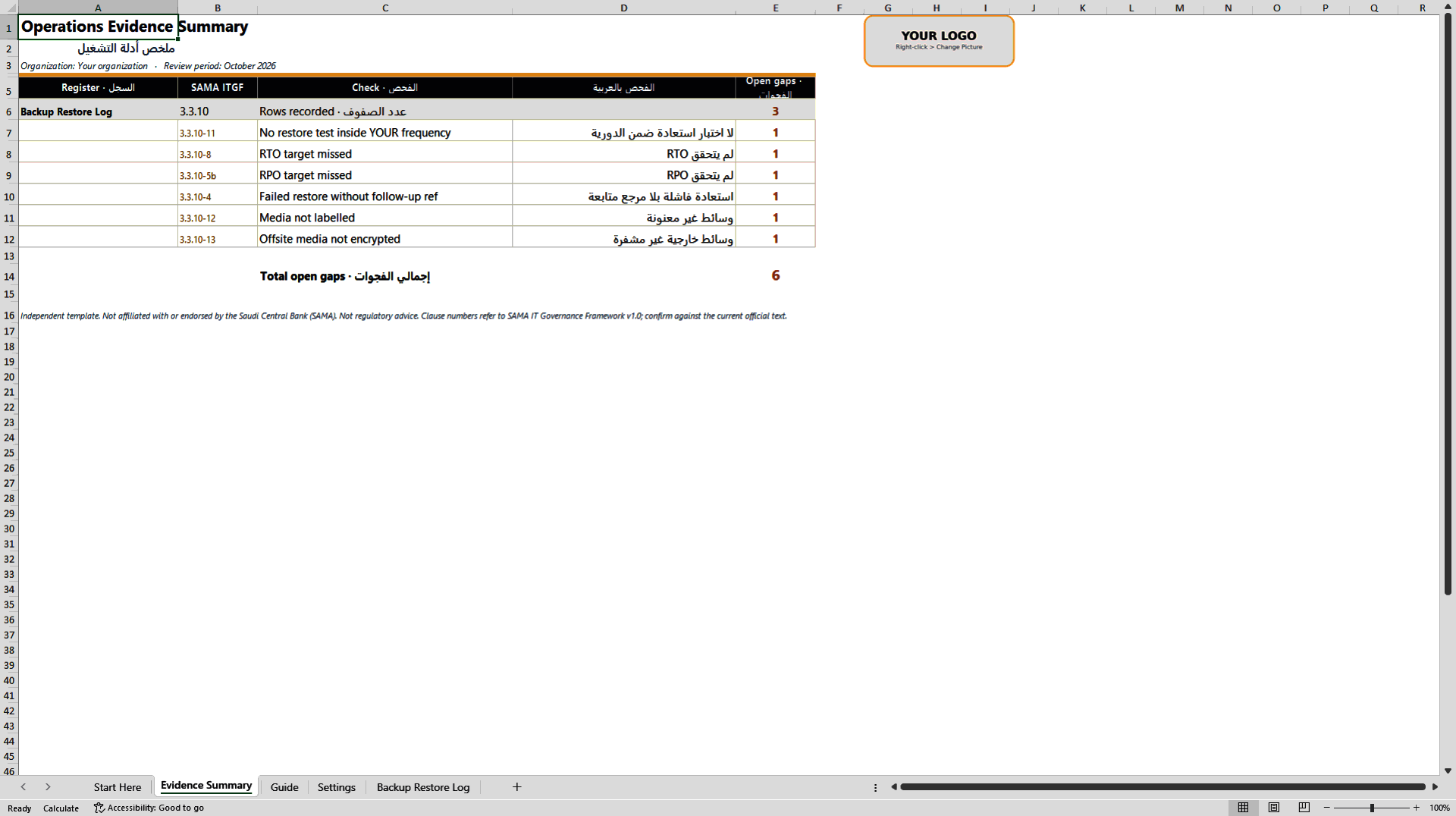
- Six automatic checks flag systems with no recent restore test, missed RTO, missed RPO, failed restores without a follow-up reference, unlabelled media and unencrypted offsite media.
- Actual restore time and achieved RPO are compared with the target on every row, so a passed test that missed its objective is still caught.
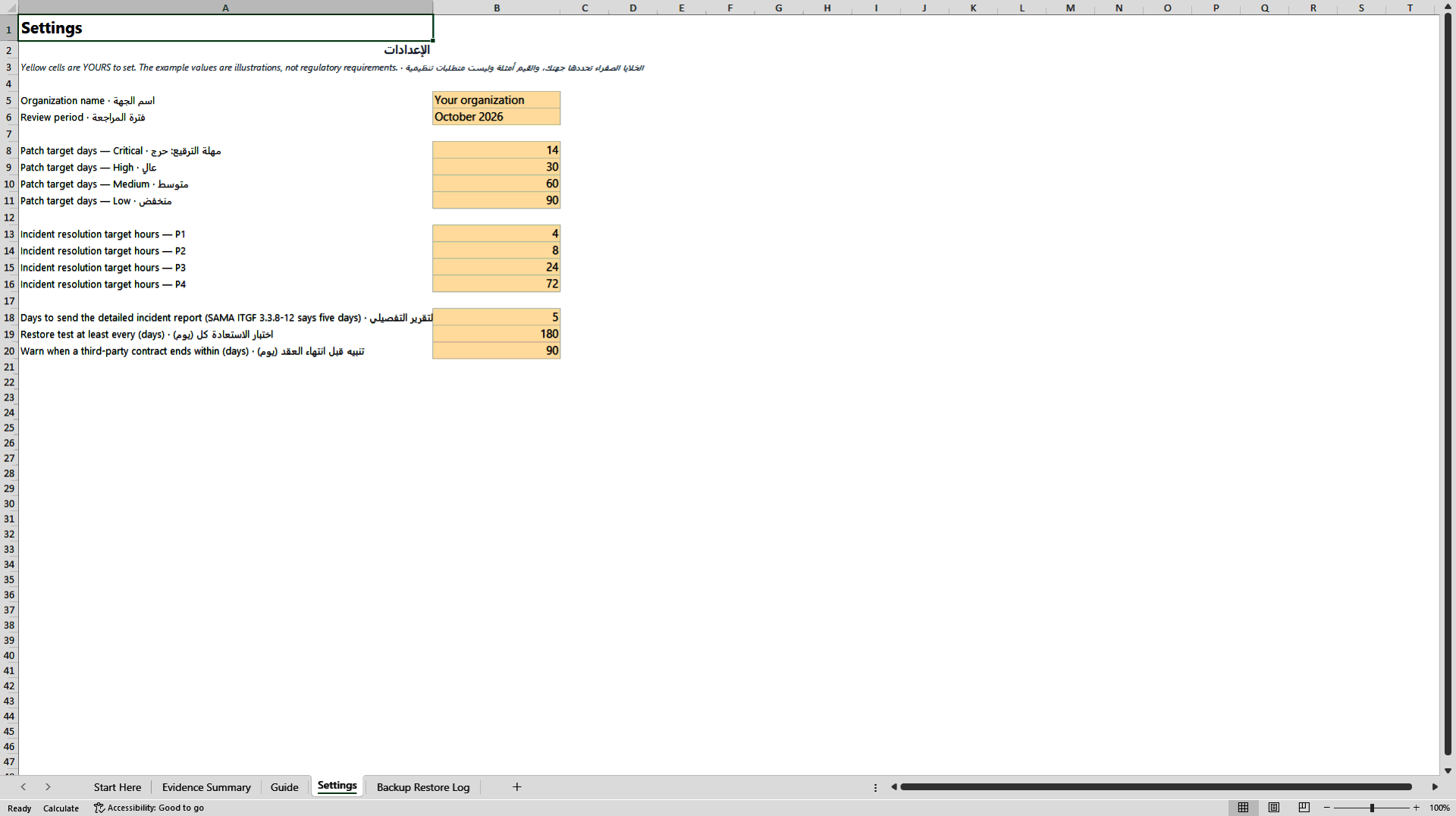
- Restore-test frequency is set in a single Settings cell, so the log follows your own policy rather than a hard-coded assumption.
DISASTER RECOVERY EXCEL DESCRIPTION
Having backups is not the same as being able to restore them, and auditors know it. Under the SAMA IT Governance Framework, section 3.3.10 on data backup and recoverability, the evidence that matters is the restore test: when it was performed, whether it passed, how long the restore actually took against the recovery time objective, how much data would have been lost against the recovery point objective, and what happened when a test failed. Media handling counts too: are backup media labelled, and is media stored offsite encrypted?
This log gives you one row per system per restore test and tells you where the gaps are.
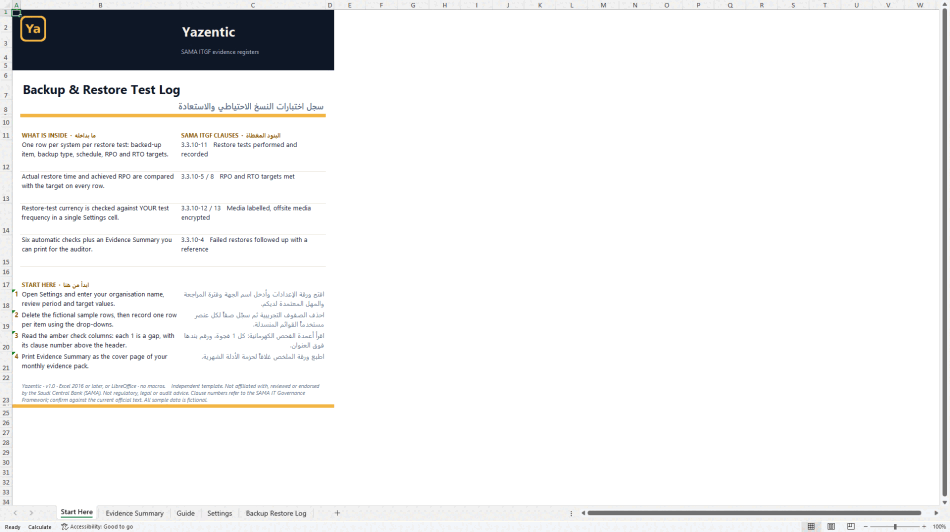
WHAT IS INSIDE
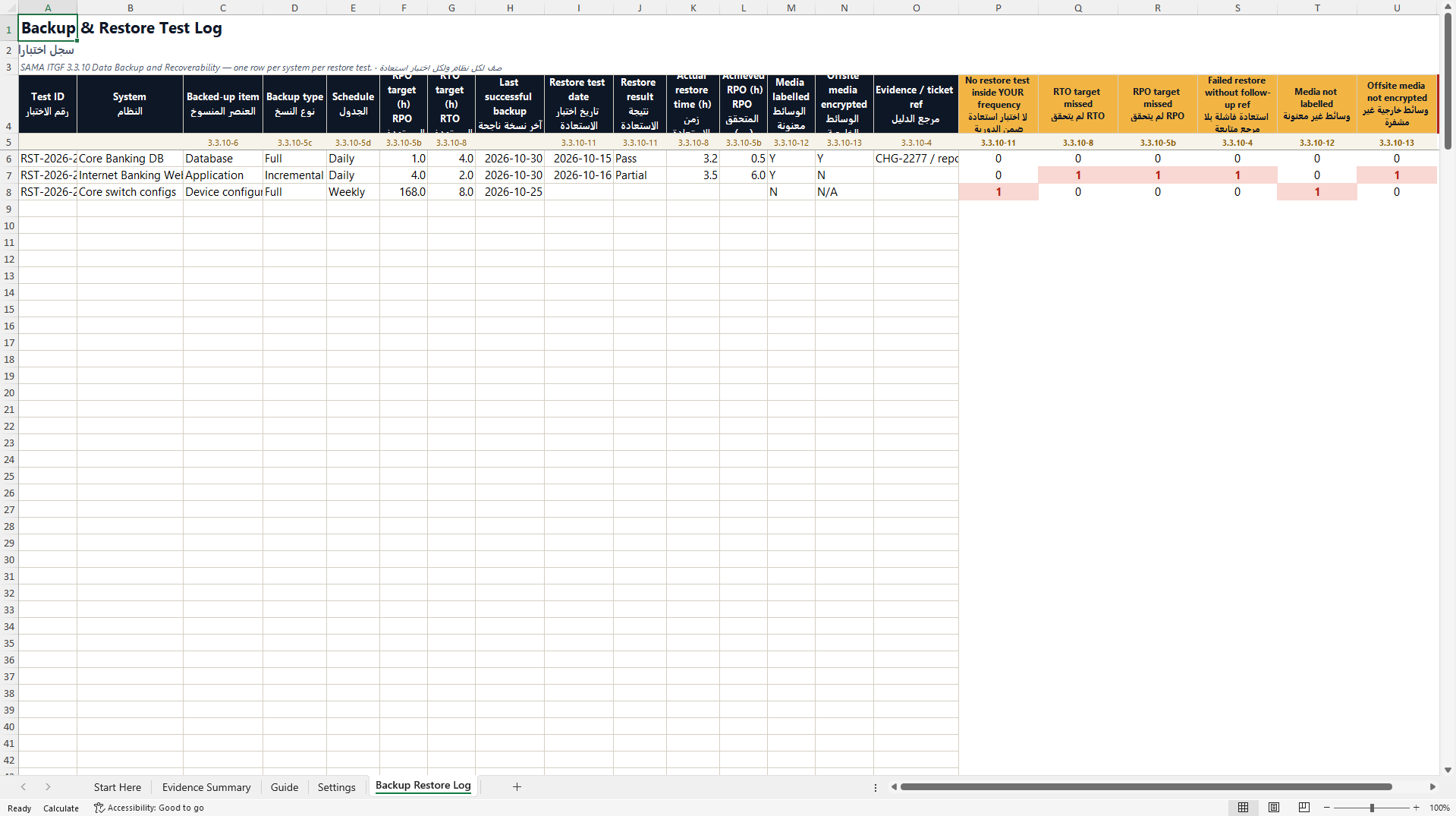
Backup and Restore Test Log. Test ID, system, backed-up item (application, operating system, database or device configuration), backup type, schedule, RPO target, RTO target, last successful backup, restore test date, restore result, actual restore time, achieved RPO, media labelled, offsite media encrypted, and an evidence or ticket reference.
Six automatic checks. Amber columns return 1 when there is no restore test inside the frequency you set, when the RTO target was missed, when the RPO target was missed, when a partial or failed restore has no follow-up reference, when media is not labelled, and when offsite media is not encrypted. Each check shows its clause reference above the header.
Evidence Summary. Rows recorded and open gaps per check with a total, ready to print for your auditor or your monthly evidence pack.
Settings. Organisation name, review period and the maximum number of days between restore tests. The example value is an illustration, not a SAMA requirement.
WHY IT IS USEFUL
Most backup reports show job success rates. This log shows recoverability, which is what the framework and the auditor ask about. A restore that passed but took longer than its RTO is flagged. A system that has never been restore-tested is flagged. A failed test without a ticket is flagged. You see the gaps before the audit, not during it.
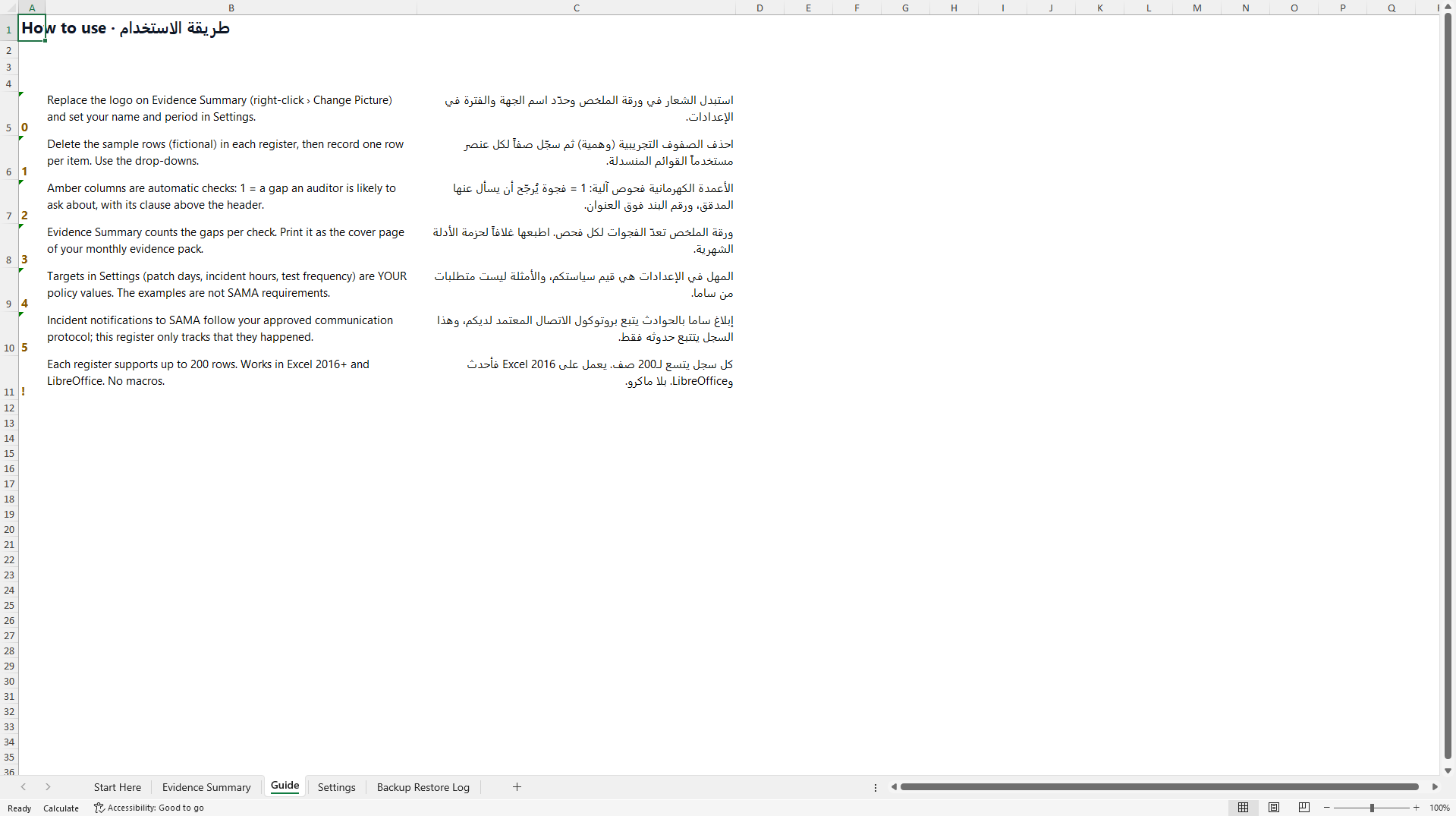
Built by a practitioner with more than ten years in enterprise IT operations inside a Saudi telecom group. Every header is in English and Arabic, every field that feeds a check uses a drop-down, and the log holds up to 200 rows.
COMPATIBILITY
Excel 2016 or later, or LibreOffice. No macros. Fictional sample rows show every check working before you enter your own systems.
Independent template. Not affiliated with, reviewed or endorsed by the Saudi Central Bank (SAMA). Not regulatory, legal or audit advice. Confirm clause numbers against the current official text.
Got a question about the product? Email us at support@flevy.com or ask the author directly by using the "Ask the Author a Question" form. If you cannot view the preview above this document description, go here to view the large preview instead.
Source: Best Practices in Disaster Recovery, Arabic, IT Governance Excel: SAMA ITGF Backup & Restore Test Log Excel (XLSX) Spreadsheet, Elsadig Hamedelniel