 Click main image to view in full screen.


BENEFITS OF THIS DOWNLOADABLE EXCEL DOCUMENT
- Provides 40 pre-scored jobs and a six-factor point method, so you calibrate grades instead of starting from scratch.
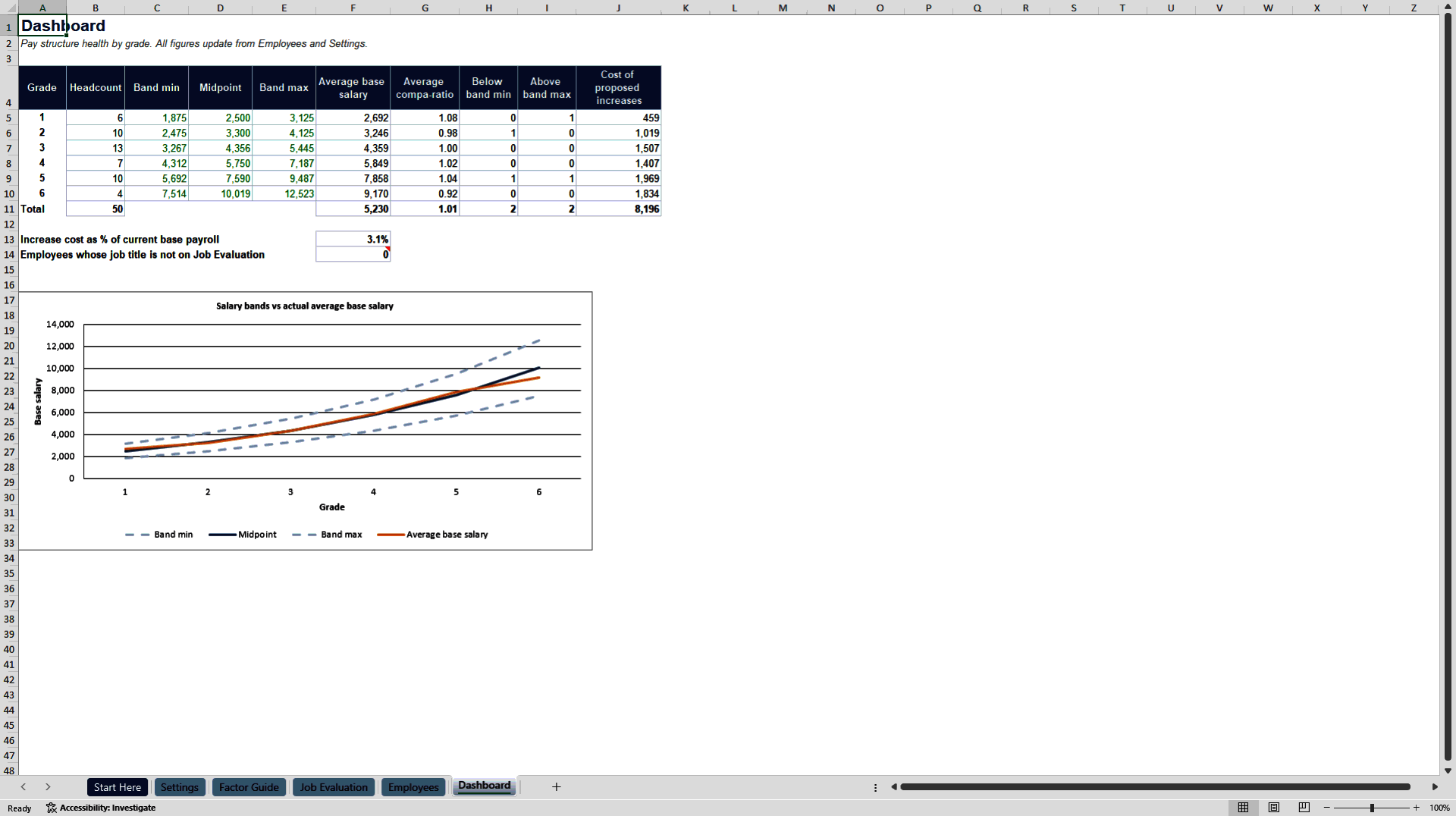
- Flags every employee paid below or above their salary band and shows compa-ratio by grade on one dashboard.
- Calculates merit increases from performance and position in band, with the total cost against current payroll.
HUMAN RESOURCES EXCEL DESCRIPTION
Build a defensible pay structure in an afternoon. This toolkit turns a list of jobs and employees into a complete, transparent salary structure: score each job on six factors, place it in one of six grades, set salary bands, check every employee's compa-ratio and position in band, and generate merit increases from a performance matrix. Everything is connected, so when you change an input, every grade, band, flag and increase recalculates.
WHAT IS INSIDE
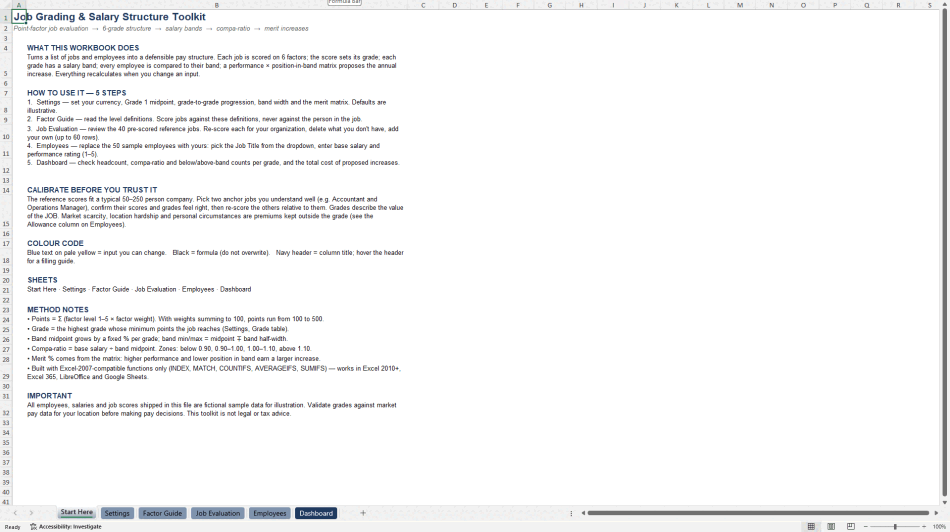
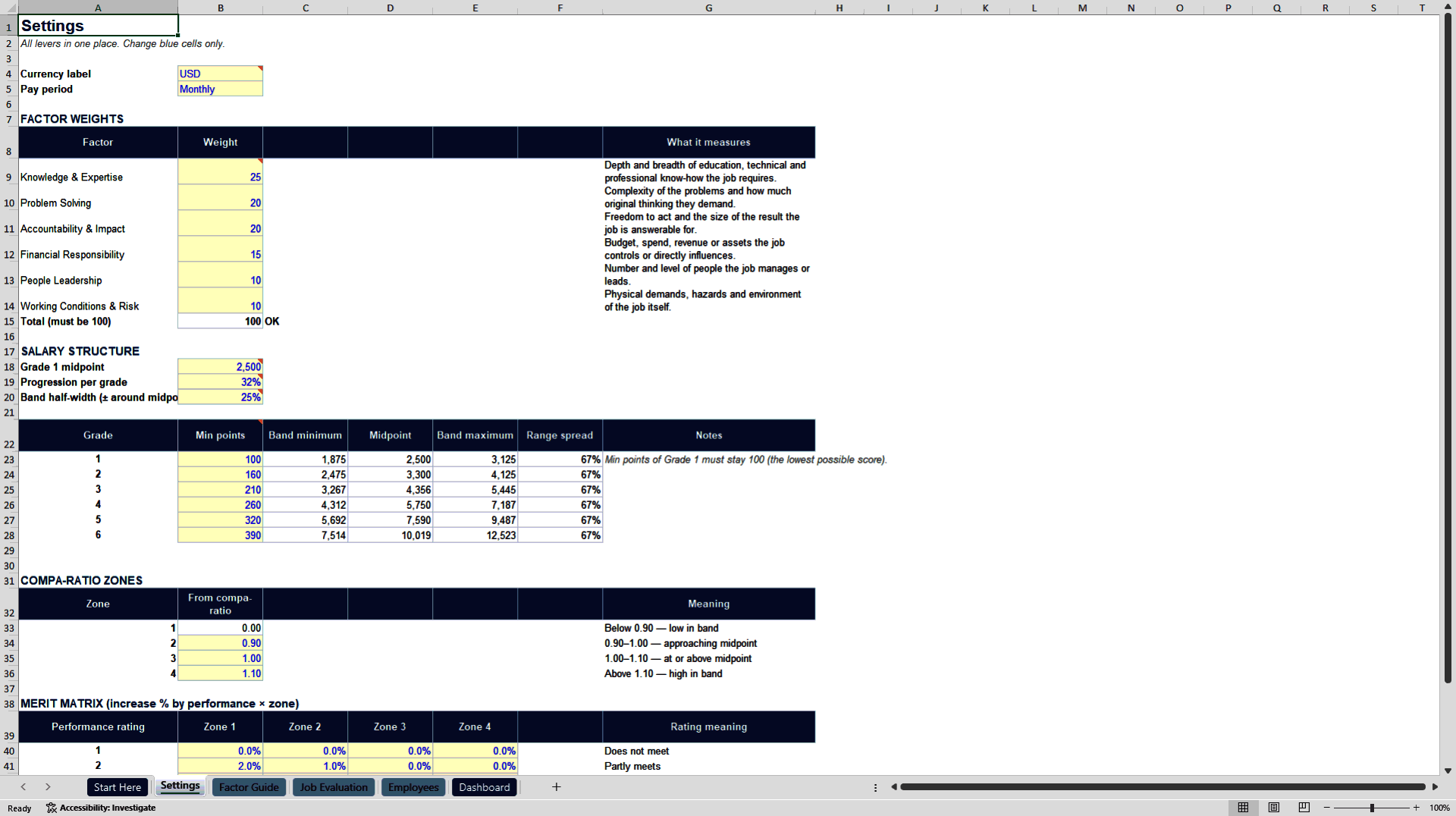
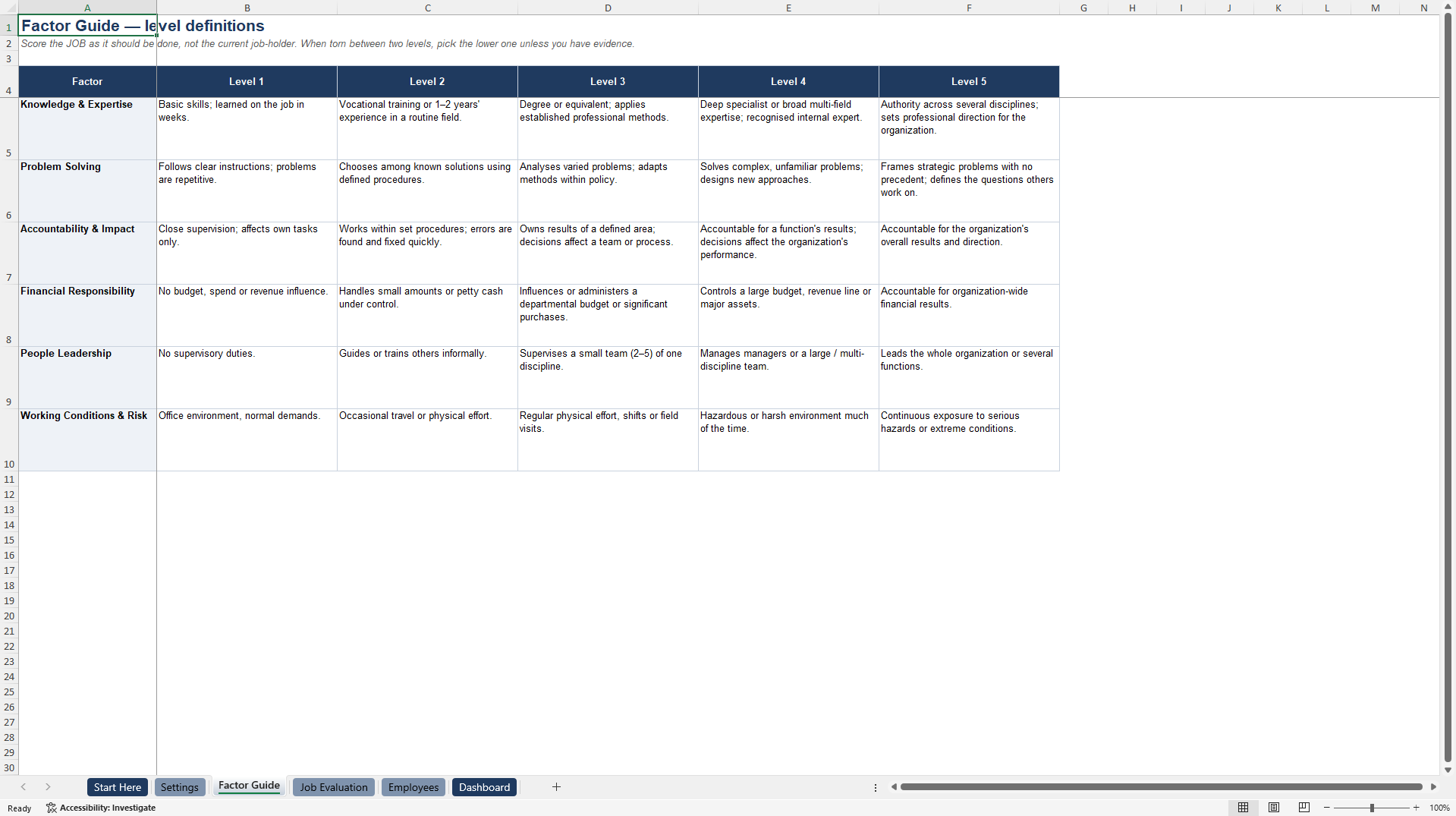
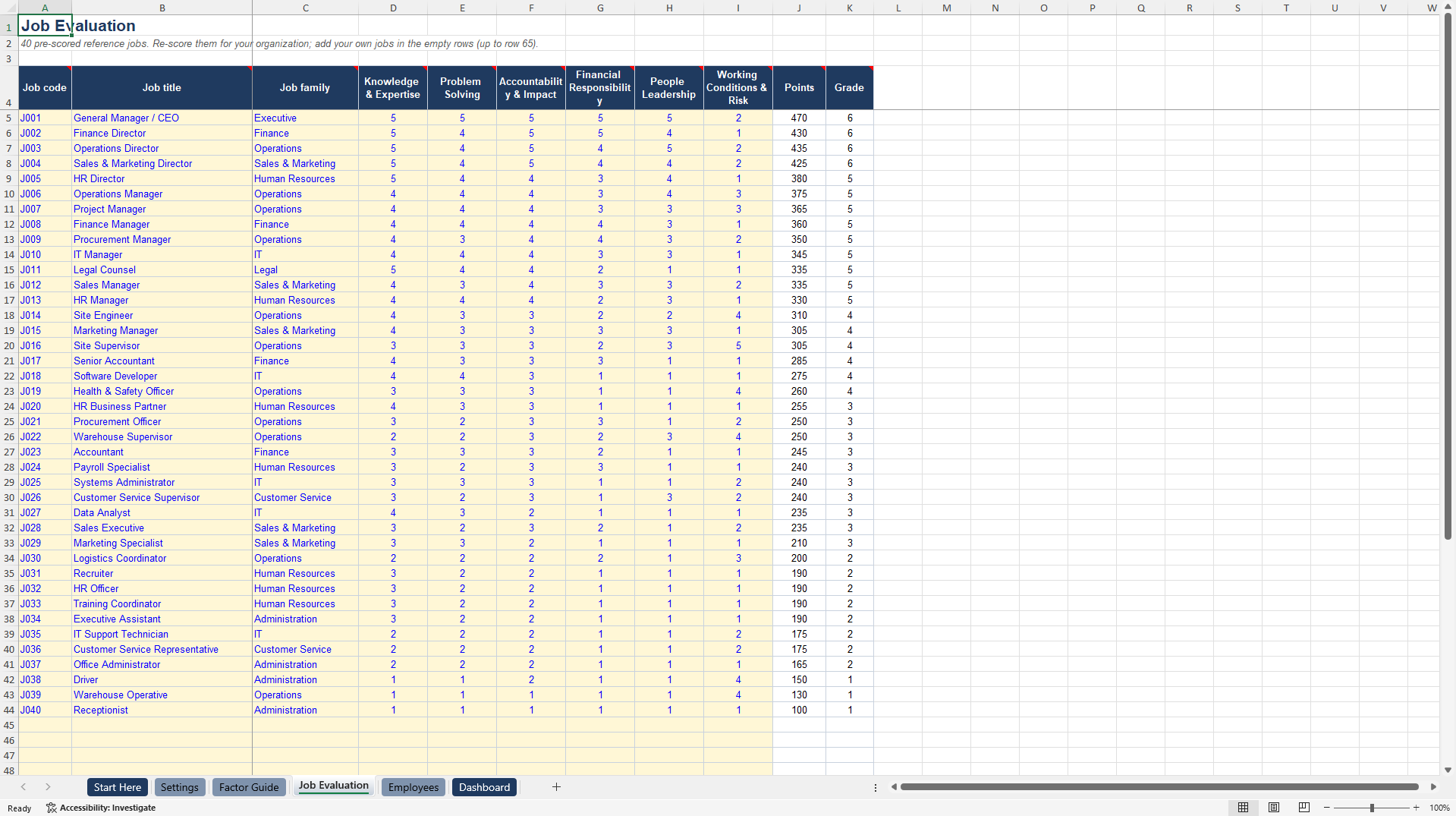
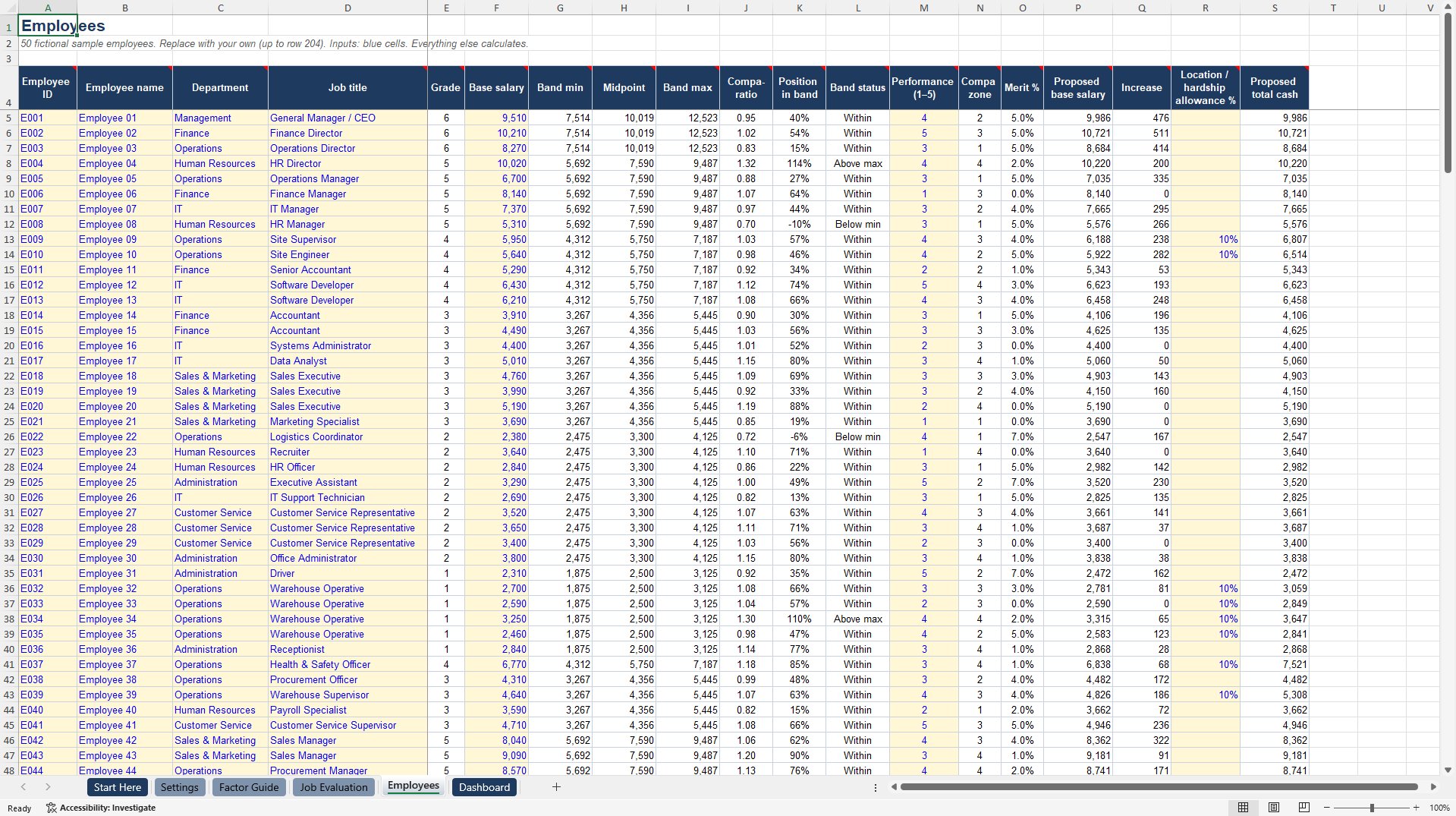
The workbook has six sheets. Start Here gives a five-step guide, the colour code and method notes. Settings keeps every lever in one place: factor weights, grade thresholds, the Grade 1 midpoint, progression between grades, band width, compa-ratio zones and the merit matrix. Factor Guide defines levels 1 to 5 for six factors: Knowledge and Expertise, Problem Solving, Accountability and Impact, Financial Responsibility, People Leadership, and Working Conditions and Risk. Job Evaluation contains 40 common jobs already scored, from Receptionist to General Manager, with points and grades calculated automatically; you can add up to 60 jobs. Employees calculates band minimum, midpoint and maximum, compa-ratio, position in band, below-minimum and above-maximum flags, the merit percentage, the proposed salary, and a separate location or hardship allowance. Dashboard summarises headcount, average pay and average compa-ratio per grade, pay-equity flags, the total cost of proposed increases, and a chart of bands against actual pay.
WHY IT IS DIFFERENT
It comes with a pre-scored job library rather than an empty template, so the hardest part of job evaluation is already done and you only calibrate. The grade reflects the value of the job itself, while market and location premiums are kept outside the grade, so they can be removed when circumstances change without disturbing the structure. Merit increases depend on both performance and position in band, which keeps pay fair over time and stops high earners drifting further above their band. Every input cell is colour coded and every column header carries a filling guide.
COMPATIBILITY
The file uses only widely supported functions such as INDEX, MATCH, COUNTIFS and AVERAGEIF. It has no macros and no add-ins, and works in Excel 2010 and later, Excel 365, LibreOffice and Google Sheets.
WHO IT IS FOR
HR managers, compensation specialists, HR consultants and business owners of organizations with 50 to 500 employees who are setting up a pay structure for the first time or reviewing an existing one.
PLEASE NOTE
All sample employees, salaries and job scores are fictional and included for illustration only. Calibrate the job scores to your organization and validate the salary bands against market pay data for your location before making pay decisions.
Got a question about the product? Email us at support@flevy.com or ask the author directly by using the "Ask the Author a Question" form. If you cannot view the preview above this document description, go here to view the large preview instead.
Source: Best Practices in Human Resources, Compensation Excel: Job Grading & Salary Structure Toolkit Excel (XLSX) Spreadsheet, Sara Afshar Azad