
 Click main image to view in full screen. Unlock all 10 preview images:
Cybersecurity Risk & Incident Management Control Center – Excel XLSX
Excel (XLSX) + Zip archive file (ZIP)


BENEFITS OF THIS DOWNLOADABLE EXCEL DOCUMENT
- Consolidate cyber risks, threats, vulnerabilities, owners, assessments, and remediation activities in one structured Excel management system.
- Track security incidents, severity, SLA breaches, remediation progress, residual risks, and operational KPIs through an executive dashboard with four native Excel charts.
- Work with editable risk and incident trackers, built-in calculations, realistic sample data, a five-sheet Post-Mortem workbook, and an eight-page user guide.
CYBER SECURITY EXCEL DESCRIPTION
🛡️ CYBERSECURITY RISK & INCIDENT MANAGEMENT CONTROL CENTER
An Integrated Excel Management System for Cyber Risk Assessment, Security Incident Tracking, Vulnerability Management, Remediation & Executive Reporting
The Cybersecurity Risk & Incident Management Control Center by SheetworksStudio is a professional, fully editable Excel management toolkit designed to help organizations identify, evaluate, document, and monitor cybersecurity risks, security incidents, vulnerabilities, and corrective actions.
Combining structured risk assessment, incident management, remediation planning, SLA monitoring, and management reporting, this system provides a centralized working environment for cybersecurity teams, IT managers, risk professionals, CISOs, and management consultants.
Rather than maintaining disconnected spreadsheets and fragmented security records, organizations can use a consistent management structure with built-in calculations, configurable dropdowns, realistic sample data, and an executive dashboard.
📊 1. EXECUTIVE CYBERSECURITY DASHBOARD
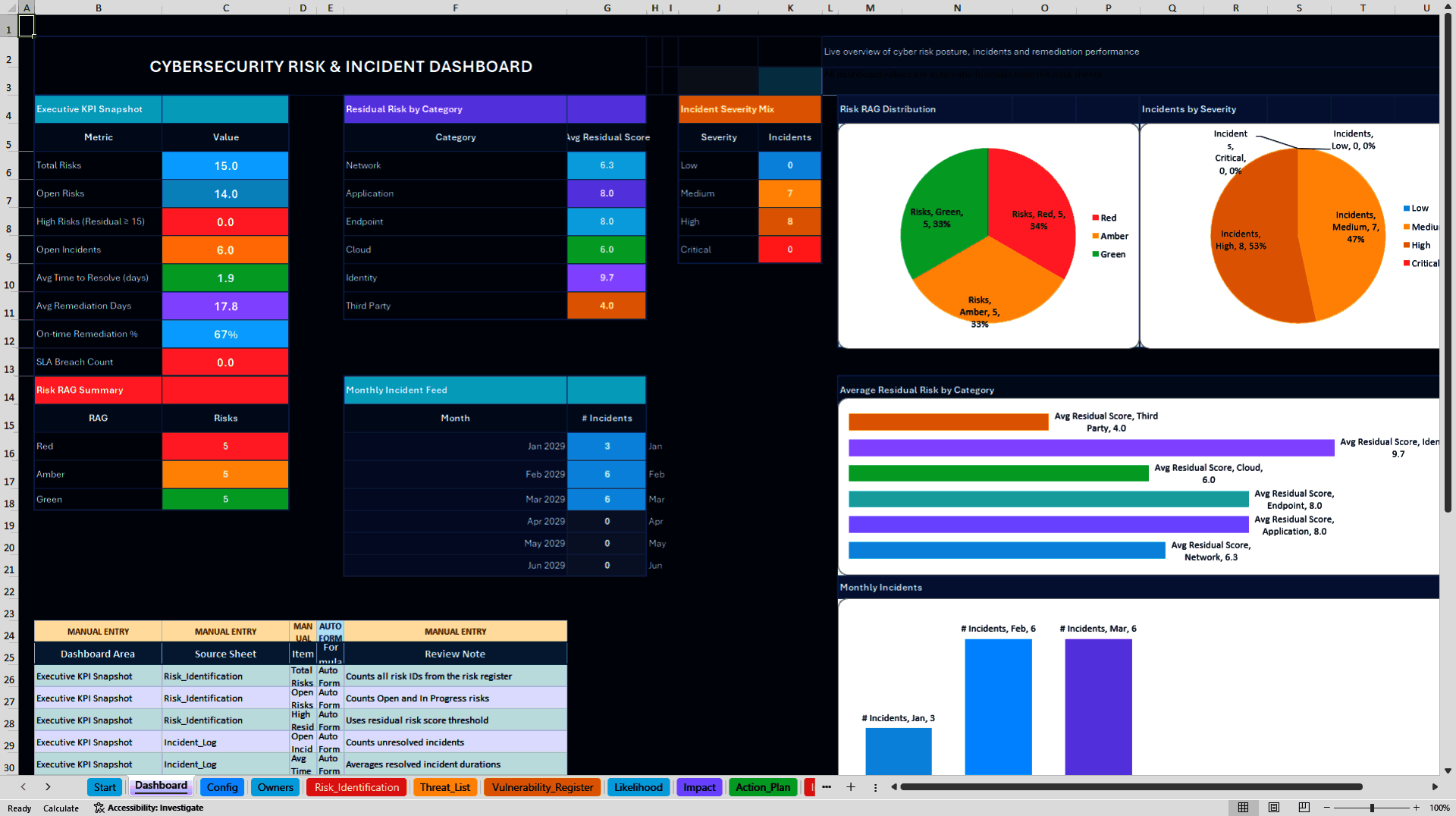
The central Management Dashboard consolidates selected cybersecurity risk and incident indicators into one reporting environment.
Four native Excel charts support the visualization of operational security information.
Monitor:
• Total and open cybersecurity risks
• Inherent and residual risk assessments
• Risk severity and RAG distribution
• Security incident volumes
• Incident severity distribution
• Incident resolution performance
• SLA breaches and outstanding incidents
• Monthly incident trends
• Risk and remediation priorities
The dashboard supports recurring security reviews, management discussions, risk committee meetings, and operational performance monitoring.
It is designed for structured spreadsheet-based reporting rather than live security monitoring.
⚙️ 2. INTEGRATED CYBERSECURITY MANAGEMENT WORKBOOK
The main Excel workbook contains 12 interconnected worksheets supporting the following management activities.
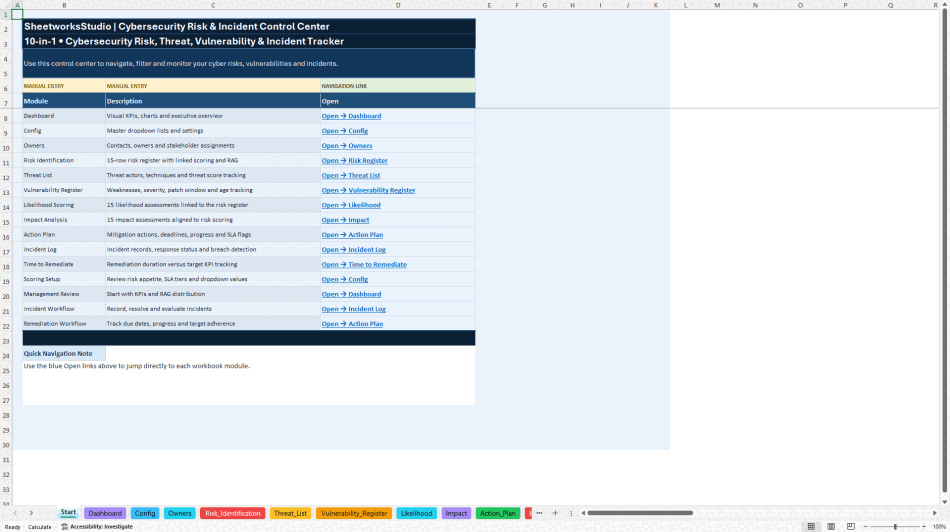
START PAGE – Navigation & Orientation
Introduces the system, explains the workbook structure, and provides navigation to the operational modules.
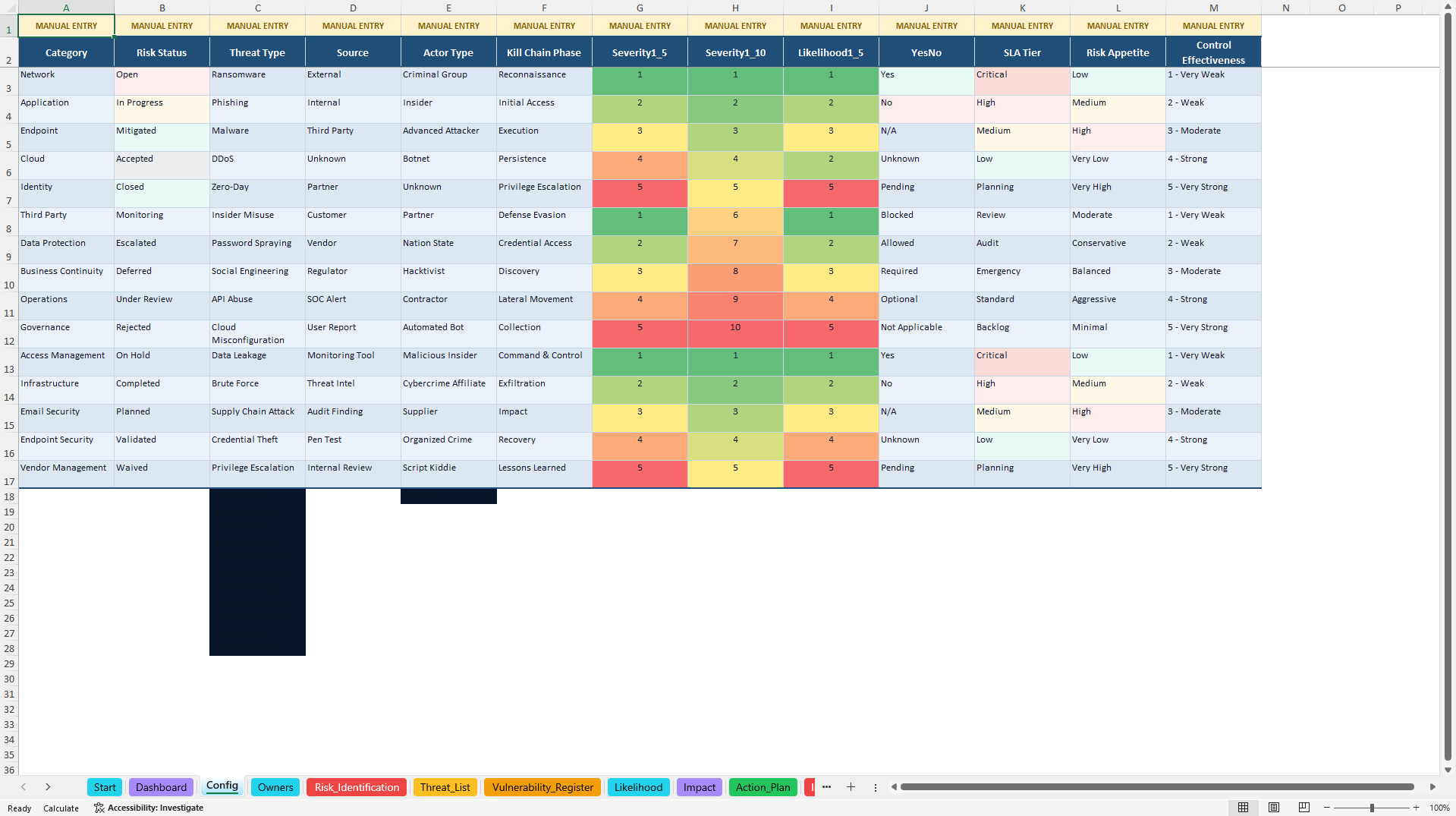
CONFIG – Management Settings
Maintain supporting dropdown lists, scoring configurations, status values, and SLA-related settings.
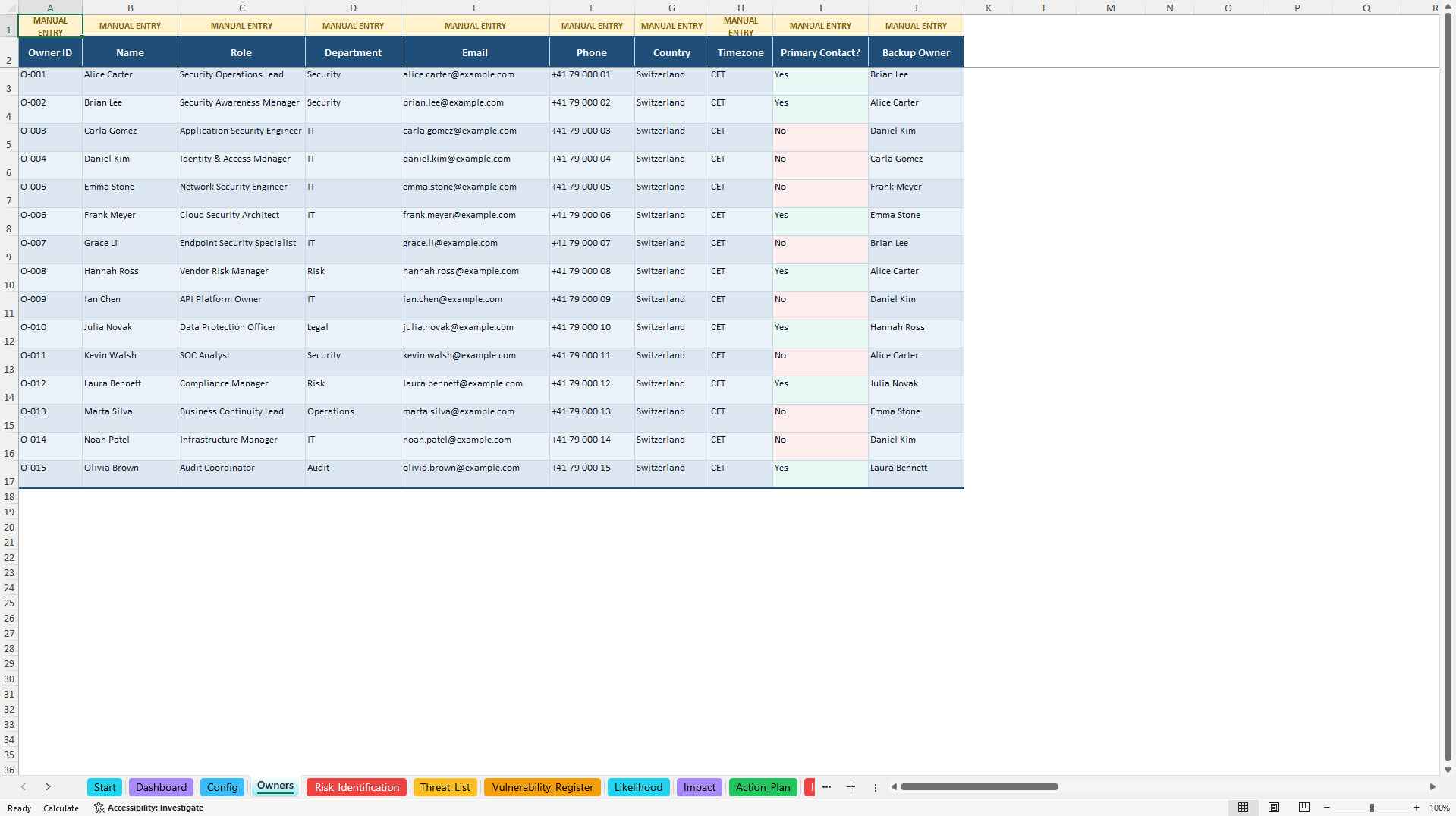
OWNERS / STAKEHOLDER REGISTER
Document responsible individuals and stakeholder information to support accountability across cybersecurity activities.
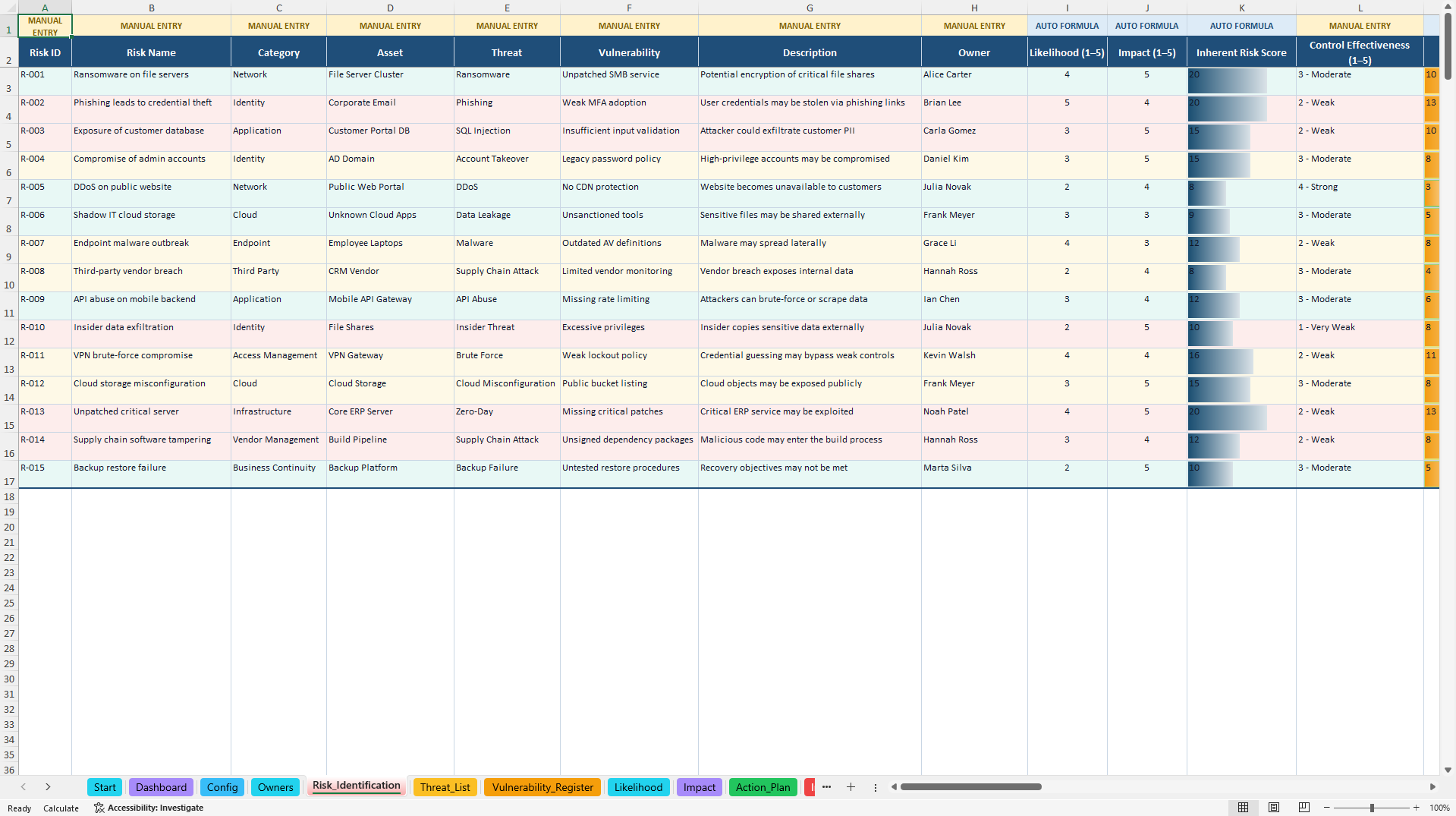
RISK IDENTIFICATION / RISK REGISTER
Record and assess cybersecurity risks using structured likelihood, impact, control effectiveness, inherent risk, residual risk, and risk appetite information.
Built-in risk calculations and RAG indicators support consistent prioritization.
THREAT LIST
Organize identified security threats and maintain a structured reference for cybersecurity assessment activities.
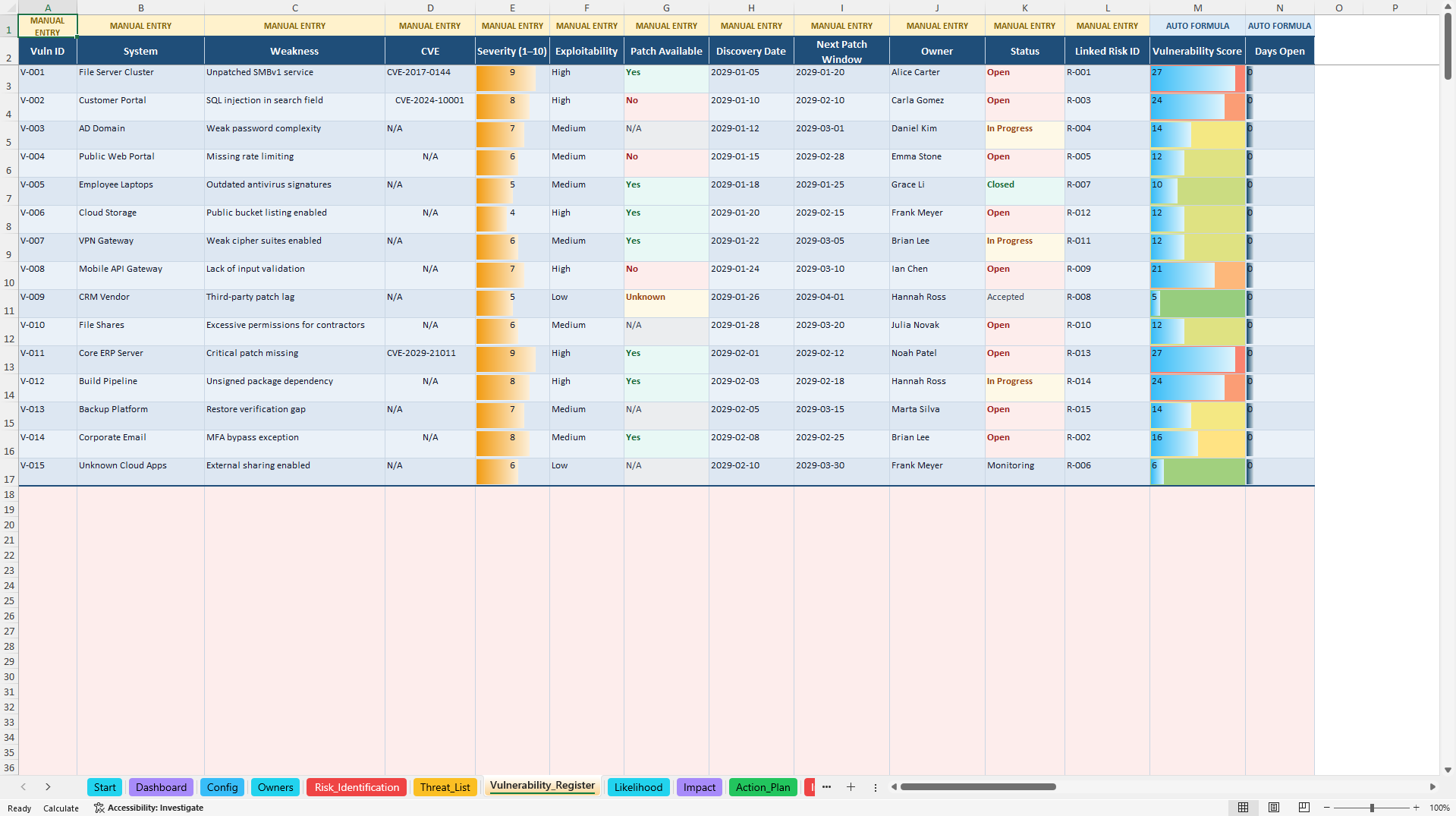
VULNERABILITY REGISTER
Record known vulnerabilities, relevant severity information, ownership, and associated remediation considerations.
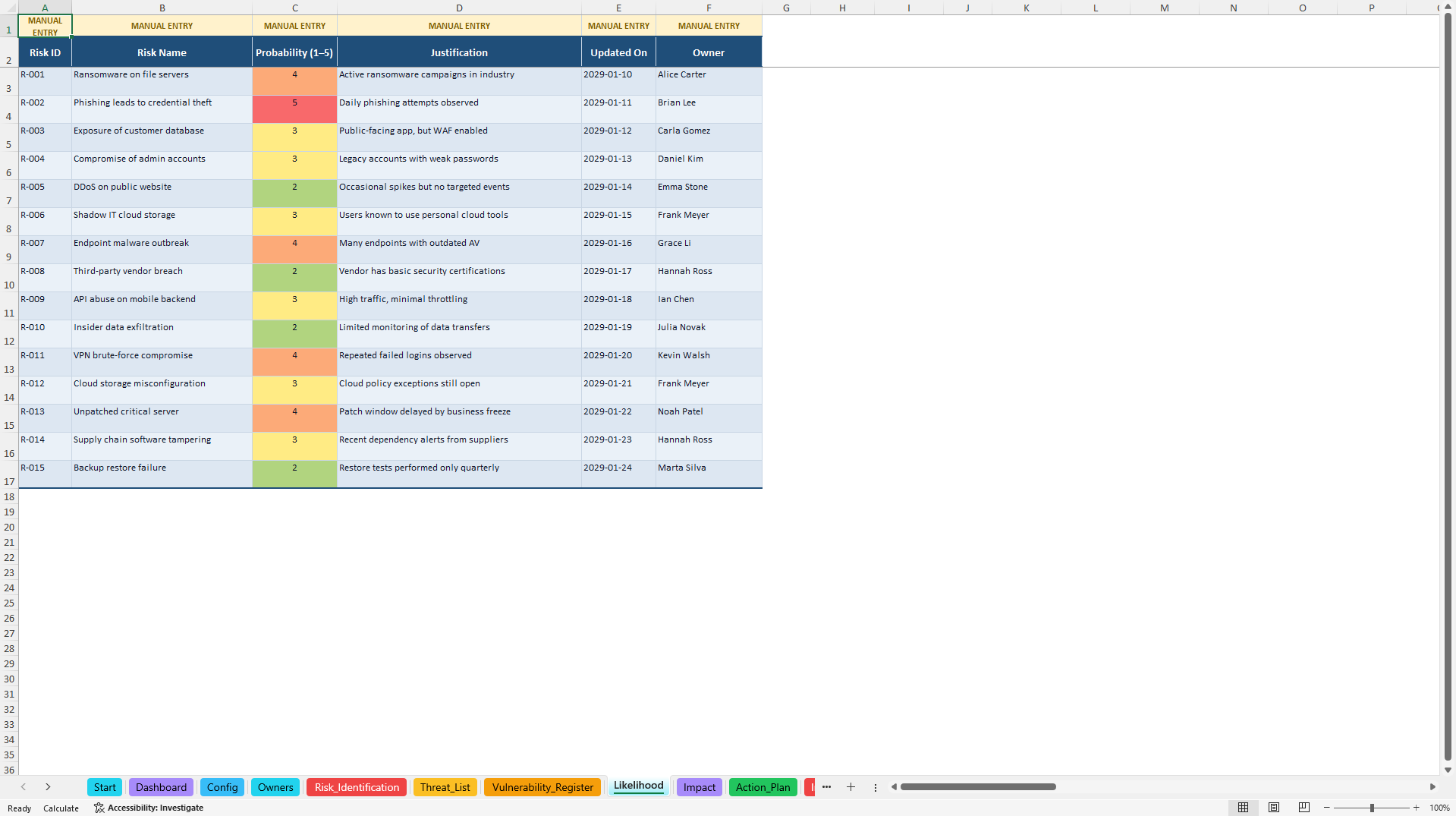
LIKELIHOOD SCORING
Support consistent cybersecurity risk assessments using defined likelihood criteria.
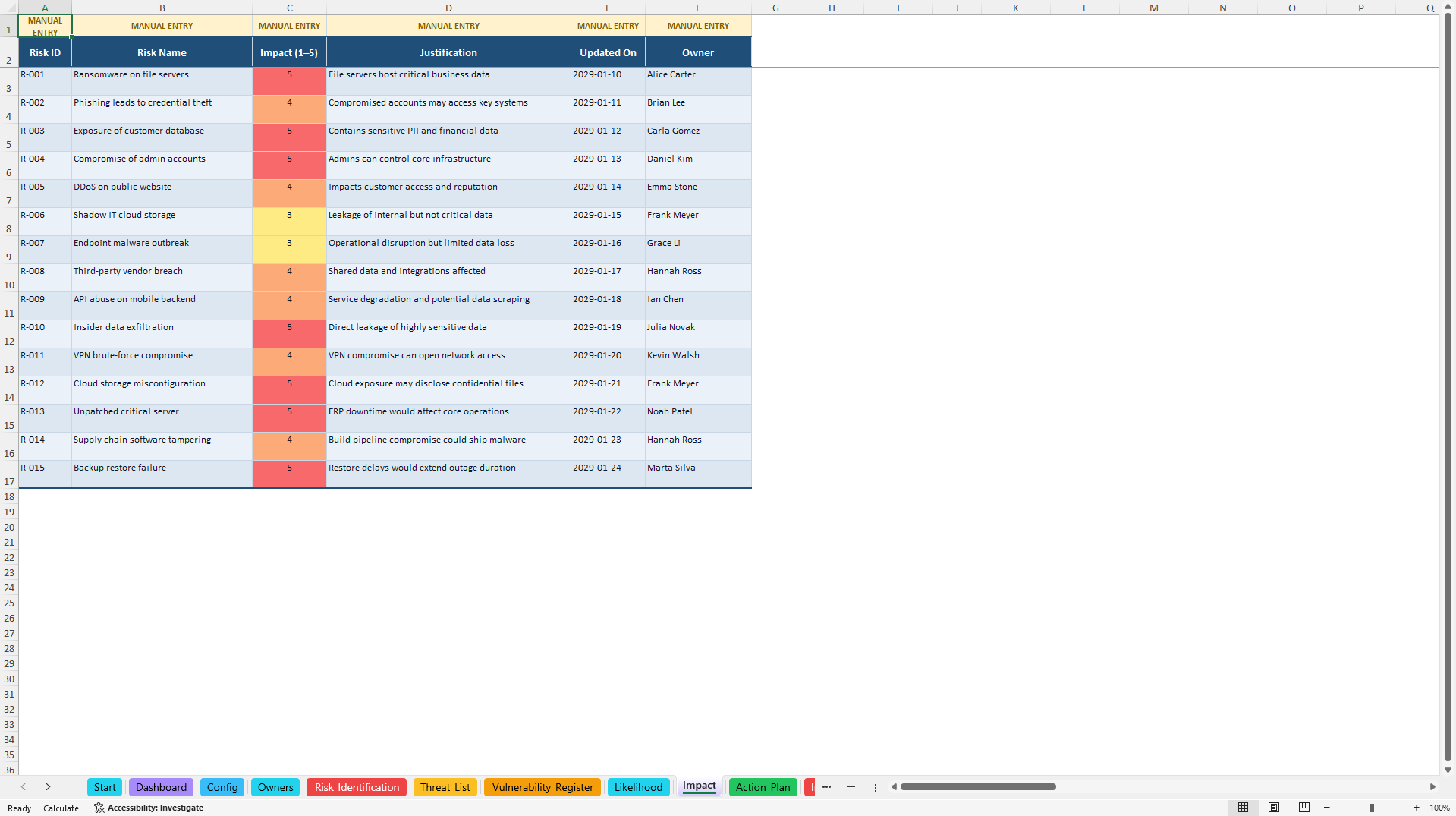
IMPACT SCORING
Evaluate potential organizational consequences using structured impact criteria.
ACTION PLAN
Coordinate remediation initiatives, assign responsible owners, maintain deadlines, monitor progress, and track priorities and SLA-related status.
INCIDENT LOG
Document cybersecurity incidents, including severity, incident classification, business impact, response activities, containment, eradication, resolution, and SLA-related performance.
TIME TO REMEDIATE KPI
Monitor selected remediation timing indicators and support operational review of corrective-action performance.
MANAGEMENT DASHBOARD
Consolidate selected risk, incident, remediation, and management indicators into a visual executive reporting interface.
⚠️ 3. STRUCTURED CYBERSECURITY RISK ASSESSMENT
The system supports a consistent approach to recording and evaluating cybersecurity risks.
Users can document:
• Risk identification and descriptions
• Likelihood and impact assessments
• Existing control effectiveness
• Inherent risk exposure
• Residual risk exposure
• Risk appetite considerations
• Responsible risk owners
• Risk prioritization and RAG indicators
Prepared scoring fields and built-in calculations help standardize assessments and reduce manual spreadsheet work.
Risk scores are prioritization aids based on configured assumptions. They are not automatically generated financial loss estimates or predictions of real-world incident probability.
🚨 4. SECURITY INCIDENT & SLA MANAGEMENT
The Incident Log supports structured documentation throughout the incident management process.
Teams can record relevant incident details, follow response activities, monitor resolution times, and identify SLA-related exceptions.
The workbook supports:
• Incident identification and classification
• Severity assessment
• Business impact documentation
• Incident ownership
• Containment and eradication records
• Resolution time tracking
• SLA breach indicators
• Incident status monitoring
• Management reporting
These features can support internal security incident reviews and operational coordination.
The workbook is not a Security Information and Event Management (SIEM), Security Orchestration Automation and Response (SOAR), or automated threat detection platform.
🛠️ 5. REMEDIATION & CORRECTIVE ACTION TRACKING
The Action Plan provides a structured environment for following up on cybersecurity findings, vulnerabilities, and operational improvement requirements.
Track:
• Responsible owners
• Action priorities
• Assigned SLA tiers
• Due dates and remaining time
• Progress and implementation phases
• Overdue and at-risk indicators
• Corrective action status
By combining remediation tracking with risk and incident reporting, organizations can maintain clearer visibility over outstanding security work and management priorities.
🎁 6. BONUS – INCIDENT POST-MORTEM WORKBOOK
A separate five-worksheet Excel workbook is included to support post-incident analysis and continuous improvement.
The bonus contains:
START PAGE
Introduces the post-mortem workflow and provides navigation.
POST-MORTEM DASHBOARD
Provides a KPI-based overview of selected post-incident review and follow-up information.
INCIDENT POST-MORTEM TEMPLATE
Supports structured documentation of an incident review, including root cause considerations and lessons learned.
LESSONS & ACTIONS REGISTER
Organizes improvement opportunities, responsible owners, corrective actions, target dates, and progress.
CONFIG SHEET
Provides supporting configuration values and dropdown options.
The bonus workbook helps teams document operational lessons and maintain follow-up accountability after important incidents.
It contains calculated dashboard indicators but does not include additional native Excel charts.
🎯 7. PRACTICAL BUSINESS APPLICATIONS
The toolkit can support:
• Cybersecurity risk assessments
• IT and information security risk registers
• Vulnerability remediation coordination
• Security incident documentation
• Operational SLA performance reviews
• Security action plan management
• CISO and IT management reporting
• Internal risk and governance reviews
• Incident post-mortem documentation
• Security consulting engagements
It provides a reusable management structure that can be adapted to organizational requirements, internal policies, and different operating environments.
👥 IDEAL FOR
• Chief Information Security Officers (CISOs)
• Information Security Managers
• Cybersecurity and SecOps Teams
• IT Managers and IT Operations Teams
• Governance, Risk & Compliance Professionals
• Enterprise Risk Managers
• Internal Audit and Security Governance Teams
• Cybersecurity Consultants
• Managed Service Providers
• Startups, SMEs, and Growing Organizations
📦 FILE PACKAGE
PRIMARY DOCUMENT
1× Cybersecurity Risk & Incident Management Control Center (.xlsx)
Includes 12 worksheets covering:
• System navigation and configuration
• Owners and stakeholder management
• Cybersecurity risk identification and assessment
• Threat and vulnerability tracking
• Likelihood and impact scoring
• Remediation action management
• Security incident tracking
• Time-to-remediate monitoring
• Executive management dashboard
The main workbook contains four native Excel dashboard charts.
SECONDARY DOCUMENT
1× Incident Post-Mortem Bonus Workbook (.xlsx)
Includes five worksheets for incident review documentation, lessons learned, corrective actions, configuration, and dashboard reporting.
1× English How-to-Use Guide (.pdf)
An eight-page guide covering the intended setup, operation, and customization of the system.
TOTAL PACKAGE
• Two editable Excel workbooks
• One English PDF user guide
• 17 Excel worksheets
• Four native Excel charts
• Built-in formulas and configurable input structures
• Prepared realistic sample data
💻 TECHNICAL INFORMATION
• Microsoft Excel (.xlsx) format
• Editable data entry and management worksheets
• Built-in calculation formulas
• Dropdown lists and data validation
• Risk scoring and conditional formatting
• Native Excel dashboard charts
• Macro-free / no VBA required
• No external Excel data connections required
• Microsoft Excel Desktop recommended
Google Sheets import may support many of the underlying formulas and data-entry structures. However, charts, navigation, layout, conditional formatting, and other Excel-specific features may display or behave differently. Full Google Sheets compatibility is not guaranteed.
The system is designed for manual and formula-assisted management workflows. It does not automatically collect live security events, detect threats, import vulnerabilities from scanners, or integrate with external security platforms.
⚠️ IMPORTANT SECURITY & COMPLIANCE DISCLAIMER
This product is an editable cybersecurity management and documentation template. It is not an official security certification product, incident response service, regulatory compliance solution, or substitute for an organization's information security program.
The workbook does not guarantee prevention, detection, containment, or resolution of cybersecurity incidents.
Use of this toolkit does not guarantee compliance with ISO 27001, NIST, SOC 2, GDPR, or other applicable frameworks, standards, or legal requirements.
Users are responsible for validating their information, configuring scoring assumptions and SLA criteria, protecting sensitive information, adapting the worksheets to their organizational requirements, and obtaining qualified cybersecurity, legal, regulatory, or compliance advice where appropriate.
All sample data and example calculations are illustrative and do not represent actual cybersecurity performance or guaranteed security outcomes.
ABOUT SHEETWORKSSTUDIO
SheetworksStudio develops professional, editable spreadsheet-based management systems designed to support structured business workflows, operational oversight, risk management, and data-informed decision-making.
Got a question about the product? Email us at support@flevy.com or ask the author directly by using the "Ask the Author a Question" form. If you cannot view the preview above this document description, go here to view the large preview instead.
Source: Best Practices in Cyber Security, Incident Management Excel: Cybersecurity Risk & Incident Management Control Center Excel (XLSX) Spreadsheet, SheetworksStudio
ABOUT THE AUTHOR

SheetworksStudio creates premium Excel-based business templates, dashboards, trackers, financial models, and management systems for professionals, consultants, entrepreneurs, and organizations.
Our portfolio covers finance, project management, operations, risk management, compliance, AI governance, HR, supply chain, performance management, and business planning. Each product is designed to
... [read more]
Ask the Author a Question
You must be logged in to contact the author.




























