
 Click main image to view in full screen. Unlock all 9 preview images:
Enterprise Risk Management & Risk Register Control Center – Excel XLSX
Excel (XLSX) + Zip archive file (ZIP)


BENEFITS OF THIS DOWNLOADABLE EXCEL DOCUMENT
- Manage strategic, operational, financial, technology, compliance, and ESG risks across six structured registers with automated inherent and residual risk scoring.
- Monitor eight management KPIs, four dashboard charts, a dynamic 5×5 residual risk matrix, mitigation actions, and owner responsibilities through one Excel control center.
- Start with 90 example risks, expand to 1,170 risk entries, and manage risk committee reviews using a separate four-sheet companion with four Excel charts and an eight-page guide.
RISK MANAGEMENT EXCEL DESCRIPTION
🛡️ ENTERPRISE RISK MANAGEMENT & RISK REGISTER CONTROL CENTER
An Integrated Excel-Based ERM System for Risk Assessment, Mitigation, Executive Reporting & Management Reviews
The Enterprise Risk Management & Risk Register Control Center by SheetworksStudio is a professional, fully editable Excel management toolkit designed to help organizations identify, evaluate, prioritize, monitor, and manage enterprise-wide risks.
The system combines six structured risk registers, automated inherent and residual risk assessments, mitigation action tracking, owner accountability, an executive dashboard, and a dynamic 5×5 residual risk matrix.
Developed for practical enterprise risk management workflows, the toolkit provides a centralized working environment for Risk Managers, Compliance Officers, Internal Audit Teams, Executives, and Management Consultants.
Rather than maintaining disconnected risk spreadsheets, organizations can use a consistent management structure for risk documentation, scoring, treatment planning, follow-up, and executive reporting.
📊 1. EXECUTIVE RISK MANAGEMENT DASHBOARD
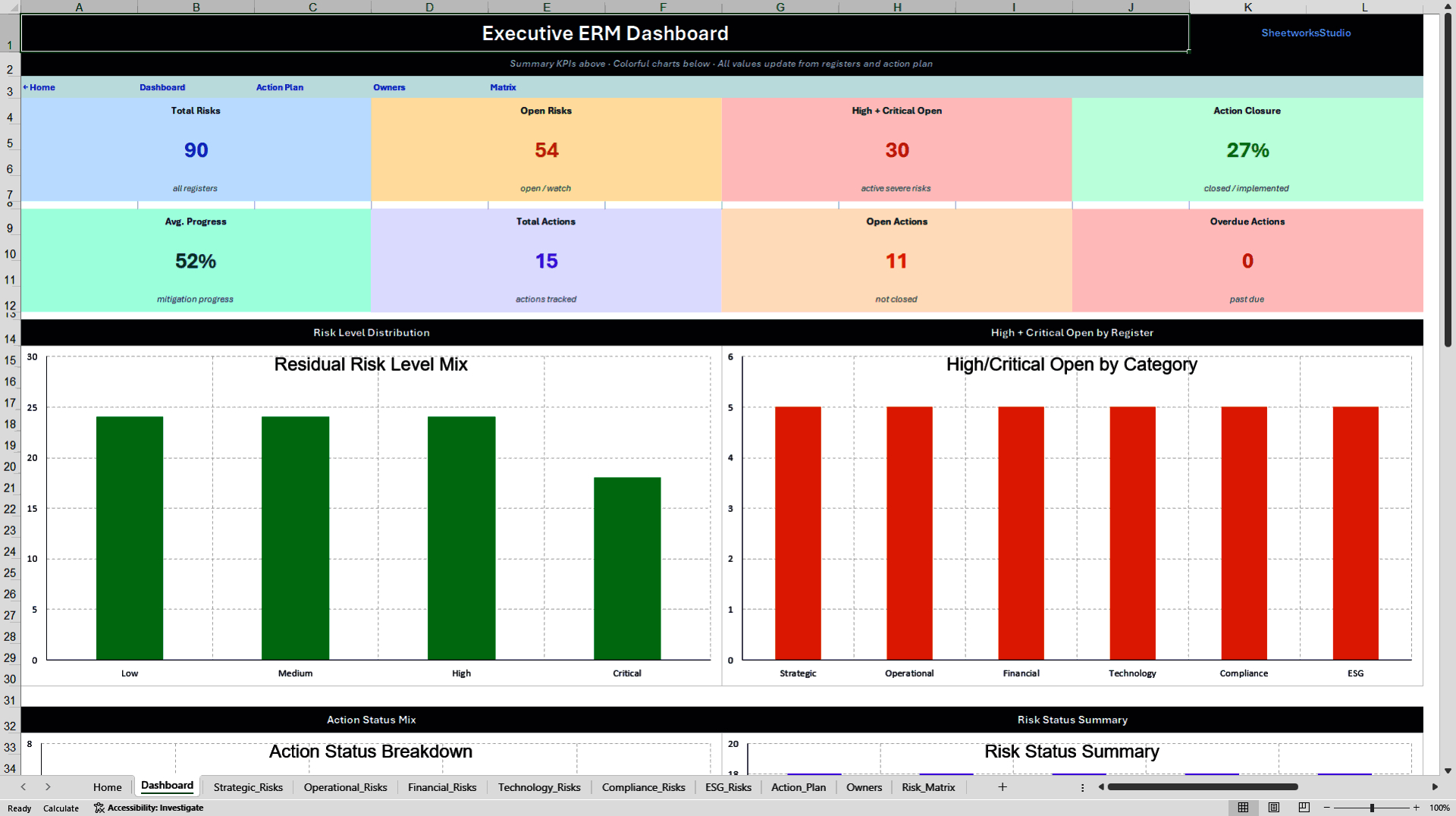
The central Executive Dashboard consolidates key enterprise risk and mitigation indicators into one visual management interface.
Eight KPI metrics provide an overview of:
• Total registered risks
• Open risks
• High and critical open risks
• Action closure percentage
• Average mitigation progress
• Total corrective actions
• Open corrective actions
• Overdue actions
Four native Excel charts visualize risk severity, high and critical risks by register, risk status distribution, and action status distribution.
The dashboard supports regular risk reviews, management reporting, and discussions about organizational risk exposure and mitigation priorities.
⚙️ 2. SIX INTEGRATED ENTERPRISE RISK REGISTERS
The main workbook provides dedicated registers for six major risk domains.
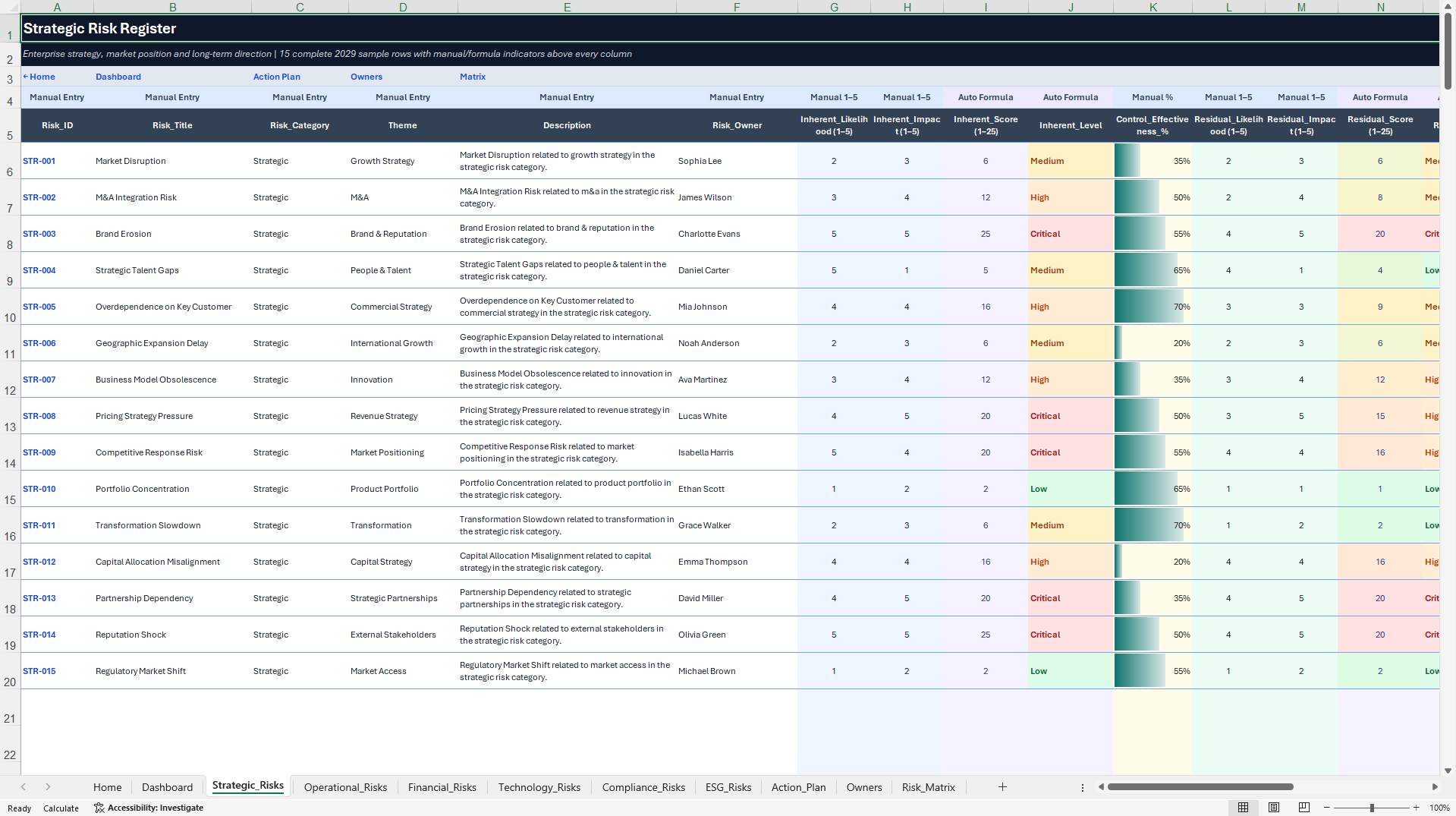
STRATEGIC RISKS
Document market, competitive, business strategy, transformation, and long-term organizational risks.
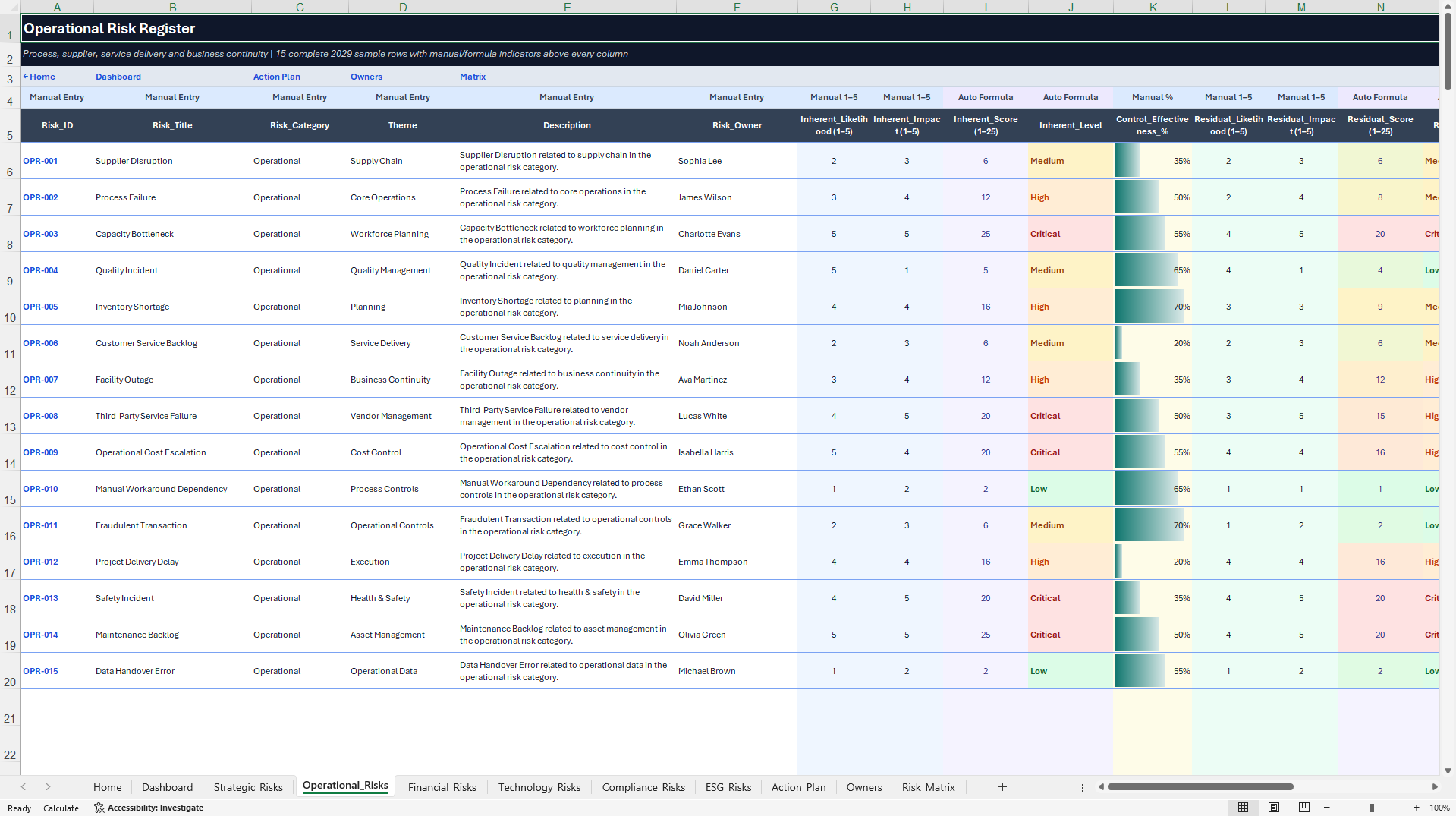
OPERATIONAL RISKS
Assess process disruptions, service delivery, supply chain, resource, and operational performance risks.
FINANCIAL RISKS
Record liquidity, credit, pricing, budget, financial exposure, and related business risks.
TECHNOLOGY RISKS
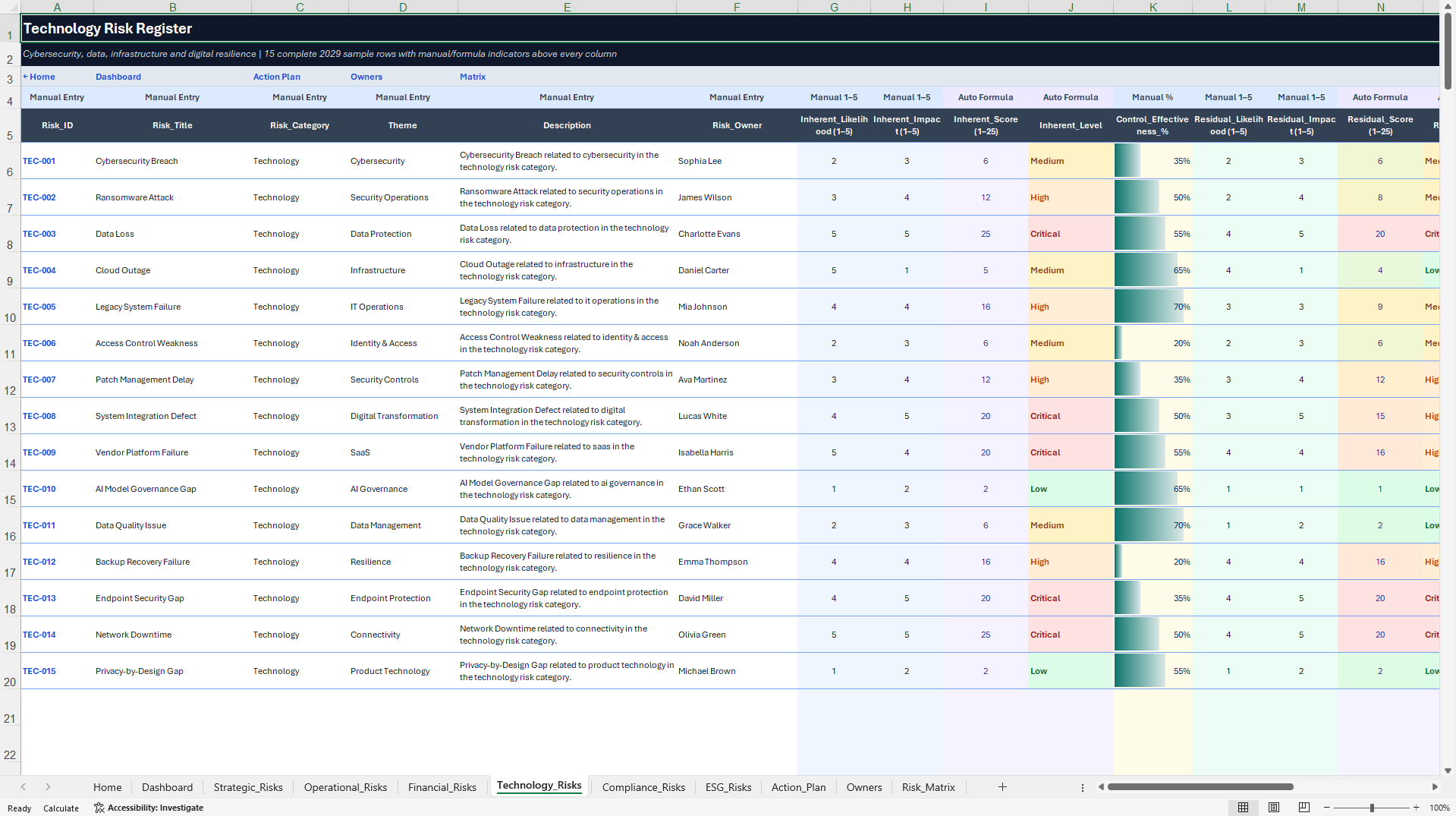
Maintain structured assessments of IT, cybersecurity, systems, data, and technology-related risks.
COMPLIANCE RISKS
Organize legal, regulatory, governance, policy, and compliance-related risk considerations.
ESG RISKS
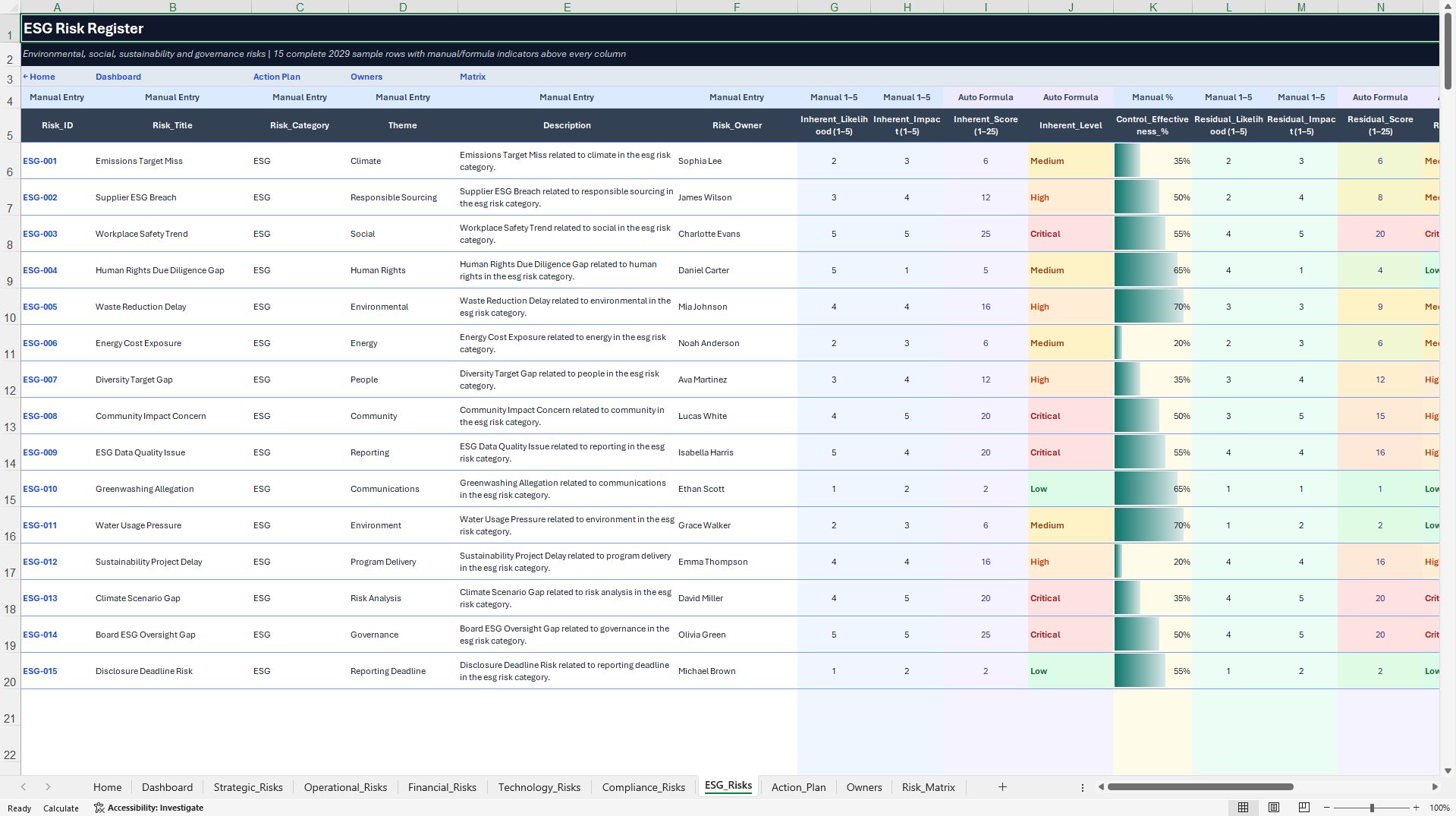
Document environmental, social, governance, sustainability, and associated business risks.
Each register includes structured scoring fields, status information, ownership, review dates, and visual risk indicators.
The six registers contain 90 realistic sample risks in total, with 15 completed example records per register.
Each register is prepared for 195 risk entries, providing a combined working capacity of 1,170 entries across all six domains, including the initial examples.
🧮 3. AUTOMATED RISK SCORING & ASSESSMENT
The workbook supports consistent risk assessments using structured input fields and built-in calculations.
Key features include:
• Likelihood ratings from 1 to 5
• Impact ratings from 1 to 5
• Automatic inherent risk scores
• Inherent risk classifications
• Residual risk assessments
• Residual risk scores and levels
• Control effectiveness inputs
• Calculated review information
• Visual risk scores and status indicators
Risk exposure is classified using four categories:
• Low
• Medium
• High
• Critical
The scoring structure supports consistent comparison and prioritization across the six registers.
Risk scores are management assessment aids based on the entered assumptions. They are not predictions of actual financial loss or future events.
🎯 4. DYNAMIC 5×5 RESIDUAL RISK MATRIX
An integrated 5×5 risk matrix provides a visual representation of residual risk exposure.
The matrix groups applicable risks according to their residual likelihood and impact assessments.
This helps management teams identify concentrations of risk exposure and supports discussions about prioritization, treatment, and escalation.
The matrix is linked to the underlying risk registers and reflects the prepared extended risk ranges after spreadsheet recalculation.
🛠️ 5. MITIGATION ACTION PLAN & OWNER ACCOUNTABILITY
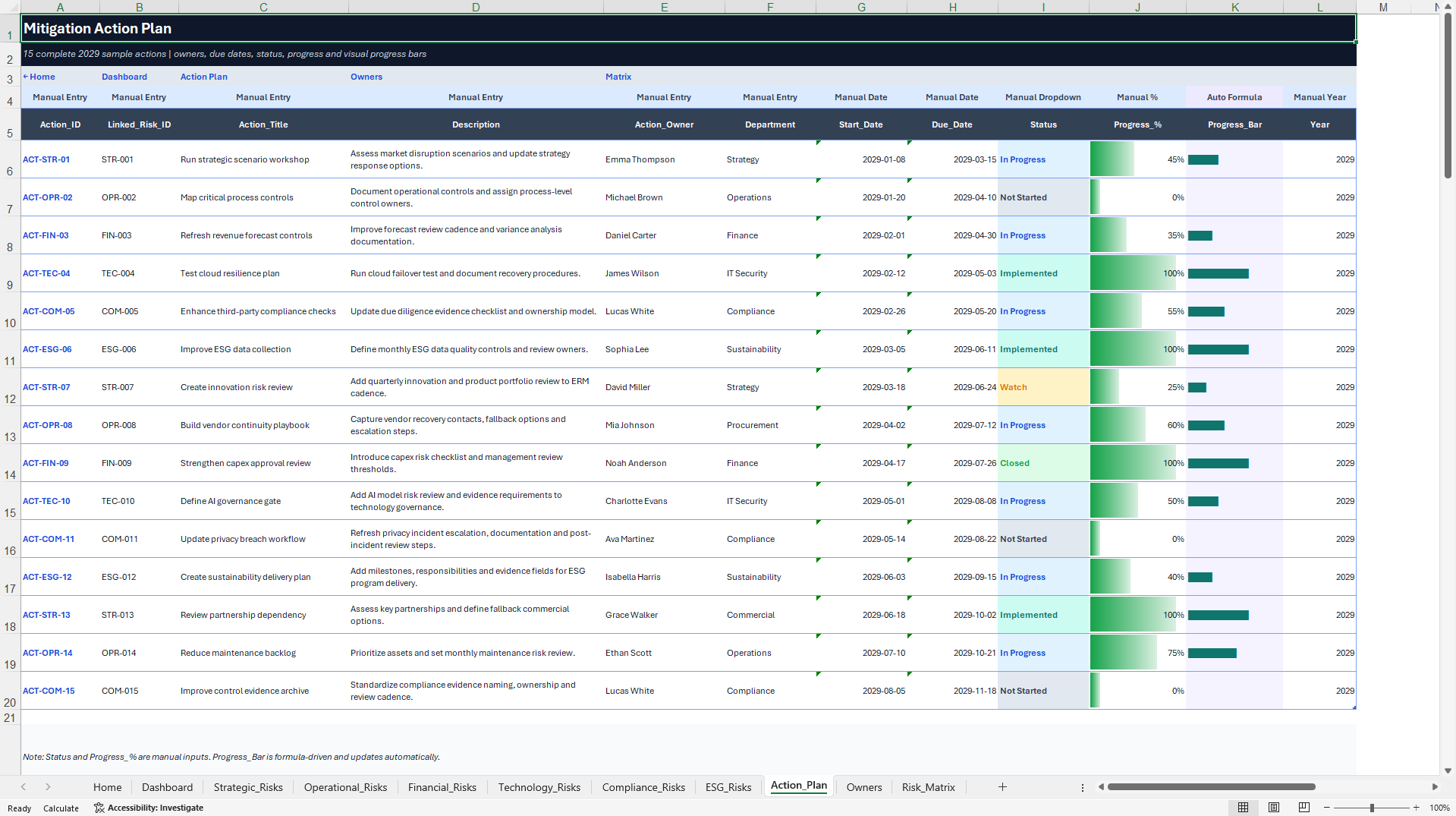
The Action Plan supports structured coordination of risk treatment activities.
Track:
• Related Risk IDs
• Action owners
• Responsible departments
• Planned start dates
• Due dates
• Action status
• Completion percentages
• Mitigation progress
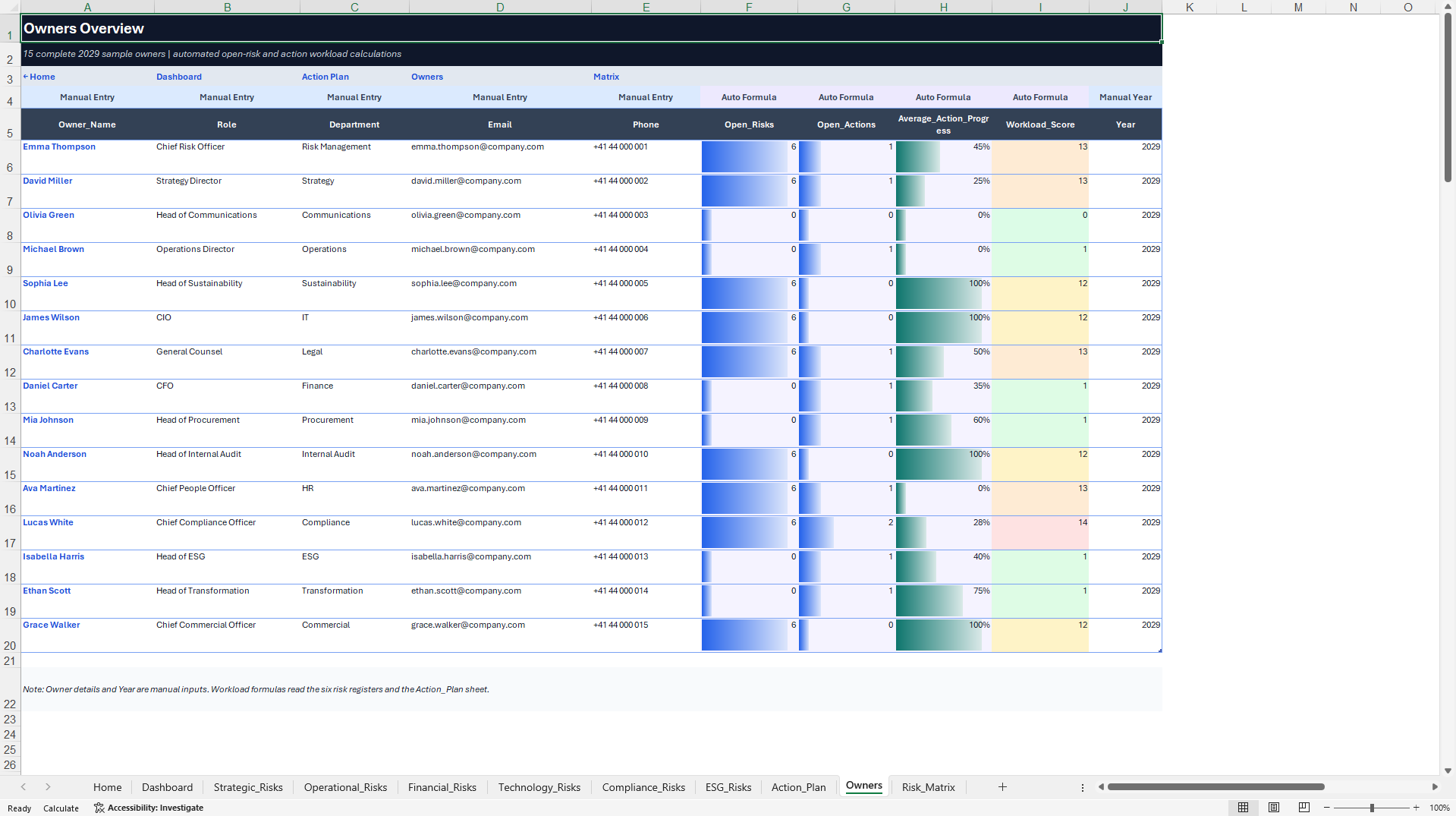
An Owners Overview provides additional visibility into assigned risks, open actions, workload distribution, and average progress.
Together, these management tools support accountability and follow-up across different business functions.
💡 6. EXECUTIVE REPORTING & MANAGEMENT WORKFLOW
The toolkit is designed to support recurring enterprise risk management activities.
A practical workflow includes:
1. Identify risks across relevant business domains.
2. Assess likelihood and impact.
3. Review inherent and residual risk exposure.
4. Assign responsible owners.
5. Document mitigation actions and deadlines.
6. Monitor outstanding and overdue work.
7. Review risk distributions and the 5×5 matrix.
8. Discuss priorities in recurring management meetings.
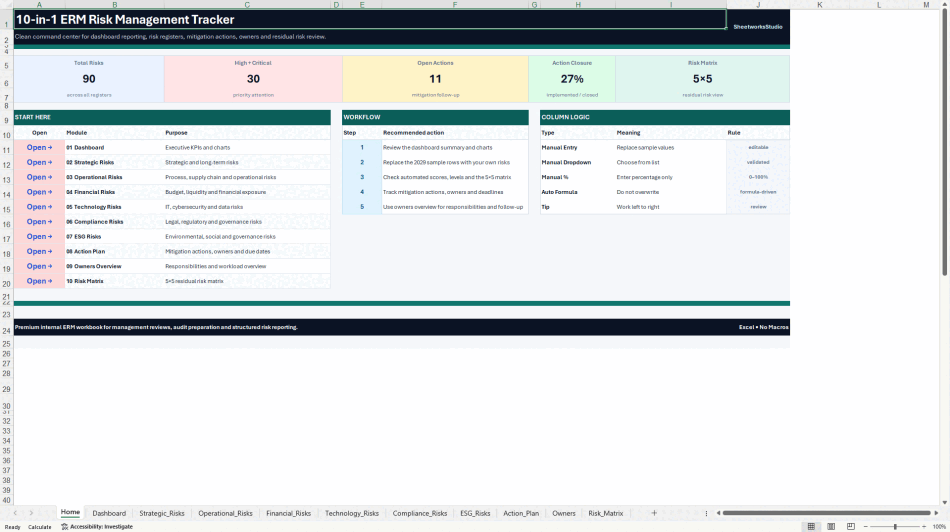
The workbook includes a dedicated Home and Navigation page to support orientation and movement between management modules.
🎁 7. BONUS – ERM REVIEW COMPANION
A separate four-worksheet Excel workbook is included to support risk committee meetings, executive discussions, and recurring risk reviews.
COVER & NAVIGATION
Introduces the review workflow and provides access to the companion's meeting tools.
TOP RISKS REVIEW
Organize a Top-10 risk discussion using structured risk information, five KPI cards, automated risk levels, visual score indicators, and charts for residual risk levels and risk status.
REVIEW AGENDA
Plan meeting topics, responsible participants, objectives, allocated time, and review status.
The sheet includes four KPI cards and a native Agenda Status Chart.
FOLLOW-UP LOG
Record agreed actions, responsible owners, priorities, due dates, and completion status.
Built-in date calculations help identify upcoming and overdue follow-up activities.
The sheet contains five KPI cards and a native Follow-up Status Chart.
The ERM Review Companion includes four native Excel charts in total.
It is delivered as a separate working workbook, enabling teams to maintain management-review information independently of the main risk database.
🎯 8. PRACTICAL BUSINESS APPLICATIONS
The toolkit can support:
• Enterprise risk management programs
• Strategic and operational risk reviews
• Corporate risk register management
• Internal risk governance processes
• Management and board reporting preparation
• Risk committee meetings
• Mitigation and corrective action planning
• Audit and compliance preparation
• Technology and cybersecurity risk reviews
• ESG risk assessment coordination
• Consulting and risk advisory engagements
Its configurable spreadsheet structure makes it suitable for organizations of different sizes and industries.
👥 IDEAL FOR
• Chief Risk Officers and Risk Managers
• Enterprise Risk Management Teams
• Governance, Risk & Compliance Professionals
• Internal Audit Teams
• Operations Managers
• Finance and Compliance Officers
• ESG and Sustainability Teams
• Project and Program Managers
• Management Consultants and Advisors
• Small, Medium-Sized, and Growing Organizations
📦 FILE PACKAGE
PRIMARY DOCUMENT
1× Enterprise Risk Management Control Center (.xlsx)
Includes 11 Excel worksheets:
• Home / Navigation
• Executive Dashboard
• Strategic Risks
• Operational Risks
• Financial Risks
• Technology Risks
• Compliance Risks
• ESG Risks
• Action Plan
• Owners Overview
• 5×5 Risk Matrix
The main workbook includes eight executive KPI metrics, four native Excel dashboard charts, and six expandable risk registers.
SECONDARY DOCUMENT
1× ERM Review Companion (.xlsx)
Four worksheets for management reviews, top-risk discussions, meeting agendas, and follow-up management.
Includes four native Excel charts.
1× English How-to-Use Guide (.pdf)
An eight-page guide explaining setup, risk scoring, workbook navigation, management workflows, and important usage information.
TOTAL PRODUCT PACKAGE
• Two editable Excel workbooks
• One English PDF guide
• 15 Excel worksheets
• Eight native Excel charts
• Six structured risk registers
• 90 realistic sample risks
• Capacity for 1,170 risk entries across the six registers
• Automated risk calculations and management indicators
• Dashboard reporting and 5×5 residual risk matrix
💻 TECHNICAL INFORMATION
• Microsoft Excel (.xlsx) format
• Fully editable spreadsheet templates
• Built-in formulas and data validations
• Structured 1–5 risk ratings
• Conditional formatting and visual risk indicators
• Native Excel charts
• Prepared risk-entry fields and calculations
• No macros or VBA required
• No external add-ins required
• Microsoft Excel Desktop recommended
The risk calculations, management summaries, and 5×5 matrix use spreadsheet formulas. Recalculation must be enabled for new and updated entries to be reflected in reporting.
Google Sheets import may support many of the underlying formulas and editable data fields. However, spreadsheet navigation, formatting, charts, and Excel-specific functionality may behave differently. Full Google Sheets feature parity is not guaranteed.
The ERM Review Companion is a separate workbook and is not presented as an automatically synchronized live database.
⚠️ IMPORTANT RISK MANAGEMENT DISCLAIMER
This product is an editable enterprise risk management and business documentation template.
It is not an official, accredited, or certified risk management system and does not guarantee compliance with ISO 31000, COSO ERM, or any other regulatory, governance, or professional standard.
The workbook does not replace professional risk management, legal, financial, audit, compliance, or regulatory advice.
Users are responsible for verifying their data, reviewing scoring assumptions, evaluating control effectiveness, adapting risk thresholds and management processes, and making decisions appropriate to their organization and jurisdiction.
All sample risks, values, and management information are illustrative and do not represent actual organizational exposures or guaranteed risk reduction.
ABOUT SHEETWORKSSTUDIO
SheetworksStudio develops structured, editable spreadsheet-based management systems and business tools designed to support operational organization, management oversight, business planning, and data-informed decision-making.
Got a question about the product? Email us at support@flevy.com or ask the author directly by using the "Ask the Author a Question" form. If you cannot view the preview above this document description, go here to view the large preview instead.
Source: Best Practices in Risk Management Excel: Enterprise Risk Management & Risk Register Control Center Excel (XLSX) Spreadsheet, SheetworksStudio
ABOUT THE AUTHOR

SheetworksStudio creates premium Excel-based business templates, dashboards, trackers, financial models, and management systems for professionals, consultants, entrepreneurs, and organizations.
Our portfolio covers finance, project management, operations, risk management, compliance, AI governance, HR, supply chain, performance management, and business planning. Each product is designed to
... [read more]
Ask the Author a Question
You must be logged in to contact the author.




























