 Click main image to view in full screen.
Team Capacity Planner – Excel XLSX
Excel (XLSX) + Zip archive file (ZIP)


BENEFITS OF THIS DOWNLOADABLE EXCEL DOCUMENT
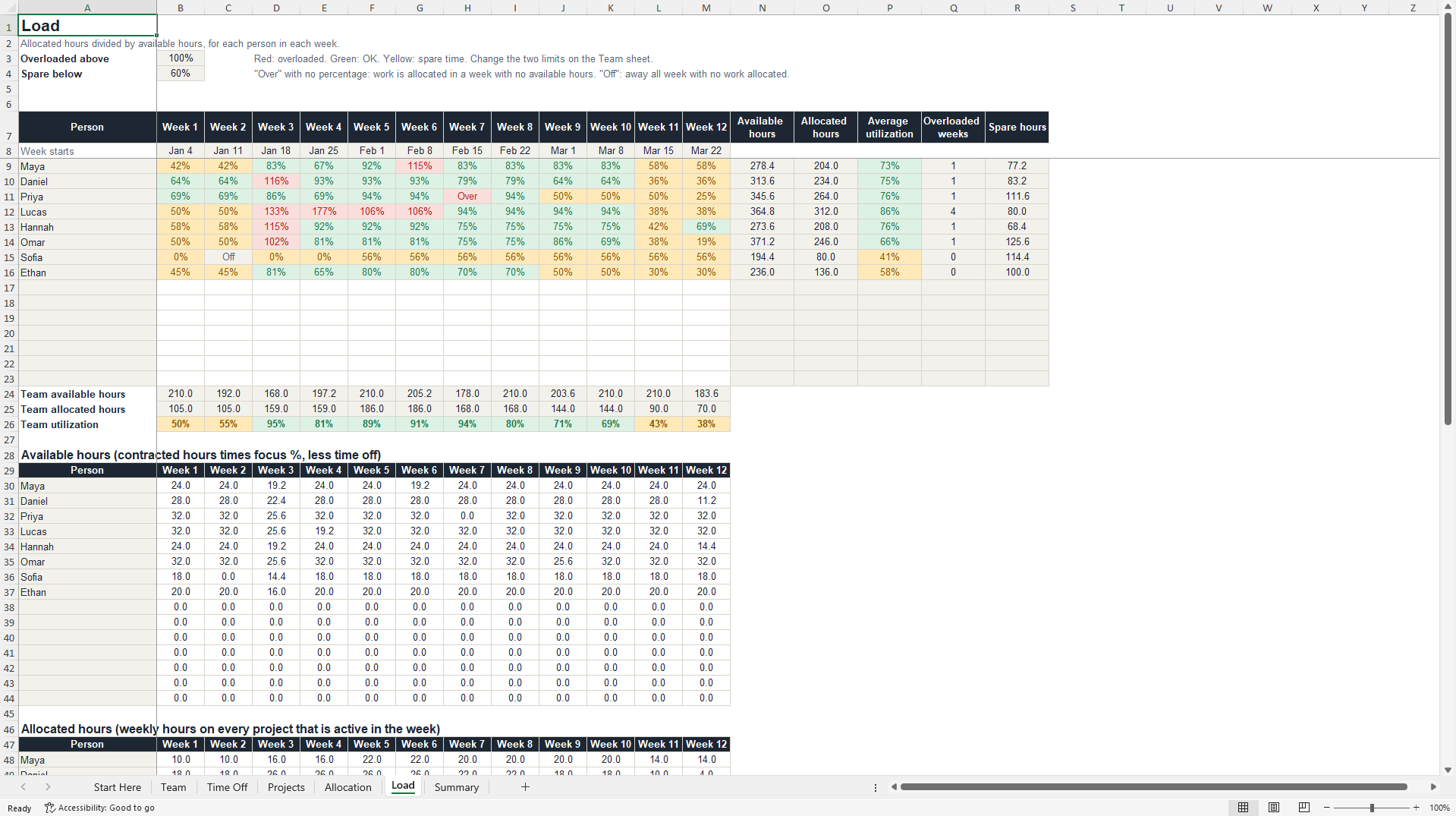
- Shows spare hours by person and by week, so you commit to new work with confidence.
- Flags overload before it costs you, for every person and every week.
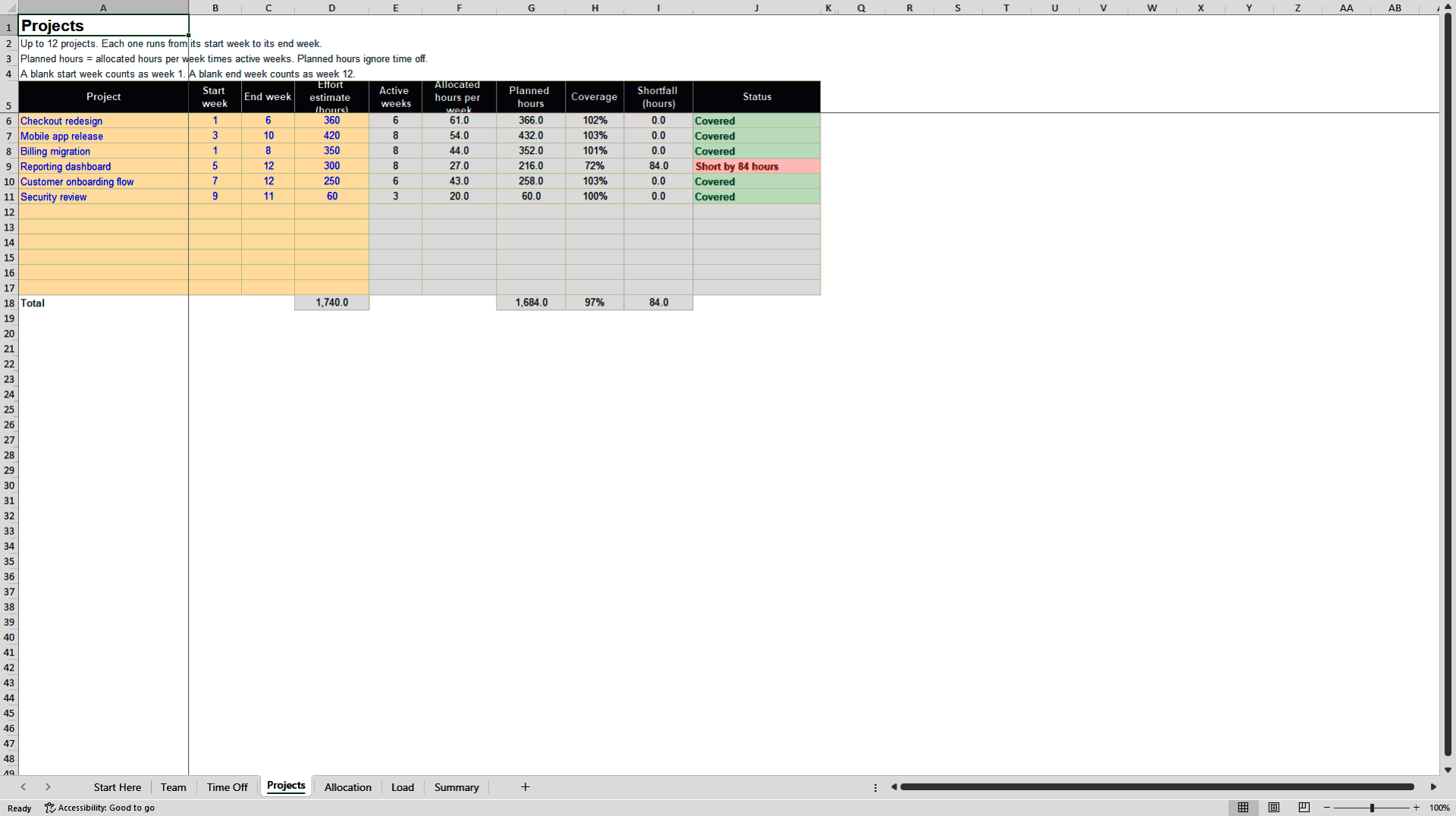
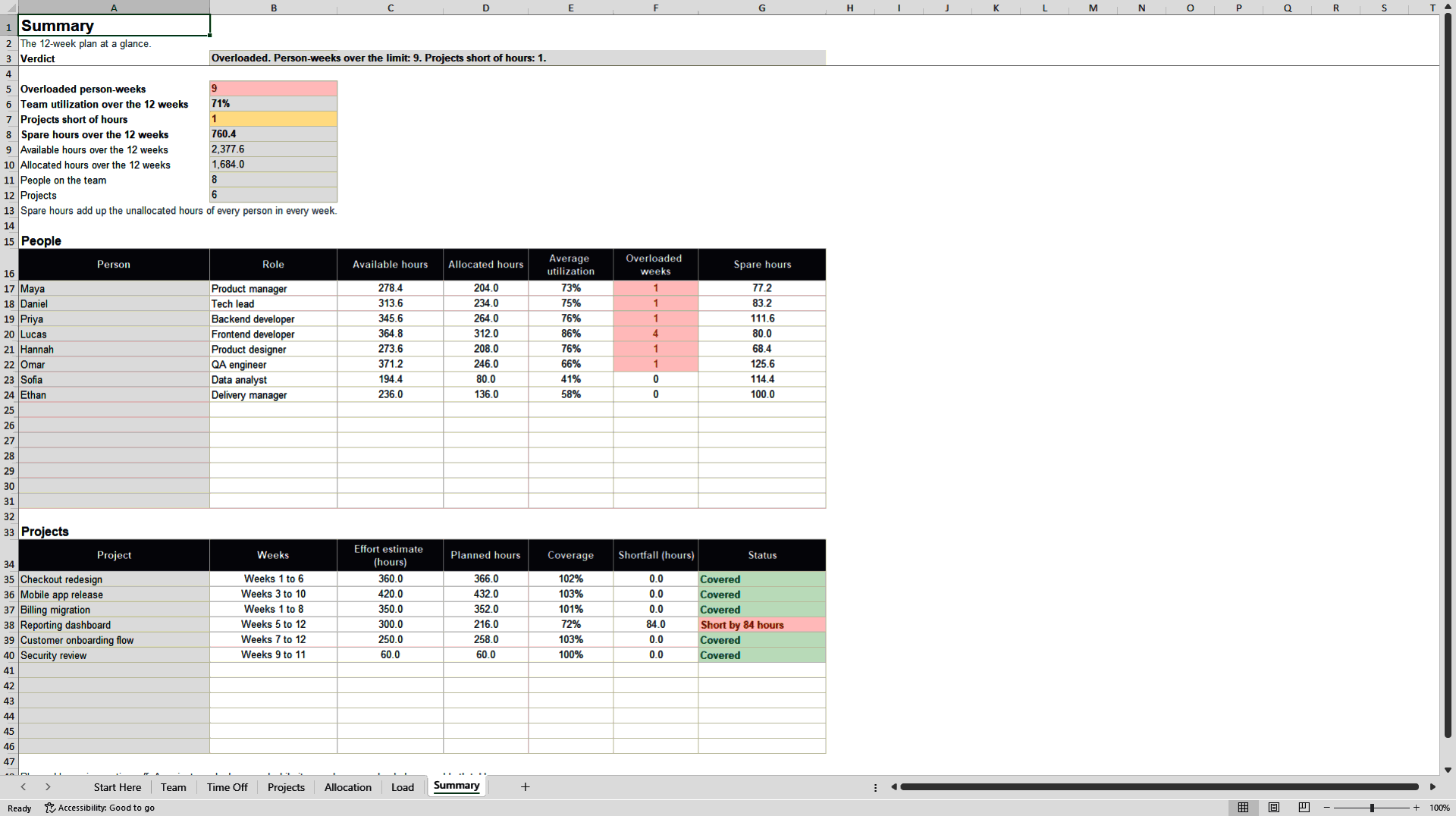
- Warns early when the hours planned on a project fall short of the estimate.
TEAM MANAGEMENT EXCEL DESCRIPTION
Can your team take on the next project? See who has room, who is stretched and which projects are at risk, twelve weeks ahead.
WHO IT IS FOR
Owners and managers of smaller businesses who want the method of a top consulting firm in a tool they can run themselves.
WHAT YOU GET OUT OF IT
• Commit to new work with confidence: spare hours by person and by week.
• Overload spotted before it costs you: every person, every week, in color.
• Projects at risk flagged early: hours planned against the estimate.
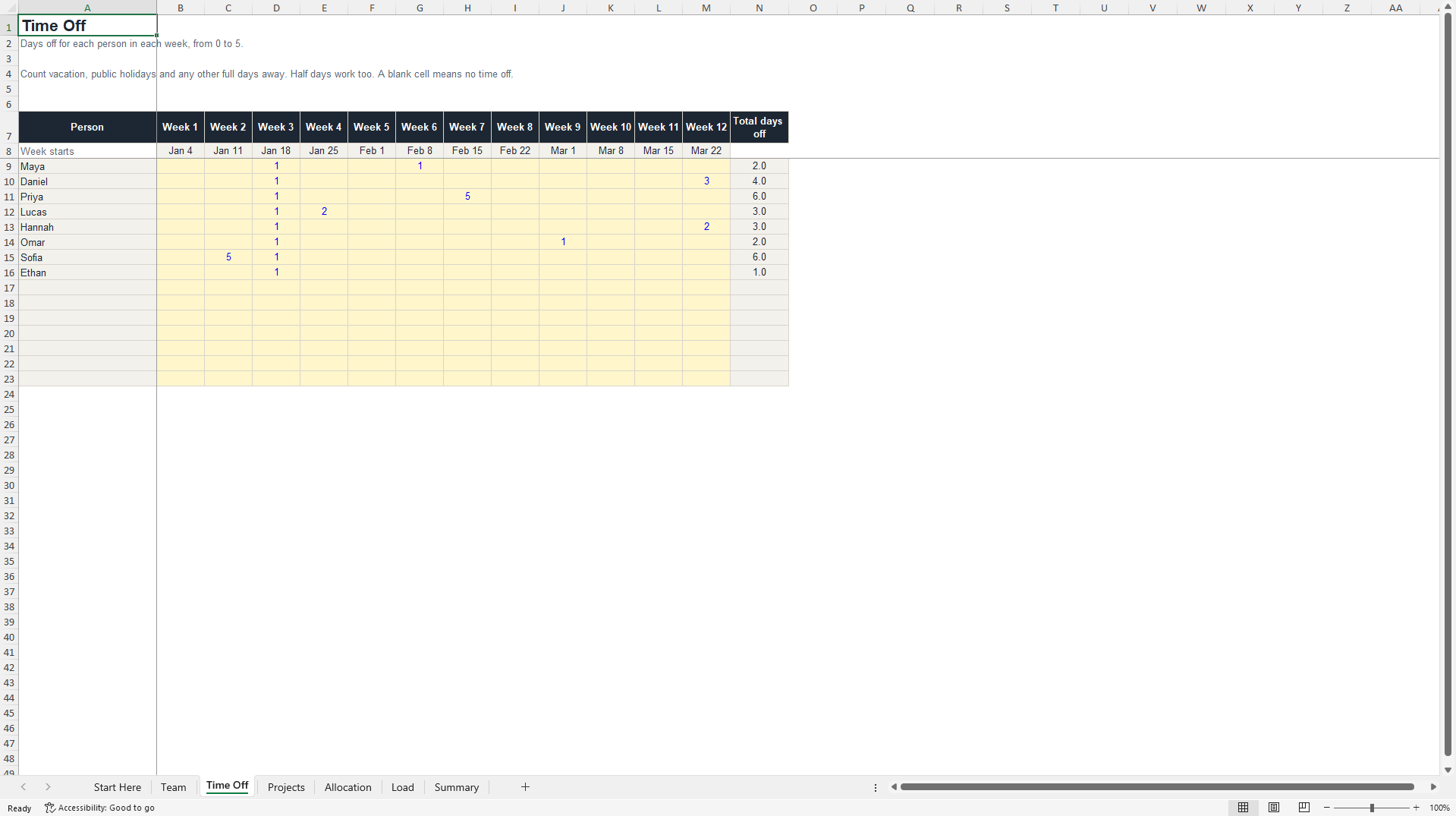
• Real capacity, not contract hours: days off, meetings and admin are taken out.
WHAT IS INSIDE
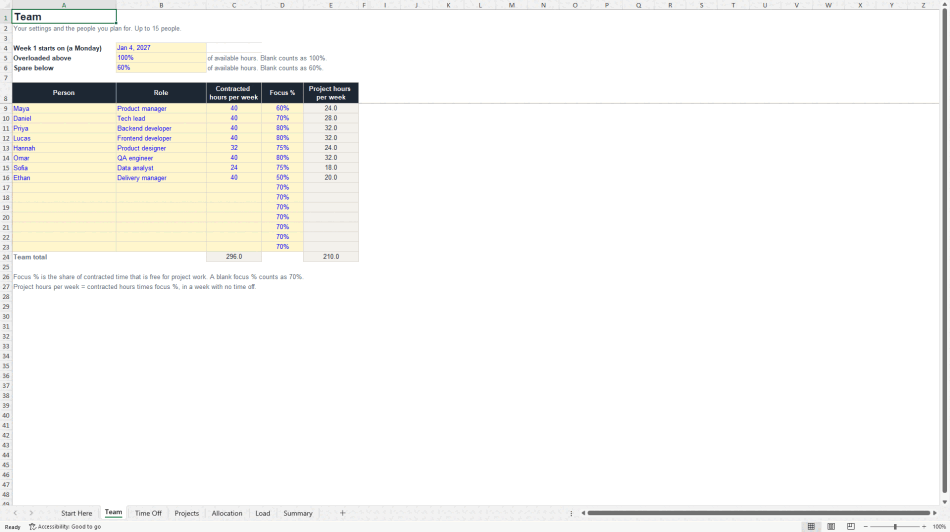
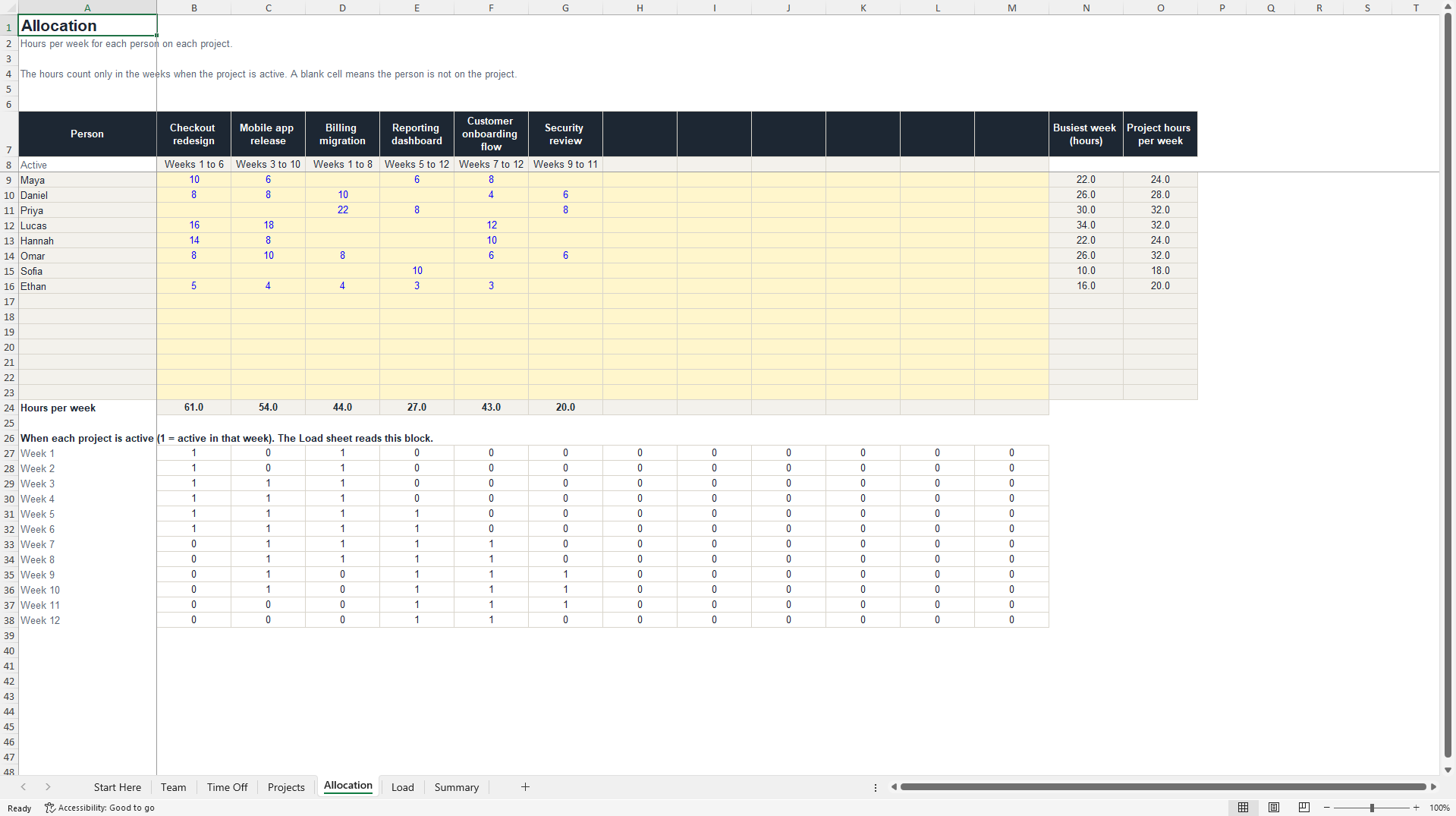
• Up to 15 people and 12 projects over 12 weeks.
• Days off entered week by week.
• Your own limits for what counts as overloaded and as spare.
• Four headline numbers and a color map of the team.
HOW YOU USE IT
Open the example to see a finished one. Then open the blank template and type your own figures in the yellow cells. Everything else updates itself. The formulas are visible and unlocked, so you can follow every number and change anything you like.
THE TWO FILES
The primary document is the workbook filled with an example, so the preview shows a finished one. The secondary document is a ZIP file with the full set: the blank template ready to fill, the same example, an app version that opens in your browser and works with no internet, and a short read-me.
WORKS WITH
• Microsoft Excel 2010 or later, on Windows or Mac.
• Google Sheets and LibreOffice.
• The app: Chrome, Edge, Safari or Firefox.
GOOD TO KNOW
• Pay once. No subscription.
• Instant download.
• Fully editable. Change any label, add your logo, rework any formula.
• No macros and no add-ins.
• Your numbers stay on your computer.
HOW IT IS MADE
Designed by a senior consultant with 20+ years of practice and built with the help of AI tools. Every calculation is checked against a second, independent review before release.
One buyer per purchase. Please do not resell or share the files.
A planning template. It does not give legal, tax or financial advice.
Got a question about the product? Email us at support@flevy.com or ask the author directly by using the "Ask the Author a Question" form. If you cannot view the preview above this document description, go here to view the large preview instead.
Source: Best Practices in Team Management, Resource Management Excel: Team Capacity Planner Excel (XLSX) Spreadsheet, Strategy Toolworks
ABOUT THE AUTHOR

Large companies turn to top consulting firms for the method behind their biggest decisions. Strategy Toolworks puts the same methods in the hands of smaller businesses.
Each tool is built on 20+ years of practice in top-tier consulting firms, and made clear enough to run yourself: you type in your numbers, and you see your options, your risks and a recommendation in plain words. You decide
... [read more]
Ask the Author a Question
You must be logged in to contact the author.