
 Click main image to view in full screen. Unlock all 12 preview images:
Process Automation Assessment & n8n Build Excel Template – Excel XLSX
Excel (XLSX) + Zip archive file (ZIP)


BENEFITS OF THIS DOWNLOADABLE EXCEL DOCUMENT
- Enforce a Level 1-to-Level 5 process hierarchy and assess automation candidates only at the activity and task levels where executability can be tested.
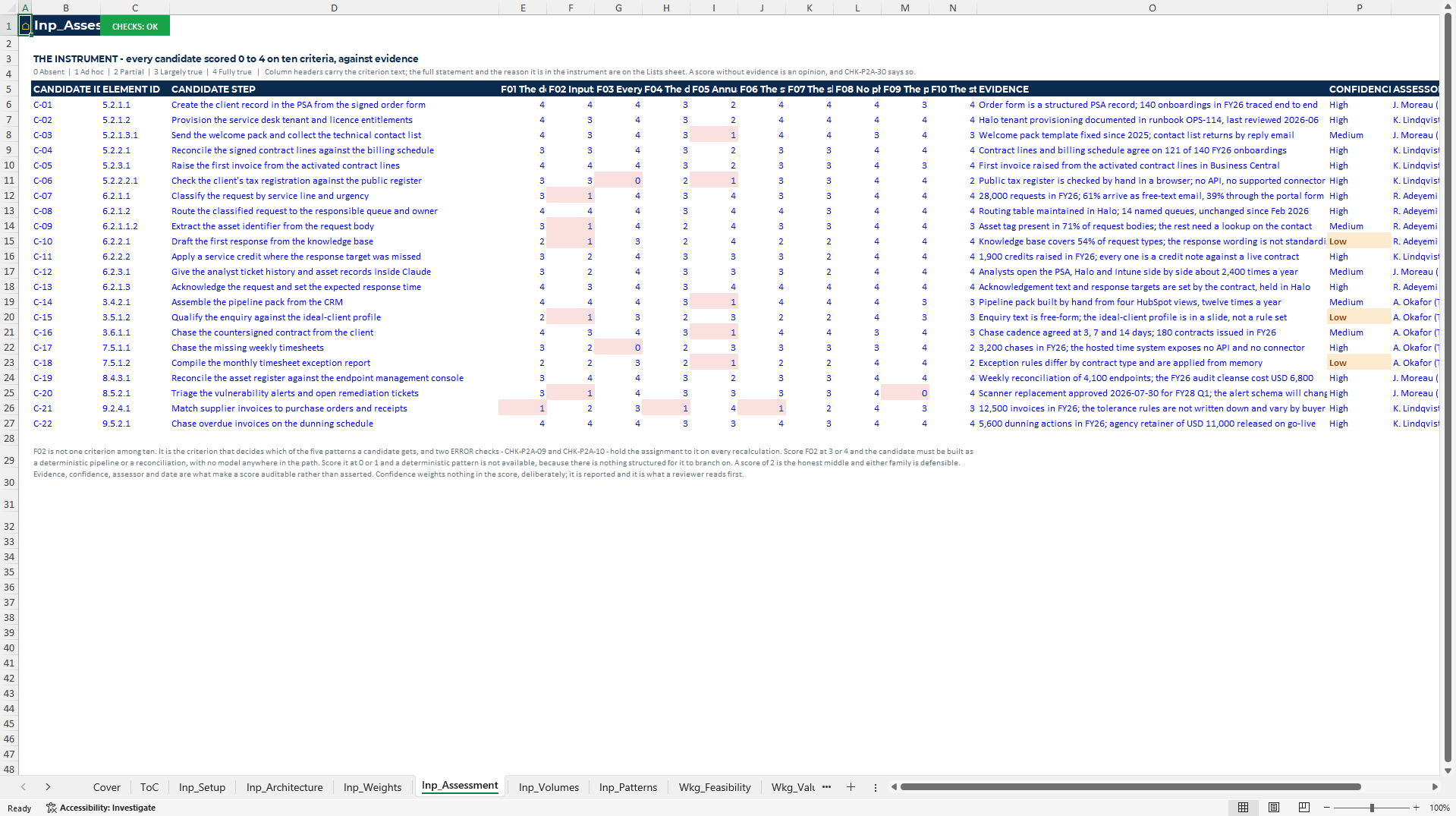
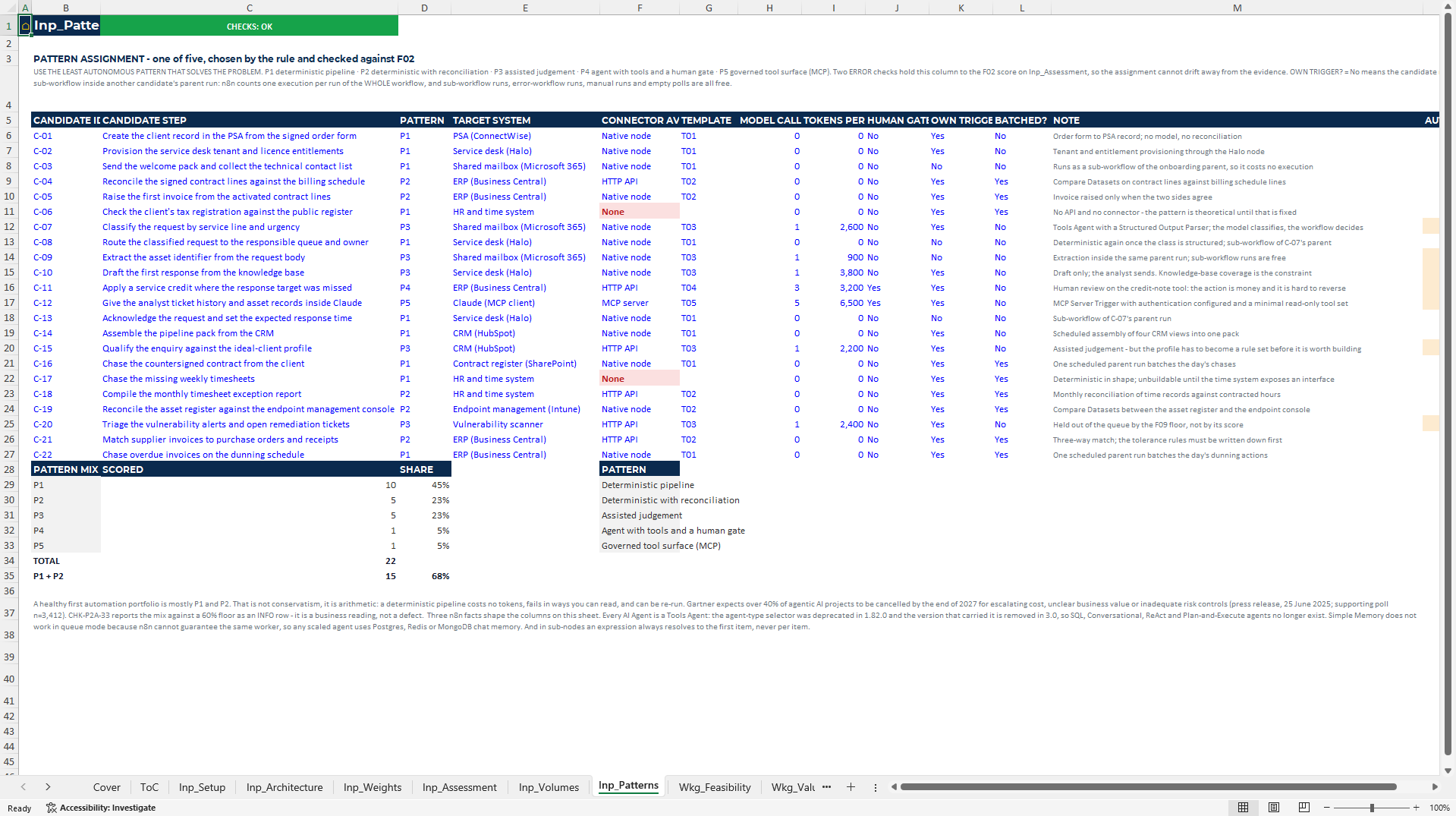
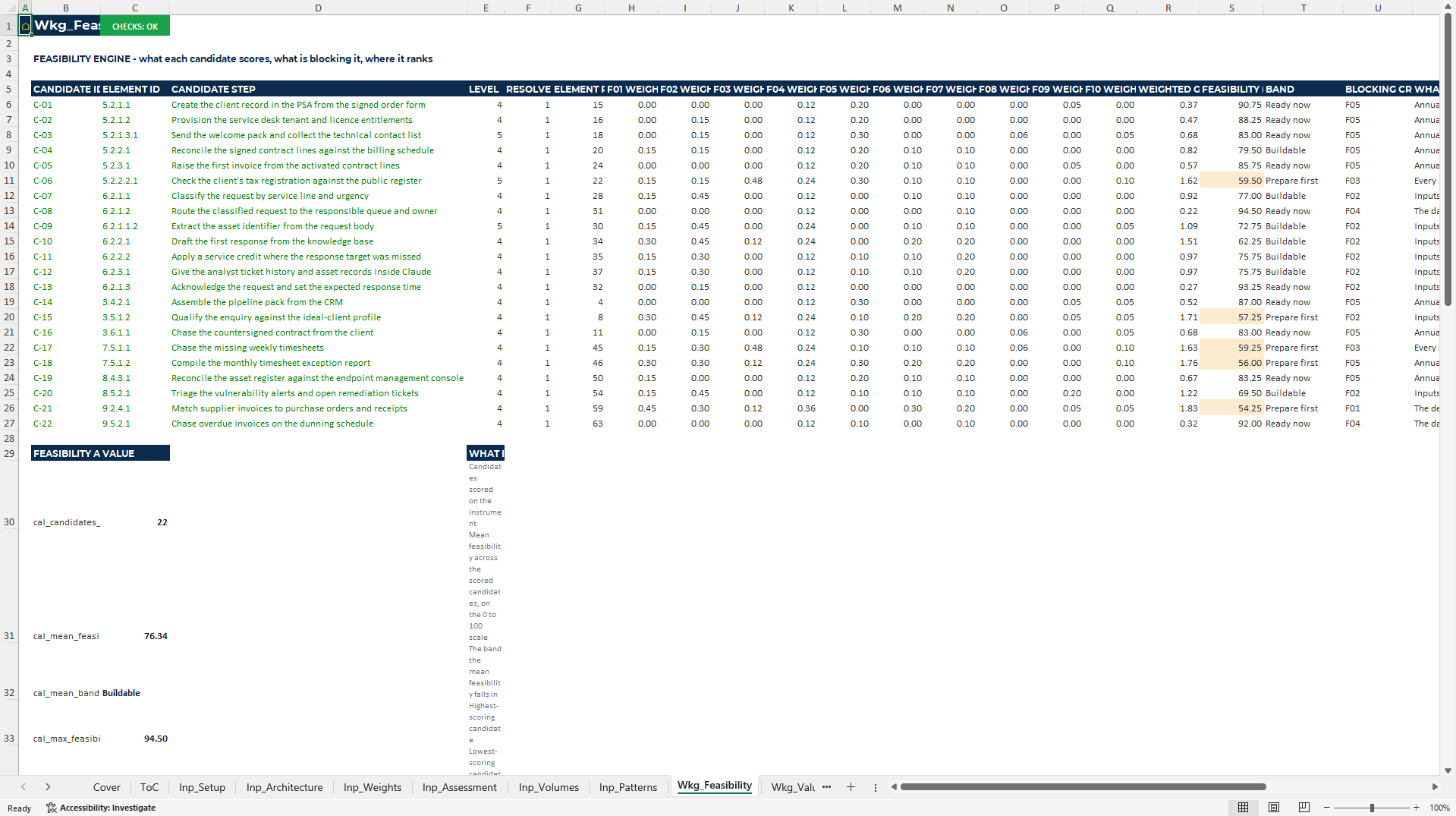
- Score ten feasibility criteria and assign one of five delivery patterns, with gates that challenge a model or agent where deterministic logic is sufficient.
- Separate hours released, capacity value, cash conversion and avoided error; then compare the approved business case with build, run and realisation actuals.
AUTOMATION EXCEL DESCRIPTION
# Process Automation Assessment and n8n Build Toolkit: Move from Process Map to Governed Queue
Automation portfolios fail when ideas are scored before the underlying work is decomposed. The Process-to-Automation Playbook gives operations and transformation teams an auditable Excel bridge from process architecture to candidate scoring, business case, build queue, execution tracking and governed n8n patterns, while keeping hours, capacity value and cash release as separate measures.
## Three Decisions This Package Helps You Make
1. Decide what is sufficiently decomposed to score. Enforce a Level 1-to-Level 5 process hierarchy and assess automation candidates only at the activity and task levels where executability can be tested.
2. Choose the least autonomous pattern that solves the problem. Score ten feasibility criteria and assign one of five delivery patterns, with gates that challenge a model or agent where deterministic logic is sufficient.
3. Fund a queue on cash and delivery evidence. Separate hours released, capacity value, cash conversion and avoided error; then compare the approved business case with build, run and realisation actuals.
## What's Included
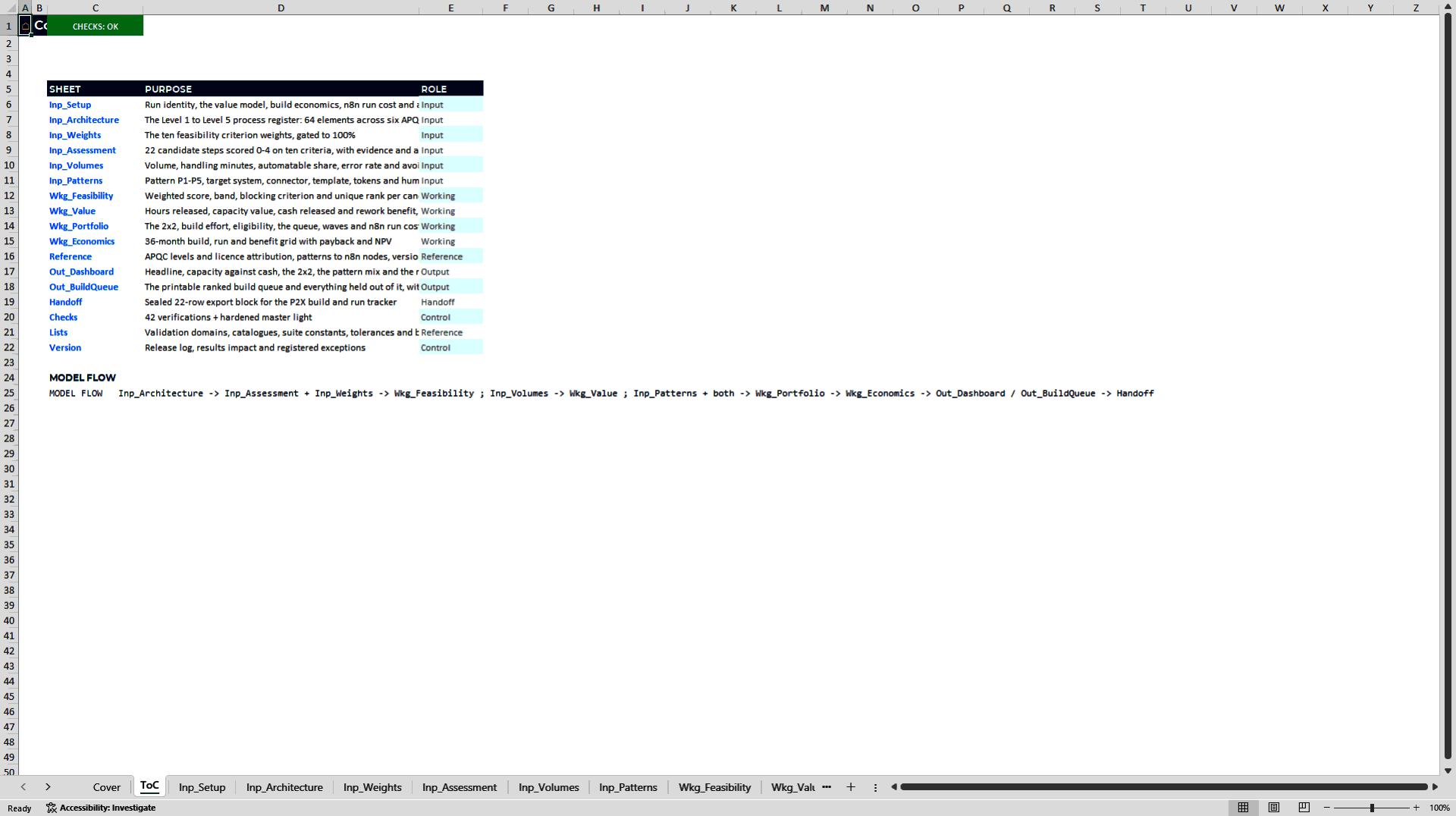
• `P2A_Process_Automation_Portfolio_Commercial_Edition_v1` – the 19-sheet process architecture, candidate scoring, pattern selection, portfolio and business-case workbook.
• `P2X_Automation_Build_Run_Tracker_Commercial_Edition_v1` – the 16-sheet delivery, run, value-realisation and MCP-surface companion tracker.
• `P2A_Process_to_Automation_Playbook.pdf` – a 144-page illustrated playbook covering decomposition, scoring, valuation, pattern selection, governance, n8n implementation, tracking and the worked case.
• `P2A_Toolkit_Workbooks_and_n8n_Templates.zip` – a convenience archive containing `P2A_Process_Automation_Portfolio_v1`, `P2X_Automation_Build_Run_Tracker_v1`, eight JSON workflow templates, a README and the template-validation record. Use the separately listed Commercial Edition v1.1 workbooks as the current versions.
• Eight verified template files: `T01_client_onboarding_orchestration.json`, `T02_three_way_match_reconciliation.json`, `T03_service_request_triage.json`, `T04_gated_service_credit_agent.json`, `T05_mcp_server_governed_tool_surface.json`, `T06_mcp_client_vendor_enrichment.json`, `T07_error_workflow.json` and `T08_evidence_log_subworkflow.json`.
• A fully populated worked demo, 605 named ranges, eight charts and 87 named verifications.
The workbooks are editable and open with the worked case populated. The templates include reserved non-resolving hosts and named credential entries that require replacement, so they cannot reach a real system until the buyer deliberately configures them.
## Capabilities Tied to Decisions
• Decompose before scoring. Build an enforced process hierarchy from Level 1 to Level 5, require valid parents and prevent high-level categories from being treated as executable automation candidates.
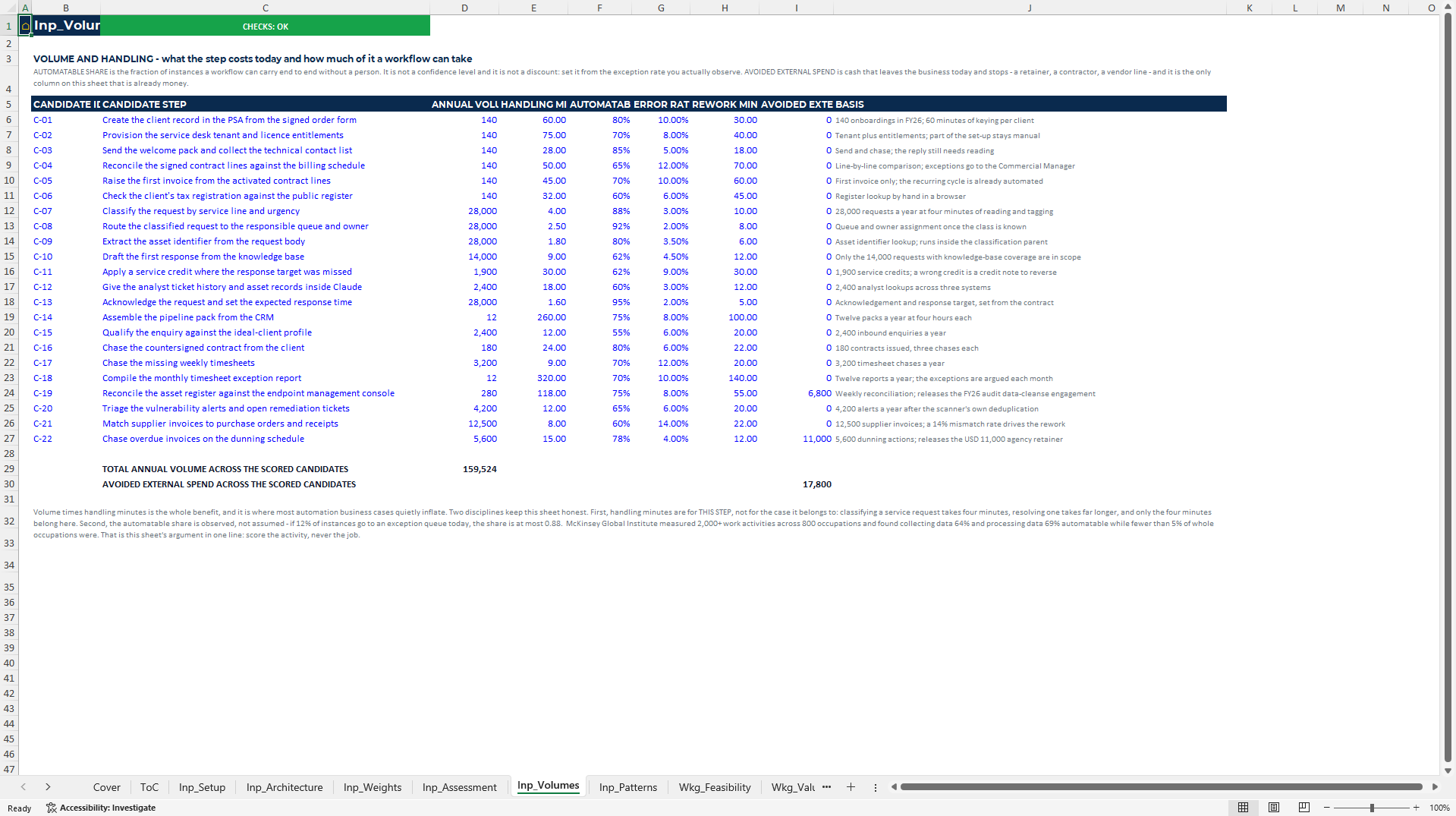
• Score feasibility consistently. Assess candidate steps against ten criteria covering decision logic, input structure, connector availability, data quality, volume, repeatability, human judgement, physical interruption, process stability and evidence logging.
• Assign a proportionate delivery pattern. Compare deterministic pipeline, reconciliation, assisted judgement, human-gated agent and governed MCP tool-surface patterns through explicit assignment rules.
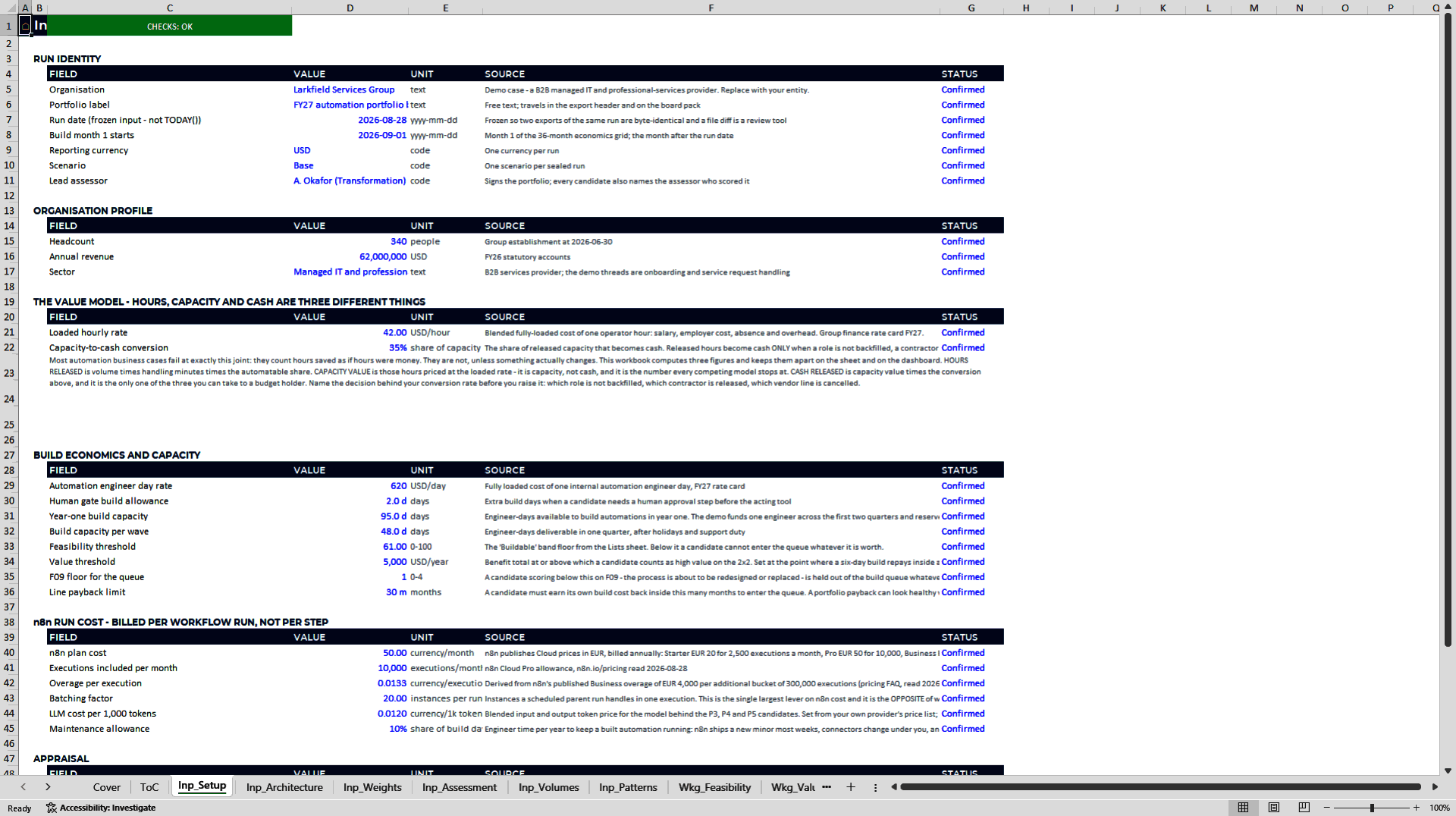
• Distinguish time from cash. Calculate hours released, capacity value, cash released through an editable conversion rate, avoided error, build cost, run cost, payback and NPV without presenting all saved time as cash.
• Control the hand-off from portfolio to delivery. Reconcile the approved queue, hours, cash, engineer-days and build cost into the tracker before monitoring publication, live status, failures, interventions, cost and realised value.
• Register governed tool surfaces. Record MCP authentication, transport, client registration, approval, tool exposure and ownership information, then compute a risk rating from the recorded conditions.
• Start from concrete workflow patterns. Use eight n8n templates mapped to the five-pattern taxonomy, supported by an explicit record of what was imported, executed and only structurally checked.
## How the Model Works
Inputs → Analysis → Controls → Outputs → Decision
| Stage | What happens |
|—-|—-|
| Inputs | Enter the process hierarchy, candidate activities, feasibility evidence, weights, volumes, handling time, cost rates, conversion assumptions, build estimates, template assignments and run actuals. |
| Analysis | Score candidates, identify blocking criteria, assign patterns, calculate hours and value, form the build queue, price execution demand and compare actual delivery with plan. |
| Controls | Test hierarchy, weights, pattern fit, cash conversion, queue completeness, portfolio-to-tracker hand-off, workbook errors and recorded MCP authentication conditions. |
| Outputs | Review the candidate matrix, two-by-two prioritisation, build queue, business case, execution demand, delivery gates, run performance, value realisation and tool-surface register. |
| Decision | Build, defer, redesign or reject each candidate; select the delivery pattern; approve the queue; assign owners; and intervene where control or value evidence fails. |
## Worked Demo: What You See on Opening
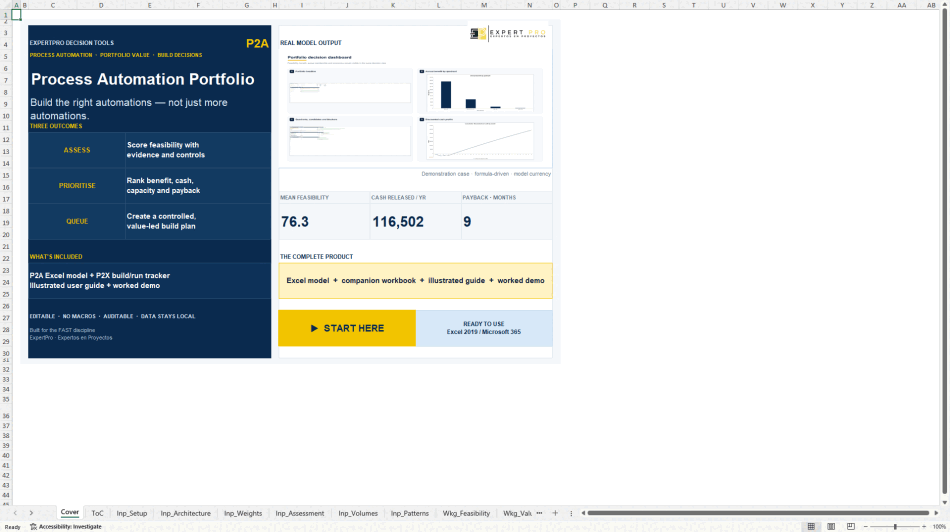
The demo represents Larkfield Services Group, a B2B managed IT and professional-services provider with 340 employees and USD 62 million of revenue, baselined on 28 August 2026.
| Evidence from the demo | Result |
|—-|—-:|
| Process architecture | 64 elements across six categories |
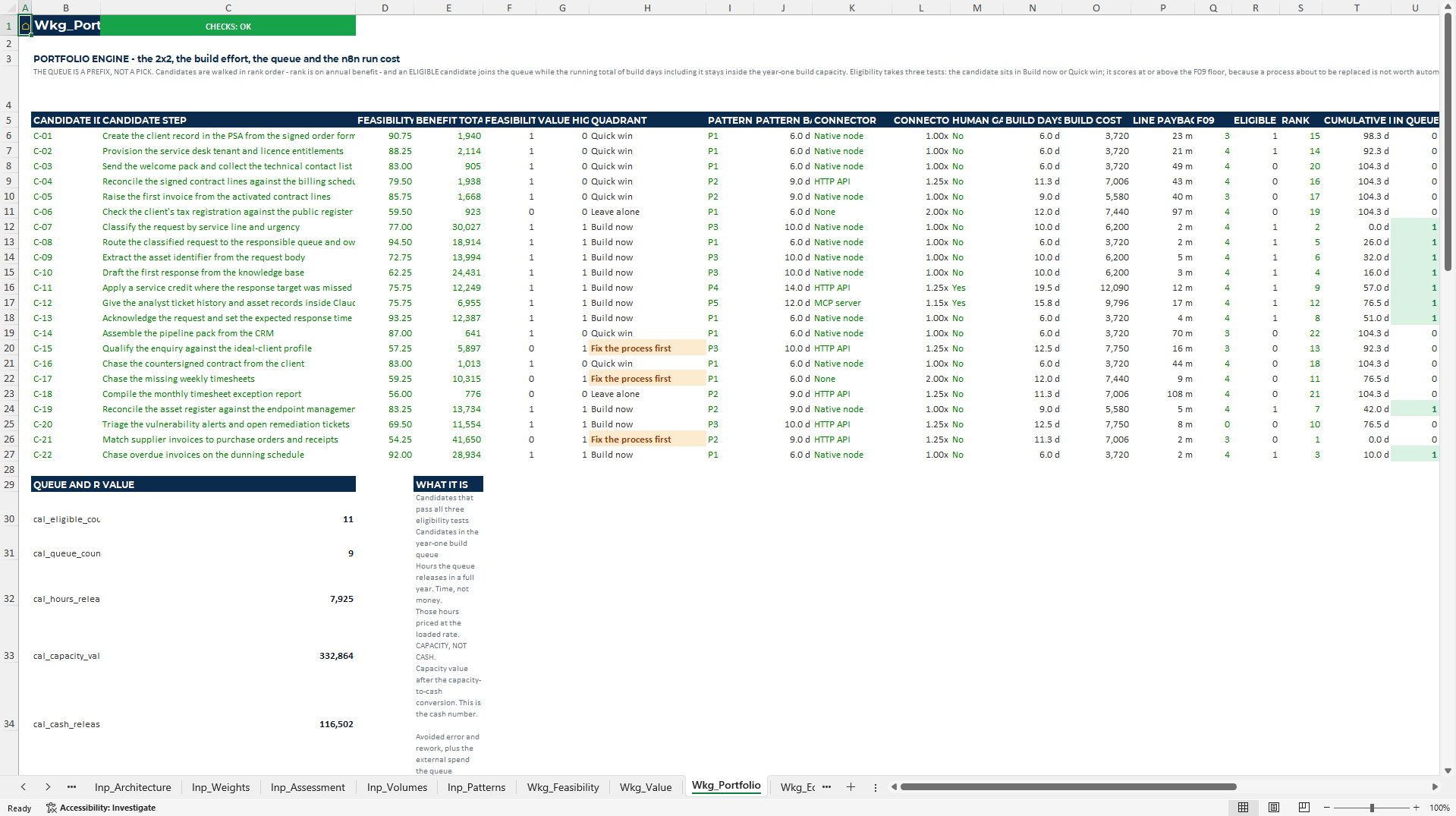
| Candidates scored / automations in build queue | 22 / 9 |
| Current annual cost of the 22 steps | USD 616,224 |
| Hours released by the nine-automation queue | 7,925 per year |
| Capacity value / cash released at 0.35 conversion | USD 332,864 / USD 116,502 |
| Avoided error and rework | USD 45,124 |
| Total annual benefit | USD 161,626 |
| Build effort / build cost | 92.3 engineer-days / USD 57,226 |
| Annual run cost | USD 9,292 |
| Payback | 9 months |
| 36-month NPV at 11% | USD 290,836 |
| Modelled top-level executions after batching | 46,594 vs 89,586 unbatched |
The portfolio deliberately leaves three "Fix the process first" candidates out of the queue even though they represent USD 57,862 per year and 1,600 hours. At the demo's third review period, five automations are live, six are built and tested, and realised cash is USD 8,270 versus USD 7,589 scheduled. The tracker also exposes a 1.79% failure rate and 12.5% human-intervention rate rather than reporting deployment alone.
## Built for Trust
• Built to FAST modelling standard 02c and the publisher's house rules.
• No macros, volatile functions, external links or hidden sheets; the run date is a frozen input.
• 605 named ranges, eight charts and 87 named verifications across the two workbooks.
• Checks enforce weight totals and pattern gates, reconcile capacity value to cash conversion, prove the printed queue equals portfolio totals and test the complete tracker hand-off.
• A control rejects an MCP surface recorded as exposed by the programme if it remains on the workbook's disallowed default-authentication condition.
• Every input carries a unit, source and status; benchmark bands carry their source and month set.
• Data remains in the local Excel files; the workbooks do not read an n8n instance, workflow or credential.
• All eight JSON files were imported against the documented n8n 2.36.8 basis dated 28 August 2026. Four were exercised end to end or through their intended sub-workflow path; four were import- and node-resolution-tested only. The validation record states the scope file by file.
## Who It Is For
• COO, operational-excellence and transformation leaders turning automation ideas into an approved queue.
• Process owners and business analysts decomposing work before choosing tools.
• Finance and investment teams challenging hours-saved claims, cash conversion, payback and NPV.
• Automation, n8n and AI delivery teams assigning proportionate patterns and tracking build and run performance.
• Risk, security and governance teams maintaining visibility over MCP tool surfaces and approval conditions.
Typical uses include building a process architecture, screening automation candidates, identifying "fix first" work, selecting deterministic or AI-assisted patterns, preparing a business case, governing a build queue and comparing planned value with operational actuals.
## Honest Limitations
• This is not a BPM suite or process-mining platform. It does not discover processes from event logs; users must observe and decompose the work.
• It does not connect to, scan or audit an n8n instance, workflow estate, API, credential store or MCP server. Registers contain information entered by the user.
• The n8n templates are not plug-and-play. Every endpoint is non-resolving and every credential entry requires buyer replacement; buyers must configure, secure, test and approve each workflow against their own systems.
• Four templates were execution-tested against local stubs or exercised through their intended path; the other four were import- and node-resolution-tested but not run. Stub execution does not validate a buyer's API contract, model behaviour, queue mode or production controls.
• Template compatibility is pinned to n8n 2.36.8 on 28 August 2026 and MCP specification revision 2026-07-28. Revalidate the files, node versions, security controls and protocol assumptions against the installed environment before use.
• The readiness bands and decision thresholds are the publisher's dated assumptions, not standards-body ratings. Demo APQC element identifiers are illustrative, not official APQC element IDs.
• Benefit figures depend on user assumptions and are not a forecast. A person remains responsible for the automation decision, professional review and production approval.
• Supplied ranges support 64 architecture elements, 22 candidates, 12 automations, 12 reporting periods and 10 MCP surfaces. Larger portfolios require range extension and renewed control testing.
## Frequently Asked Questions
### 1. Does the toolkit discover or map my processes automatically?
No. It provides the hierarchy, fields, controls and scoring instrument, but your team must observe the work and enter the process architecture. It is not a process-mining tool.
### 2. At what level should automation candidates be scored?
The workbook is designed to score Level 4 activities and Level 5 tasks, not high-level process categories. It enforces the hierarchy and prevents an element above Level 4 from being marked as a candidate.
### 3. Are the eight n8n templates ready to connect to production systems?
No. They use reserved `.invalid` hosts and named credential entries that require replacement. Supply your own endpoints and least-privilege credentials, review policies, publish the workflows and test every path before production use.
### 4. How far were the templates validated?
All eight imported against the documented n8n 2.36.8 basis. Four were exercised end to end or as their intended sub-workflow; four were checked for import, node types and versions but were not executed. The included validation record identifies the evidence and limits for each file.
### 5. Will the templates work with any n8n or MCP version?
No permanent compatibility claim is made. The technical basis is dated 28 August 2026 and pinned to n8n 2.36.8 and MCP revision 2026-07-28. Re-run validation and reassess controls for the version you operate.
### 6. How does the model prevent hours saved from becoming an inflated cash claim?
It separates hours released, capacity value and cash released. Cash is capacity value multiplied by an editable conversion rate that the decision-maker must support; avoided error and rework is reported separately.
### 7. Does the toolkit make the automation or security decision for me?
No. It makes the evidence, economics, blocking criteria, pattern and recorded control conditions legible. Process owners, security specialists and accountable executives still decide and approve the build.
### 8. Which workbook versions and Excel editions should I use?
Use the two separately supplied Commercial Edition v1.1 workbooks as the current versions. They are designed for Microsoft Excel 2019 and Microsoft 365 desktop. The ZIP is a convenience archive for the toolkit and template library.
## Move from Automation Ideas to a Governed, Funded Queue
Choose the ExpertPro Decision Tools Process-to-Automation package when you need one auditable path from process decomposition to candidate decision, pattern selection, cash case, build tracking and operational evidence.
Got a question about the product? Email us at support@flevy.com or ask the author directly by using the "Ask the Author a Question" form. If you cannot view the preview above this document description, go here to view the large preview instead.
Source: Best Practices in Automation Excel: Process Automation Assessment & n8n Build Excel Template Excel (XLSX) Spreadsheet, ExpertPro Consulting
ABOUT THE AUTHOR

ExpertPro is an advisory firm that builds the financial and decision infrastructure behind capital projects. Our work sits at the intersection of project finance, engineering economics and data: we model, stress-test and document infrastructure investments so that sponsors, lenders and investment committees can decide on evidence rather than intuition.
The practice is led by Eduard Kofman, MSc
... [read more]
Ask the Author a Question
You must be logged in to contact the author.




























