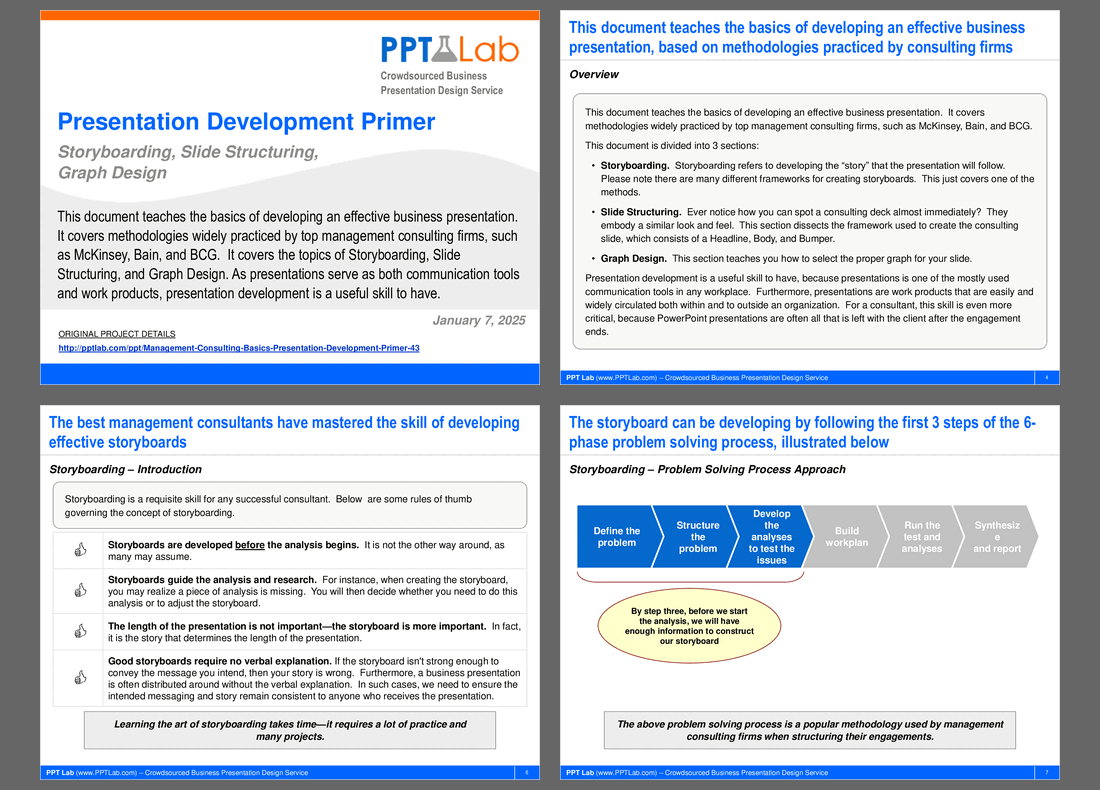
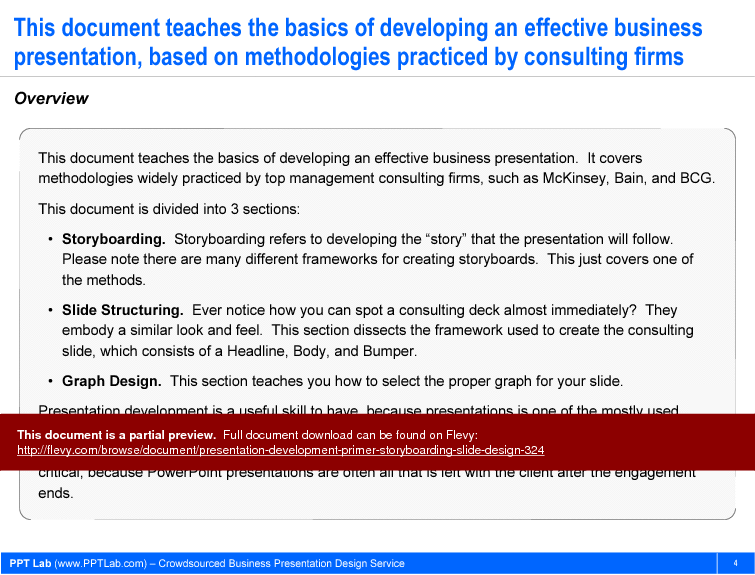

This document teaches the basics of developing an effective business presentation. It covers methodologies widely practiced by top management consulting firms, such as McKinsey, Bain, and BCG. This document is divided into 3 sections:
*Storyboarding. Storyboarding refers to developing the "story" that the presentation will follow. Please note there are many different frameworks for creating storyboards. This just covers one of the methods.
*Slide Structuring. Ever notice how you can spot a consulting deck almost immediately? They embody a similar look and feel. This section dissects the framework used to create the consulting slide, which consists of a Headline, Body, and Bumper.
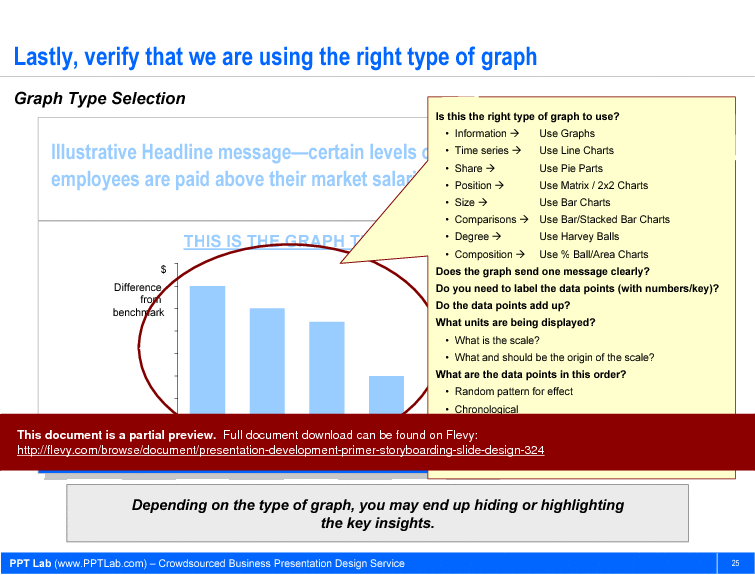
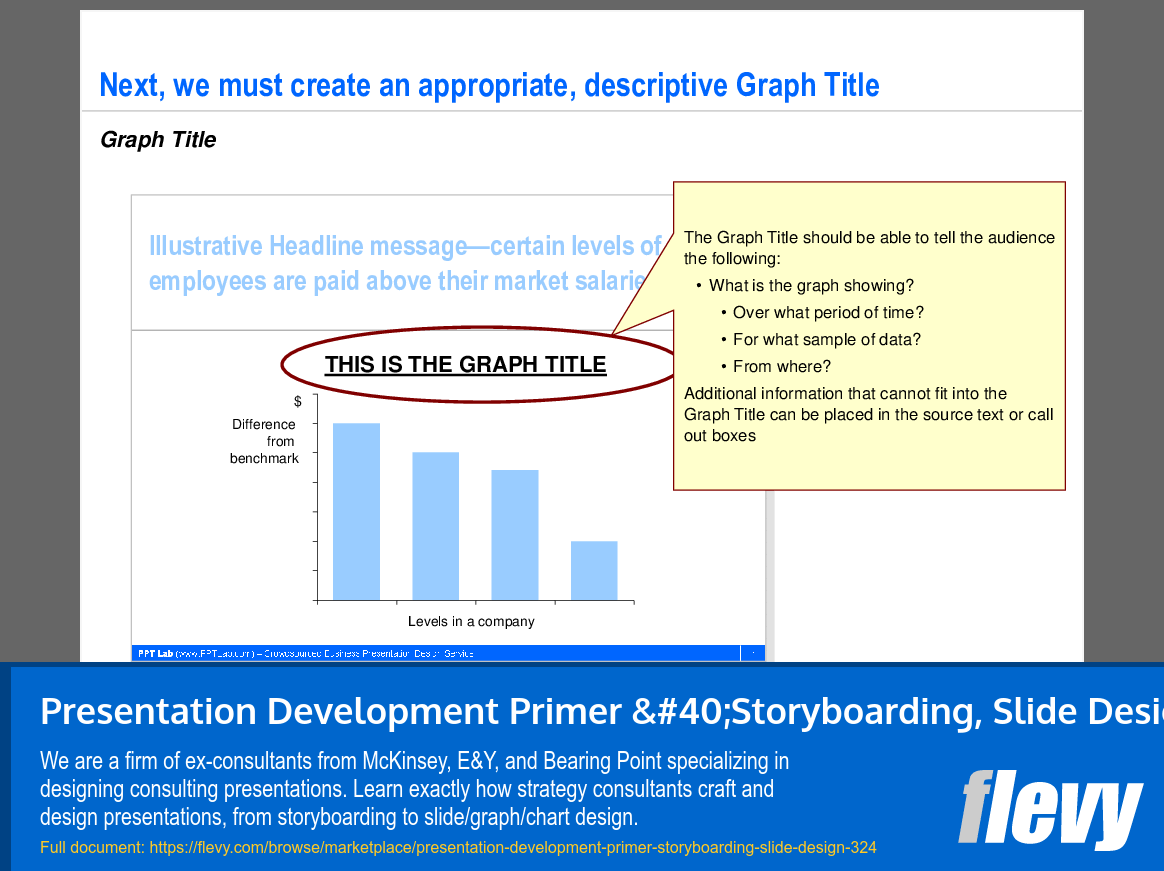
*Graph Design. This section teaches you how to select the proper graph for your slide.
Presentation development is a useful skill to have, because presentations is one of the mostly used communication tools in any workplace. Furthermore, presentations are work products that are easily and widely circulated both within and to outside an organization. For a consultant, this skill is even more critical, because PowerPoint presentations are often all that is left with the client after the engagement ends.
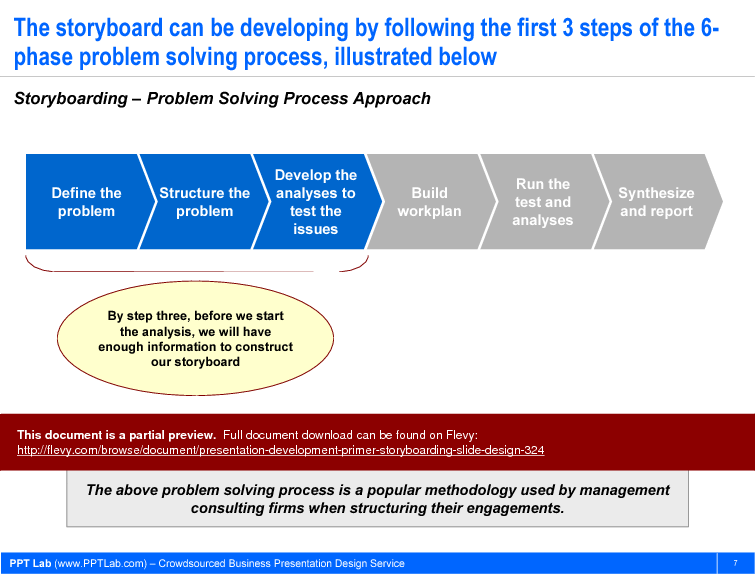
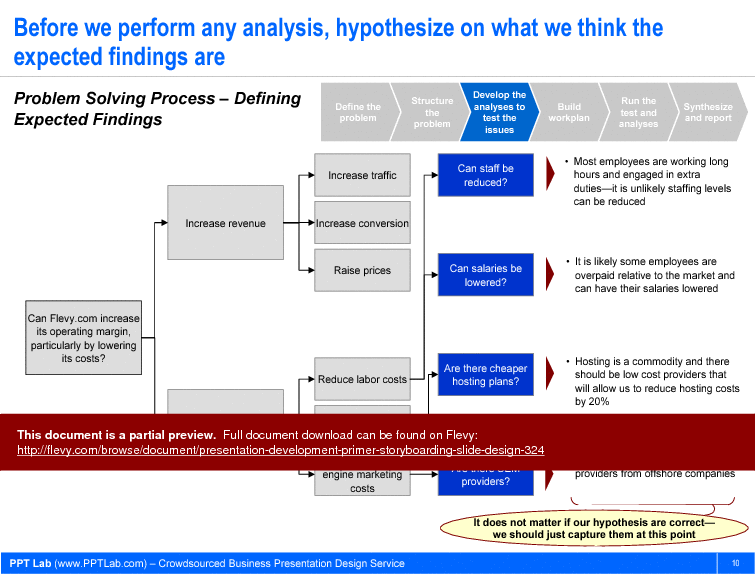
The storyboard can be developed by following the first three steps of the six-phase problem-solving process: defining the problem, structuring the problem, and developing the analyses to test the issues. This approach ensures that the presentation narrative is built on a solid foundation of problem identification and structured analysis, which is critical for delivering impactful insights to stakeholders. Before performing any analysis, hypothesizing expected findings helps in aligning the story with potential outcomes, making the final presentation more coherent and persuasive.
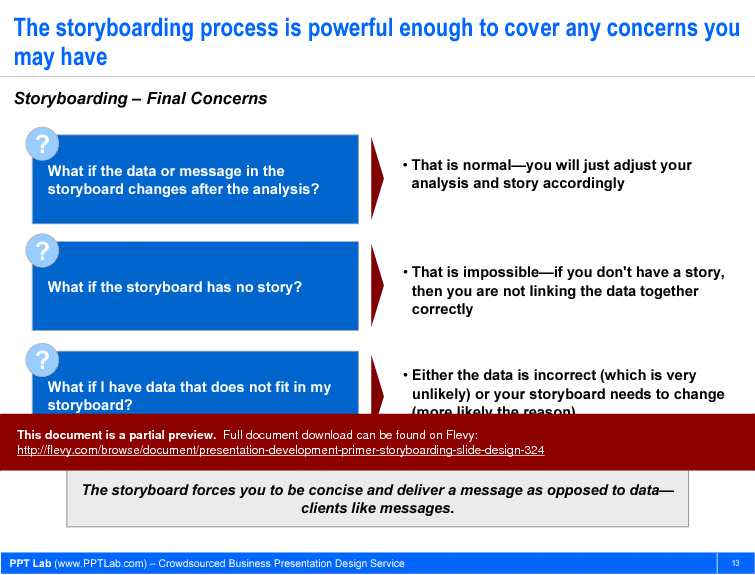
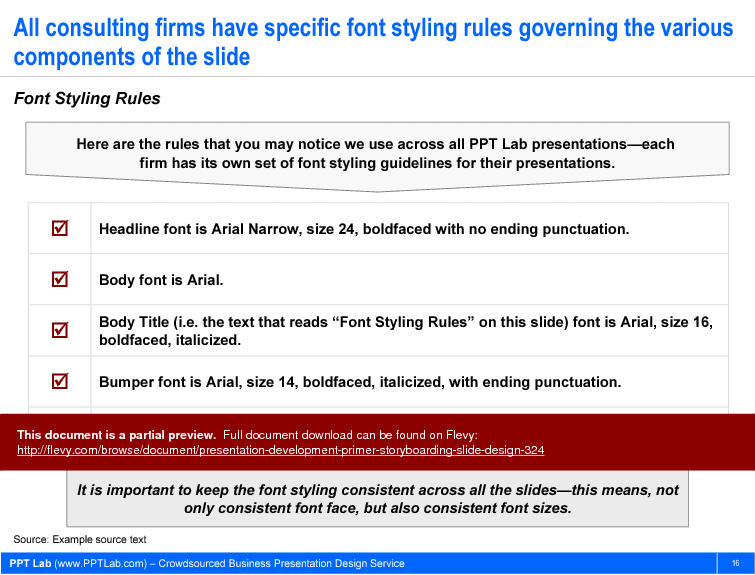
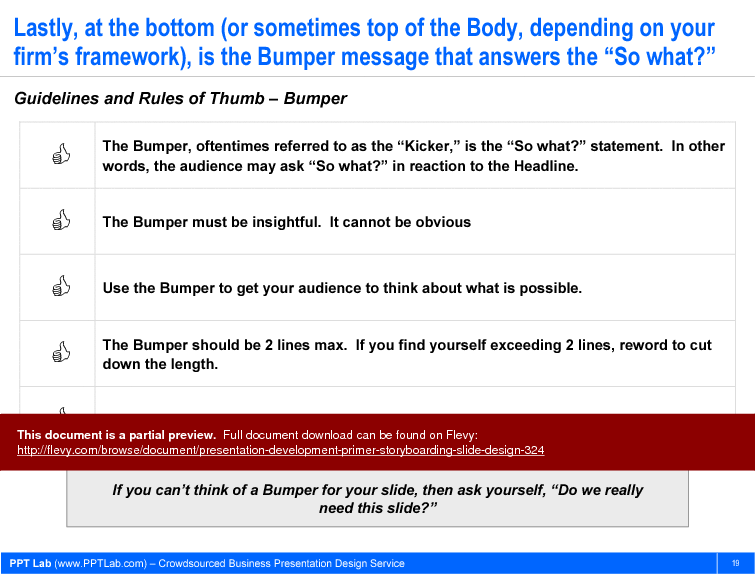
The document also addresses common concerns about the storyboarding process, such as changes in data or message post-analysis and ensuring all data fits within the storyboard. It emphasizes the importance of being concise and delivering a clear message, which resonates well with clients. Specific font styling rules are outlined to maintain consistency across slides, reinforcing the professional look and feel of the presentation. The guidelines for the Bumper message ensure that each slide concludes with a compelling takeaway, prompting the audience to consider the implications of the presented data.
Got a question about the product? Email us at support@flevy.com or ask the author directly by using the "Ask the Author a Question" form. If you cannot view the preview above this document description, go here to view the large preview instead.
Executive Summary
The Presentation Development Primer is a comprehensive guide designed to equip professionals with the essential skills for creating impactful business presentations. Drawing on methodologies practiced by leading management consulting firms such as McKinsey, Bain, and BCG, this document focuses on 3 core areas: Storyboarding, Slide Structuring, and Graph Design. It empowers users to master the art of presentation development, ensuring that their presentations serve as effective communication tools and high-quality work products. This consulting-grade resource enables users to create presentations that resonate with audiences and leave a lasting impression.
Who This Is For and When to Use
• Corporate executives seeking to enhance their presentation skills
• Consultants aiming to deliver high-quality presentations to clients
• Project managers needing to communicate complex information clearly
• Marketing professionals who require effective storytelling in presentations
Best-fit moments to use this deck:
• When preparing for client meetings or stakeholder presentations
• During training sessions focused on presentation skills development
• In workshops aimed at improving team communication and collaboration
• For creating impactful presentations that require a structured approach
Learning Objectives
• Define the key components of effective storyboarding for presentations
• Build structured slides that convey clear messages and insights
• Establish guidelines for selecting appropriate graph types for data presentation
• Create compelling headlines that capture audience attention
• Develop a cohesive narrative that flows logically throughout the presentation
• Apply best practices in slide design to enhance visual communication
Table of Contents
• Overview (page 4)
• Storyboarding (page 6)
• Slide Structuring (page 15)
• Graph Design (page 23)
Primary Topics Covered
• Overview - An introduction to the principles of effective business presentation development, emphasizing the importance of storytelling and structure.
• Storyboarding - A detailed exploration of the storyboarding process, including rules of thumb and methodologies for creating a coherent narrative.
• Slide Structuring - Guidelines for structuring slides, focusing on the key components: Headline, Body, and Bumper.
• Graph Design - Best practices for selecting and designing graphs that effectively communicate data insights.
Deliverables, Templates, and Tools
• Storyboarding framework template to guide the development of presentation narratives
• Slide structure guidelines to ensure consistency in design and messaging
• Graph selection criteria to assist in choosing the right type of graph for data representation
• Example headlines that illustrate effective messaging techniques
• Design rules for maintaining visual consistency across all slides
Slide Highlights
• Overview slide that outlines the importance of effective presentation development
• Storyboarding introduction slide that emphasizes the significance of narrative structure
• Slide structuring overview that breaks down the components of a consulting-quality slide
• Graph design slide that illustrates the criteria for selecting appropriate graph types
Potential Workshop Agenda
Introduction to Presentation Development (60 minutes)
• Overview of the importance of effective presentations
• Discussion on the role of storytelling in business communication
Storyboarding Techniques (90 minutes)
• Hands-on practice in developing storyboards
• Group exercises to refine presentation narratives
Slide Structuring and Design Principles (60 minutes)
• Review of slide components: Headline, Body, Bumper
• Tips for maintaining visual consistency and clarity
Graph Design Best Practices (60 minutes)
• Exploration of different graph types and their applications
• Practical exercises in selecting and designing graphs
Customization Guidance
• Tailor the storyboard framework to fit specific project requirements and objectives
• Adjust slide structuring guidelines to align with organizational branding and messaging
• Modify graph design principles to suit the audience's familiarity with data visualization
Secondary Topics Covered
• The importance of concise messaging in presentations
• Techniques for engaging audiences through visual storytelling
• Strategies for handling questions and feedback during presentations
FAQ
What is the purpose of storyboarding in presentation development?
Storyboarding helps to outline the narrative structure of a presentation before analysis begins, ensuring that the message is clear and coherent.
How can I ensure my slides are visually appealing?
Follow the guidelines for slide structuring, including consistent font styles and sizes, and use visuals to support key messages.
What types of graphs should I use for my data?
Select graph types based on the nature of the data: use line charts for time series, pie charts for shares, and bar charts for comparisons.
How do I create effective headlines for my slides?
Headlines should be concise, meaningful, and aligned with the key message of the slide, ideally limited to 2 lines.
Why is it important to maintain consistency in slide design?
Consistent design enhances readability and helps the audience follow the narrative more easily, making the presentation more effective.
What should I do if my data does not fit into my storyboard?
Reassess your analysis and adjust your storyboard to ensure that all data points contribute to the overall narrative.
How can I improve my presentation skills?
Practice regularly, seek feedback from peers, and utilize resources like this primer to refine your techniques.
What are the common pitfalls in presentation design?
Avoid cluttered slides, excessive text, and inconsistent formatting, as these can detract from the message and confuse the audience.
How do I handle audience questions during a presentation?
Prepare for potential questions in advance and engage with the audience by encouraging discussion and feedback.
Glossary
• Storyboarding - The process of outlining the narrative structure of a presentation.
• Slide Structuring - The organization of slide components to convey messages effectively.
• Graph Design - The art of selecting and designing graphs to represent data visually.
• Headline - The main message presented at the top of a slide.
• Body - The central part of a slide that supports the headline with additional information.
• Bumper - The concluding statement on a slide that answers the “So what?” question.
• Consulting Presentation Framework - A structured approach to developing consulting-quality presentations.
• Visual Storytelling - The use of visuals to convey a narrative and engage the audience.
• Data Visualization - The graphical representation of information and data.
• Key Message - The primary takeaway or insight intended for the audience.
• Font Styling Rules - Guidelines for maintaining consistent font usage across slides.
• Rule of Two - A principle that limits text elements to 2 lines for clarity.
• Engagement Techniques - Strategies for involving the audience during presentations.
• Presentation Tools - Software and resources used to create and deliver presentations.
• Consultant - A professional who provides expert advice in a particular area.
• Stakeholder - An individual or group with an interest in the outcome of a project or presentation.
• Audience Analysis - The process of understanding the audience's needs and preferences.
• Feedback Loop - The mechanism for receiving and incorporating audience feedback.
• Narrative Flow - The logical progression of ideas throughout a presentation.
• Visual Consistency - The uniformity of design elements across all slides.
• Communication Tools - Methods and resources used to convey information effectively.
Source: Best Practices in Presentation Development PowerPoint Slides: Presentation Development Primer (Storyboarding, Slide Design) PowerPoint (PPT) Presentation Slide Deck, PPT Lab
|
Receive our FREE whitepaper on the Top 101 Consulting Frameworks
Download our 200+ page guide summarizing the Top 101 Management Consulting Frameworks. Each framework provides a structured approach to analyzing and solving a common business problem. |