
 Click main image to view in full screen.
Maintenance Backlog & Risk Prioritization Toolkit – Excel XLSX
Excel (XLSX) + Zip archive file (ZIP)


BENEFITS OF THIS DOWNLOADABLE EXCEL DOCUMENT
- Provides a structured framework for capturing, assessing, and prioritizing maintenance work orders across assets and sites.
- Calculates configurable risk scores, overdue status, data-quality flags, and ranked weekly priorities without macros or external connections.
- Includes executive dashboards, performance analytics, a synthetic demonstration workbook, and a detailed implementation guide.
RISK MANAGEMENT EXCEL DESCRIPTION
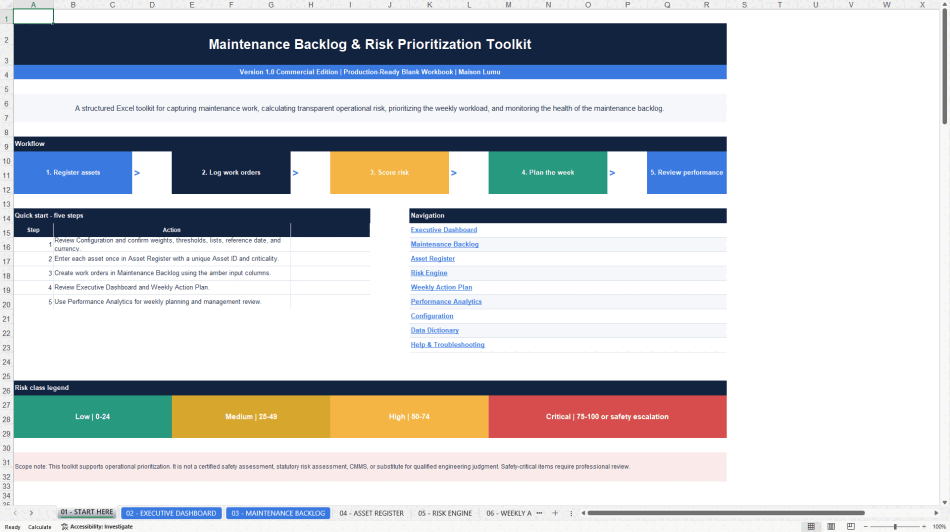
The Maintenance Backlog & Risk Prioritization Toolkit is a practical Microsoft Excel solution for teams that need a disciplined way to capture maintenance work, assess operational risk, plan weekly activity, and communicate the current condition of a maintenance backlog. It is designed for maintenance managers, planners, reliability teams, plant managers, facilities teams, operations leaders, and consultants who require a transparent planning system without implementing a full computerized maintenance management system.
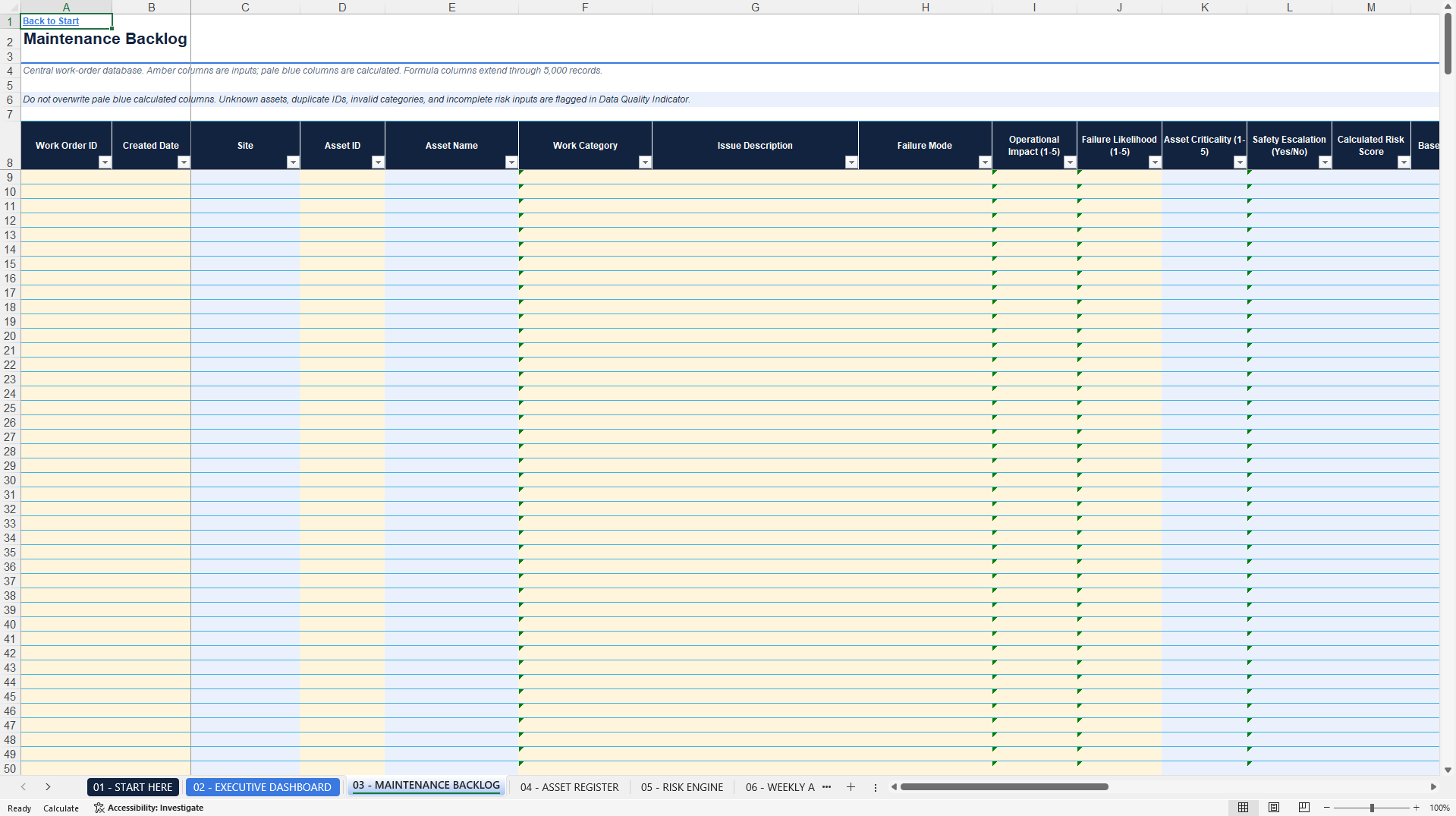
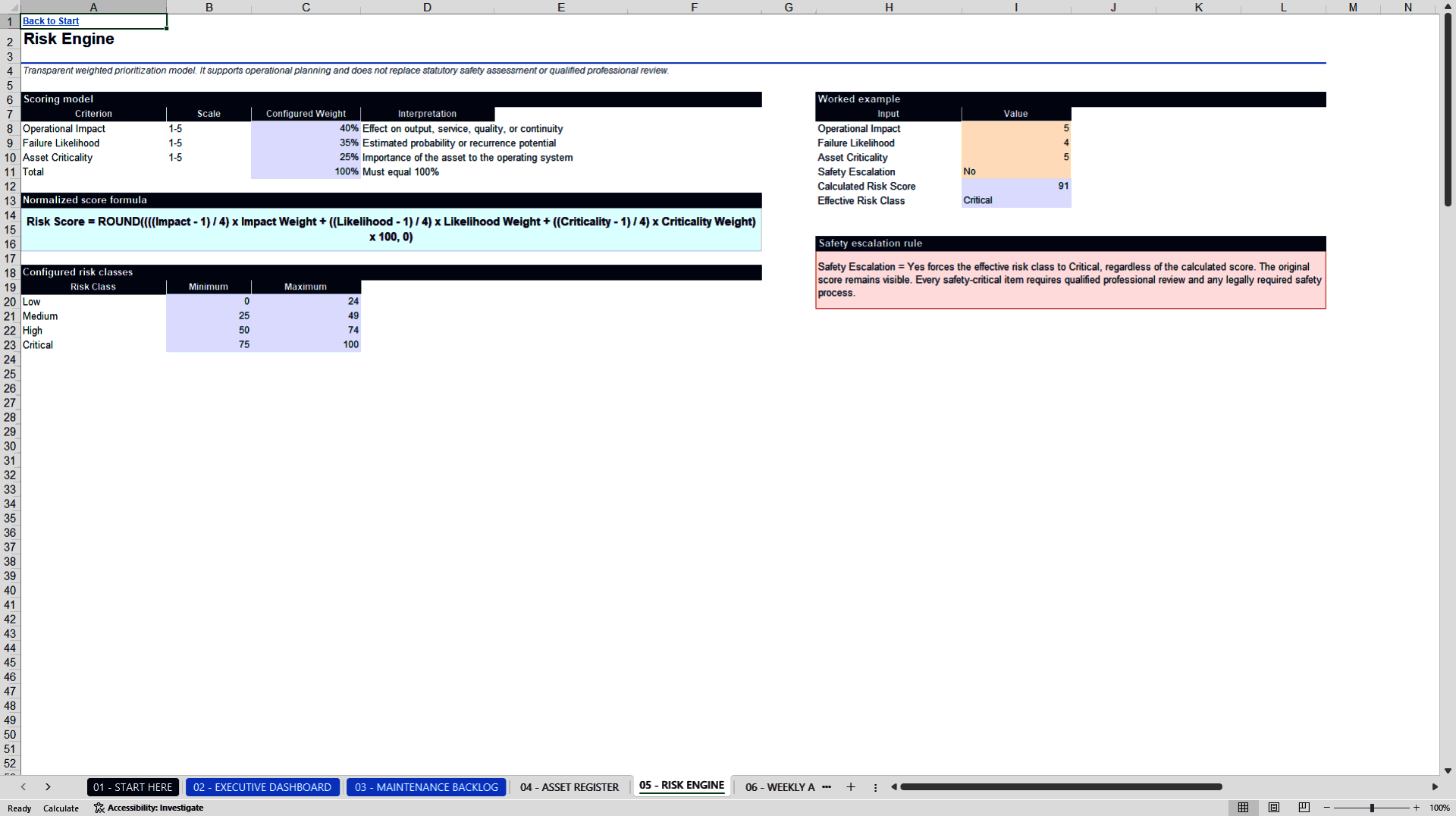
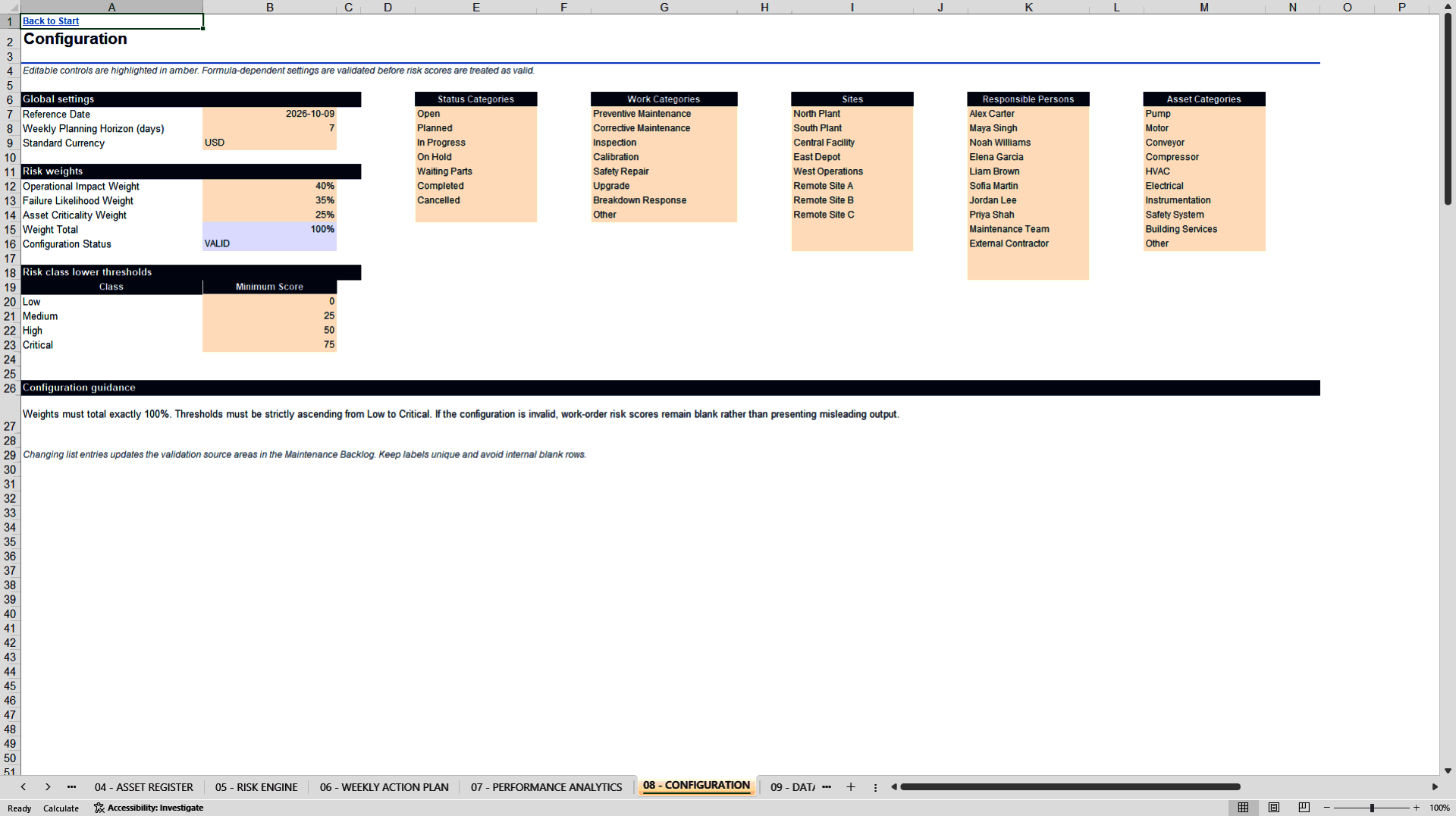
The toolkit connects a structured Asset Register with a detailed Maintenance Backlog. Users enter work-order information in clearly identified input columns, while built-in formulas calculate asset information, backlog age, overdue status, estimated workload, data-quality messages, risk scores, base risk classes, effective risk classes, and priority keys. The standard risk model combines Operational Impact, Failure Likelihood, and Asset Criticality. Default weights are 40 percent, 35 percent, and 25 percent, and the weights and class thresholds can be changed on the Configuration worksheet.
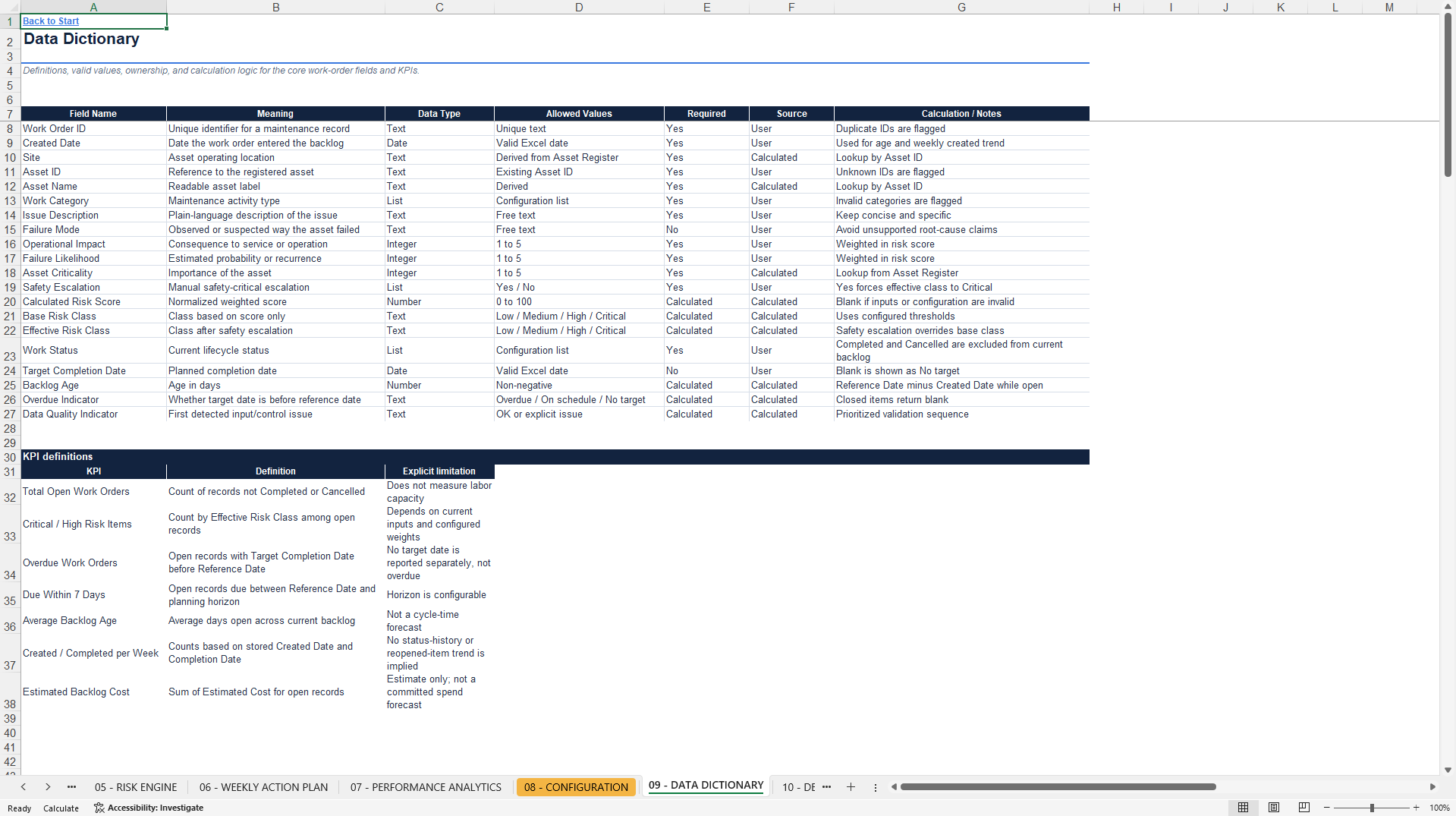
A dedicated Safety Escalation control can force the effective risk class to Critical without hiding or altering the original calculated score. This separation makes the prioritization logic easier to understand, review, and explain. Data-quality checks identify issues such as unknown assets, duplicate work-order identifiers, incomplete risk inputs, invalid categories, and missing target dates before those records affect management decisions.
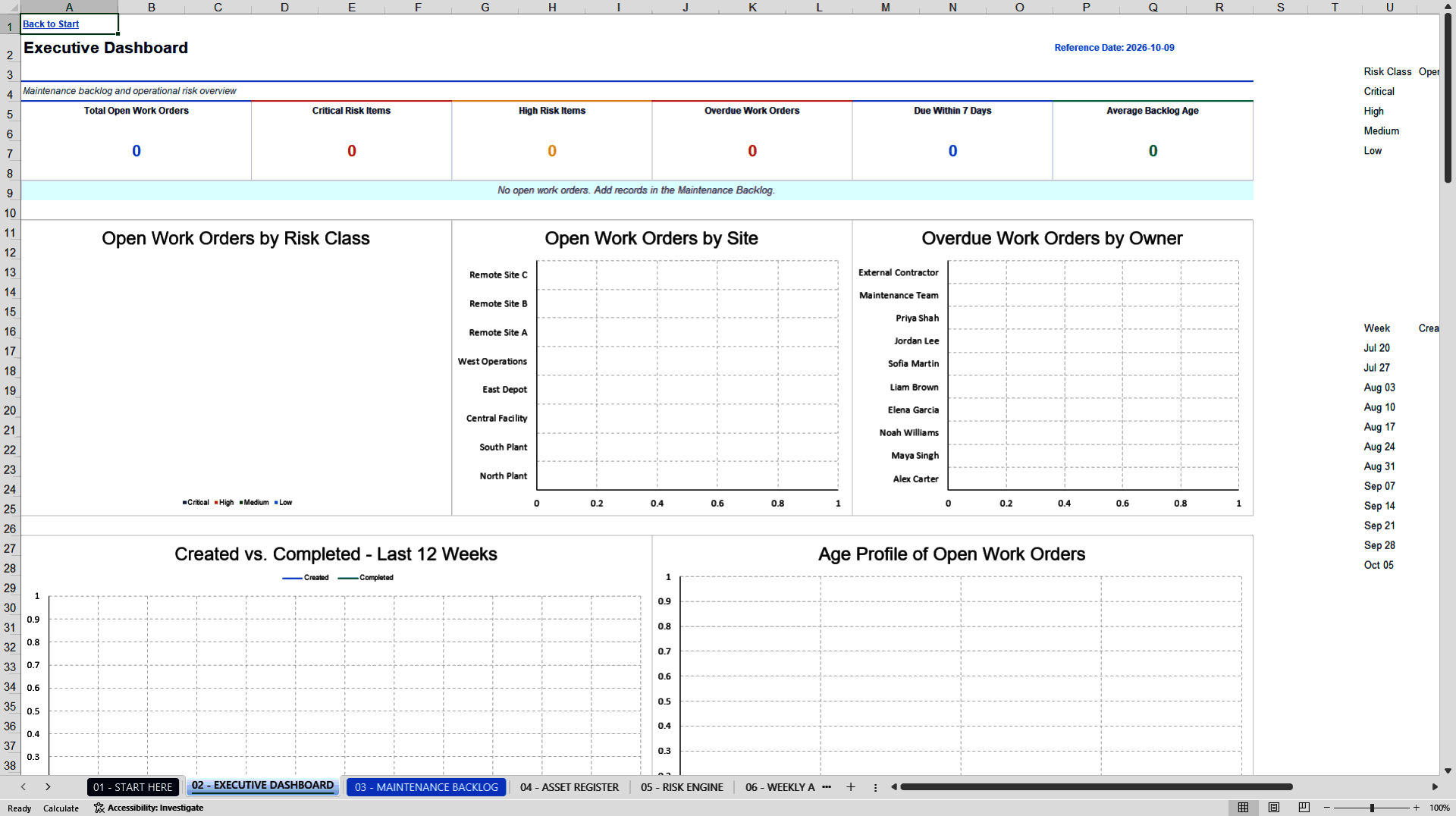
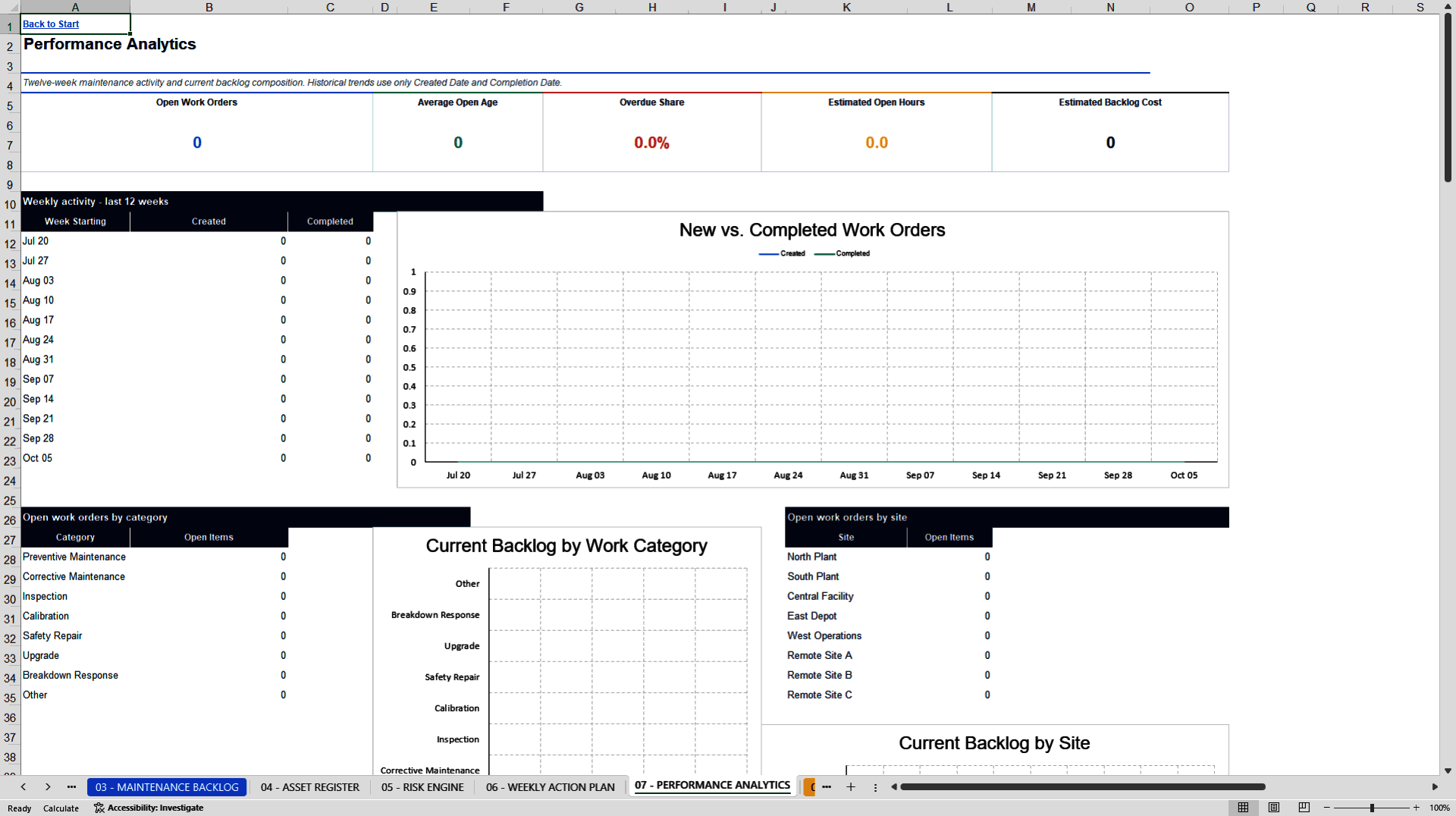
Management views are included directly in the workbook. The Executive Dashboard presents six key performance indicators, five linked charts, and a current top-priority table. Performance Analytics provides a twelve-week created-versus-completed view together with breakdowns by work category, site, asset, backlog age, cost, and labor effort. The Weekly Action Plan ranks up to 150 open work orders using a documented sequence that places safety escalation first, followed by other critical risks, overdue work, high-risk items, due-soon work, and remaining open work by target date.
The package includes a clean primary workbook for customer use and a separate demonstration workbook containing 30 fictional assets and 100 fictional work orders. The demonstration data covers standard, critical, overdue, completed, unknown-asset, incomplete-risk, no-target-date, safety-escalation, high-effort, low-risk, duplicate-ID, and invalid-category scenarios. All demonstration records are synthetic and do not represent a real organization, employee, customer, or asset.
Five hundred work-order entry rows are prepared for immediate use, while the calculation and priority structure supports up to 5,000 records. The package also contains a detailed user guide, a documented quality-assurance report, and a technical readme. The workbook uses no macros, VBA, external APIs, add-ins, or live data connections. Microsoft 365 Excel or Microsoft Excel 2021 desktop is recommended.
This toolkit supports operational planning and prioritization. It is not a certified safety assessment, statutory compliance workflow, computerized maintenance management system, or substitute for qualified engineering, maintenance, and safety judgment.
Got a question about the product? Email us at support@flevy.com or ask the author directly by using the "Ask the Author a Question" form. If you cannot view the preview above this document description, go here to view the large preview instead.
Source: Best Practices in Risk Management, Reliability Centered Maintenance Excel: Maintenance Backlog & Risk Prioritization Toolkit Excel (XLSX) Spreadsheet, Maison Lumu | Market Intelligence
ABOUT THE AUTHOR

About Maison Lumu
Maison Lumu is an independent research and digital publishing business focused on market intelligence, industry analysis, and strategic business information.
Our mission is to make complex market developments, economic trends, and industry-specific information more accessible, structured, and actionable for business decision-makers.
Our Research Focus
... [read more]
Ask the Author a Question
You must be logged in to contact the author.




























