
 Click main image to view in full screen. Unlock all 10 preview images:
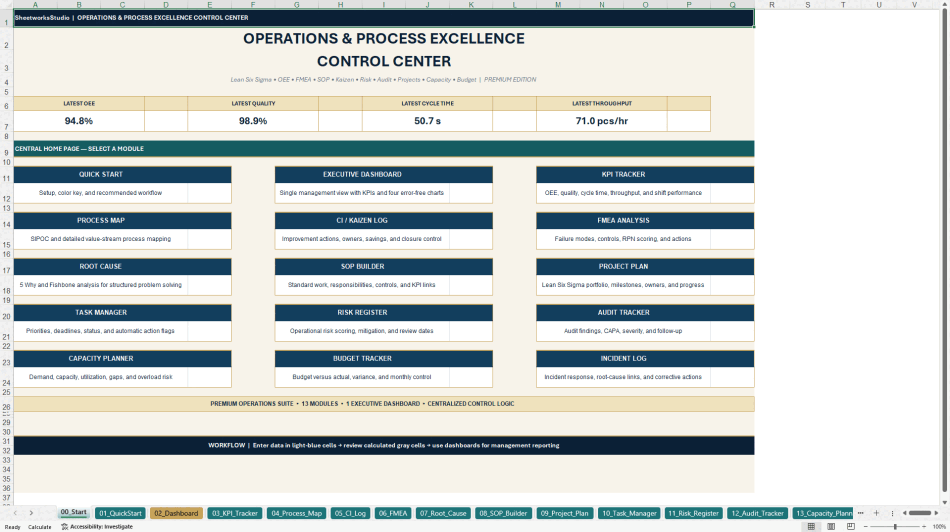
Lean Six Sigma & Operational Excellence Control Center – Excel XLSX
Excel (XLSX) + Zip archive file (ZIP)


BENEFITS OF THIS DOWNLOADABLE EXCEL DOCUMENT
- Monitor OEE, quality, throughput, cycle time, projects, risks, and incidents in one integrated Excel management system with executive KPI dashboards.
- Benefit 2 – Structured Process Improvement Apply SIPOC, FMEA, root cause analysis, 5 Why, SOP documentation, and Kaizen trackers to organize and prioritize continuous improvement initiatives.
- Work with editable trackers, built-in formulas, dropdowns, example records, a dedicated Lean Quick Wins workbook, and an eight-page English user guide.
OPERATIONAL EXCELLENCE EXCEL DESCRIPTION
📊 LEAN SIX SIGMA & OPERATIONAL EXCELLENCE CONTROL CENTER
An Integrated Excel Management System for Process Improvement, Quality, Operational Performance & Continuous Improvement
The Lean Six Sigma & Operational Excellence Control Center by SheetworksStudio is a professional, fully editable Excel management toolkit designed to help organizations structure, monitor, and improve their operational processes.
Combining Lean Management, Six Sigma methodologies, operational KPI monitoring, quality management, risk analysis, and improvement project tracking, this system provides a practical working environment for operations managers, continuous improvement professionals, quality teams, and management consultants.
Rather than relying on disconnected spreadsheets, users can manage key operational activities through a structured workbook with automated calculations, prepared trackers, sample data, and an executive dashboard.
📈 1. EXECUTIVE PERFORMANCE DASHBOARD
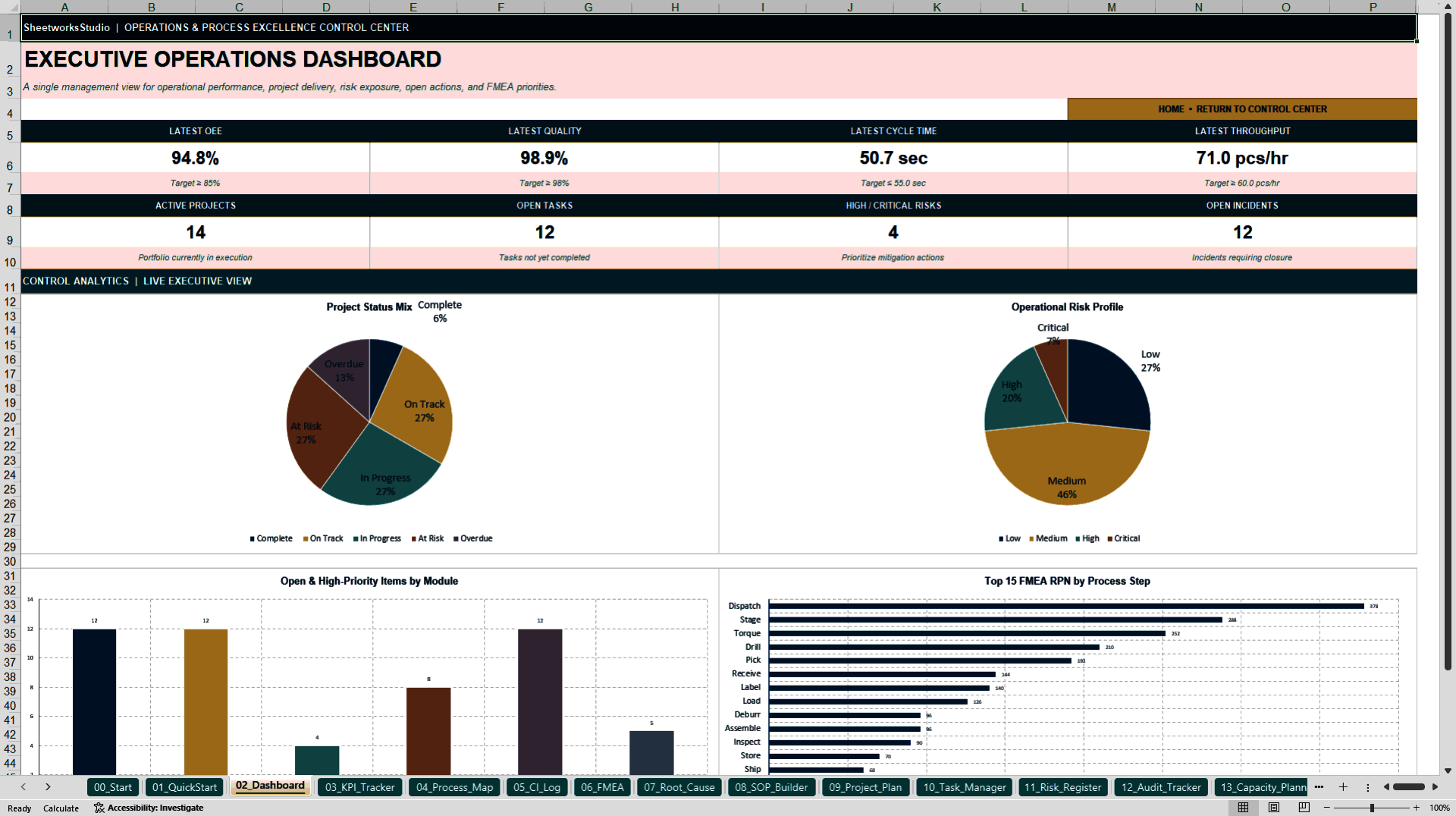
The central dashboard consolidates operational and management indicators into eight KPI cards and four native Excel charts.
Monitor:
• Overall Equipment Effectiveness (OEE)
• Quality performance
• Cycle time and throughput
• Active improvement projects
• Open project tasks
• High and critical operational risks
• Open incidents
• FMEA risk priority values
The dashboard provides a structured overview to support operational reviews, management meetings, and improvement discussions.
⚙️ 2. INTEGRATED OPERATIONAL EXCELLENCE TOOLKIT
The main Excel workbook contains 18 worksheets, including 16 visible operational and management sheets and two hidden supporting sheets.
OPERATIONAL PERFORMANCE MANAGEMENT
• KPI tracking covering OEE, quality, cycle time, and throughput
• Capacity planning and resource gap calculations
• Budget tracking and variance monitoring
PROCESS IMPROVEMENT & QUALITY MANAGEMENT
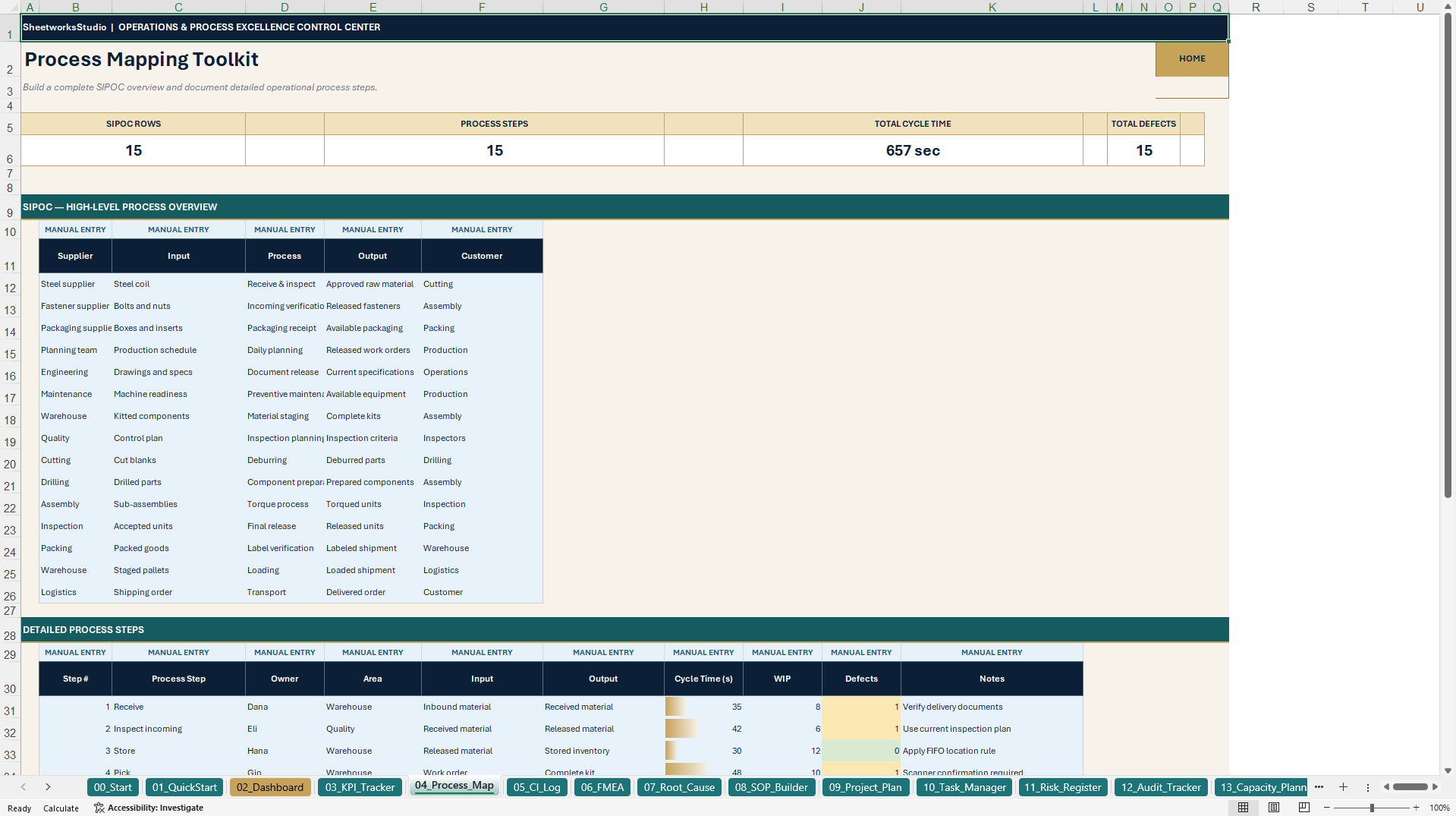
• SIPOC-based process documentation
• Continuous improvement action tracking
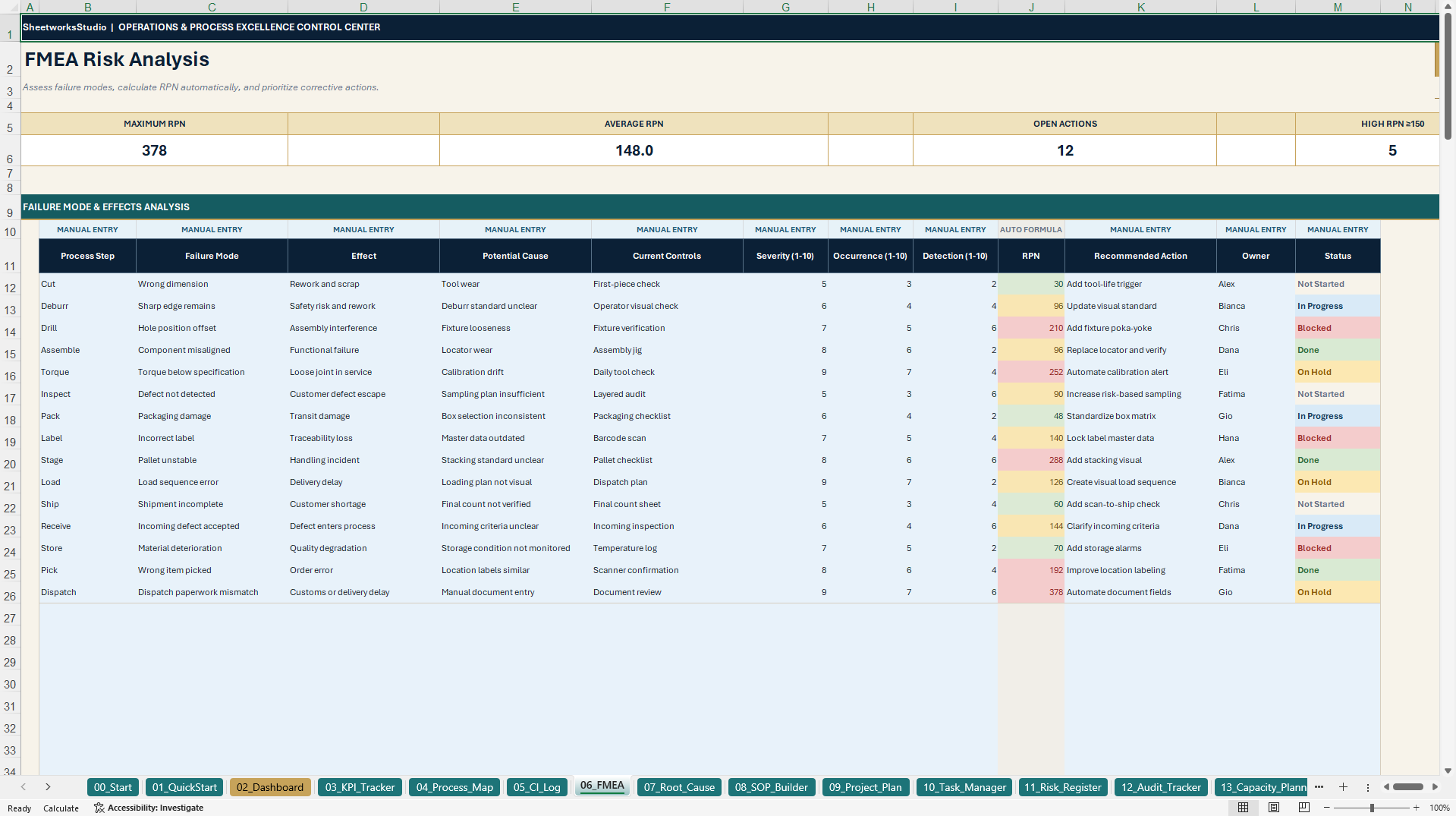
• Failure Mode and Effects Analysis (FMEA)
• Automatic Risk Priority Number (RPN) calculations
• Root cause analysis using 5 Why and Fishbone frameworks
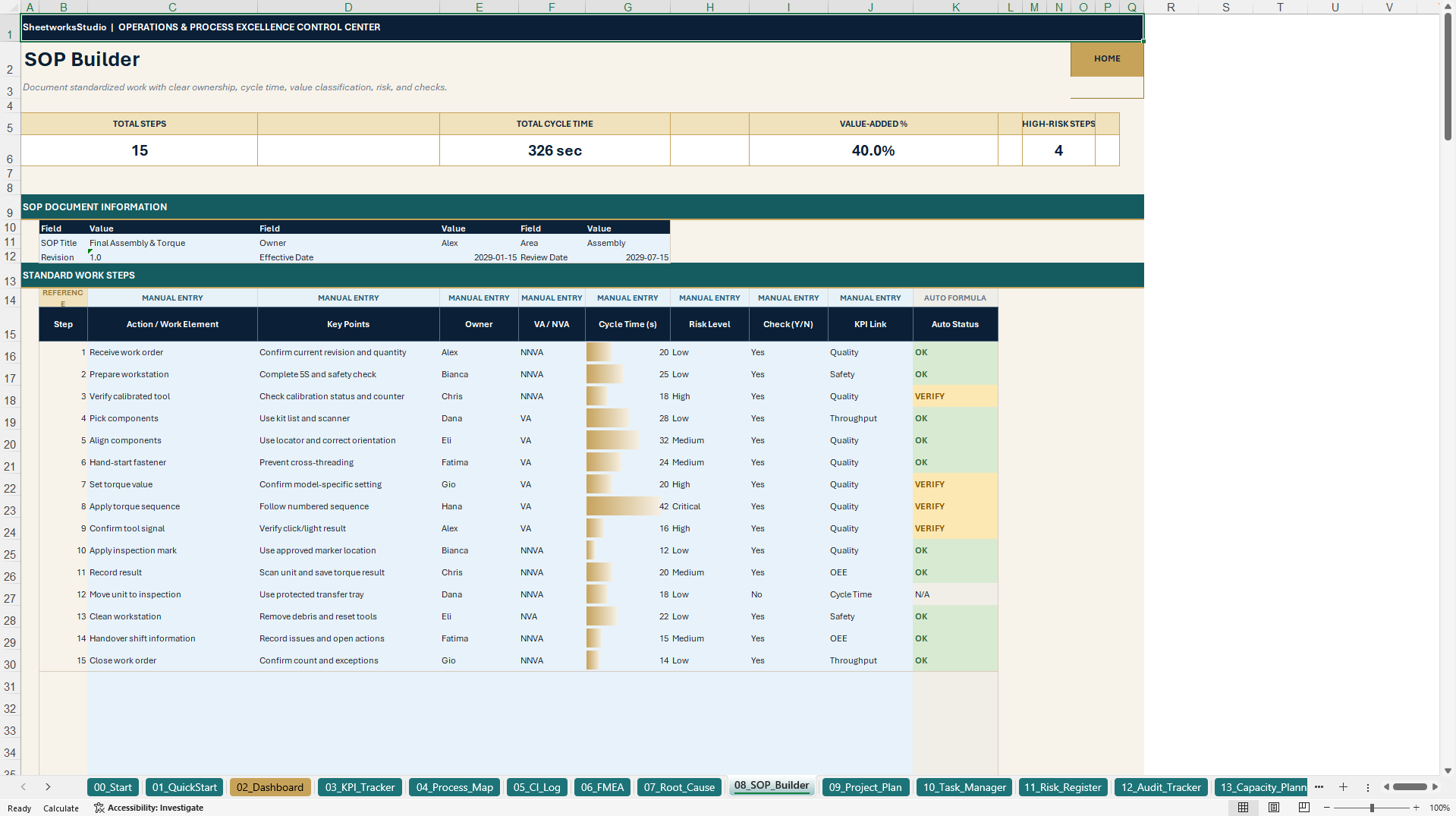
• Standard Operating Procedure (SOP) documentation
PROJECT, RISK & COMPLIANCE MANAGEMENT
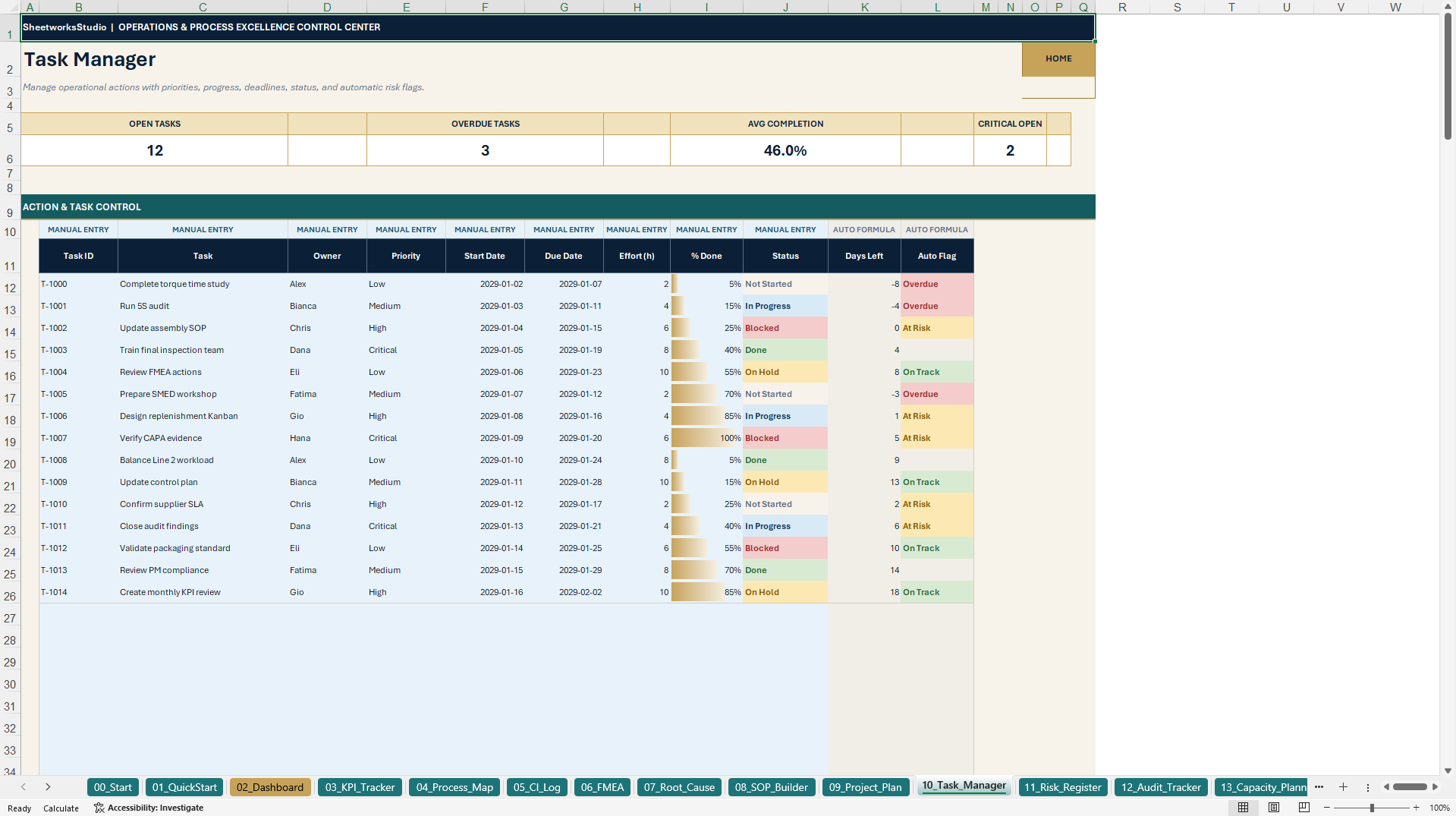
• Improvement project planning and task management
• Project deadlines and overdue indicators
• Risk register and risk rating calculations
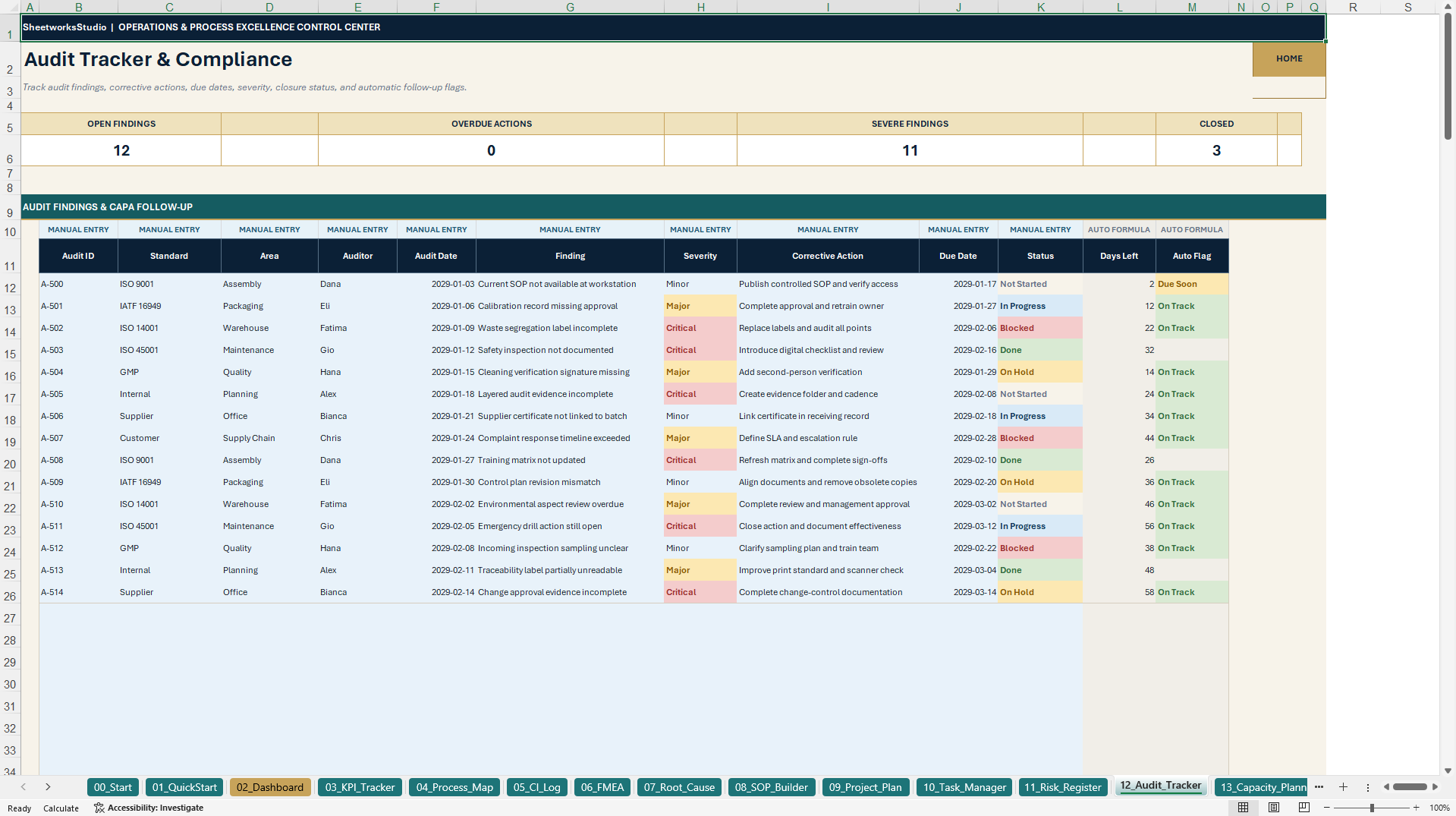
• Audit tracking
• Operational incident logging
Prepared example records help users understand the intended workflows before adapting the system to their own operations.
🧮 3. AUTOMATED CALCULATIONS & STRUCTURED DATA ENTRY
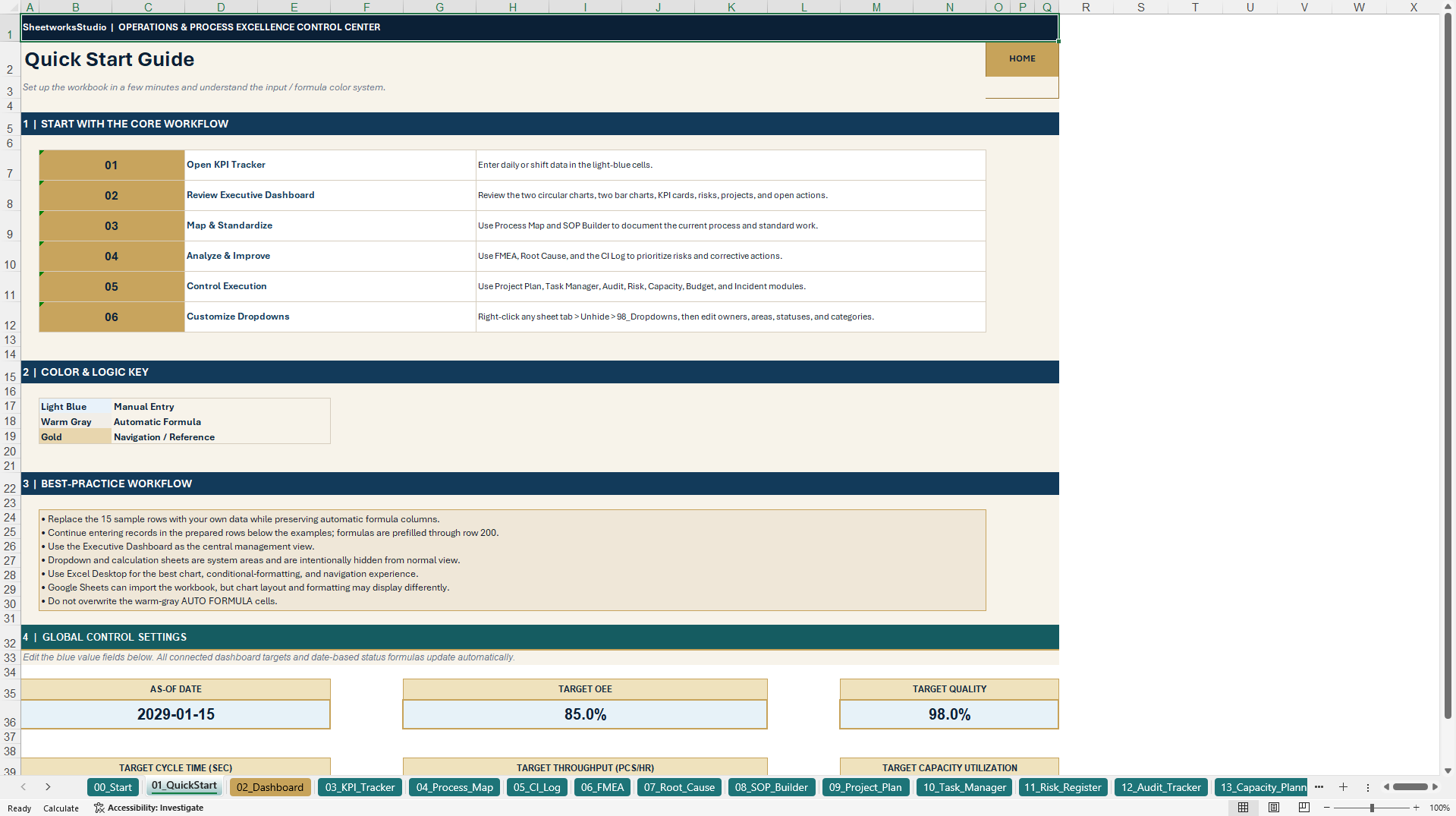
The workbook contains built-in Excel formulas, dropdown lists, and conditional formatting to support consistent data entry and management reporting.
Automatic calculations include:
• OEE and selected operational performance indicators
• FMEA RPN calculations
• Operational risk assessments
• Task deadlines and overdue status
• Capacity gaps
• Budget variances
• Dashboard KPI summaries and chart inputs
Manual entry fields and formula-driven areas are identified to help users understand which information to enter and which results are calculated automatically.
💡 4. BONUS – LEAN QUICK WINS PACK
A separate Excel workbook supports practical continuous improvement activities.
KAIZEN QUICK WINS LOG
Record improvement opportunities, priorities, assigned owners, deadlines, expected impacts, estimated savings, and implementation effort. Built-in WSJF calculations provide a structured prioritization aid.
5S AUDIT TRACKER
Evaluate workplace organization using the five principles of 5S:
• Sort
• Set in Order
• Shine
• Standardize
• Sustain
Automatic scores, percentages, and PASS/IMPROVE indicators support consistent workplace reviews.
MINI DASHBOARD
Review open and overdue improvement actions, estimated savings, Kaizen status distribution, and 5S performance trends.
The bonus workbook contains seven worksheets, including five visible sheets and two hidden supporting sheets, with prepared example data in the primary trackers.
🎯 5. PRACTICAL BUSINESS APPLICATIONS
The toolkit can support:
• Recurring operational performance reviews
• Continuous improvement and Kaizen programs
• Quality management and process standardization
• Root cause investigations and FMEA reviews
• Operational risk and incident monitoring
• Internal audits and improvement project coordination
• Management reporting and consulting engagements
It provides a reusable Excel-based working structure that can be adapted to different organizations, departments, and improvement initiatives.
👥 IDEAL FOR
• Operations Managers and Operations Directors
• Continuous Improvement Managers
• Lean Six Sigma Practitioners
• Quality Assurance and Quality Management Teams
• Manufacturing and Production Managers
• Process Improvement Consultants
• Project Managers and Transformation Teams
• Small and Medium-Sized Businesses
📦 FILE PACKAGE
PRIMARY DOCUMENT
1× Excel Operations & Process Excellence Control Center (.xlsx)
• 18 worksheets, including two hidden supporting sheets
• Eight executive KPI cards and four native Excel charts
SECONDARY DOCUMENT
1× Lean Quick Wins Pack Bonus Excel Workbook (.xlsx)
• Seven worksheets, including two hidden supporting sheets
• Two native Excel charts
1× English How-to-Use Guide (.pdf)
• Eight pages
TOTAL PRODUCT PACKAGE
Two Excel workbooks and one PDF user guide, containing 25 Excel worksheets and six native Excel charts.
💻 TECHNICAL INFORMATION
• Microsoft Excel (.xlsx) format
• Fully editable worksheets and data fields
• Built-in formulas and dropdown lists
• Native Excel dashboards and charts
• No macros or VBA required
• No external data connections required
• Microsoft Excel Desktop recommended
Google Sheets may support many of the underlying formulas and input structures after import; however, formatting, navigation, conditional formatting, and chart behavior may differ. Full Google Sheets feature parity is not guaranteed.
⚠️ IMPORTANT DISCLAIMER
This product is an editable management template, not an accredited Lean Six Sigma training program, certified quality management system, or official regulatory document.
It does not replace professional operational, technical, financial, regulatory, legal, or quality-management advice. Users are responsible for validating their inputs, reviewing calculated results, adapting the system to their business processes, and ensuring compliance with applicable requirements.
All figures in the sample records are illustrative and do not represent actual operating performance or guaranteed improvement results.
ABOUT SHEETWORKSSTUDIO
SheetworksStudio develops structured, editable spreadsheet-based management systems and business tools to support planning, monitoring, operational organization, and data-informed decision-making.
Got a question about the product? Email us at support@flevy.com or ask the author directly by using the "Ask the Author a Question" form. If you cannot view the preview above this document description, go here to view the large preview instead.
Source: Best Practices in Operational Excellence, Six Sigma Project Excel: Lean Six Sigma & Operational Excellence Control Center Excel (XLSX) Spreadsheet, SheetworksStudio
ABOUT THE AUTHOR

SheetworksStudio creates premium Excel-based business templates, dashboards, trackers, financial models, and management systems for professionals, consultants, entrepreneurs, and organizations.
Our portfolio covers finance, project management, operations, risk management, compliance, AI governance, HR, supply chain, performance management, and business planning. Each product is designed to
... [read more]
Ask the Author a Question
You must be logged in to contact the author.




























