
 Click main image to view in full screen.
Risk Heatmap Dashboard | Risk Register & KRI Toolkit – Excel XLSX
Excel (XLSX) + Zip archive file (ZIP)


BENEFITS OF THIS DOWNLOADABLE EXCEL DOCUMENT
- Manage up to 100 risks in one structured Excel register with inherent and residual scoring, control effectiveness, ownership, due dates, expected loss estimates, and automated management indicators.
- Visualize risk exposure with four native Excel charts, two dynamic 5x5 heatmaps, KPI/KRI monitoring, portfolio summaries, ranked risk reports, and data quality checks.
- Receive two editable Excel workbooks with 17 worksheets, a 70-row Quick-Capture companion, 15 sample risks, configurable dropdowns, and separate four-page English and German user guides.
RISK MANAGEMENT EXCEL DESCRIPTION
📊 RISK HEATMAP DASHBOARD & RISK REGISTER CONTROL CENTER
Professional Excel Risk Management System for Inherent & Residual Risk Assessment, 5x5 Risk Heatmaps, KPI/KRI Monitoring, Portfolio Analysis & Executive Reporting
The Risk Heatmap Dashboard & Risk Register Control Center by SheetworksStudio is a professional, fully editable Excel toolkit designed to help organizations document risks, evaluate exposure, assess controls, monitor key risk indicators, and prepare structured management reports.
Combining a 13-worksheet risk management system, four native Excel charts, two dynamic 5x5 risk heatmaps, a separate Quick-Capture companion, and bilingual user guides, the toolkit provides practical resources for Risk Managers, Project Teams, Internal Auditors, Compliance Professionals, and Consultants.
Replace disconnected risk spreadsheets with one organized, formula-driven approach to risk assessment, prioritization, monitoring, and executive reporting.
📈 1. EXECUTIVE RISK DASHBOARD
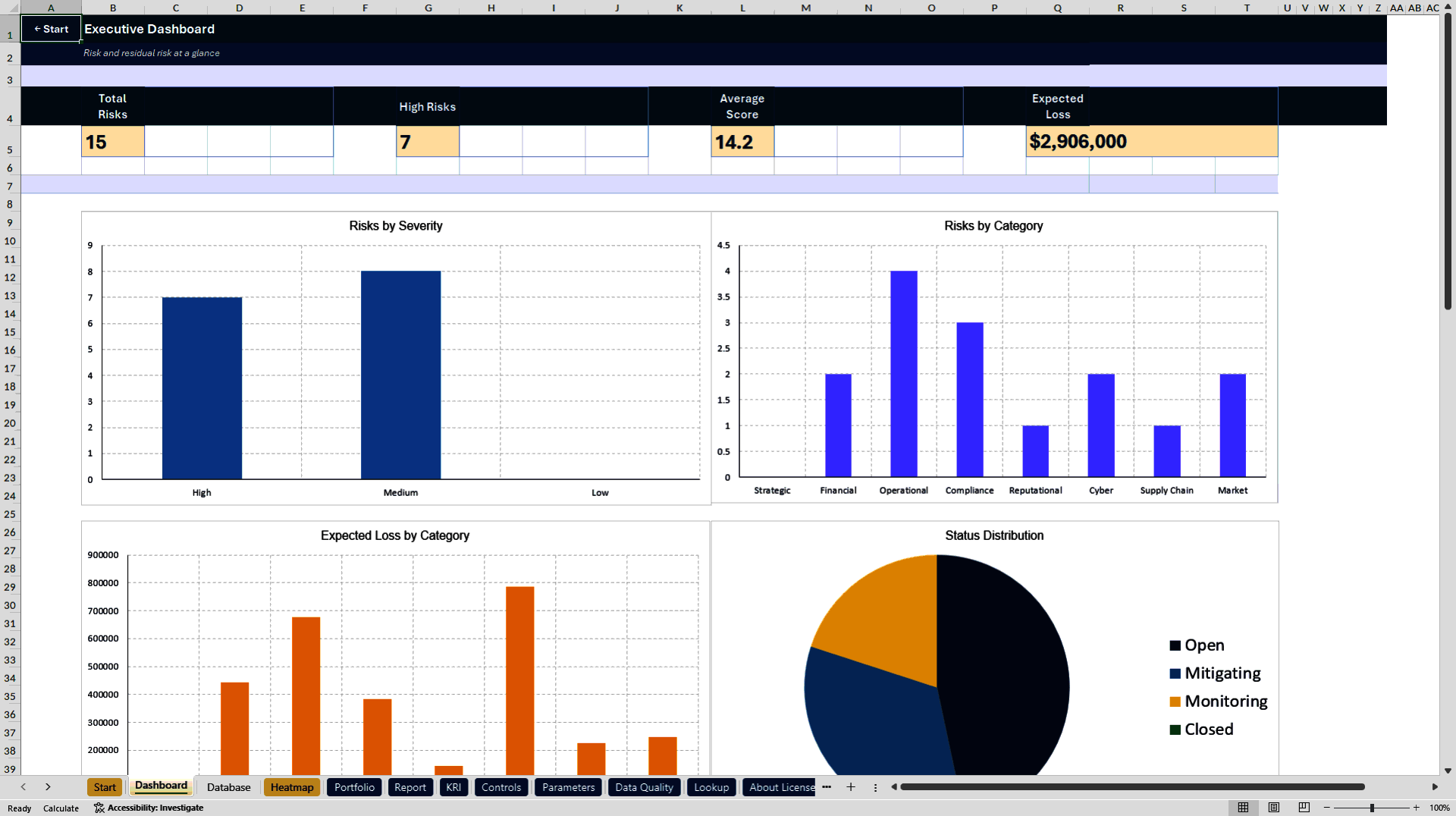
The central dashboard includes four management KPI cards and four native Excel charts.
Monitor:
• Total registered risks
• High-priority risks
• Average risk score
• Estimated risk exposure
• Risk severity distributions
• Inherent versus residual risk information
• Risk categories and management priorities
Automated summaries support recurring risk reviews, management meetings, and internal reporting.
🔥 2. DYNAMIC INHERENT & RESIDUAL RISK HEATMAPS
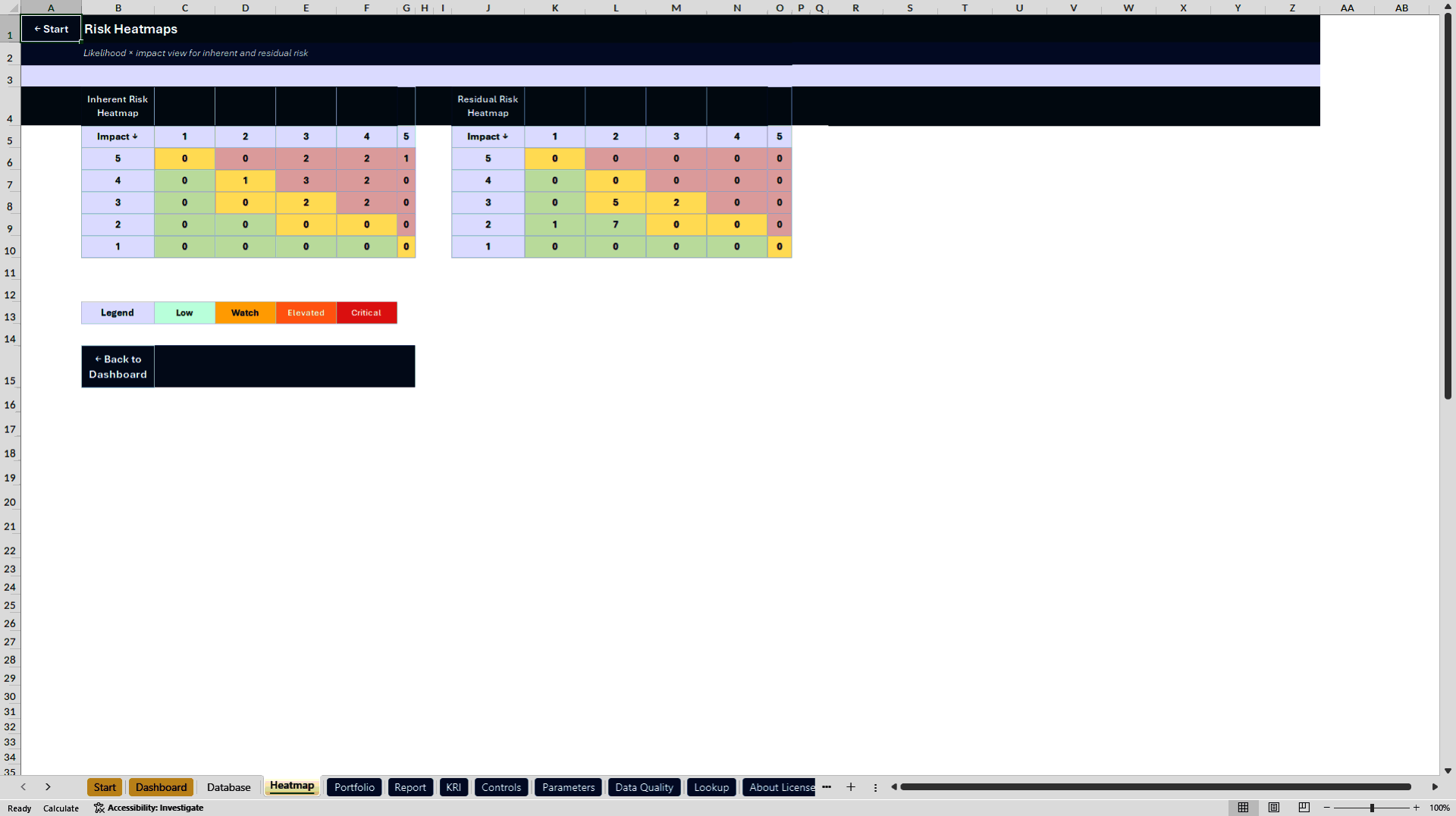
Two integrated 5x5 matrices visualize risk concentrations using Likelihood × Impact assessments.
• Inherent Risk Heatmap – Exposure before considering controls
• Residual Risk Heatmap – Remaining likelihood and impact ratings
• Automatic risk counts by matrix position
• Visual severity and concentration analysis
• Configurable risk thresholds and scoring views
The heatmaps update from the prepared Risk Register ranges after spreadsheet recalculation.
⚙️ 3. INTEGRATED RISK MANAGEMENT WORKBOOK
The main Excel workbook contains 13 worksheets, including one hidden calculation sheet.
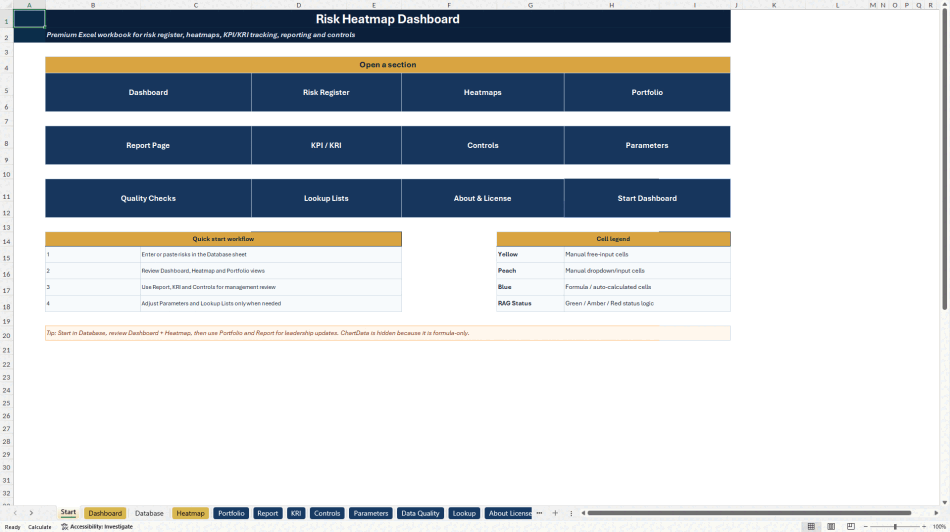
START – Central navigation, workflow guidance, and module access.
DASHBOARD – Four executive KPI cards and four native Excel charts.
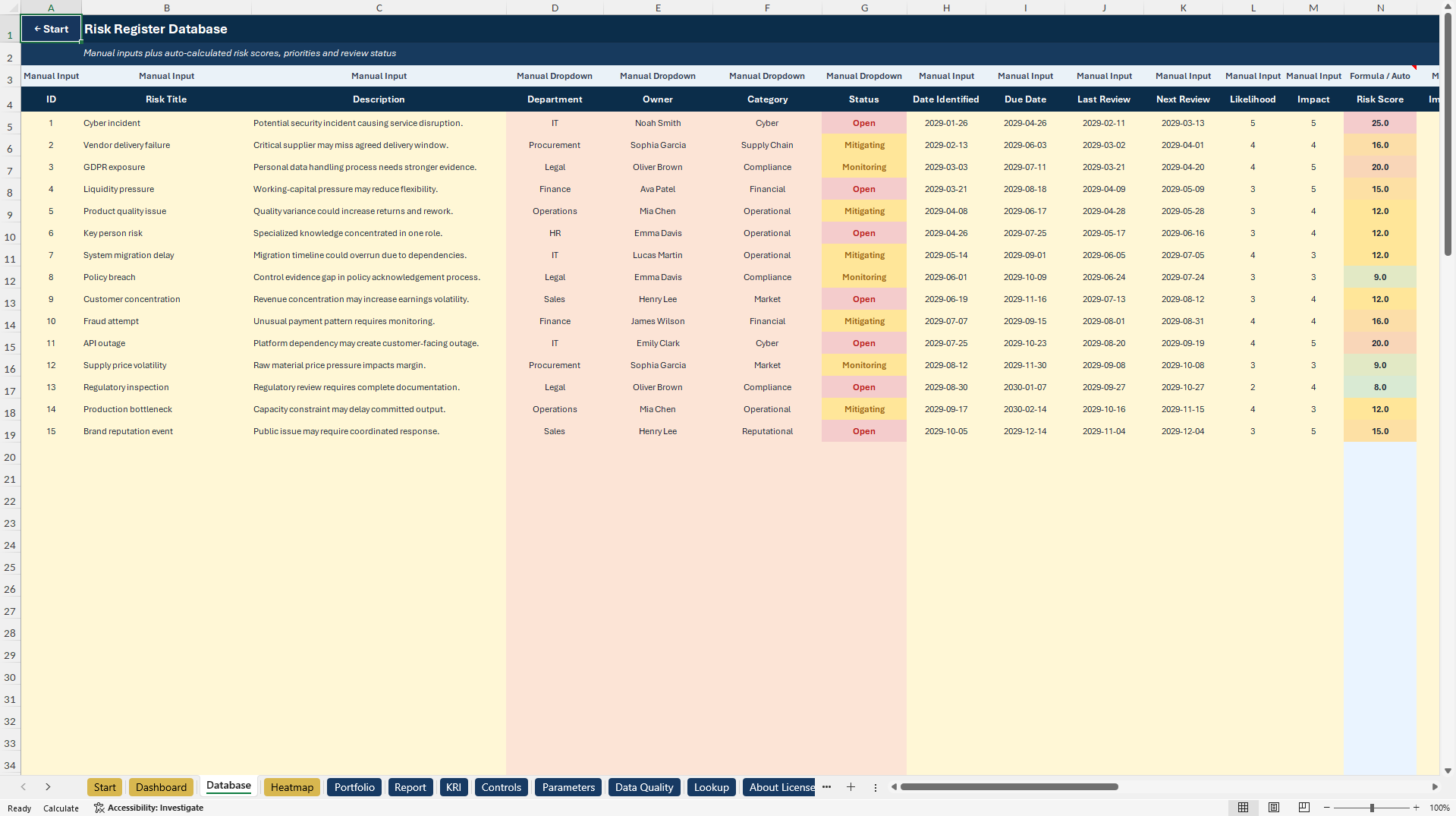
DATABASE – Central Risk Register for risk identification, descriptions, departments, owners, categories, status, deadlines, controls, and scoring.
Track inherent and residual likelihood, impact, risk scores, control effectiveness, estimated financial exposure, mitigation status, costs, priorities, and review information.
HEATMAP – Dynamic inherent and residual 5x5 risk matrices.
PORTFOLIO – Analyze risk distributions, departments, categories, priorities, estimated exposure, and management focus.
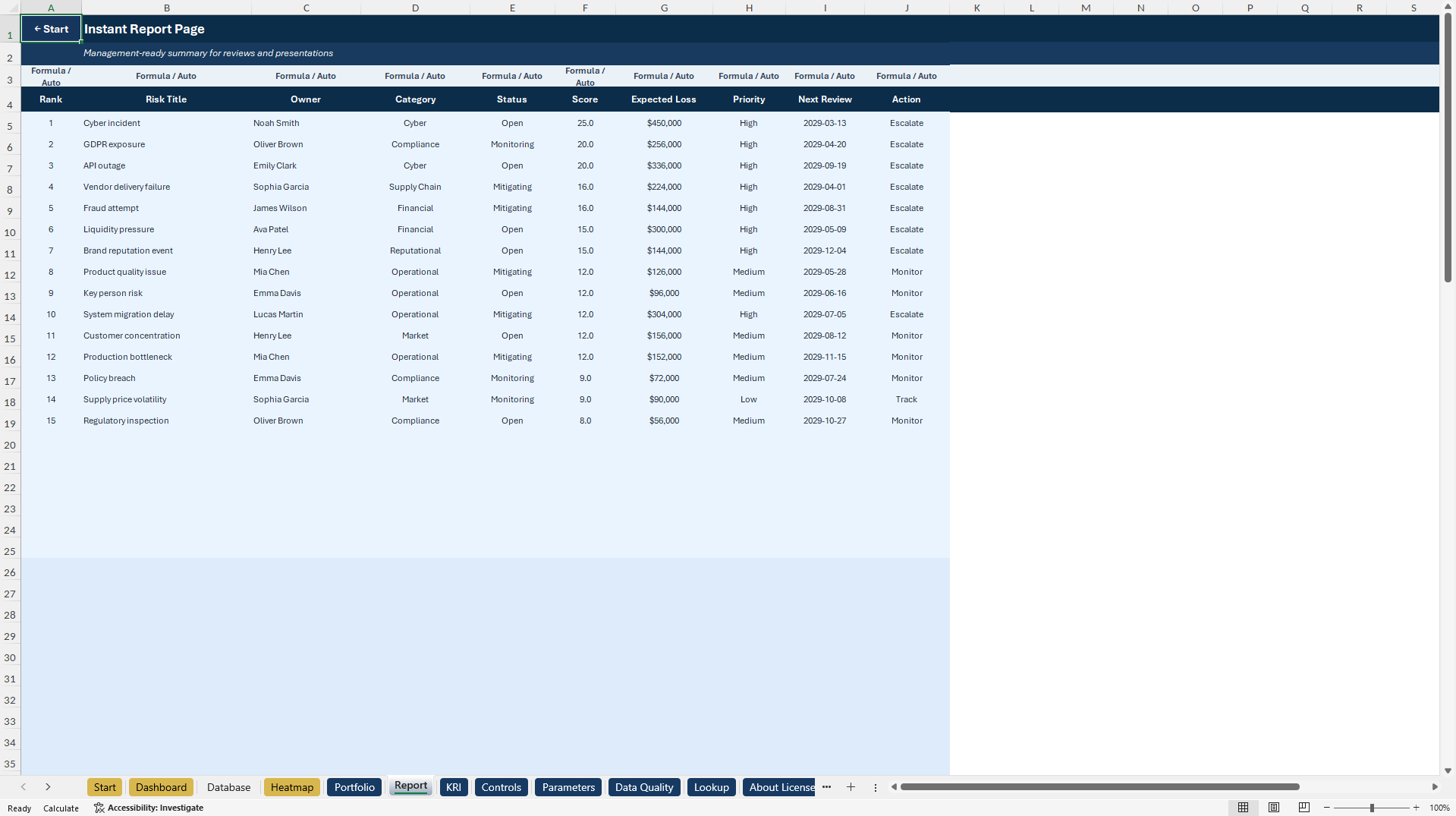
REPORT – Professional management reporting page with ranked risks, owners, status, scores, and recommended attention areas.
KRI – Track Key Risk Indicators across twelve monthly periods, including thresholds, current values, status, and trends.
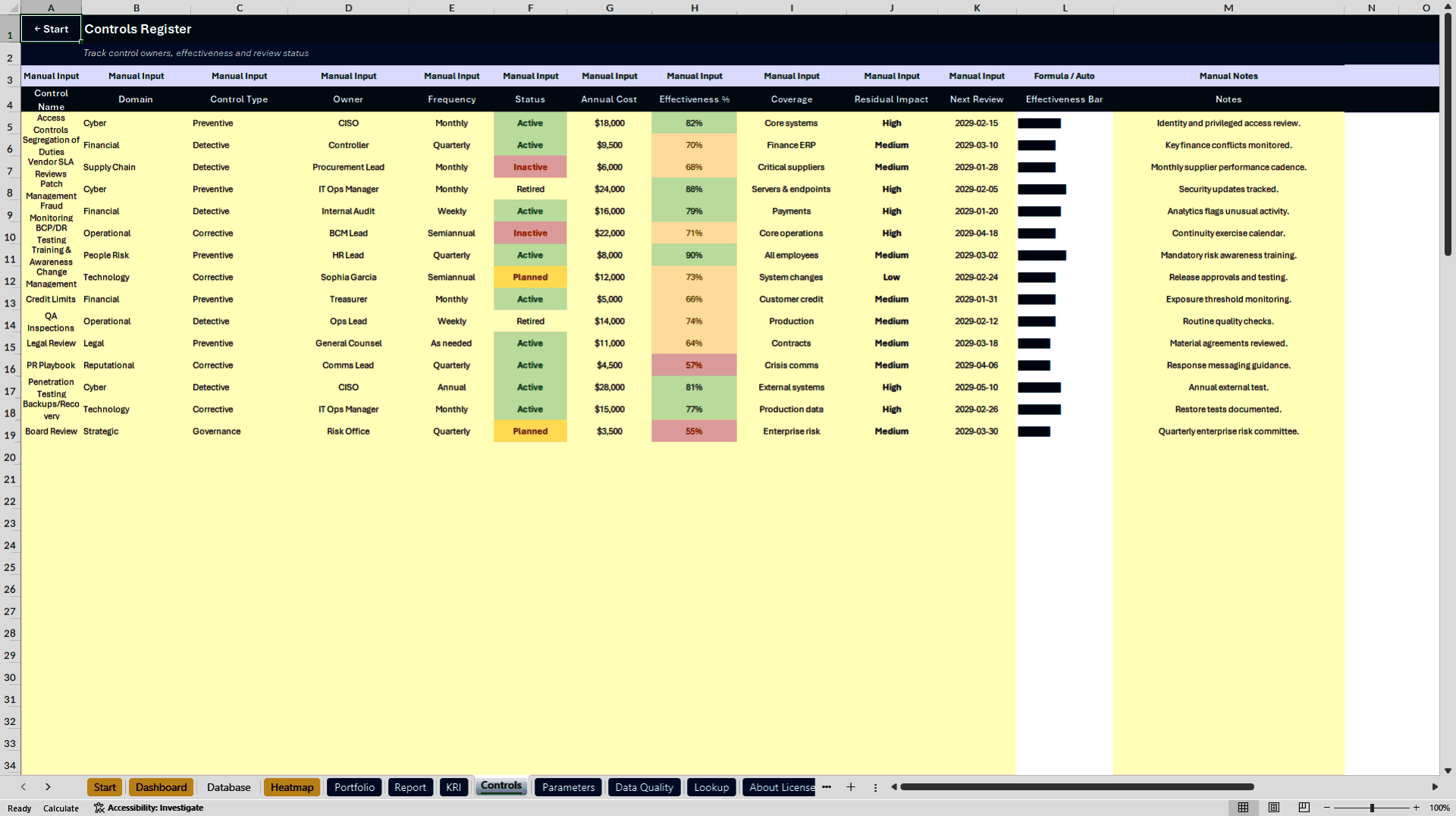
CONTROLS – Maintain control descriptions, domains, control types, owners, review frequencies, implementation status, estimated annual costs, and effectiveness ratings.
PARAMETERS – Configure risk thresholds, scoring preferences, reporting status, and review alert settings.
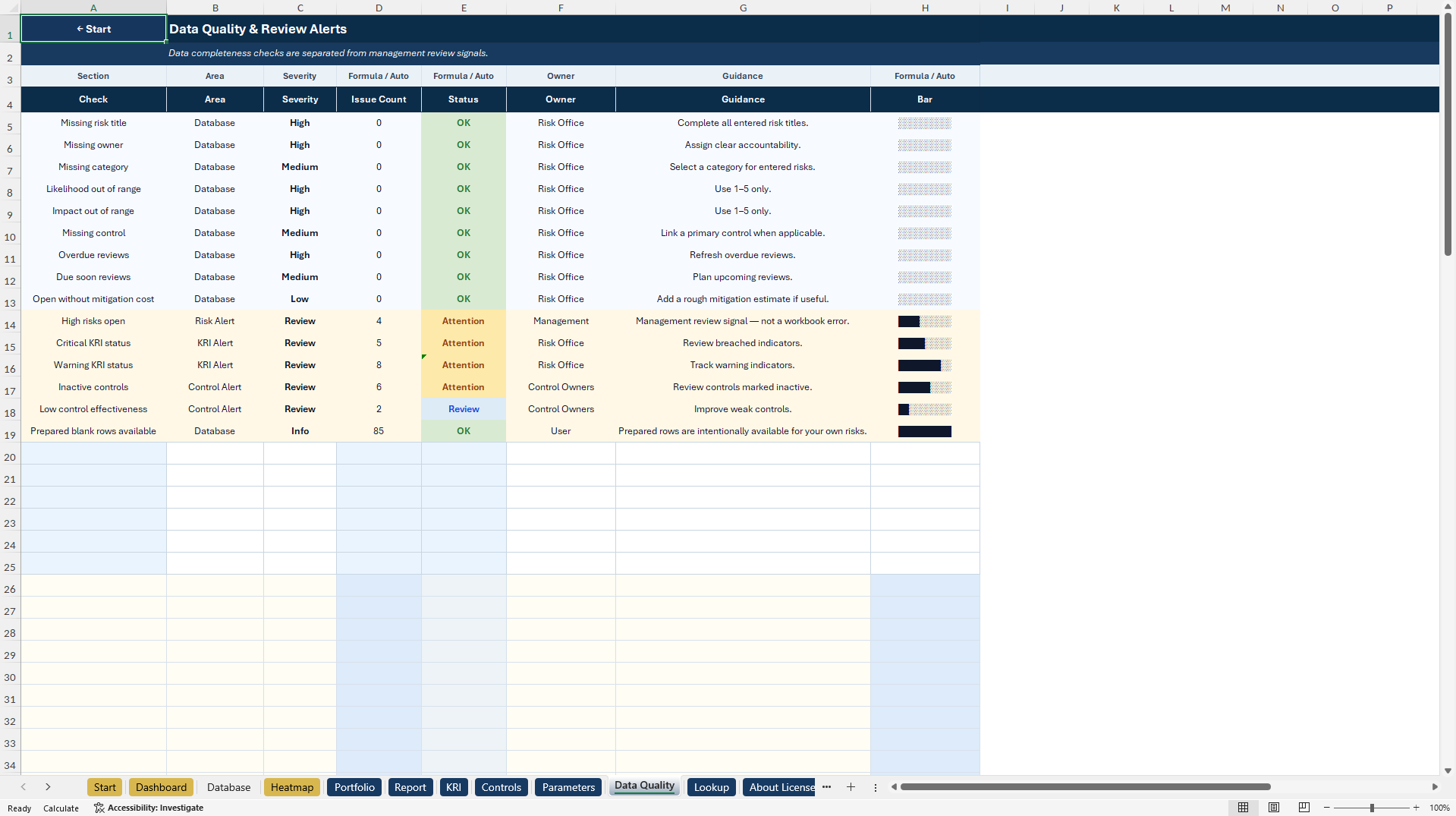
DATA QUALITY – Check missing information, inconsistent records, overdue reviews, and other management attention areas.
LOOKUP – Supporting categories, owners, risk classifications, and editable selection values.
ABOUT LICENSE – Workbook information, usage guidance, and license notes.
CHARTDATA – Hidden technical support sheet for ranking, chart calculations, and management reports.
🧮 4. AUTOMATED RISK & MANAGEMENT CALCULATIONS
Key features include:
• Automatic Likelihood × Impact scores
• Inherent and residual risk assessments
• Configurable risk classifications
• Control effectiveness lookup and validation
• Formula-based expected loss estimates
• Management review and due-date indicators
• Risk portfolio summaries
• Ranked risk reporting
• KPI/KRI status and trend calculations
• Dropdown menus and conditional formatting
• Data quality and completeness checks
The main Risk Register contains 100 prepared risk rows, including 15 realistic illustrative examples.
Control effectiveness accepts numeric assessments between 0 and 1. Risk and exposure calculations are internal planning aids based on entered assumptions, not predictive or actuarial risk models.
🎁 5. BONUS – RISK QUICK-CAPTURE COMPANION
A separate four-worksheet Excel workbook supports rapid risk identification during workshops, meetings, interviews, and initial risk reviews.
Included worksheets:
• About – Start page, navigation, and workflow orientation
• Quick Capture – Structured risk intake and automatic scoring
• Instructions – Data entry and transfer guidance
• Lists – Editable reference lists for dropdown selections
Key capabilities:
• 70 prepared risk intake rows
• 15 illustrative example risks
• Likelihood and Impact scoring from 1 to 5
• Automatic Risk Score and Priority Hint
• Category, owner, and status dropdowns
• Include Yes/No selection
• Automatic Transfer Check
• KPI summaries for captured and selected risks
Selected entries can be manually transferred into the main Risk Register using the provided field-mapping instructions.
The companion does not automatically synchronize with the main workbook.
📘 6. ENGLISH & GERMAN USER GUIDES
Two professionally formatted four-page PDF guides are included.
• English How-to-Use Guide – Four pages
• German How-to-Use Guide – Four pages
The guides cover:
• Quick Start and workbook navigation
• Risk identification and data entry
• Inherent and residual risk analysis
• Quick-Capture transfer workflow
• Dashboard, Portfolio, Report, and KRI usage
• Control and parameter configuration
• Export, troubleshooting, and legal information
🎯 7. BUSINESS APPLICATIONS & TARGET USERS
APPLICATIONS
• Enterprise and Operational Risk Reviews
• Project and Portfolio Risk Management
• Internal Risk Registers
• Inherent and Residual Risk Assessment
• Risk Heatmap Analysis
• Key Risk Indicator Monitoring
• Control Effectiveness Reviews
• Internal Audit Preparation
• Compliance and Governance Reviews
• Risk Workshops and Executive Reporting
IDEAL FOR
• Risk Managers and Risk Analysts
• Project and Portfolio Managers
• Internal Auditors
• GRC and Compliance Professionals
• Operations and Finance Teams
• Management Consultants
• Business Owners and Department Heads
• Startups, SMEs, and Growing Organizations
📦 8. COMPLETE PRODUCT PACKAGE
PRIMARY DOCUMENT
1× Risk Heatmap Dashboard Control Center (.xlsx)
• 13 Excel worksheets
• Four native Excel charts
• Two dynamic 5x5 risk heatmaps
• 100 prepared risk rows
• Portfolio, Report, KRI, and Control Management
• Automated calculations and management indicators
SECONDARY DOCUMENT
1× Risk Quick-Capture Companion (.xlsx)
• Four Excel worksheets
• 70 prepared intake rows
• Automatic scoring, dropdowns, and transfer guidance
1× English How-to-Use Guide (.pdf) – Four pages
1× German How-to-Use Guide (.pdf) – Four pages
TOTAL PRODUCT PACKAGE
• Two editable Excel workbooks
• Two bilingual PDF user guides
• 17 Excel worksheets
• Four native Excel charts
• Two risk heatmaps
• KPI/KRI and portfolio reporting
• 15 illustrative risk records in each Excel system
• Eight pages of documentation
💻 9. TECHNICAL INFORMATION
• Microsoft Excel (.xlsx)
• Fully editable workbooks
• Built-in formulas and data validation
• Configurable dropdown lists
• Conditional formatting and visual risk indicators
• Native Excel dashboards and charts
• No macros, VBA, or add-ins required
• No external Excel data connections
• Microsoft Excel Desktop recommended
Google Sheets import may support many formulas and input fields, although charts, navigation, formatting, and Excel-specific behavior may differ. Full feature parity is not guaranteed.
The toolkit provides spreadsheet-based risk management and reporting, not live risk monitoring or automated enterprise system integration.
⚠️ IMPORTANT RISK MANAGEMENT DISCLAIMER
This product is an editable organizational risk management and documentation template, not certified risk management software, an official regulatory framework, or a guarantee of risk reduction or compliance.
Risk scores, control effectiveness ratings, exposure estimates, thresholds, and management indicators depend on user-provided information and assumptions.
Users are responsible for validating data, reviewing calculations, adapting thresholds, maintaining appropriate controls, and applying professional judgment.
The toolkit does not replace qualified legal, financial, risk management, regulatory, audit, or compliance advice.
All illustrative sample data must be reviewed or replaced before operational use.
ABOUT SHEETWORKSSTUDIO
SheetworksStudio develops professional, editable Excel management systems for business risk oversight, governance, operational planning, performance monitoring, and data-informed decision-making.
Got a question about the product? Email us at support@flevy.com or ask the author directly by using the "Ask the Author a Question" form. If you cannot view the preview above this document description, go here to view the large preview instead.
Source: Best Practices in Risk Management, Key Performance Indicators Excel: Risk Heatmap Dashboard | Risk Register & KRI Toolkit Excel (XLSX) Spreadsheet, SheetworksStudio
ABOUT THE AUTHOR

SheetworksStudio creates premium Excel-based business templates, dashboards, trackers, financial models, and management systems for professionals, consultants, entrepreneurs, and organizations.
Our portfolio covers finance, project management, operations, risk management, compliance, AI governance, HR, supply chain, performance management, and business planning. Each product is designed to
... [read more]
Ask the Author a Question
You must be logged in to contact the author.




























