

 Click main image to view in full screen.
Inventory Management Template - Inventory Tracker Dashboard – Excel XLSX
Excel (XLSX)


INVENTORY MANAGEMENT EXCEL DESCRIPTION
Introducing our powerful and user-friendly inventory template! Our template is designed to help you efficiently manage your inventory and stay on top of your stock levels. With features such as automatic updates, interactive reports, and easy-to-use input fields, you'll save time and effort while gaining valuable insights into your inventory data.
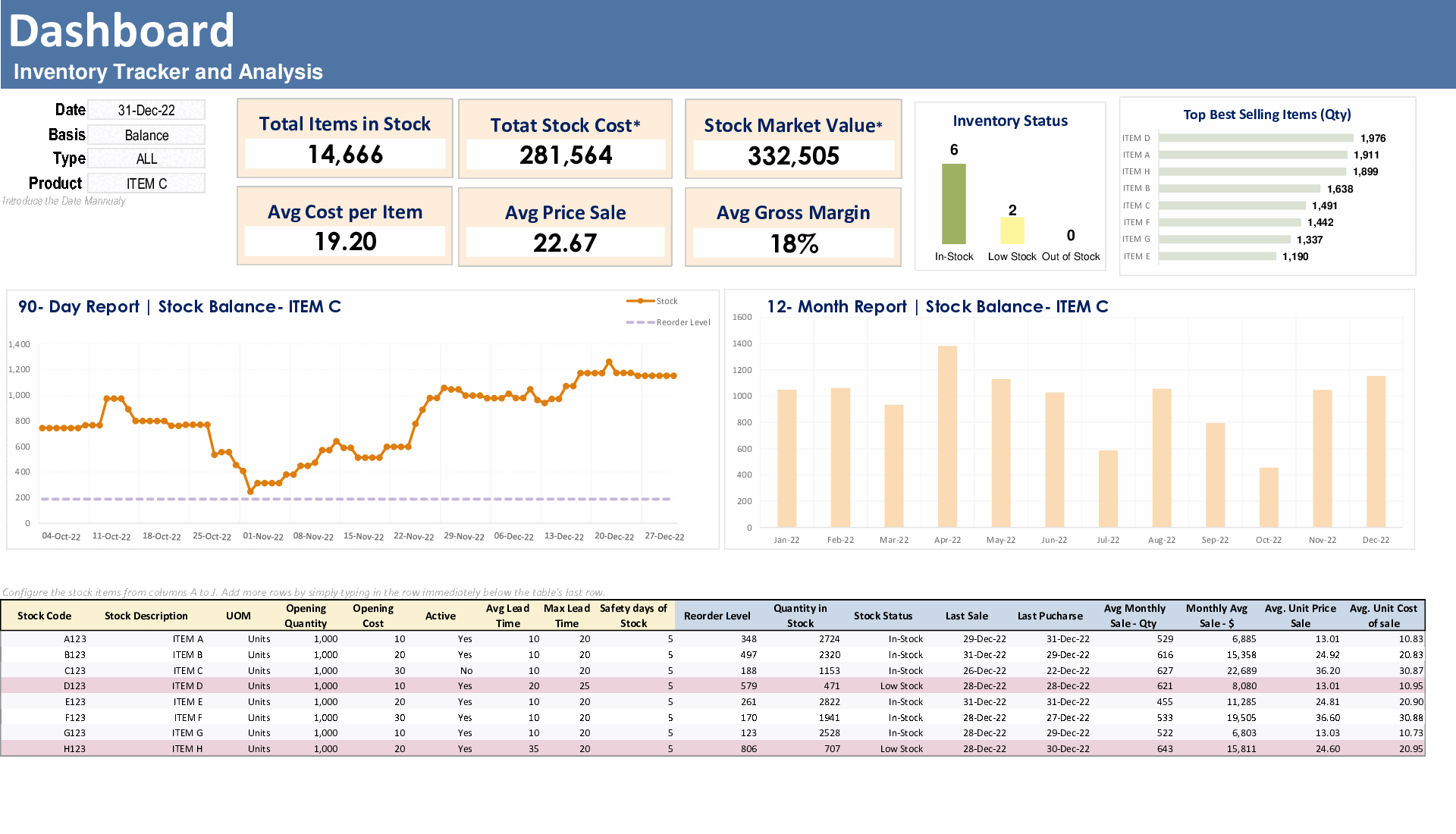
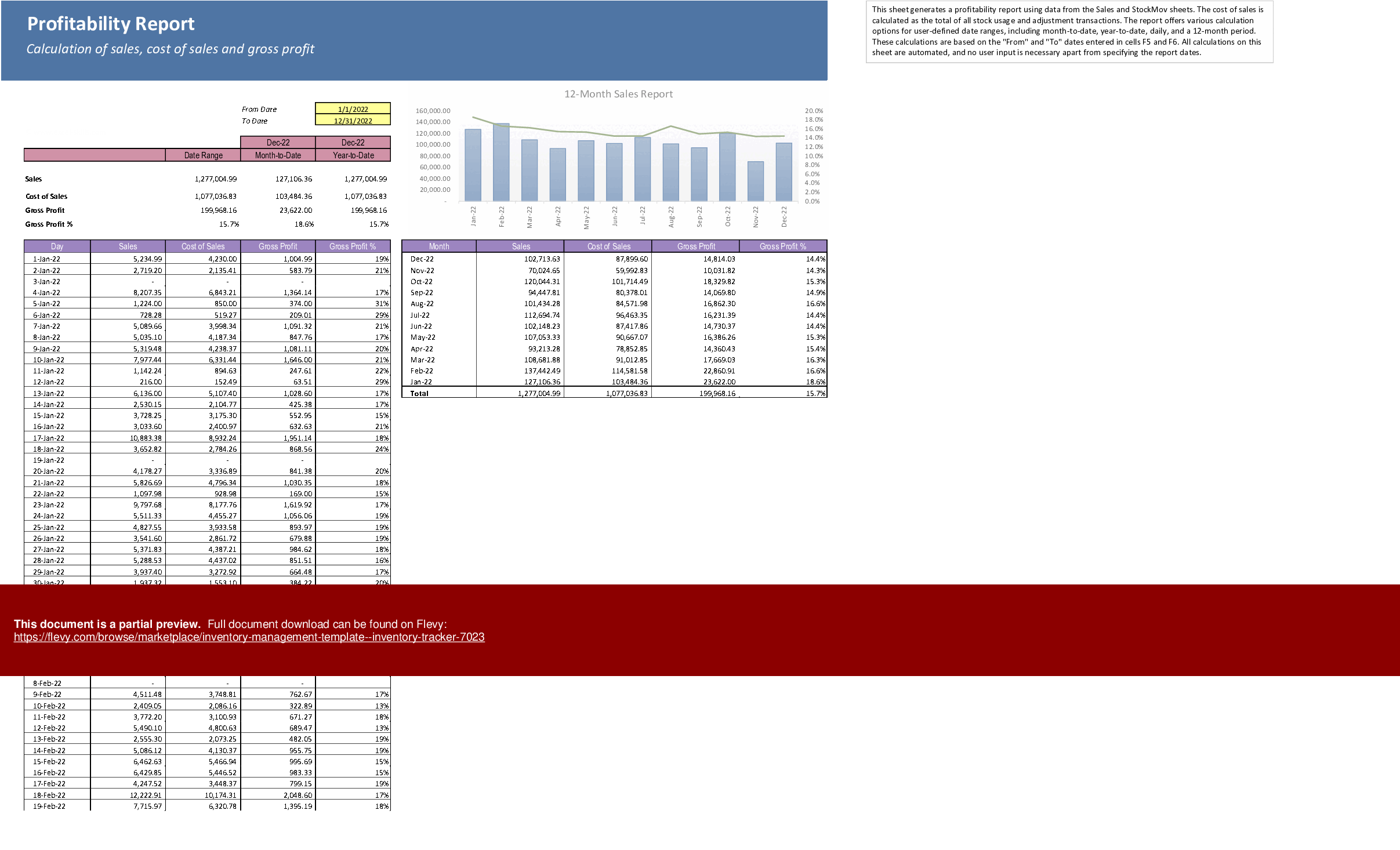
Our template includes a dashboard where you can view your inventory at a glance and an inventory movement section where you can record transactions and track your stock levels. The profitability report calculates your cost of sales and provides customizable reports for user-defined date ranges.
Our template automates many tedious tasks associated with inventory management, leaving you more time to focus on growing your business. Try our inventory template today and see how it can simplify your inventory management process!
Template Structure:
Dashboard
The inventory dashboard updates automatically based on the stock code and dates selected in the filter section. You can view calculations for individual stock codes or all items by clearing the list box. The dashboard provides an interactive report that allows you to select balances or movements, amounts, costs, quantities, and transaction types. You can view all transaction types or individual purchases, usage, and adjustments. Additionally, the dashboard features stats for the top products by transaction type and purchase price variance. There is no need for user input beyond filter and report selections, as all workings are included below the dashboard.
The various stock items in the dashboard can be configured from columns A to J, starting from row 40. The user only needs to fill in the columns with yellow headings to enter data. The light blue columns have calculations that update automatically as data is entered in this section.
Stock Movements
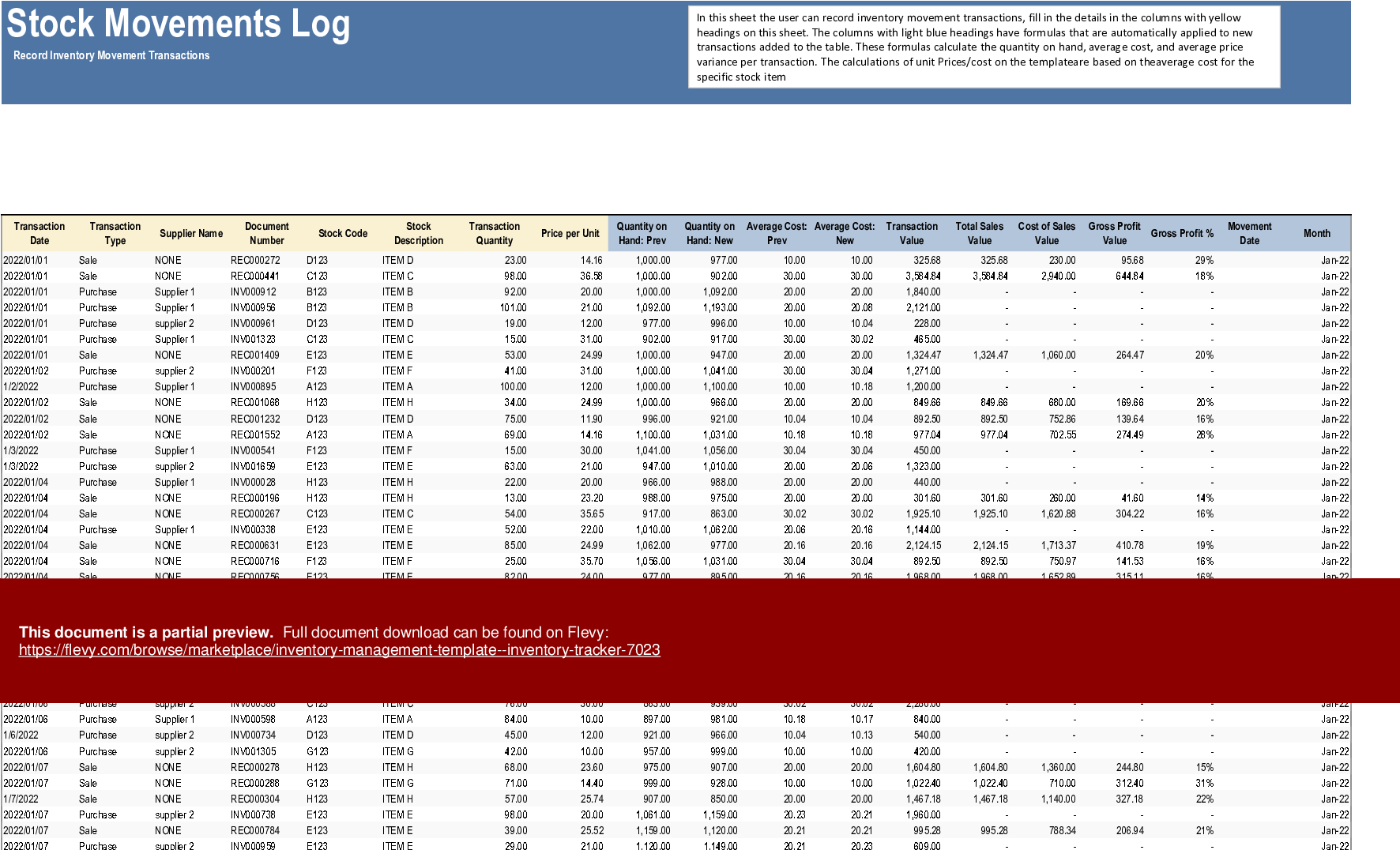
In this sheet, the user can record inventory movement transactions and fill in the details in the columns with yellow headings on this sheet. The columns with light blue headings have formulas that are automatically applied to new transactions added to the table. These formulas calculate the quantity on hand, average cost, and average price variance per transaction. The calculations of unit Prices/costs on the template are based on the average cost for the specific stock item
Profitability Report
This sheet generates a profitability report using data from the Sales and StockMov sheets. The cost of sales is calculated as the total of all stock usage and adjustment transactions. The report offers various calculation options for user-defined date ranges, including month-to-date, year-to-date, daily, and a 12-month period. These calculations are based on the "From" and "To" dates entered in cells F5 and F6. All calculations on this sheet are automated, and no user input is necessary apart from specifying the report dates.
RoL CalC(Reorder Level)
This support sheet assists in calculating metrics such as reorder level, average daily requirement, and maximum daily requirement. No user input is required as the calculations are based on the 30 previous dates from the maximum available date.
Gain a comprehensive view of your inventory movements with detailed logs and automated calculations. Leverage the profitability report to make data-driven decisions and optimize your stock levels efficiently.
Got a question about the product? Email us at support@flevy.com or ask the author directly by using the "Ask the Author a Question" form. If you cannot view the preview above this document description, go here to view the large preview instead.
TOPIC FAQ
What are the core worksheets I should expect in an Excel inventory tracking template?
A typical Excel inventory tracking template groups functionality across separate sheets: an interactive Dashboard for filters and summaries, a Stock Movements sheet for transaction logs, a Profitability Report for cost-of-sales analysis, and a RoL Calc sheet for reorder-level metrics — 4 worksheets in total.How does average cost get calculated in transaction-based inventory templates?
Average cost is computed per stock item as transactions are recorded; input columns capture purchases/usages while embedded formulas update running quantity-on-hand and recalculated average cost. In this template, unit prices and cost calculations are based on the average cost per stock item.What is the standard way to derive cost of sales from inventory movements?
Cost of sales is calculated by summing stock usage and adjustment transactions tied to sales activity. Profitability reports use transaction data from sales and stock movement logs to compute cost of sales as the total of usage and adjustment transactions.What features should I prioritize when selecting an Excel inventory template for a small business?
Prioritize automatic updates and interactive reporting (filterable by stock code and dates), simple input fields (clearly marked), transaction-level logging, profitability reporting over custom date ranges, and reorder-level calculations — exemplified by the Dashboard, Stock Movements, Profitability Report, and RoL Calc.How much manual input is typically required to keep an inventory tracker updated?
Good templates minimize manual work: users enter transaction rows and key item fields into marked input columns, while formulas auto-fill calculations for quantity, average cost, and variances. In this template the user inputs only yellow-headed columns and filter/report selections.Can an Excel template produce month-to-date and year-to-date inventory profitability by SKU?
Yes. A profitability worksheet can aggregate sales and stock-movement data into date-range reports. This template supports month-to-date, year-to-date, daily, and 12-month calculations driven by the “From” and “To” date cells F5 and F6.How can I calculate reorder level and average daily requirement from transaction history?
Use a support sheet that derives reorder metrics from recent transaction history. The RoL Calc in this template computes reorder level, average daily requirement, and maximum daily requirement using the 30 previous dates from the maximum available date.Is it possible to track purchase price variance and identify top-moving products in the workbook?
Yes. The Dashboard includes statistics for top products by transaction type and computes purchase-price variance so you can monitor cost movements and high-activity SKUs directly from transaction data and dashboard filters.Source: Best Practices in Inventory Management Excel: Inventory Management Template - Inventory Tracker Excel (XLSX) Spreadsheet, Jair Almeida




























