
This framework is developed by a team of former McKinsey and Big 4 consultants. The presentation follows the headline-body-bumper slide format used by global consulting firms.
Explore UML fundamentals in this PPT by ex-McKinsey and Big 4 consultants. Enhance system design, stakeholder communication, and risk management. Unified Modeling Language (UML) Primer is a 40-slide PPT PowerPoint presentation slide deck (PPTX) available for immediate download upon purchase.
The complexity of specifying, building, and visualizing software systems presents a significant challenge, particularly in environments where clear communication between business stakeholders and technical teams is crucial.
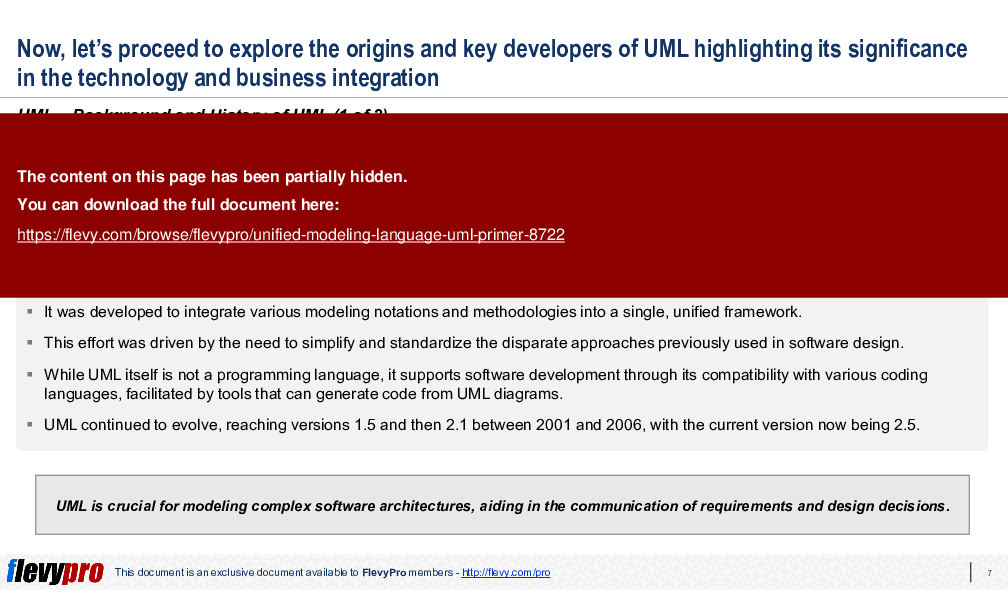
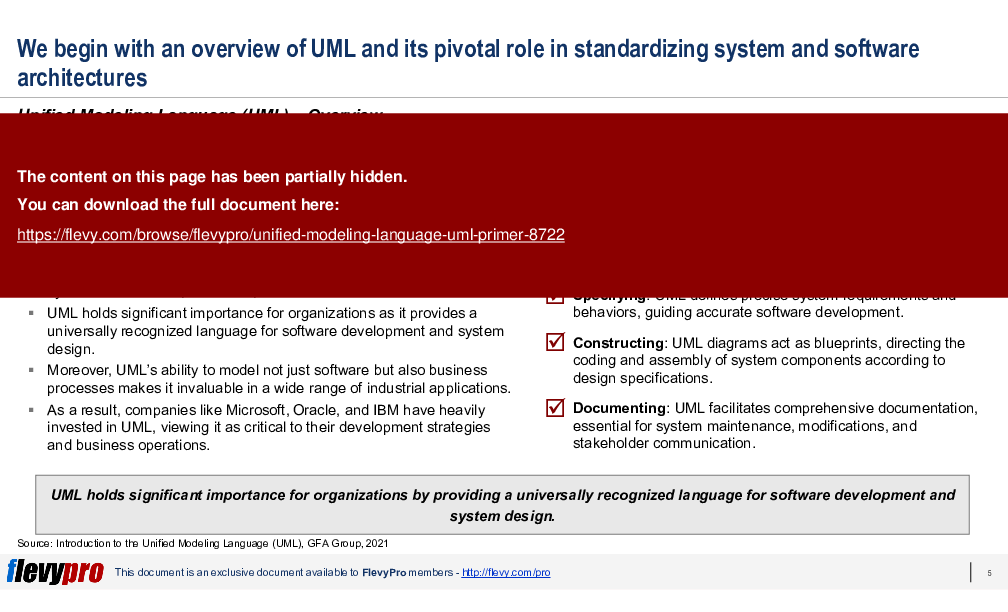
Thus, the Unified Modeling Language (UML) was developed as a solution to this problem. UML aims to provide a standardized visual modeling language that enhances mutual understanding across different disciplines. UML bridges the gap between technical and non-technical stakeholders, ensuring a shared understanding of system requirements and designs.
UML is not just applicable in software development but also in business processes and other areas, functioning like blueprints to guide system design across various applications. It encompasses a range of diagram types, including behavior, interaction, and structure diagrams, which together describe the system's boundaries, structures, and behaviors.
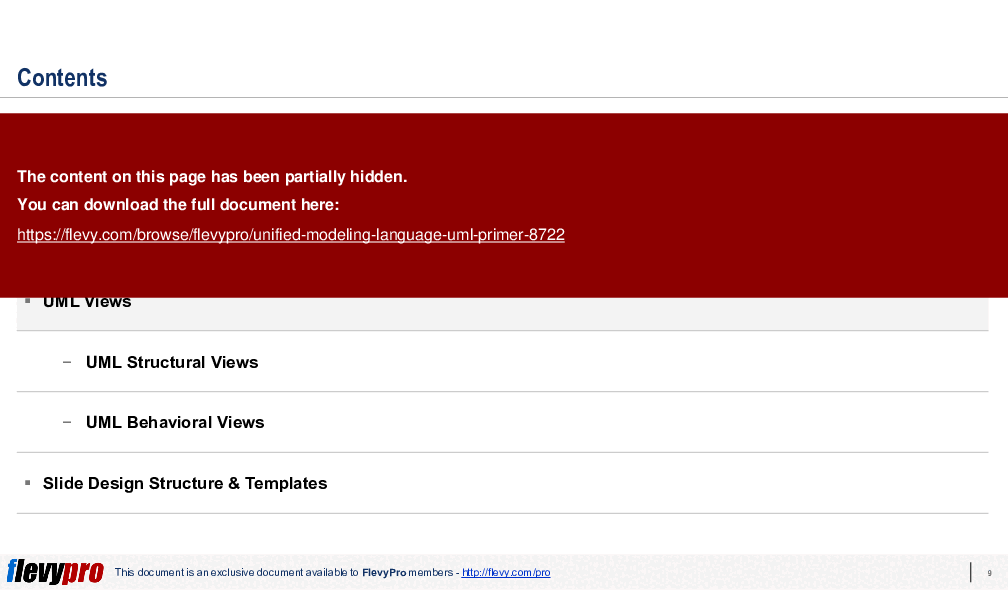
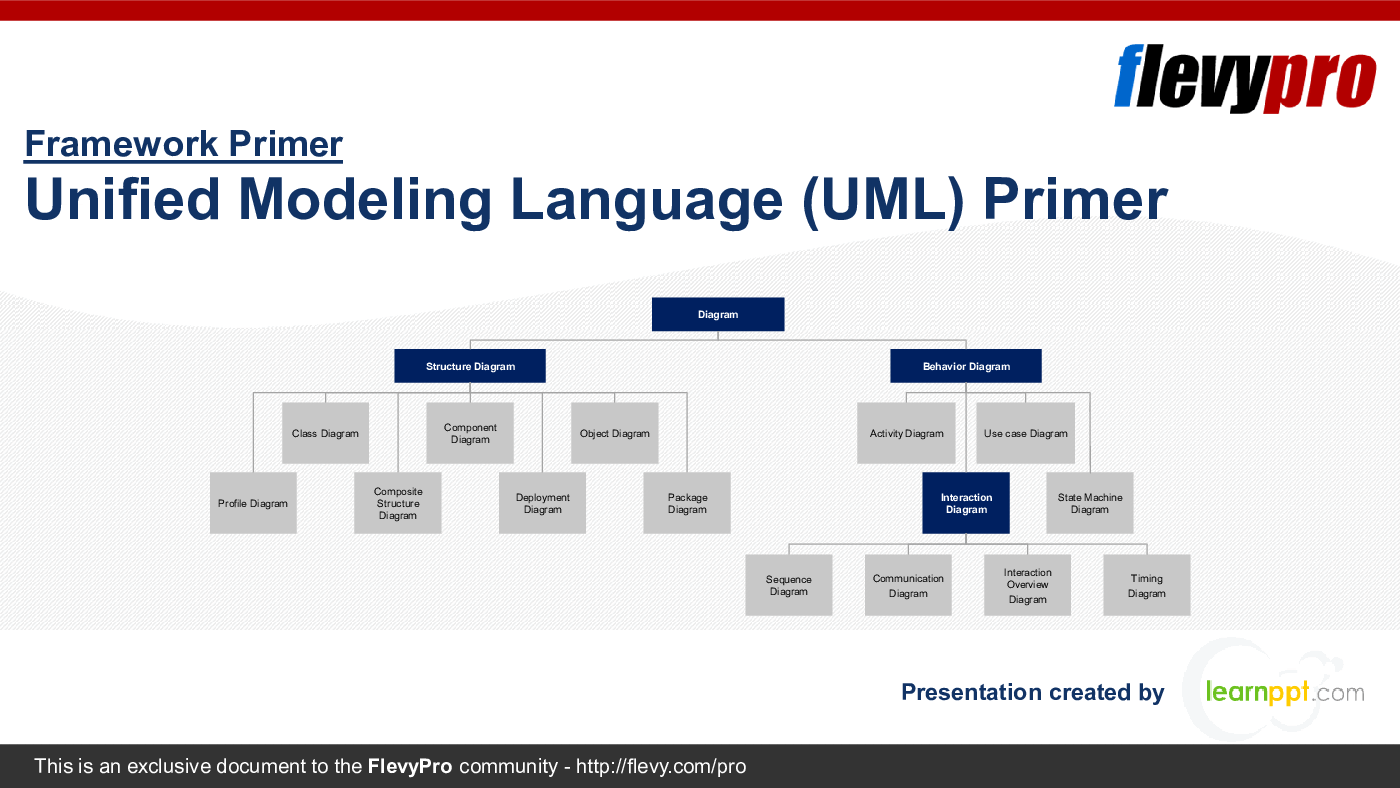
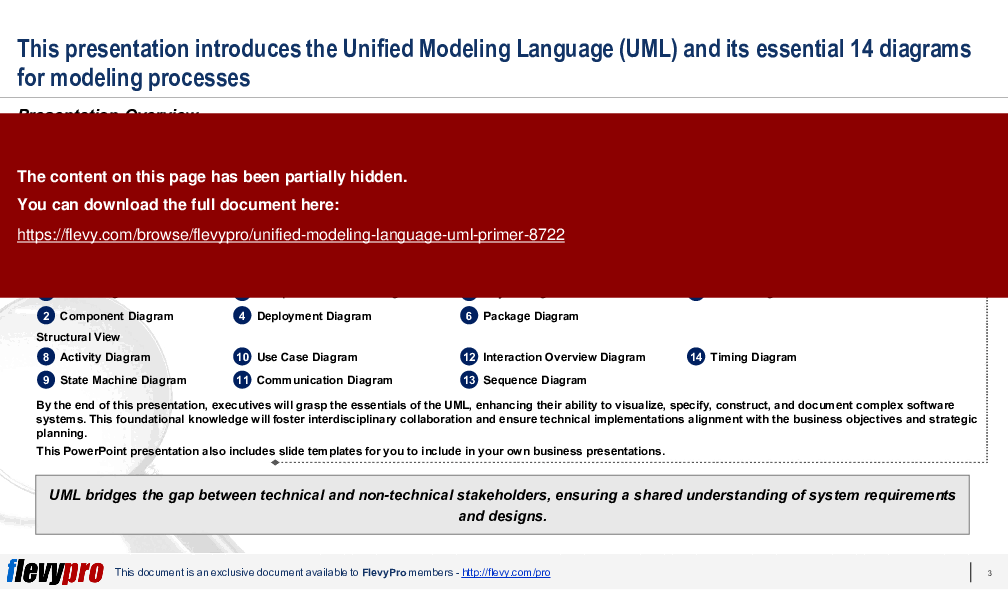
In this PowerPoint presentation, we will discuss the 2 general views of UML, Behavioral View and Structural View, and the 7 diagram types categorized under each view:
Structural View
8. Activity Diagram
9. State Machine Diagram
10. Use Case Diagram
11. Communication Diagram
12. Interaction Overview Diagram
13. Sequence Diagram
14. Timing Diagram
By the end of this PPT presentation, executives will grasp the essentials of the UML, enhancing their ability to visualize, specify, construct, and document complex software systems. This foundational knowledge will foster interdisciplinary collaboration and ensure technical implementations alignment with the business objectives and strategic planning.
UML serves as a critical tool for ensuring clear and consistent communication across various teams and stakeholders in an organization, from business analysts and architects to developers and testers. By providing a standardized visual representation of system architecture, workflows, and processes, UML minimizes misunderstandings, aligns expectations, and accelerates the development lifecycle.
For Enterprise Architects (EAs) and IT executives, UML is invaluable in designing scalable, robust systems. It allows for the detailed visualization of system components and their interactions, making it easier to identify potential bottlenecks, redundancies, and opportunities for optimization. This foresight ensures that systems can scale efficiently with organizational growth and evolving business requirements.
Utilizing UML in the planning and design phases aids IT executives in identifying and mitigating risks early in the project lifecycle. Detailed UML diagrams provide a comprehensive view of system dependencies and potential failure points, enabling proactive risk management. This, in turn, supports more informed decision-making, ensuring that projects stay on track, within budget, and aligned with strategic objectives.
This PowerPoint presentation also includes slide templates for you to include in your own business presentations.
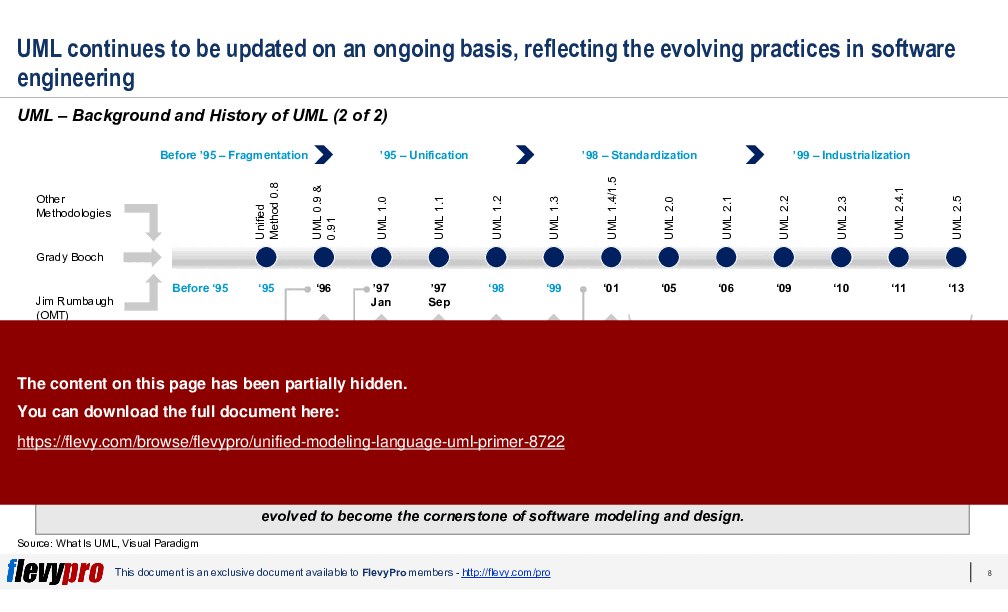
The timeline details the evolution of the Unified Modeling Language (UML) from its fragmented beginnings before 1995, where methodologies like the Unified Method and OMT coexisted. Key milestones include the unification of these methodologies in 1995 by Ivar Jacobson, leading to UML's formal introduction in 1996. The Object Management Group (OMG) officially adopted UML in 1997, ensuring industry support and standardization. UML 2.0 was released in 2000, enhancing scalability and expressiveness. The timeline concludes with UML 2.5 in 2013, reflecting ongoing updates that align with evolving software engineering practices. UML's adaptability underscores its significance as a modeling and design tool in contemporary software development.
This PPT slide provides an overview of the Package Diagram within the Unified Modeling Language (UML) framework, highlighting its role in organizing UML model elements into packages for managing extensive systems. Key components include Packages, Package Dependencies, and Package Merge. Packages group related UML elements, such as classes and interfaces, ensuring clarity in complex systems. Package Dependencies show interconnections between packages, indicating how changes in one can affect others, which is essential for effective system management and risk mitigation. Package Merge consolidates elements from one package into another, critical for system refactoring. Actionable steps for leveraging Package Diagrams include organizing system elements, managing dependencies, and refactoring to enhance structure and consolidate components.
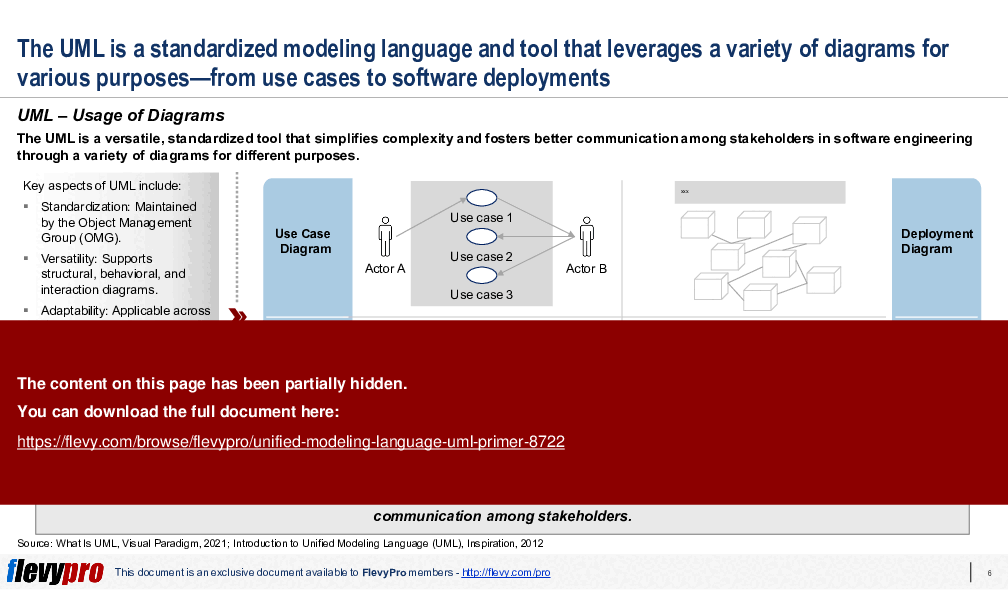
This PPT slide provides an overview of the Unified Modeling Language (UML) and its application in software engineering through various diagrams. UML, standardized by the Object Management Group (OMG), simplifies complexity and enhances communication among stakeholders. Key UML diagram types include Use Case Diagrams, which illustrate interactions between actors and use cases, and Sequence Diagrams, depicting the order of operations and interactions over time. Additional diagram types are Deployment Diagrams, showing the physical deployment of artifacts on nodes, and Class Diagrams, representing the static structure of a system and detailing classes and their relationships. UML standardization reduces complexity, improving understanding and collaboration across diverse teams, which is essential for streamlining software development processes.
This PPT slide provides an overview of the Structural View within the Unified Modeling Language (UML), focusing on the system's static structure. It categorizes various diagrams that illustrate the organization of classes, objects, and their relationships. The Class Diagram is foundational, depicting classes and their interrelations, essential for understanding component interactions. The Component Diagram details system partitioning into components and their dependencies, helping identify bottlenecks. The Composite Structure Diagram showcases a class's internal structure and interactions, crucial for developers. The Deployment Diagram illustrates hardware used in system implementations, aiding operational planning. The Profile Diagram links stereotypes as classes and profiles as packages to the metamodel. The Package Diagram shows system organization into packages and their dependencies. Lastly, the Object Diagram provides a snapshot of the system's structure for debugging and analysis.
UML Component Diagrams illustrate the modularity of system architecture, categorizing content into Overview, Components, and Implementation. The Overview states that component diagrams are essential for mapping physical and logical components, crucial for understanding software component architecture and supporting modular development. The Components section identifies 3 key elements: Components, Interfaces, and Component Realizations. Components are modular parts like software packages that encapsulate specific functionalities. Interfaces specify the inputs and outputs required by components, while Component Realizations detail how these interfaces are implemented. The Implementation section outlines a three-step process: identifying system components and relationships, documenting interfaces for interoperability, and aligning deployment with the diagram to guide physical integration.
Source: Best Practices in Enterprise Architecture, Business Architecture, Business Process Management, Systems Thinking PowerPoint Slides: Unified Modeling Language (UML) Primer PowerPoint (PPTX) Presentation Slide Deck, LearnPPT Consulting
This framework is developed by a team of former McKinsey and Big 4 consultants. The presentation follows the headline-body-bumper slide format used by global consulting firms.
For $10.00 more, you can download this document plus 2 more FlevyPro documents. That's just $13 each.
ABOUT FLEVYPRO
This document is part of the FlevyPro Library, a curated knowledge base of documents for our FlevyPro subscribers.

FlevyPro is a subscription service for on-demand business frameworks and analysis tools. FlevyPro subscribers receive access to an exclusive library of curated business documents—business framework primers, presentation templates, Lean Six Sigma tools, and more—among other exclusive benefits.
The average daily rate of a McKinsey consultant is $6,625 (not including expenses). The average price of a Flevy document is $65.
Trusted by over 10,000+ Client Organizations
Since 2012, we have provided business templates to over 10,000 businesses and organizations of all sizes, from startups and small businesses to the Fortune 100, in over 130 countries.
"As a small business owner, the resource material available from FlevyPro has proven to be invaluable. The ability to search for material on demand based our project events and client requirements was great for me and proved very beneficial to my clients. Importantly, being able to easily edit and tailor
the material for specific purposes helped us to make presentations, knowledge sharing, and toolkit development, which formed part of the overall program collateral. While FlevyPro contains resource material that any consultancy, project or delivery firm must have, it is an essential part of a small firm or independent consultant's toolbox.
"
– Michael Duff, Managing Director at Change Strategy (UK)
"As a niche strategic consulting firm, Flevy and FlevyPro frameworks and documents are an on-going reference to help us structure our findings and recommendations to our clients as well as improve their clarity, strength, and visual power. For us, it is an invaluable resource to increase our impact and value."
– David Coloma, Consulting Area Manager at Cynertia Consulting
"If you are looking for great resources to save time with your business presentations, Flevy is truly a value-added resource. Flevy has done all the work for you and we will continue to utilize Flevy as a source to extract up-to-date information and data for our virtual and onsite presentations!"
– Debbi Saffo, President at The NiKhar Group
"Flevy.com has proven to be an invaluable resource library to our Independent Management Consultancy, supporting and enabling us to better serve our enterprise clients.
The value derived from our [FlevyPro] subscription in terms of the business it has helped to gain far exceeds the investment made, making a subscription a no-brainer for any growing consultancy – or in-house strategy team."
– Dean Carlton, Chief Transformation Officer, Global Village Transformations Pty Ltd.
"My FlevyPro subscription provides me with the most popular frameworks and decks in demand in today’s market. They not only augment my existing consulting and coaching offerings and delivery, but also keep me abreast of the latest trends, inspire new products and service offerings for my practice, and educate me
in a fraction of the time and money of other solutions. I strongly recommend FlevyPro to any consultant serious about success.
"
– Bill Branson, Founder at Strategic Business Architects
"FlevyPro has been a brilliant resource for me, as an independent growth consultant, to access a vast knowledge bank of presentations to support my work with clients. In terms of RoI, the value I received from the very first presentation I downloaded paid for my subscription many times over! The
quality of the decks available allows me to punch way above my weight – it's like having the resources of a Big 4 consultancy at your fingertips at a microscopic fraction of the overhead.
"
– Roderick Cameron, Founding Partner at SGFE Ltd
"I have found Flevy to be an amazing resource and library of useful presentations for lean sigma, change management and so many other topics. This has reduced the time I need to spend on preparing for my performance consultation. The library is easily accessible and updates are regularly provided. A wealth of great information."
– Cynthia Howard RN, PhD, Executive Coach at Ei Leadership
"I have used Flevy services for a number of years and have never, ever been disappointed. As a matter of fact, David and his team continue, time after time, to impress me with their willingness to assist and in the real sense of the word. I have concluded in fact
that it is not at all just a repository of documents/resources but, in the way that David and his team manage the firm, it is like dealing with consultants always ready to assist, advise and direct you to what you really need, and they always get it right.
I am an international hospitality accomplished senior executive who has worked and lived during the past 35 years in 23 countries in 5 continents and I can humbly say that I know what customer service is, trust me.
Aside from the great and professional service that Flevy's team provide, their wide variety of material is of utmost great quality, professionally put together and most current.
Well done Flevy, keep up the great work and I look forward to continue working with you in the future and to recommend you to a variety of colleagues around the world.
"
– Roberto Pelliccia, Senior Executive in International Hospitality
Receive our FREE presentation on Operational Excellence
This 50-slide presentation provides a high-level introduction to the 4 Building Blocks of Operational Excellence. Achieving OpEx requires the implementation of a Business Execution System that integrates these 4 building blocks.
Receive our FREE presentation on Operational Excellence
Get Our FREE Product.
This 50-slide presentation provides a high-level introduction to the 4 Building Blocks of Operational Excellence. Achieving OpEx requires the implementation of a Business Execution System that integrates these 4 building blocks.