
 Click main image to view in full screen. Unlock all 10 preview images:
Integrated Financial Health Dashboard for Companies – Excel XLSX
Excel (XLSX) + Excel (XLSX)


BENEFITS OF THIS DOWNLOADABLE EXCEL DOCUMENT
- Provides a complete three-statement financial health monitoring system that links P&L, balance sheet and cash flow into one integrated workbook.
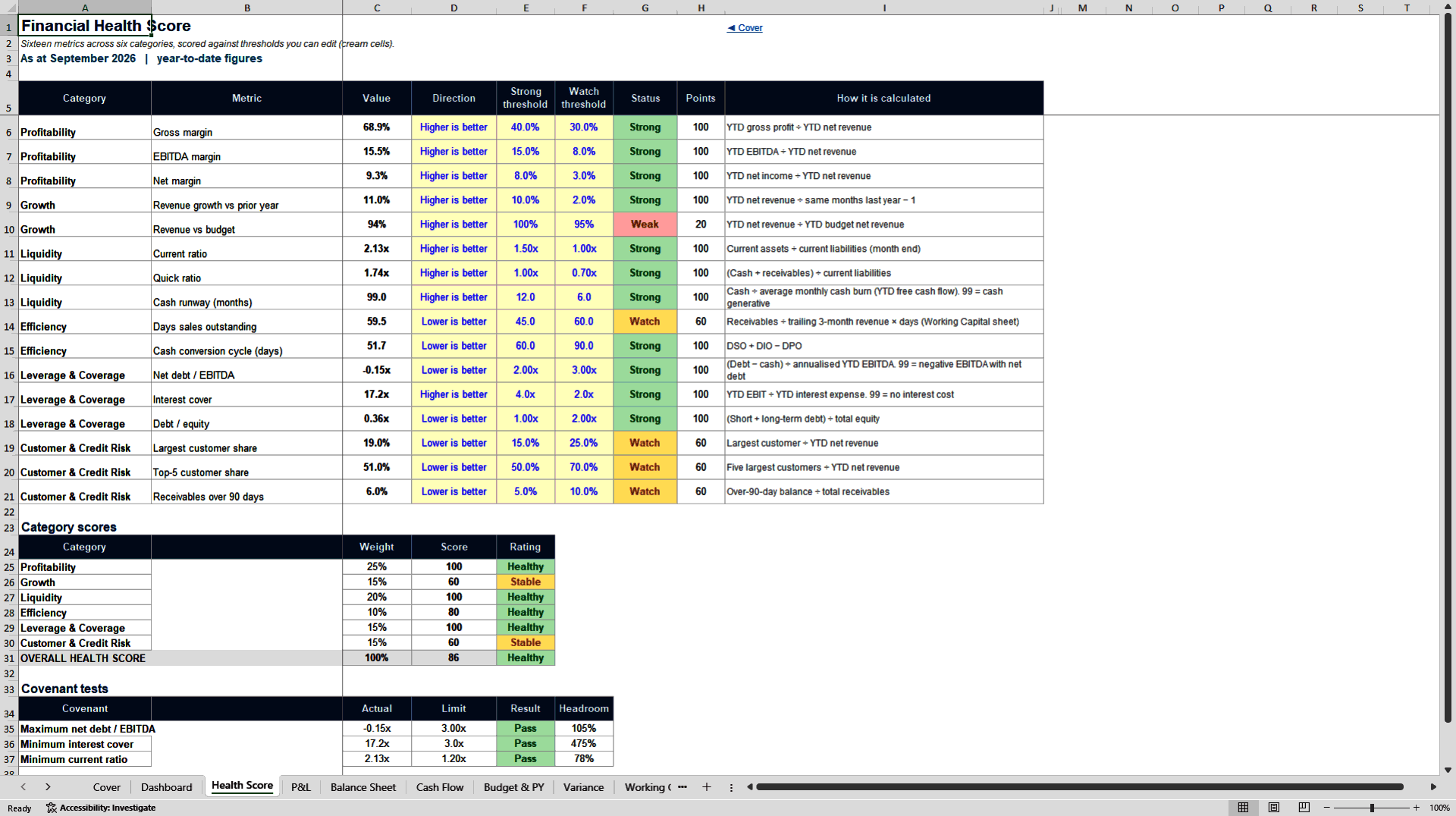
- Delivers a 16-metric health score across six categories plus live covenant testing so finance leaders can instantly see overall company health.
- Includes budget variance analysis, working capital ratios, customer concentration and receivables risk tracking for comprehensive monthly management reporting.
FINANCIAL ANALYSIS EXCEL DESCRIPTION
Integrated Financial Health Dashboard
Three-Statement Monitoring Workbook with 16-Metric Health Score
Turn monthly P&L and balance-sheet entries into a fully linked three-statement view, a 16-metric financial health score, budget variances, credit risk, customer concentration, and covenant tests. Designed for CFOs, FP&A teams, finance leads and advisors.
This professional Excel workbook gives you a complete closed financial monitoring system in one file. Enter your monthly actuals, budget and prior-year figures once, and the model automatically produces:
• Linked Profit & Loss, Balance Sheet and Cash Flow statements
• A weighted 16-metric Financial Health Score across six categories
• Live covenant testing with headroom calculation
• Working capital ratios (DSO, DIO, DPO and cash conversion cycle)
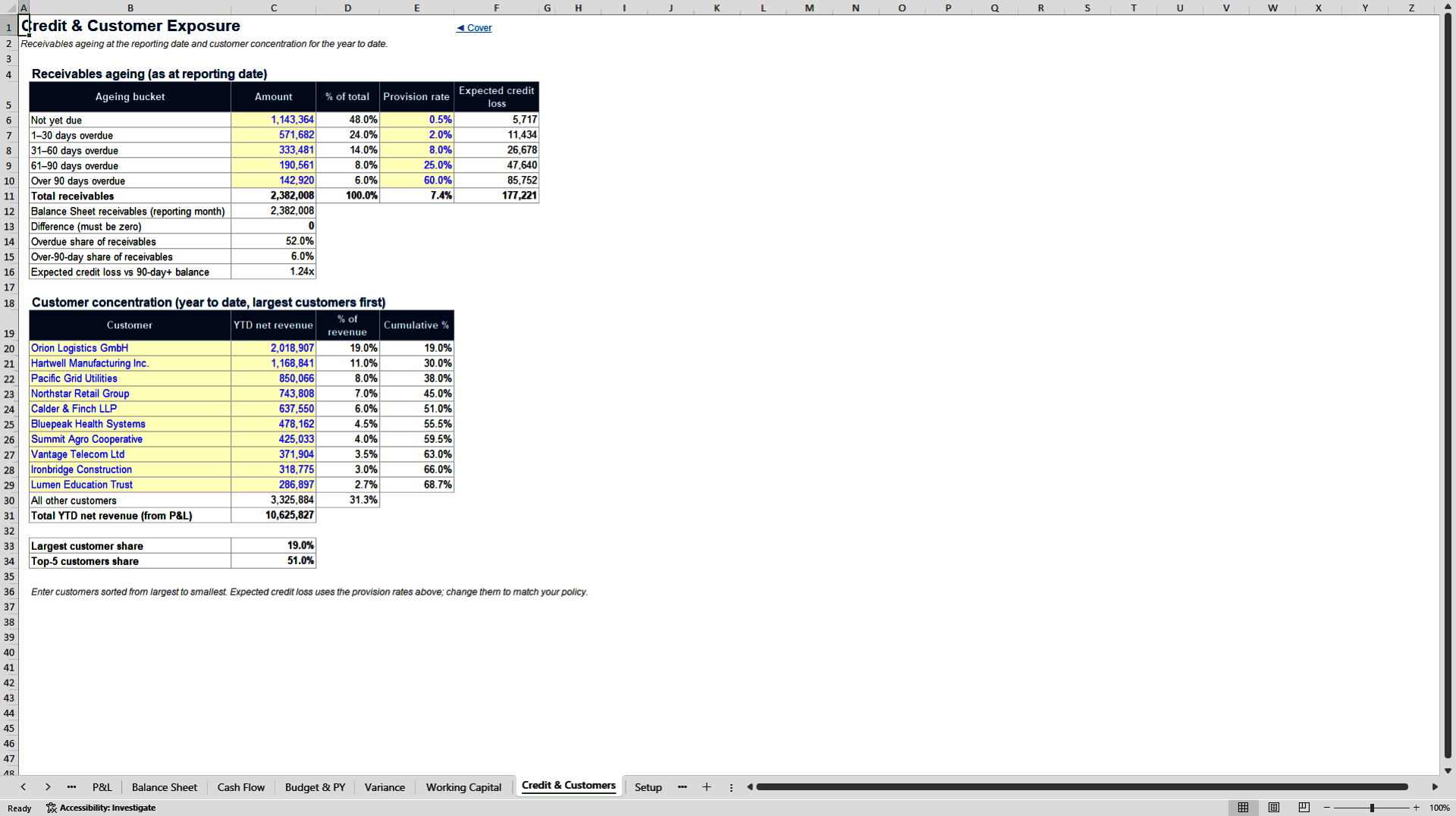
• Customer concentration and receivables ageing analysis
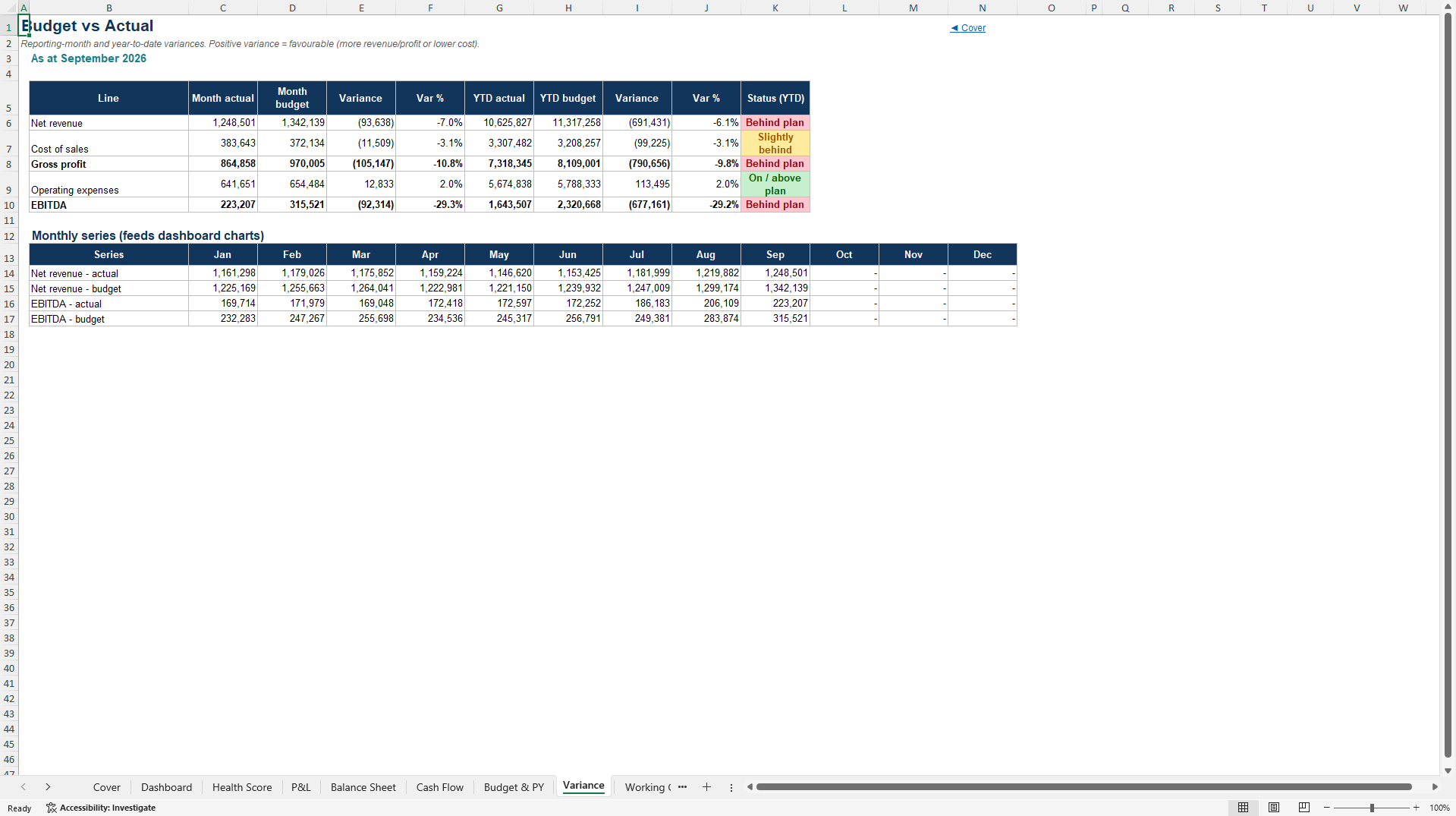
• Budget vs actual variance analysis (month and year-to-date)
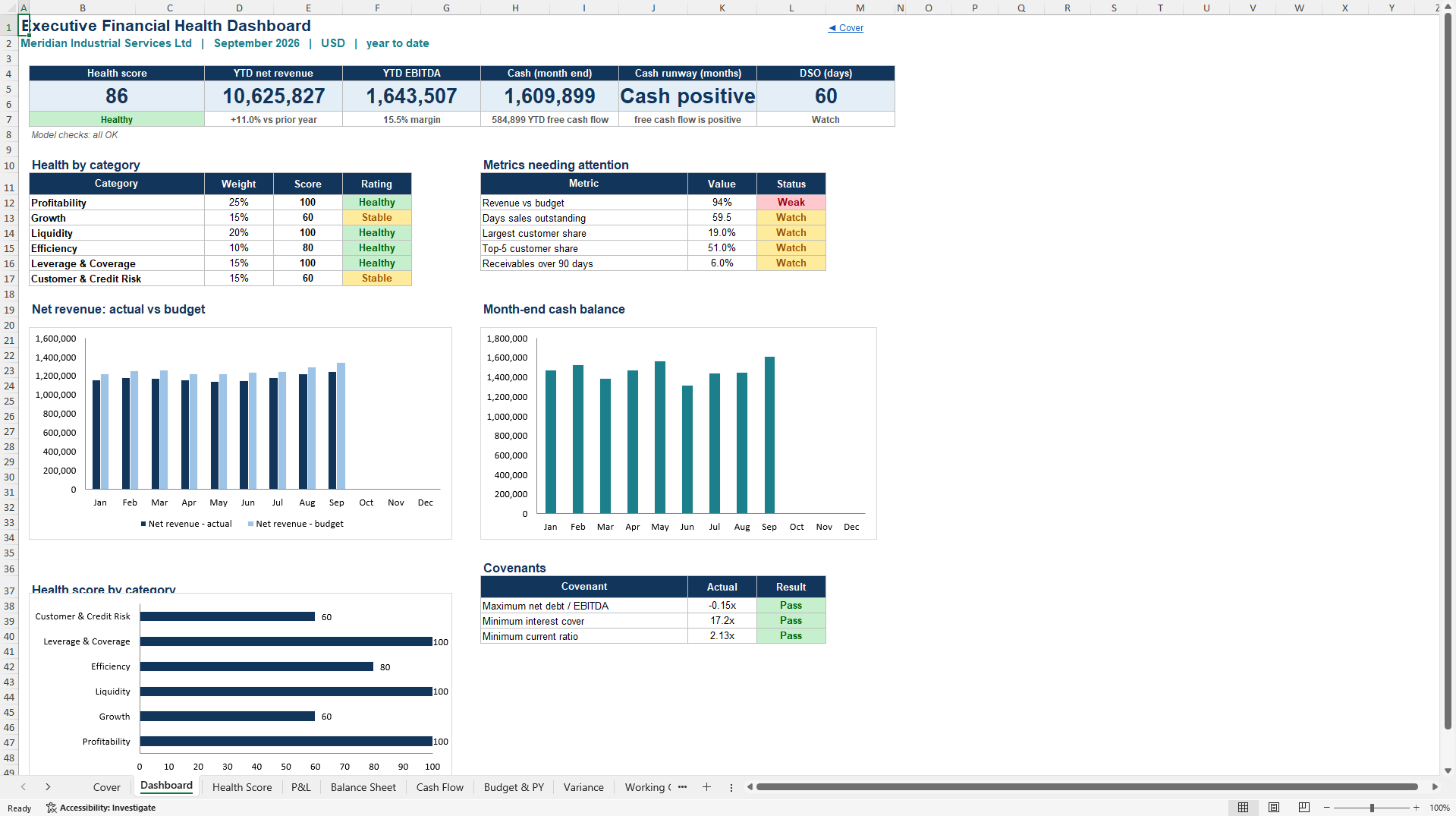
• An executive Dashboard ready for management presentation
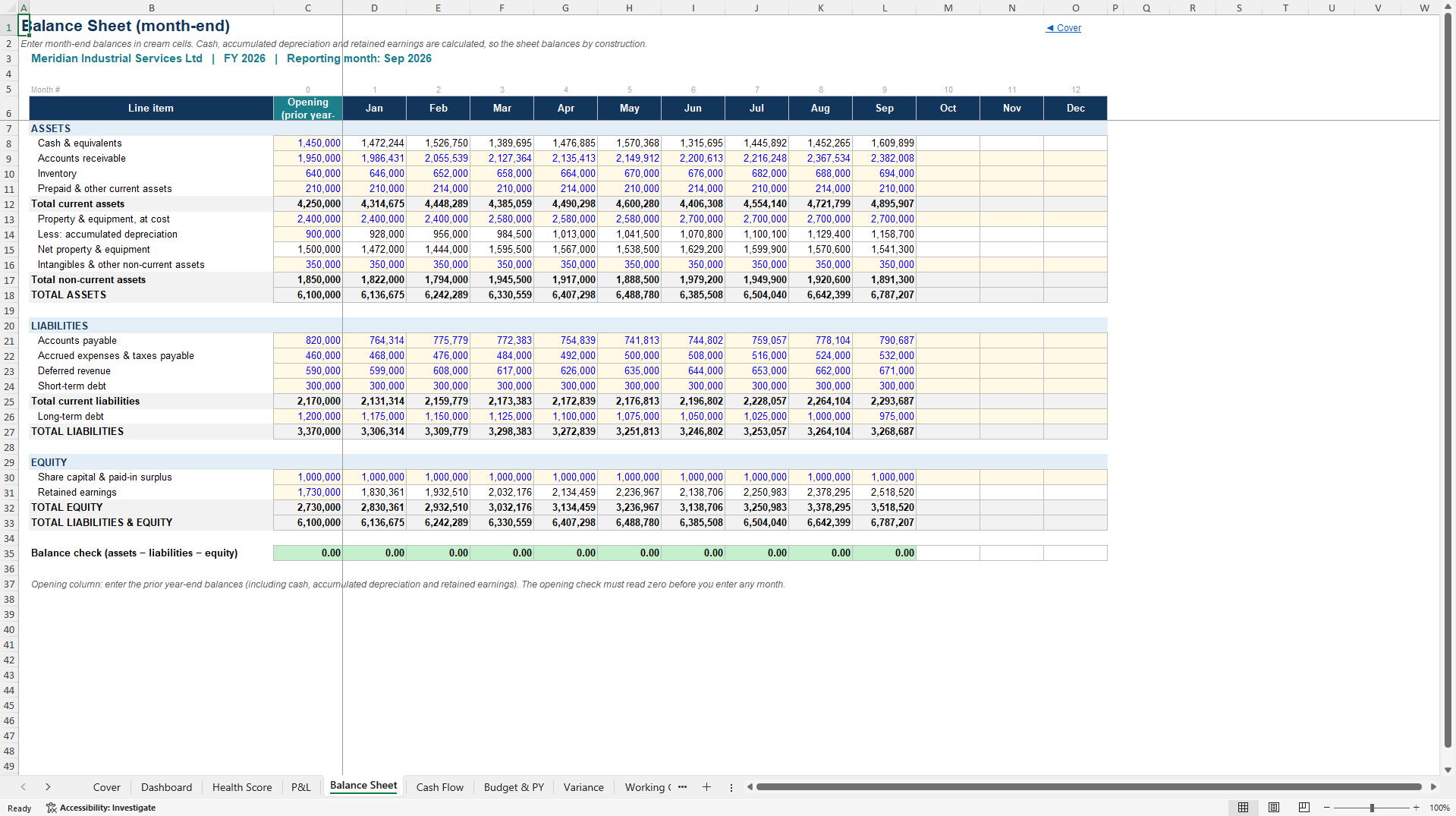
Unlike simple dashboards that only display numbers, this is a true integrated financial model. Cash on the Balance Sheet is driven by the Cash Flow statement. Retained earnings roll forward from net income. Every ratio and the overall health score update the moment you change an input.
WHAT'S INCLUDED
12 professionally structured worksheets:
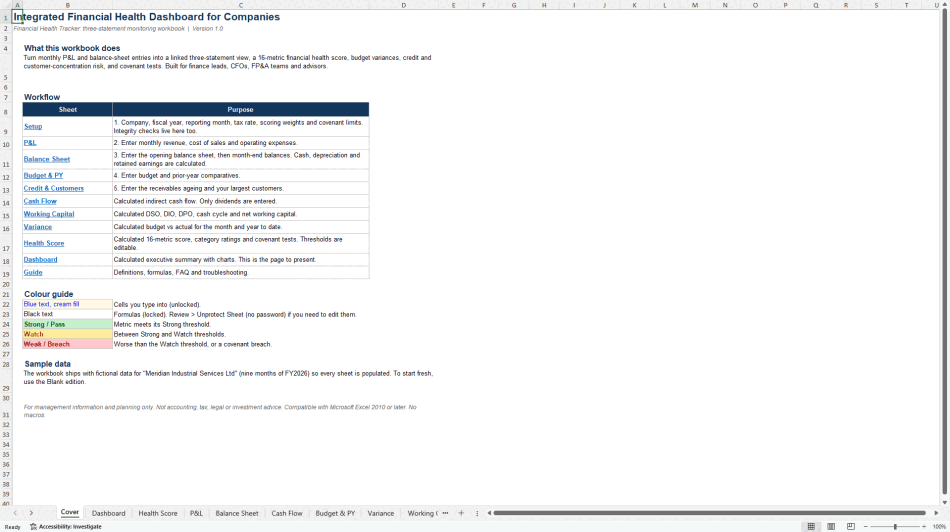
• Cover – Title page, workflow overview and colour guide
• Dashboard – Executive summary with health score, key KPIs, category ratings, metrics needing attention, charts and covenant results
• Health Score – Sixteen individual metrics with editable Strong/Watch thresholds, category scores, overall score and covenant tests
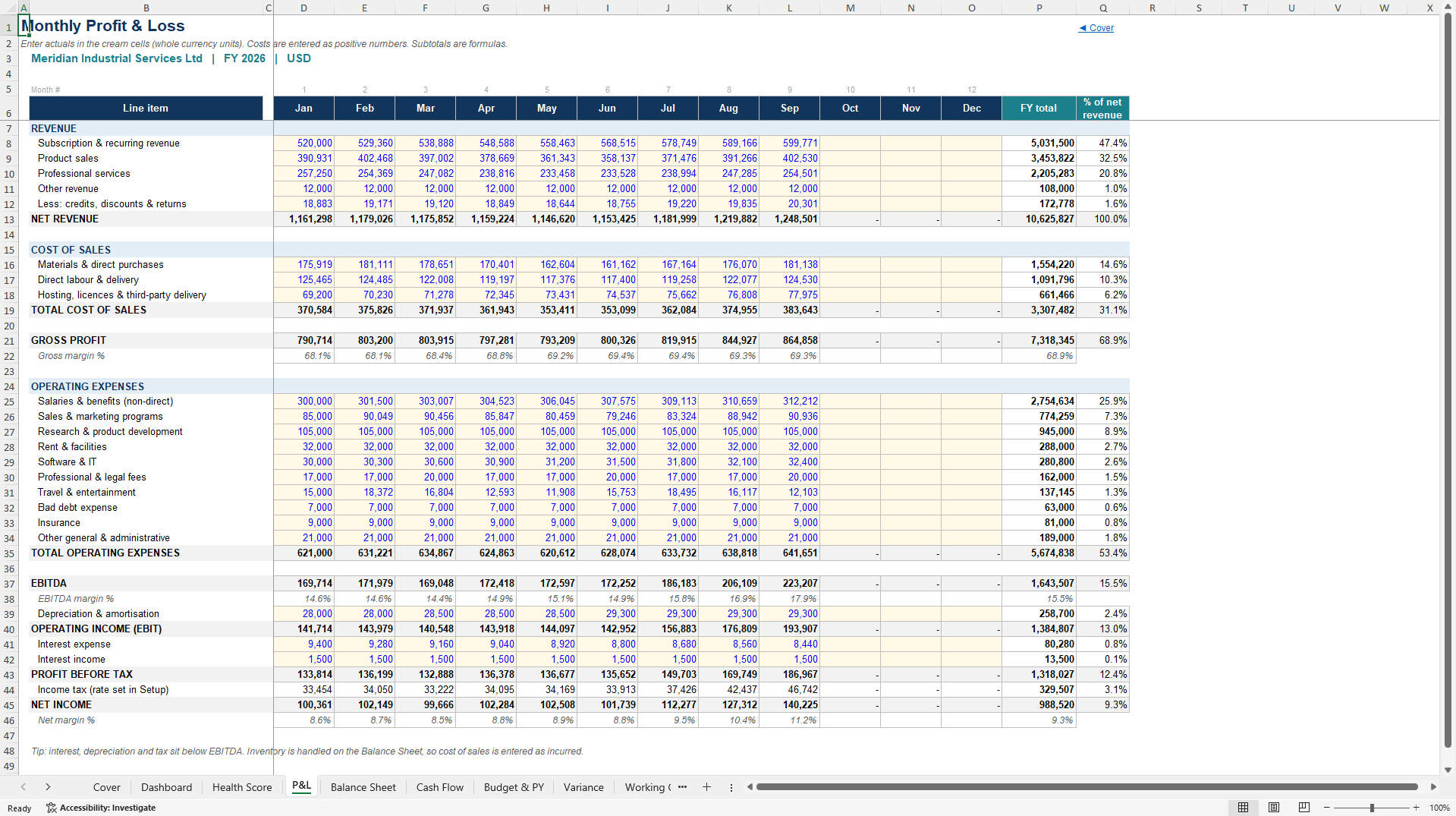
• P&L – Monthly revenue and cost entry with automatic subtotals and year-to-date totals
• Balance Sheet – Opening balances plus monthly movements; cash and retained earnings are calculated
• Cash Flow – Indirect cash flow statement (only dividends are entered manually)
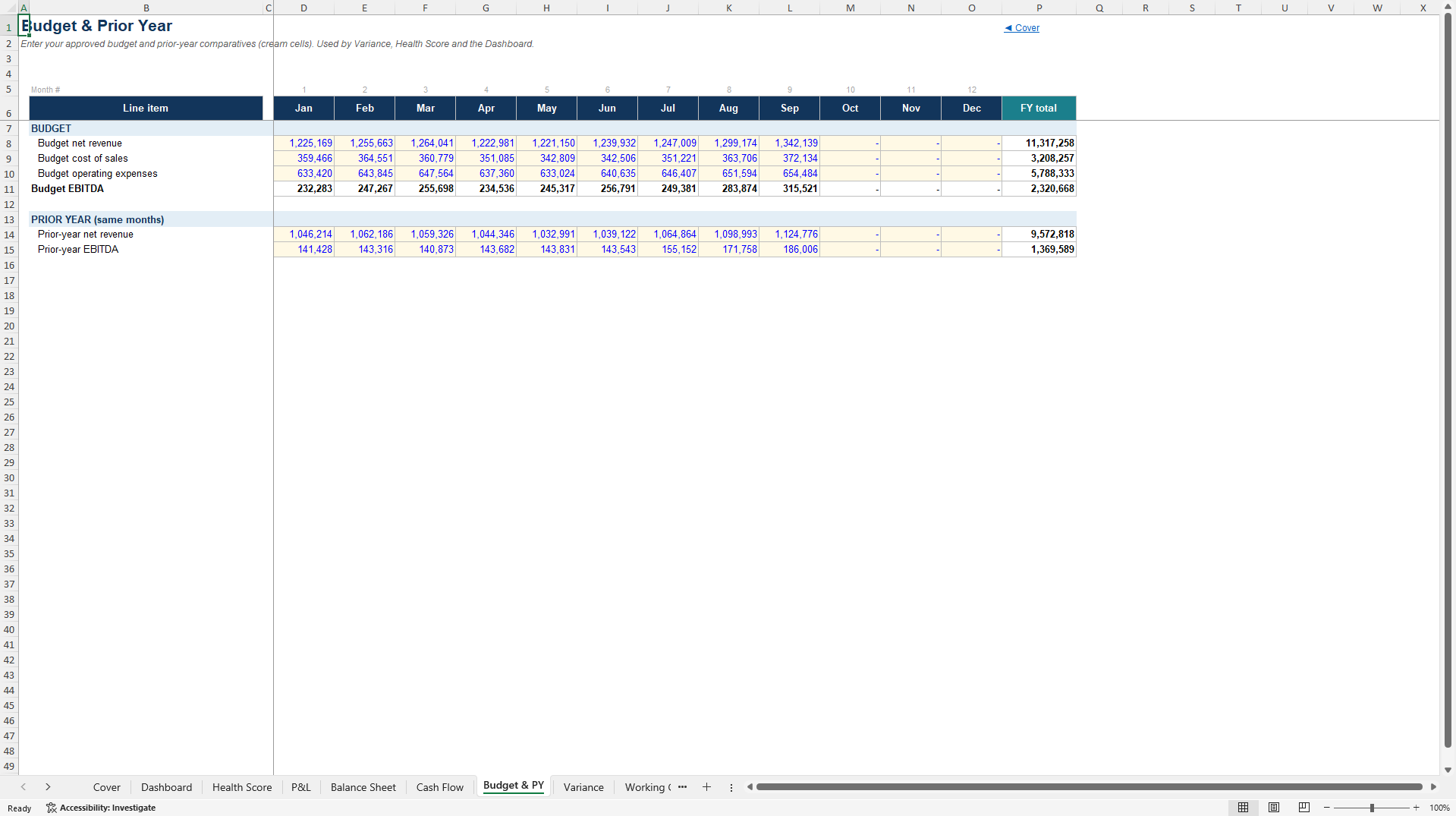
• Budget & PY – Budget and prior-year comparatives
• Variance – Month and year-to-date budget vs actual with clear status flags
• Working Capital – Days sales outstanding, days inventory, days payables, cash conversion cycle and net working capital
• Credit & Customers – Receivables ageing with expected credit loss and largest-customer concentration
• Setup – Company details, reporting month, tax rate, scoring weights, rating bands, covenant limits and live model integrity checks
• Guide – Full definitions, formulas, troubleshooting and limitations
KEY FEATURES
• Fully formula-driven – change any cream input cell and every downstream calculation updates automatically
• Zero macros and zero ActiveX – opens cleanly in Excel 2010 and later with no security warnings
• Sheet protection with only input cells unlocked (cream fill + blue text convention)
• Editable scoring thresholds and category weights so you can tailor the health score to your business
• Live model integrity checks on the Setup sheet
• Realistic sample data included so every sheet is populated and ready to explore
• Clear documentation and troubleshooting guide
WHO IT'S FOR
• CFOs and finance directors who need a single source of truth for monthly management reporting
• FP&A teams that want automated health scoring and variance analysis
• Finance leads and controllers monitoring liquidity, leverage and customer risk
• Advisors and consultants delivering financial health reviews for clients
• Business owners who want professional-grade visibility without a full ERP system
HOW IT WORKS
Go to the Setup sheet and enter company name, fiscal year, reporting month, tax rate, scoring weights and covenant limits.
Enter monthly revenue and costs on the P&L sheet.
Enter the opening balance sheet and subsequent month-end balances.
Add budget and prior-year figures, receivables ageing and largest customers.
The Cash Flow, Working Capital, Variance, Health Score and Dashboard sheets calculate automatically.
All "as at" figures and year-to-date ratios are controlled by the reporting month selected on the Setup sheet.
TECHNICAL NOTES
• 100% formula-based (no VBA)
• Compatible with Microsoft Excel 2010, 2013, 2016, 2019, 2021 and Microsoft 365
• Protected sheets with unlocked input cells only
• Single-entity, single-currency, monthly granularity
• Designed as a management monitoring and planning tool (not a statutory accounts package)
The workbook ships with realistic sample data so you can see every calculation working immediately. A Blank edition (identical structure with all inputs cleared) can be provided as a secondary file.
Ready for immediate professional use.
Got a question about the product? Email us at support@flevy.com or ask the author directly by using the "Ask the Author a Question" form. If you cannot view the preview above this document description, go here to view the large preview instead.
Source: Best Practices in Financial Analysis, Dashboard Design Excel: Integrated Financial Health Dashboard for Companies Excel (XLSX) Spreadsheet, MW & Digitelax Consulting
ABOUT THE AUTHOR

Welcome to the official enterprise resource hub of MW & Digitelax Consulting. Directed by a seasoned banking executive, corporate risk consultant, and financial content strategist with over 28 years of institutional leadership experience, our practice delivers deployment-ready frameworks designed to drive enterprise efficiency, enforce regulatory compliance, and eliminate systemic model risk. ... [read more]
Ask the Author a Question
You must be logged in to contact the author.




























