

Implementing 2nd S of the 5S: Seiton (Set-in-Order)   90-slide PPT PowerPoint presentation slide deck (PPTX)
$59.97

Implementing 2nd S of the 5S: Seiton (Set-in-Order) (90-slide PPT PowerPoint presentation slide deck (PPTX)) Preview Image
Log in to unlock full preview.
Implementing 2nd S of the 5S: Seiton (Set-in-Order) (90-slide PPT PowerPoint presentation slide deck (PPTX)) Preview Image
Arrow   Click main image to view in full screen.

Implementing 2nd S of the 5S: Seiton (Set-in-Order) (PowerPoint PPTX Slide Deck)

PowerPoint (PPTX) 90 Slides

$59.97

Add to Cart


Immediate download
Fully editable PowerPoint
Free lifetime updates

BENEFITS OF THIS POWERPOINT DOCUMENT

  1. Provides a definition & understanding of the 2nd S of the 5S, the workplace organization technique
  2. Provides the steps and guidelines on how to implement the 2nd S (Set-in-Order) of the 5S
  3. Describes the benefits of implementing the 2nd S

VISUAL WORKPLACE PPT DESCRIPTION

Editor Summary 90-slide PowerPoint training deck focused on Seiton (Set-in-Order), the second step of the 5S methodology, developed by Quality Professionals Group. Read more

5S is a Japanese concept of creating & maintaining an orderly workplace. It not only creates a workplace that looks good, but it creates a place that performs good.

It helps an organization in achieving efficiency in its operations, providing safety to its people and achieving quality of its products and services. It does so by following a 5 step process of creating a clutter free, neatly organized and clean workplace that is maintained using techniques of visual management as well as regular practices of habit formation by its people.

This document consisting of power point slides provides an introduction and guidelines in implementing the 2nd S of the 5S's, i.e. Section (Set-in-Order).

The contents of this document include slides with the following topics:
•  2nd S of the 5S
•  Meaning of Seiton
•  Seiton Example 1
•  Seiton Example 2
•  Seiton Example 3
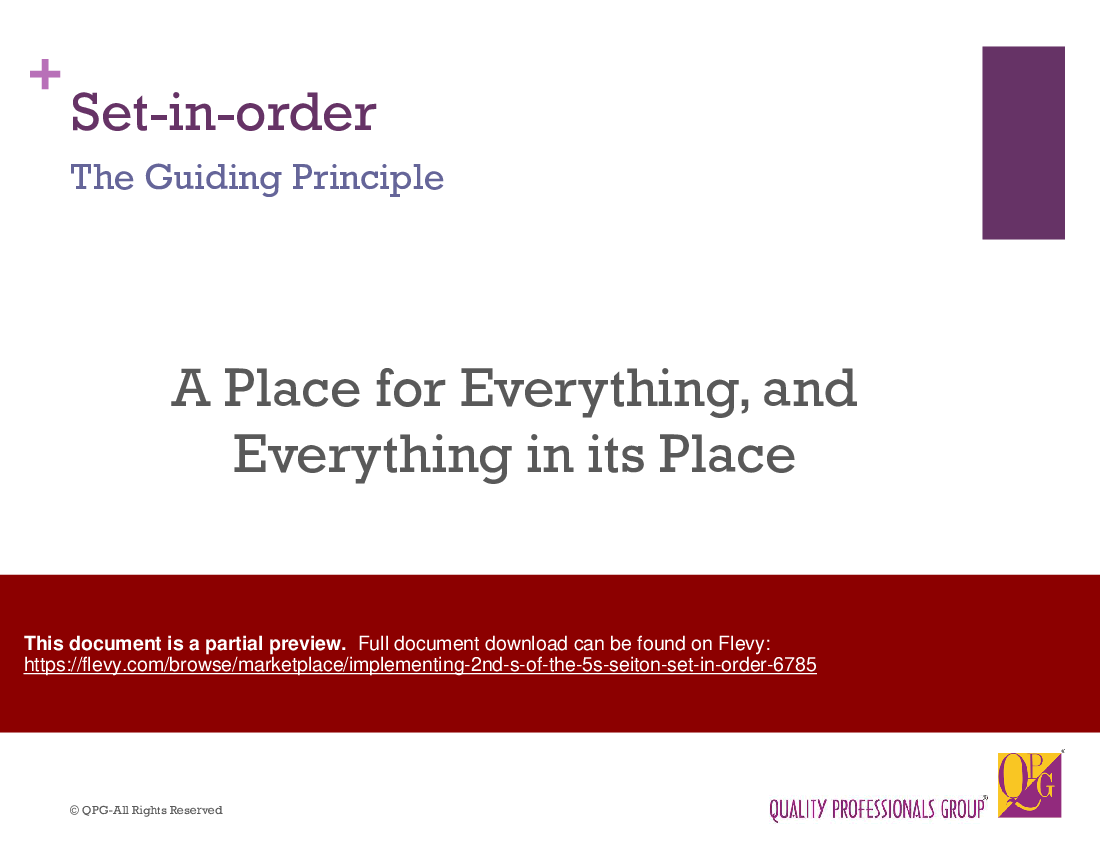
•  Seiton (Set-in-Order) – The Guiding Principle
•  Set-in-order – Aim
•  Set-in-order – Benefits
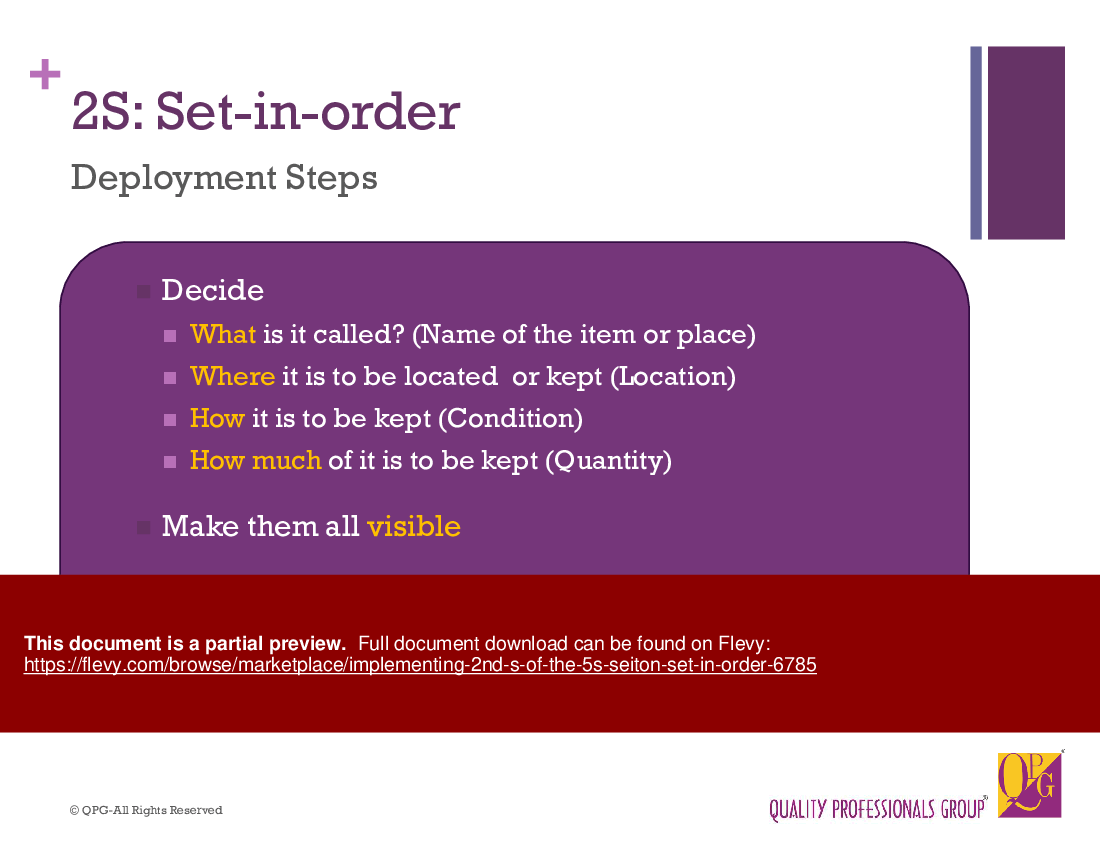
•  2nd S: Set-in-order – Deployment Steps
•  Step 1: Deciding names
•  Deciding names – What is it called?
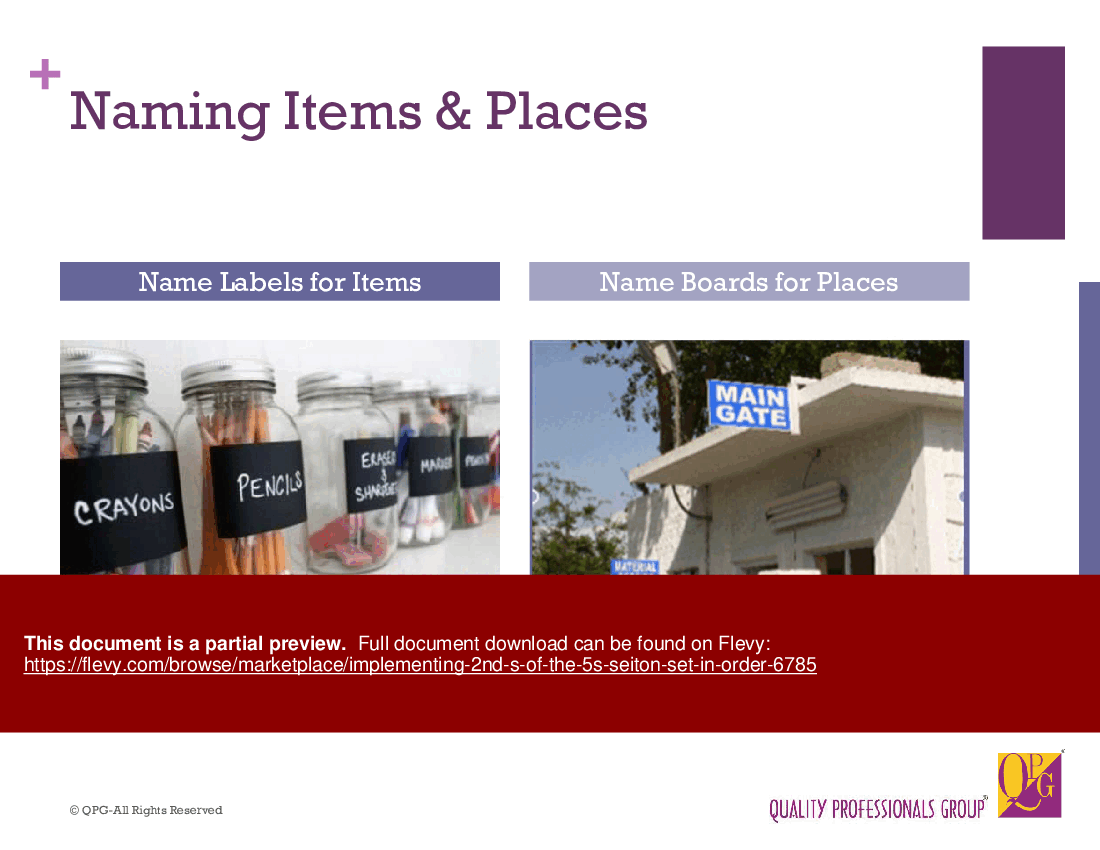
•  Naming items & places
•  Distinguish similar looking items
•  Numbered bins
•  Step 2: Deciding Locations
•  Deciding Locations: where it is to be kept?
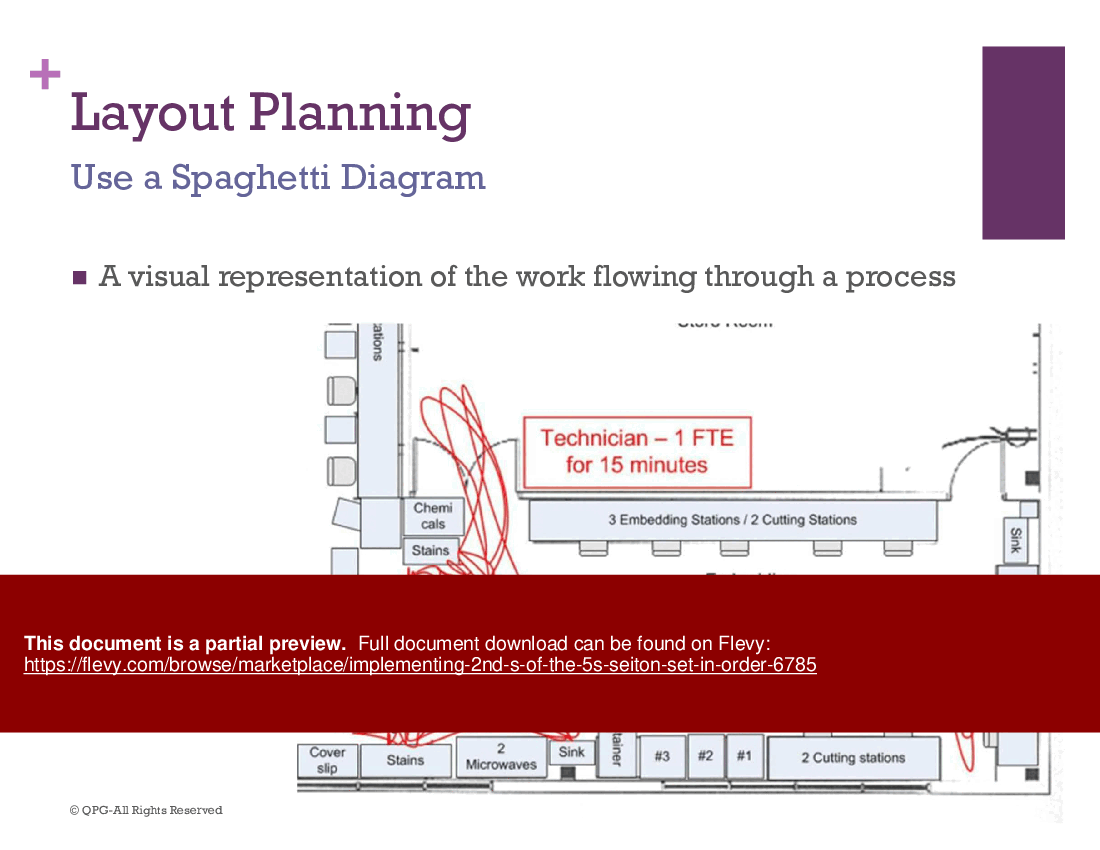
•  Layout Planning
•  Use a Spaghetti Diagram
•  Spaghetti Diagram – What & How
•  Spaghetti Diagram – Special Features
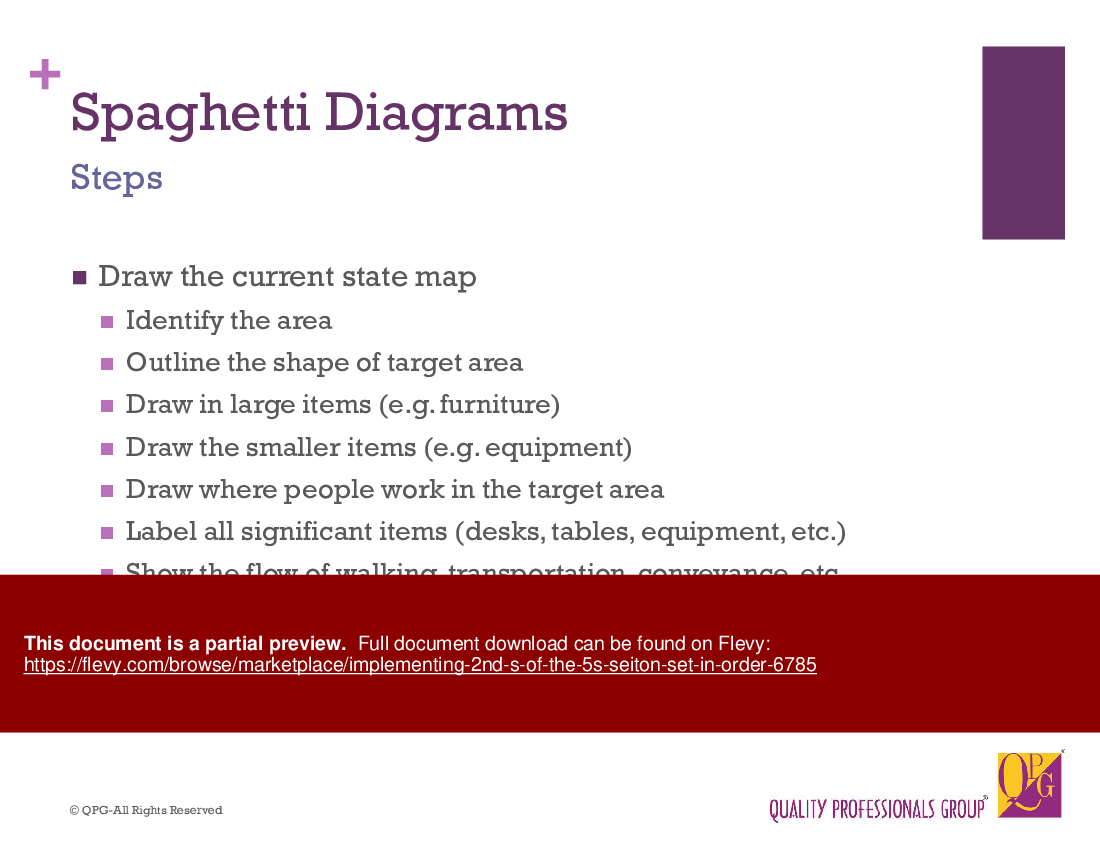
•  Spaghetti Diagram – Steps-1
•  Spaghetti Diagram – Steps-2
•  Spaghetti Diagram – Steps-3
•  Spaghetti Diagram – Worksheet
•  Location Decisions – Location Criteria
•  Location – Frequency of Use
•  An Example of Frequency Criteria
•  Keeping items on a desk – desk reach
•  Location – Economic Body Motion Criteria (1)
•  Location – Economic Body Motion Criteria (2)
•  Location – Economic Body Motion: Example 1
•  Location – Economic Body Motion: Example 2
•  Location – Economic Body Motion: Example 3
•  Location – Ease of Placement
•  Easy to take, easy to put back
•  Shadow marking of tools
•  Location – Aesthetics/alignment
•  Pictures on walls
•  Location – General strategies
•  Wide & shallow principle
•  Wide & shallow supplies
•  Wide & shallow bins
•  Heavy items – On stand & cart
•  Drawers
•  Common Items
•  Wires & Cables
•  Cable Management
•  Labeling of cables
•  Use of Cable Tie
•  Use of Cable Ducts
•  Overhead Cable Tray System
•  Step 3: Storage Conditions
•  Storage – How to be kept
•  Storage – How to be kept (2)
•  Example of storage conditions
•  Step 4: Deciding Quantity
•  Quantities: How much to be kept
•  Identifying Inventory Levels
•  Step 5: Making Items Visible
•  Identification Strategies
•  Labeling
•  Labels
•  Labelled Items in a Cabinet
•  Labelled with reorder points
•  Signboards
•  Sign boards – examples
•  Paint Marking
•  Outlining
•  Outlines
•  Arrows
•  Lines
•  Lines – example
•  Cross Lines
•  Floor Line Color Standards
•  Files, Papers, Records – Setting them in order
•  File Management-Files Classification
•  Color Coding
•  File retention & Disposal
•  File Labeling
•  File Labeling Details
•  File Storage
•  File Storage (Contd.)
•  File Indexing
•  Mistake Proof File Location
•  Paper Management – 4D Formula
•  Records- always remember
•  Put Everything Back!

Got a question about the product? Email us at support@flevy.com or ask the author directly by using the "Ask the Author a Question" form. If you cannot view the preview above this document description, go here to view the large preview instead.

MARCUS OVERVIEW

This synopsis was written by Marcus [?] based on the analysis of the full 90-slide presentation.


Executive Summary
The "Implementing 2nd S of the 5S: Seiton (Set-in-Order)" presentation provides a comprehensive training program focused on the second step of the 5S methodology, which emphasizes workplace organization. This training equips participants with the knowledge to effectively arrange and organize their workspace, ensuring that every item has a designated place. By implementing Seiton, organizations can enhance efficiency, improve safety, and maintain quality through systematic organization. This presentation includes practical examples, deployment steps, and visual management techniques to facilitate a successful implementation of the Set-in-Order principle.

Who This Is For and When to Use
•  Operations managers seeking to improve workplace efficiency
•  Lean practitioners focused on continuous improvement initiatives
•  Team leaders responsible for workplace organization
•  Quality assurance professionals aiming to enhance safety and quality standards

Best-fit moments to use this deck:
•  During Lean training sessions for new employees
•  As part of a workplace organization workshop
•  When initiating a 5S implementation project
•  For teams looking to refine their workspace layout and organization

Learning Objectives
•  Define the concept of Seiton and its importance in workplace organization
•  Identify the best locations for items based on usage frequency
•  Establish effective labeling and visibility strategies for workplace items
•  Create a systematic approach to maintain organization and order
•  Measure retrieval efficiency and improve workspace safety
•  Implement visual management tools like spaghetti diagrams for layout planning

Table of Contents
•  Introduction to Seiton (page 2)
•  Benefits of Set-in-Order (page 8)
•  Deployment Steps for Seiton (page 10)
•  Naming Items and Places (page 12)
•  Deciding Locations (page 16)
•  Layout Planning (page 20)
•  Spaghetti Diagrams (page 24)
•  Storage Conditions (page 36)
•  Making Items Visible (page 44)
•  File Management (page 58)
•  Conclusion and Best Practices (page 70)

Primary Topics Covered
•  Seiton Definition - Seiton, or Set-in-Order, emphasizes organizing items in a way that enhances efficiency and safety in the workplace.
•  Benefits of Set-in-Order - Implementing Seiton leads to improved efficiency, quality, and safety by ensuring items are easily retrievable and stored properly.
•  Deployment Steps - A structured approach to implementing Seiton includes naming items, deciding their locations, and establishing storage conditions.
•  Naming Items and Places - Assigning clear names and labels to items and locations prevents confusion and enhances accountability.
•  Layout Planning - Effective layout planning involves creating a visual representation of workflows to minimize wasteful movements.
•  Spaghetti Diagrams - This tool helps visualize current workflows and identify areas for improvement in layout and organization.

Deliverables, Templates, and Tools
•  Naming and labeling templates for items and locations
•  Spaghetti diagram templates for layout planning
•  Checklists for storage conditions and visibility strategies
•  Inventory management templates for tracking quantities and usage
•  Guidelines for effective file management and classification
•  Visual management tools for maintaining organization

Slide Highlights
•  Overview of Seiton with clear definitions and examples
•  Visual representation of effective layout planning before and after implementation
•  Spaghetti diagram examples illustrating workflow improvements
•  Practical tips for naming and labeling items to enhance visibility
•  Guidelines for establishing storage conditions based on item type and usage

Potential Workshop Agenda
Introduction to Seiton (30 minutes)
•  Overview of the 5S methodology and the role of Seiton
•  Discussion on the benefits of workplace organization

Deployment Steps for Seiton (60 minutes)
•  Interactive session on naming items and deciding locations
•  Group activity to create spaghetti diagrams for layout planning

Visibility and Storage Strategies (45 minutes)
•  Workshop on effective labeling and visibility techniques
•  Best practices for maintaining organized storage conditions

File Management and Conclusion (30 minutes)
•  Overview of file management strategies and classification systems
•  Recap of key takeaways and next steps for implementation

Customization Guidance
•  Tailor the naming conventions to align with organizational terminology
•  Adjust the layout planning examples to reflect the specific workspace environment
•  Incorporate company-specific items and storage conditions into the training materials
•  Use organizational colors and branding in labeling and visibility strategies

Secondary Topics Covered
•  Economic body motion criteria for efficient workspace design
•  Strategies for managing cables and wires in the workplace
•  Best practices for file retention and disposal
•  Techniques for maintaining a clutter-free workspace

Topic FAQ

What is Seiton and why does it matter for workplace organization?

Seiton, or Set-in-Order, is the second step of the 5S methodology focused on arranging items so they are easily retrievable and safely stored. Implementing Seiton reduces search time, supports quality control, and improves safety by assigning clear names and locations to items, according to the Set-in-Order principle.

What are the common deployment steps when implementing Seiton on a shop floor?

Common deployment steps include naming items and places, deciding optimal locations using frequency and ergonomic criteria, setting storage conditions, determining quantities, and making items visible with labels and signboards. These steps are laid out as a sequence of deployment steps and activities such as creating spaghetti diagrams.

How do spaghetti diagrams support layout planning in a Seiton effort?

Spaghetti diagrams map actual movement paths for people and materials to visualize inefficiencies and identify layout improvements. They are used during layout planning to compare current and proposed flows and to reduce unnecessary motion, and the methodology includes spaghetti diagram templates for layout analysis.

What are effective labeling strategies for Set-in-Order?

Effective strategies include standardizing names, using clear labels, signboards, color coding, numbered bins, and outlines or paint markings for locations. These approaches improve visibility and accountability on the floor and are demonstrated through labeling examples and templates in the training material.

What should I look for when buying a Set-in-Order training deck for Lean workshops?

Buyers should look for a clear explanation of Seiton, practical deployment steps, visual tools for layout planning (like spaghetti diagrams), templates for naming/labeling, storage and inventory checklists, and customization guidance so examples match the workplace; useful deliverables include naming templates and spaghetti diagram templates.

Are slide templates and worksheets worth purchasing for a 5S Seiton rollout?

Templates and worksheets can speed training and implementation by providing ready naming/labeling forms, spaghetti-diagram worksheets, storage checklists, and inventory templates that teams can adapt. The referenced product includes these deliverables in a 90-slide PowerPoint deck to support workshops and deployment.

I need to reorganize a maintenance area where tools are frequently misplaced—what practical steps should I take?

Start by naming each tool and its designated place, decide locations based on frequency of use and economic body motion, apply shadow marking or outline storage, set appropriate storage conditions, and label with reorder points; the approach emphasizes deciding names, locations, and storage conditions.

How should I handle file and records organization as part of Seiton?

Apply file classification, color coding, clear file labeling, indexing, defined retention and disposal policies, and mistake-proof file locations to ensure documents are retrievable and compliant. The training covers file management topics including file labeling, retention policy, and indexing strategies.

Document FAQ
These are questions addressed within this presentation.

What is Seiton?
Seiton, or Set-in-Order, is the second step of the 5S methodology focused on organizing items efficiently to improve workplace productivity and safety.

How can I implement Seiton in my workplace?
Begin by naming items and their locations, then decide on optimal storage conditions and visibility strategies. Use tools like spaghetti diagrams to visualize workflows.

What are the benefits of implementing Seiton?
Benefits include improved efficiency in item retrieval, enhanced safety by reducing clutter, and better quality control through organized materials.

What tools can help with layout planning?
Spaghetti diagrams are effective for visualizing workflows and identifying areas for improvement in layout and organization.

How do I decide the best location for items?
Consider the frequency of use, ergonomics, and ease of access when determining item locations in the workspace.

What labeling strategies should I use?
Standardize names and use clear labels, signboards, and color coding to enhance visibility and organization.

How can I maintain organization over time?
Regularly review item locations, update labels as needed, and ensure that items are returned to their designated places after use.

What is the importance of file management in Seiton?
Effective file management ensures that documents are organized, easily retrievable, and compliant with retention policies, contributing to overall workplace efficiency.

Glossary
•  Seiton - The second step of the 5S methodology focused on organizing items efficiently.
•  5S - A Lean methodology consisting of 5 steps: Sort, Set-in-Order, Shine, Standardize, and Sustain.
•  Spaghetti Diagram - A visual tool used to map out workflows and identify inefficiencies.
•  Point of Use (POU) - Storage method placing items close to where they are used most frequently.
•  Labeling - The process of assigning names and information to items and locations for easy identification.
•  Visibility - The clarity and accessibility of items in the workplace, enhanced through effective labeling and organization.
•  File Management - The systematic organization of documents and records for easy retrieval and compliance.
•  Economic Body Motion - Criteria for arranging items to minimize unnecessary movements and enhance efficiency.
•  Color Coding - Using colors to differentiate items, categories, or statuses for improved organization.
•  Storage Conditions - The specific environmental requirements for storing items to ensure their preservation and safety.
•  Inventory Management - The process of tracking and managing stock levels to meet operational needs.
•  Retention Policy - Guidelines for how long records and documents should be kept before disposal.

Source: Best Practices in Visual Workplace PowerPoint Slides: Implementing 2nd S of the 5S: Seiton (Set-in-Order) PowerPoint (PPTX) Presentation Slide Deck, Quality Professionals Group


$59.97

Add to Cart
  

ABOUT THE AUTHOR

Additional documents from author: 16

WHO WE ARE?

Quality Professionals Group (QPG) is a group of highly qualified, trained and experienced professionals in the field of Business & Operational Excellence helping organizations and individuals in improving their performance.

OUR BACKGROUND

Quality Professionals Group (QPG), established in the year 1996 has worked very closely with a client base of more than 1000 ... [read more]

Ask the Author a Question

You must be logged in to contact the author.

Click here to log in Click here register

Did you know?
The average daily rate of a McKinsey consultant is $6,625 (not including expenses). The average price of a Flevy document is $65.
Bundle and save! You can save up to % with bundles!

View bundle(s)


Trusted by over 10,000+ Client Organizations
Since 2012, we have provided business templates to over 10,000 businesses and organizations of all sizes, from startups and small businesses to the Fortune 100, in over 130 countries.
AT&T GE Cisco Intel IBM Coke Dell Toyota HP Nike Samsung Microsoft Astrazeneca JP Morgan KPMG Walgreens Walmart 3M Kaiser Oracle SAP Google E&Y Volvo Bosch Merck Fedex Shell Amgen Eli Lilly Roche AIG Abbott Amazon PwC T-Mobile Broadcom Bayer Pearson Titleist ConEd Pfizer NTT Data Schwab


Read Customer Testimonials

 
"[Flevy] produces some great work that has been/continues to be of immense help not only to myself, but as I seek to provide professional services to my clients, it gives me a large "tool box" of resources that are critical to provide them with the quality of service and outcomes they are expecting."

– Royston Knowles, Executive with 50+ Years of Board Level Experience
 
"Flevy.com has proven to be an invaluable resource library to our Independent Management Consultancy, supporting and enabling us to better serve our enterprise clients.

The value derived from our [FlevyPro] subscription in terms of the business it has helped to gain far exceeds the investment made, making a subscription a no-brainer for any growing consultancy – or in-house strategy team."

– Dean Carlton, Chief Transformation Officer, Global Village Transformations Pty Ltd.
 
"I have found Flevy to be an amazing resource and library of useful presentations for lean sigma, change management and so many other topics. This has reduced the time I need to spend on preparing for my performance consultation. The library is easily accessible and updates are regularly provided. A wealth of great information."

– Cynthia Howard RN, PhD, Executive Coach at Ei Leadership
 
"The wide selection of frameworks is very useful to me as an independent consultant. In fact, it rivals what I had at my disposal at Big 4 Consulting firms in terms of efficacy and organization."

– Julia T., Consulting Firm Owner (Former Manager at Deloitte and Capgemini)
 
"As an Independent Management Consultant, I find Flevy to add great value as a source of best practices, templates and information on new trends. Flevy has matured and the quality and quantity of the library is excellent. Lastly the price charged is reasonable, creating a win-win value for "

– Jim Schoen, Principal at FRC Group
 
"Flevy is now a part of my business routine. I visit Flevy at least 3 times each month.

Flevy has become my preferred learning source, because what it provides is practical, current, and useful in this era where the business world is being rewritten.

In today's environment where there are so "

– Omar Hernán Montes Parra, CEO at Quantum SFE
 
"I have used Flevy services for a number of years and have never, ever been disappointed. As a matter of fact, David and his team continue, time after time, to impress me with their willingness to assist and in the real sense of the word. I have concluded in fact "

– Roberto Pelliccia, Senior Executive in International Hospitality
 
"FlevyPro has been a brilliant resource for me, as an independent growth consultant, to access a vast knowledge bank of presentations to support my work with clients. In terms of RoI, the value I received from the very first presentation I downloaded paid for my subscription many times over! The "

– Roderick Cameron, Founding Partner at SGFE Ltd


Save with Bundles

This document is available as part of the following discounted bundle(s):


Customers Also Bought These Documents


Customers Also Like These Documents

Explore Templates on Related Management Topics


Your Recently Viewed Documents
Receive our FREE presentation on Operational Excellence

This 50-slide presentation provides a high-level introduction to the 4 Building Blocks of Operational Excellence. Achieving OpEx requires the implementation of a Business Execution System that integrates these 4 building blocks.