
 Click main image to view in full screen. Unlock all 10 preview images:
Employee Onboarding & Probation Tracker Excel Toolkit Dashboard – Excel XLSX
Excel (XLSX) + Zip archive file (ZIP)


BENEFITS OF THIS DOWNLOADABLE EXCEL DOCUMENT
- Centralizes new-hire information, onboarding tasks, documents, equipment, training, 30-60-90 day plans, and probation reviews in one structured Excel system.
- Automates progress tracking, risk indicators, overdue alerts, readiness monitoring, and data-quality checks to help HR teams identify gaps before they affect the employee experience.
- Provides executive dashboards and manager-level summaries for monitoring onboarding progress, employee readiness, and probation outcomes without additional software or subscriptions.
ONBOARDING EXCEL DESCRIPTION
Manage every new hire journey with this ready-to-use Employee Onboarding and Probation Tracker Excel Template. Track onboarding tasks, monitor 30-60-90 day progress, manage probation reviews, identify overdue actions, and visualize onboarding performance through an automated HR dashboard.
Designed for HR professionals, People Operations teams, managers and small businesses, this complete toolkit helps you coordinate every stage of the employee journey—from preboarding and Day 1 readiness to 30-60-90 day goals and final probation decisions.
WHAT THIS TOOL HELPS YOU DO
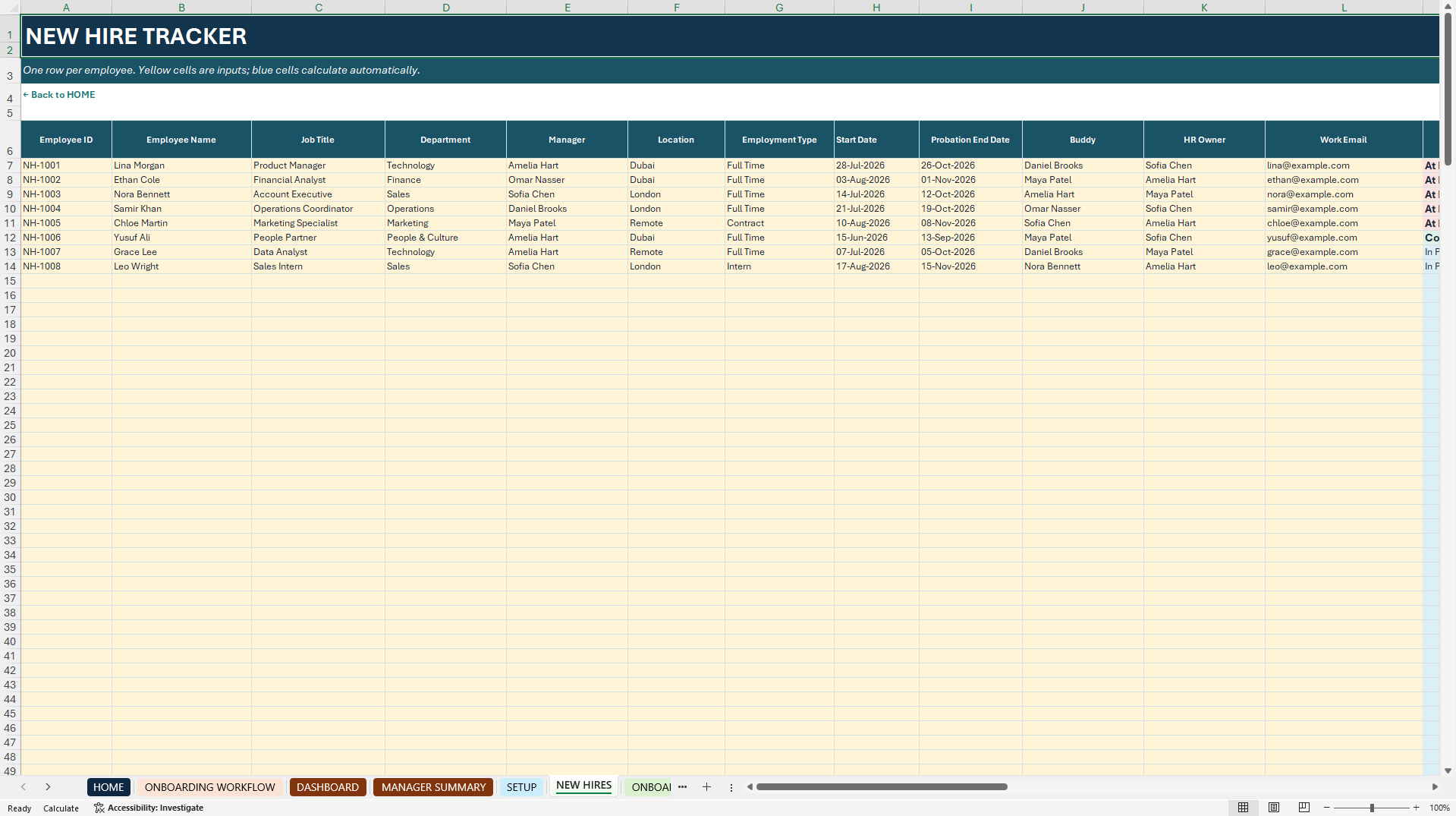
• Maintain a centralized new-hire database
• Assign onboarding tasks, owners and deadlines
• Monitor overdue and blocked activities
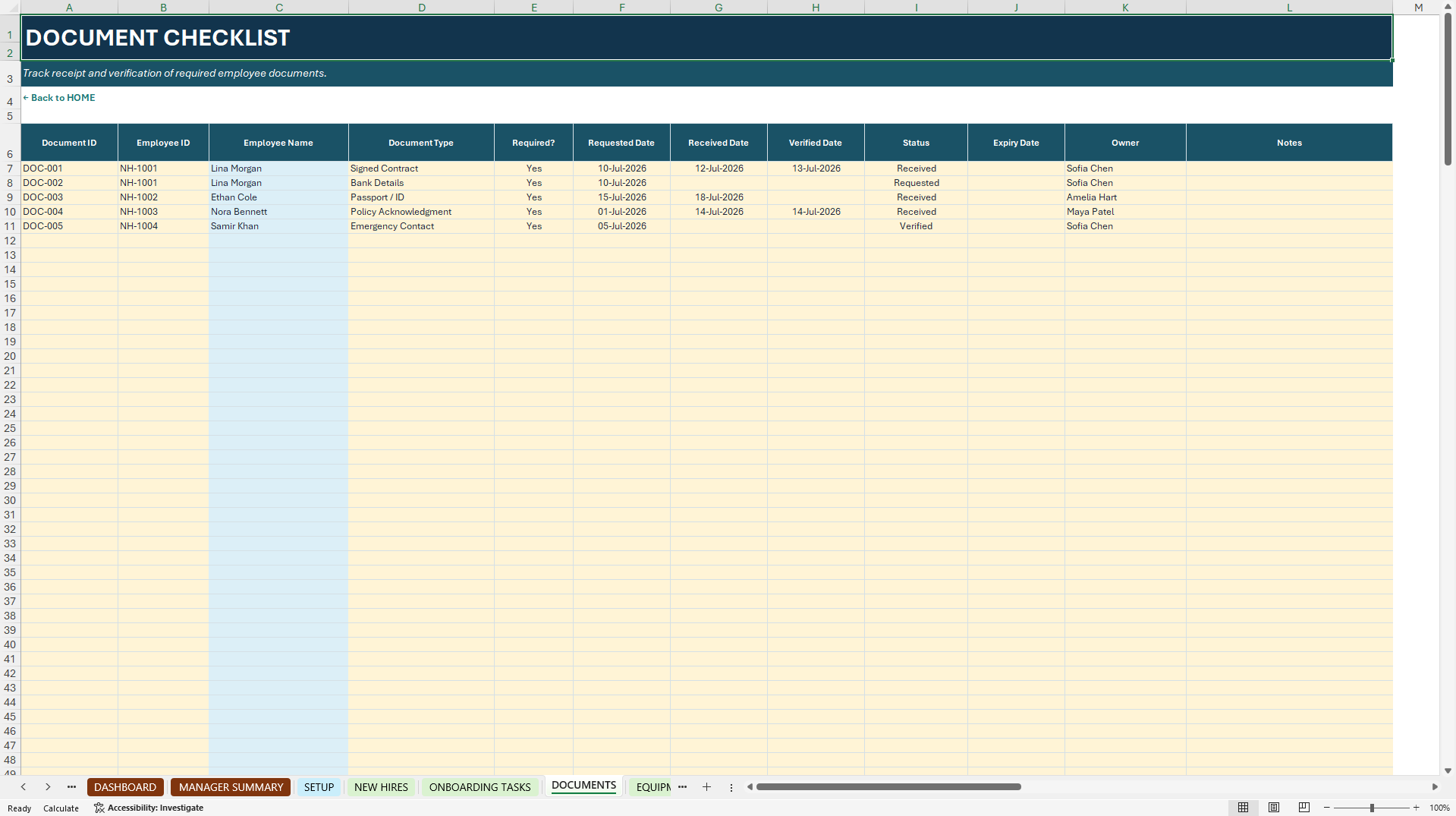
• Track required documents and verification status
• Manage equipment, system access and asset readiness
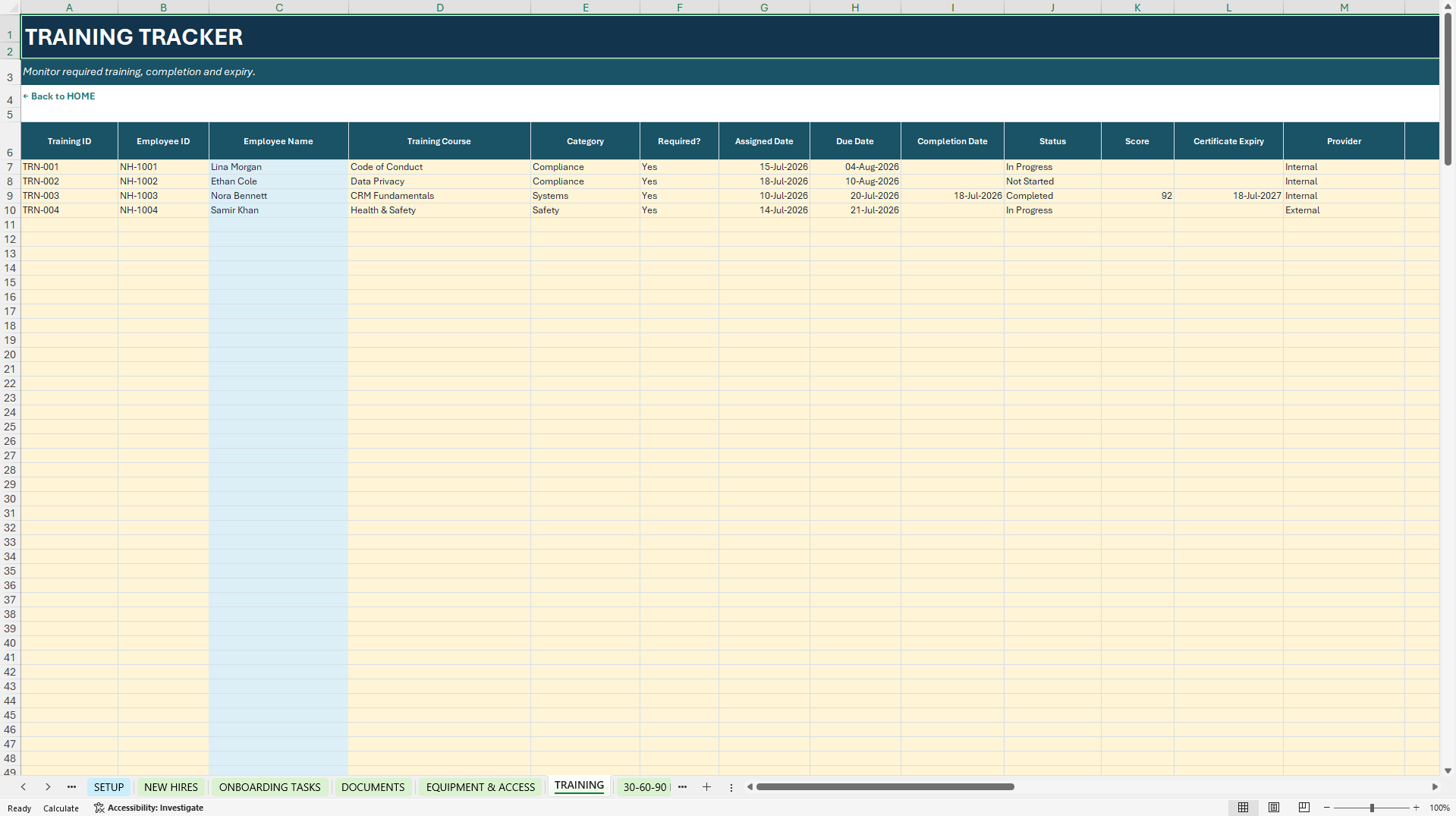
• Monitor mandatory training and completion dates
• Build structured 30-60-90 day plans
• Schedule and document probation reviews
• Identify at-risk employees and readiness gaps
• View automated KPIs and onboarding insights
• Detect missing fields, duplicate IDs and data-quality issues
WHAT'S INCLUDED
• Employee Onboarding & Probation Tracker Excel Workbook
• Premium Quick Start Guide – PDF
• Complete User Guide – PDF
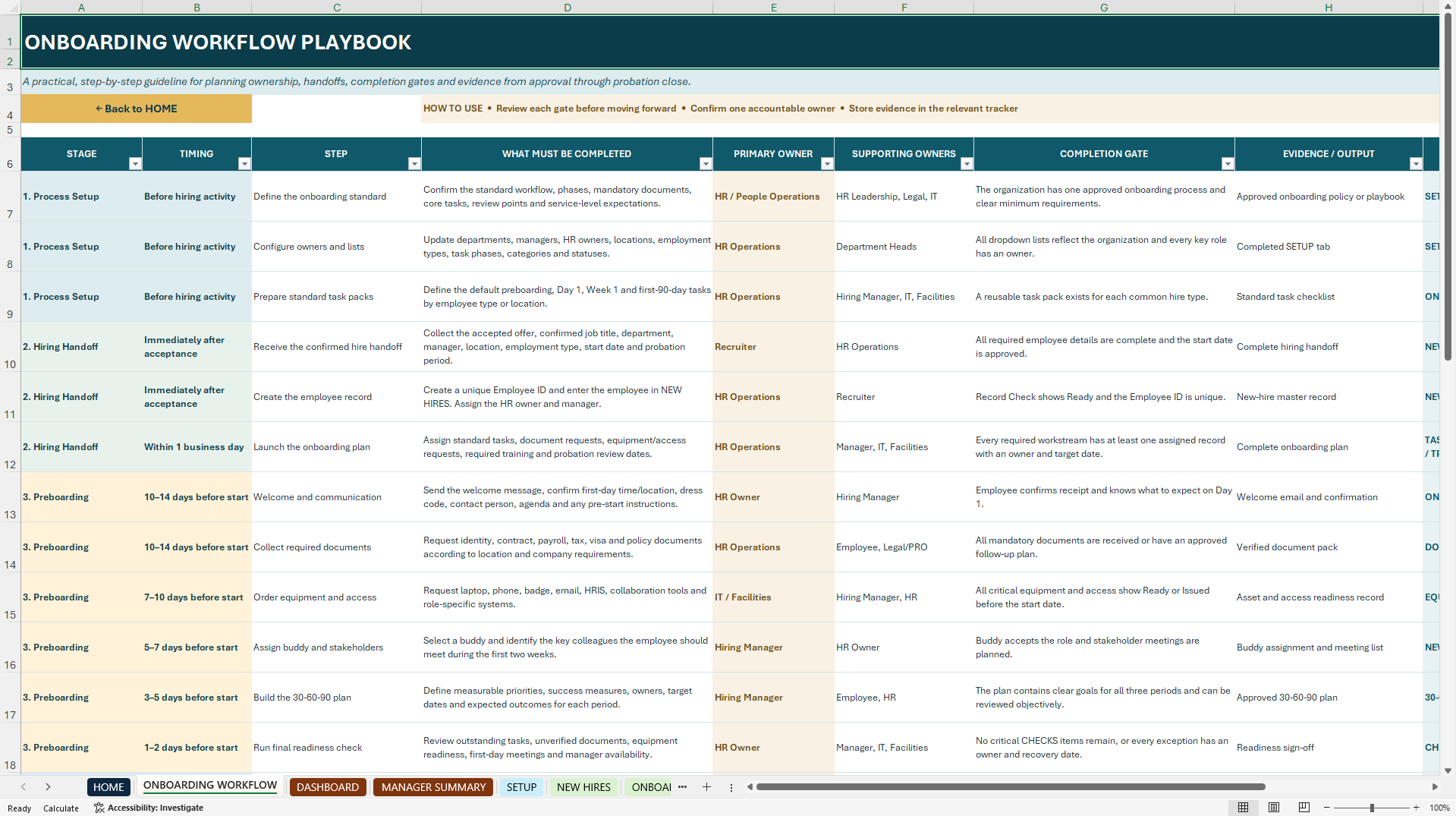
• Onboarding Workflow Playbook – PDF
• Customer FAQ – PDF
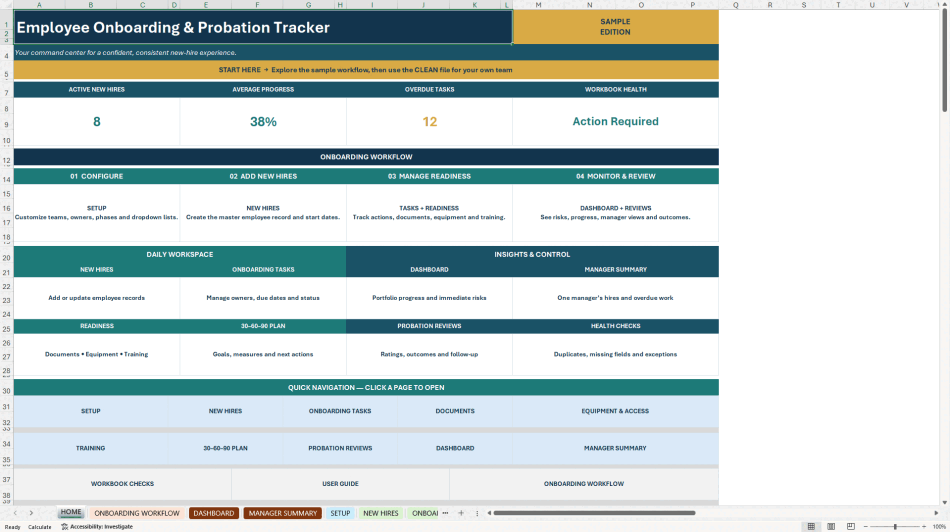
The Excel workbook contains sample data to demonstrate the complete onboarding workflow. Replace the sample information with your organization's own employee and onboarding data before use.
KEY FEATURES
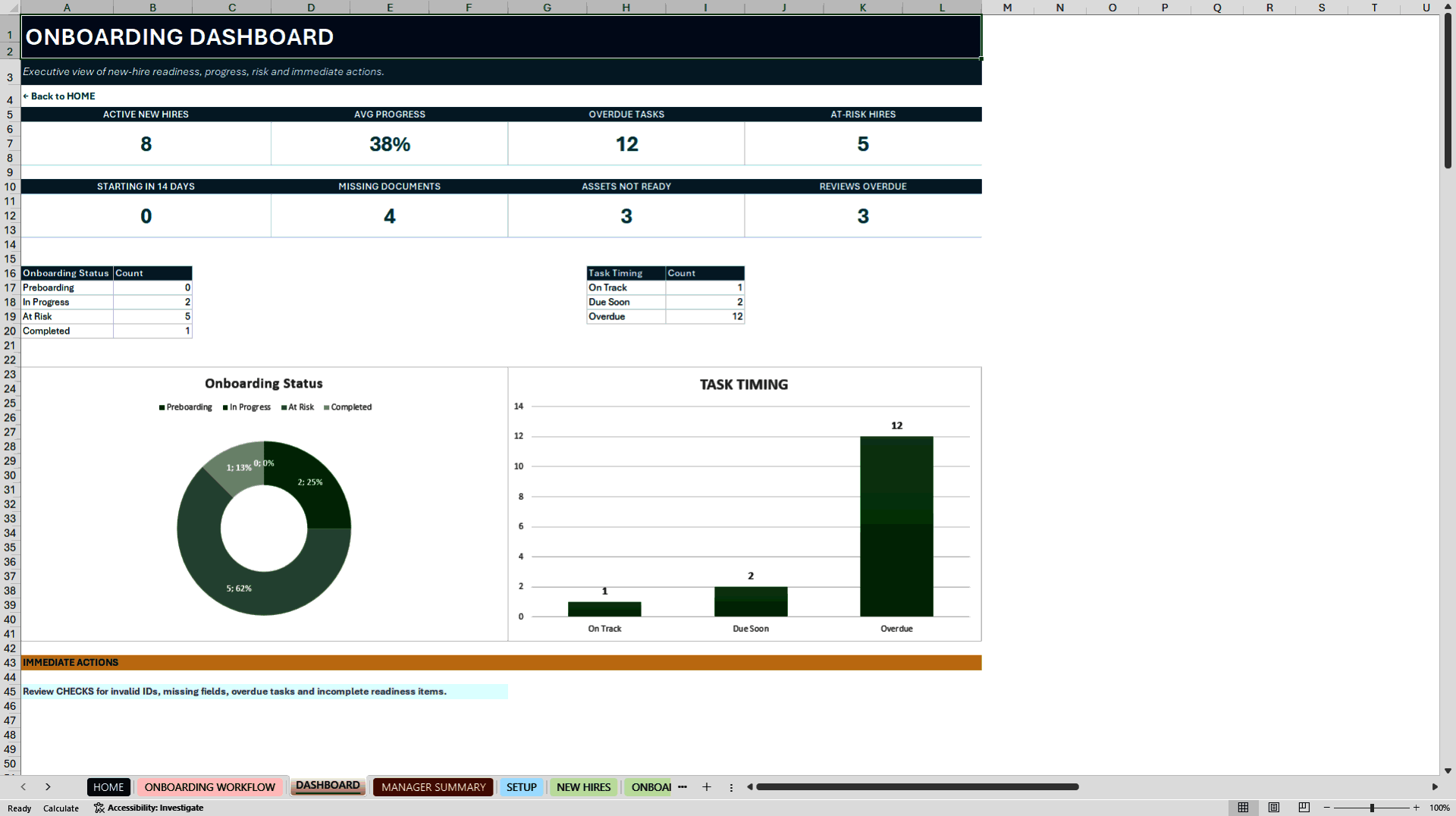
• Executive onboarding dashboard
• Automated progress and risk indicators
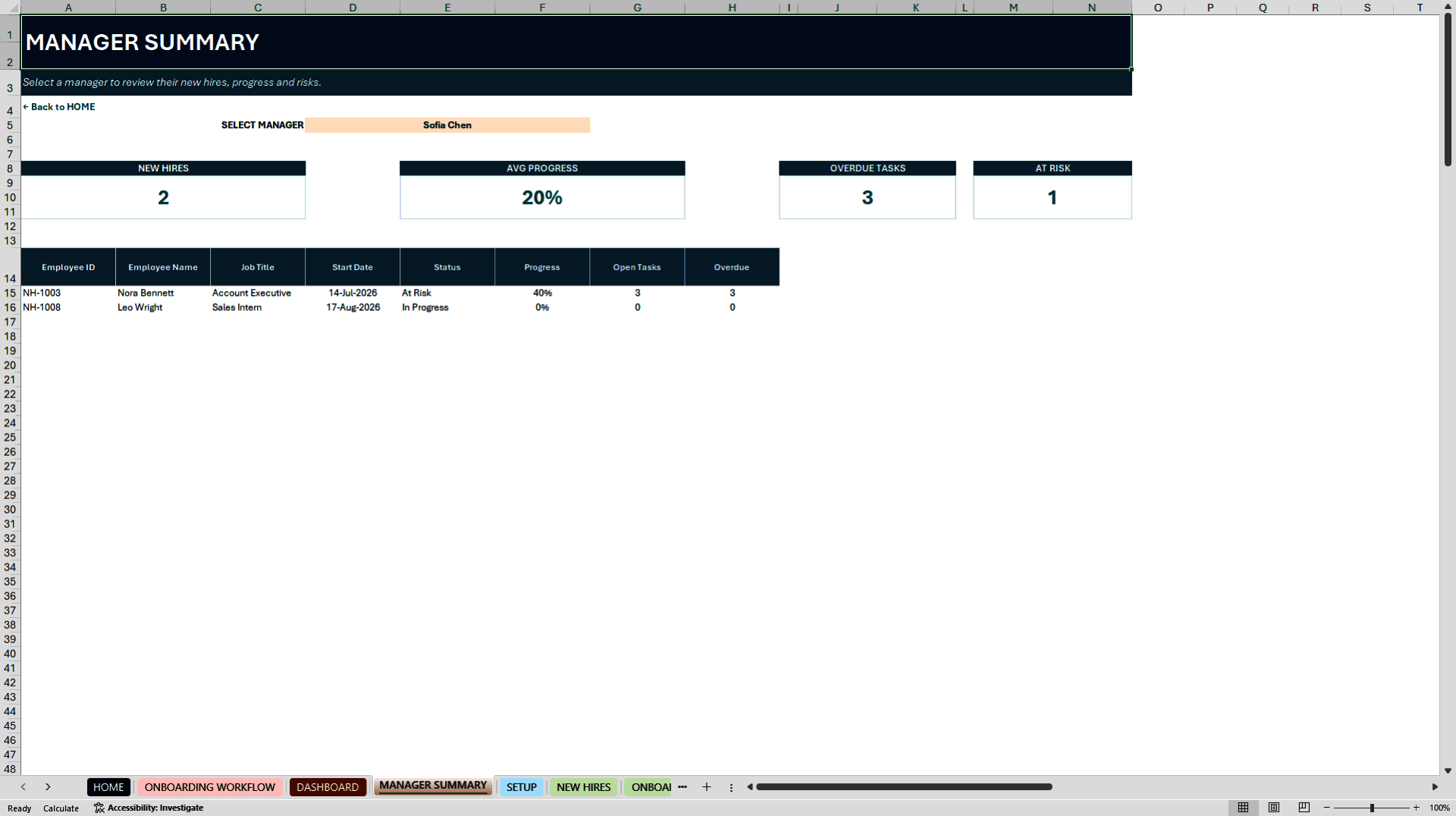
• Manager-specific employee summary
• Dynamic dropdown lists
• Built-in data-quality checks
• Overdue task monitoring
• Document and asset readiness tracking
• Structured probation ratings and outcomes
• Editable organization settings
• Guided HOME page with easy navigation
• Sample data for workflow demonstration
• No VBA macros required
HOW TO USE
1. Open the Employee Onboarding & Probation Tracker workbook.
2. Review the sample data to understand the complete workflow.
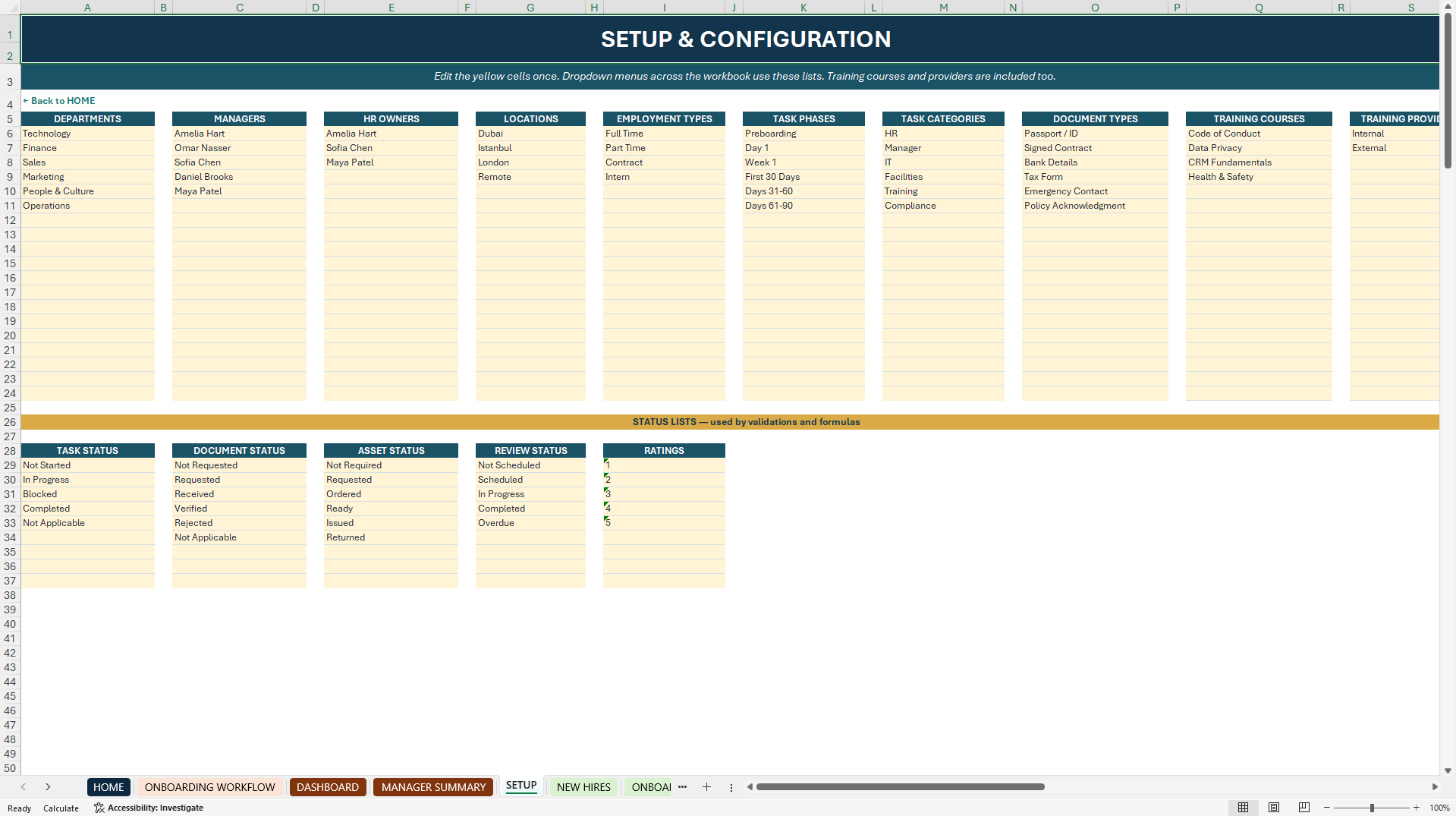
3. Customize departments, managers, locations, owners and status lists in SETUP.
4. Replace the sample data with your organization's employee information.
5. Add new hires and assign tasks, documents, equipment, training, goals and reviews.
6. Monitor progress and risks through DASHBOARD, MANAGER SUMMARY and WORKBOOK CHECKS.
WHO IT'S FOR
• HR professionals
• People Operations teams
• HR managers
• Hiring managers
• Small business owners
• HR consultants
• Organizations building a structured onboarding process
COMPATIBILITY
• Microsoft Excel 365
• Microsoft Excel 2021
• Designed for desktop Microsoft Excel
• No VBA macros
• No additional software or subscription required
IMPORTANT INFORMATION
This is a digital product. No physical item will be shipped.
The workbook contains sample data for demonstration purposes. Buyers should replace this information with their own organizational data before using the toolkit.
The template is provided as a customizable HR management tool. Buyers are responsible for adapting the workflow, documentation requirements and probation processes to their organization's policies and applicable employment regulations.
Bring clarity, consistency and confidence to every new-hire journey with one complete onboarding and probation management toolkit.
Got a question about the product? Email us at support@flevy.com or ask the author directly by using the "Ask the Author a Question" form. If you cannot view the preview above this document description, go here to view the large preview instead.
Source: Best Practices in Onboarding Excel: Employee Onboarding & Probation Tracker Excel Toolkit Excel (XLSX) Spreadsheet, StrategicHRLab
ABOUT THE AUTHOR

StrategicHRLab creates executive-ready Excel systems that help HR teams save time, improve accuracy and make confident people decisions.
Every template is built from over 10 years of real-world HR and Total Rewards experience across multinational organizations and fast-growing technology companies.
Our toolkits are designed to be practical, intuitive and immediately usable--without complex
... [read more]
Ask the Author a Question
You must be logged in to contact the author.




























