
 Click main image to view in full screen.
Revenue Leakage Detector: Billing Audit Excel Template – Excel XLSX
Excel (XLSX) + Zip archive file (ZIP)


BENEFITS OF THIS DOWNLOADABLE EXCEL DOCUMENT
- Quantify each variance, apply a materiality floor and rank the cases worth investigating first.
- Separate pricing, discount, escalation, quantity, FX, rounding and contract-date issues instead of treating leakage as one unexplained total.
- Apply your own recovery-rate assumption, assign actions and track what has been recovered, remains open or is past target.
AUDIT MANAGEMENT EXCEL DESCRIPTION
# Revenue Leakage Detector Excel Template: Find, Rank and Recover Billing Leakage
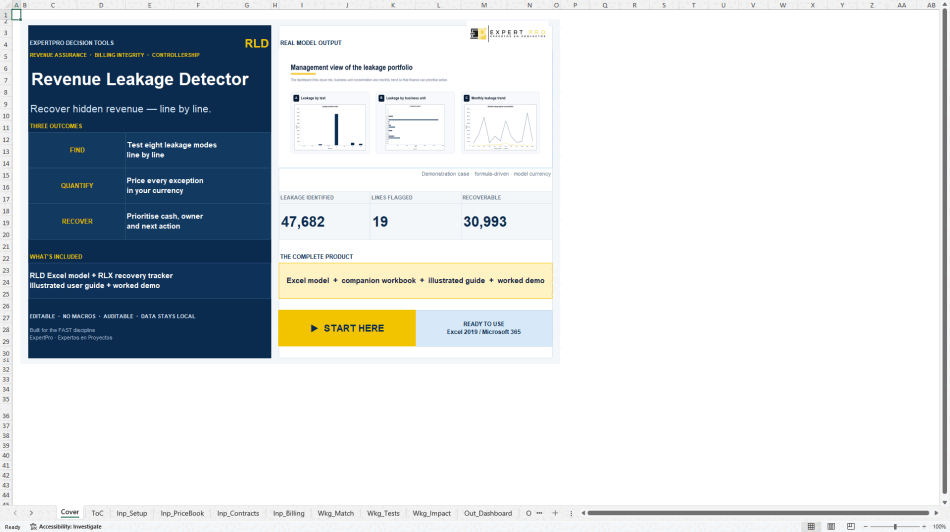
Revenue can leave the business between delivery, contract and invoice, yet the evidence usually sits in separate files. This package brings those records together, tests every billing line against eight failure modes and converts exceptions into a ranked recovery worklist. You see where value is leaking, what caused it and which cases are worth pursuing before anyone starts a billing dispute.
## Three Decisions This Package Helps You Make
1. Decide which billing exceptions merit action. Quantify each variance, apply a materiality floor and rank the cases worth investigating first.
2. Identify the control failure behind the loss. Separate pricing, discount, escalation, quantity, FX, rounding and contract-date issues instead of treating leakage as one unexplained total.
3. Set a realistic recovery plan. Apply your own recovery-rate assumption, assign actions and track what has been recovered, remains open or is past target.
## What's Included
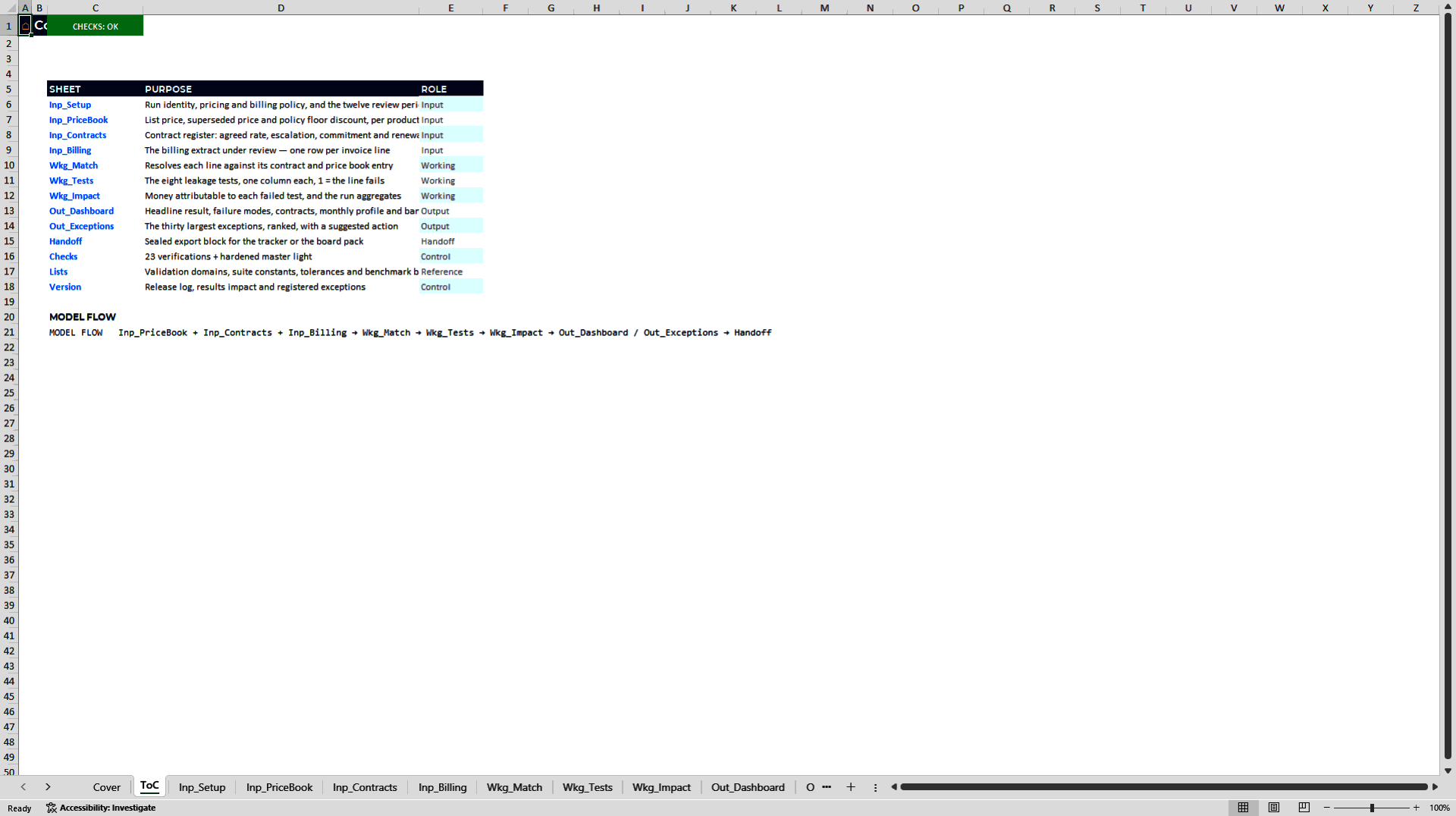
• `RLD_Revenue_Leakage_Detector_Commercial_Edition_v1` – the 15-sheet detector that tests billing lines, values exceptions and reports leakage by cause, contract and month.
• `RLX_Exception_Workpaper_Recovery_Tracker_Commercial_Edition_v1` – the 11-sheet companion workpaper for investigation, ownership, recovery and closure tracking.
• `RLD_User_Manual.pdf` – a 54-page illustrated user manual with the operating logic, workflow and worked example.
Both Excel workbooks open on a complete worked demo, so you can see the finished answer before replacing the inputs. The package is published by ExpertPro Decision Tools.
## Capabilities Tied to Decisions
| Capability | Business outcome | Decision supported |
|—-|—-|—-|
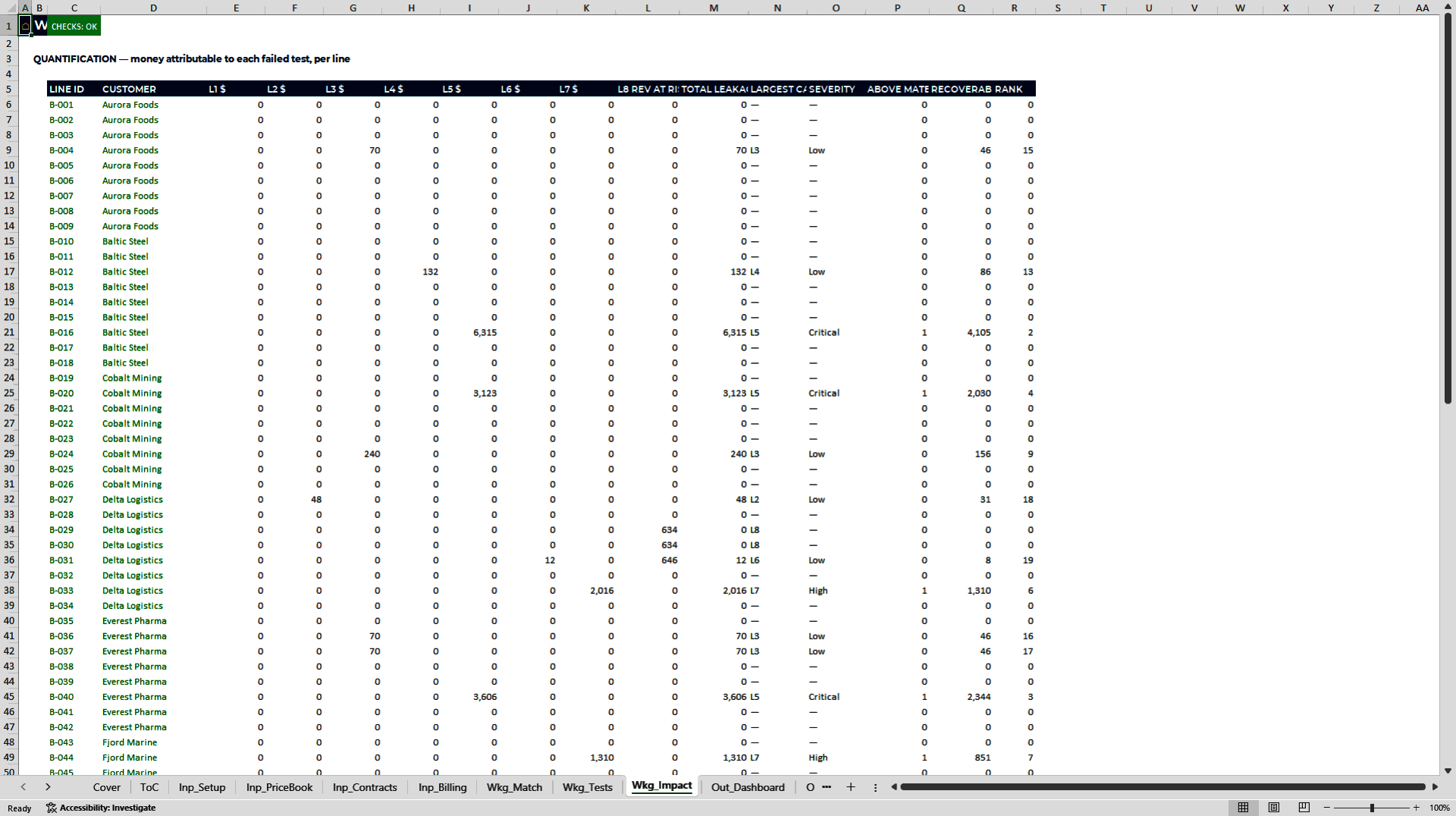
| Test each invoice line against eight defined failure modes | Converts suspected leakage into traceable exceptions with amounts and causes | Which cases should be investigated? |
| Reconcile findings by cause, contract and month | Shows whether the issue is isolated or systemic | Where should the control fix start? |
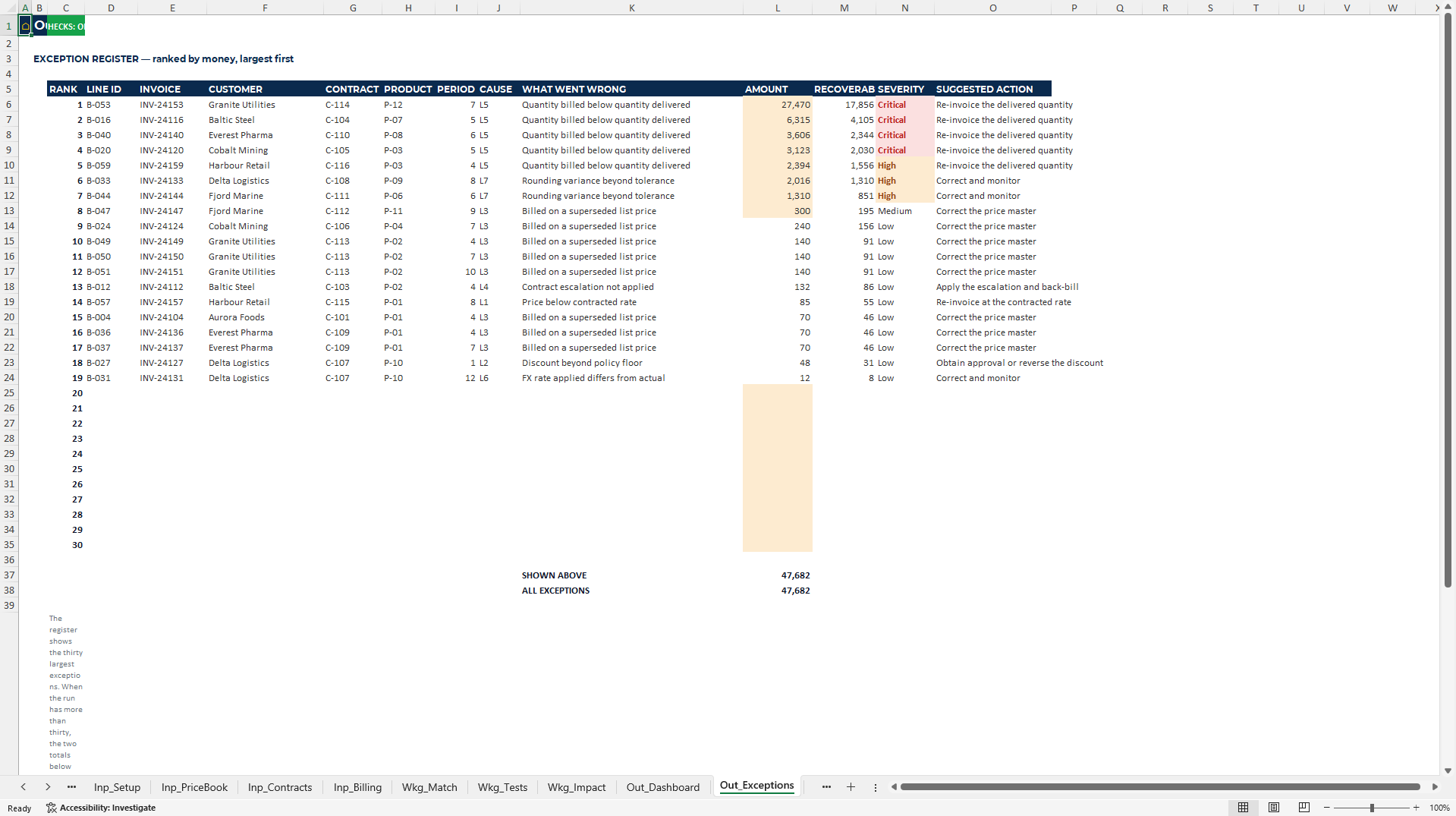
| Rank the 30 largest exceptions with invoice, customer, contract, cause and suggested action | Gives finance and operations a practical recovery queue | What should the team pursue first? |
| Track status, days open, recovered value and unresolved value in the companion workbook | Connects detection to realised recovery | What has actually been collected? |
| Apply user-set materiality and recovery assumptions | Keeps judgement visible rather than embedding a promise | What is a defensible recovery expectation? |
## How the Model Works
Inputs → Analysis → Controls → Outputs → Decision
1. Inputs: Paste the price book, contract register and structured billing extract; confirm units, sources and input status.
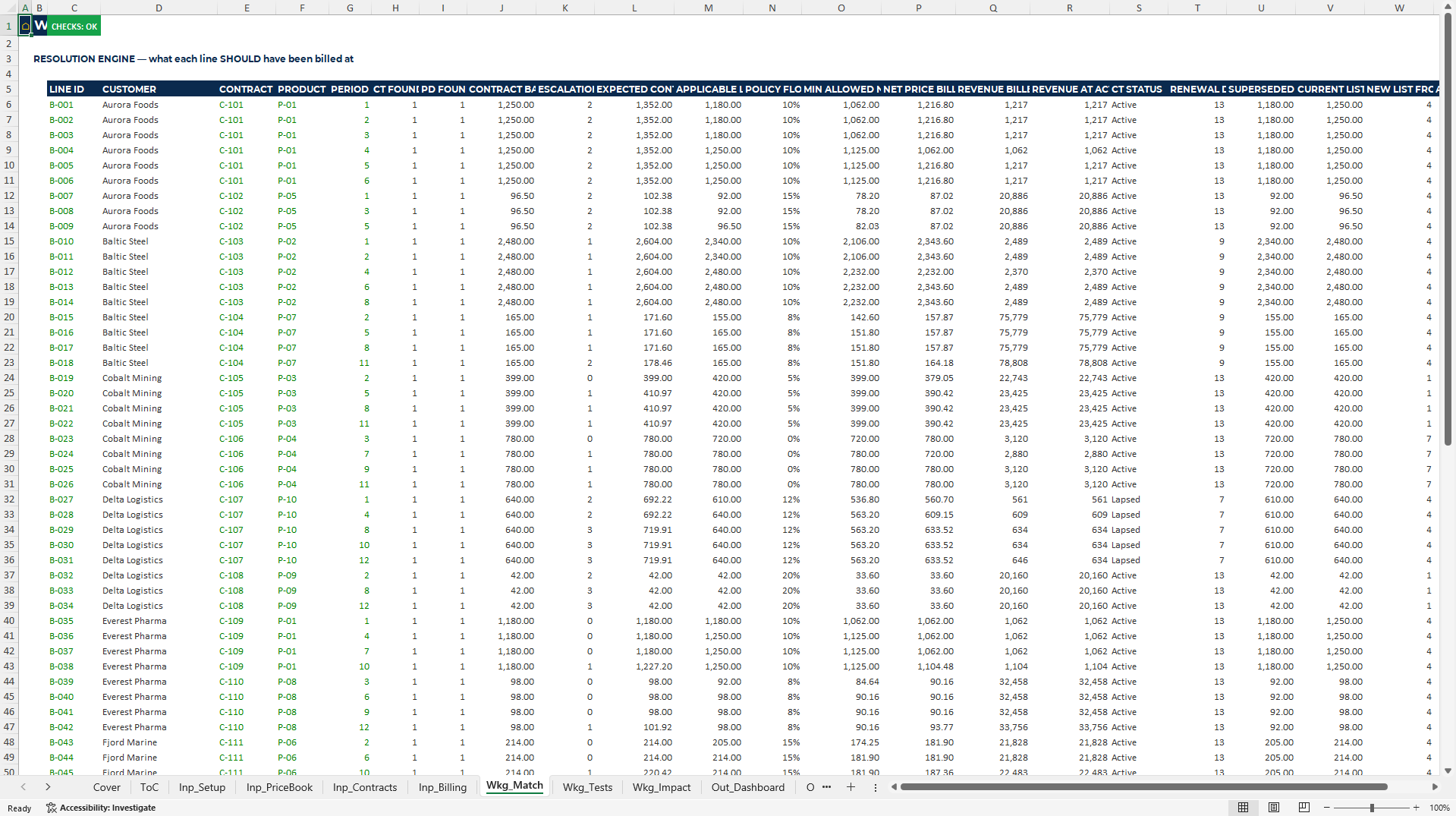
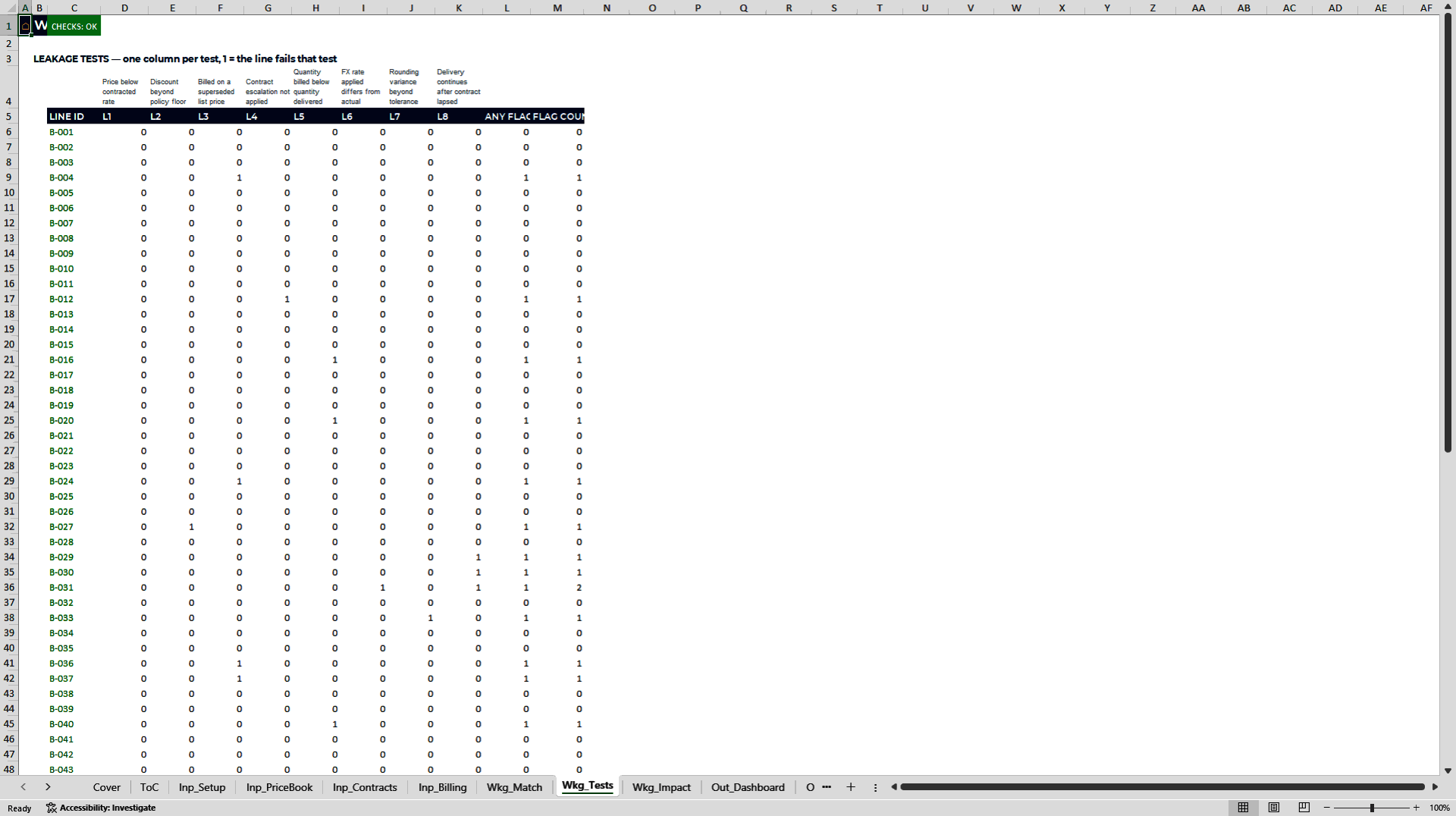
2. Analysis: Run price, discount, list-price, escalation, quantity, FX, rounding and expired-contract tests on every populated billing line.
3. Controls: Reconcile the results through named verification checks and one hardened master status light.
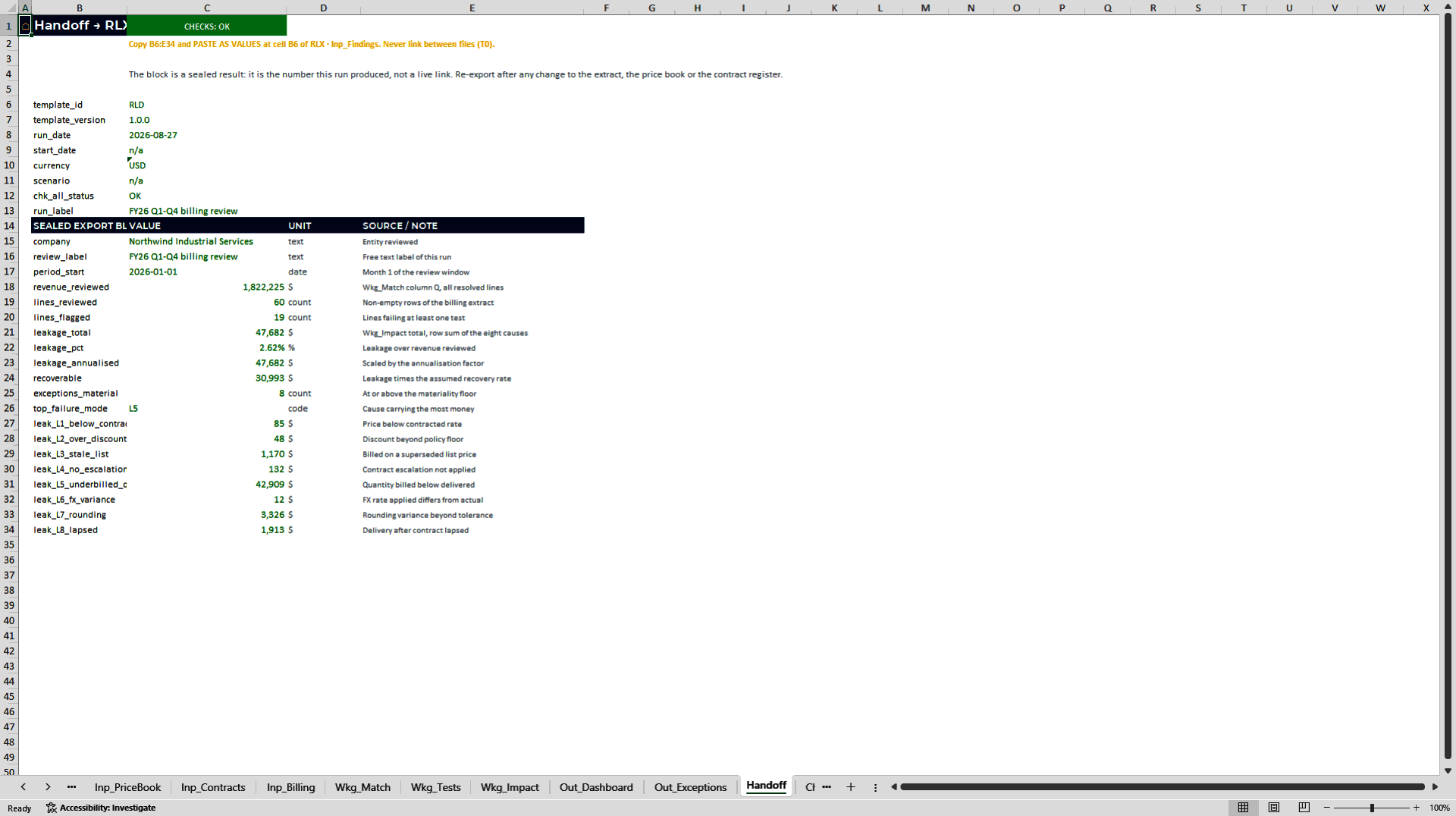
4. Outputs: Review leakage by cause, contract and month, then transfer material cases into the exception workpaper.
5. Decision: Assign owners, pursue corrections or recovery, and monitor closure against the target date.
## Worked Demo Evidence
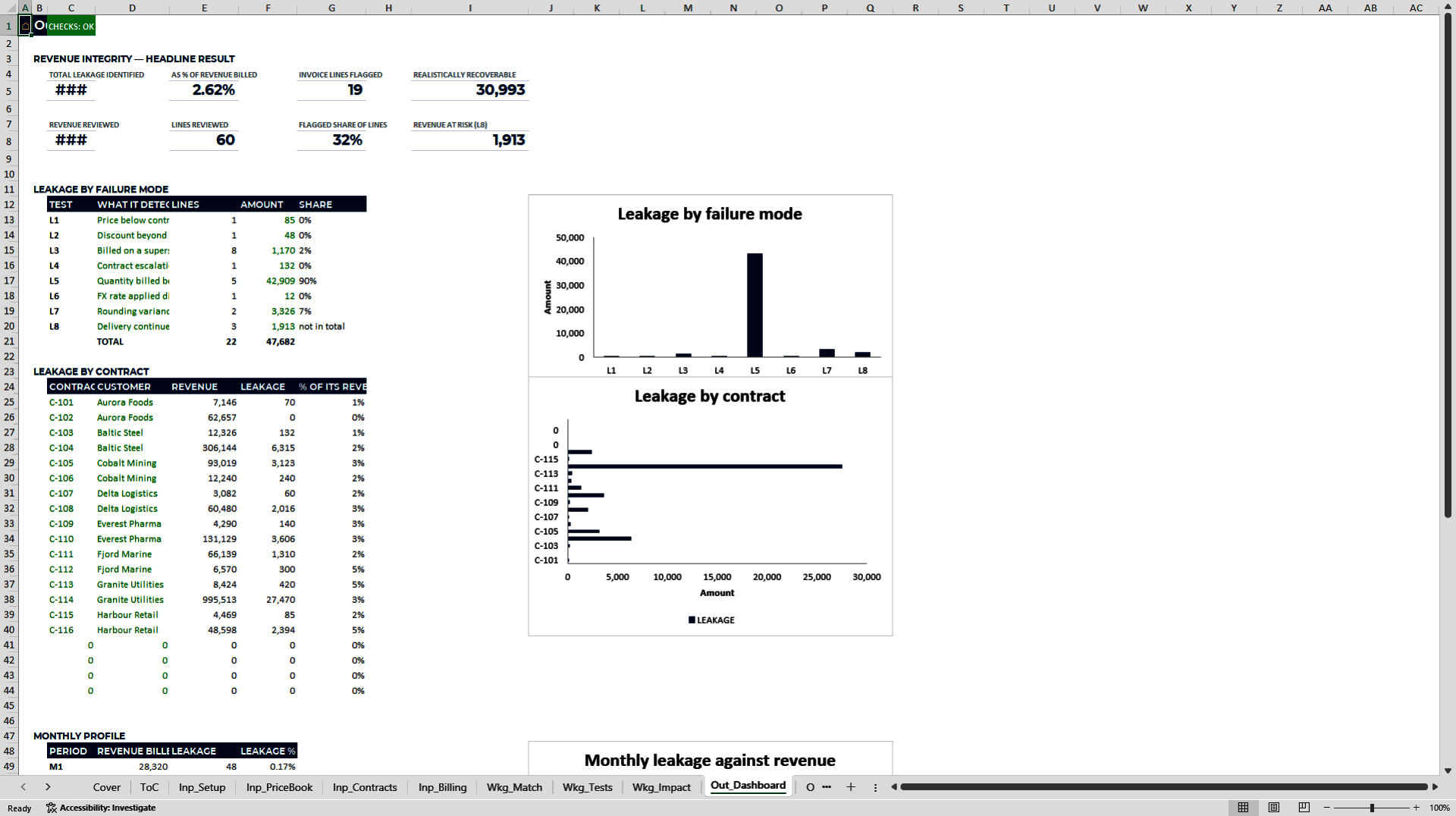
The included demo reviews 60 invoice lines representing USD 1,822,225 of revenue.
| Demo result | Evidence shown in the model |
|—-|—-:|
| Identified leakage | USD 47,682 |
| Leakage as a share of reviewed revenue | 2.62% |
| Flagged lines | 19 |
| Lines above the USD 250 materiality floor | 8 |
| Largest cause: under-billed quantity | USD 42,909 |
| Recoverable value at the demo's 65% assumption | USD 30,993 |
The companion tracker follows 14 exceptions worth USD 47,252: USD 31,159 recovered, USD 16,093 open, eight closed, two beyond the 45-day target and an average age of 34.2 days. These figures demonstrate the model's workflow; they are not a forecast of your result.
## Built for Trust
• Built to the FAST modelling standard 02c, with one formula pattern per row and a controlled function set.
• 189 named ranges, six charts and 44 named verification checks across the two workbooks.
• No macros, volatile functions, external links or hidden sheets.
• A frozen run date supports repeatable exports of the same analysis.
• Inputs carry units, sources and a defined status; benchmark bands carry a source and date.
• Data remains in your local Excel files; there is no add-in, API or system connection.
• Designed for Microsoft Excel 2019 and Microsoft 365 desktop.
## Who It Is For
The package is designed for CFOs, finance directors, controllers, revenue-assurance teams, internal audit, commercial finance and order-to-cash owners who need a defensible line-by-line view of billing integrity.
Typical uses include contract-pricing reviews, post-implementation billing audits, revenue-recovery programmes, quantity reconciliation and the design of recurring order-to-cash controls.
## Honest Limitations
• The workbooks do not connect to a billing system or read unstructured invoices; you paste a structured extract.
• The model tests arithmetic and contract-compliance differences. It does not detect fraud.
• It does not determine revenue recognition under IFRS 15 or ASC 606 and is not accounting or legal advice.
• It produces a ranked worklist but does not issue invoices, credits or recovery correspondence.
• The 65% demo recovery rate is an editable assumption, not a promised outcome.
• The supplied layout is sized for 60 billing lines and 30 exceptions; larger populations require the relevant ranges to be extended and checked.
## Frequently Asked Questions
### What data do I need?
You need a structured billing extract, a price book and a contract register. Delivery quantities, FX rates and contract dates should be included where you want the corresponding tests to run.
### Does the model connect to my ERP or billing platform?
No. There are no APIs, add-ins or external links. You paste the required data into the workbook, and the analysis remains local.
### Can I change the materiality and recovery assumptions?
Yes. Inputs are unprotected, and the model keeps the assumptions visible so that reviewers can see the basis of the decision.
### Does it recover the money automatically?
No. It identifies and ranks exceptions, supports the workpaper and tracks outcomes. A person still needs to validate the finding and complete the commercial or billing action.
### Can it process more than the demo's 60 billing lines?
The supplied layout is sized for 60 lines and 30 exceptions. Larger datasets require extension of the relevant ranges and a fresh check of formulas, controls and outputs.
### Does it detect fraud or provide an accounting opinion?
No. It tests defined billing and contract-compliance failures. It does not investigate intent or provide an opinion under IFRS, US GAAP or local law.
### Which version of Excel is required?
The workbooks are designed for Microsoft Excel 2019 and Microsoft 365 desktop. Other spreadsheet applications are not part of the supported configuration.
## Turn Suspected Leakage into a Reviewable Recovery Queue
Open the completed demo first, inspect how each result traces back to its source line, then replace the inputs with your own data. Choose the Revenue Leakage Detector when you need the amount, cause, priority and recovery status in one auditable package.
Got a question about the product? Email us at support@flevy.com or ask the author directly by using the "Ask the Author a Question" form. If you cannot view the preview above this document description, go here to view the large preview instead.
Source: Best Practices in Audit Management, Revenue Management Excel: Revenue Leakage Detector: Billing Audit Excel Template Excel (XLSX) Spreadsheet, ExpertPro Consulting
ABOUT THE AUTHOR

ExpertPro is an advisory firm that builds the financial and decision infrastructure behind capital projects. Our work sits at the intersection of project finance, engineering economics and data: we model, stress-test and document infrastructure investments so that sponsors, lenders and investment committees can decide on evidence rather than intuition.
The practice is led by Eduard Kofman, MSc
... [read more]
Ask the Author a Question
You must be logged in to contact the author.




























