
Problem Solving & Visualization Tools   202-slide PPT PowerPoint presentation slide deck (PPTX)
$79.00

Problem Solving & Visualization Tools (202-slide PPT PowerPoint presentation slide deck (PPTX)) Preview Image
Log in to unlock full preview.
Problem Solving & Visualization Tools (202-slide PPT PowerPoint presentation slide deck (PPTX)) Preview Image
Arrow   Click main image to view in full screen.

Problem Solving & Visualization Tools (PowerPoint PPTX Slide Deck)

PowerPoint (PPTX) 202 Slides

Top 100 Best Practice $79.00
Developed by a seasoned Certified Lean Six Sigma Black Belt with a proven track record at Microsoft, IBM and Panasonic, this collection of problem-solving and visualization tools is your pathway to achieving Operational Excellence.
Add to Cart


Immediate download
Fully editable PowerPoint
Free lifetime updates

BENEFITS OF THIS POWERPOINT DOCUMENT

  1. Enhance decision-making and problem-solving with a versatile toolkit of 24 visualization tools.
  2. Improve communication and analysis with a comprehensive set of data presentation methods.
  3. Increase efficiency and effectiveness in various industries using these essential tools for data interpretation.

PROBLEM SOLVING PPT DESCRIPTION

Problem Solving & Visualization Tools PPT by Allan Ung: Download templates for PDCA, DMAIC, root cause analysis, charts, diagrams, and structured problem-solving methods. Problem Solving & Visualization is a 202-slide PPT PowerPoint presentation slide deck (PPTX) available for immediate download upon purchase.

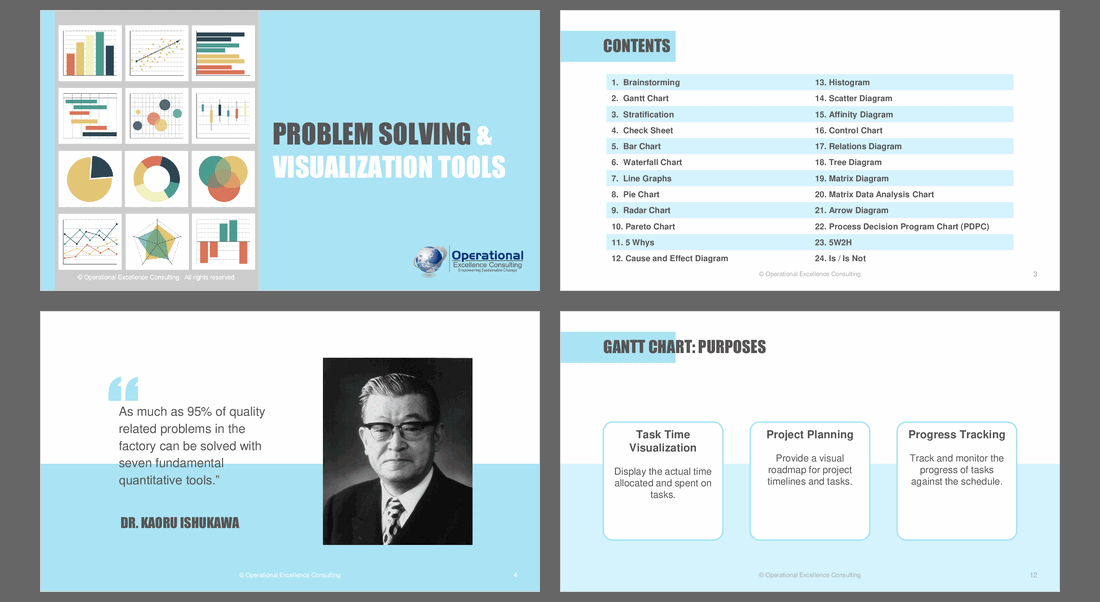
Unlock the potential of your problem-solving endeavors with our comprehensive "Problem Solving & Visualization Tools" presentation. This collection of 24 tools, ranging from foundational to advanced Quality Control (QC) instruments, caters to diverse industries and is designed to elevate your problem-solving skills and enhance communication.

KEY FEATURES

1. Diverse Applicability: Applicable across all industries, these tools are versatile and adaptable to your unique problem-solving challenges.

2. Structured Format: The presentation employs a clear and concise format, providing structured information in 'Purpose,' 'When To Use,' 'Examples,' 'Procedures,' and 'Practical Tips' sections for each tool.

3. Complementary to Project Frameworks: Seamlessly integrate these tools into popular problem-solving frameworks such as PDCA, DMAIC, 8D, and more, adding depth and breadth to your projects.

CONTENTS

Explore a rich array of tools, each carefully curated to empower your problem-solving journey:

1. Brainstorming: Foster creativity and idea generation.
2. Gantt Chart: Efficiently plan and visualize project timelines.
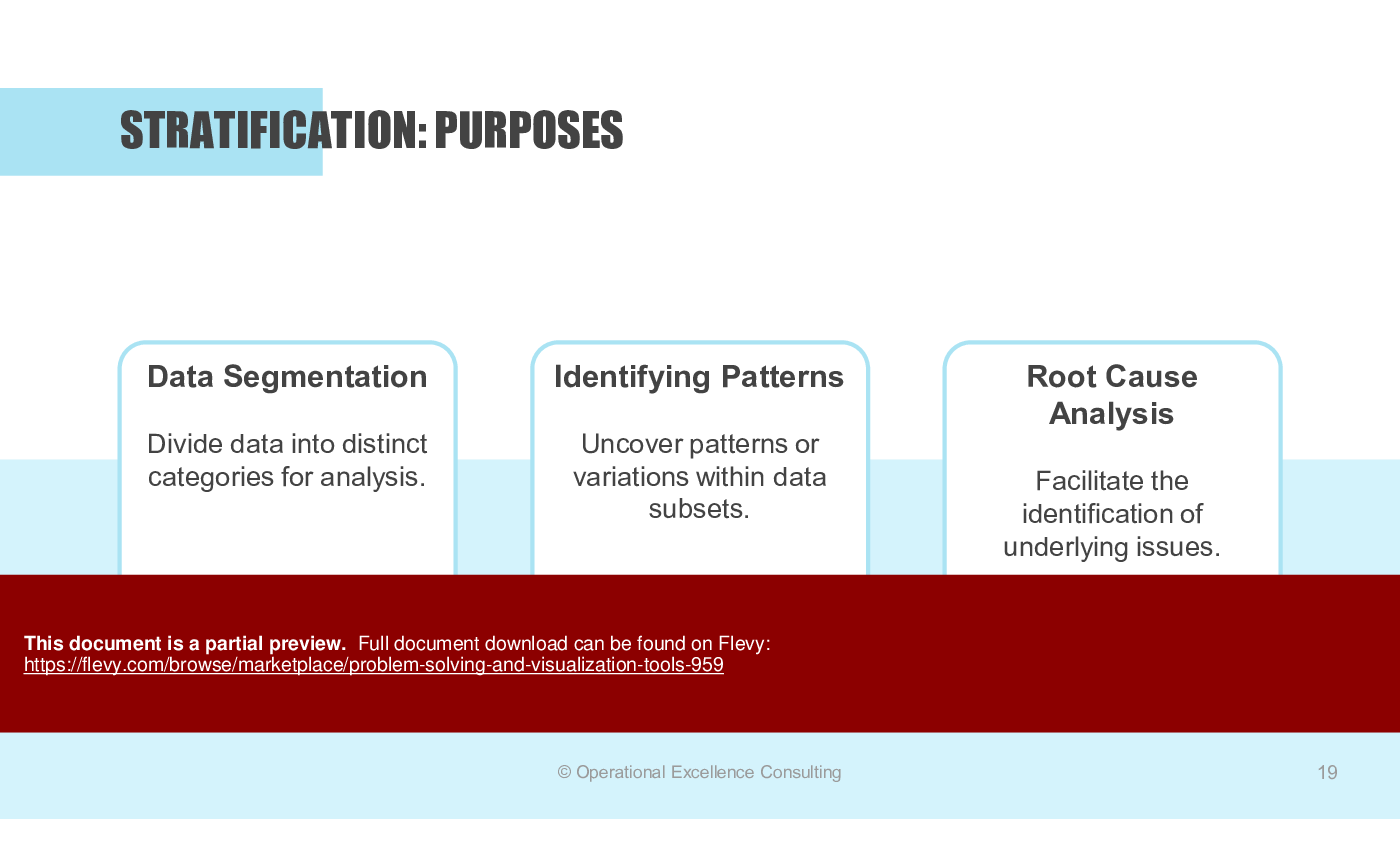
3. Stratification: Analyze and categorize data for deeper insights.
4. Check Sheet: Systematically collect and organize data.
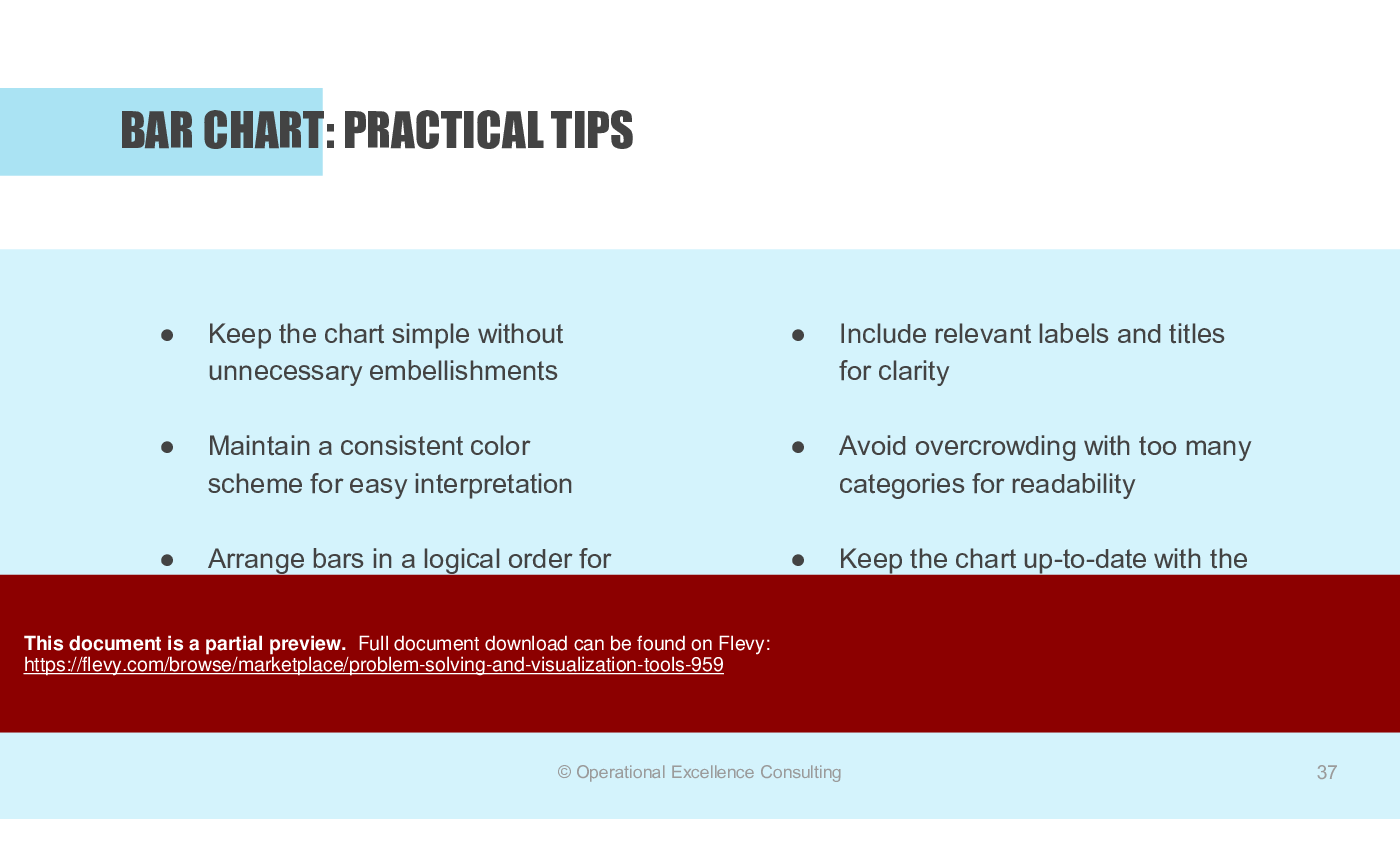
5. Bar Chart: Compare and visualize quantities effectively.
6. Waterfall Chart: Illustrate cumulative impacts and budget breakdowns.
7. Line Graphs: Identify trends and patterns over time.
8. Pie Chart: Represent proportions and percentages visually.
9. Radar Chart: Analyze multivariate data and performance.
10. Pareto Chart: Prioritize issues based on their significance.
11. 5 Whys: Uncover root causes through iterative questioning.
12. Cause and Effect Diagram: Visualize relationships between factors.
13. Histogram: Understand data distribution and variation.
14. Scatter Diagram: Explore relationships between variables.
15. Affinity Diagram: Organize ideas and identify patterns.
16. Control Chart: Monitor and control process variations.
17. Relations Diagram: Visualize relationships between various factors.
18. Tree Diagram: Illustrate hierarchical structures and relationships.
19. Matrix Diagram: Analyze relationships across two dimensions.
20. Matrix Data Analysis Chart: Dive deep into relationships within multidimensional data.
21. Arrow Diagram: Plan and visualize task dependencies in projects.
22. Process Decision Program Chart (PDPC): Anticipate and mitigate potential problems.
23. 5W2H: Systematically gather information with Who, What, When, Where, Why, and How.
24. Is / Is Not Analysis: Define and clarify the scope of a problem.

Equip yourself with a comprehensive toolkit that transcends industries and project frameworks. Enhance your problem-solving prowess, foster innovation, and elevate communication with these powerful tools. Embrace a structured approach to problem-solving, turning challenges into opportunities for growth and improvement.

The presentation includes practical tips for each tool, ensuring you can implement them effectively in your projects. Real-world examples and step-by-step procedures make this a must-have resource for any executive looking to drive results.

Got a question about the product? Email us at support@flevy.com or ask the author directly by using the "Ask the Author a Question" form. If you cannot view the preview above this document description, go here to view the large preview instead.

MARCUS OVERVIEW

This synopsis was written by Marcus [?] based on the analysis of the full 202-slide presentation.


Executive Summary
The Problem Solving & Visualization Tools presentation is an essential resource for organizations aiming to enhance their operational efficiency through structured problem-solving techniques. Developed by a Certified Lean Six Sigma Black Belt with extensive experience at Microsoft, IBM, and Panasonic, this presentation offers a comprehensive suite of tools, including templates for PDCA, DMAIC, root cause analysis, and various visualization methods. By utilizing these tools, teams can effectively identify issues, analyze data, and implement solutions that drive continuous improvement and operational excellence.

Who This Is For and When to Use
•  Quality Assurance Teams focused on improving product and service quality.
•  Project Managers overseeing complex projects requiring structured methodologies.
•  Operations Managers aiming to enhance process efficiency and effectiveness.
•  Continuous Improvement Teams dedicated to fostering a culture of ongoing enhancement.
•  Training and Development Professionals responsible for upskilling employees in problem-solving techniques.

Best-fit moments to use this deck:
•  During team workshops aimed at brainstorming and generating innovative solutions.
•  In project planning sessions to visualize timelines and task dependencies.
•  When conducting root cause analysis to identify and address underlying issues.
•  In quality control initiatives to monitor and improve processes.

Learning Objectives
•  Define and apply various problem-solving tools to real-world scenarios.
•  Build effective Gantt charts to visualize project timelines and task dependencies.
•  Establish root cause analysis using the 5 Whys and Cause & Effect diagrams.
•  Utilize statistical tools like histograms and control charts for data analysis.
•  Implement visualization techniques such as affinity diagrams and scatter diagrams for better decision-making.
•  Create and interpret Pareto charts to prioritize issues based on their impact.

Table of Contents
•  Brainstorming (page 5)
•  Gantt Chart (page 11)
•  Stratification (page 18)
•  Check Sheet (page 25)
•  Bar Chart (page 31)
•  Waterfall Chart (page 38)
•  Line Graph (page 44)
•  Pie Chart (page 51)
•  Radar Chart (page 58)
•  Pareto Chart (page 64)
•  5 Whys (page 77)
•  Cause and Effect Diagram (page 86)
•  Histogram (page 99)
•  Scatter Diagram (page 105)
•  Affinity Diagram (page 113)
•  Control Chart (page 119)
•  Relations Diagram (page 137)
•  Tree Diagram (page 143)
•  Matrix Diagram (page 151)
•  Matrix Data Analysis Chart (MDAC) (page 159)
•  Arrow Diagram (page 167)
•  Process Decision Program Chart (PDPC) (page 174)
•  5W2H (page 180)
•  Is / Is Not (page 185)

Primary Topics Covered
•  Brainstorming - A structured approach to generating creative ideas and solutions through team collaboration.
•  Gantt Chart - A visual tool for project planning that outlines tasks, timelines, and dependencies.
•  Stratification - A method for analyzing data by categorizing it into distinct groups to identify patterns.
•  Check Sheet - A systematic tool for recording and tracking data related to specific events or issues.
•  Pareto Chart - A graphical representation that helps prioritize problems based on their frequency or impact.
•  5 Whys - A root cause analysis technique that involves asking "why" multiple times to uncover underlying issues.

Deliverables, Templates, and Tools
•  Brainstorming session templates to facilitate idea generation.
•  Gantt chart templates for project planning and tracking.
•  Check sheets for data collection and issue tracking.
•  Cause and Effect diagrams for visualizing relationships between problems and causes.
•  Control chart templates for monitoring process stability over time.
•  Affinity diagrams for organizing and categorizing ideas from brainstorming sessions.

Slide Highlights
•  Visual examples of Gantt charts illustrating project timelines and task dependencies.
•  Case studies demonstrating the application of the 5 Whys in real-world scenarios.
•  Infographics showcasing the effectiveness of Pareto charts in prioritizing issues.
•  Step-by-step guides for constructing control charts and interpreting results.
•  Illustrative examples of scatter diagrams to identify correlations between variables.

Potential Workshop Agenda
Introduction to Problem-Solving Tools (30 minutes)
•  Overview of the tools and their applications.
•  Discussion on the importance of structured problem-solving.

Hands-On Brainstorming Session (60 minutes)
•  Facilitate a brainstorming session using provided templates.
•  Capture and categorize ideas generated by participants.

Gantt Chart Creation Workshop (45 minutes)
•  Guide participants in creating Gantt charts for their projects.
•  Discuss best practices for project planning and tracking.

Root Cause Analysis Deep Dive (60 minutes)
•  Conduct a 5 Whys analysis on a selected issue.
•  Create a Cause and Effect diagram to visualize findings.

Customization Guidance
•  Tailor templates to reflect specific project names, timelines, and team members.
•  Adjust terminology and metrics to align with organizational standards and practices.
•  Incorporate company branding and visual identity into presentation materials.

Secondary Topics Covered
•  Control charts for monitoring process performance.
•  Histogram for analyzing data distribution.
•  Scatter diagrams for exploring relationships between variables.
•  Affinity diagrams for organizing complex ideas.
•  Tree diagrams for mapping decision-making processes.

FAQ
What are the main benefits of using problem-solving tools?
Utilizing problem-solving tools enhances team collaboration, improves data analysis, and facilitates effective decision-making, leading to operational excellence.

How can I customize the templates provided in the presentation?
Templates can be tailored to fit specific projects by adjusting names, timelines, and metrics to align with your organization's needs.

What is the purpose of a Gantt chart?
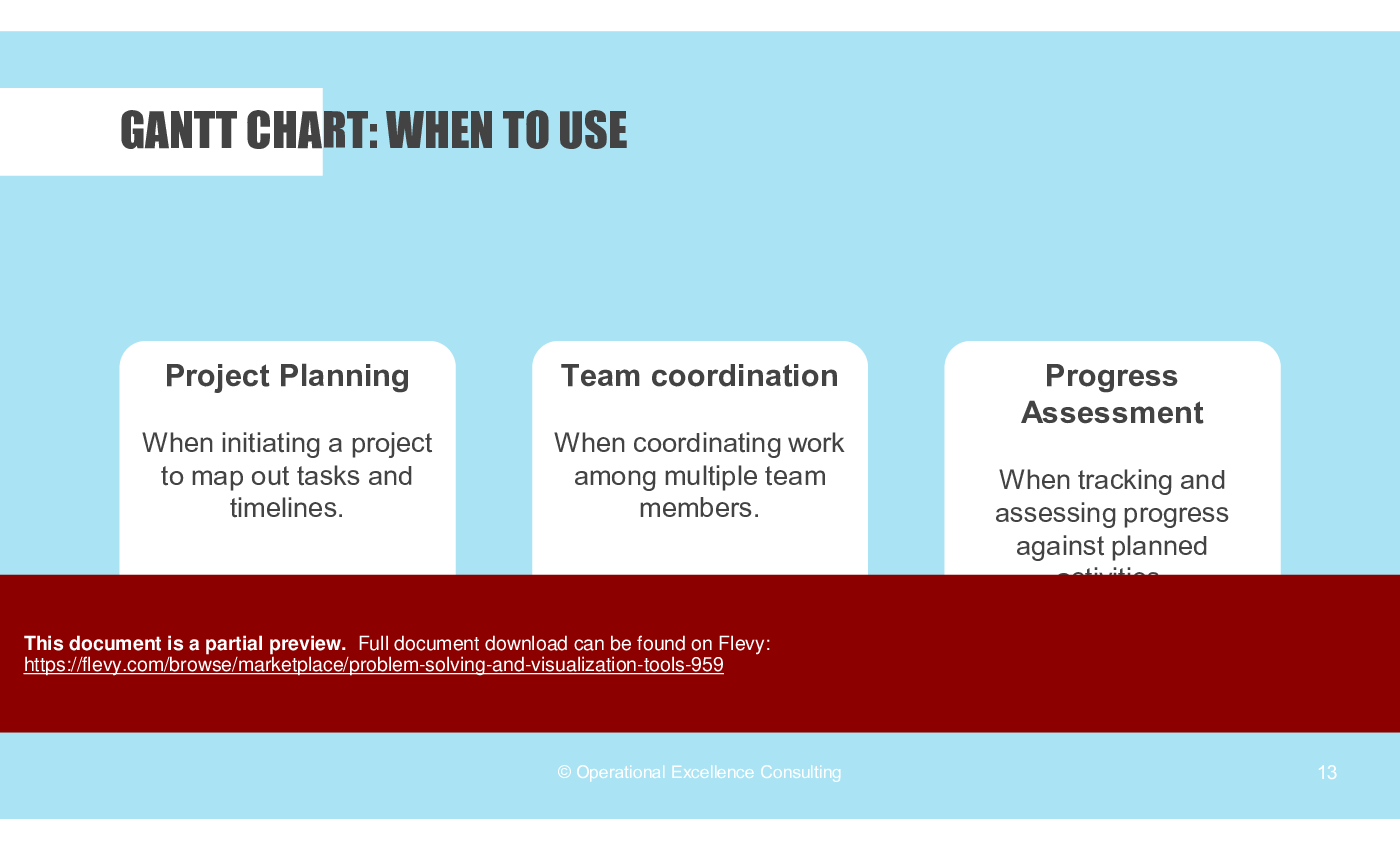
A Gantt chart visually represents project timelines, tasks, and dependencies, helping teams coordinate efforts and track progress effectively.

When should I use a Pareto chart?
Use a Pareto chart when you need to prioritize issues based on their frequency or impact, allowing you to focus efforts on the most significant problems.

How does the 5 Whys technique work?
The 5 Whys technique involves asking "why" multiple times to drill down to the root cause of a problem, facilitating deeper understanding and effective solutions.

What is the role of a control chart in quality management?
Control charts are used to monitor process stability and quality over time, helping identify variations that may indicate potential issues.

How do I conduct a successful brainstorming session?
Ensure a clear question is posed, encourage wild ideas, and foster a non-judgmental environment to maximize creativity and idea generation.

What is the significance of stratification in data analysis?
Stratification helps identify patterns and variations within data subsets, enabling more targeted analysis and problem-solving.

Glossary
•  PDCA - Plan-Do-Check-Act; a cyclical process for continuous improvement.
•  DMAIC - Define-Measure-Analyze-Improve-Control; a data-driven improvement cycle.
•  Root Cause Analysis - A method for identifying the underlying causes of problems.
•  Visualization Tools - Techniques used to represent data graphically for better understanding.
•  Quality Control - A process to ensure that products meet specified quality standards.
•  Continuous Improvement - Ongoing efforts to enhance products, services, or processes.
•  Data Segmentation - Dividing data into distinct categories for analysis.
•  Trend Analysis - Evaluating data over time to identify patterns or trends.
•  Statistical Process Control - A method of monitoring and controlling processes using statistical methods.
•  Collaborative Problem Solving - Working together as a team to identify and resolve issues.
•  Process Optimization - Improving processes to enhance efficiency and effectiveness.
•  Interdisciplinary Collaboration - Working across different disciplines to achieve common goals.

Source: Best Practices in Problem Solving PowerPoint Slides: Problem Solving & Visualization Tools PowerPoint (PPTX) Presentation Slide Deck, Operational Excellence Consulting


$79.00
Developed by a seasoned Certified Lean Six Sigma Black Belt with a proven track record at Microsoft, IBM and Panasonic, this collection of problem-solving and visualization tools is your pathway to achieving Operational Excellence.
Add to Cart
  

ABOUT THE AUTHOR

Author image
Additional documents from author: 257
Terms of usage (for all documents from this author)

Operational Excellence Consulting, founded in 2009 by Allan Ung, draws from extensive experience at Microsoft, IBM, and Underwriters Laboratories (UL). We specialize in strategy deployment, customer experience design, and operational excellence, applying Design Thinking, Lean, and Systems Thinking to maximize customer value and minimize waste.

Our ... [read more]

Ask the Author a Question

You must be logged in to contact the author.

Click here to log in Click here register

Did you know?
The average daily rate of a McKinsey consultant is $6,625 (not including expenses). The average price of a Flevy document is $65.



Trusted by over 10,000+ Client Organizations
Since 2012, we have provided business templates to over 10,000 businesses and organizations of all sizes, from startups and small businesses to the Fortune 100, in over 130 countries.
AT&T GE Cisco Intel IBM Coke Dell Toyota HP Nike Samsung Microsoft Astrazeneca JP Morgan KPMG Walgreens Walmart 3M Kaiser Oracle SAP Google E&Y Volvo Bosch Merck Fedex Shell Amgen Eli Lilly Roche AIG Abbott Amazon PwC T-Mobile Broadcom Bayer Pearson Titleist ConEd Pfizer NTT Data Schwab


Read Customer Testimonials

 
"My FlevyPro subscription provides me with the most popular frameworks and decks in demand in today’s market. They not only augment my existing consulting and coaching offerings and delivery, but also keep me abreast of the latest trends, inspire new products and service offerings for my practice, and educate me "

– Bill Branson, Founder at Strategic Business Architects
 
"As a young consulting firm, requests for input from clients vary and it's sometimes impossible to provide expert solutions across a broad spectrum of requirements. That was before I discovered Flevy.com.

Through subscription to this invaluable site of a plethora of topics that are key and crucial to consulting, I "

– Nishi Singh, Strategist and MD at NSP Consultants
 
"As a consultant requiring up to date and professional material that will be of value and use to my clients, I find Flevy a very reliable resource.

The variety and quality of material available through Flevy offers a very useful and commanding source for information. Using Flevy saves me time, enhances my expertise and ends up being a good decision."

– Dennis Gershowitz, Principal at DG Associates
 
"The wide selection of frameworks is very useful to me as an independent consultant. In fact, it rivals what I had at my disposal at Big 4 Consulting firms in terms of efficacy and organization."

– Julia T., Consulting Firm Owner (Former Manager at Deloitte and Capgemini)
 
"I like your product. I'm frequently designing PowerPoint presentations for my company and your product has given me so many great ideas on the use of charts, layouts, tools, and frameworks. I really think the templates are a valuable asset to the job."

– Roberto Fuentes Martinez, Senior Executive Director at Technology Transformation Advisory
 
"I am extremely grateful for the proactiveness and eagerness to help and I would gladly recommend the Flevy team if you are looking for data and toolkits to help you work through business solutions."

– Trevor Booth, Partner, Fast Forward Consulting
 
"I have used FlevyPro for several business applications. It is a great complement to working with expensive consultants. The quality and effectiveness of the tools are of the highest standards."

– Moritz Bernhoerster, Global Sourcing Director at Fortune 500
 
"Flevy.com has proven to be an invaluable resource library to our Independent Management Consultancy, supporting and enabling us to better serve our enterprise clients.

The value derived from our [FlevyPro] subscription in terms of the business it has helped to gain far exceeds the investment made, making a subscription a no-brainer for any growing consultancy – or in-house strategy team."

– Dean Carlton, Chief Transformation Officer, Global Village Transformations Pty Ltd.


Customers Also Bought These Documents


Customers Also Like These Documents

Explore Related Management Topics


Your Recently Viewed Documents
Receive our FREE whitepaper on the Top 101 Consulting Frameworks

Download our 200+ page guide summarizing the Top 101 Management Consulting Frameworks. Each framework provides a structured approach to analyzing and solving a common business problem.