


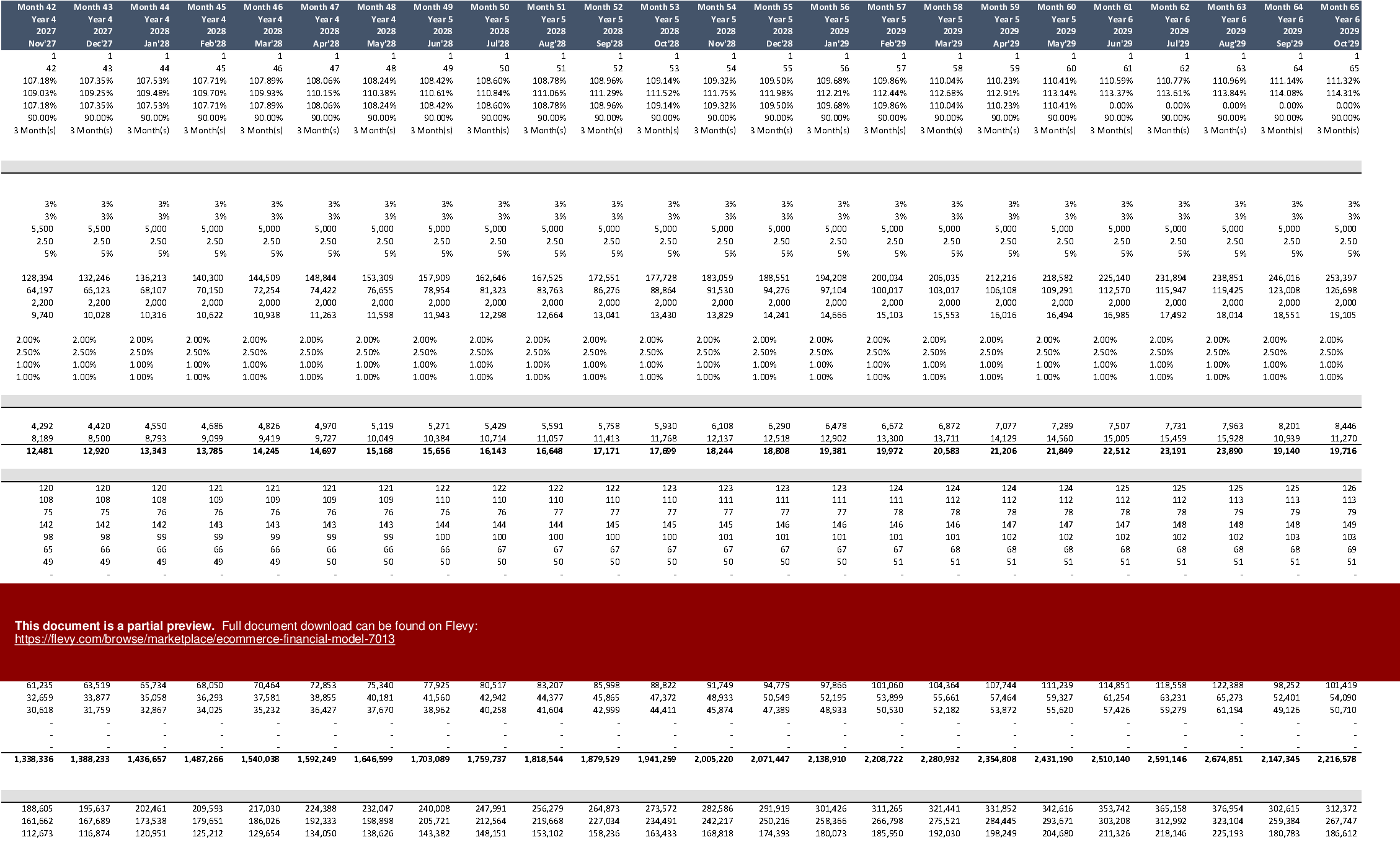

 Click main image to view in full screen.
Ecommerce Financial Model (Excel XLSM)
Excel (XLSM)


BENEFITS OF THIS EXCEL DOCUMENT
- Evaluates the Financial Feasibility of an E-commerce Business
E-COMMERCE EXCEL DESCRIPTION
Model Options:
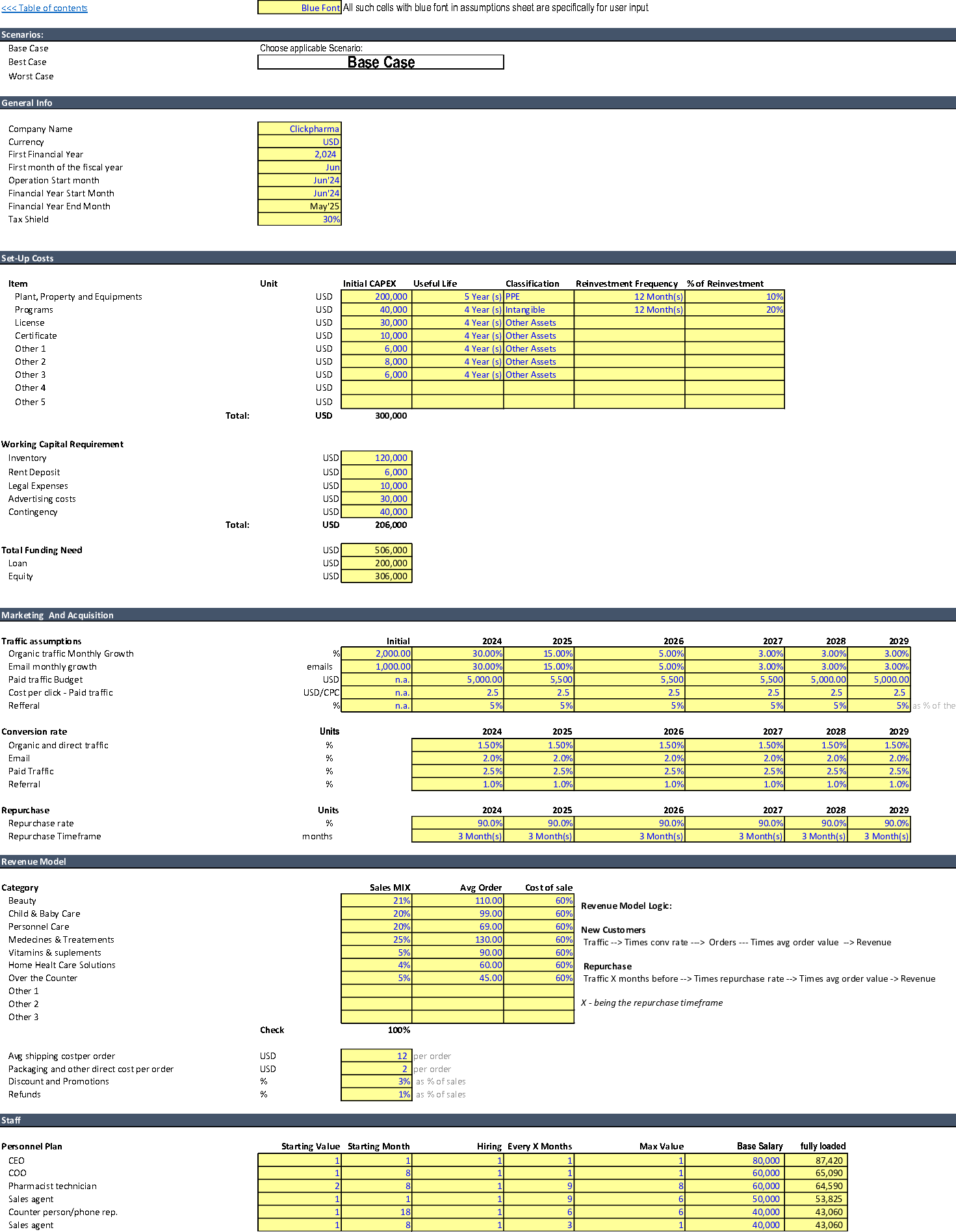
This template is a detailed and user-friendly financial model that considers an e-commerce business's specifics.
By Taking into account key assumptions such as traffic from different sources, conversion rates, the average purchase value for different product categories, and the combination of fixed and variable costs, the model generates the three financial statements and the relevant metrics for an e-commerce business.
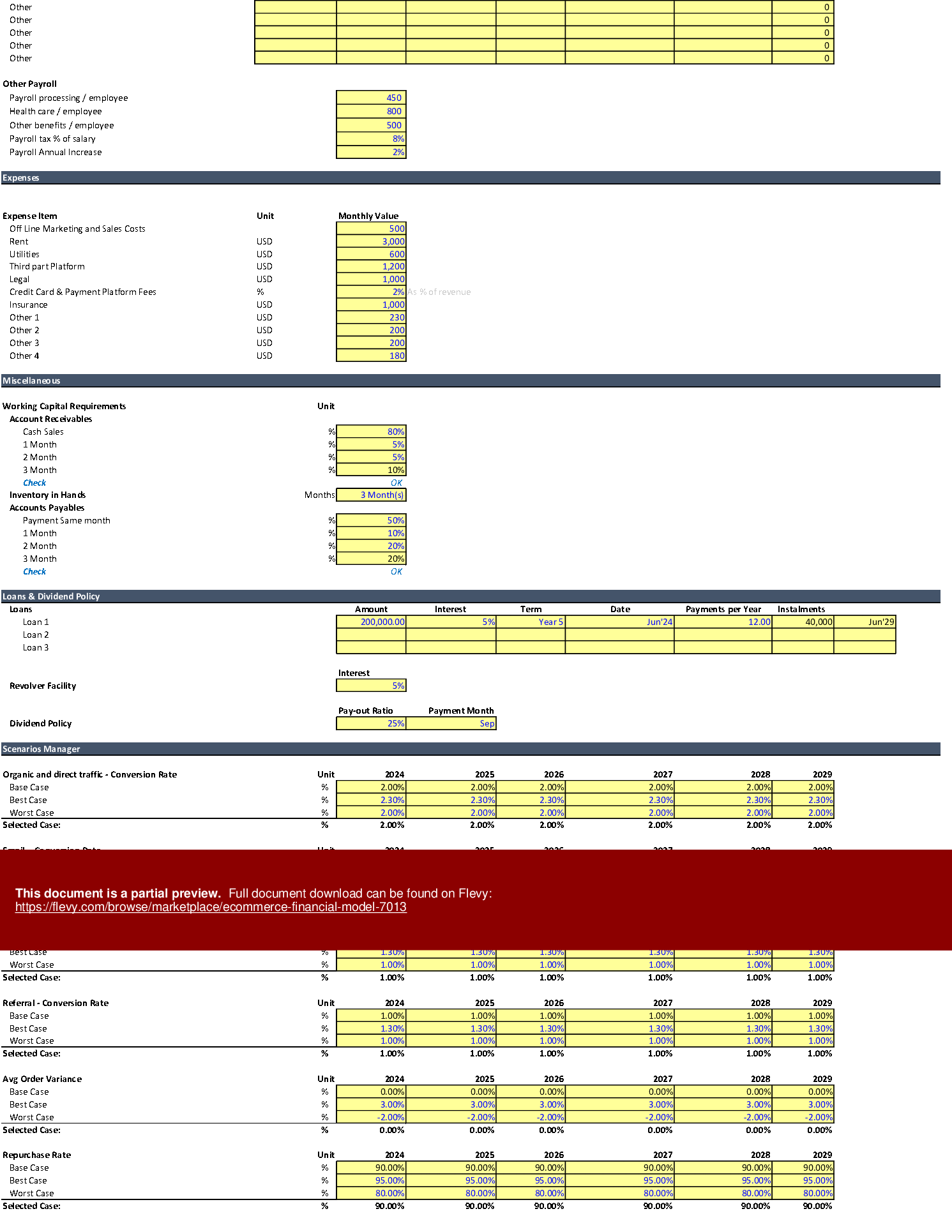
The model also allows the user to develop scenarios based on the variation of key metrics, namely conversion rates, average order, and operational cost variation. After modeling the scenarios, the user can compare different scenarios side-by-side.
The template is monthly, and it is a 100% unlocked Excel file with fully transparent formulas that can be further tailored to suit your particular needs.
The user only needs to input information into the cells formatted in the dark blue font in the Assumptions sheet, and any other formats are formulas or labels.
The template is provided with information from a hypothetical business model for an online drug store for demonstration purposes. The data must be erased/adjusted to fit the user's needs.
The maximum horizon for this model is six (6) years;
Model Structure:
Intermediate Sheets (calculation sheets):
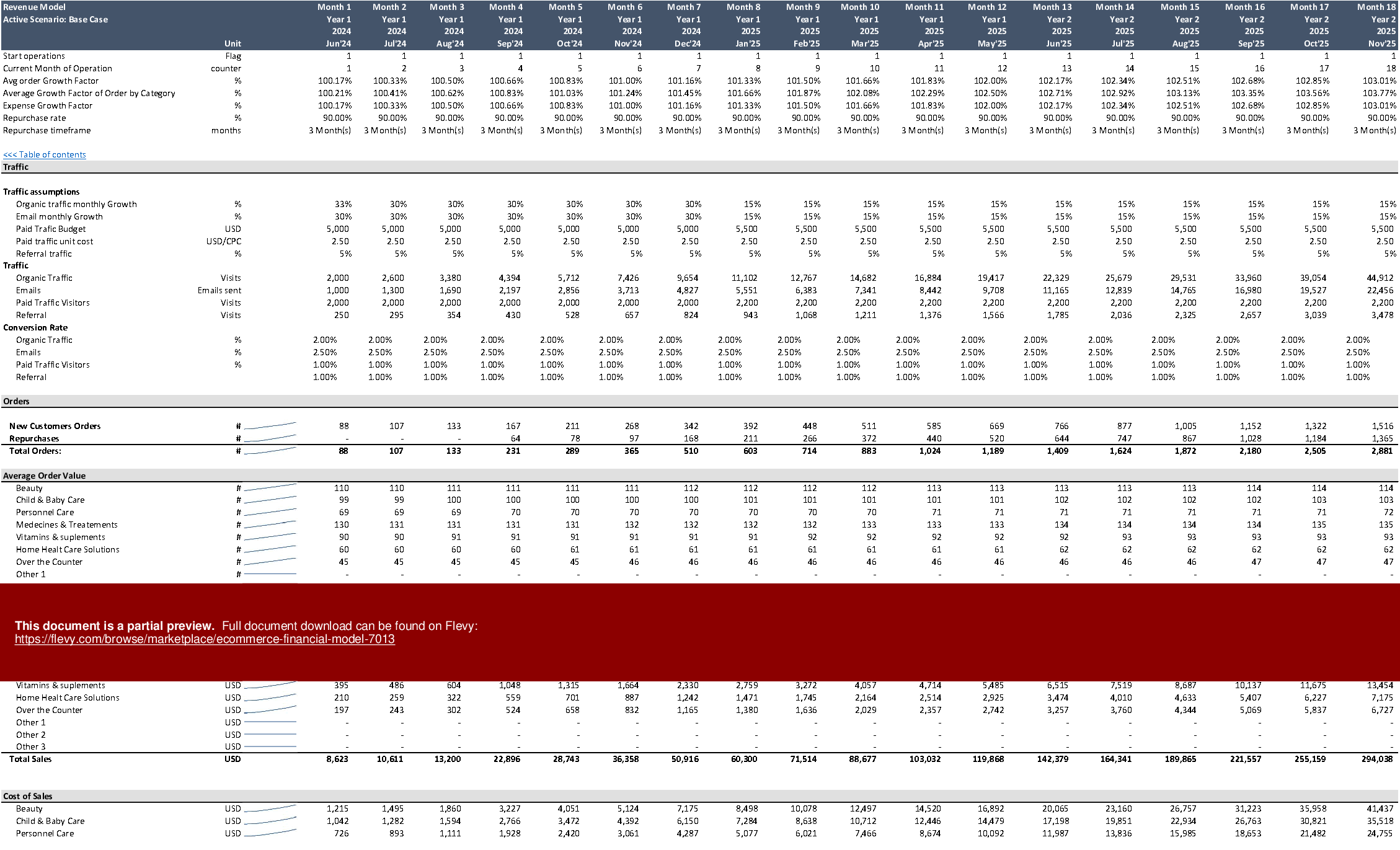
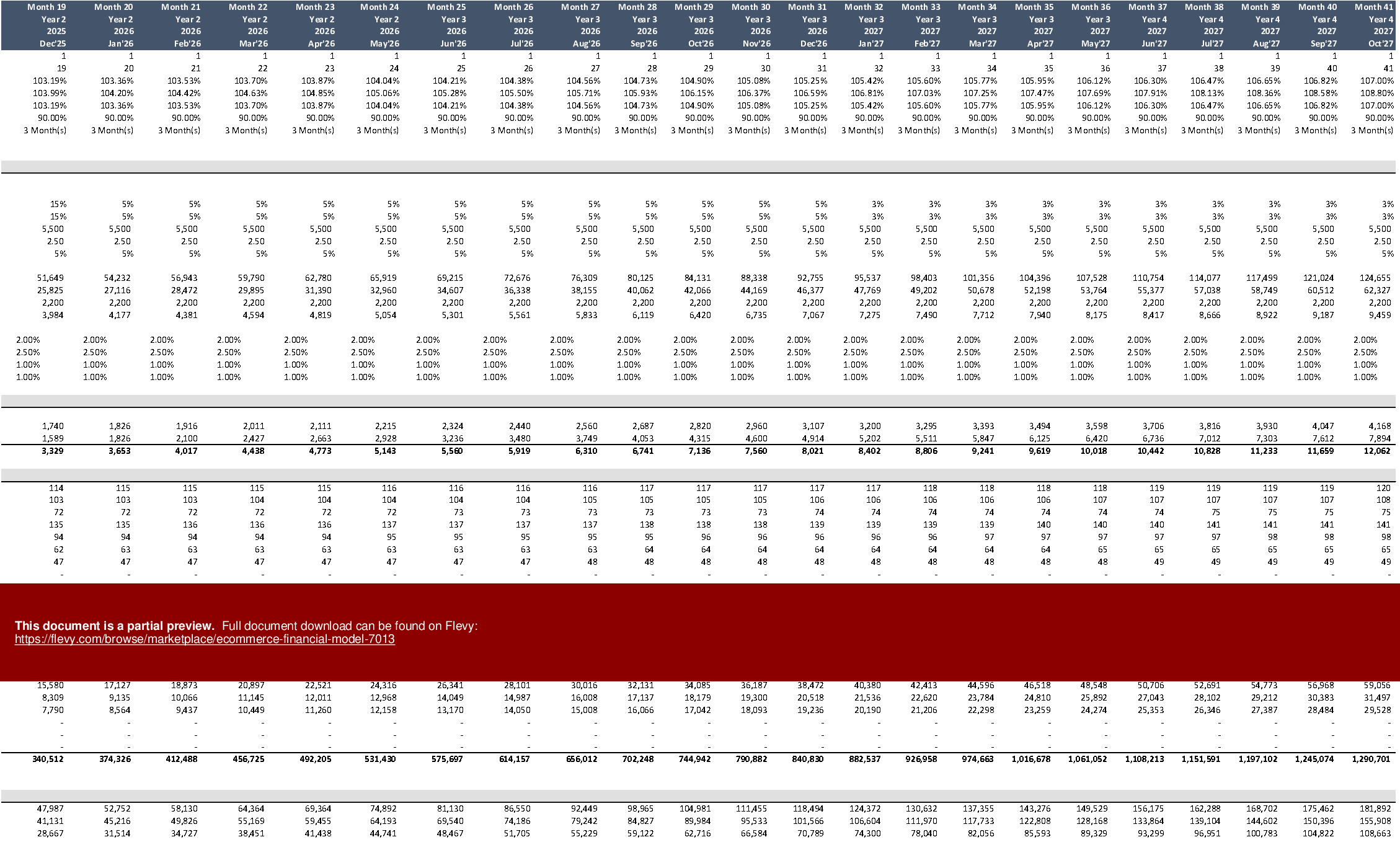
• Revenue Model: The revenue is projected in this sheet using an easy-to-follow logic (Traffic conversion rates -, Avg order value - revenue);
• Staff: Calculation of Wages & salaries based on the hiring plan set in the assumptions sheets,
• Debt Model: The user can model up three loans and a revolver facility to cover any cash shortfall (the inputs for the debt are all inputted in assumptions sheets)
• Capex: In this sheet, based on the inputs set in the assumptions sheets, the investment and depreciation are calculated monthly;
• Working Capital: Calculate the working capital requirement by using the collection, payment, and duration of storage period assumptions.
Outputs:
• Executive Summary: Summary of the main KPIs, main drivers, and Dynamic Charts
• Cases Overview: In this sheet, the user can analyze all the scenarios side-by-side (the user must run the macro to update the scenarios)
• Yearly Financial Statements: Yearly P&L, Balance sheet, and cash flow
• Monthly Financial Statements: Monthly P&L, Balance sheet, and cash flow
• Cases Overview: In this sheet, the user can analyze all the scenarios side-by-side (the user must run the macro to update the scenarios)
The model includes detailed sections for expenses, miscellaneous costs, and loans & dividend policies, ensuring comprehensive financial planning. The scenario manager allows for precise adjustments to key variables, facilitating robust financial forecasting.
Got a question about the product? Email us at support@flevy.com or ask the author directly by using the "Ask the Author a Question" form. If you cannot view the preview above this document description, go here to view the large preview instead.
TOPIC FAQ
How do I forecast e‑commerce revenue using traffic, conversion, and average order value?
Forecast revenue by multiplying traffic by source-specific conversion rates and average order value per category, then aggregating across channels. The described model follows a Traffic → conversion rates → Avg order value → revenue logic implemented in its Revenue Model sheet.What features should I look for in an e‑commerce financial model template?
Look for driver-based revenue logic, monthly and yearly financial outputs, transparent formulas, scenario comparison, and financing support. The Ecommerce Financial Model includes these: unlocked XLSM formulas, monthly statements, scenario manager, and a Debt Model handling up to 3 loans plus a revolver.How can I model hiring costs and payroll in an e‑commerce forecast?
Use a Staff sheet linked to a hiring plan in assumptions so wages and salaries calculate monthly based on headcount timing. The template calculates Wages & salaries from the hiring plan in its Staff sheet.I need to model financing and cash shortfalls—what capabilities are useful?
Useful capabilities include inputs for multiple loans, a revolver facility, and cashflow-driven borrowing logic. Flevy's Ecommerce Financial Model supports up to 3 loans and a revolver facility with loan inputs entered on the assumptions sheet.How do I manage working capital assumptions for an online store forecast?
Define collection days, payment terms, and inventory storage duration, then calculate monthly working capital requirements from those durations. The model uses collection, payment, and storage period assumptions in its Working Capital sheet.Are paid Excel templates valuable compared to building a model from scratch?
Paid templates can reduce setup time and provide transparent formulas to adapt; this product is a 100% unlocked XLSM file with a demonstration dataset that users must replace or erase to fit their business needs and a maximum six‑year horizon.What outputs should an e‑commerce financial model provide for investor due diligence?
Investors typically expect executive KPIs, dynamic charts, scenario comparisons, and audited annual and monthly financial statements. The model delivers an Executive Summary with KPIs and charts, Cases Overview for side‑by‑side scenarios, and monthly and yearly financial statements.How do I run and compare multiple scenarios in a template?
Use a scenario manager and a Cases Overview sheet that updates after running a macro to display scenarios side‑by‑side; the described template requires running its macro to update the Cases Overview and compare scenarios.Source: Best Practices in E-commerce, Integrated Financial Model Excel: Ecommerce Financial Model Excel (XLSM) Spreadsheet, Jair Almeida




























