
 Click main image to view in full screen.
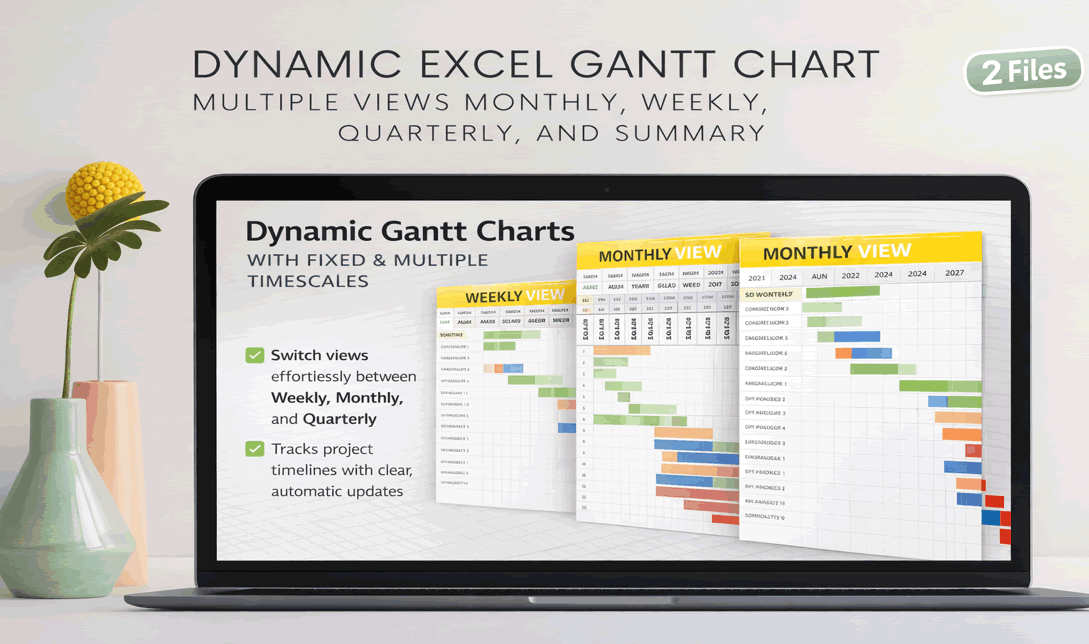
Dynamic Gantt Chart With Fixed and Multiple Timescales – Excel XLSX
Excel (XLSX) + Excel (XLSX)


VIDEO DEMO
BENEFITS OF THIS DOWNLOADABLE EXCEL DOCUMENT
- Enables clear project timeline visualization with flexible fixed and multi-view timescales.
- Reduces manual schedule updates through dynamic date-driven automation.
- Automatically updates the Gantt chart as dates change, reducing manual effort and errors.
GANTT CHART TEMPLATES EXCEL DESCRIPTION
Introducing Our Advanced Project Tracker
Elevate your project management with our powerful, feature-rich Project Tracker, designed to streamline your workflow and enhance productivity. This intuitive tool allows you to effortlessly manage your projects through dynamic, multi-view options and automated progress tracking.
Effortless Task Management:
Enter Task Names and Durations: Begin by adding your task names into the "Task Names" column. Next, input the duration for each task.
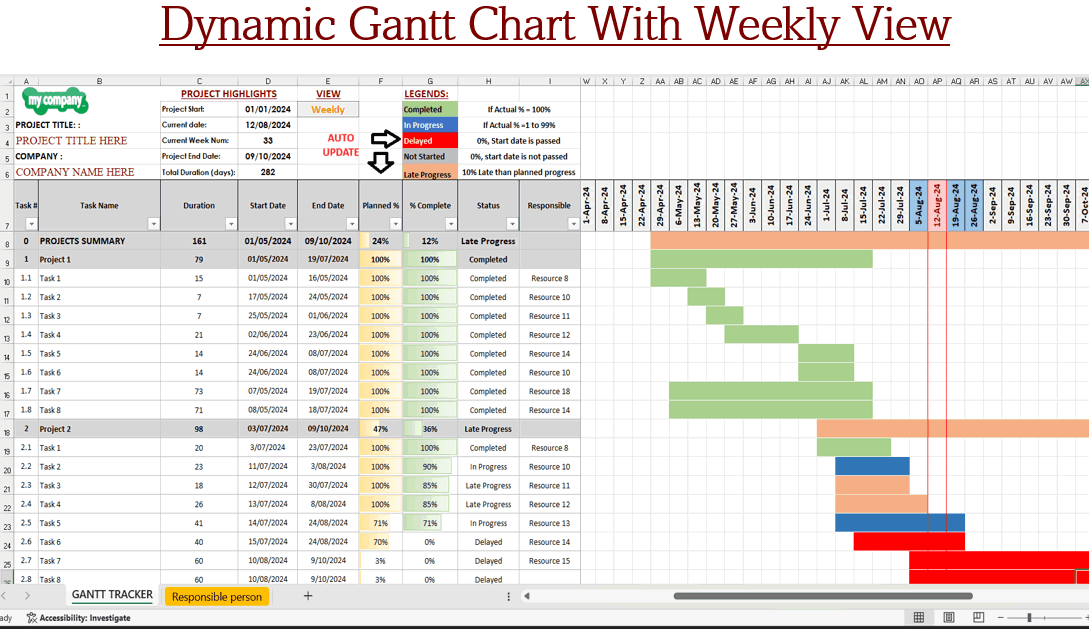
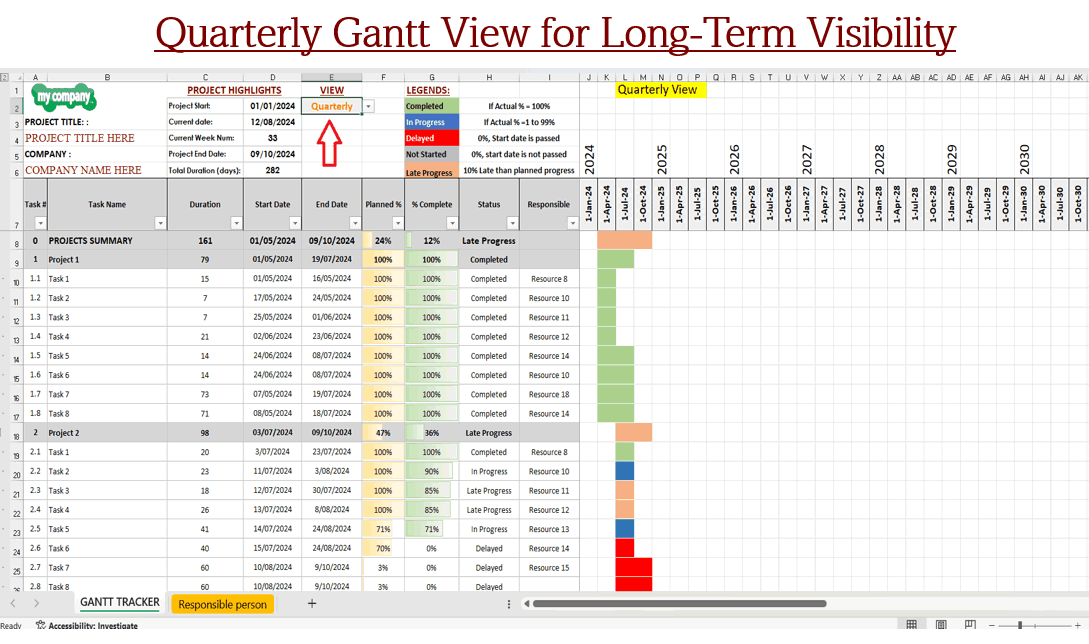
Automatic Calculations: The tracker automatically calculates the end dates based on your start dates and durations. It then generates a detailed Gantt chart, which reflects the planned progress according to your provided dates.
Track Progress: Input the actual percentage completed for each task next to the planned percentage. The Gantt chart will update in real-time, changing colors according to the provided legend, so you can quickly identify tasks that are on track or behind schedule.
Real-Time Progress Updates:
Visualize Progress: The Gantt chart dynamically displays the progress of your tasks, helping you monitor performance at a glance.
Versatile Viewing Options:
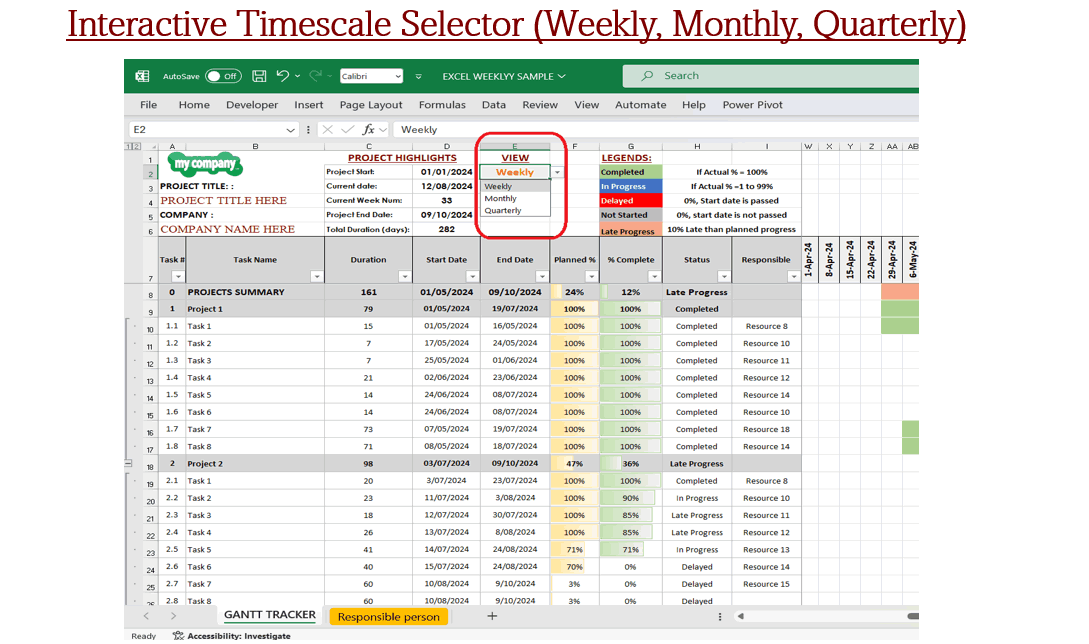
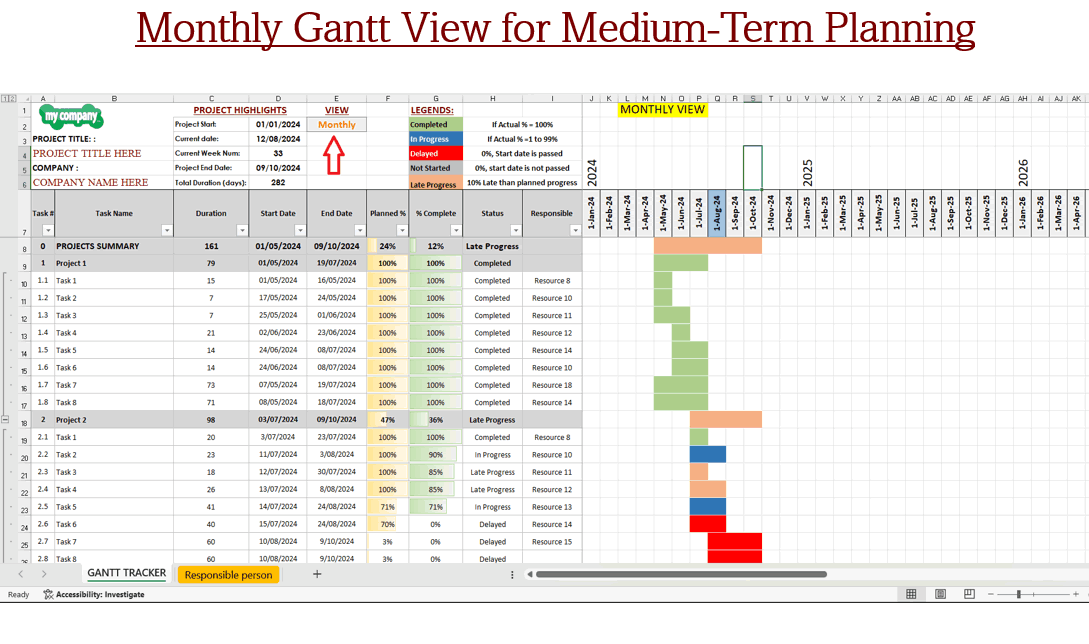
Select Your View: Choose between monthly, weekly, or quarterly views by selecting your preferred option from cell E2. This allows you to tailor your project oversight to the level of detail you need.
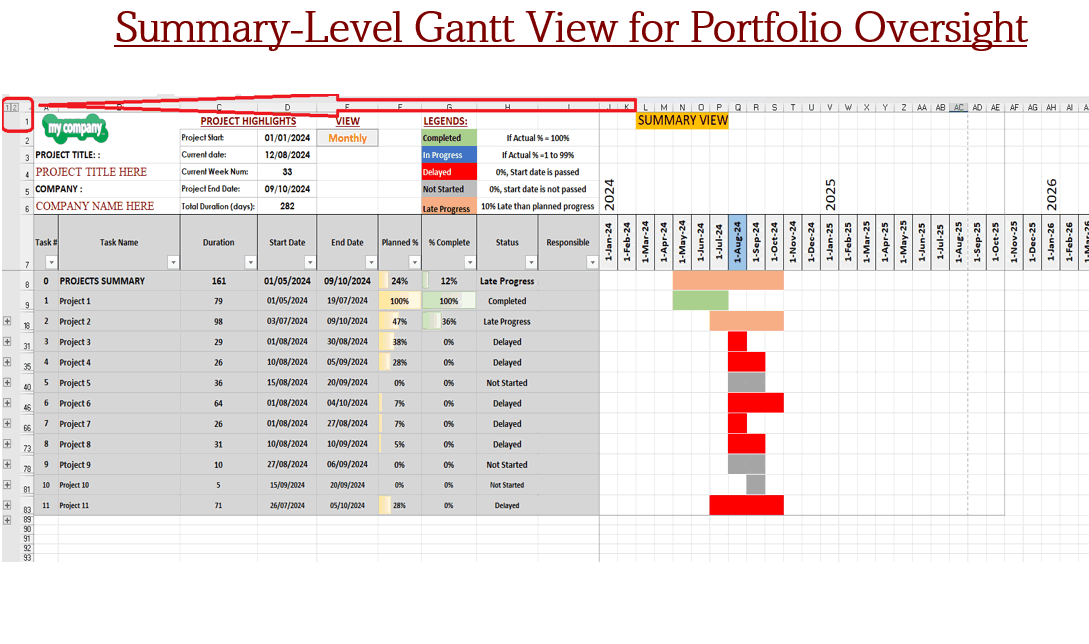
Access Task Summary: For a comprehensive overview, press the "1" button located at the top left corner to view a summary of all tasks.
Highlighted Time Frames:
Focus on Key Dates: The Gantt chart prominently highlights the current month and week, keeping you focused on immediate deadlines and critical milestones.
Why Choose Our Project Tracker?
This tool is perfect for project managers, teams, and individuals seeking an efficient way to monitor progress, visualize timelines, and ensure project success. With its user-friendly design and automated features, you'll save time and gain valuable insights to keep your projects on track.
Upgrade your project management strategy today with our advanced Project Tracker and experience the benefits of enhanced visibility and control.
Got a question about the product? Email us at support@flevy.com or ask the author directly by using the "Ask the Author a Question" form. If you cannot view the preview above this document description, go here to view the large preview instead.
Source: Best Practices in Gantt Chart Templates Excel: Dynamic Gantt Chart With Fixed and Multiple Timescales Excel (XLSX) Spreadsheet, Anfaal Project Consultants
ABOUT THE AUTHOR

Anfaal Project Consultants is a project management consultancy and digital solutions provider with over 10 years of practical experience across construction, infrastructure, IT, and business operations. Our work is grounded in real project environments, with a strong focus on project controls, planning, scheduling, and cost management that supports reliable delivery and informed decision-making. ... [read more]
Ask the Author a Question
You must be logged in to contact the author.




























