
 Click main image to view in full screen. Unlock all 11 preview images:
Dental Practice Financial Model Excel Template – Excel XLSX
Excel (XLSX)


BENEFITS OF THIS DOWNLOADABLE EXCEL DOCUMENT
- Delivers a real, formula-driven DSCR calculation that a lender can actually trust, not a number typed into a cell.
- Connects every assumption to Revenue Build, Staffing & Payroll, and Operating Expenses, so one input updates all 19 tabs automatically.
- Provides a lender-ready Funding Requirement, Executive Dashboard, and five native charts in a single file.
FINANCIAL MODELING EXCEL DESCRIPTION
This model runs a real DSCR calculation – Year 1 lands at 3.02x against a 1.25x SBA minimum, because every number underneath it is actually connected, not typed in by hand.
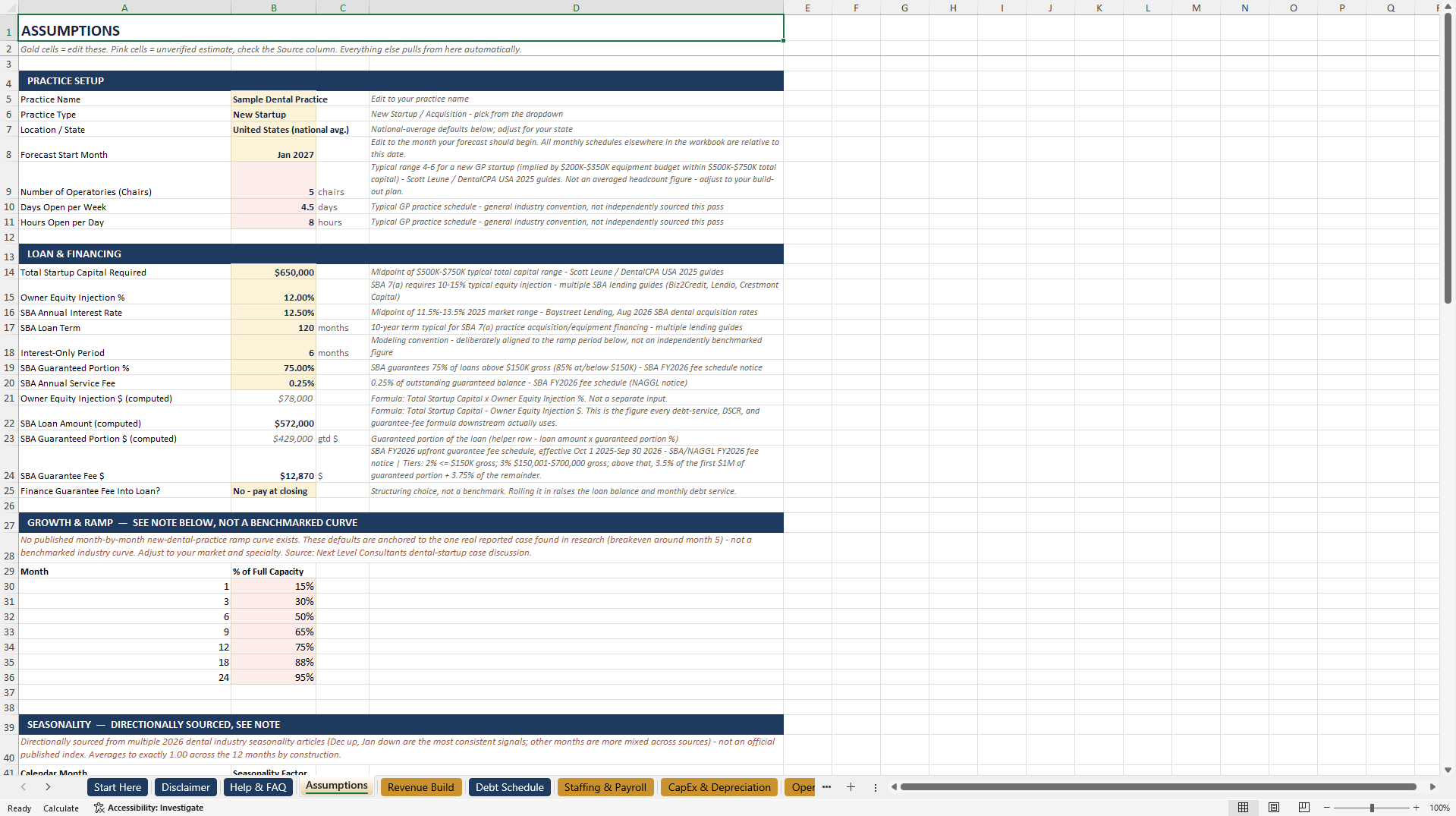
Change your patient volume or average fee on the Assumptions tab, and it flows through Revenue Build, Staffing & Payroll, and Operating Expenses into a full Income Statement, Balance Sheet, and Cash Flow – then into the DSCR & Lender Ratios tab, the Executive Dashboard, and all 5 native charts. One input, everything downstream updates.
What's inside (19 tabs):
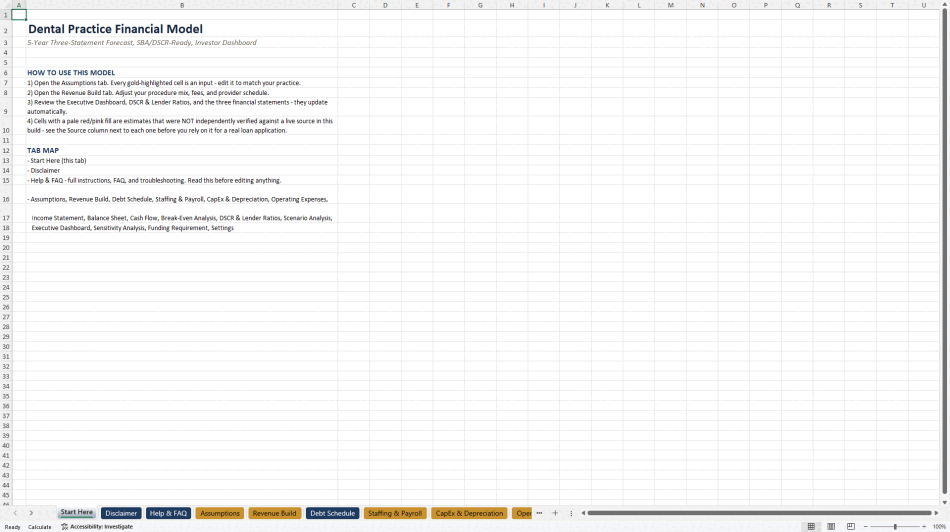
Start Here – quick orientation before you touch anything
Disclaimer – what this model is and isn't
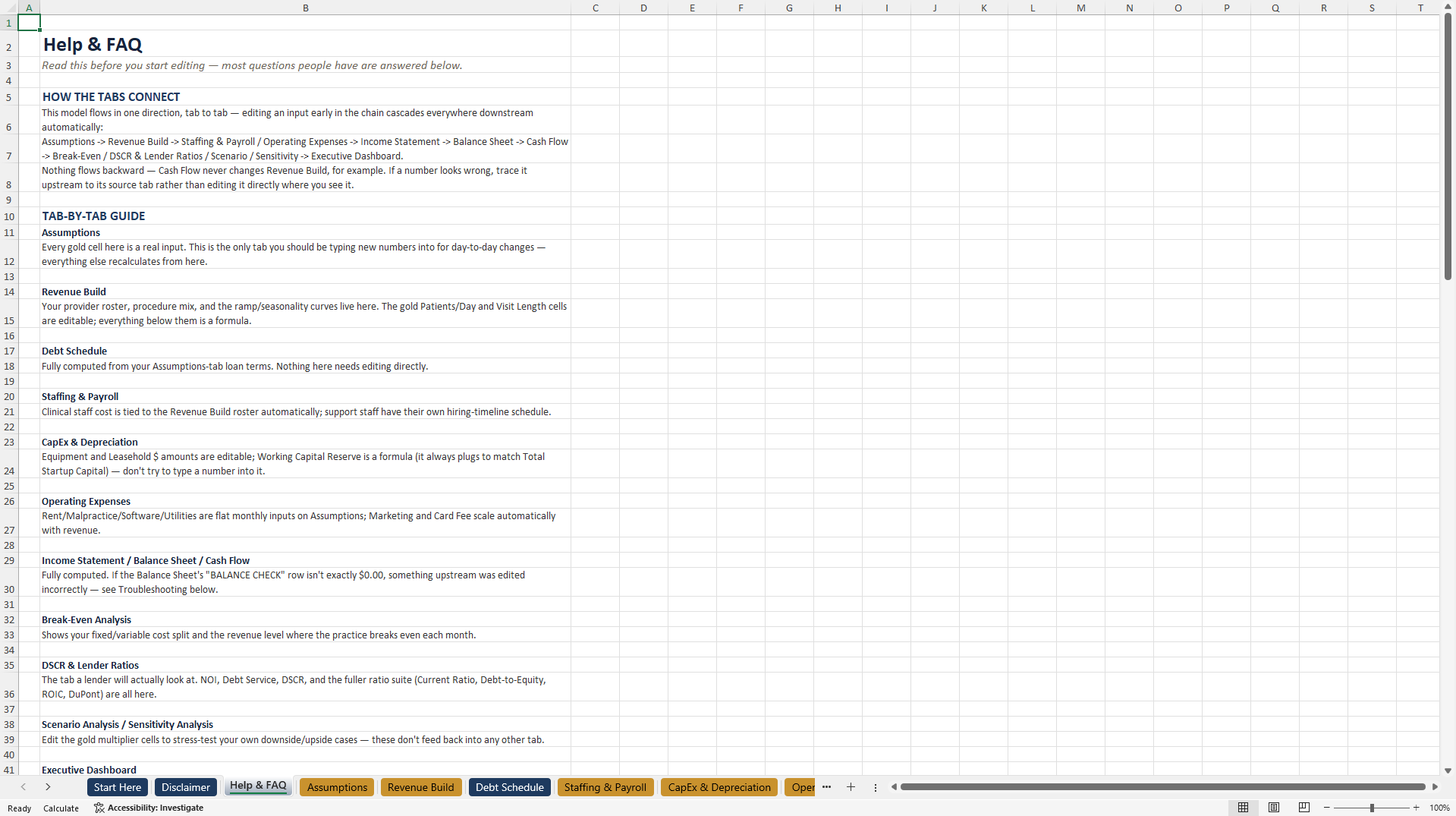
Help & FAQ – tab-by-tab guide and troubleshooting
Assumptions – every input, sourced and color-coded
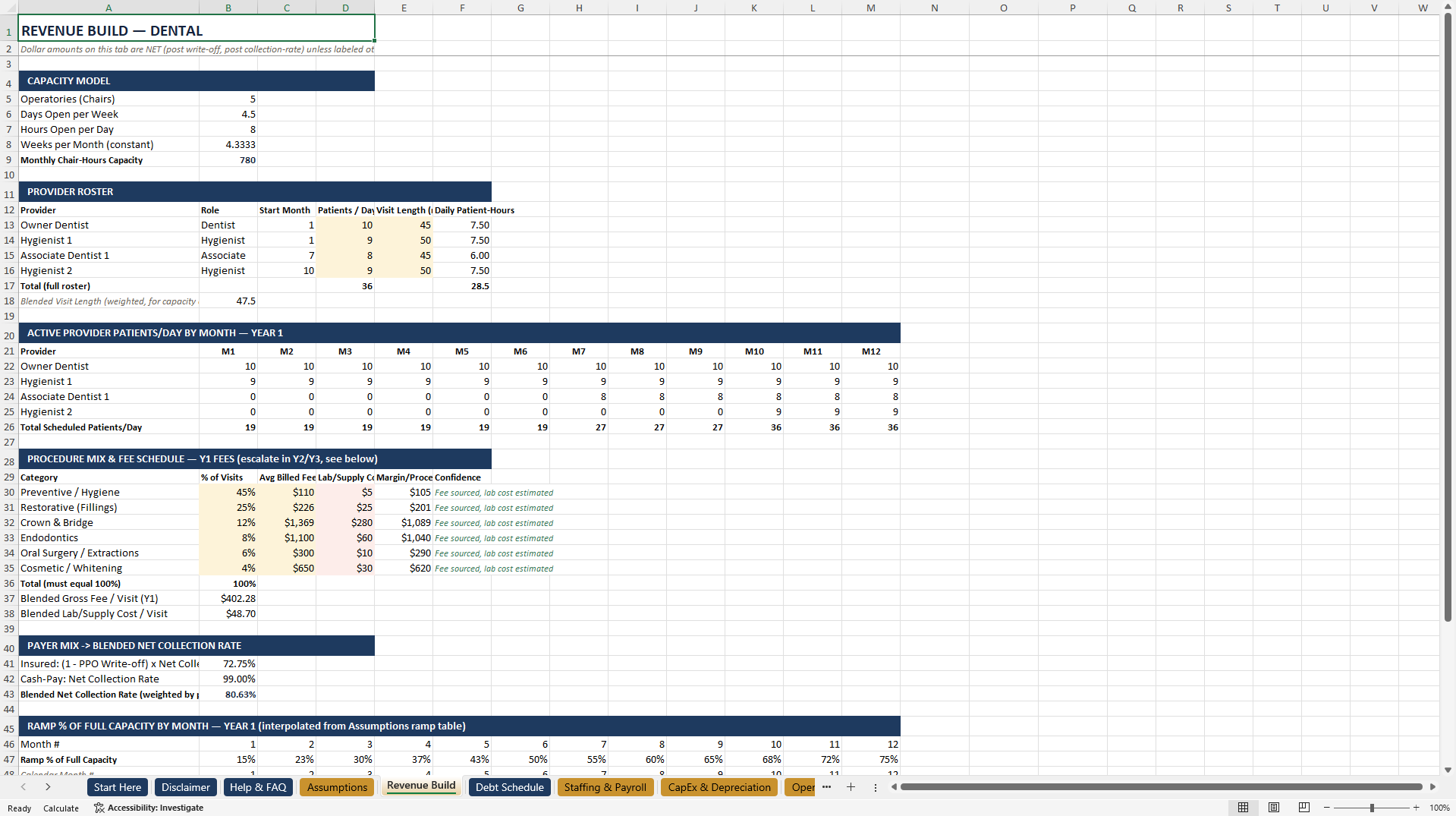
Revenue Build – procedure mix, fees, provider ramp
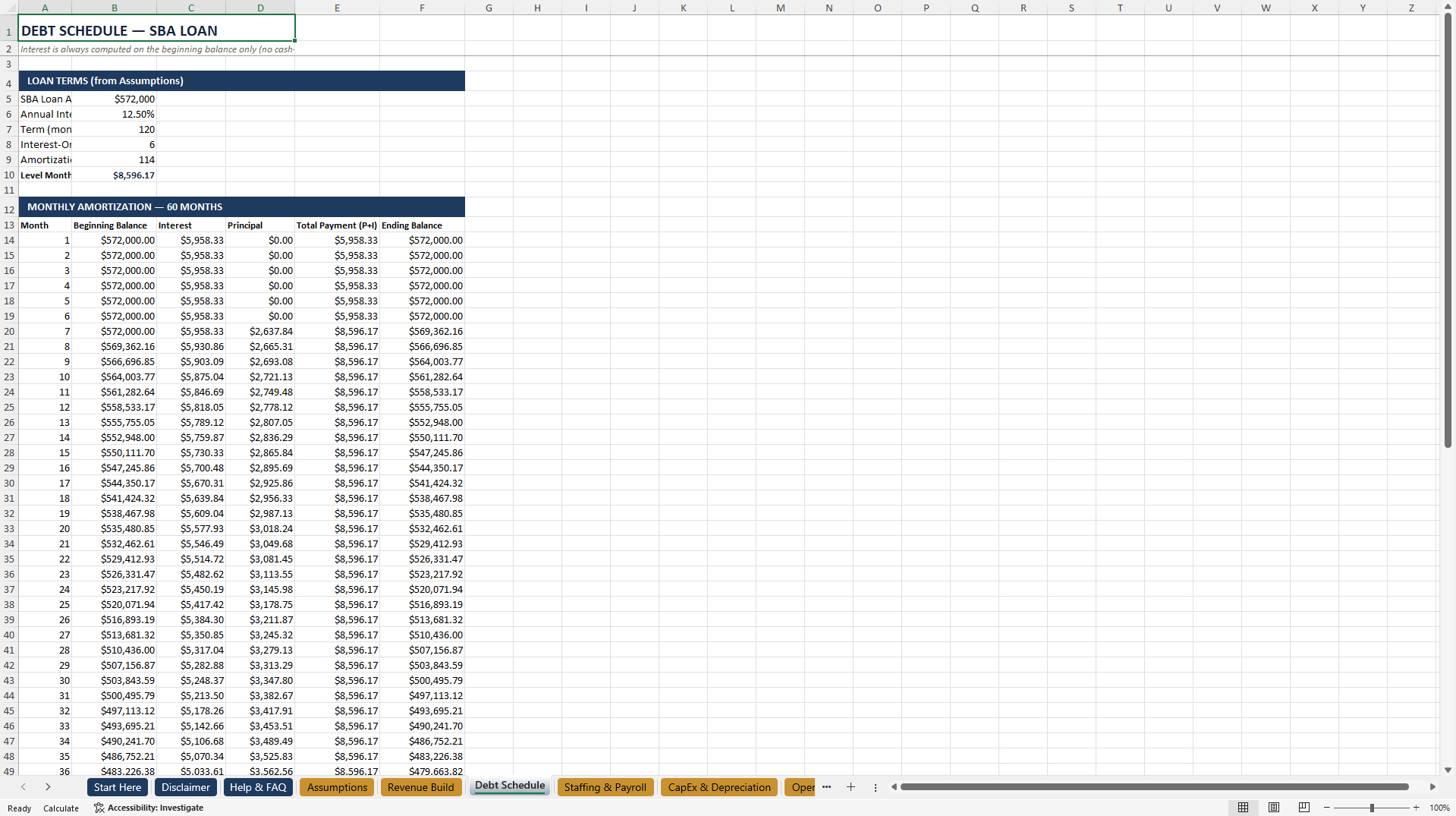
Debt Schedule – SBA 7(a) loan amortization, month by month
Staffing & Payroll – headcount, wages, payroll tax and benefits load
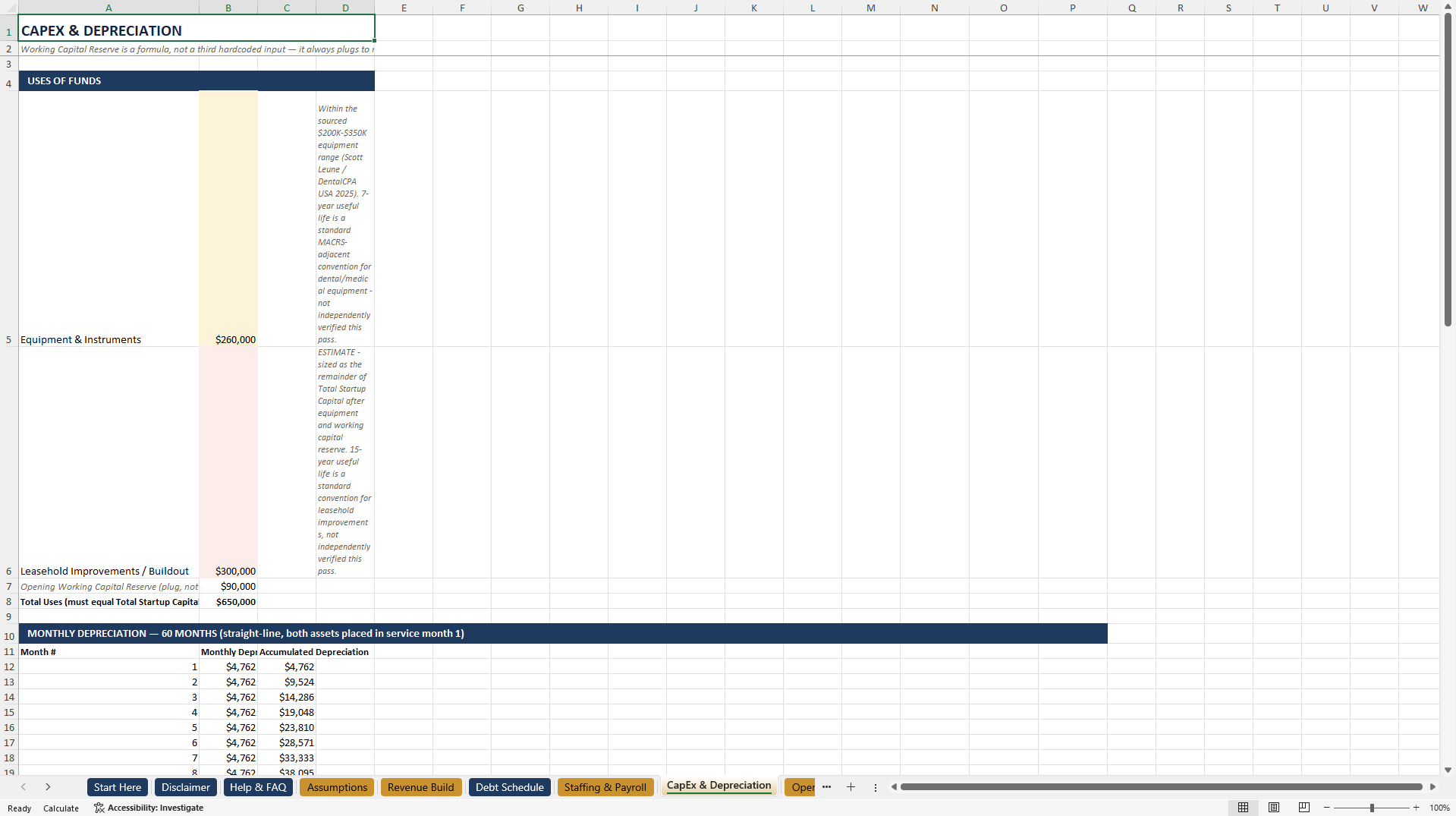
CapEx & Depreciation – equipment and leasehold buildout schedule
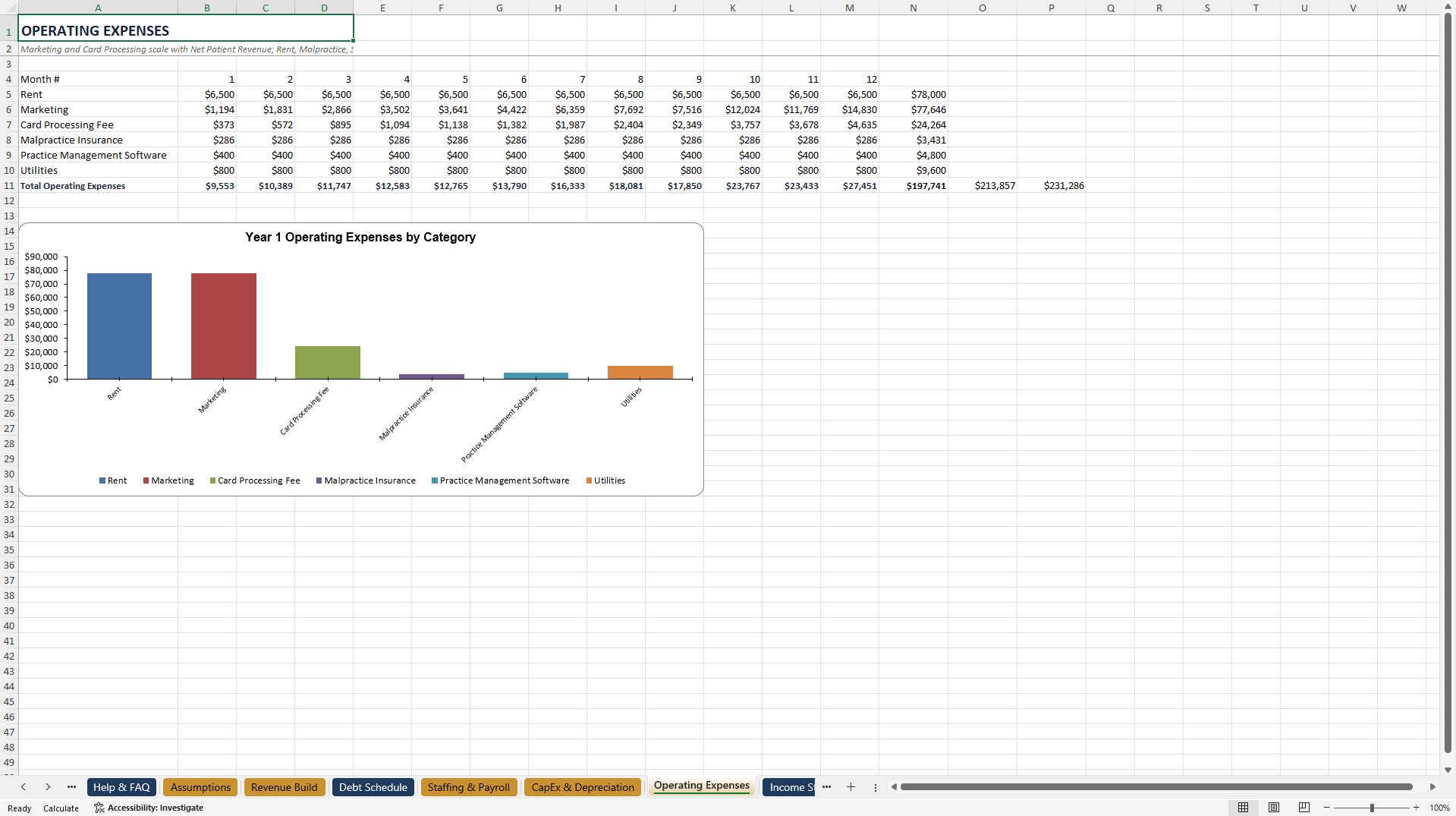
Operating Expenses – rent, marketing, insurance, and more
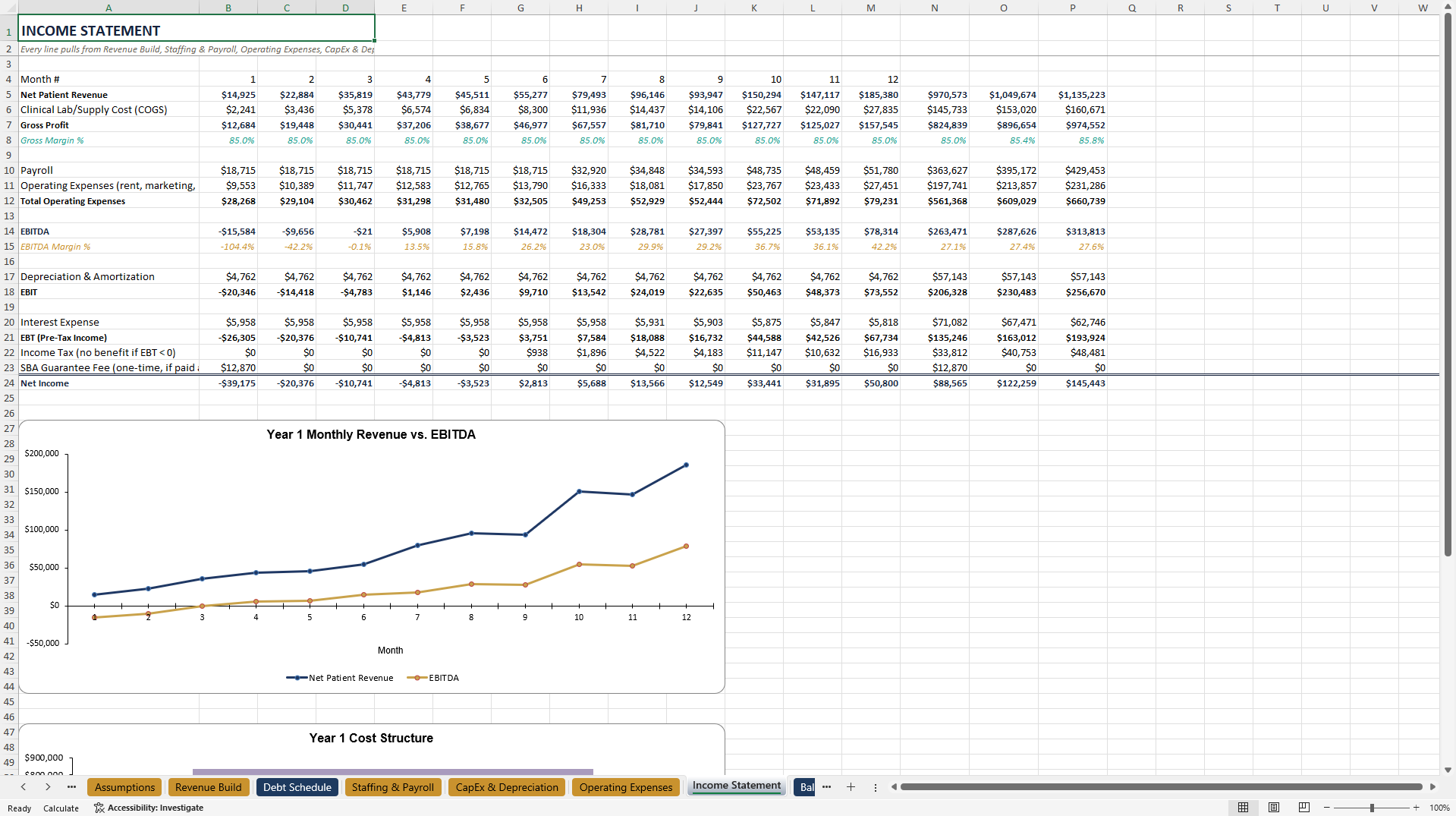
Income Statement – monthly Year 1, annual through Year 5
Balance Sheet – full monthly and annual detail
Cash Flow – operating, investing, and financing activities
Break-Even Analysis – fixed vs. variable costs, month by month
DSCR & Lender Ratios – the exact ratio suite a loan officer checks, with a built-in stress test
Scenario Analysis – compare outcomes under different assumptions
Executive Dashboard – one-page summary for a lender meeting
Sensitivity Analysis – patient volume × average fee grid
Funding Requirement – sources & uses, ready for your loan packet
Settings – currency, color legend, tab map
Checked to open correctly in Microsoft Excel, Google Sheets, LibreOffice Calc, WPS Office, Apache OpenOffice, and ONLYOFFICE – actually opened in each one, not just claimed.
This is a planning tool built from sourced industry data, not financial, legal, or tax advice. Confirm your numbers with your own accountant or lender before a real loan application.
Got a question about the product? Email us at support@flevy.com or ask the author directly by using the "Ask the Author a Question" form. If you cannot view the preview above this document description, go here to view the large preview instead.
Source: Best Practices in Financial Modeling, Dental Services Excel: Dental Practice Financial Model Excel Template Excel (XLSX) Spreadsheet, WebsiteGeek
ABOUT THE AUTHOR

WebsiteGeek offers free website tools, SEO suites, file converters, browser extensions, calculators, and image utilities built to supercharge your productivity.
We also builds practical digital tools and templates for small business owners -- real formulas and sourced data.
Ask the Author a Question
You must be logged in to contact the author.




























