
 Click main image to view in full screen.


VIDEO DEMO
DEPRECIATION EXCEL DESCRIPTION
The Amortization & Depreciation Schedule Template is a ready to use Excel tool designed to help businesses accurately calculate and track the depreciation of fixed assets and the amortization of intangible assets over time. Whether you're managing machinery, vehicles, software, or goodwill, this template gives you a complete and transparent view of asset value reduction month by month.
Key Features
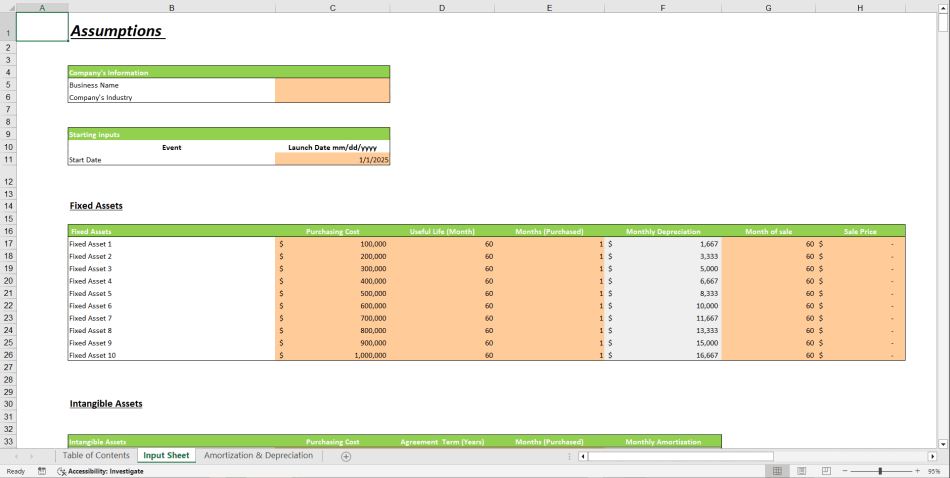
1. Dual Asset Management: Separate input sections for both Fixed Assets and Intangible Assets, allowing you to manage all assets in one place.
2. Automatic Calculations: Simply enter asset cost, useful life (up to 60 months), start date, and method the template will generate a full monthly schedule automatically.
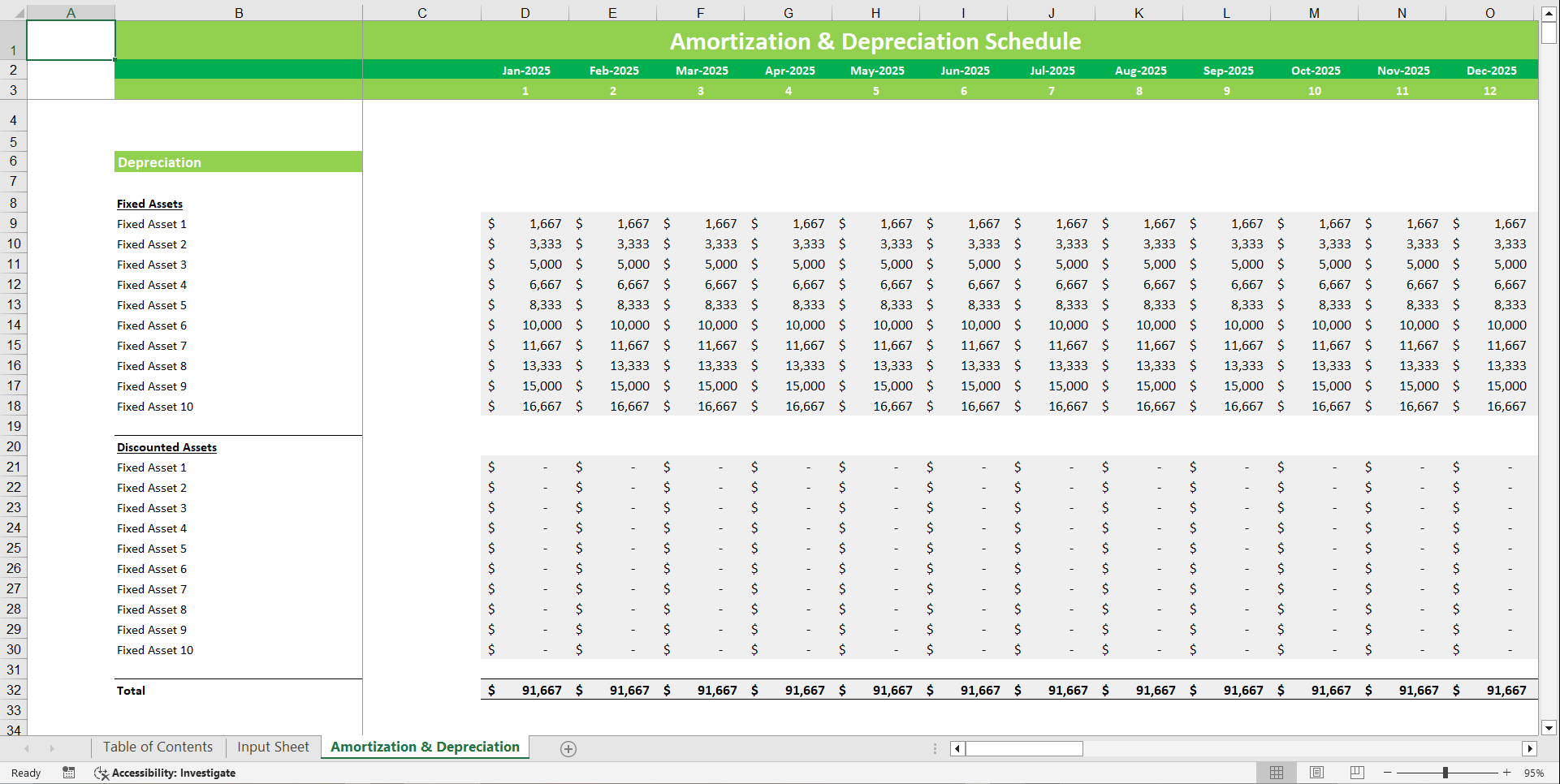
3. Depreciation & Amortization Schedule: Detailed breakdowns showing expense per month, accumulated amounts, and book value over the asset's life.
4. Customizable Useful Life: Default 60-month terms can be easily adjusted based on your asset's expected lifespan.
5. Visual Analysis: Includes charts for book value trends and expense summaries, making reporting easier and more insightful.
6. Built-in Formulas: All formulas are pre-set, ensuring accurate and consistent results every time.
7. Printable & Presentation Ready: Professionally formatted for management reports or audit purposes.
What's Inside
1. Input Sheet for Fixed Assets (cost, start month, depreciation method, term).
2. Input Sheet for Intangible Assets (cost, start month, amortization term).
3. Automatic Depreciation Schedule for fixed assets.
4. Automatic Amortization Schedule for intangible assets.
5. Summary Dashboard with total monthly expense, accumulated depreciation/amortization, and closing book value.
FAQs
1. What does this template do?
It calculates monthly depreciation and amortization for fixed and intangible assets automatically.
2. Can I edit the asset life?
Yes, you can change the term – default is 60 months but fully customizable.
3. Does it work for both fixed and intangible assets?
Yes, it has separate input sections for each.
4. Do I need advanced Excel skills?
No, it's beginner-friendly and fully automated.
5. Can I use it for multiple assets?
Yes, you can add and track different assets in the same file.
Got a question about the product? Email us at support@flevy.com or ask the author directly by using the "Ask the Author a Question" form. If you cannot view the preview above this document description, go here to view the large preview instead.
Source: Best Practices in Depreciation Excel: Amortization and Depreciation Schedule Financial Tool Excel (XLSX) Spreadsheet, Oak Business Consultant




























