
 Click main image to view in full screen.


BENEFITS OF THIS DOWNLOADABLE EXCEL DOCUMENT
- Centralizes administrative task management by tracking employee workload, task status, labor hours, and operational costs within a single executive dashboard.
- Automatically monitors department performance, task priorities, overdue activities, monthly workload trends, and completion rates using native Excel formulas.
- Improves administrative efficiency by providing real-time visibility into resource utilization, employee productivity, and operational planning without requiring macros.
RESOURCE MANAGEMENT EXCEL DESCRIPTION
The Professional Administrative Employee Task & Workload Dashboard is a comprehensive Excel-based management solution designed to help organizations efficiently monitor administrative activities, employee workloads, operational costs, task progress, and departmental performance from a centralized executive dashboard.
Administrative departments often struggle with fragmented task tracking, inconsistent workload distribution, missed deadlines, and limited visibility into operational efficiency. This dashboard provides a structured framework for managing daily administrative operations while delivering real-time performance insights through automated calculations and executive-level reporting.
The solution combines operational planning, task management, employee workload analysis, cost monitoring, and performance tracking into a single Excel workbook that requires no programming knowledge or external software.
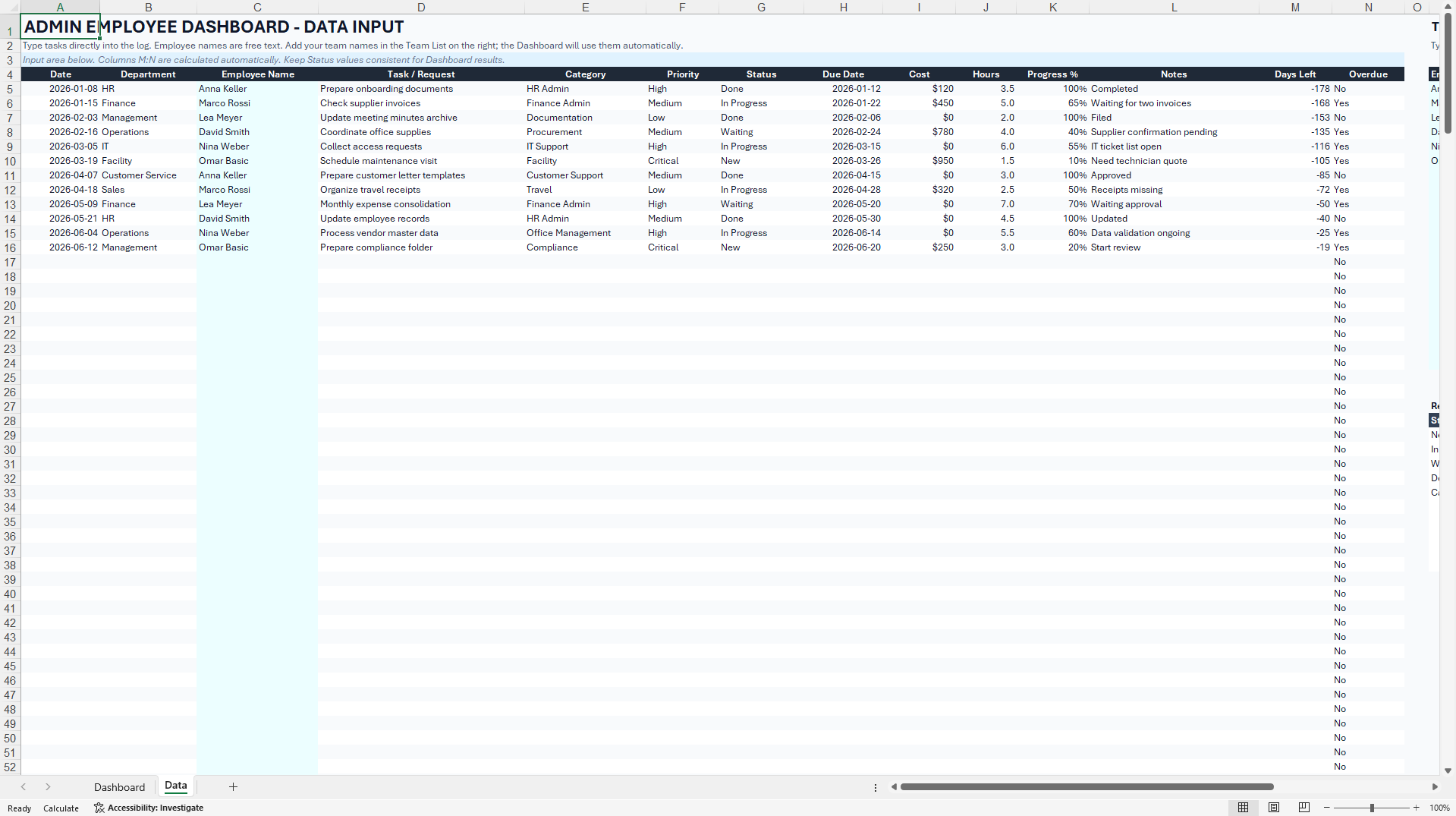
Users can register administrative activities, assign responsibilities, define priorities, monitor task progress, record labor hours, capture operational costs, and evaluate departmental performance using automatically updated dashboards and KPI summaries.
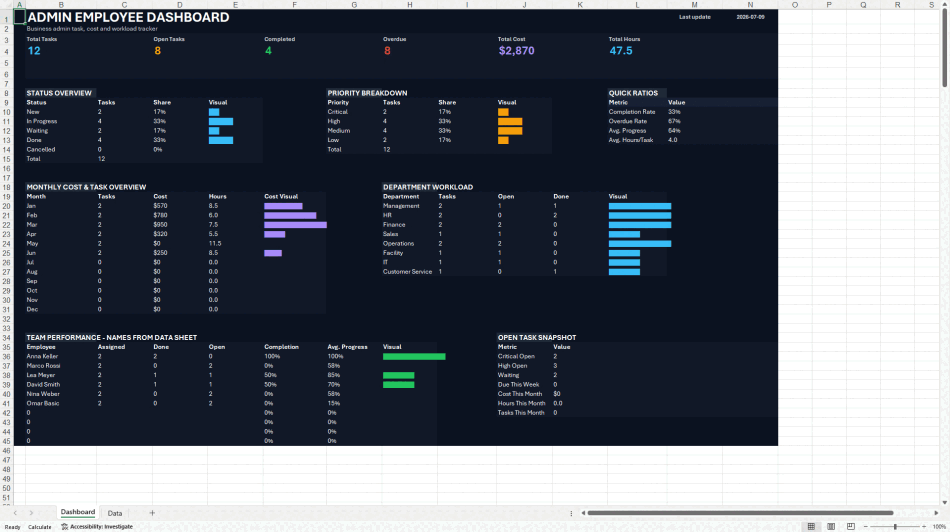
The dashboard includes executive indicators for total tasks, open assignments, completed activities, overdue work, accumulated labor hours, and total administrative costs. Automated calculations instantly summarize operational performance and provide management with accurate decision-making information.
Integrated workload analysis allows managers to compare departments, evaluate staffing requirements, identify workload imbalances, and monitor resource utilization across multiple business functions.
Priority management supports Critical, High, Medium, and Low classifications, helping organizations focus on the most important operational activities while reducing administrative bottlenecks.
The monthly performance section visualizes administrative activity trends, labor hours, and cost development throughout the year, supporting budgeting, workforce planning, and continuous improvement initiatives.
Status monitoring automatically categorizes activities into New, In Progress, Waiting, Completed, and Cancelled, providing a transparent overview of operational execution.
The workbook is fully developed in Microsoft Excel using native formulas without VBA or macros, ensuring compatibility, security, and easy implementation across organizations of all sizes.
Typical applications include:
Administrative Operations Management
Office Management
Human Resources Administration
Shared Service Centers
Back Office Operations
Facility Management
Project Administration
Business Support Functions
Executive Assistance
Corporate Services
Operational Planning
Continuous Improvement Programs
The dashboard is suitable for small businesses, medium-sized organizations, multinational companies, government agencies, educational institutions, healthcare providers, manufacturing companies, logistics organizations, consulting firms, and service businesses seeking greater transparency and control over administrative operations.
Got a question about the product? Email us at support@flevy.com or ask the author directly by using the "Ask the Author a Question" form. If you cannot view the preview above this document description, go here to view the large preview instead.
Source: Best Practices in Resource Management Excel: Administrative Employee Task & Workload Dashboard Excel (XLSX) Spreadsheet, supplychainexpert
ABOUT THE AUTHOR

Ask the Author a Question
You must be logged in to contact the author.




























This document is available as part of the following discounted bundle(s):
Save %!
HR, Workforce Planning & Operations Management Pack
This bundle contains 10 total documents. See all the documents to the right.
Save %!
Workforce Scheduling & Absence Suite
This bundle contains 10 total documents. See all the documents to the right.


