
Six Sigma - Confidence Interval Analysis (PowerPoint PPTX Slide Deck)
PowerPoint (PPTX) + (XLS) 72 Slides
$34.50
Developed by a Senior Executive and Operational Excellence Coach with experience at organizations including NOKIA, MICROVENTION, and MAGELLAN, this presentation covers Confidence Interval Analysis using an included Excel Application.
Editor Summary
A 72-slide PowerPoint training module, Six Sigma - Confidence Interval Analysis, developed by Operational Excellence Consulting LLC and a Senior Executive/Operational Excellence Coach with experience at NOKIA, MICROVENTION, and MAGELLAN, teaching confidence interval methods and hypothesis testing with an included Excel application.
Read moreIncludes calculators for mean, standard deviation, capability indices, defect rates, counts, and comparison of 2 statistics. Target users include Quality Assurance Managers, Operational Excellence teams, Data Analysts, Project Managers, and Executives. Sold as a digital download on Flevy.
Use this deck when teams need to quantify uncertainty in process metrics, teach statistical inference, or compare process performance using Six Sigma methods.
Quality Assurance Managers conducting defect-rate comparisons to decide process control changes using the defect-rate and comparison templates.
Operational Excellence teams running hands-on training sessions that use the Excel calculators for means and standard deviations.
Data Analysts calculating confidence intervals for capability indices and counts to inform performance reporting.
Project Managers validating improvement effects via paired-data comparisons after pilots.
The emphasis on confidence intervals, hypothesis testing, and comparative statistics aligns with standard Six Sigma statistical practice.
The Six Sigma Confidence Interval Analysis (CIA) Training Module includes:
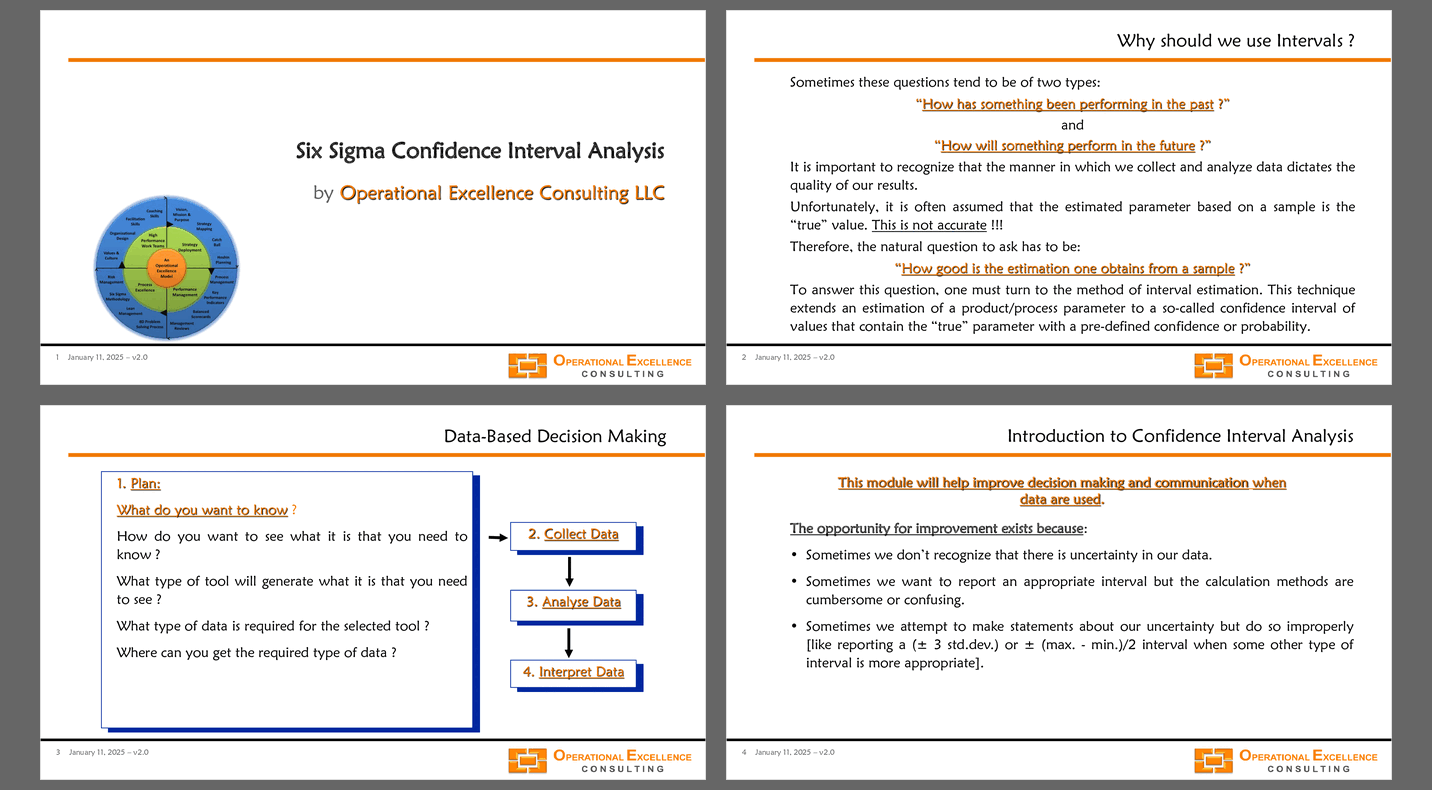
1. MS PowerPoint Presentation including 72 slides covering theory and examples of Confidence Interval Analysis and Hypothesis Testing for CIA for one Mean Value, Comparison of two Mean Values, Comparison of a Paired Data Sets, CIA for one Standard Deviation, Comparison of two Standard Deviations, CIA for Capability Indices, CIA for one Defect Rate, Comparison of two Defect Rates, CIA for one Count, and Comparison of two Counts.
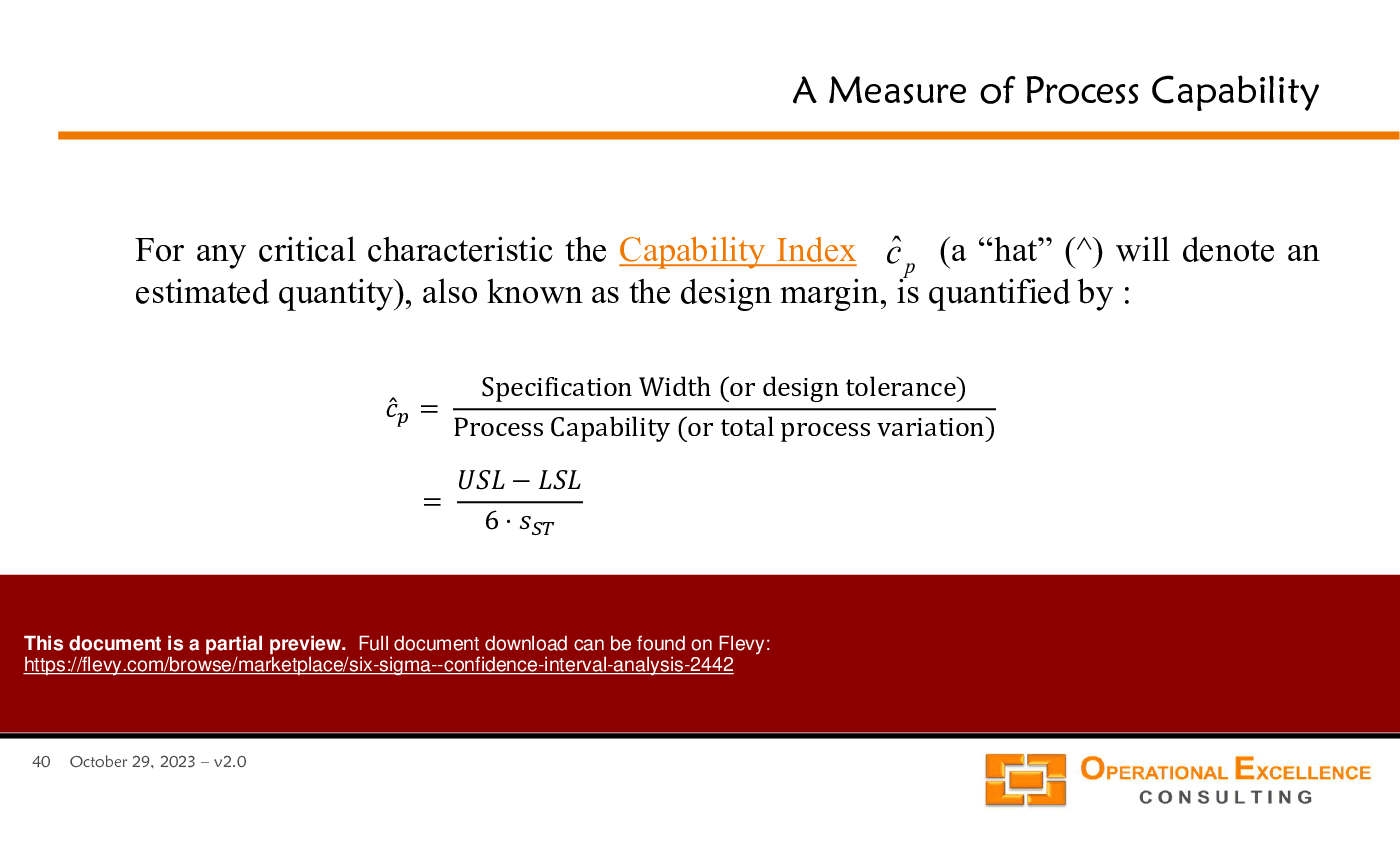
2. MS Excel Six Sigma Confidence Interval Analysis Calculator making it really easy to calculate Confidence Intervals (mean value, standard deviation, capability indices, defect rate, count) and perform a Comparison of two Statistics (mean values, standard deviations, defect rates, counts).
"After you have downloaded the training material, you can change any part of the training material and remove all logos and references to Operational Excellence Consulting. You can share the material with your colleagues and clients, and re-use it as you need. The only restriction is that you cannot publicly re-distribute, sell, rent or license the material as though it is your own. Thank you."
Got a question about the product? Email us at support@flevy.com or ask the author directly by using the "Ask the Author a Question" form. If you cannot view the preview above this document description, go here to view the large preview instead.
MARCUS OVERVIEW
This synopsis was written by Marcus [?] based on the analysis of the full 72-slide presentation.
Executive Summary
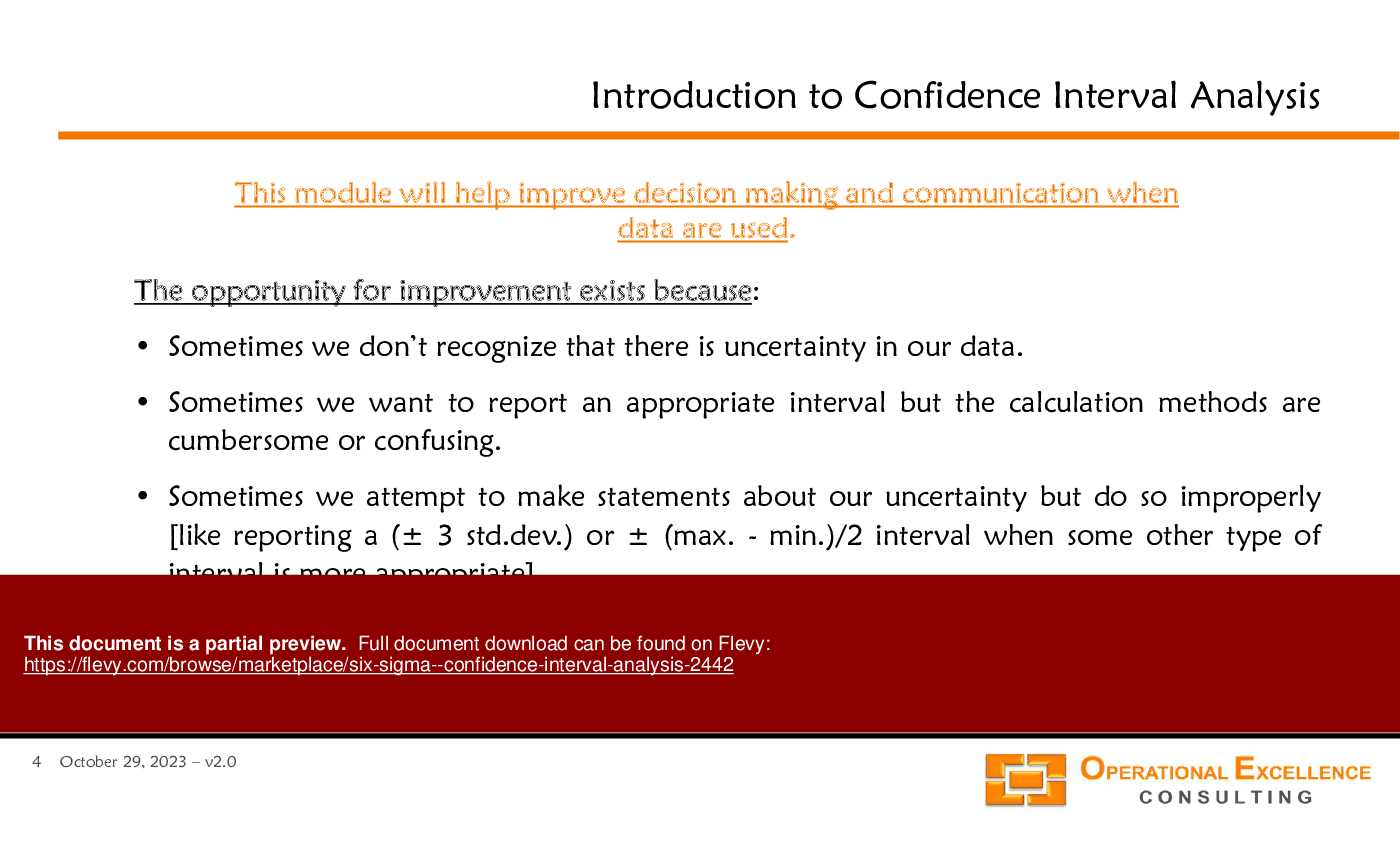
The "Six Sigma - Confidence Interval Analysis" presentation is a comprehensive resource developed by Operational Excellence Consulting LLC. This deck, crafted by a Senior Executive and Operational Excellence Coach, delves into the intricacies of confidence interval analysis within the Six Sigma framework. It equips users with the tools necessary for effective data-based decision-making, emphasizing the importance of understanding uncertainty in data. The presentation includes an Excel application for practical calculations, allowing users to apply hypothesis testing, mean comparisons, and defect rate assessments in their operational contexts.
Who This Is For and When to Use
• Quality Assurance Managers focused on process improvement and data analysis
• Operational Excellence Teams implementing Six Sigma methodologies
• Data Analysts tasked with interpreting statistical data
• Project Managers overseeing quality control initiatives
• Executives aiming to enhance decision-making through data insights
Best-fit moments to use this deck:
• During training sessions on statistical analysis and Six Sigma principles
• When introducing new quality control measures or processes
• In workshops aimed at improving data interpretation skills
• For presentations on operational performance metrics and analysis
Learning Objectives
• Define confidence intervals and their significance in data analysis
• Build confidence intervals for means and standard deviations using sample data
• Establish methods for comparing means and defect rates across processes
• Interpret confidence intervals to make informed operational decisions
• Utilize Excel tools for calculating confidence intervals and analyzing data
• Recognize the assumptions underlying confidence interval analysis
Table of Contents
• Introduction to Confidence Interval Analysis (page 4)
• Definition of a Confidence Interval (page 5)
• Assumptions for Confidence Interval Analysis (page 6)
• Confidence Interval for a Mean Value (page 8)
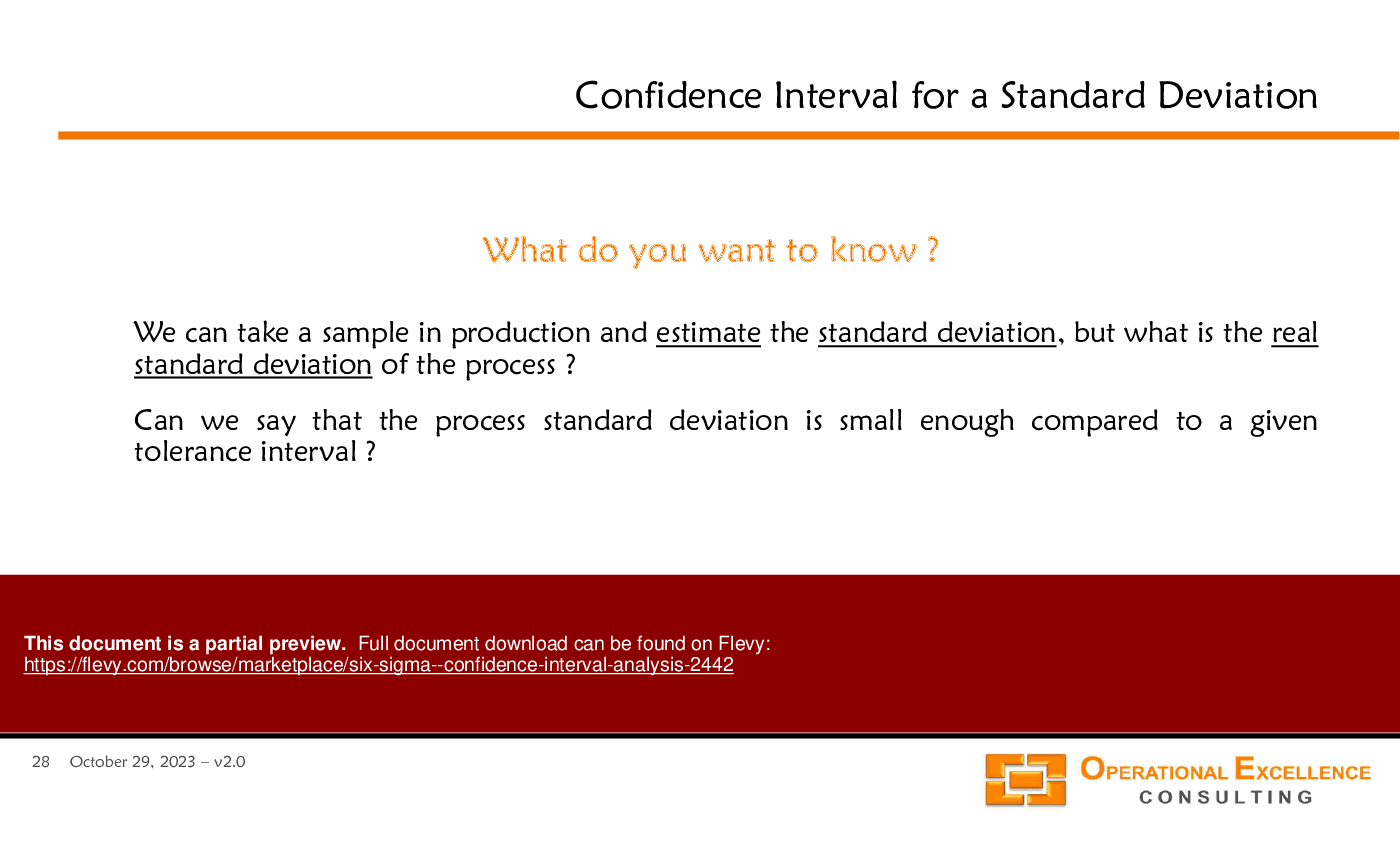
• Confidence Interval for a Standard Deviation (page 28)
• Comparing Two Mean Values (page 14)
• Comparing Two Standard Deviations (page 33)
• Confidence Interval for Defect Rates (page 51)
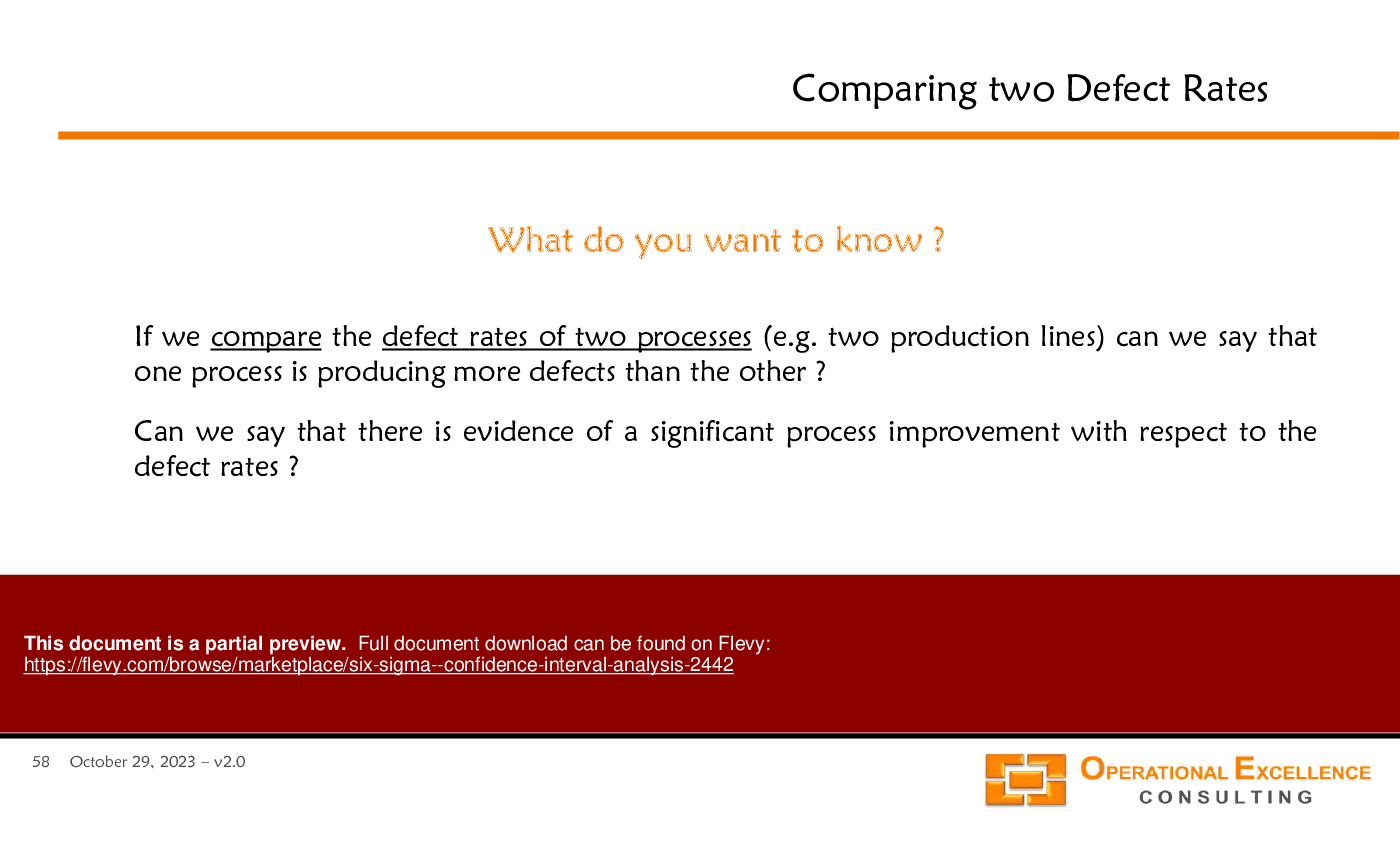
• Comparing Two Defect Rates (page 58)
• Confidence Interval for Counts (page 63)
Primary Topics Covered
• Confidence Interval Analysis - A method for estimating the range within which a population parameter lies, based on sample data.
• Data-Based Decision Making - A structured approach to making informed decisions using collected and analyzed data.
• Hypothesis Testing - Techniques for determining if there is a statistically significant difference between sample means or defect rates.
• Excel Calculators - Tools provided for calculating confidence intervals for means, standard deviations, and defect rates.
• Assumptions of Analysis - Key assumptions including control, randomness, and normality that underpin confidence interval calculations.
• Comparative Analysis - Methods for comparing means and standard deviations across different processes to assess performance improvements.
Deliverables, Templates, and Tools
• Excel calculator for estimating confidence intervals for means
• Excel calculator for standard deviation analysis
• Templates for comparing defect rates between processes
• Worksheets for paired data analysis
• Guides for interpreting confidence intervals in operational contexts
• Sample data sets for practical exercises in confidence interval calculations
Slide Highlights
• Visual representation of confidence intervals for means and standard deviations
• Step-by-step guides on using Excel for statistical calculations
• Case studies demonstrating the application of confidence interval analysis
• Graphical comparisons of defect rates across different processes
• Summary of key assumptions necessary for accurate analysis
Potential Workshop Agenda
Introduction to Confidence Intervals (60 minutes)
• Overview of confidence intervals and their significance
• Discussion of key assumptions and their implications
Hands-On Excel Session (90 minutes)
• Practical exercises using Excel calculators for means and standard deviations
• Group activities comparing defect rates using sample data
Case Study Analysis (60 minutes)
• Review of real-world applications of confidence interval analysis
• Group discussions on findings and implications for operational excellence
Customization Guidance
• Tailor the Excel calculators to reflect specific operational metrics relevant to your organization
• Adjust case study examples to align with industry-specific scenarios
• Incorporate company-specific terminology and processes into the presentation materials
Secondary Topics Covered
• Statistical significance in hypothesis testing
• The impact of sample size on confidence interval width
• Techniques for visualizing data distributions
• Understanding the relationship between confidence intervals and process capability
Topic FAQ
What are the key assumptions required for valid confidence interval analysis?
Valid confidence interval analysis requires assumptions about the data-generating process, specifically that the process is in control, the sample is random, and the data distribution approximates normality where applicable. These assumptions are explicitly listed and discussed as foundational to accurate CI calculations in the training material.
How do I calculate a confidence interval for a mean in Excel?
Excel supports CI calculations using functions such as TINV (for t-distributions) and CHIINV (for variance-related intervals), and the training includes an Excel Six Sigma Confidence Interval Analysis calculator to simplify mean-value CI computations. The module provides the calculator for mean-value confidence intervals.
When should I use confidence intervals for defect rates versus counts?
Use confidence intervals for defect rates when estimating a proportion of defective items; use CI for counts when measuring event or occurrence totals. The presentation treats these separately, with dedicated sections and worked examples for defect rates (page 51) and counts (page 63).
What should I look for when choosing a confidence-interval training toolkit?
Prioritize materials that pair conceptual slides with practical tools: slide explanations of assumptions and methods, editable Excel calculators, sample datasets for exercises, and templates for comparisons. The product lists deliverables such as Excel calculators, worksheets, and sample data sets as key attributes to evaluate.
How much time should I budget to run a workshop teaching confidence interval analysis?
A suggested workshop agenda in the material totals about 210 minutes: 60 minutes for introduction to confidence intervals, 90 minutes for hands-on Excel exercises, and 60 minutes for case study analysis, making the recommended session length approximately 3.5 hours using Flevy's Six Sigma - Confidence Interval Analysis.
I need to compare 2 process means after a pilot improvement—what statistical approach should I use?
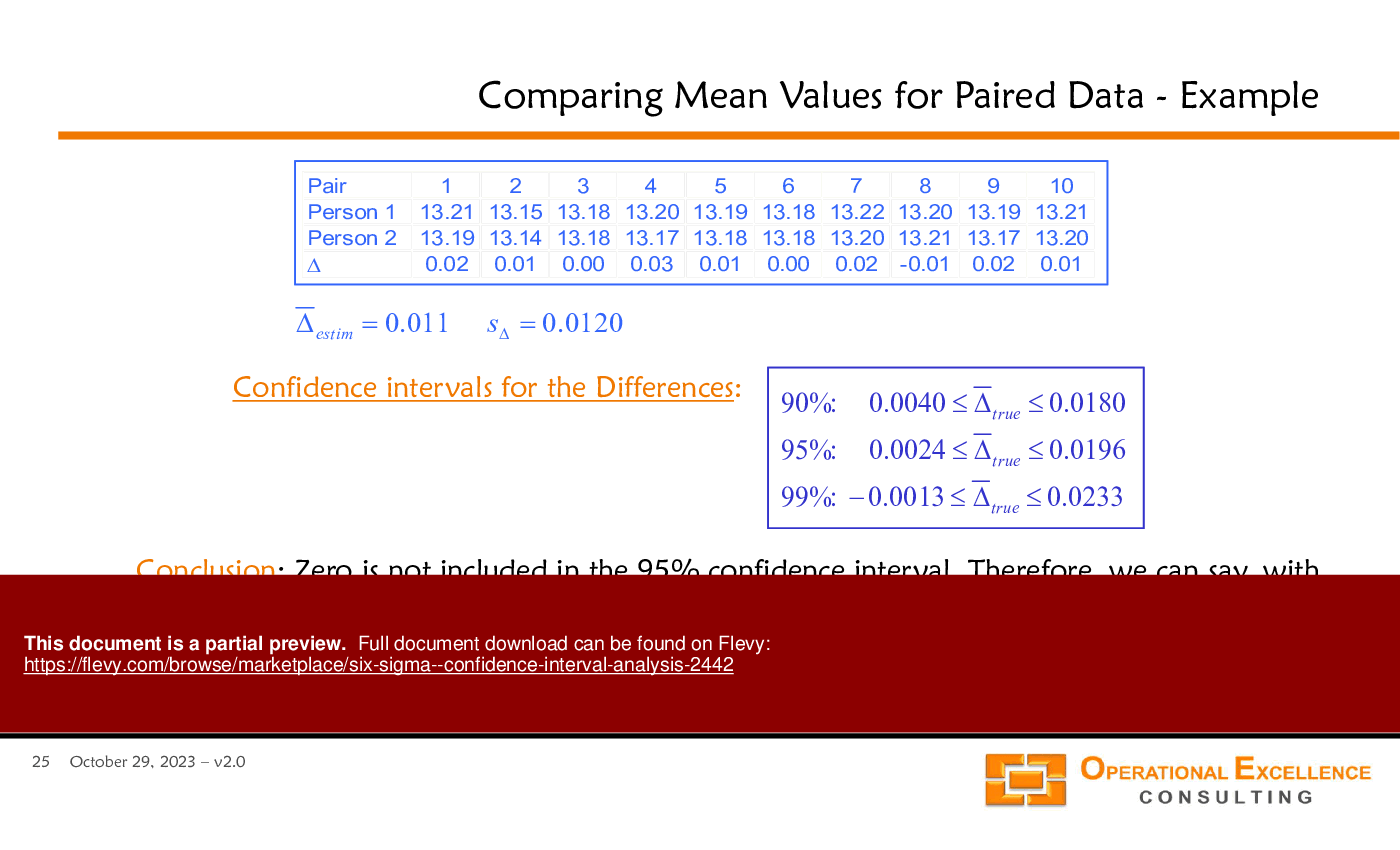
Compare 2 means using hypothesis testing and confidence intervals for the difference of means; consider paired-data analysis if measurements are related. Flevy's Six Sigma - Confidence Interval Analysis includes guidance and an Excel calculator for comparing 2 mean values and paired data comparisons.
What impact does sample size have on confidence interval width?
Larger sample sizes reduce the standard error and therefore narrow confidence intervals, improving estimate precision; the material explicitly lists the impact of sample size on CI width as a secondary topic covered in the slides and exercises.
How can I deploy these materials for my quality team—can I edit and reuse slides?
The author permits changing any part of the training material, removing logos or references, and sharing internally with colleagues and clients for reuse; the only restriction is you cannot publicly redistribute, sell, rent, or license the material as your own, per the author statement.
Document FAQ
These are questions addressed within this presentation.
What is a confidence interval?
A confidence interval is a range of values derived from sample data that is likely to contain the true population parameter with a specified level of confidence.
Why is it important to understand confidence intervals?
Understanding confidence intervals helps in assessing the reliability of sample estimates and making informed decisions based on data analysis.
How can I calculate confidence intervals using Excel?
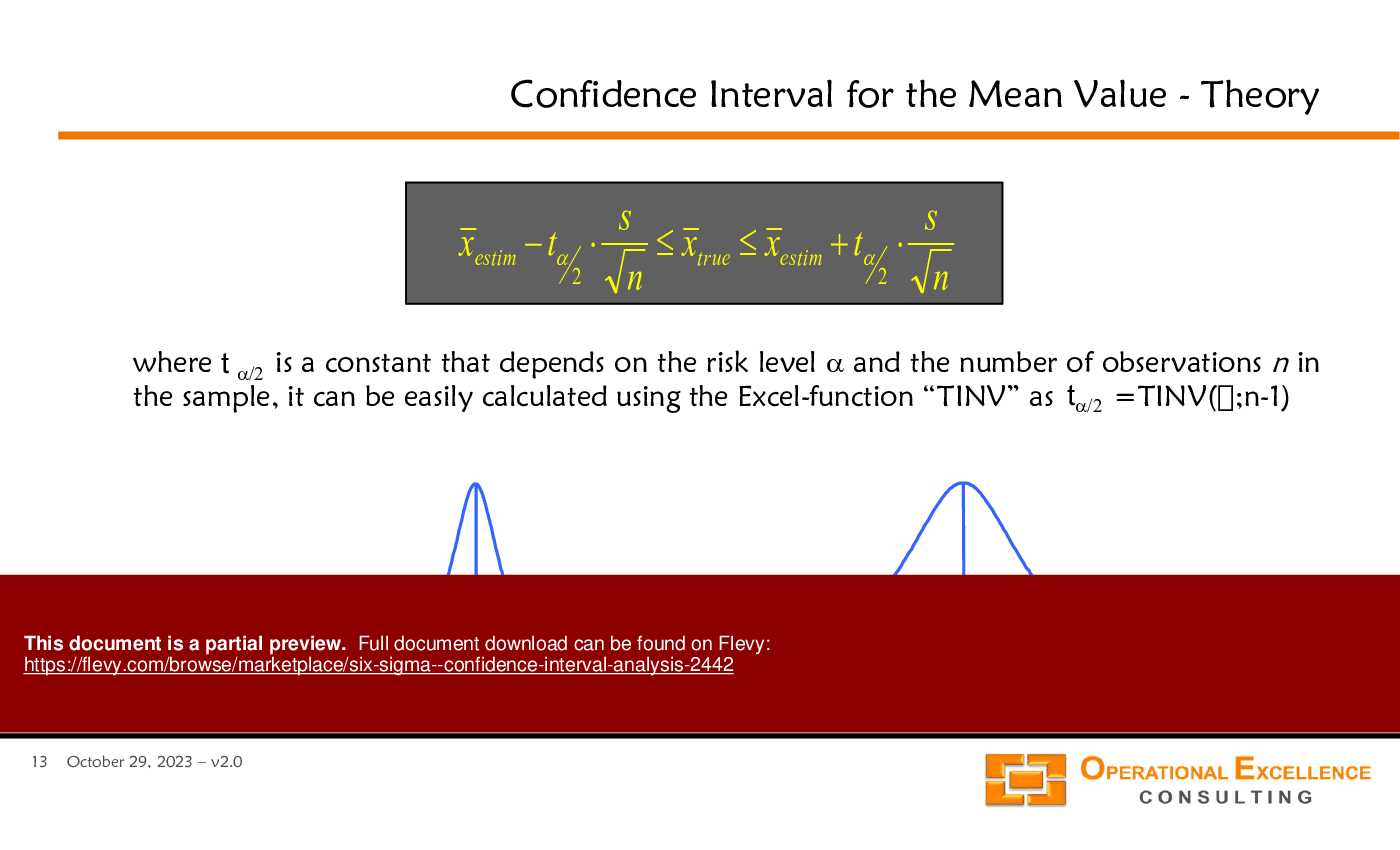
Excel provides functions such as TINV and CHIINV to calculate confidence intervals for means and standard deviations based on sample data.
What assumptions must be met for confidence interval analysis?
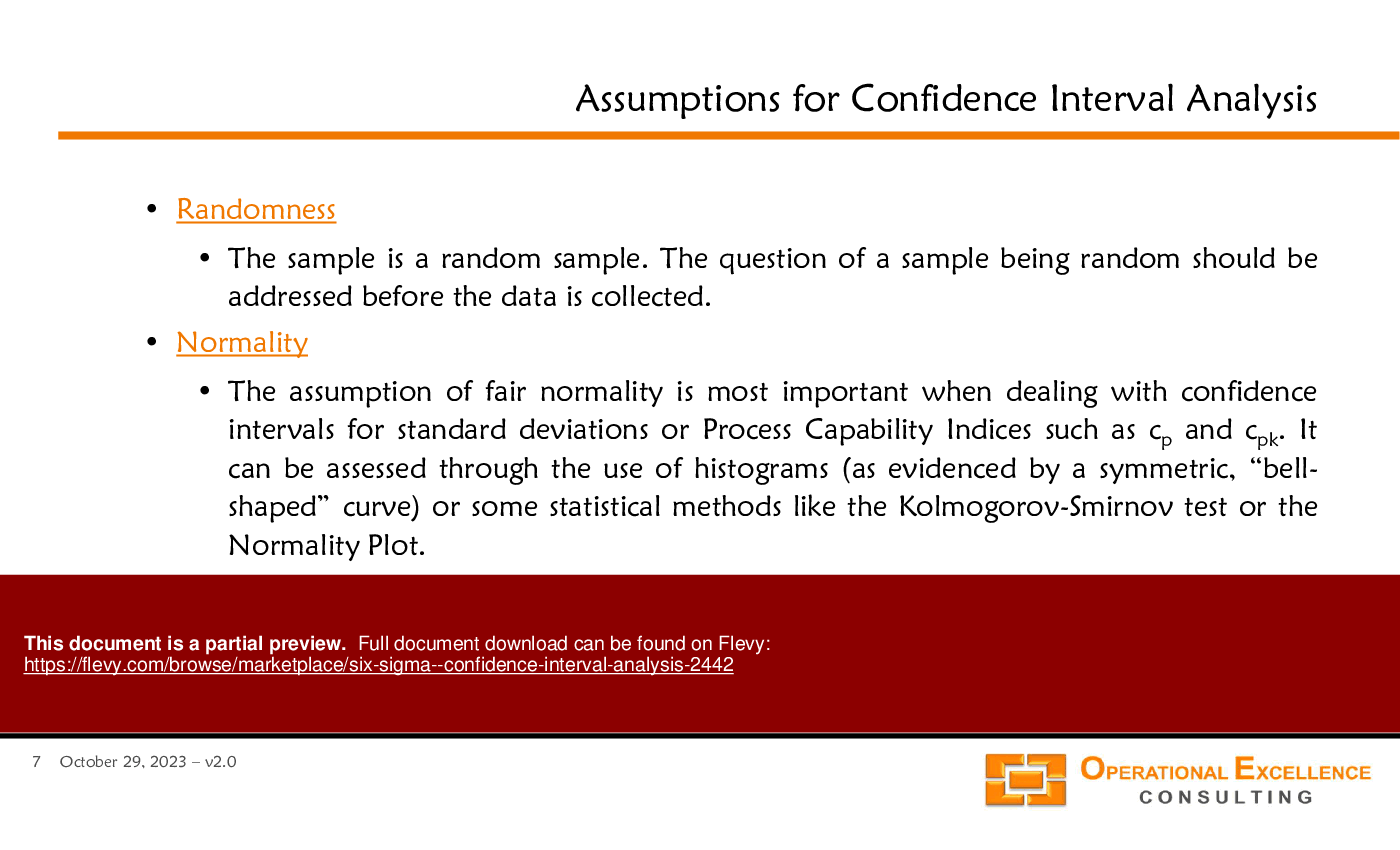
Key assumptions include control of the process, randomness of the sample, and normality of the data distribution.
Can confidence intervals be used for defect rates?
Yes, confidence intervals can be applied to defect rates to assess the likelihood that the true defect rate falls within a specified range.
How do I interpret a confidence interval?
A confidence interval provides a range within which the true parameter is expected to lie, allowing for risk assessment in decision-making.
What is the significance of comparing 2 means?
Comparing 2 means helps determine if there is a statistically significant difference between 2 processes or groups, aiding in performance evaluation.
How can I apply this analysis in my organization?
Utilize the tools and methodologies outlined in the presentation to enhance data-driven decision-making and improve operational processes.
Glossary
• Confidence Interval - A range of values that likely contains the true population parameter.
• Hypothesis Testing - A statistical method for testing assumptions about a population parameter.

• Standard Deviation - A measure of the dispersion of a set of values.
• Excel Calculator - A tool for performing statistical calculations in Excel.
• Defect Rate - The proportion of defective items in a production process.
• Paired Data - Data collected from 2 related groups or conditions.
• Random Sample - A sample that fairly represents a population, ensuring each member has an equal chance of selection.
• Normal Distribution - A probability distribution that is symmetric about the mean, showing that data near the mean are more frequent in occurrence.
• Process Capability - The ability of a process to produce output within specification limits.
• Statistical Significance - A determination that an observed effect in data is unlikely to have occurred by chance.
• Assumptions - Conditions that must be met for statistical analysis to be valid.
• Data-Based Decision Making - The process of making decisions based on data analysis rather than intuition or observation.
A confidence interval is a statistical tool that defines a range for a population parameter based on sample data. This PPT slide details 90%, 95%, and 99% confidence intervals, correlating each with a risk level: a 90% interval implies a 10% risk, a 95% interval corresponds to a 5% risk, and a 99% interval indicates a 1% risk. Graphically, confidence intervals expand with higher confidence levels, illustrating the trade-off between certainty and precision; as confidence increases, the interval widens, suggesting less precision. This understanding is essential for decision-making in quality control and operational excellence, allowing executives to assess the reliability of estimates and quantify uncertainty in business applications.
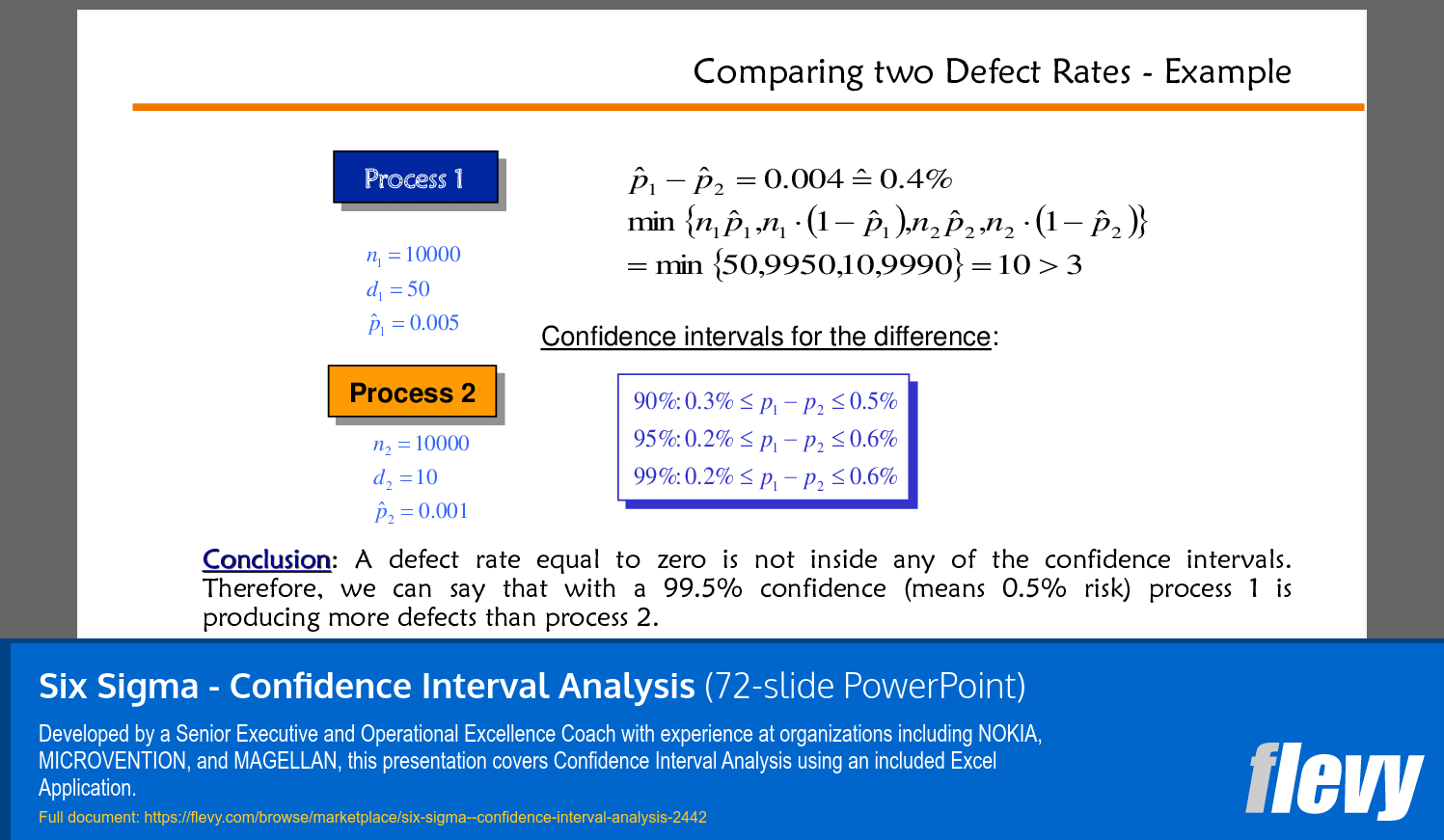
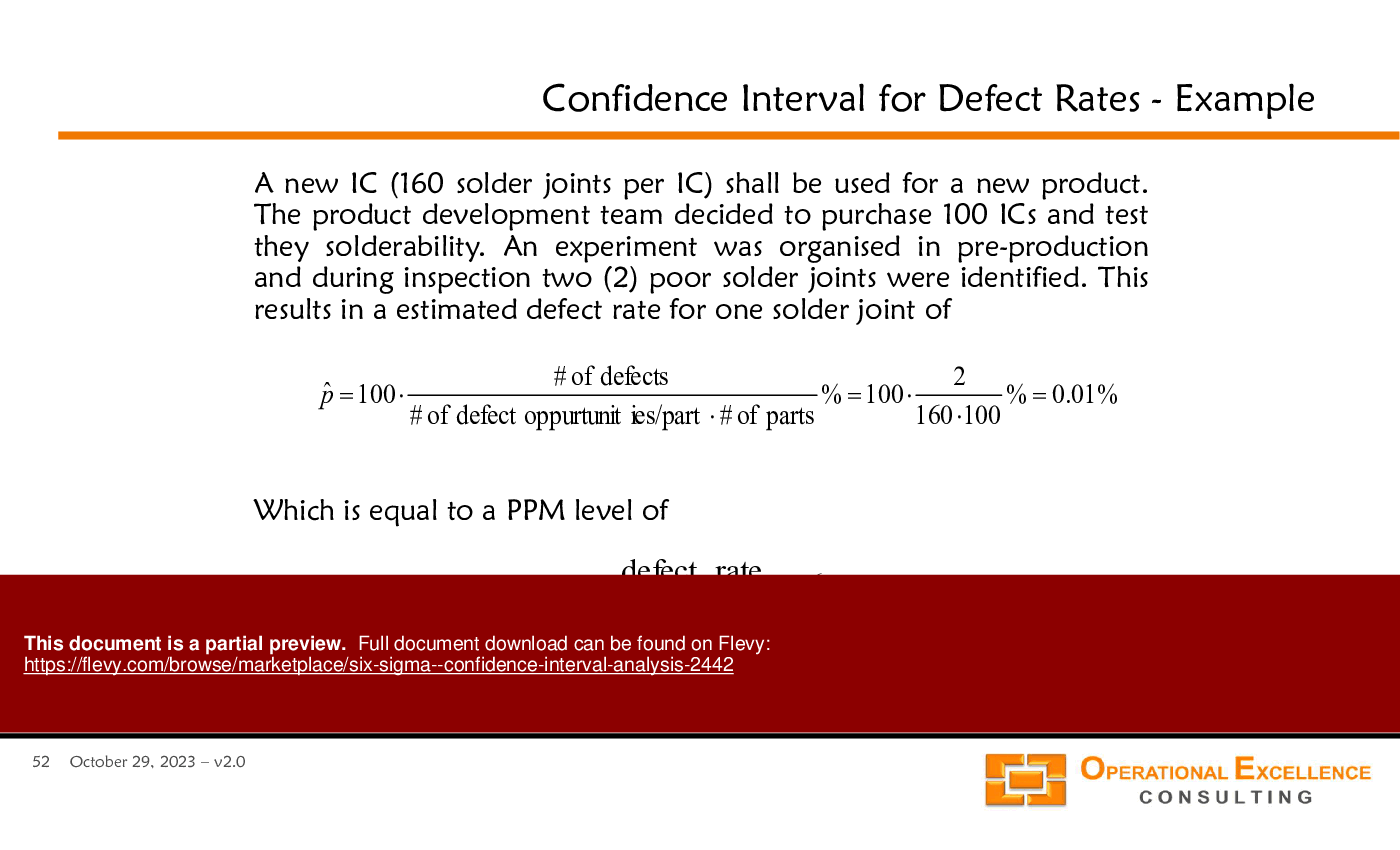
This PPT slide presents a comparative analysis of defect rates from 2 processes: Process 1 and Process 2. Process 1 has a sample size of 10,000 with 50 defects, resulting in a defect rate of 0.005. Process 2, also with a sample size of 10,000, has only 10 defects, leading to a defect rate of 0.001. The difference in defect rates is calculated as p?1 - p?2 = 0.004 (0.4%). Confidence intervals at 90%, 95%, and 99% confidence levels indicate that the difference is statistically significant, as the defect rate of zero does not fall within any intervals. With 99.5% confidence, Process 1 produces more defects than Process 2, highlighting a performance disparity critical for process optimization and defect reduction initiatives.
This PPT slide presents a comparative analysis of defect rates between 2 processes: Process 1 and Process 2. Process 1 has a sample size of 10,000 with 50 defects, resulting in a defect rate of \( \hat{p}_1 = 0.005 \) (0.5% or 5000 PPM) and a 95% confidence interval of 0.37% to 0.66% (3713 PPM to 6587 PPM). In contrast, Process 2, also with a sample size of 10,000, has 10 defects, yielding a defect rate of \( \hat{p}_2 = 0.001 \) (0.1% or 1000 PPM) and a confidence interval of 0.05% to 0.18% (480 PPM to 1838 PPM). This analysis highlights the significance of confidence intervals in evaluating the reliability of defect rates, providing insights for process improvement and quality control.
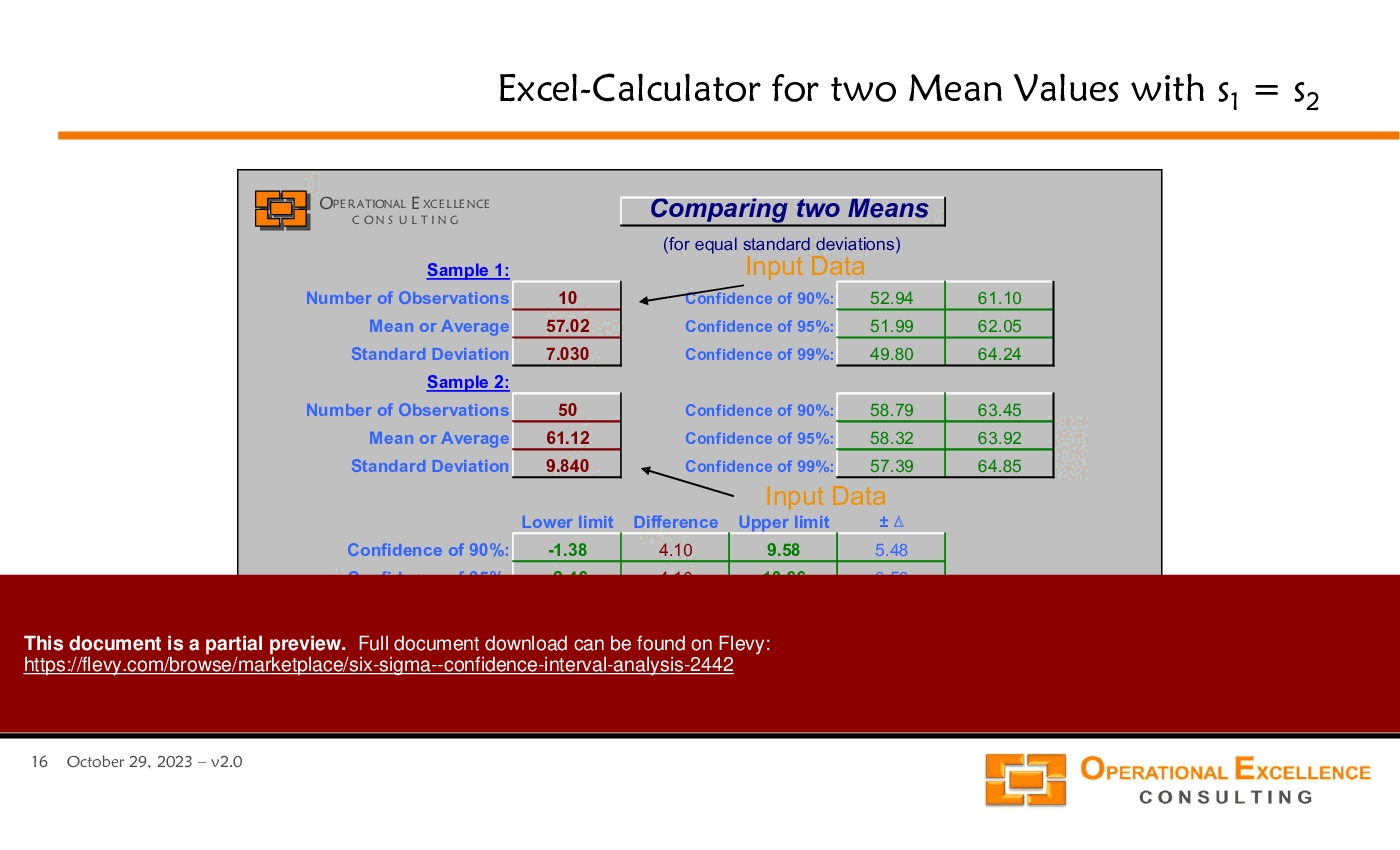
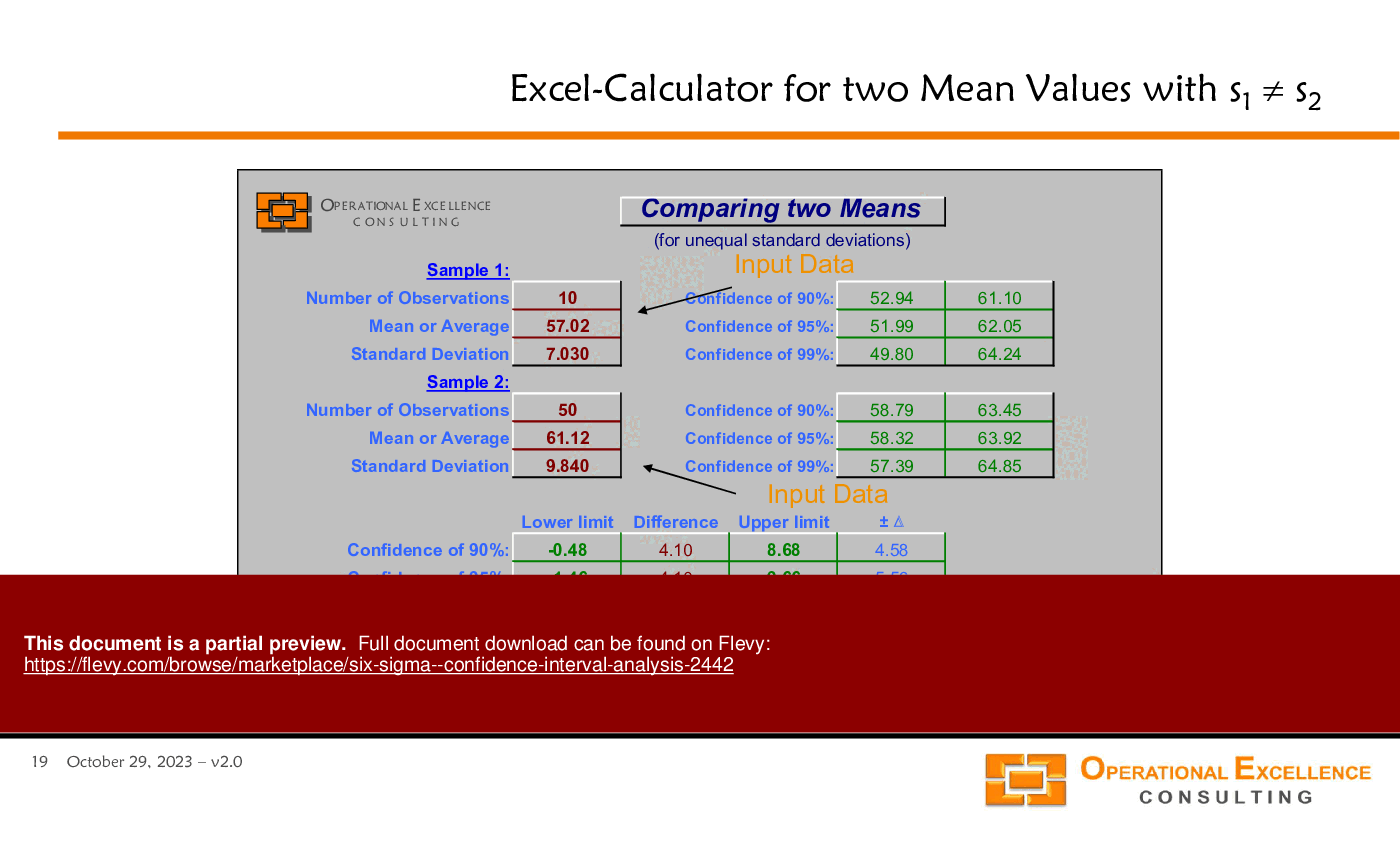
This PPT slide analyzes confidence intervals for mean values from 2 samples. Sample 1 has 10 observations with a mean of 57.02 and a standard deviation of 7.03, while Sample 2 includes 50 observations with a mean of 61.12 and a standard deviation of 9.84. The visual representation shows 2 ellipses corresponding to the confidence intervals, highlighting the uncertainty in estimating the true mean. It prompts critical inquiries regarding the implications of the estimated means and the influence of sample size and variability on statistical conclusions. The slide questions whether the sample sizes are sufficiently large, suggesting that larger samples typically yield more reliable estimates, while emphasizing the importance of context in determining adequacy.
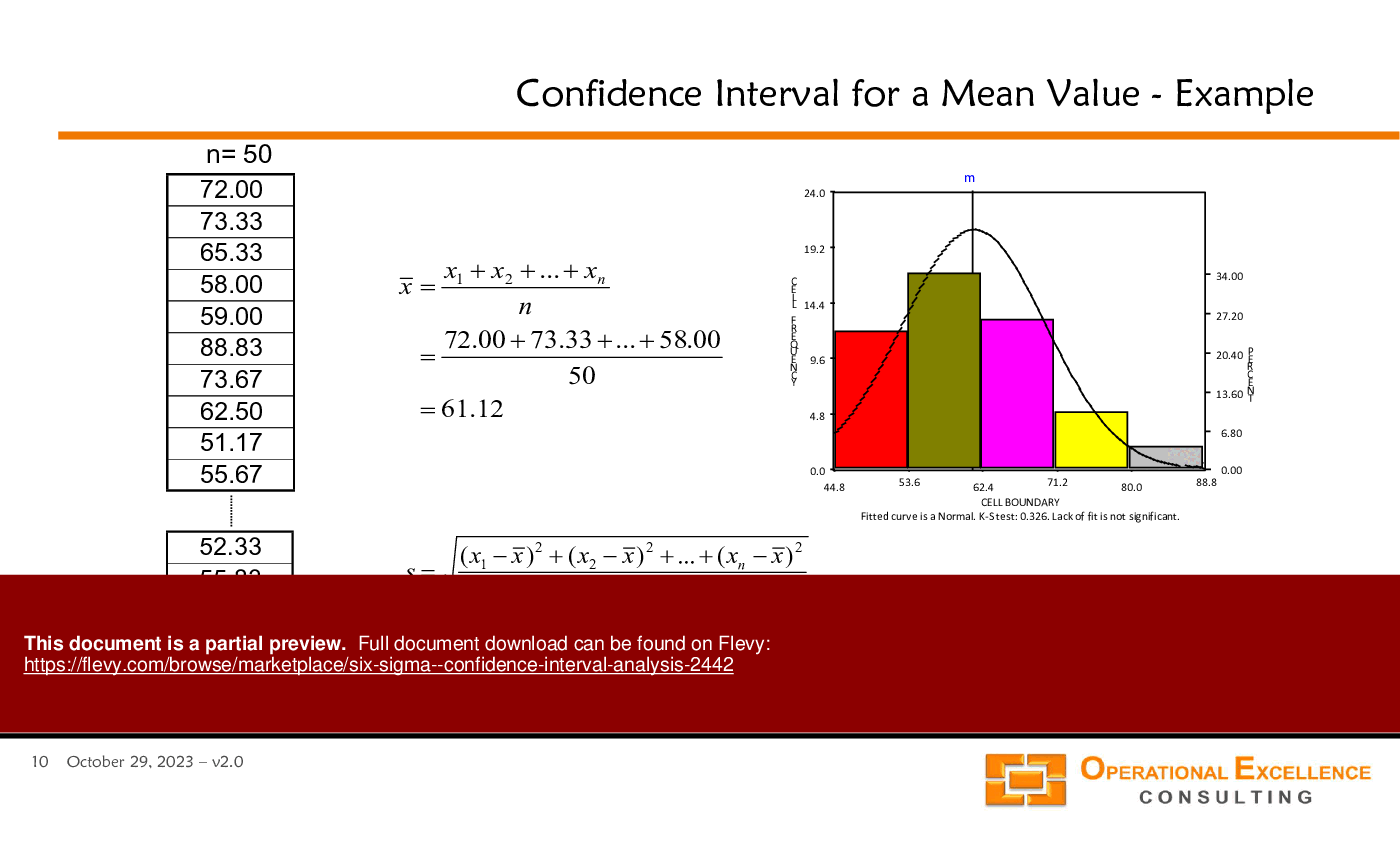
This PPT slide demonstrates the calculation of a confidence interval for a mean value using a dataset of 50 observations. The mean is calculated as 61.12, serving as a central point for analysis. The standard deviation, denoted as 's', is calculated from the squared differences between each observation and the mean, yielding a value of 9.84, which indicates data dispersion. A graphical representation shows the data distribution with a fitted curve suggesting normality. The K-test indicates no significant deviation from normality, essential for valid confidence interval calculations. This analysis integrates numerical data with graphical representation, highlighting the roles of mean and standard deviation in statistical analysis.
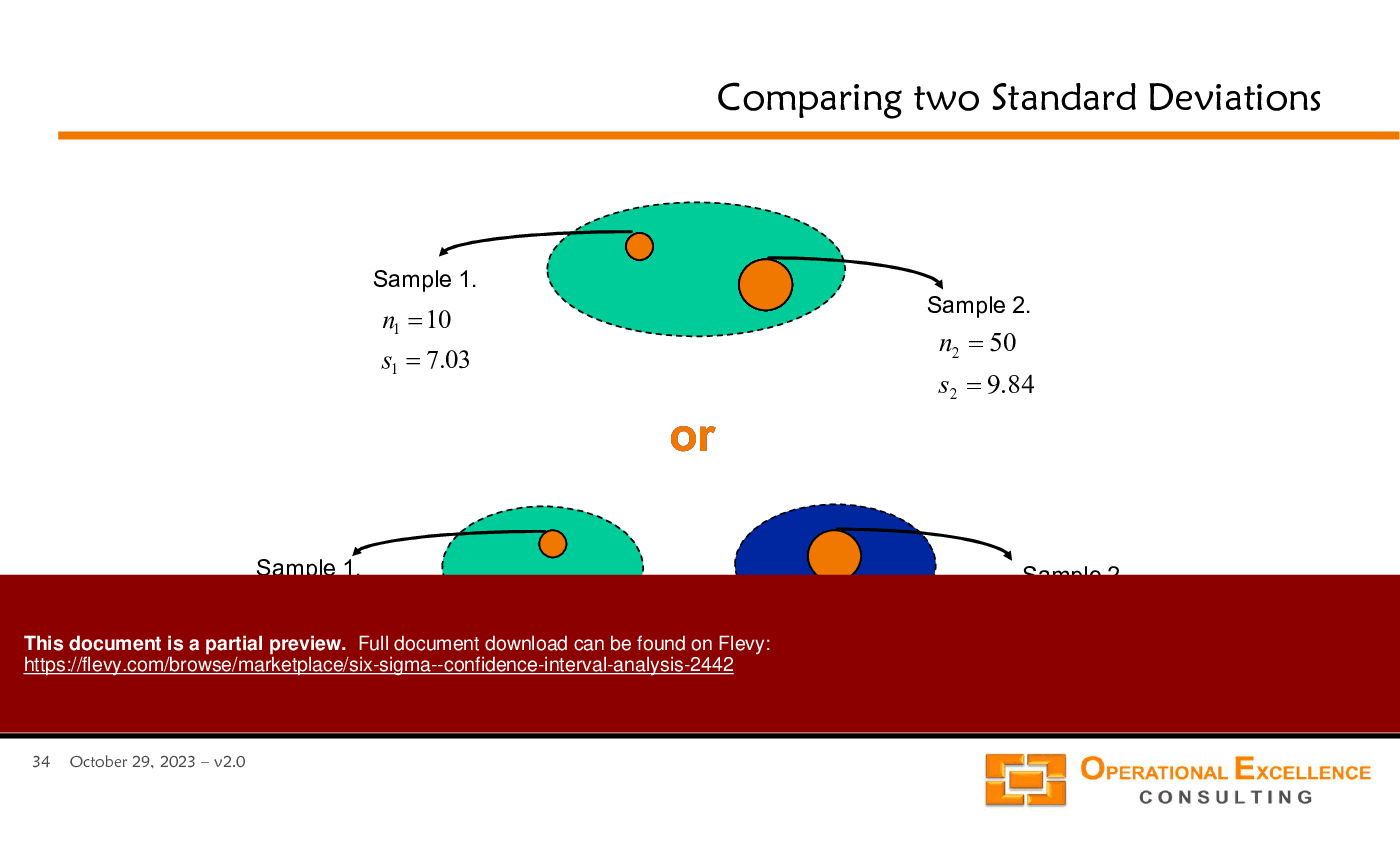
This PPT slide presents a comparative analysis of 2 processes, focusing on standard deviations and implications for process improvement. Process 1 has a sample size (n1) of 10 and a standard deviation (s1) of 7.03, with a 95% confidence interval for the true standard deviation ranging from 4.84 to 12.83. Process 2 features a larger sample size (n2) of 50 and a standard deviation (s2) of 9.84, with a wider confidence interval ranging from 8.22 to 12.26. The visual representation illustrates the confidence intervals for both processes, helping assess overlap and differences, which is essential for determining statistically significant process improvements. This analysis highlights the importance of sample size and variability in evaluating process performance.
This PPT slide outlines a structured approach to data-based decision making, beginning with the "Plan" phase, which poses critical questions to clarify data analysis objectives. Key considerations include identifying necessary information, required tools, data types, and sources. This foundational step is essential for effective data collection and analysis. Following planning, the process includes collecting, analyzing, and interpreting data, with each step interconnected. A well-defined plan enhances the quality and relevance of collected data, leading to precise analysis and improved decision-making capabilities. This logical progression is vital for organizations aiming to align data efforts with business objectives and ensure actionable insights.
This PPT slide presents a statistical analysis comparing the standard deviations of 2 processes: Process 1 and Process 2. Process 1 has a sample size of 10 and a standard deviation of 7.03, while Process 2 has a sample size of 50 and a standard deviation of 9.84. The estimated ratio of the standard deviations, denoted as ?_estim, is 0.714, forming the basis for confidence intervals for the true ratio (?_true). Confidence levels of 90%, 95%, and 99% yield intervals of 0.50 to 1.20, 0.57 to 1.35, and 0.41 to 1.67, respectively. Since ?_true = 1 falls within all intervals, there is insufficient evidence of a significant difference between the standard deviations, indicating that variability in outcomes may not be statistically significant.
This PPT slide presents a theoretical framework for comparing 2 standard deviations using ratios. It introduces the estimation of the ratio of true standard deviations, denoted as ?true, by comparing estimated standard deviations, s_estim1 and s_estim2. Establishing a confidence interval for this ratio is critical for statistical analysis. The confidence interval is mathematically represented, indicating that ?true lies between 2 bounds defined by s_estim1, s_estim2, and constants F1 and F2, which depend on the risk level (?) and sample sizes (n1 and n2). These constants can be calculated using the Excel function "FINV." A key question is whether there is sufficient evidence to determine if ?true is not equal to 1, indicating that the standard deviations of the 2 processes are statistically similar. If the calculated ratio does not fall within the 95% confidence interval, it can be asserted with 95% confidence that the standard deviations are different, providing valuable insights for decision-makers regarding statistical significance in process variations.
This PPT slide analyzes confidence intervals for a mean value, assessing if a process's true mean exceeds a target threshold of 58.50%. It details 3 confidence levels: 90%, 95%, and 99%. At 90% confidence, the true mean is between 58.79 and 63.45; at 95%, between 58.32 and 63.92; and at 99%, between 57.39 and 64.85. The analysis indicates a 5% risk at the 95% confidence level that the true mean is below 58.79%, while asserting 95% confidence that it exceeds 58.50%. This statistical basis supports operational decisions and strategic planning regarding process performance metrics.
This PPT slide visually compares 2 samples in statistical analysis: Sample 1 (n1 = 10, s1 = 7.03) and Sample 2 (n2 = 50, s2 = 9.84). The graphical representation uses ellipses to illustrate data distribution, with orange dots marking each sample's mean. Sample size and standard deviation are critical in determining data variability; smaller samples can yield greater variability, while larger samples provide more reliable estimates. The differences in standard deviations impact confidence interval calculations and hypothesis testing. Evaluating sample characteristics is essential for accurate data interpretation, influencing strategic decisions within the Six Sigma framework.
Developed by a Senior Executive and Operational Excellence Coach with experience at organizations including NOKIA, MICROVENTION, and MAGELLAN, this presentation covers Confidence Interval Analysis using an included Excel Application.
Operational Excellence Consulting LLC provides assessments, training solutions, kaizen event facilitation, and implementation support to enable our clients to achieve superior performance through Operational Excellence - Strategy Deployment & Hoshin Planning, Performance Management & Balanced Scorecards, Process Excellence & Lean Six Sigma, and High
... [read more] Performance Work Teams.
Frank Adler co-founded OEC LLC in 2009 to follow his passion for Operational Excellence and to be able to work with individuals and organizations that share this passion.
He is an accomplished and recognized Operational Excellence, Lean Management, and Six Sigma coach, with over 20 years of domestic and international executive leadership experience in General Management, multi-site Operations & Supply Chain Management, and Quality & Customer Support Management.
Frank is a certified and experienced Lean Six Sigma Master Black Belt with a proven track record of implementing these methods, concepts, and tools in various organizations and industries.
He holds a Master of Science in Mathematics & Physics from the Freie University of Berlin (Germany) and a Doctor of Philosophy in Applied Mathematics & Industrial Economics from the Helsinki University of Technology (Finland).
Since 2012, we have provided business templates to over 10,000 businesses and organizations of all sizes, from startups and small businesses to the Fortune 100, in over 130 countries.
Read Customer Testimonials
"Flevy.com has proven to be an invaluable resource library to our Independent Management Consultancy, supporting and enabling us to better serve our enterprise clients.
The value derived from our [FlevyPro] subscription in terms of the business it has helped to gain far exceeds the investment made, making a subscription a no-brainer for any growing consultancy – or in-house strategy team."
– Dean Carlton, Chief Transformation Officer, Global Village Transformations Pty Ltd.
"As a niche strategic consulting firm, Flevy and FlevyPro frameworks and documents are an on-going reference to help us structure our findings and recommendations to our clients as well as improve their clarity, strength, and visual power. For us, it is an invaluable resource to increase our impact and value."
– David Coloma, Consulting Area Manager at Cynertia Consulting
"I have found Flevy to be an amazing resource and library of useful presentations for lean sigma, change management and so many other topics. This has reduced the time I need to spend on preparing for my performance consultation. The library is easily accessible and updates are regularly provided. A wealth of great information."
– Cynthia Howard RN, PhD, Executive Coach at Ei Leadership
"As an Independent Management Consultant, I find Flevy to add great value as a source of best practices, templates and information on new trends. Flevy has matured and the quality and quantity of the library is excellent. Lastly the price charged is reasonable, creating a win-win value for
the customer, Flevy and the various authors. This is truly a service that benefits the consulting industry and associated clients. Thanks for providing this service.
"
– Jim Schoen, Principal at FRC Group
"Flevy is now a part of my business routine. I visit Flevy at least 3 times each month.
Flevy has become my preferred learning source, because what it provides is practical, current, and useful in this era where the business world is being rewritten.
many challenges and there is the need to make the right decisions in a short time, with so much scattered information, we are fortunate to have Flevy. Flevy investigates, selects, and puts at our disposal the best of the best to help us be successful in our work.
"
– Omar Hernán Montes Parra, CEO at Quantum SFE
"Flevy is our 'go to' resource for management material, at an affordable cost. The Flevy library is comprehensive and the content deep, and typically provides a great foundation for us to further develop and tailor our own service offer."
– Chris McCann, Founder at Resilient.World
"My FlevyPro subscription provides me with the most popular frameworks and decks in demand in today’s market. They not only augment my existing consulting and coaching offerings and delivery, but also keep me abreast of the latest trends, inspire new products and service offerings for my practice, and educate me
in a fraction of the time and money of other solutions. I strongly recommend FlevyPro to any consultant serious about success.
"
– Bill Branson, Founder at Strategic Business Architects
"FlevyPro provides business frameworks from many of the global giants in management consulting that allow you to provide best in class solutions for your clients."
– David Harris, Managing Director at Futures Strategy
Save with Bundles
This document is available as part of the following discounted bundle(s):
This 32-page presentation from Operational Excellence Consulting explains the Lean Management philosophy, based on the Toyota Production System (TPS). Learn to eliminate waste.
Receive our FREE Primer on Lean Management
Get Our FREE Product.
This 32-page presentation from Operational Excellence Consulting explains the Lean Management philosophy, based on the Toyota Production System (TPS). Learn to eliminate waste.