
Dashboard Actuals P&L Model   Excel template (XLSM)
$119.00

Dashboard Actuals P&L Model (Excel template (XLSM)) Preview Image
Log in to unlock full preview.
Dashboard Actuals P&L Model (Excel template (XLSM)) Preview Image
Arrow   Click main image to view in full screen.

Dashboard Actuals P&L Model – Excel XLSM

Excel (XLSM)

#2 in P&L $119.00
Created by a Financial Modeling, Planning & Performance Consultant with 15+ years of experience at Ernst & Young, Toyota, Viohalco, and Upstream. Certified by both the Corporate Finance Institute and the Financial Modeling Institute.
Add to Cart


Immediate download
Fully editable Excel
Free lifetime updates

BENEFITS OF THIS DOWNLOADABLE EXCEL DOCUMENT

  1. Select the monthly periods and the specific country desired
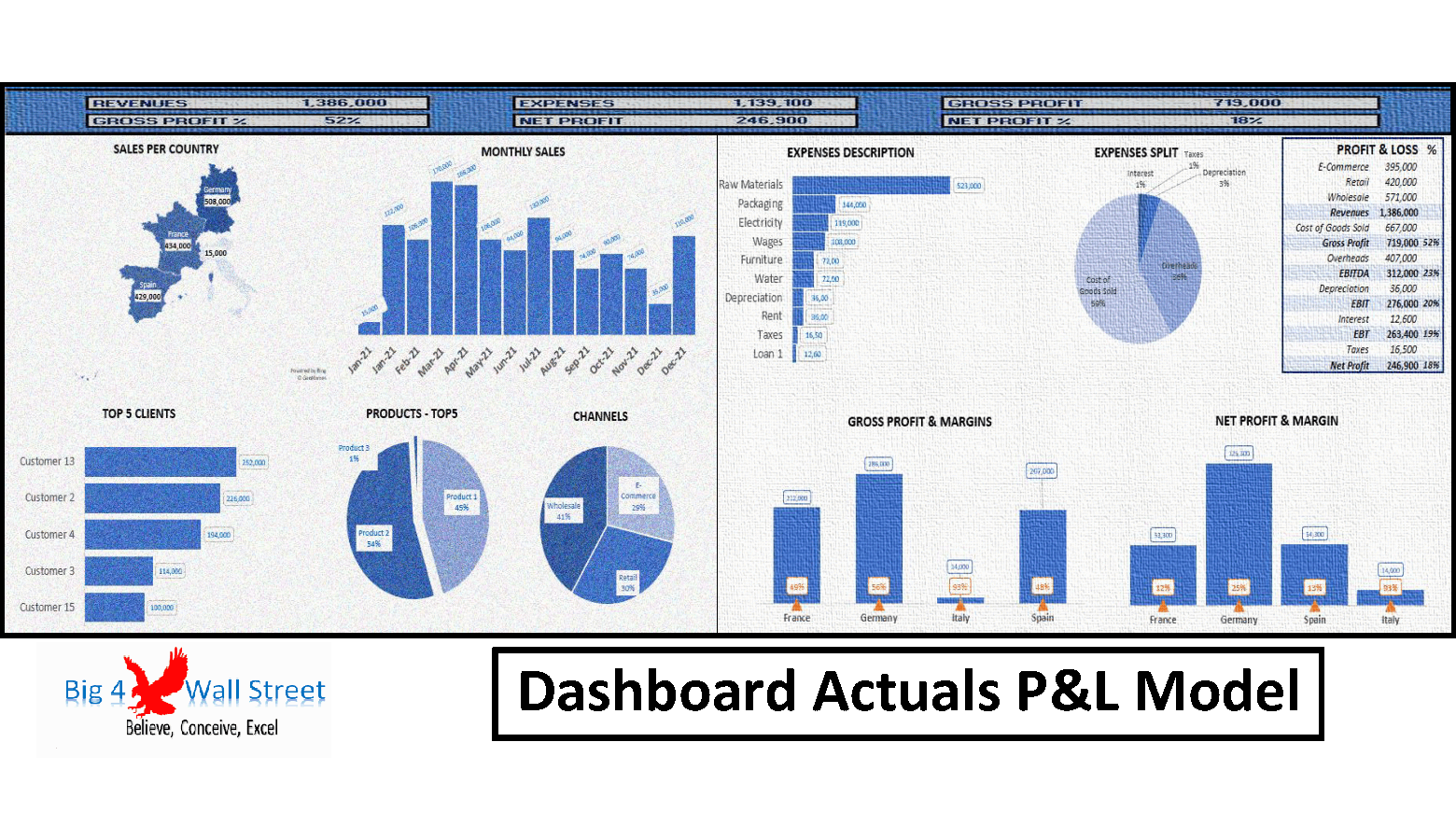
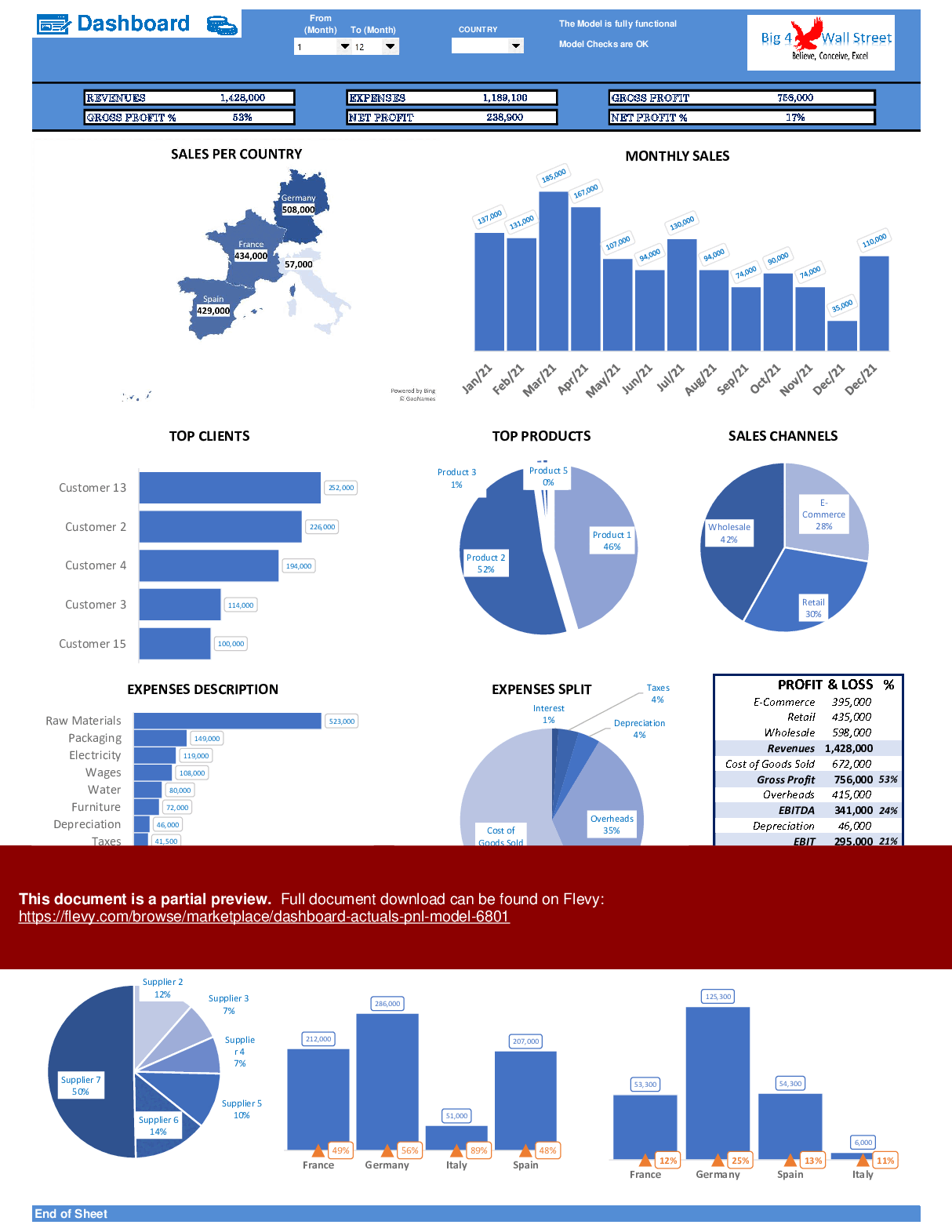
  2. A series of charts are presented such as a sales per country map, monthly sales, top clients, top products, sales channels, expenses description, expenses split, profit and loss, top suppliers, gross profits and margins as well as net profit and margins
  3. The charts are all dynamic and are automatically adjusted to the period and country selected

DASHBOARD DESIGN EXCEL DESCRIPTION

Profit and Loss Dashboard Excel Template: Get the Dashboard Actuals P&L Model (XLSM) to track financials, visualize P&L data, and streamline reporting. Download now. Dashboard Actuals P&L Model is an Excel template (XLSM) available for immediate download upon purchase.

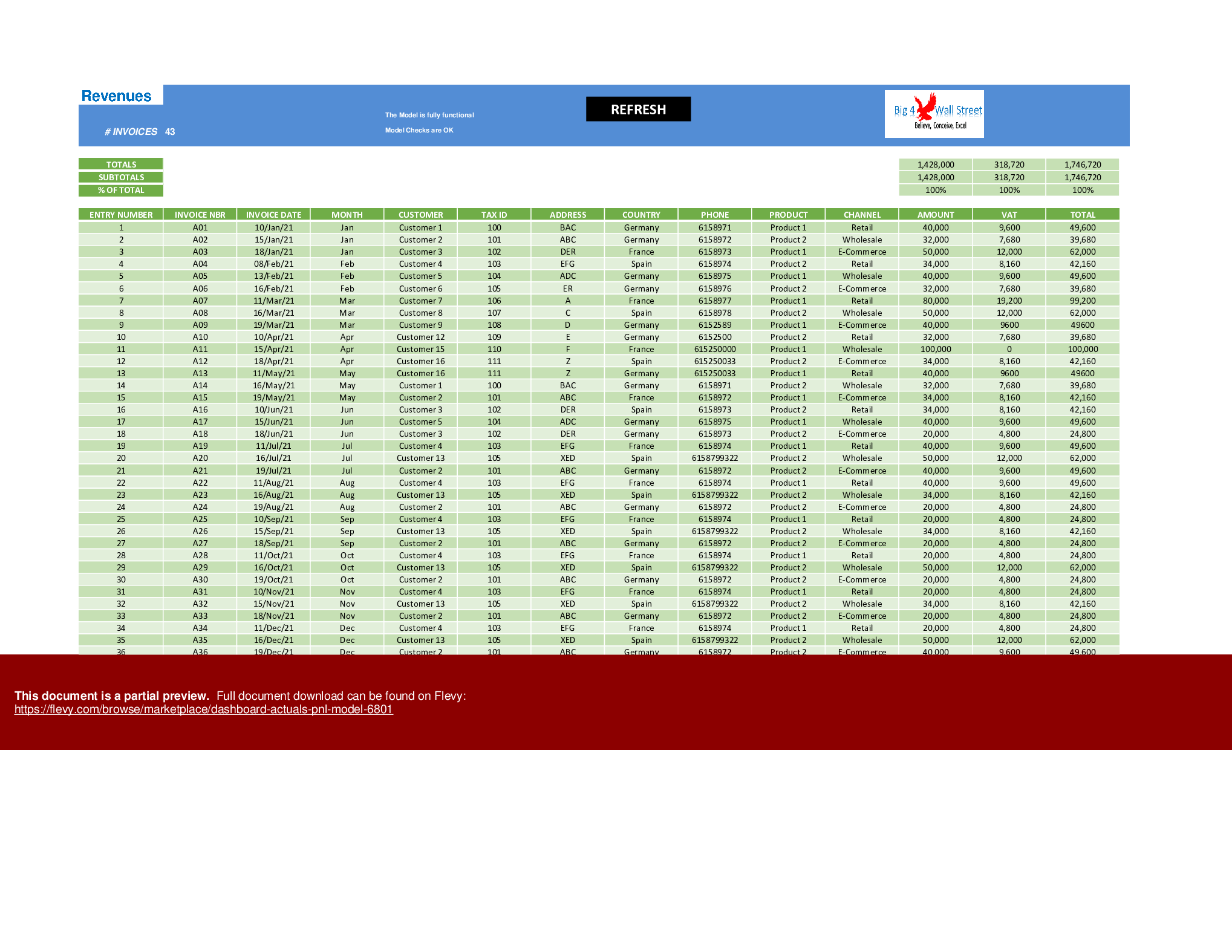
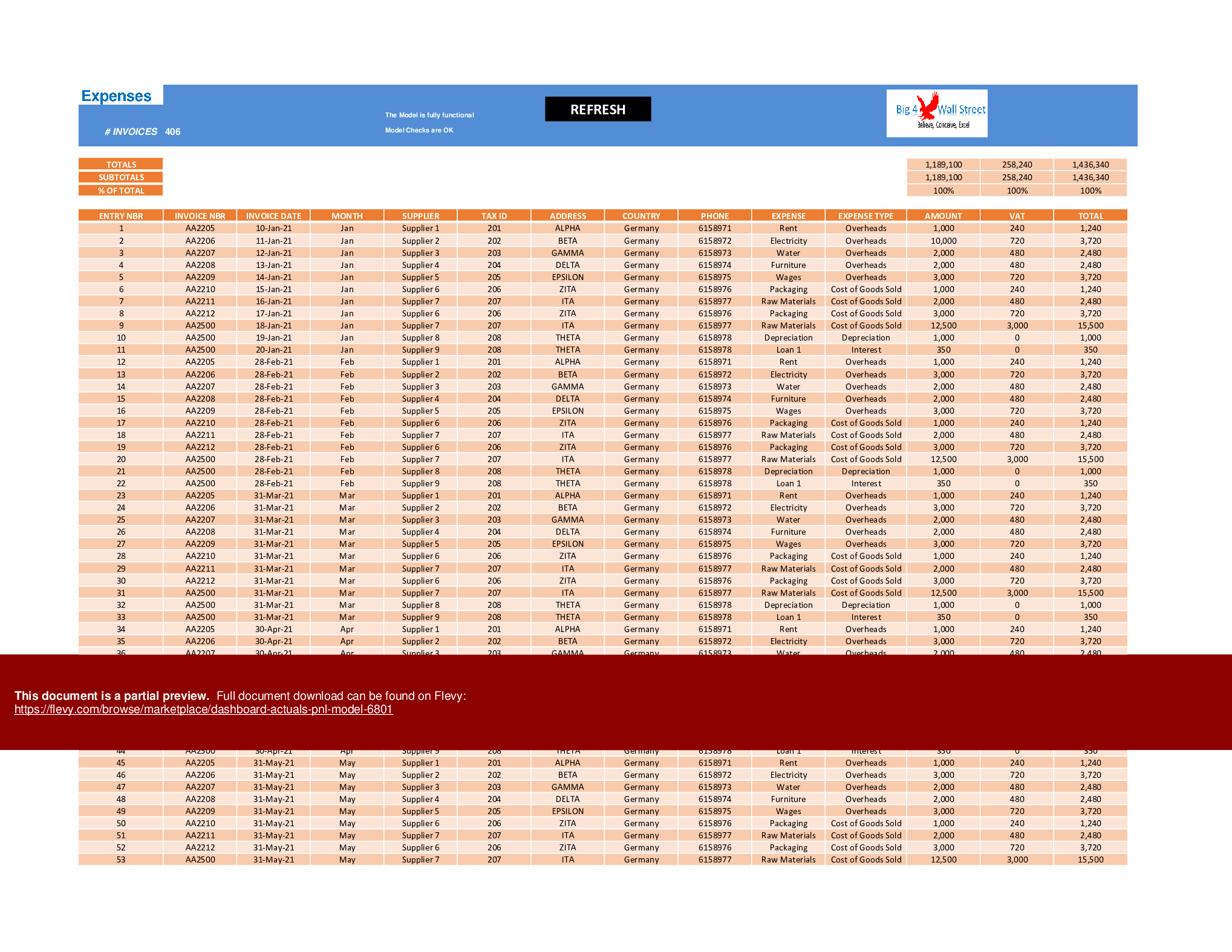
Dashboard Actuals P&L Model generates a dynamic dashboard that can be filtered both by country and by month. The dashboard is based on 2 tables, namely Revenue Table and Expense Table.

The model is intended to be used in a specific calendar year and allows the user to enter actual data for both revenue items and expense items.

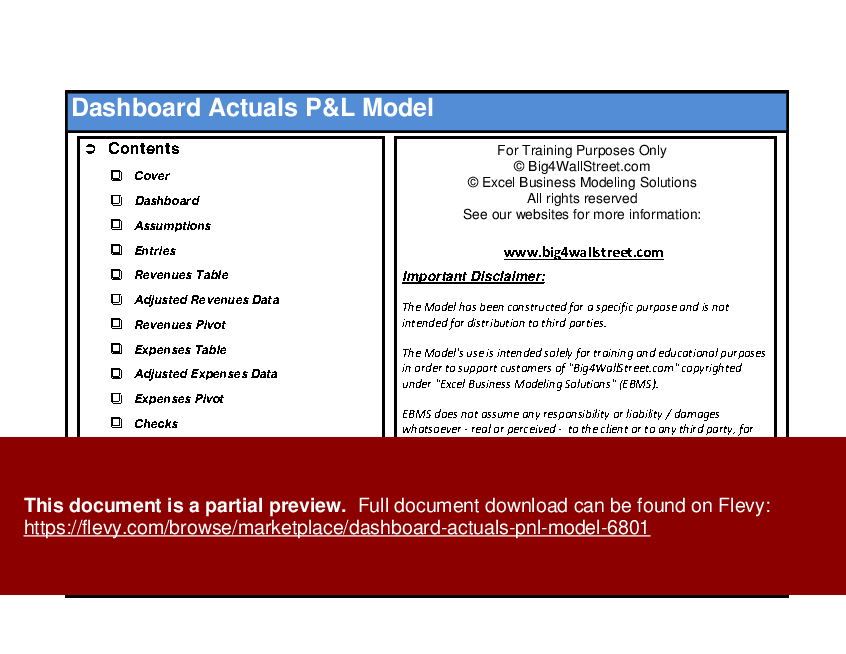
So, a quick overview of the model, in the Contents tab you can see the structure of the model, and by clicking on any of the headlines be redirected to the relevant worksheet.

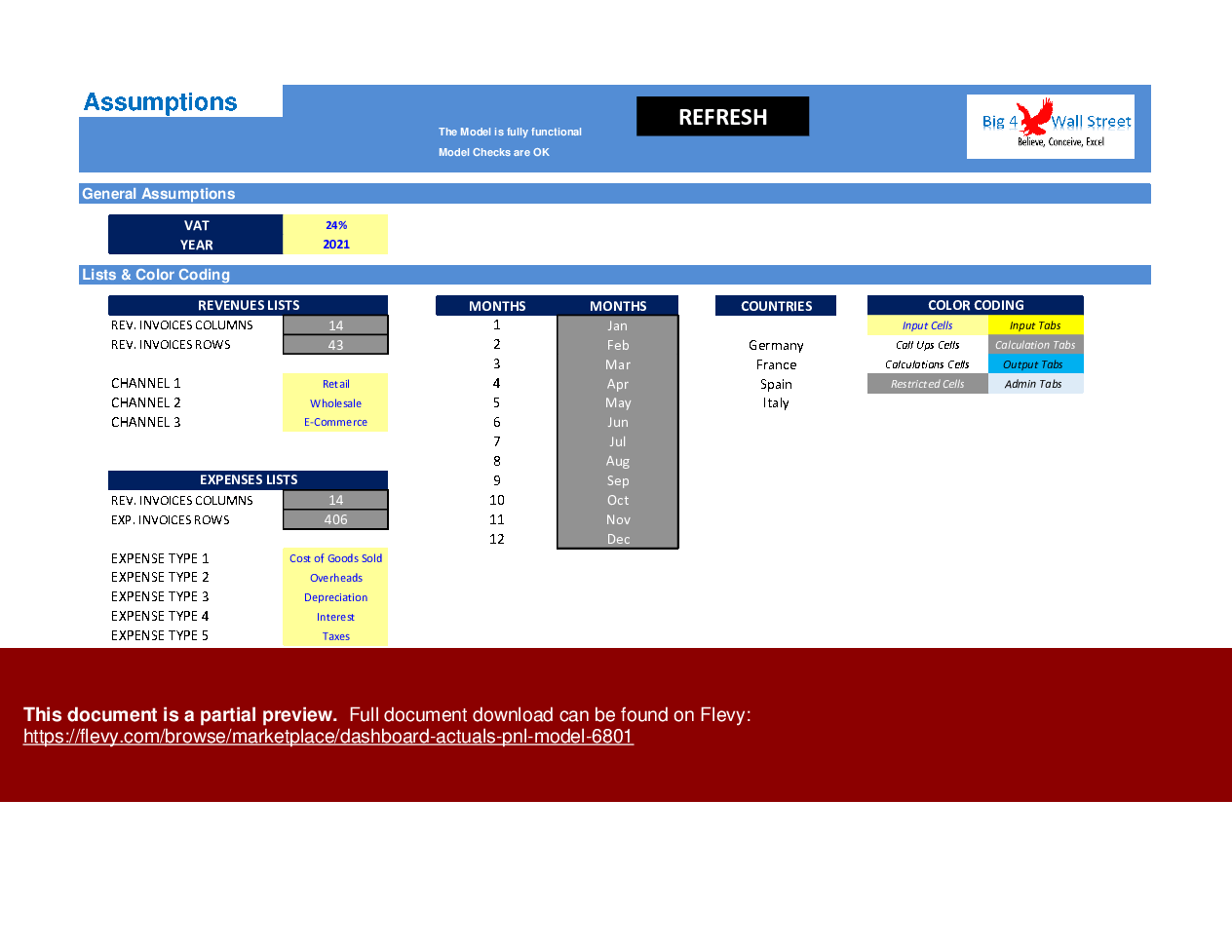
On the Assumptions tab, there is a description of the color-coding of the model. Inputs are always depicted with a yellow fill and blue letters, while calculations are depicted with white fill and black characters. Grey cells are restricted cells and must not be modified.

A color-coding is also applied to the various tabs of the model. Yellow tabs are mostly assumptions tabs, blue tabs are outputs tabs (that is effectively results or graphs) and finally, light blue tabs are admin tabs (for example: the cover page, contents, and checks).

Additionally, in this tab, the user needs to set the VAT percentage, the fiscal year to be used, the sales channels, and the expenses types.

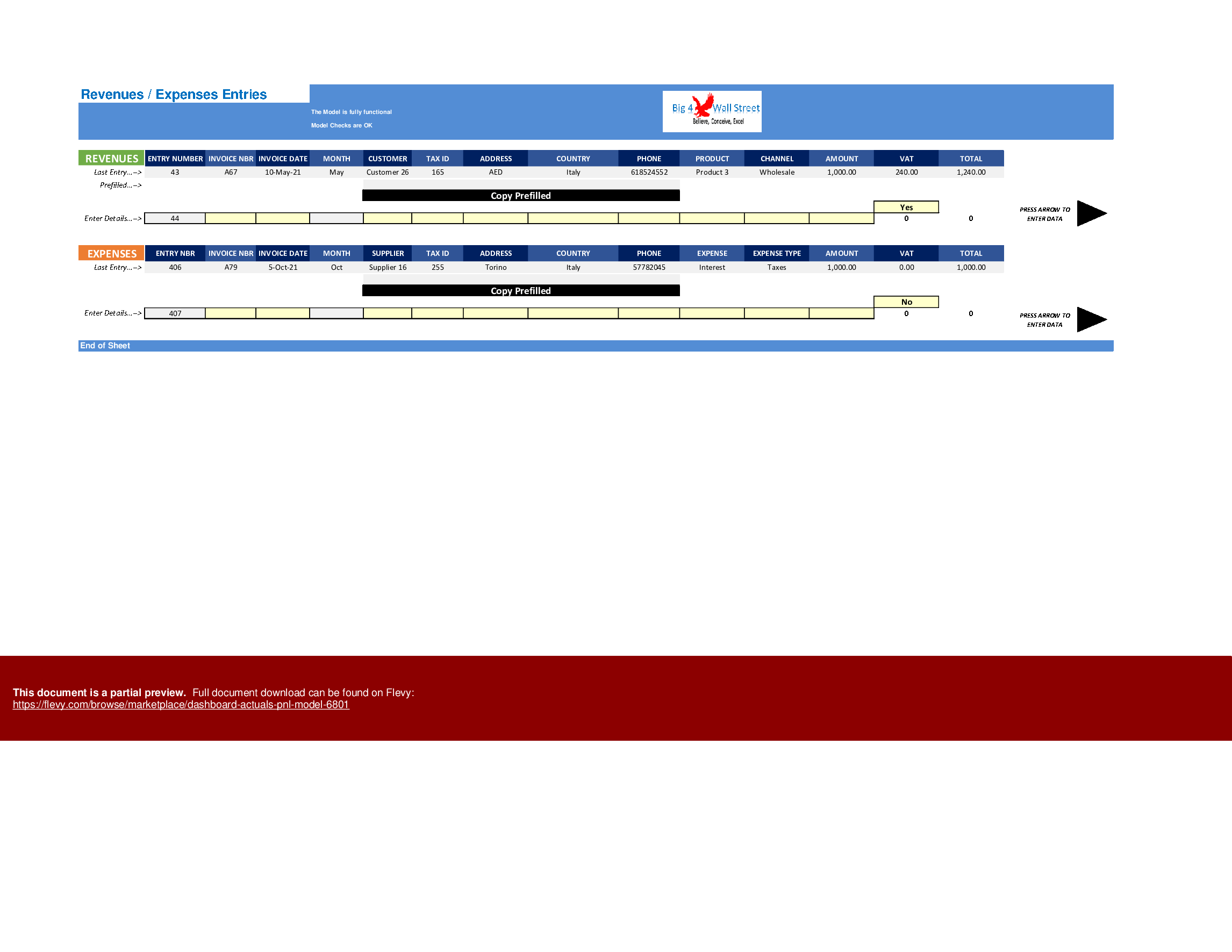
Moving on to the Entries tab: the user can enter the revenues and/or expenses in this tab. The data fields the user needs to fill for the Revenues (yellow cells only) are the invoice number, the invoice date, the customer name, tax id, address, country, phone, product, channels, amount, and if the VAT rate is applied. The user can also use the Copy Prefilled Button to avoid rewriting the same customer data. Once done the user needs to press the arrow to the right to bring this entry to the revenues table, which is subsequently updated, along with the dashboard. Of course, the user can directly enter or modify the revenues entries from the Revenues table. In this case, the user needs to press the Refresh button, to update the dashboard.

Similarly, the data fields the user needs to fill for the Expenses (yellow cells only) are the invoice number, the invoice date, the supplier name, tax id, address, country, phone, expense, expense type, amount, and if the VAT rate is applied. The user can also use the Copy Prefilled Button to avoid rewriting the same customer data. Once done the user needs to press the arrow to the right to bring this entry to the expenses table, which is subsequently updated, along with the dashboard. Of course, the user can directly enter or modify the expenses entries from the Expenses table. In this case, the user needs to press the Refresh button, to update the dashboard.

Once the entries have been entered either through the entries tab or directly through the Revenues and Expenses tables, the user can consult the Dashboard tab.

In the Dashboard tab, the user can select the monthly periods and the specific country desired. If no country is selected, the dashboard will consider all countries available. The user can select single months, or other periods, such as quarters, semesters, or annual periods. The periods can be combined with different countries' combinations.

A series of charts are presented such as a sales per country map, monthly sales, top clients, top products, sales channels, expenses description, expenses split, profit and loss, top suppliers, gross profits and margins as well as net profit and margins per country.

The charts are all dynamic and are automatically adjusted to the period and country selected

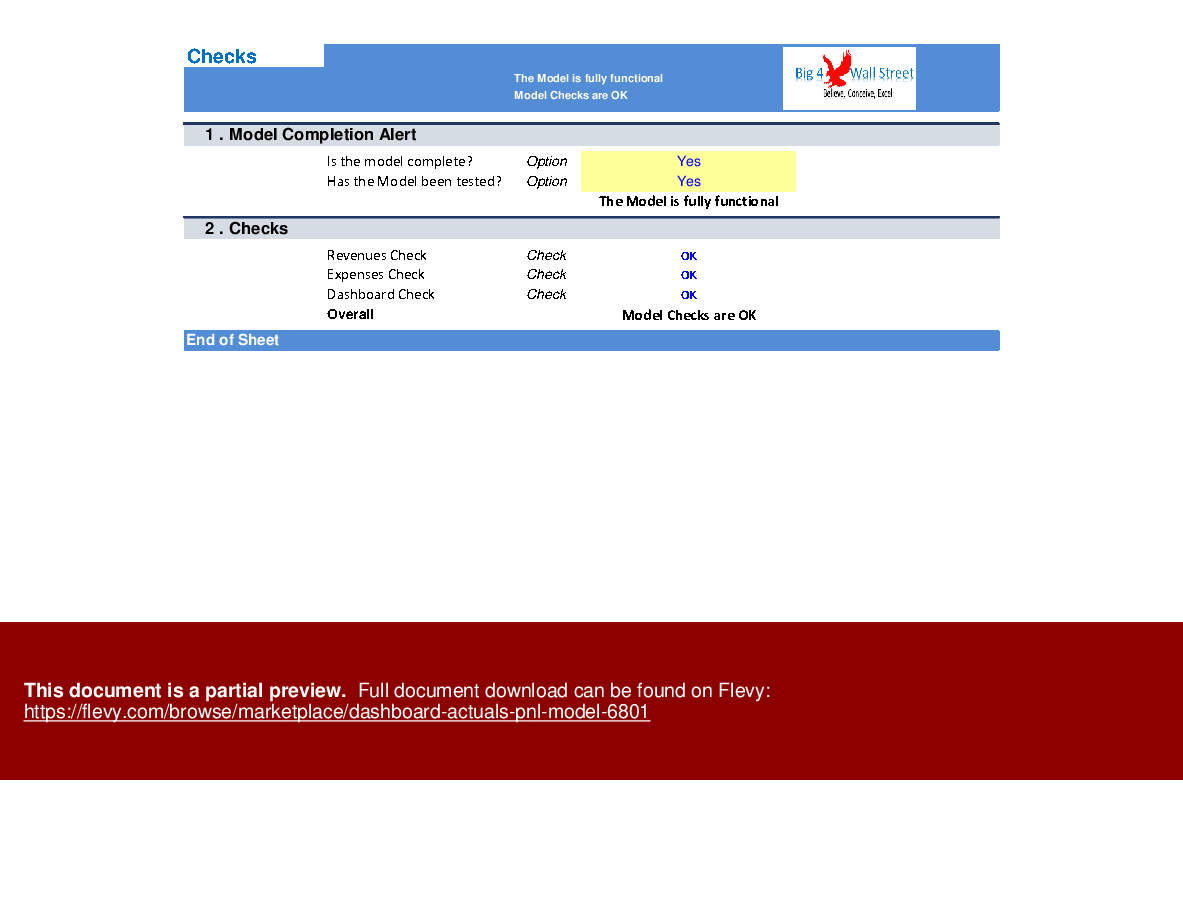
Finally, the checks tab is where the most critical checks are aggregated. Whenever you see an error message on any page, you should consult this page to see where the error is coming from.

Got a question about the product? Email us at support@flevy.com or ask the author directly by using the "Ask the Author a Question" form. If you cannot view the preview above this document description, go here to view the large preview instead.

Source: Best Practices in Dashboard Design, Profit and Loss Excel: Dashboard Actuals P&L Model Excel (XLSM) Spreadsheet, Big4WallStreet


$119.00
Created by a Financial Modeling, Planning & Performance Consultant with 15+ years of experience at Ernst & Young, Toyota, Viohalco, and Upstream. Certified by both the Corporate Finance Institute and the Financial Modeling Institute.
Add to Cart
  

ABOUT THE AUTHOR

Author image
Additional documents from author: 95

We help small and midsize businesses' leaders with their strategic problems by creating or improving financial models, implementing tools to drive efficiency, performance, and better decision making.

With over 15 years of experience in Financial & Business Modeling / Planning, Performance & Analysis (Ernst & Young, Toyota, Viohalco and Upstream), we have developed strong business ... [read more]

Ask the Author a Question

You must be logged in to contact the author.

Click here to log in Click here register

Did you know?
The average daily rate of a McKinsey consultant is $6,625 (not including expenses). The average price of a Flevy document is $65.


Trusted by over 10,000+ Client Organizations
Since 2012, we have provided business templates to over 10,000 businesses and organizations of all sizes, from startups and small businesses to the Fortune 100, in over 130 countries.
AT&T GE Cisco Intel IBM Coke Dell Toyota HP Nike Samsung Microsoft Astrazeneca JP Morgan KPMG Walgreens Walmart 3M Kaiser Oracle SAP Google E&Y Volvo Bosch Merck Fedex Shell Amgen Eli Lilly Roche AIG Abbott Amazon PwC T-Mobile Broadcom Bayer Pearson Titleist ConEd Pfizer NTT Data Schwab


Read Customer Testimonials

 
"FlevyPro has been a brilliant resource for me, as an independent growth consultant, to access a vast knowledge bank of presentations to support my work with clients. In terms of RoI, the value I received from the very first presentation I downloaded paid for my subscription many times over! The "

– Roderick Cameron, Founding Partner at SGFE Ltd
 
"Last Sunday morning, I was diligently working on an important presentation for a client and found myself in need of additional content and suitable templates for various types of graphics. Flevy.com proved to be a treasure trove for both content and design at a reasonable price, considering the time I "

– M. E., Chief Commercial Officer, International Logistics Service Provider
 
"I have used Flevy services for a number of years and have never, ever been disappointed. As a matter of fact, David and his team continue, time after time, to impress me with their willingness to assist and in the real sense of the word. I have concluded in fact "

– Roberto Pelliccia, Senior Executive in International Hospitality
 
"As a niche strategic consulting firm, Flevy and FlevyPro frameworks and documents are an on-going reference to help us structure our findings and recommendations to our clients as well as improve their clarity, strength, and visual power. For us, it is an invaluable resource to increase our impact and value."

– David Coloma, Consulting Area Manager at Cynertia Consulting
 
"If you are looking for great resources to save time with your business presentations, Flevy is truly a value-added resource. Flevy has done all the work for you and we will continue to utilize Flevy as a source to extract up-to-date information and data for our virtual and onsite presentations!"

– Debbi Saffo, President at The NiKhar Group
 
"As a young consulting firm, requests for input from clients vary and it's sometimes impossible to provide expert solutions across a broad spectrum of requirements. That was before I discovered Flevy.com.

Through subscription to this invaluable site of a plethora of topics that are key and crucial to consulting, I "

– Nishi Singh, Strategist and MD at NSP Consultants
 
"I have used FlevyPro for several business applications. It is a great complement to working with expensive consultants. The quality and effectiveness of the tools are of the highest standards."

– Moritz Bernhoerster, Global Sourcing Director at Fortune 500
 
"Flevy.com has proven to be an invaluable resource library to our Independent Management Consultancy, supporting and enabling us to better serve our enterprise clients.

The value derived from our [FlevyPro] subscription in terms of the business it has helped to gain far exceeds the investment made, making a subscription a no-brainer for any growing consultancy – or in-house strategy team."

– Dean Carlton, Chief Transformation Officer, Global Village Transformations Pty Ltd.


Customers Also Bought These Documents


Customers Also Like These Documents

Explore Templates on Related Management Topics


Your Recently Viewed Documents
Download our FREE Strategy & Transformation Framework Templates

Download our free compilation of 50+ Strategy & Transformation slides and templates. Frameworks include McKinsey 7-S, Balanced Scorecard, Disruptive Innovation, BCG Curve, and many more.