
 Click main image to view in full screen.
Construction Project Finance Model, Financial Planning (Excel XLSX)
Excel (XLSX)


BENEFITS OF THIS EXCEL DOCUMENT
- Provides thorough oversight, tracking, and reporting of construction project finances for engineers, including updates on budget utilisation and projections.
- Eliminates the need to create project finance trackers from scratch and includes all common construction project actual and projection components.
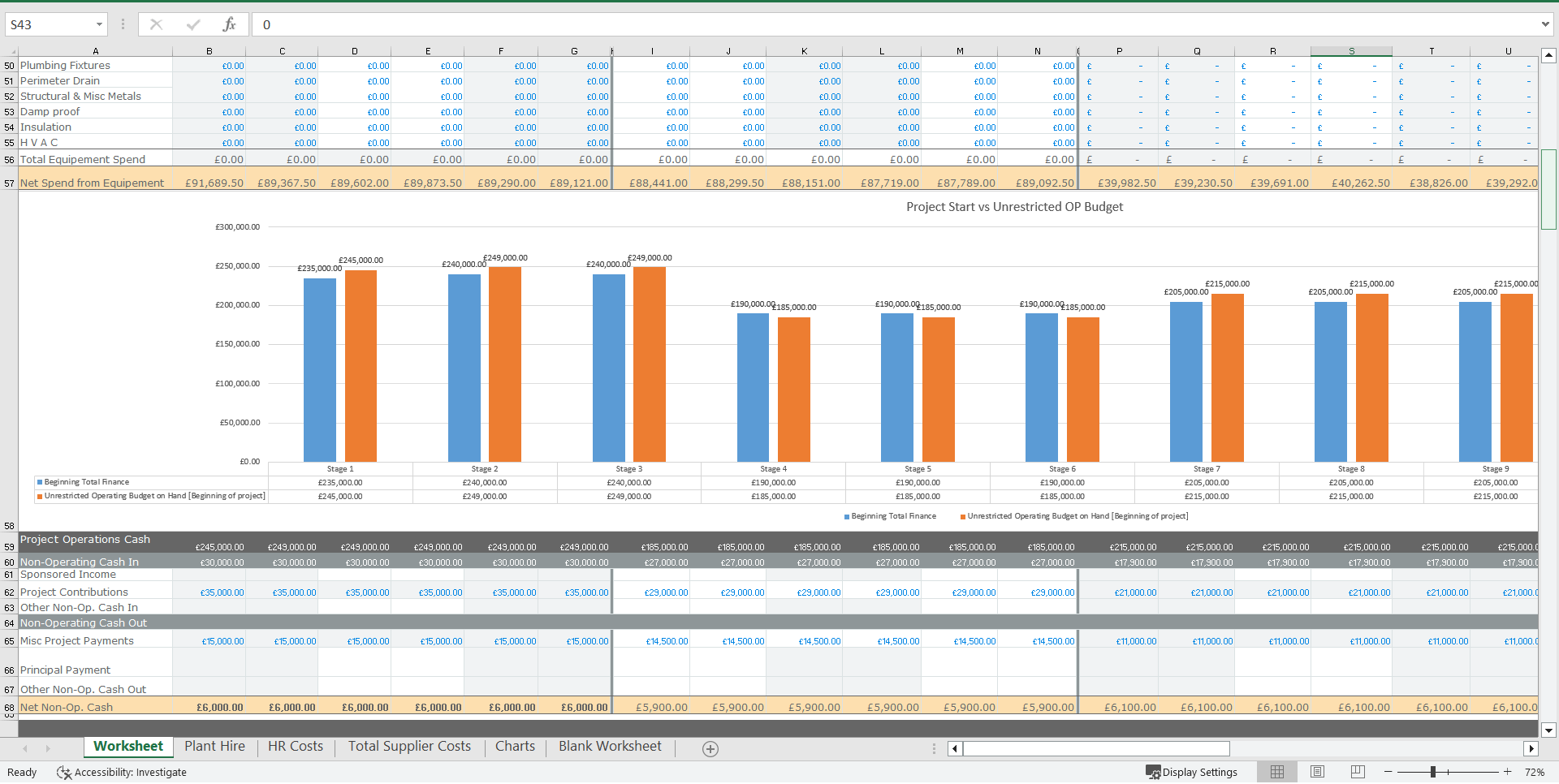
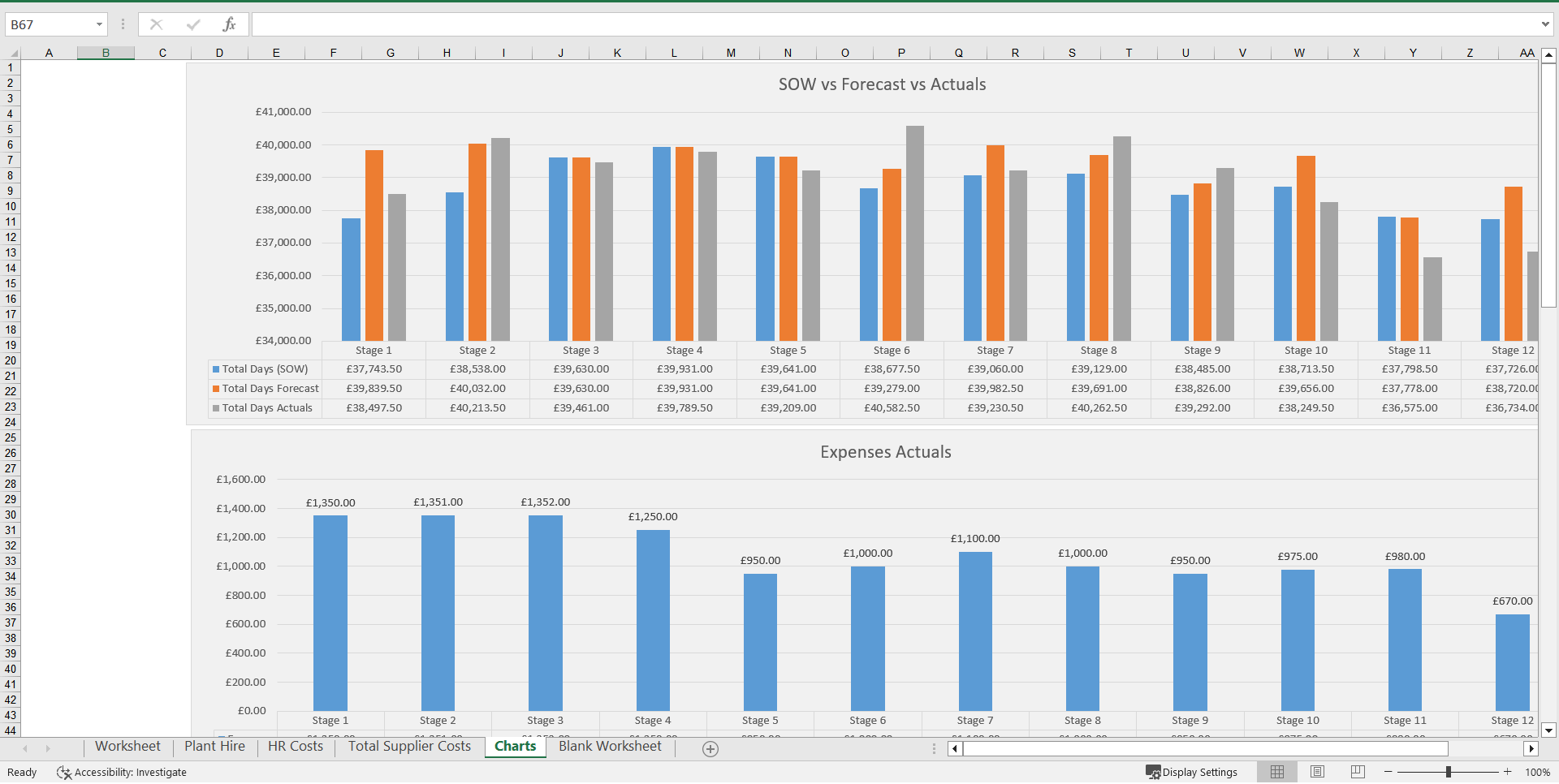
- Offers a number of charts for the project cost status that can be used in senior management reports and status reports.
CONSTRUCTION EXCEL DESCRIPTION
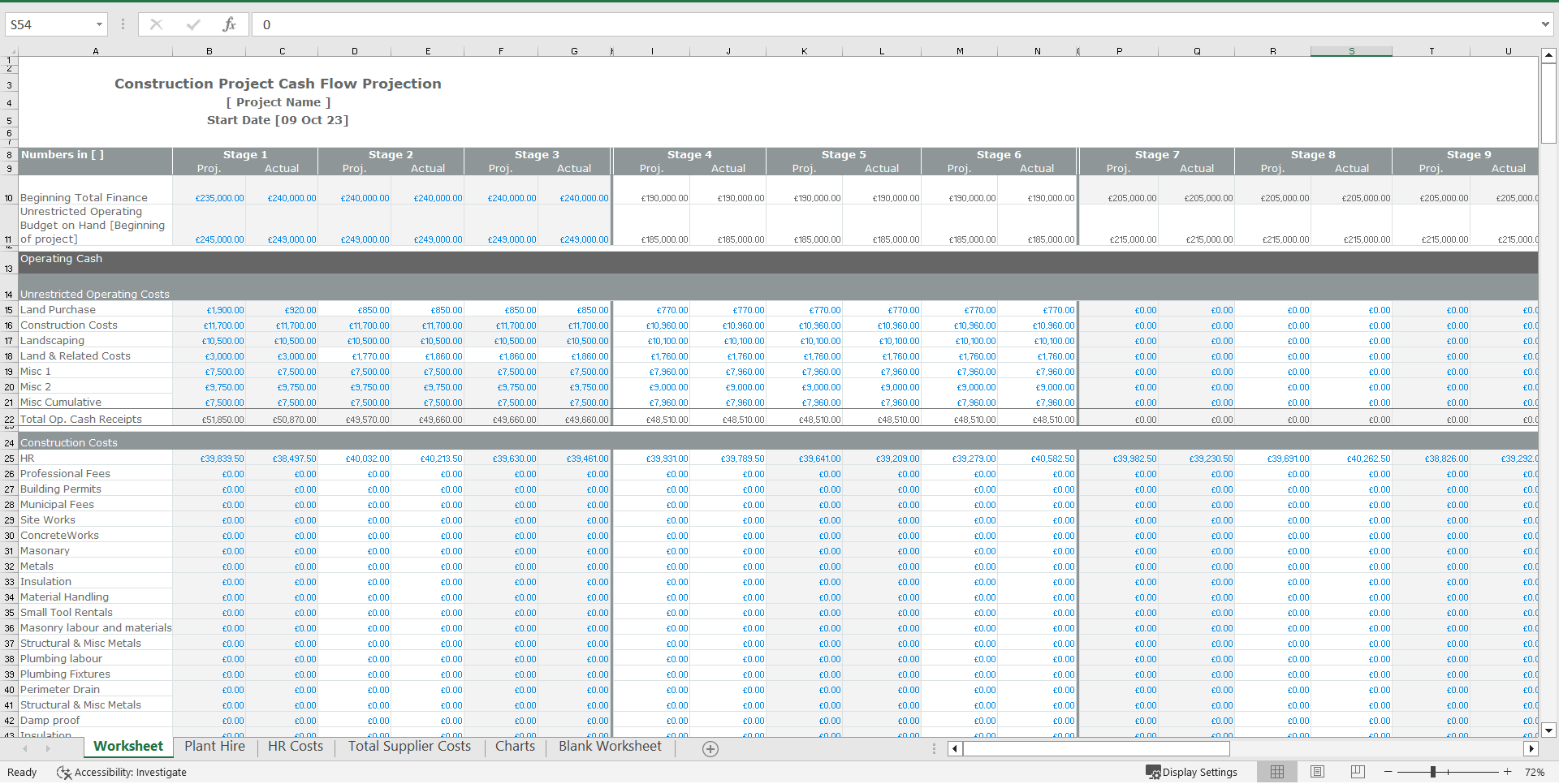
Track specialised funding that is frequently used for large-scale construction projects and infrastructure.
This entails the detailed planning, organising, and administration of financial resources for complicated projects like power plants, highways, and real estate developments.
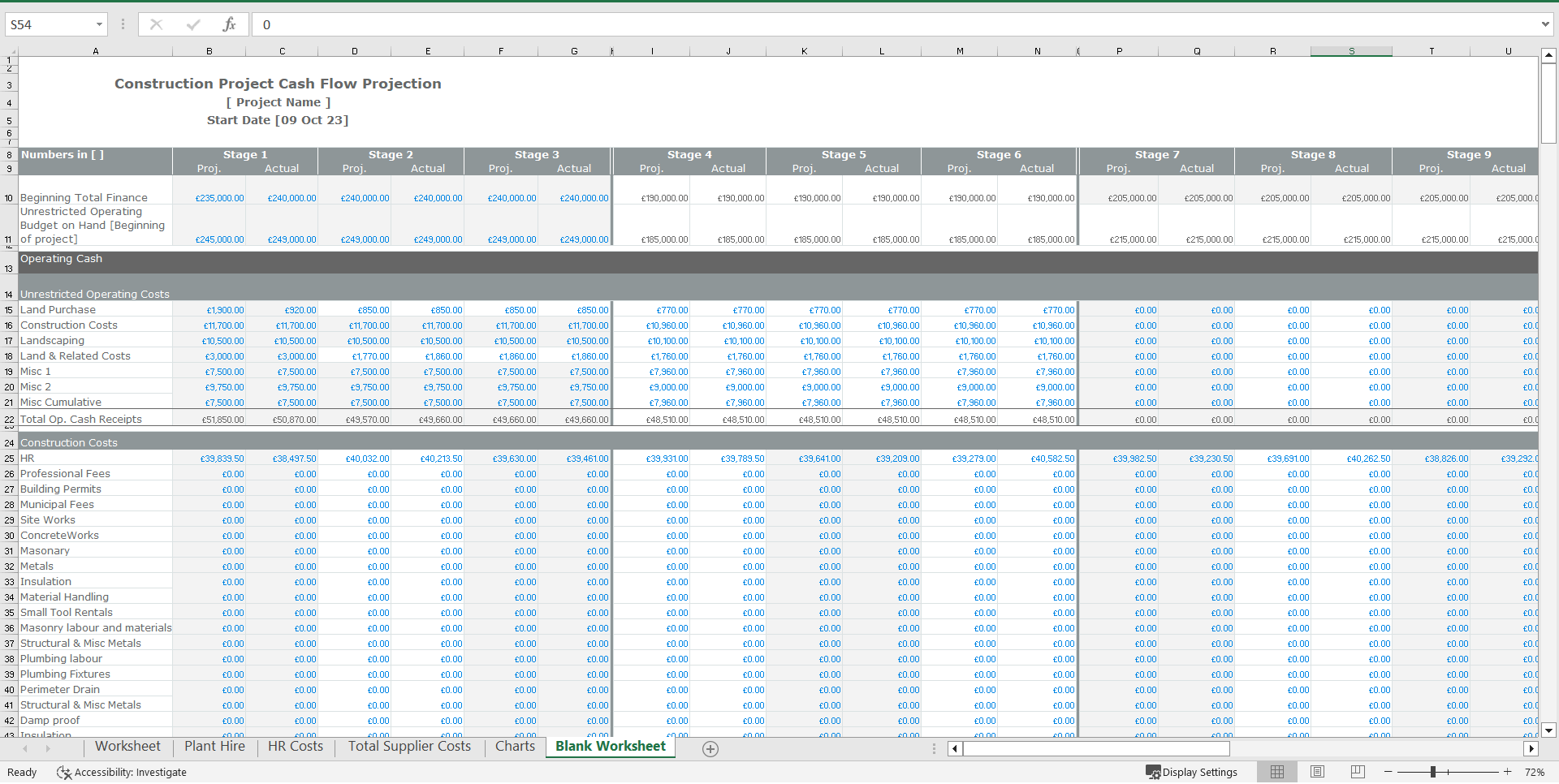
Calculate project construction schedule cash flows over stages from the initial start to the operating phase.
It allows users to monitor and control the timing and how the cash flows over that time.
The primary finance tracker, which is trackable by stage, has the following features: resource summary, grade and role on the project, expenses incurred, SOW, Forecast vs Acutuals, forecast days, actual days worked, hours, variance, actual total cost vs forecast revenue, realistic revenue, and variance in revenue. Total days of variance and total cost, colour coded so easy to track.
Suppliers tab: to track variance in actuals and forecasted days, completed and cost variance.
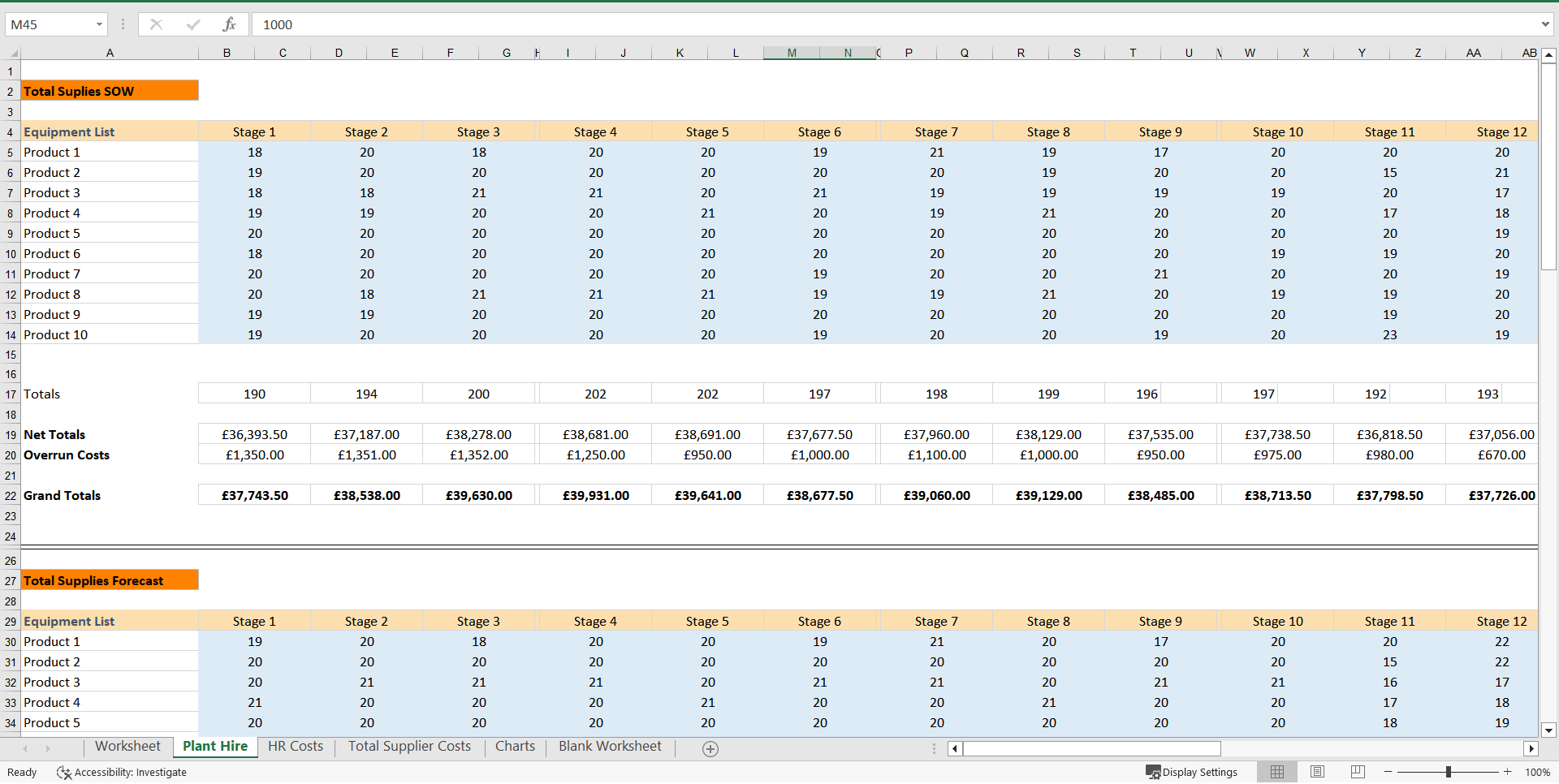
Equipment tab: for tracking equipment rental, days allocated and financed vs days missed and losses plus overruns/overspends.
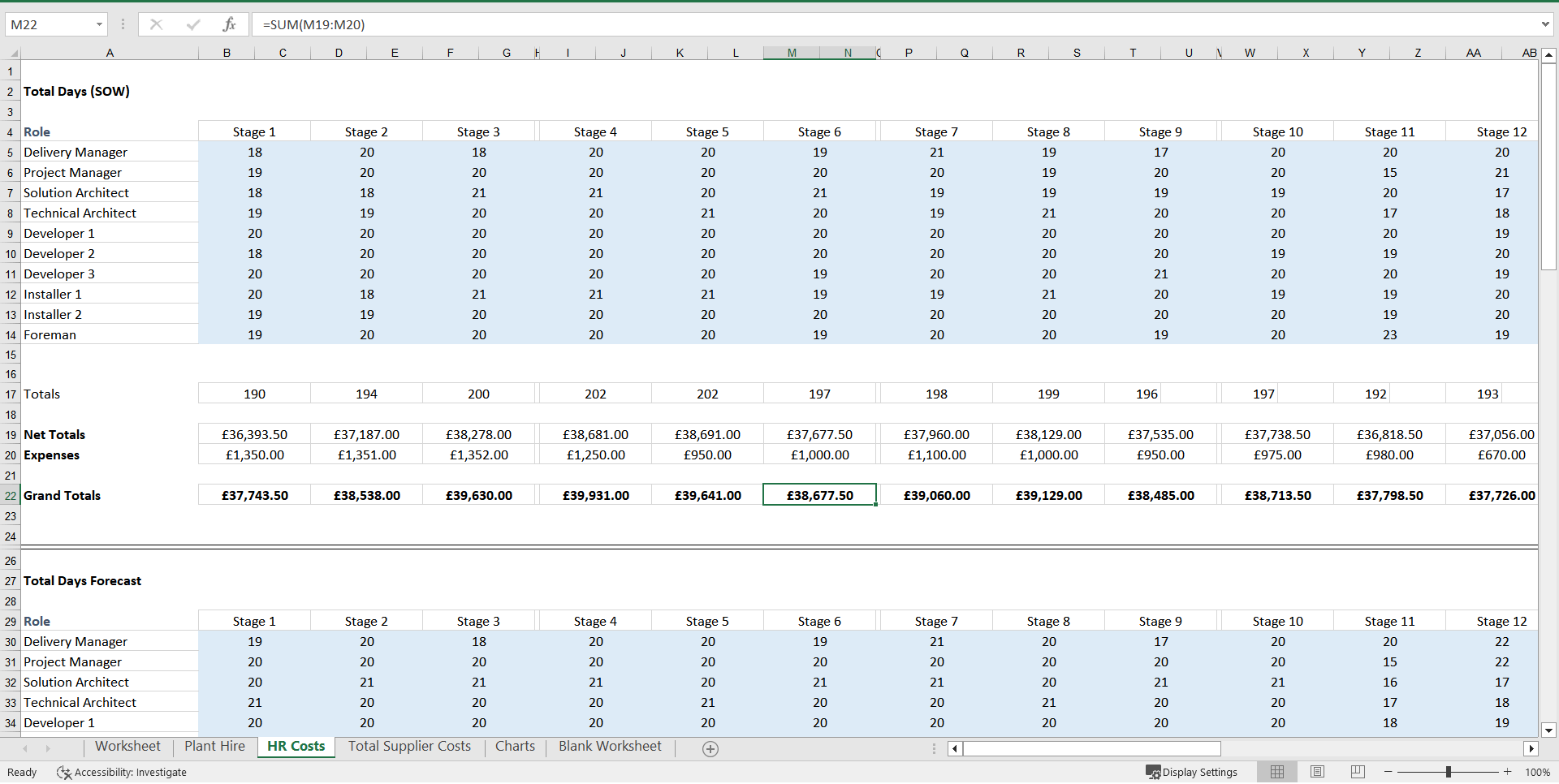
HR Expenses Variance tab: track employees/team members' forecasted days and net totals vs actuals and grand totals.
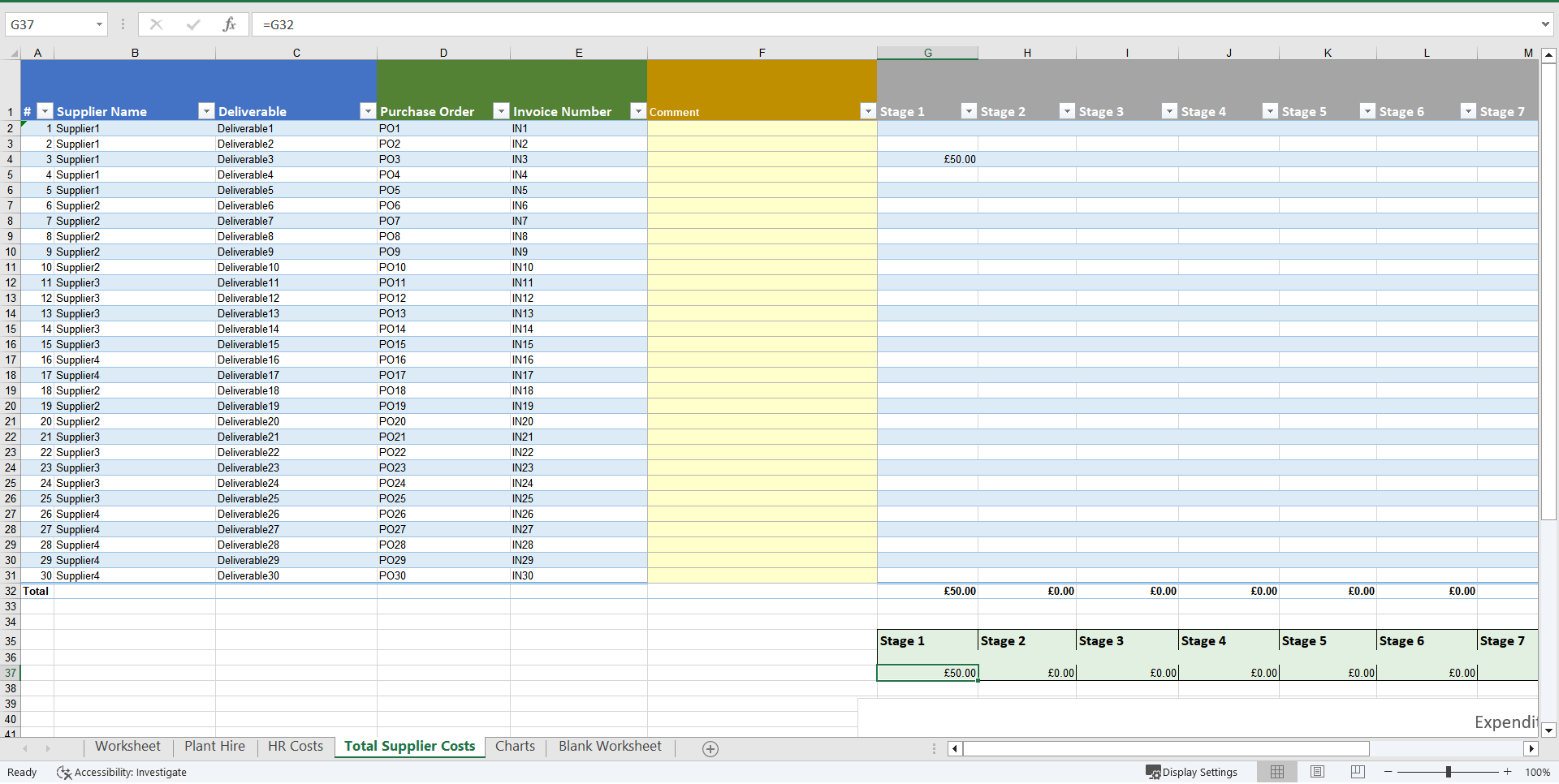
Total supplier costs tab: deliverables, purchase orders, invoice numbers and stage costs through a stage on a single page
Adjust inputs such as construction, landscaping and (Land Related Costs, Administration Fees, Building Permits, and Other, Hard Costs, General Operations, and Closing Costs), along with debt and equity financing, monthly equipment rental revenue for each individual unit if required, escalation rates, management expenses, refurbishments, utilities, insurance, and taxes.
All of our templates are made with the user's needs and comfort in mind, according to best practice project modelling standards and demonstrating our commitment to excellence and client satisfaction.
Our expert financial models are the ideal tools to improve your project operations, regardless of your level of knowledge in finance, accounting, or using Microsoft Excel!
However, if you run into any problems utilising this template and can't find the right help in the instructions, please don't hesitate to get in touch with us.
Got a question about the product? Email us at support@flevy.com or ask the author directly by using the "Ask the Author a Question" form. If you cannot view the preview above this document description, go here to view the large preview instead.
TOPIC FAQ
What are the key components of a construction project finance model?
A construction project finance model typically includes stage-based schedule cash flows, resource summaries (grades/roles), expense tracking, forecast versus actual comparisons, supplier and equipment cost tracking, and financing inputs such as debt and equity. These components support tracking from project start through the operating phase.How do I model timing of cash flows across construction stages?
Model timing by breaking the project into stages from initial start to the operating phase, assigning expected cash inflows/outflows to each stage, and mapping forecast days and actual days worked to those stages to control timing. This produces stage-based schedule cash flows for analysis.What is the purpose of forecast vs actual variance analysis in construction finance?
Forecast vs actual variance analysis identifies deviations in days worked, hours, costs, and revenue so managers can assess overruns, shortfalls, and schedule slips. Effective models include variance metrics and visual cues such as color-coded totals for days and cost variance to highlight exceptions.Which cost inputs should I include when building a construction finance spreadsheet?
Include construction and hard costs, land-related costs, administration fees, building permits, general operations, closing costs, equipment rental revenue, escalation rates, management expenses, refurbishments, utilities, insurance, taxes, and debt/equity financing assumptions to reflect project economics.What features should I prioritize when selecting an Excel template for construction project finance?
Prioritize stage-based cash-flow capability, forecast vs actual variance tracking, separate supplier and equipment tracking tabs, HR expense variance monitoring, and adjustable cost and financing inputs. Flevy's Construction Project Finance Model, Financial Planning includes Suppliers, Equipment, and HR Expenses Variance tabs.How much Excel skill is needed to use a construction finance template and what support is typical?
Usability varies,, but many templates are supplied in XLSX format with instructions and vendor support for setup. Flevy's Construction Project Finance Model, Financial Planning is provided as an editable XLSX file and notes that users can request help if instructions do not resolve questions.I need to compare supplier forecasted days to actuals—what model elements help with that?
Use a Suppliers worksheet that records forecasted days, actual days, completed deliverables, and cost entries, then calculate day and cost variances to flag discrepancies. A dedicated Suppliers tab lets you reconcile purchase orders, invoices, and stage costs on a single sheet.How can I track equipment rental overruns and financed days in a construction model?
Include an Equipment tab that logs rental start/end dates, days allocated and financed, actual days used, and any losses or overruns/overspends; this lets you quantify rental cost variances and financing impacts within the model’s equipment schedule.Source: Best Practices in Construction, Project Finance Excel: Construction Project Finance Model, Financial Planning Excel (XLSX) Spreadsheet, Willcox PMO




























