
 Click main image to view in full screen.


CAPITAL BUDGETING EXCEL DESCRIPTION
Managing capital expenditure (CAPEX) can be challenging, but the Capital Expenditure Excel Table Template by Oak Business Consultants makes it easier. This tool helps businesses track CAPEX across departments and projects, manage cash flow, monitor depreciation, and analyze asset sales all in one place. With built-in graphs and reports, you get a clear visual breakdown of your capital spending, helping you make smarter financial decisions.
What's Inside?
1. Cash Flow Tracking See where your money is going and manage expenses efficiently.
2. Financial Statements Keep accurate records for better reporting.
3. Profit & Loss Analysis Understand the financial impact of asset sales.
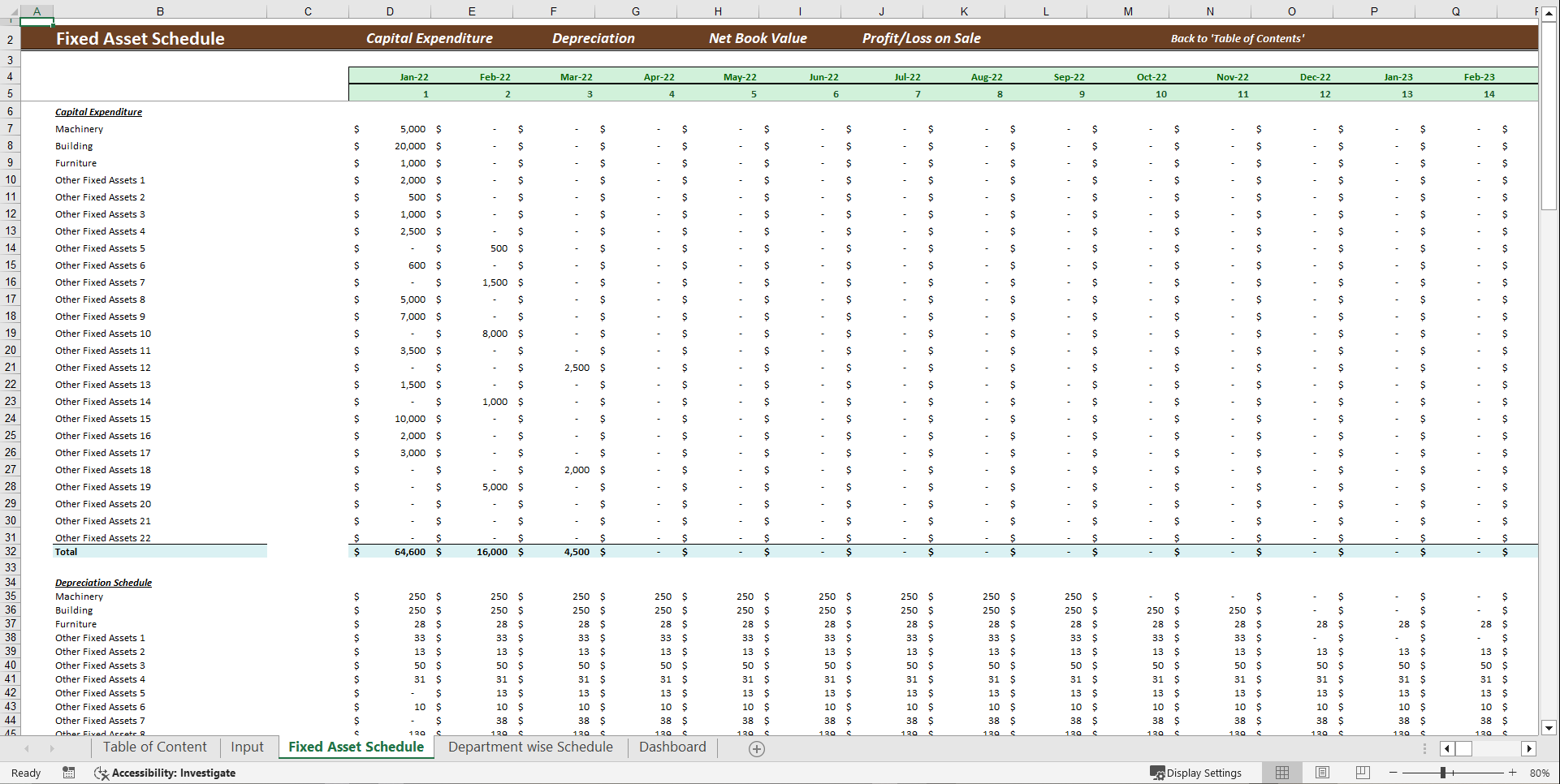
4. Fixed Asset Schedule Track depreciation, net book value, and CAPEX trends.
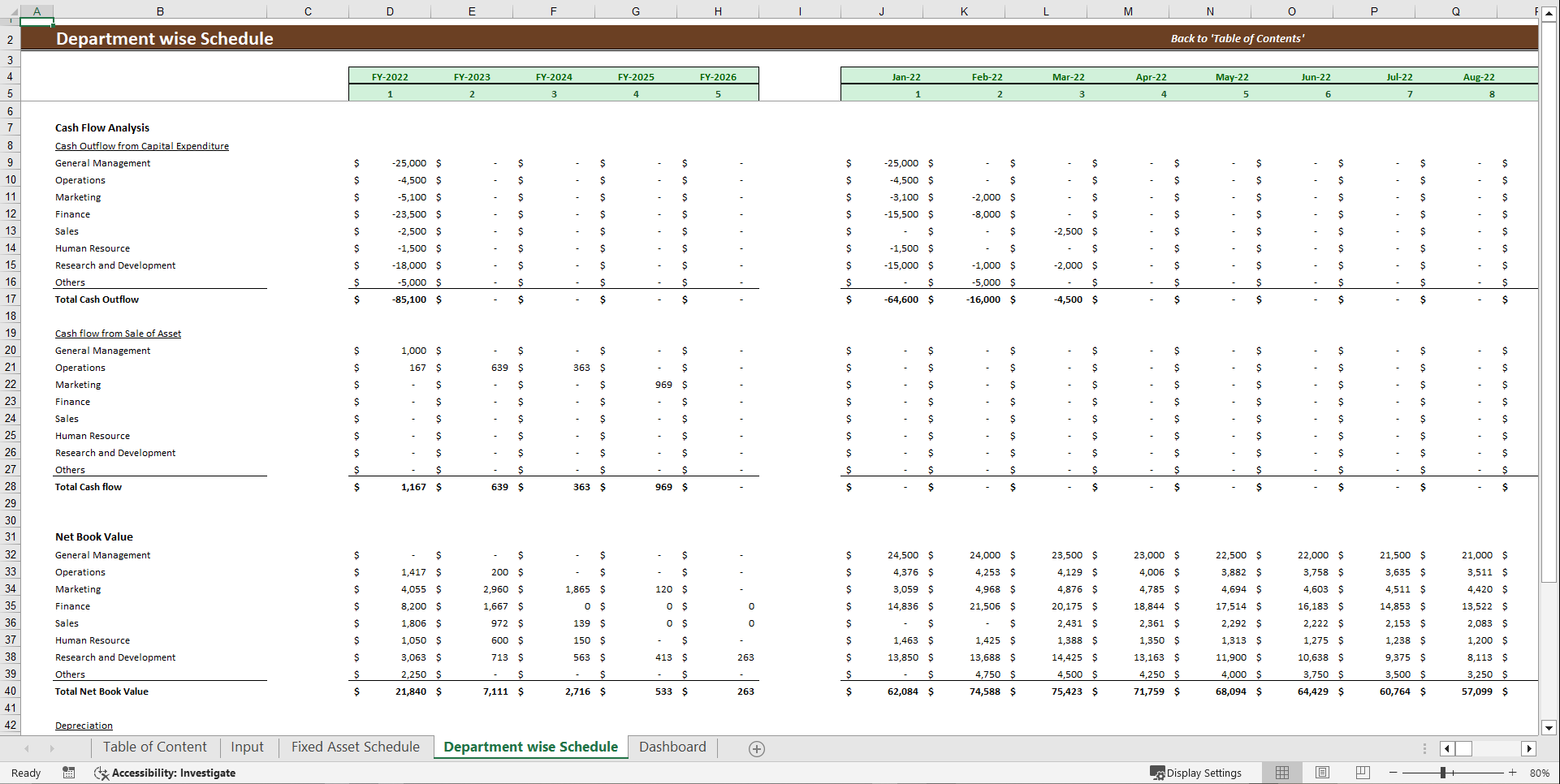
5. Department Wise Breakdown Get a clear view of CAPEX allocation across different teams.
How It Works
This template takes the guesswork out of CAPEX planning. Just input your fixed assets and assumptions, and the model does the rest giving you easy to read reports, cash flow analysis, and key insights to guide your financial decisions.
Key Sections
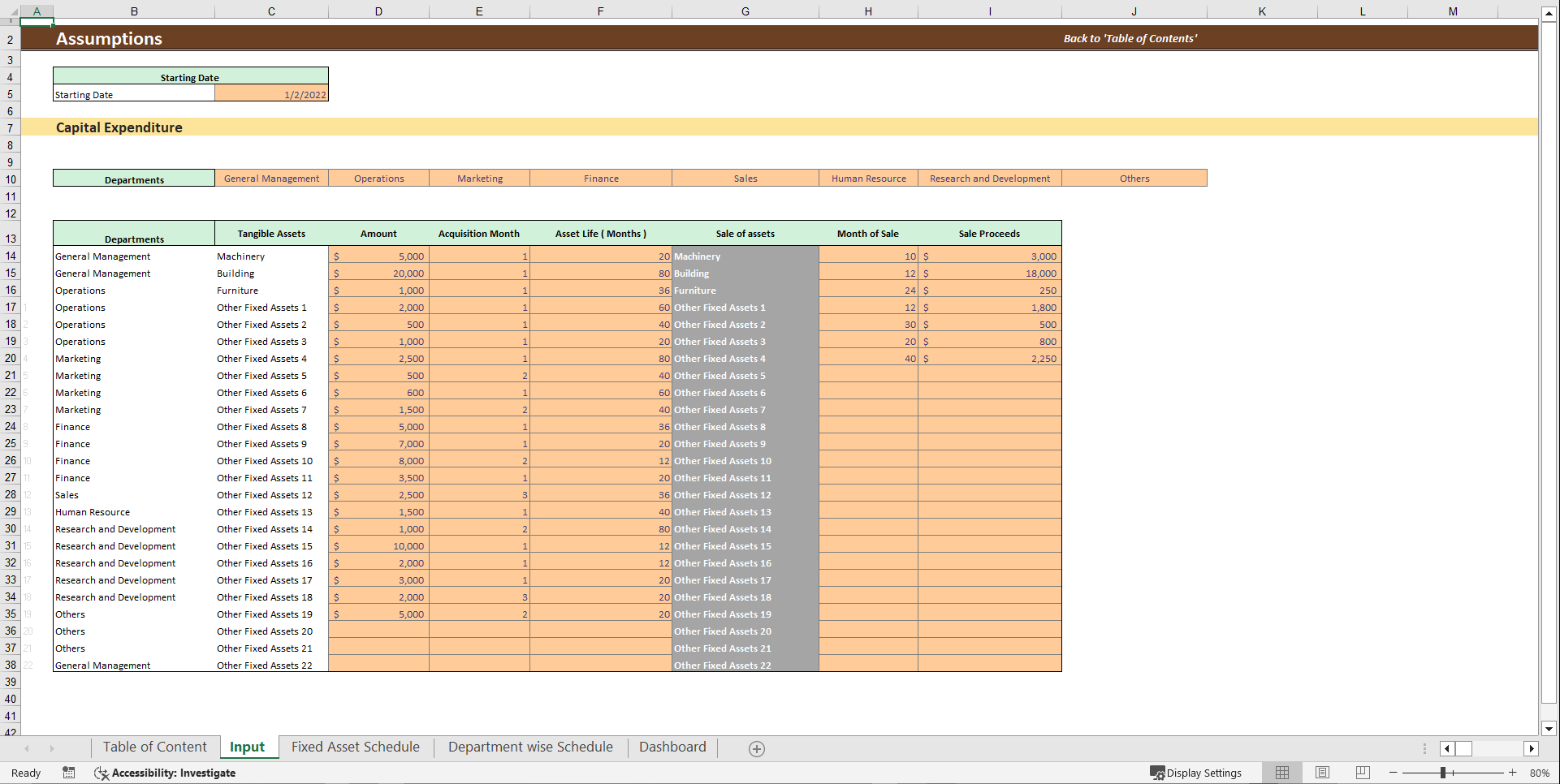
1. Input Sheet: A customizable list of fixed assets to match your business needs. Let's you enter assumptions and analyze different CAPEX scenarios.
2. Fixed Asset Schedule: Tracks your capital expenditure, net book value, and any profits or losses from asset sales. Department Wise Schedule. Provides a detailed 5 year cash flow analysis. Breaks down total cash flow, depreciation, and expenses per department.
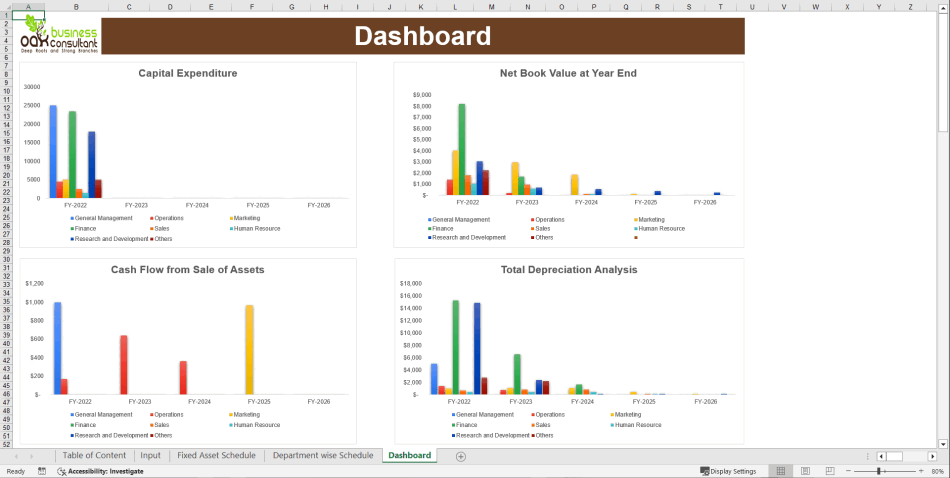
3. Dashboard: A visually rich summary of your CAPEX data. Saves time by eliminating the need to switch between multiple sheets.
Why You'll Love This Template
1. Saves You Time & Money: No complicated formulas or external consultants needed. Focus on growing your business while the model handles the heavy lifting.
2. Easy to Use: Works for businesses of all sizes, whether you're a startup or established. Requires only basic Excel skills no advanced knowledge needed!
3. Helps You Make Smart Decisions: Organizes CAPEX costs, overhead expenses, and financial returns in one place. Allows easy comparison of different capital investment options.
4. Clear & Simple Visuals: Graphs and charts make it easy to understand your CAPEX at a glance. No need to dig through complex spreadsheets.
FAQs
1. Is this template good for small businesses?
Absolutely! It's designed to be flexible and easy to use, whether you're running a startup or managing a large company.
2. Do I need to be an Excel expert?
Not at all! If you can enter numbers into a spreadsheet, you can use this template. Everything else is automated.
3. Can I customize the asset categories?
Yes! The input sheet lets you add or modify asset types to fit your business needs.
4. Will this help me plan better CAPEX decisions?
Definitely! The built in reports and visuals make it easy to see trends, compare costs, and make informed investment choices.
Got a question about the product? Email us at support@flevy.com or ask the author directly by using the "Ask the Author a Question" form. If you cannot view the preview above this document description, go here to view the large preview instead.
Source: Best Practices in Capital Budgeting Excel: Capital Expenditure Financial Tool Excel (XLSX) Spreadsheet, Oak Business Consultant




























