
 Click main image to view in full screen.


BENEFITS OF THIS EXCEL DOCUMENT
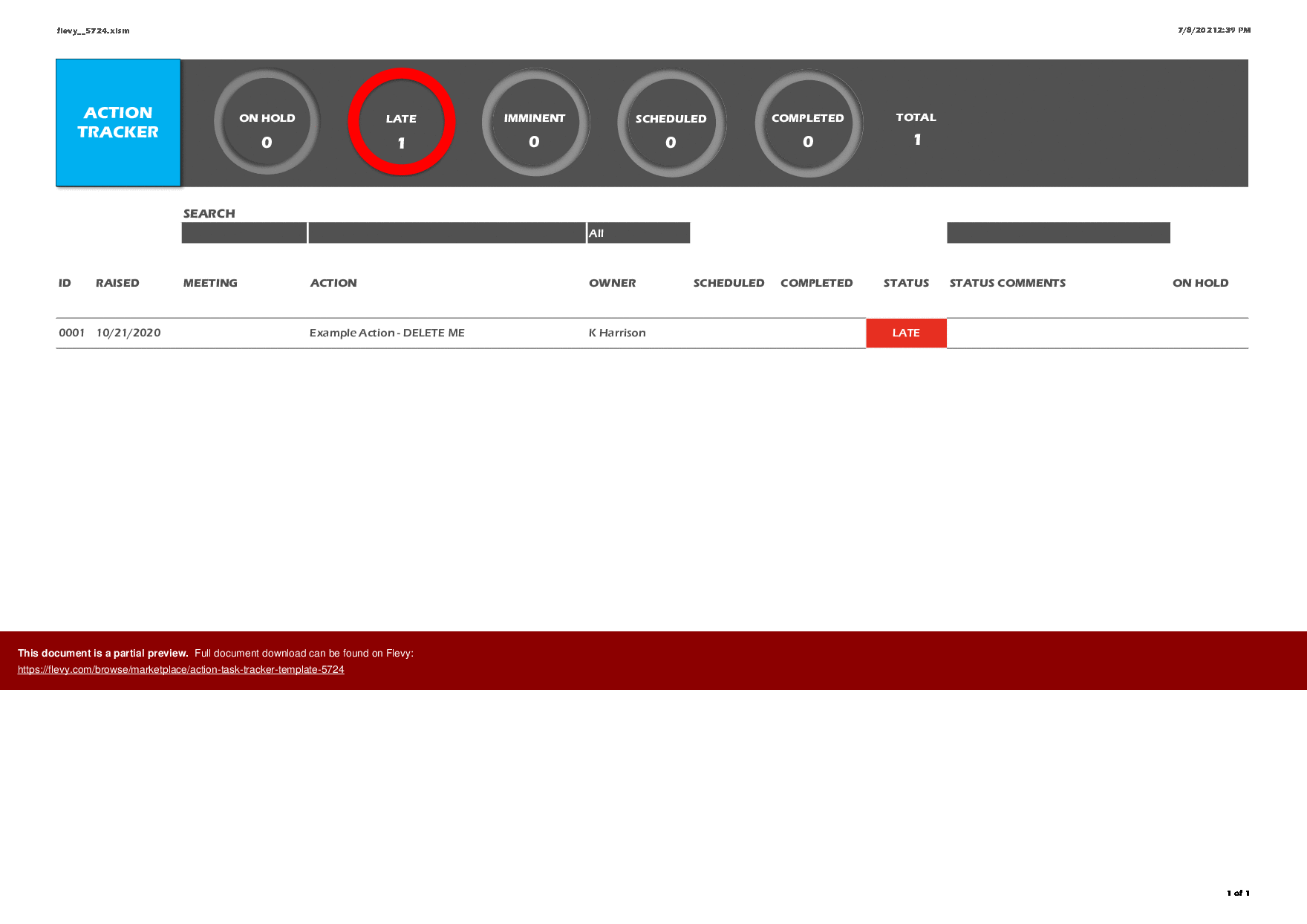
- PDF Records & Outlook Emailing ? communicating your teams activity is made very easy, just click and a PDF of the tracker is recorded and attached to an Outlook email ready to send.
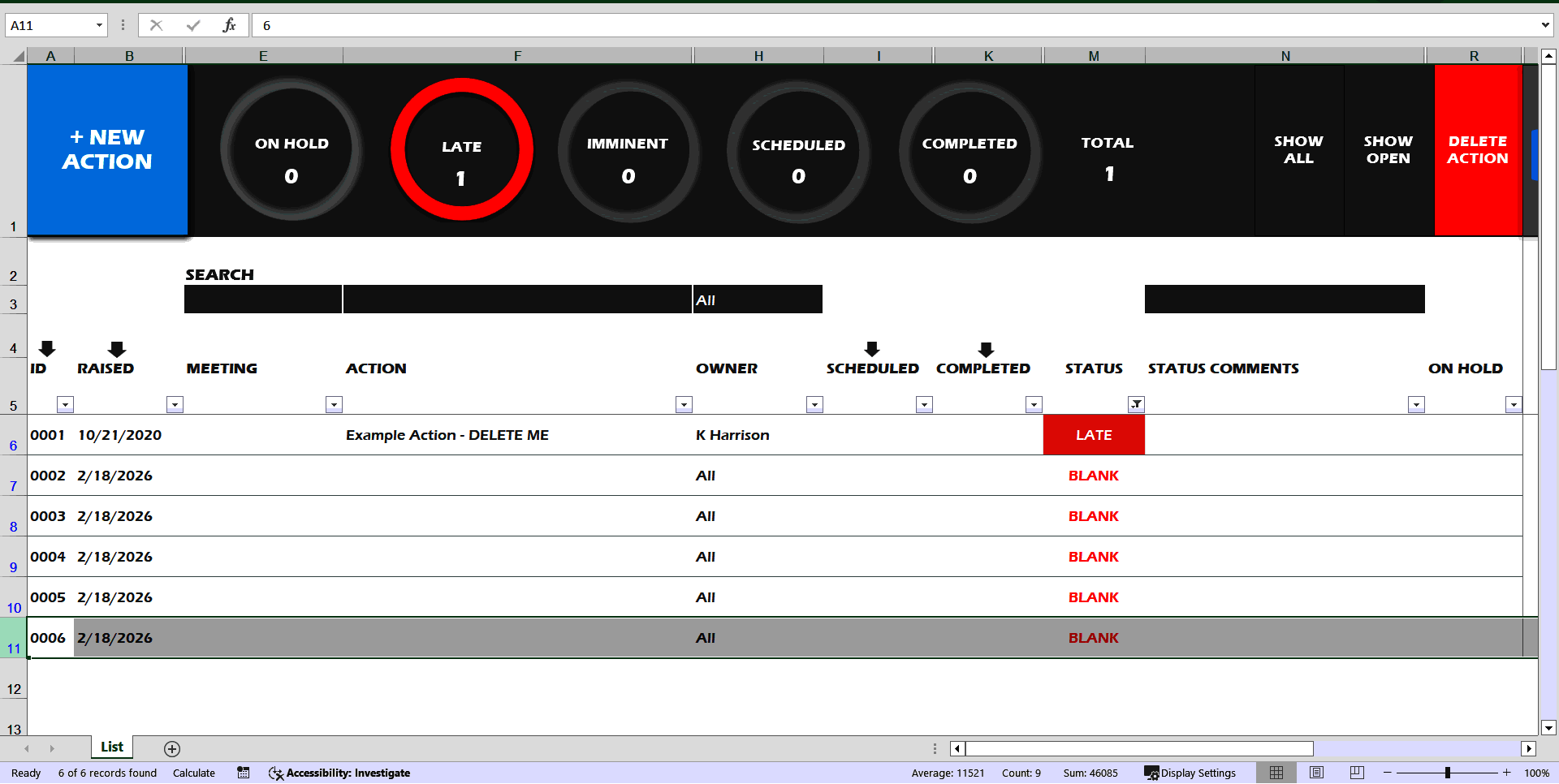
- Automatic Status & KANBAN Filters ? with a little information the tracker works out a status. Your team can then prioritise and focus their effort using the clickable KANBAN filters.
- Configurable ? change fields? status terminology? set an administrator? You can do all of this plus more from the Admin Tab. Most importantly, all of the passwords are provided for you to customise as you wish with the added benefit of being able to view,
PROGRESS REPORT EXCEL DESCRIPTION
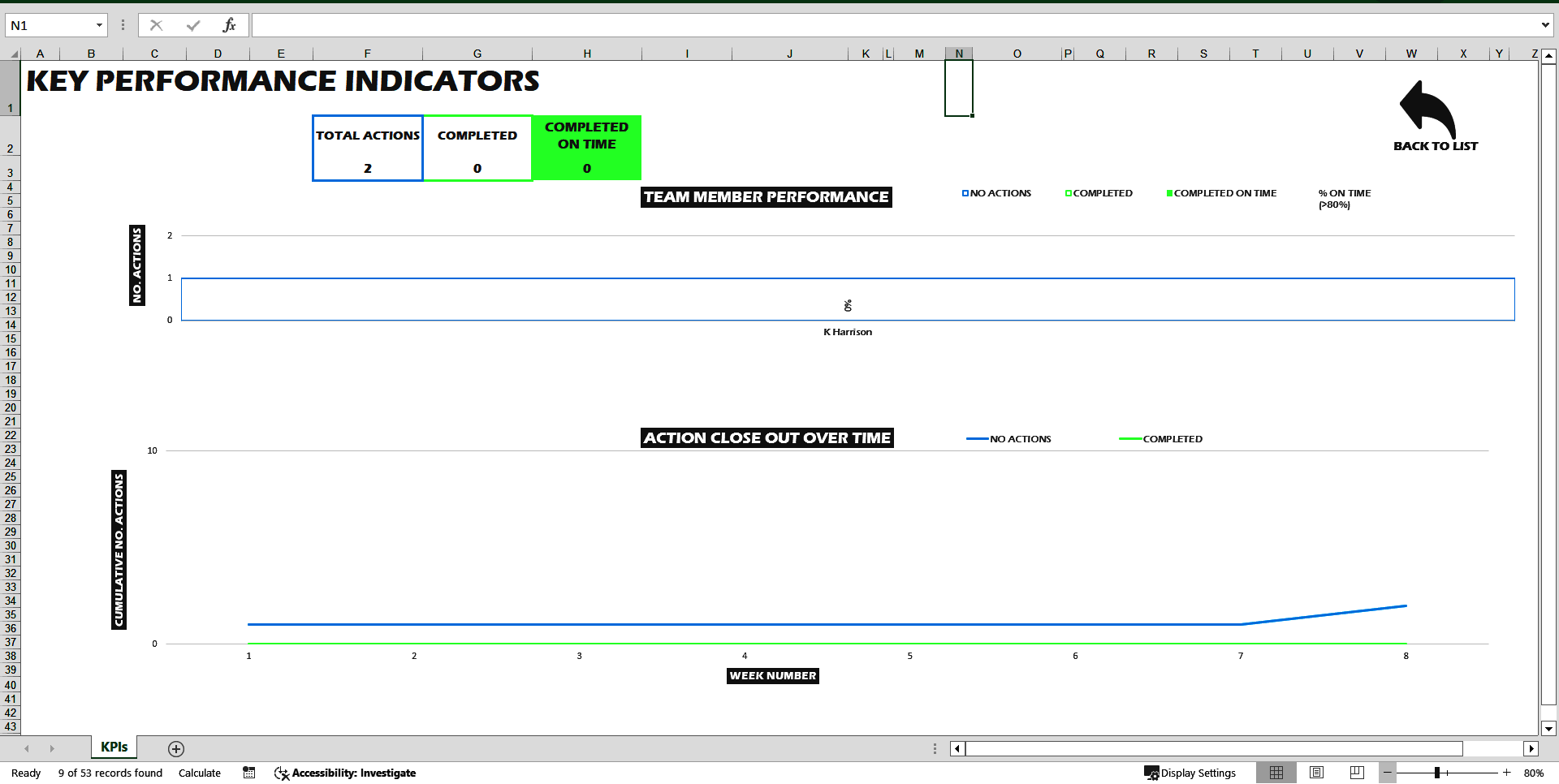
This action tracker template can be used as both action tracker and task tracker. Log and track actions and tasks easily with automatic status and priorities ? give it a go! It's an intuitive template that has been programmed in visual basic to make logging, prioritising and reporting actions as efficient as possible.
Key Features of this action tracker template :
-Comes with worksheet and VBA passwords visible on the Admin Tab for you to unprotect.
-Status text can be edited from the Admin Tab.
-Interactive Kanban style chart filters.
-Two drop down fields that can be edited, enabled and disabled on the Admin Tab.
• An additional free text field that can be edited, enabled and disabled on the Admin Tab.
-Setting on Admin Tab to change worksheet zoom % across all sheets.
-PDF & Email (Outlook) functionality ? setup in the Admin Tab with a built-in Windows browser create a save directory and then activated each time from a button on the Tracker. This functionality can be used to PDF your tracker, save as a record and issue out to your team as a regular update.
-Tested using Windows 10 and Microsoft Excel 2016.
-Programmed in Microsoft Excel and Visual Basic for Applications.
-Integrates with Microsoft Outlook.
Please note these terms and conditions:
-This is a macro enabled workbook (.xlsm) and will require content and macros to be enabled on first opening. This is done easily by clicking the prompts at the top of Excel.
-This template has only been tested using Windows 10 and Microsoft Excel 2016.
-This is an Excel file template and must be opened with your own copy of the Microsoft Excel application.
-We are in no way responsible for any loss of data or IT issues that result from using this template.
-As this is a downloadable product you waiver the 14 day right to cancel.
-This is an instant download.
By continuing with this purchase you accept these terms and conditions.
This template streamlines your action and task management processes, ensuring nothing falls through the cracks. With its user-friendly interface and customizable features, you can effortlessly adapt it to your team's specific workflow needs, enhancing accountability and visibility across all tasks.
Got a question about the product? Email us at support@flevy.com or ask the author directly by using the "Ask the Author a Question" form. If you cannot view the preview above this document description, go here to view the large preview instead.
TOPIC FAQ
What features are commonly included in an Excel action/task tracker template?
Excel action trackers commonly include task logging fields, status and priority indicators, editable lookup/drop-downs, visual filters or boards, and export functions. The Action/Task Tracker Template specifically lists editable status text, 2 configurable drop-down fields, an editable free-text field, interactive Kanban-style chart filters, and PDF & Outlook email functionality.How do macro-enabled (.xlsm) trackers work and what security steps are needed?
Macro-enabled trackers use Visual Basic for Applications to automate logging, filtering, and exports; users must enable content/macros when opening the workbook to allow those automations. The Action/Task Tracker Template notes macros must be enabled on first opening and was tested on Windows 10 with Excel 2016.Can an Excel tracker integrate with Outlook to send status updates automatically?
Yes; some Excel trackers automate email distribution by calling Outlook through VBA to attach or send saved files. The Action/Task Tracker Template includes PDF & Email (Outlook) functionality that creates a save directory and issues updates via Outlook.How do Kanban-style chart filters help manage tasks in a tracker?
Kanban-style filters provide a visual way to group and view items by status, priority, or assignee, making bottlenecks and flow clearer. The product’s interactive Kanban-style chart filters let users interactively filter task views within the workbook.What should I check before buying an Excel action tracker template for my team?
Verify file format (.xlsm), whether macros/VBA are required and can be enabled, platform compatibility with your Excel version, available export/integration options (e.g., Outlook), and configurable fields such as editable status or drop-downs; the Action/Task Tracker Template specifies .xlsm and Windows 10/Excel 2016 testing.How does a prebuilt template reduce setup work compared with building from scratch?
A prebuilt template bundles VBA automation, preconfigured fields, visual filters, and export routines so you avoid custom development of those elements. The Action/Task Tracker Template provides ready-made VBA automation, interactive filters, and PDF & Outlook export within a single .xlsm workbook.How should I evaluate the cost versus value of buying an off-the-shelf tracker template?
Assess the value by comparing the effort to develop equivalent VBA automation, visual filters, and export routines in-house versus buying a ready .xlsm template; note delivery model—this Action/Task Tracker Template is sold as an instant digital download on Flevy.What features matter if I need to issue regular stakeholder reports from a tracker?
For regular reporting, look for export or print-to-PDF capability, email/send integration (Outlook), configurable views or filters for the report scope, and the ability to save a defined report directory. The Action/Task Tracker Template includes PDF & Email (Outlook) functionality and a save directory setup.Source: Best Practices in Progress Report Excel: Action/Task Tracker Template Excel (XLSM) Spreadsheet, ktharry87




























